Sliter du med å få QR-kodene dine til å se ut som de faktisk tilhører merkevaren din? En enkel svart-hvitt-kode gjør jobben teknisk sett, men den går glipp av en reell mulighet til å forsterke gjenkjennelse og drive flere skanninger. Denne guiden tar deg gjennom hvordan du lager profesjonelle merkevare-QR-koder ved hjelp av ferdige maler, din egen logo og farger, og dynamiske funksjoner som holder kampanjene dine fleksible etter utskrift.
Hvorfor merkevare-QR-koder presterer bedre
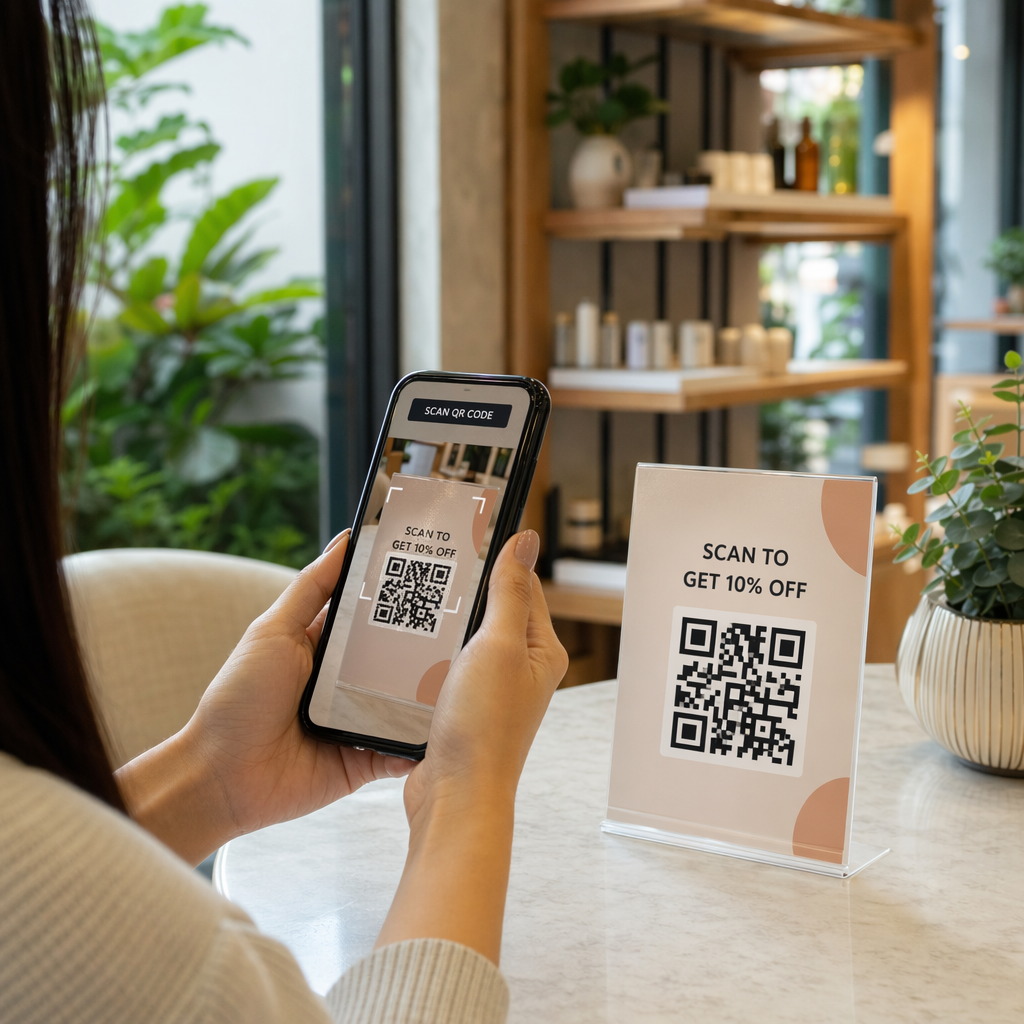
En QR-kode er et berøringspunkt. Hver gang noen ser den på emballasje, en flyer eller et visittkort, gjør de en rask vurdering av om de skal skanne den. Merkevare-QR-koder – de som inkluderer din logo, fargevalg og visuelle stil – signaliserer legitimitet og gjenkjennelse, noe som direkte påvirker skannefrekvensen.
Forskning viser konsekvent at merkevare-QR-koder med logoer kan øke skannefrekvensen med 30 % til 70 % sammenlignet med generiske svart-hvitt-koder. Dette gapet skyldes tillit: en kode som ser ut som den tilhører et merke folk kjenner igjen, blir skannet lettere enn en som ser generisk eller uverifiserbar ut.
Utover skannefrekvensen skaper merkevarekoder konsistens på tvers av markedsføringsmaterialet ditt. Når QR-koden din matcher emballasjen, skiltingen og digitale eiendeler, forsterker den merkevareidentiteten i stedet for å undergrave den.
Lag merkevaretilpassede QR-koder uten å starte fra bunnen av Pageloots QR-kodemaler gir deg ferdige design du kan tilpasse med dine farger, logo og stil – slik at hver kode ser ut som en del av merkevaren din, ikke en ettertanke.
Velge riktig mal for merkevaren din
Malen du velger, legger det visuelle grunnlaget for QR-koden din. En godt tilpasset mal reduserer designtiden, sikrer skannbarhet og gir koden din et polert utseende som passer naturlig inn i ditt eksisterende materiale.
Når du vurderer maler, prioriter:
- Merkevaretilpasning – Stemmer malens fargeutvalg, layout og visuelle stil overens med din eksisterende identitet?
- Brukstilpasning – En mal designet for et visittkort har andre proporsjoner og tetthet enn en som er laget for en plakat eller produktetikett
- Skannbarhet – Forhåndstestede maler fra pålitelige plattformer er allerede optimalisert for kontrast- og stille sonekrav
Pageloots QR-kode malbibliotek tilbyr design organisert etter bruksområde, fra detaljhandel og arrangementer til sosiale profiler og menyer. Du kan velge en mal som allerede ser kampanjeklar ut, deretter justere farger, legge til logoen din og gjenbruke den på tvers av materialer for et konsistent utseende.
Tilpasse maler til din bransje
Ulike bransjer har forskjellige visuelle forventninger, og QR-kodemalen din bør gjenspeile denne konteksten:
- Restauranter og gjestfrihet – Bruk varme toner og ren typografi egnet for bordkort og menyer; målet er å være tilgjengelig og rask å skanne
- Detaljhandel og e-handel – Velg maler som utfyller produktemballasjen uten å konkurrere visuelt med den
- Eiendom – Sofistikerte, minimale design med plass til agentmerkevarebygging og kontaktinformasjon fungerer godt på skilting og trykt materiale
- Helsevesen – Rene, høy-kontrast design i rolige paletter etablerer tilliten og klarheten denne konteksten krever
- utdanning – Design som balanserer tilgjengelighet med autoritet; skolefarger og tydelige CTA-er hjelper til med å veilede elever og foreldre
- Arrangementer og markedsføringsbyråer – Allsidige maler som kan tilpasses per kampanje samtidig som byråets overordnede identitet opprettholdes
Tilpasse QR-koder med dine merkevareelementer
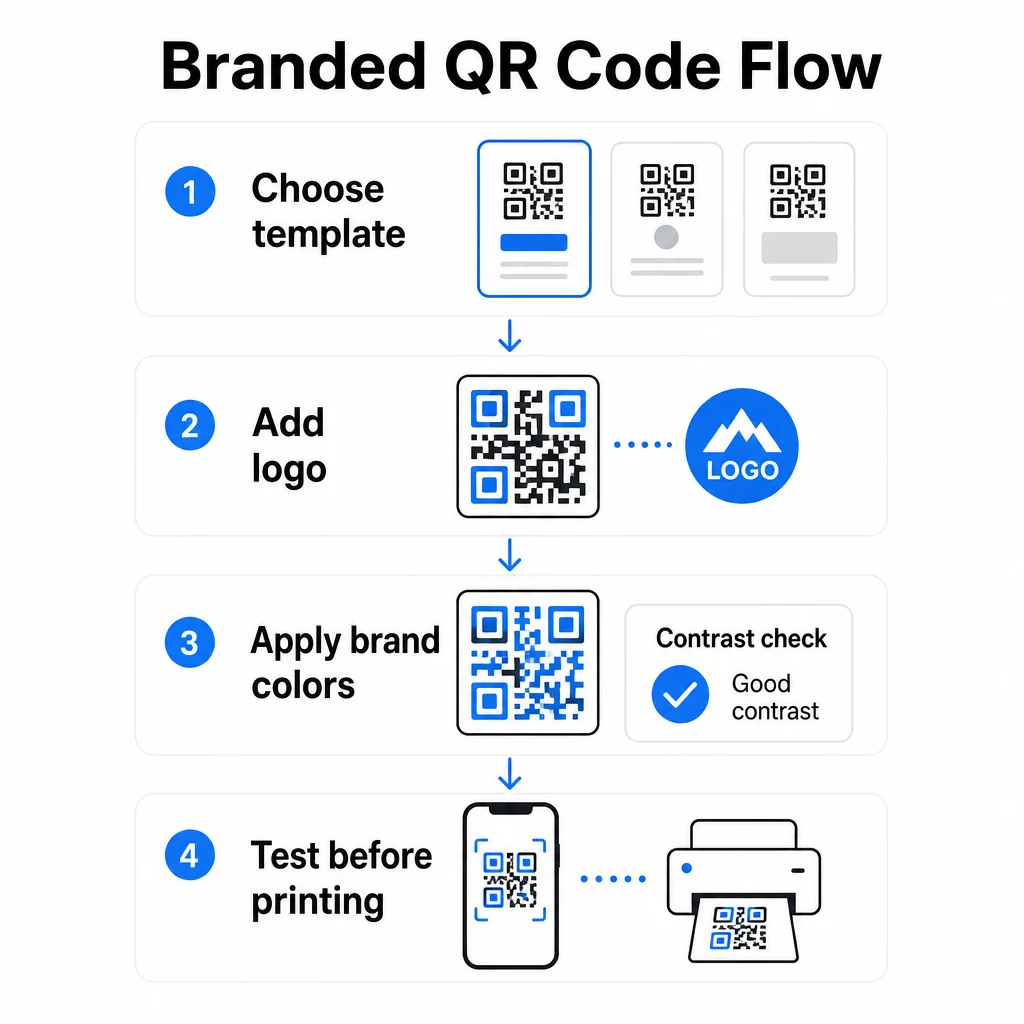
Når du har valgt en mal, begynner det virkelige merkevarearbeidet. Å legge til logoen din, bruke fargepaletten din og finjustere designdetaljer forvandler en generisk mal til en kode som ser umiskjennelig din ut.
Legge til firmalogoen din
Å plassere logoen din i midten av en QR-kode skaper en umiddelbar merkevareforbindelse i skanningsøyeblikket. For å gjøre dette riktig:
- Bruk en vektorfil av høy kvalitet (SVG eller EPS) slik at logoen din holder seg skarp i alle størrelser
- Hold logoen sentrert og borte fra de tre søkemønsterkvadratene i hjørnene
- Begrens logodekningen til ikke mer enn 20–30 % av det totale kodeområdet – utover det synker skannbarheten
- Bruk Feilretting på nivå H når du legger til en logo; dette gjør at koden kan gjenopprette opptil 30 % av skadede eller skjulte data, og kompenserer for området logoen din dekker
Pageloots QR-kode generator med logo håndterer feilretting automatisk når du laster opp en logo, noe som reduserer risikoen for å generere en kode som ser bra ut, men som ikke skanner pålitelig.
Legg til logoen din i en QR-kode på minutter Bruke QR-kode generator med logo for å laste opp merkevarelogoen din, bruke fargene dine og laste ned en utskriftsklar fil – ingen designprogramvare nødvendig.
Bruke merkevarefarger uten å ødelegge skannbarheten
Farge er der mange merkede QR-koder støter på problemer. Koden trenger fortsatt tilstrekkelig kontrast mellom datamodulene og bakgrunnen for å skanne pålitelig. Retningslinjer å følge:
- Mørk forgrunn på lys bakgrunn er den mest pålitelige kombinasjonen; svart på hvitt forblir gullstandarden
- Sikt mot et minimum kontrastforhold på 4,5:1 for små koder; 3:1 er akseptabelt for større formater der skanneren har mer overflate å lese
- Unngå gradienter og skygger – disse skaper mellomtoner som forvirrer skannere ved å gjøre grensen mellom moduler tvetydig
- Inverter aldri fargene (lys kode på mørk bakgrunn) uten grundig testing på flere enheter; noen skannere håndterer dette dårlig
For mer detaljer om hvilke fargekombinasjoner som fungerer og hvilke som bør unngås, er veiledningen for beste praksis for fargekontrast i QR-koder dekker spesifikke eksempler på kontrastforhold og en sammenligningstabell.
Avanserte tilpasningsdetaljer
Utover farge og logoer kan noen ytterligere designvalg forbedre QR-kodens utseende uten å kompromittere funksjonen:
- Egendefinerte søkemønsterformer – De tre rutene i hjørnene kan avrundes eller styles; dette gir personlighet samtidig som mønsteret forblir gjenkjennelig for skannere
- Rammer og handlingsfremmende oppfordringer – Å legge til en merket ramme og en kort frase som “Skann for å se menyen” eller “Skann for å laste ned” øker engasjementet ved å fortelle brukerne nøyaktig hva de vil få
- Stille sone – Oppretthold alltid en tom margin på minst fire moduler på alle sider av koden; dette er et ISO/IEC 18004-krav og er avgjørende for at skannere skal kunne lokalisere koden riktig
- Minimumsstørrelse – For utskrift, hold koder minst 2 × 2 cm (0,8 × 0,8 tommer) for skanning på nært hold; skaler opp proporsjonalt for plakater eller skilting ved å bruke den generelle regelen om 1 cm kodebredde per 10 cm forventet skanneavstand
Bruk vektorformater (SVG eller EPS) for alle utskriftsapplikasjoner for å forhindre pikselering ved større størrelser. For ytterligere veiledning, se beste praksis for lesbarhet av QR-koder og veiledningen for opprettelse av tilpassede QR-koder dekker størrelse, oppløsning og plassering mer detaljert.
Test alltid før utskrift. Skriv ut koden i den tiltenkte størrelsen, test den på flere enheter og skannerapper, og sjekk den under de faktiske lysforholdene der den skal brukes. Dette er spesielt viktig når logoer, ikke-standardfarger eller små størrelser er involvert, da disse variablene kan påvirke skannbarheten på måter som ikke er synlige på skjermen.
Bruk av dynamiske QR-koder for fleksible kampanjer
Statiske QR-koder låser en fast destinasjon i det øyeblikket de opprettes. Det er greit for permanente bruksområder, men det skaper problemer i det øyeblikket en URL endres, en kampanje avsluttes, eller en meny oppdateres – fordi du da måtte skrive ut hvert eneste materiale som bærer koden på nytt.
Dynamiske QR-koder løser dette. I stedet for å kode destinasjonen direkte, koder de en kort omdirigerings-URL som du kontrollerer fra et dashbord. Når du trenger å endre hvor koden peker – en ny landingsside, en oppdatert PDF, et sesongtilbud – oppdaterer du destinasjonen uten å røre selve den trykte koden.
Dette gjør dynamiske koder til det praktiske standardvalget for de fleste forretningsapplikasjoner. Viktige fordeler inkluderer:
- Rediger destinasjonen etter utskrift uten å skrive ut materialer på nytt, noe som sparer tid og kostnader
- Statistikk i sanntid inkludert totale skanninger, unike skanninger, enhetstyper og skannelokasjoner
- Enhetsgjenkjenning for bruksområder som appnedlastinger, der koden automatisk ruter iOS-brukere til App Store og Android-brukere til Google Play
- Utløpsdatoer og passordbeskyttelse for tidsfølsomt eller eksklusivt innhold
Pageloots Dynamisk QR-kode generator inkluderer et sentralisert dashbord hvor du kan overvåke alle aktive koder, oppdatere destinasjoner og hente ytelsesdata i sanntid. Du kan også legge til UTM-parametere i QR-kodelinker for direkte integrasjon med Google Analytics, og koble skannedata til din bredere markedsføringstrakt.
For kontekst om hvordan den underliggende teknologien fungerer, Slik fungerer feilkorrigering i redigerbare QR-koder forklarer hvorfor dynamiske koder forblir skannbare selv om den kodede korte URL-en forblir konstant på tvers av design- eller innholdsoppdateringer.
Oppdater kampanjene dine uten å trykke på nytt Pageloots dynamiske QR-koder lar deg endre destinasjoner, spore ytelse og optimalisere kampanjer fra ett dashbord – selv etter at materialene dine allerede er trykt.
Hvor du kan bruke merkede QR-koder
Merkede QR-koder er allsidige på tvers av fysiske og digitale materialer. Vanlige bruksområder inkluderer:
- Visittkort – Lenk direkte til en digital kontaktside, portefølje eller sosial profil; den QR-kode visittkort generator er spesialbygd for dette bruksområdet
- Restaurantmenyer – Dynamiske koder på bordkort lar deg oppdatere menyen uten å trykke nye kort
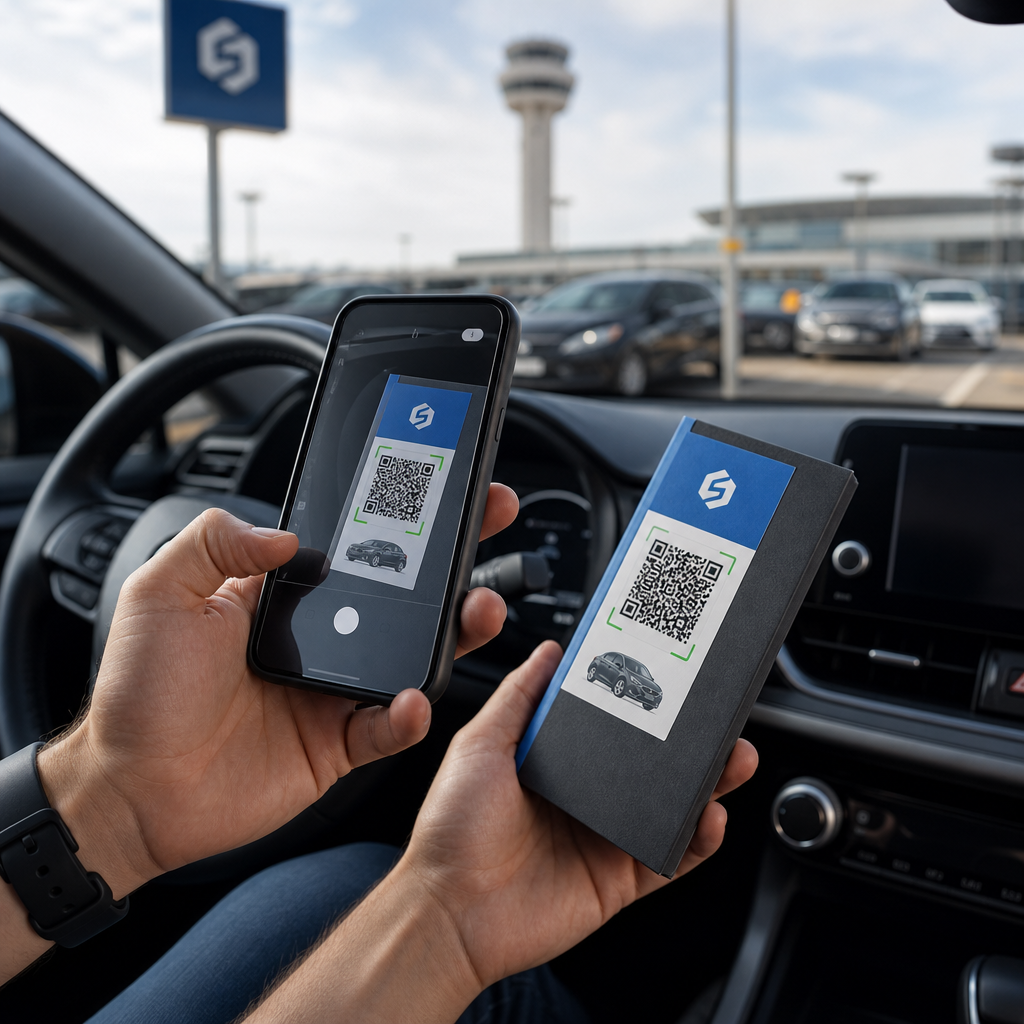
- Produktemballasje – Lenk til instruksjoner, anmeldelser eller salgsfremmende innhold; konsekvent merkevarebygging på koden forsterker produktets identitet
- Arrangementsmateriell – Flyers, billetter og skilting med koder som lenker til tidsplaner, registreringssider eller innhold etter arrangementet
- Butikkskilting – Drive kundetrafikk til nettilbud eller lojalitetsprogrammer
- Trykte annonser og direktereklame – Spor hvilke kampanjer som genererer skanninger ved hjelp av UTM-parametere og analyser
For kampanjer der du trenger én enkelt QR-kode som peker til flere lenker eller innholdsdeler, Pageloots landingssidefunksjon lar deg opprette en merkevaretilpasset mobilside bak en enkelt skanning – nyttig for sosiale profiler, arrangementinformasjon eller produktsamlinger.
Du kan utforske hele spekteret av tilgjengelige funksjoner og bruksområder på Pageloot funksjonsoversikt.
Sporing av ytelse og forbedring av resultater
Analysene bak QR-kodene dine er det som skiller et passivt berøringspunkt fra en målbar markedsføringsressurs. Når dine merkevaretilpassede koder er distribuert, forteller dataene de genererer deg hva som fungerer og hva som trenger justering.
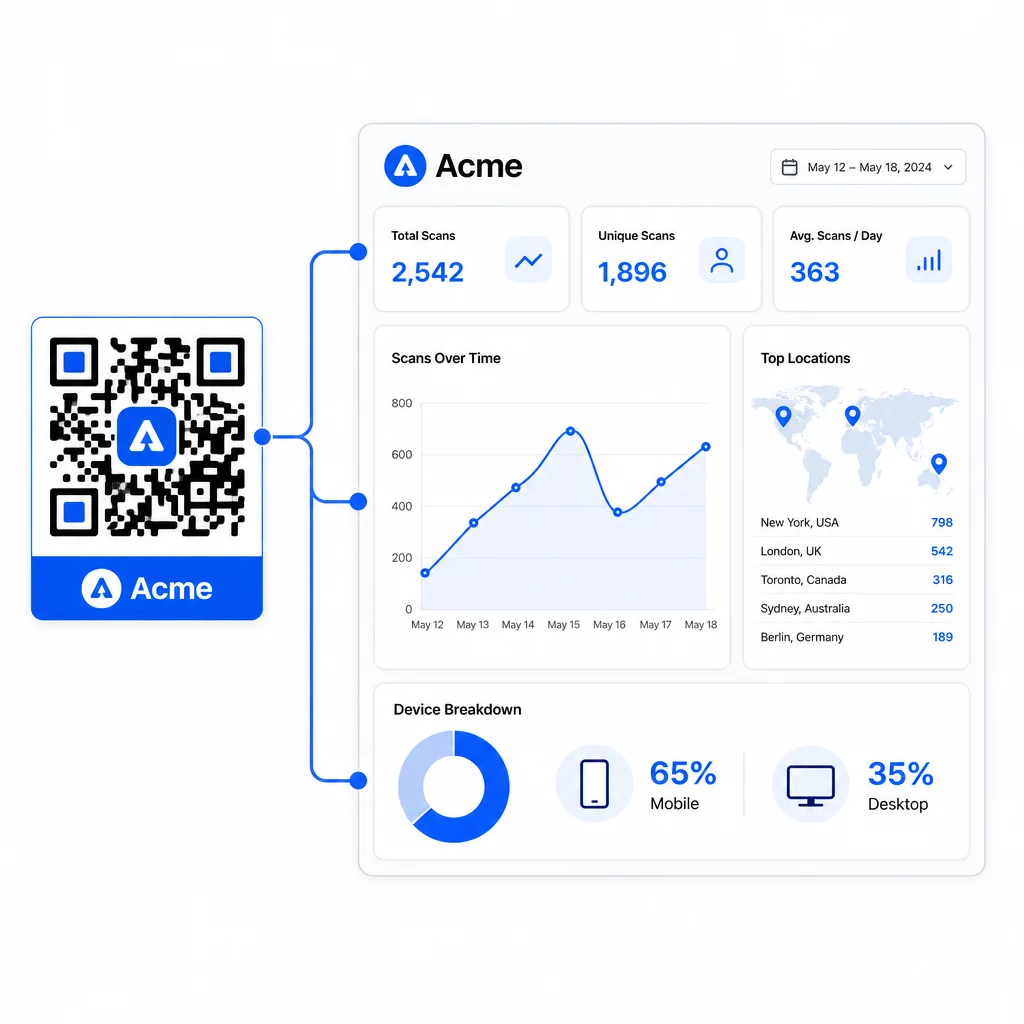
Fra Pageloot-dashbordet kan du spore:
- Totalt antall og unike skanninger per kode
- Skannesteder (land, by)
- Enhetstyper (iOS vs. Android, mobil vs. stasjonær)
- Skannetidsmønstre – hvilke dager og timer genererer mest aktivitet
Disse dataene lar deg identifisere hvilke plasseringer som driver engasjement, sammenligne ytelse på tvers av kampanjer, og gjøre design- eller plasseringsendringer basert på faktisk atferd i stedet for antagelser. For eksempel, hvis skanninger på en bestemt flyer faller av midt i kampanjen, kan du oppdatere den lenkede destinasjonen til et friskere tilbud uten å erstatte det trykte materialet.
Ved å legge til UTM-parametere i QR-kode-URL-ene dine bringer du disse dataene direkte inn i Google Analytics, og kobler frakoblet skanneatferd til hele konverteringstrakten din.
Sette det hele sammen
Merkede QR-koder er mest effektive når design, funksjonalitet og data fungerer sammen. Å starte med en godt tilpasset mal holder kodene dine visuelt konsistente og kampanjeklare. Ved å legge til logoen din, merkevarefarger og en tydelig oppfordring til handling gjør dem gjenkjennelige og handlingsorienterte. Bruk av dynamiske koder gir deg fleksibiliteten til å oppdatere destinasjoner og spore ytelse uten å måtte røre det trykte materialet.
Enten du plasserer koder på visittkort, menyer, emballasje eller arrangementsskilt, gjør kombinasjonen av profesjonelt design og sanntidsanalyse en enkel kode til en målbar del av markedsføringsstrategien din. Start med en gratis QR-kode fra Pageloots generator og bygg videre derfra.
Ofte stilte spørsmål
Bruk feilkorreksjon på nivå H når du legger til en logo – dette gjør at koden kan gjenopprette opptil 30 % av skjulte data, og kompenserer for logoens dekning. Hold logoen til ikke mer enn 20–30 % av det totale kodeområdet og sentrer den vekk fra søkemønstrene. For farger, oppretthold et minimum kontrastforhold på 4,5:1 mellom forgrunnsmodulene og bakgrunnen, unngå gradienter, og test alltid på flere enheter før utskrift.
En statisk QR-kode koder destinasjonen direkte, så den kan ikke endres etter opprettelse uten å generere en ny kode. En dynamisk QR-kode koder en kort omdirigerings-URL som du kontrollerer fra et dashbord, noe som betyr at du kan oppdatere destinasjonen, legge til passordbeskyttelse, angi utløpsdatoer og spore skanneanalyser – alt uten å trykke opp materialene dine på nytt. For de fleste markedsførings- og forretningsbrukstilfeller er dynamiske koder det mer praktiske valget.
Det generelle minimumet for skanning på nært hold er 2 × 2 cm (0,8 × 0,8 tommer). For materialer der skanneavstanden er større – som plakater eller skilt – bruk 10:1-regelen: legg til 1 cm kodebredde for hver 10 cm forventet visningsavstand. Merkede koder med logoer eller egendefinerte farger kan trenge å være litt større for å sikre at den økte designkompleksiteten ikke reduserer skannbarheten.