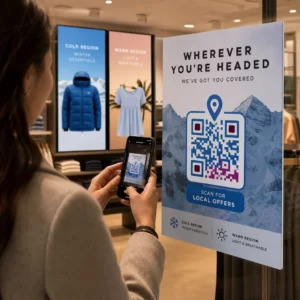
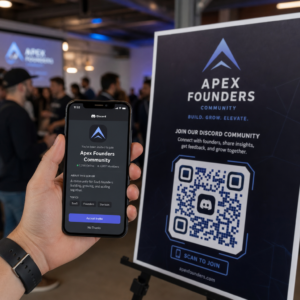
Ti allontani dalle fiere con una pila di biglietti da visita e nessun piano di follow-up chiaro? La raccolta manuale dei dati ti rallenta e i lead si raffreddano rapidamente. Questa guida ti mostra come utilizzare i codici QR per acquisire, organizzare e seguire automaticamente i lead degli eventi, in modo che ogni stretta di mano si trasformi in un contatto tracciabile.
Perché la tradizionale acquisizione di lead per eventi è insufficiente
Nella maggior parte delle conferenze e delle fiere, i professionisti raccolgono i dettagli di contatto scambiandosi biglietti da visita o prendendo appunti. Il problema: la maggior parte di quei biglietti finisce su una scrivania, senza mai essere inserita in un CRM. Anche quando lo sono, l'inserimento manuale dei dati è lento, soggetto a errori e non in linea con il ritmo del moderno follow-up delle vendite.
La finestra per agire su un lead di un evento è breve. Il follow-up post-evento è ampiamente descritto come il periodo in cui il ROI dell'evento viene vinto o perso – i lead caldi si raffreddano rapidamente e un primo contatto ritardato o generico può uccidere una conversazione altrimenti promettente. Hai bisogno di un sistema che acquisisca i dati immediatamente, li indirizzi al posto giusto e attivi il follow-up senza richiedere che tu lo faccia manualmente.
I codici QR colmano questa lacuna collegando un'interazione fisica – consegnare un biglietto a qualcuno, indicare un banner o posizionare un codice su un tavolo – con un flusso di lavoro digitale che funziona automaticamente.
Cosa rende un codice QR efficace per l'acquisizione di lead
Non tutti i codici QR sono ugualmente utili per la generazione di lead per eventi. Un codice QR statico punta a una destinazione fissa e non ti fornisce dati su chi lo ha scansionato, quando o dove. Un codice QR dinamico, al contrario, utilizza un breve link di reindirizzamento che può essere aggiornato in qualsiasi momento e registra l'attività di scansione inclusi ora, tipo di dispositivo e posizione.
Per l'acquisizione di lead per eventi, i codici dinamici sono essenziali per tre motivi:
- Puoi modificare l'URL di destinazione dopo la stampa – utile quando partecipi a più eventi con un'unica serie di materiali stampati
- Ottieni analisi in tempo reale sul volume di scansioni e sul comportamento del pubblico
- Puoi integrare la destinazione con il tuo CRM o piattaforma di automazione senza toccare il codice stampato
Il sito Generatore di QR code dinamici di Pageloot ti consente di creare codici modificabili, aggiornare le destinazioni tra gli eventi e monitorare le prestazioni da una dashboard centrale.
Configura codici evento tracciabili prima della tua prossima fiera Utilizzare il Generatore di QR code dinamici per creare codici QR modificabili e pronti per l'analisi che indirizzano i partecipanti direttamente nel tuo flusso di lavoro di acquisizione lead.
Passaggio 1: Progetta un biglietto da visita creato per l'acquisizione di lead
Il tuo biglietto da visita è l'attivatore fisico dell'intero flusso di lavoro digitale. Per farlo funzionare, il biglietto stesso deve valere la pena di essere conservato – e il codice QR deve essere immediatamente scansionabile.
Considerazioni pratiche:
- Usa materiali premium: I biglietti durevoli (in plastica o cartoncino) hanno meno probabilità di essere scartati rispetto alle alternative di carta sottile. Il valore percepito del biglietto si riflette sul tuo brand.
- Posiziona il codice QR in modo prominente: Il retro del biglietto funziona bene. Segui la raccomandazione di Pageloot per la dimensione minima di 0,8 × 0,8 pollici per i codici QR dei biglietti da visita per garantire una scansione affidabile su tutti i tipi di dispositivi.
- Includi una chiara call to action: Testi come “Scansiona per richiedere la tua consulenza gratuita” o “Scansiona per rimanere connesso” dicono al destinatario esattamente perché dovrebbe scansionare e cosa otterrà.
- Personalizza il codice con il tuo brand: L'aggiunta del tuo logo e dei colori del tuo brand al codice QR aumenta la fiducia e i tassi di scansione. I codici generici in bianco e nero sembrano impersonali; i codici brandizzati sembrano intenzionali.
Se vuoi includere i dettagli di contatto direttamente nel codice – in modo che i partecipanti possano salvare le tue informazioni senza compilare un modulo – un Codice QR vCard ti permette di incorporare il tuo nome, numero di telefono, email e sito web in un formato che si trasferisce istantaneamente all'app dei contatti di uno smartphone.
Passo 2: Costruisci una Landing Page su Misura per l'Evento
La destinazione a cui punta il tuo codice QR è importante quanto il codice stesso. Una homepage generica è un'opportunità persa. Una pagina creata appositamente landing page che fa riferimento all'evento specifico crea rilevanza immediata e aumenta i tassi di completamento del modulo.
Una landing page dell'evento ben strutturata include:
- Un benvenuto personalizzato (“È stato un piacere incontrarti a [Nome Evento] – ecco cosa ti ho promesso”)
- Un modulo breve che richiede solo informazioni essenziali: nome, email e una domanda di qualificazione pertinente alla tua offerta
- Un chiaro incentivo per l'invio – contenuti esclusivi, l'accesso a una consulenza gratuita, l'accesso a una community o una risorsa scaricabile
Mantieni il modulo mobile-first. Quasi ogni scansione a un evento avverrà su uno smartphone, quindi un modulo disordinato o a caricamento lento uccide le conversioni prima che inizino. Il Generatore di QR code per Google Form offre un modo rapido per collegare un modulo mobile-friendly al tuo codice QR, con le risposte che confluiscono direttamente in Fogli Google per una facile revisione.
Dopo l'invio del modulo, reindirizza i partecipanti a una pagina di ringraziamento con una call to action secondaria – iscriviti a una newsletter, unisciti a una community, guarda un video pertinente. Questo estende l'interazione oltre la scansione iniziale.
Passo 3: Collega il tuo modulo a un flusso di lavoro automatizzato
L'acquisizione di lead crea valore solo se i dati si spostano immediatamente in un luogo utile. Scaricare manualmente un foglio di calcolo dopo l'evento e inviare email alle persone due settimane dopo non è una strategia di follow-up – è un'opportunità persa.
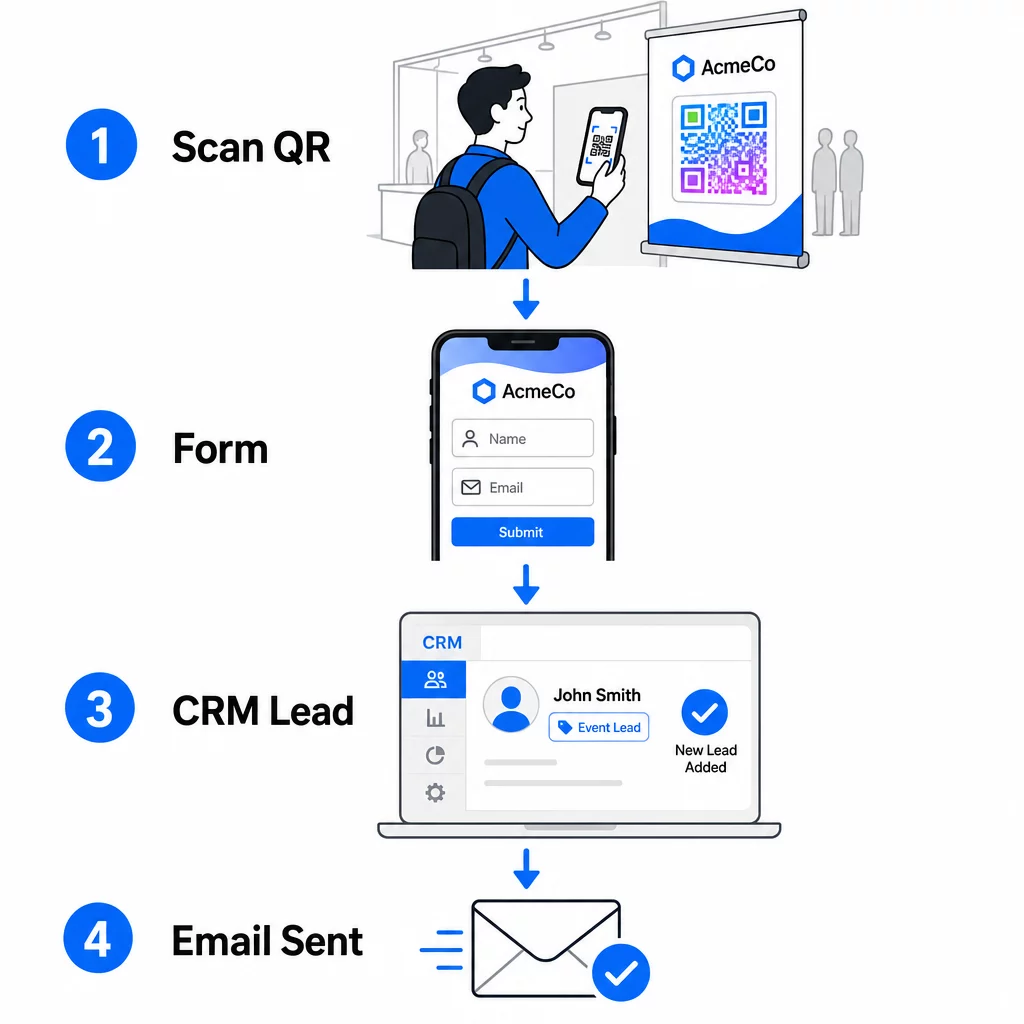
Configura il tuo flusso di lavoro prima di arrivare all'evento:
- Integrazione CRM: Invia ogni invio di modulo direttamente nel tuo CRM, taggato con il nome e la data dell'evento per una successiva segmentazione
- Email di follow-up istantanea: Attiva un'email automatica nel momento in cui qualcuno invia il modulo – ringraziali, consegna la risorsa promessa e imposta le aspettative per i passi successivi
- Punteggio o instradamento dei lead: Se utilizzi un CRM con lead scoring, configura il tag evento per dare priorità al follow-up da parte del tuo team di vendita
- Esportazione foglio di calcolo: Per estrazioni a premi o monitoraggio delle presenze, esporta automaticamente le iscrizioni a un foglio Google che puoi rivedere in tempo reale
Per uno sguardo più approfondito sulla connessione dei codici QR dinamici ai flussi di lavoro CRM, la guida su creare codici QR dinamici per i check-in CRM illustra in dettaglio la codifica URL, i campi di unione e la configurazione dei webhook. Puoi anche esplorare Automazione del flusso di lavoro di scansione dei codici QR per una guida passo-passo sulla connessione degli eventi di scansione a piattaforme come Zapier o Make.
Automatizza il flusso di lavoro dei lead del tuo evento Collega il tuo Generatore di QR code per eventi al tuo CRM e alla piattaforma email in modo che ogni scansione attivi un follow-up immediato e personalizzato, senza sforzo manuale.
Passaggio 4: Incentiva la scansione
I partecipanti a una fiera o conferenza vengono sollecitati da decine di stand e contatti. Un codice QR da solo non spinge all'azione, lo fa il valore che c'è dietro.
Incentivi efficaci per la cattura di lead durante gli eventi includono:
- Un'iscrizione a un'estrazione a premi (una consulenza gratuita, un campione di prodotto o un credito di servizio estratti alla fine dell'evento)
- Accesso immediato a contenuti esclusivi – una guida, una checklist o un modello pertinenti al pubblico
- Appartenenza a una comunità privata o accesso anticipato a un prodotto o risorsa
- Un audit, una valutazione o una raccomandazione personalizzata fornita dopo l'evento
L'incentivo dovrebbe essere abbastanza specifico da sembrare prezioso e con un attrito sufficientemente basso da spingere qualcuno ad agire a metà conversazione. “Scansiona qui per partecipare e vincere una sessione strategica di 60 minuti” è più convincente di “scansiona per saperne di più”.”
Passo 5: Gestire più eventi con un unico lotto di carte
Uno dei vantaggi più pratici dei codici QR dinamici è che non è necessario ristampare i materiali per ogni evento. Poiché l'URL di destinazione è memorizzato in un reindirizzamento – e non nel modello del codice stesso – è possibile aggiornare dove il codice invia i partecipanti senza toccare la carta stampata.
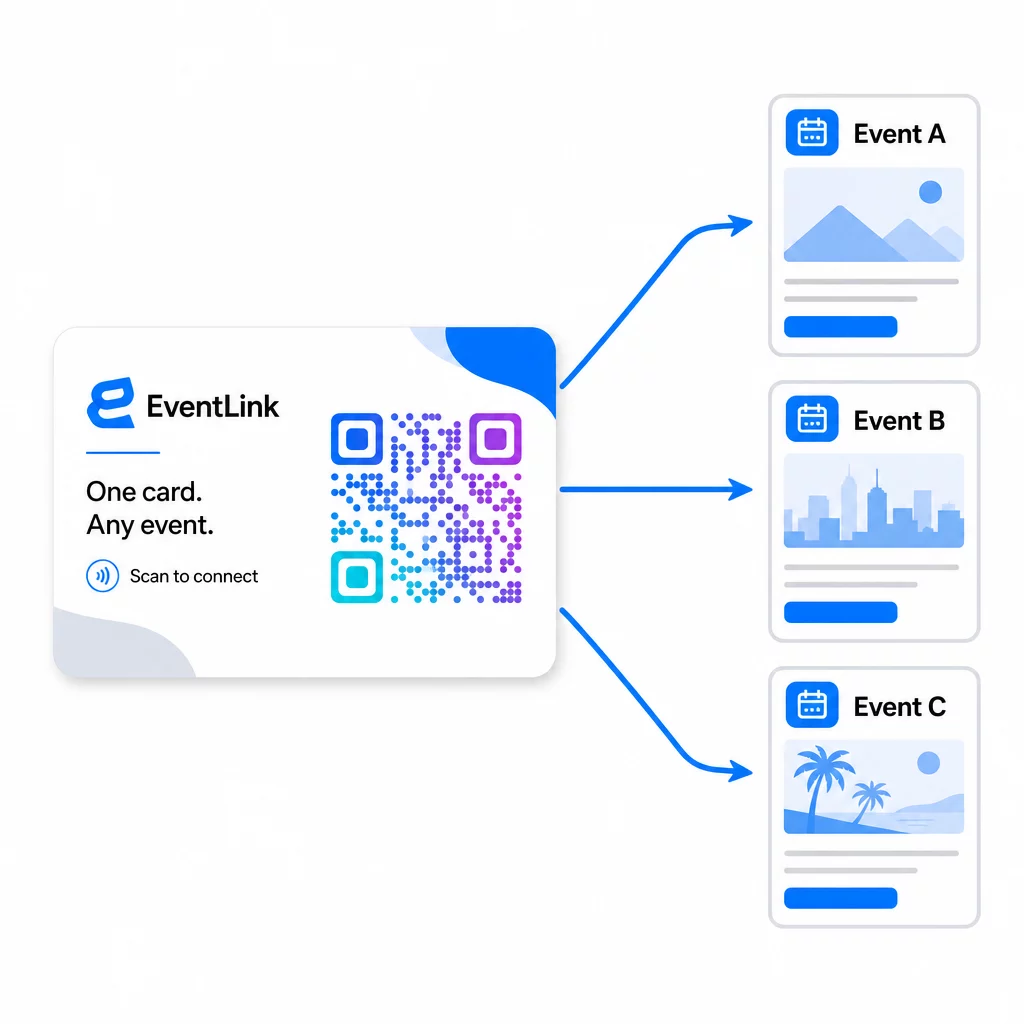
Ciò significa:
- Prima di ogni evento, aggiorna la tua landing page per fare riferimento al nome e al pubblico specifico di quell'evento
- Tra un evento e l'altro, reindirizza il codice al tuo sito web principale, a un lead magnet universale o alla tua pagina di contatto
- Se un'offerta scade o una landing page non funziona, risolvi istantaneamente dalla tua dashboard – nessuna ristampa, nessun link morto che raggiunge persone reali
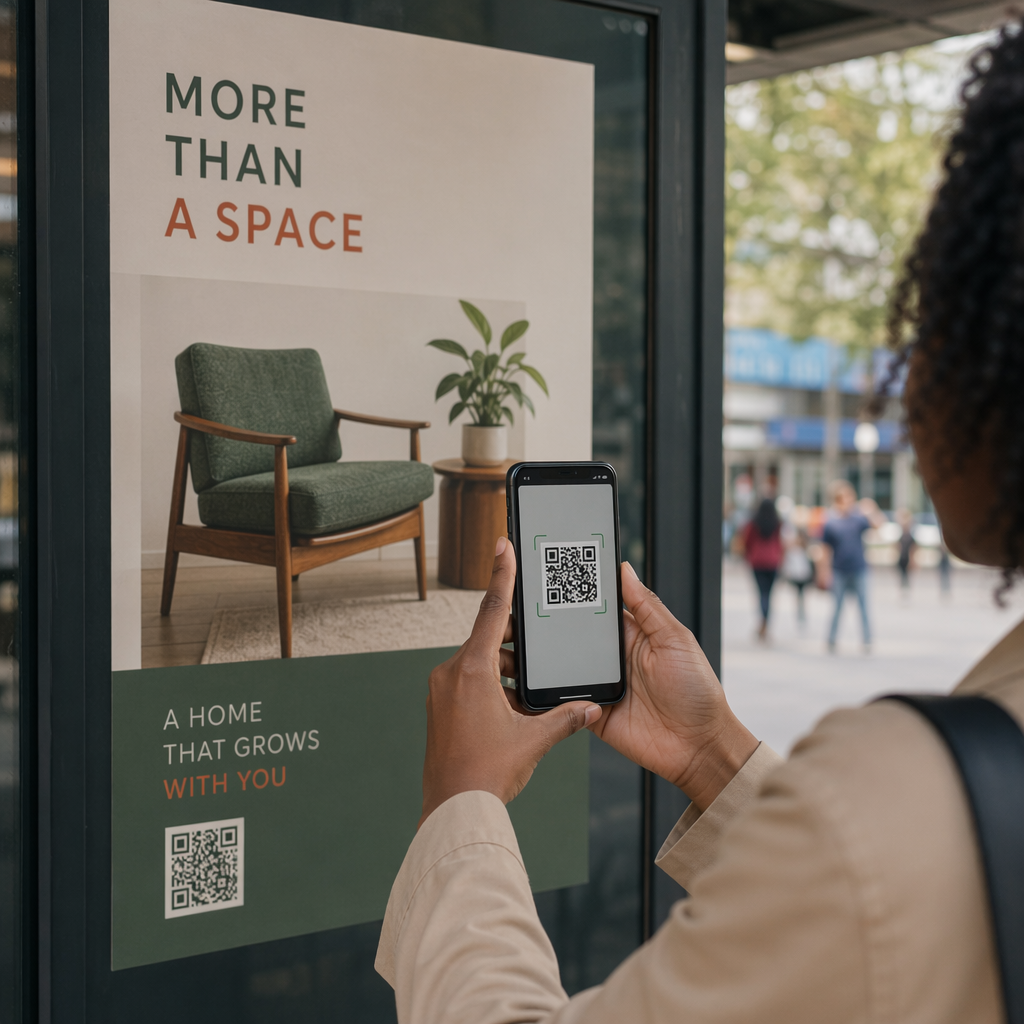
Questa flessibilità si applica anche agli allestimenti degli stand, ai volantini e alla segnaletica stampata. Un singolo banner stampato con un codice QR può servire più eventi con offerte, pubblici e sequenze di follow-up diversi, purché il codice sottostante sia dinamico.
Passo 6: Monitorare le prestazioni e perfezionare
Una campagna con codice QR che non viene misurata non può essere migliorata. I codici QR dinamici ti forniscono dati a livello di scansione, inclusi scansioni totali, scansioni uniche, tipi di dispositivo, posizione geografica e schemi orari. Questi dati ti dicono se il posizionamento della tua carta funziona, quali eventi generano i lead più coinvolti e se la tua landing page sta convertendo.
Usa questi dati per rispondere a domande pratiche dopo ogni evento:
- Quale percentuale di persone che hanno ricevuto la tua carta l'ha effettivamente scansionata?
- Le scansioni sono avvenute durante l'evento o nei giorni successivi – suggerendo un comportamento di follow-up ritardato?
- Quali tipi di dispositivo hanno dominato e la tua landing page era completamente ottimizzata per essi?
- Come si sono confrontati i tassi di conversione sul modulo tra eventi con incentivi diversi?
La guida a strumenti di tracciamento eventi con codice QR copre come valutare e interpretare le analisi delle scansioni in un contesto di evento.
Una nota sul consenso e la conformità
La raccolta di informazioni di contatto agli eventi significa che sei soggetto alle leggi sulla privacy dei dati applicabili. Negli Stati Uniti, non esiste un'unica legge federale sulla privacy, ma diverse regole si applicano al marketing post-evento:
- Il sito CAN-SPAM Act richiede che ogni email commerciale che invii includa un modo chiaro per i destinatari di annullare l'iscrizione, e devi rispettare tali richieste di annullamento entro 10 giorni lavorativi.
- Se stai raccogliendo dati da residenti in California, il California Privacy Rights Act richiede di informare i consumatori su come i loro dati vengono raccolti e utilizzati, e di consentire loro di accedervi, correggerli o eliminarli.
- Il sito le regole di consenso della FCC per il telemarketing e il marketing tramite messaggi di testo richiedono un consenso separato e specifico per ogni mittente – un consenso generale multi-parte ottenuto tramite un singolo modulo non è sufficiente.
L'approccio più sicuro: rendi esplicito il linguaggio di consenso del tuo modulo. Indica chiaramente chi li contatterà, per quale scopo e come possono annullare l'iscrizione. Per flussi di RSVP e registrazione eventi, ospitare il tuo modulo su una pagina HTTPS sicura e includere informative trasparenti sull'uso dei dati è sia una base legale che un segnale di fiducia.
Codice QR vs. Biglietto da Visita: Un Confronto Pratico
| Approccio | Inserimento dati | Integrazione CRM | Riutilizzabilità | STATISTICHE |
|---|---|---|---|---|
| Biglietto da visita cartaceo | Manuale | Richiede inserimento manuale | Evento singolo | Nessuno |
| Scheda NFC | Automatico | Dipende dall'app | Riutilizzabile | Limitato |
| Codice QR (statico) | Basato su modulo | Tramite strumento modulo | Riutilizzabile | Nessuno |
| Codice QR (dinamico) | Basato su modulo | Automatizzato tramite webhook | Riutilizzabile, aggiornabile | Analisi complete delle scansioni |
I codici QR dinamici affrontano anche una preoccupazione pratica che spesso si presenta con le carte NFC: NFC richiede che il dispositivo ricevente sia in prossimità e, in alcune configurazioni, richiede l'accesso a livello di sistema. Un codice QR non richiede nulla dal dispositivo del destinatario oltre a una fotocamera – nessuna app, nessuna modifica delle impostazioni, nessun permesso concesso al momento.
Domande frequenti
Non se usi un codice QR dinamico. Un codice dinamico punta a un URL di reindirizzamento che puoi aggiornare in qualsiasi momento dalla tua dashboard, così puoi cambiare la pagina di destinazione prima di ogni evento senza ristampare le tue carte o materiali.
Mantienilo mirato e ottimizzato per dispositivi mobili. Includi un benvenuto personalizzato che faccia riferimento all'evento, un modulo breve con non più di tre o quattro campi, e un incentivo specifico per l'invio – come l'iscrizione a una consulenza gratuita o una risorsa scaricabile. Evita testi lunghi o più inviti all'azione concorrenti sulla stessa pagina.
Rendi esplicito il linguaggio del tuo consenso sul modulo. Indica chiaramente chi contatterà la persona, per quale scopo e come può annullare l'iscrizione. Assicurati che la tua landing page sia ospitata su HTTPS, rispetta prontamente le richieste di annullamento dell'iscrizione come richiesto dal CAN-SPAM Act e rivedi le leggi statali applicabili – come il California Privacy Rights Act – se il tuo pubblico include residenti di tali stati.