Вы уходите с выставок со стопкой визиток и без четкого плана дальнейших действий? Ручной сбор данных замедляет вас, и потенциальные клиенты быстро остывают. Это руководство покажет вам, как использовать QR-коды для автоматического сбора, организации и последующей работы с потенциальными клиентами на мероприятиях – так что каждое рукопожатие превратится в отслеживаемый контакт.
Почему традиционный сбор лидов на мероприятиях неэффективен
На большинстве конференций и выставок специалисты собирают контактные данные, обмениваясь визитками или делая заметки. Проблема: большинство этих визиток оказываются на столе, так и не будучи внесенными в CRM. Даже если они внесены, ручной ввод данных медленный, подвержен ошибкам и не соответствует темпам современного отслеживания продаж.
Окно для работы с потенциальным клиентом с мероприятия короткое. Послевыставочное отслеживание широко описывается как период, когда рентабельность инвестиций в мероприятие либо достигается, либо теряется – теплые лиды быстро остывают, а отложенное или общее первое касание может убить многообещающую беседу. Вам нужна система, которая немедленно собирает данные, направляет их в нужное место и запускает последующие действия, не требуя от вас ручного выполнения.
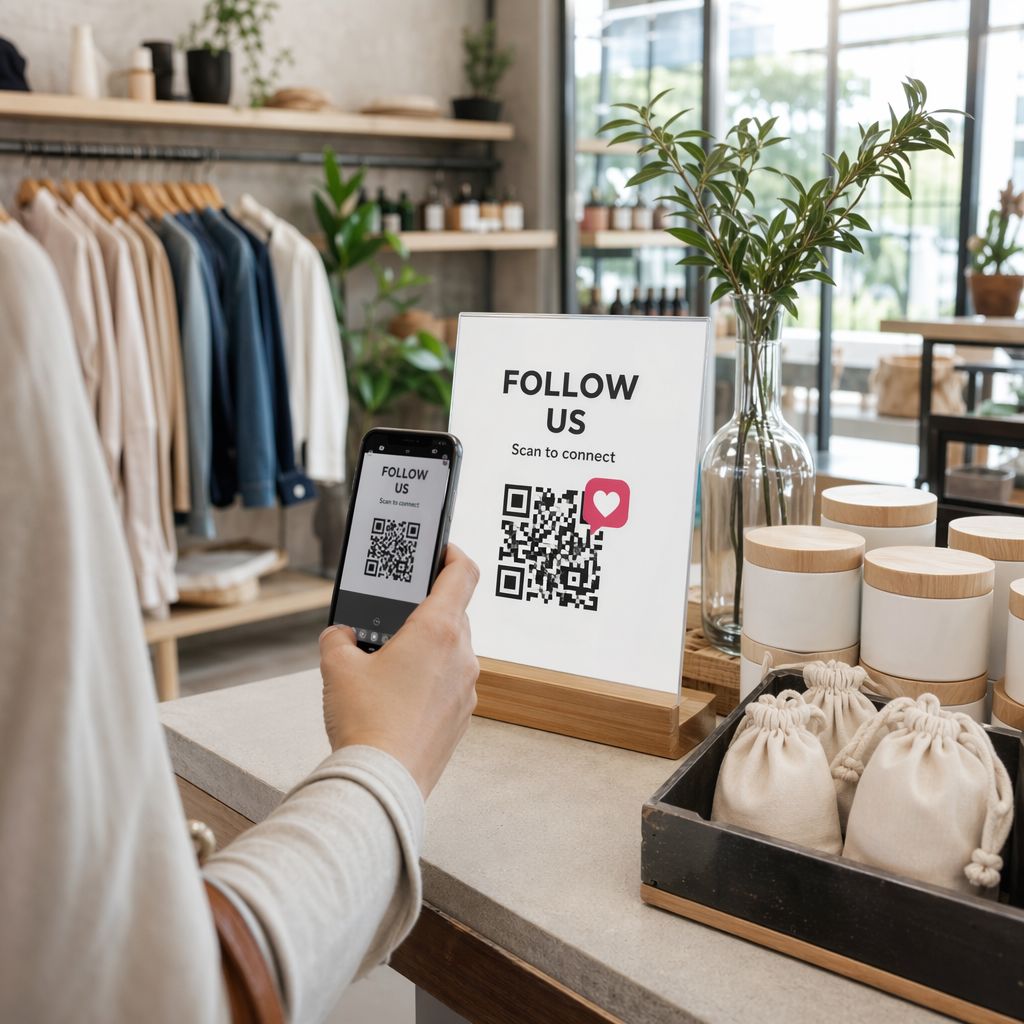
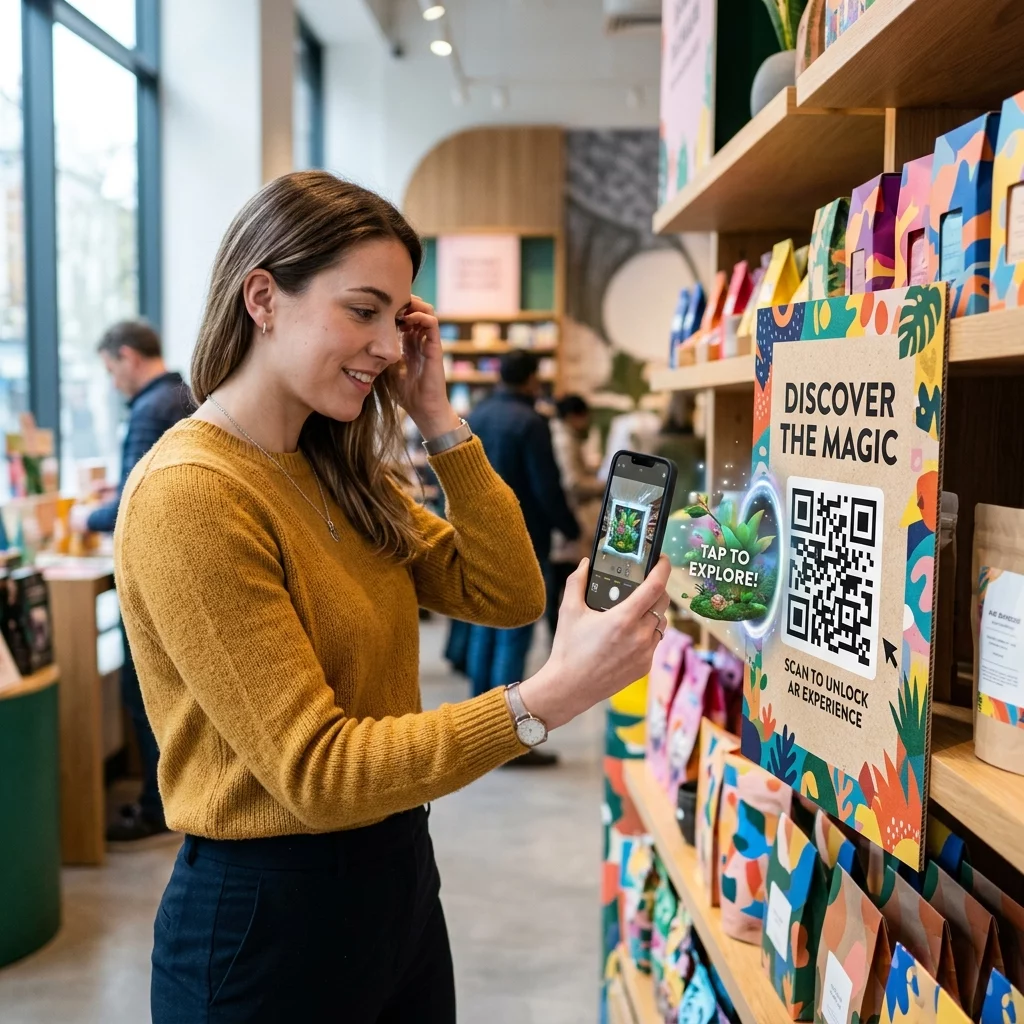
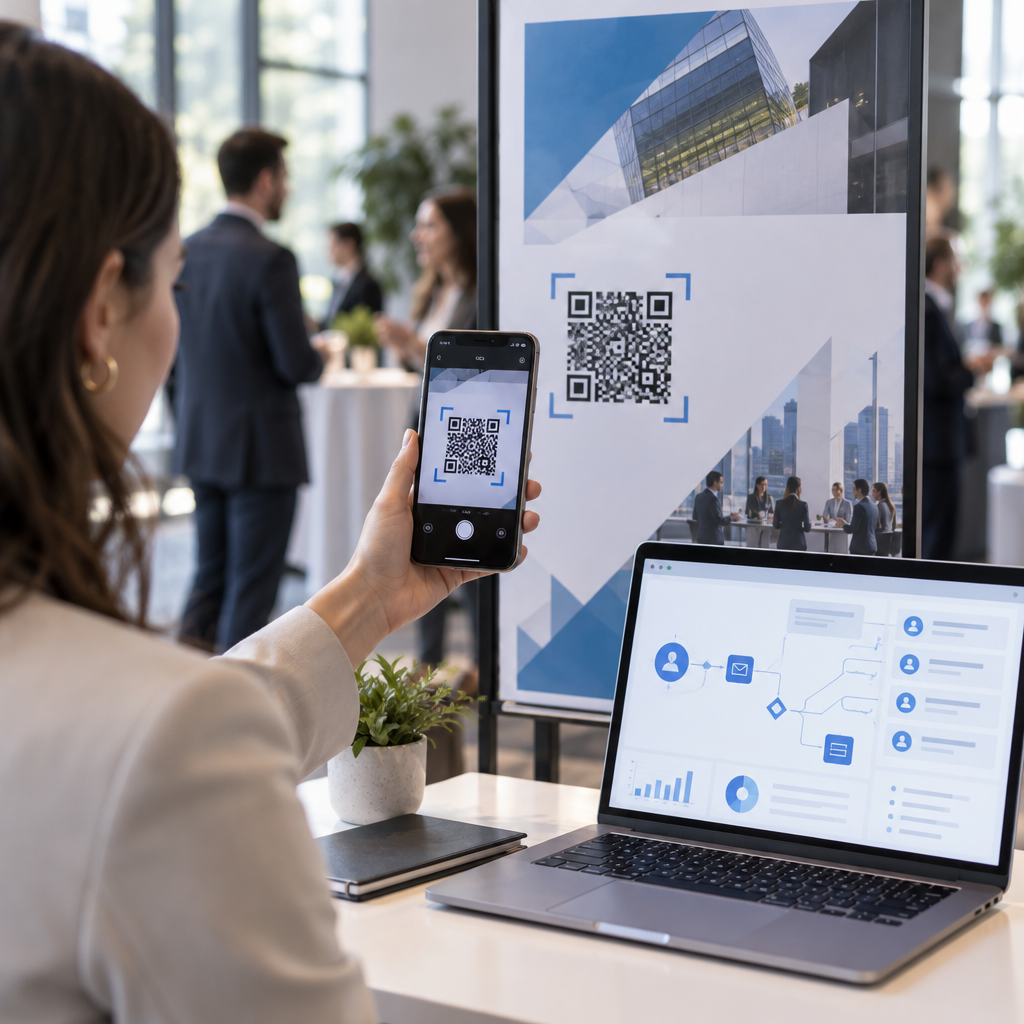
QR-коды устраняют этот пробел, связывая физическое взаимодействие – передачу кому-либо визитки, указание на баннер или размещение кода на столе – с цифровым рабочим процессом, который выполняется автоматически.
Что делает QR-код эффективным для сбора лидов
Не все QR-коды одинаково полезны для генерации лидов на мероприятиях. Статический QR-код указывает на фиксированное место назначения и не дает вам данных о том, кто его отсканировал, когда и где. А динамический QR-код, напротив, использует короткую ссылку перенаправления, которую можно обновить в любое время и которая регистрирует активность сканирования, включая время, тип устройства и местоположение.
Для сбора лидов на мероприятиях динамические коды необходимы по трем причинам:
- Вы можете изменить URL-адрес назначения после печати – это полезно при посещении нескольких мероприятий с одной партией печатных материалов
- Вы получаете аналитику в реальном времени по объему сканирований и поведению аудитории
- Вы можете интегрировать место назначения с вашей CRM или платформой автоматизации, не затрагивая напечатанный код
В Динамический QR код: генератор от Pageloot позволяет создавать редактируемые коды, обновлять места назначения между мероприятиями и отслеживать производительность с центральной панели управления.
Настройте отслеживаемые коды мероприятий перед вашей следующей выставкой Использовать Динамический QR код: генератор для создания редактируемых, готовых к аналитике QR-кодов, которые направляют посетителей прямо в ваш рабочий процесс сбора лидов.
Шаг 1: Разработайте визитку, созданную для сбора лидов
Ваша визитная карточка — это физический триггер для всего цифрового рабочего процесса. Чтобы это работало, саму карточку должно быть приятно держать в руках, а QR-код должен быть сразу сканируемым.
Практические соображения:
- Используйте материалы премиум-класса: Прочные карточки (пластиковые или из плотного картона) с меньшей вероятностью будут выброшены, чем хрупкие бумажные аналоги. Воспринимаемая ценность карточки отражается на вашем бренде.
- Разместите QR-код на видном месте: Оборотная сторона карточки хорошо подходит. Следуйте рекомендации Pageloot по минимальному размеру 0,8 × 0,8 дюйма для QR-кодов визитных карточек для обеспечения надежного сканирования на различных типах устройств.
- Включите четкий призыв к действию: Текст вроде “Сканируйте, чтобы получить бесплатную консультацию” или “Сканируйте, чтобы оставаться на связи” точно сообщает получателю, почему он должен сканировать и что он получит.
- Брендируйте код: Добавление вашего логотипа и фирменных цветов к QR-коду повышает доверие и количество сканирований. Обычные черно-белые коды кажутся безличными; брендированные коды кажутся целенаправленными.
Если вы хотите включить контактные данные непосредственно в код – чтобы участники могли сохранить вашу информацию без заполнения формы – vCard QR-код позволяет встроить ваше имя, номер телефона, адрес электронной почты и веб-сайт в формате, который мгновенно передается в приложение контактов смартфона.
Шаг 2: Создайте целевую страницу, адаптированную под мероприятие
Место назначения, на которое указывает ваш QR-код, имеет такое же значение, как и сам код. Обычная домашняя страница — это упущенная возможность. Специально созданная целевая страница которая ссылается на конкретное событие, создает немедленную актуальность и увеличивает процент заполнения форм.
Хорошо структурированная целевая страница мероприятия включает:
- Персонализированное приветствие (“Рад встрече на [Название Мероприятия] – вот что я обещал”)
- Короткая форма, запрашивающая только необходимую информацию: имя, адрес электронной почты и один квалификационный вопрос, относящийся к вашему предложению
- Четкий стимул для отправки – эксклюзивный контент, бесплатная консультация, доступ к сообществу или загружаемый ресурс
Сделайте форму ориентированной на мобильные устройства. Почти каждое сканирование на мероприятии будет происходить со смартфона, поэтому загроможденная или медленно загружающаяся форма убивает конверсии еще до их начала. Этот Как создать QR код для гугл формы предлагает быстрый способ привязать мобильную форму к вашему QR-коду, при этом ответы будут поступать непосредственно в Google Таблицы для удобного просмотра.
После отправки формы перенаправьте участников на страницу благодарности со вторичным призывом к действию – подпишитесь на рассылку, присоединитесь к сообществу, посмотрите соответствующее видео. Это расширяет взаимодействие за пределы первоначального сканирования.
Шаг 3: Подключите Вашу Форму к Автоматизированному Рабочему Процессу
Сбор лидов создает ценность только в том случае, если данные немедленно перемещаются куда-то полезное. Ручная загрузка таблицы после мероприятия и рассылка писем людям через две недели – это не стратегия последующих действий, это упущенная возможность.
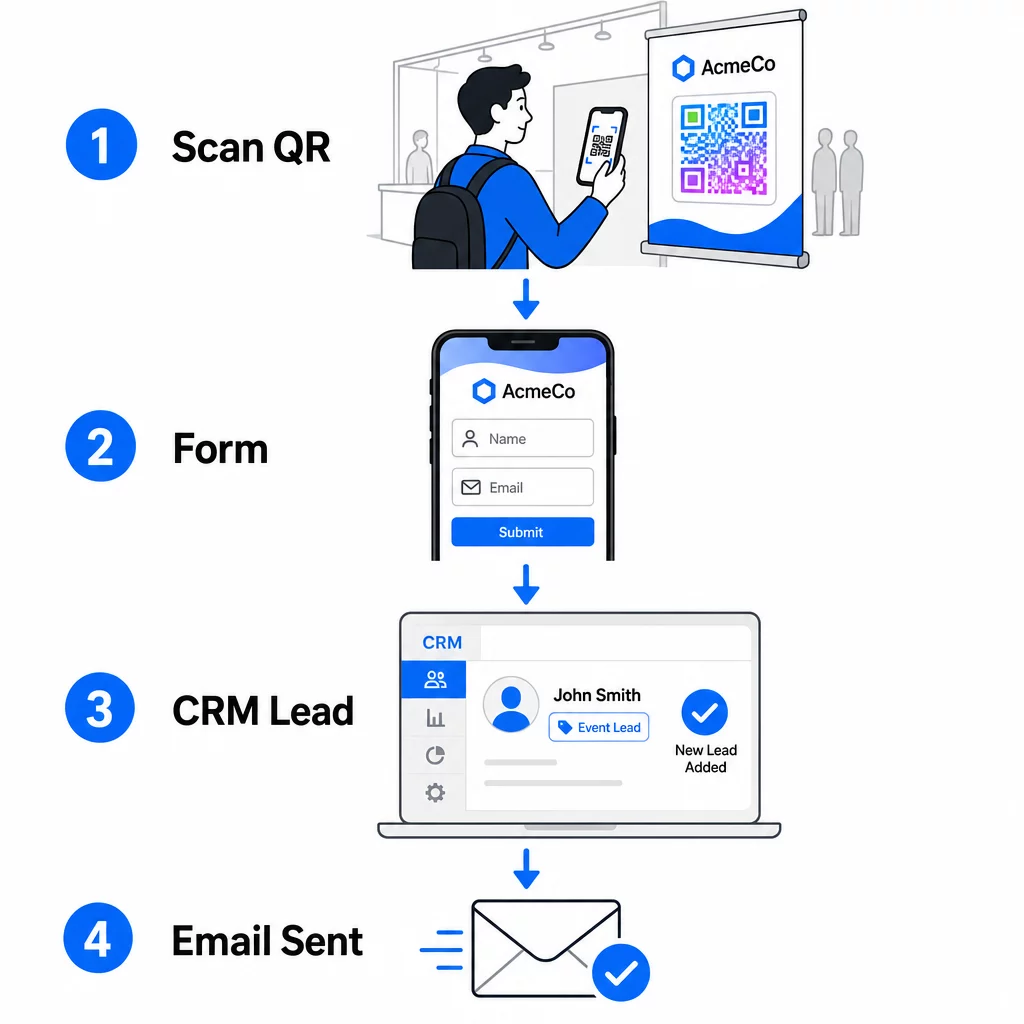
Настройте свой рабочий процесс до прибытия на мероприятие:
- Интеграция с CRM: Направляйте каждую отправку формы непосредственно в вашу CRM, помечая ее названием и датой мероприятия для последующей сегментации
- Мгновенное последующее электронное письмо: Запускайте автоматическое электронное письмо в тот момент, когда кто-то отправляет форму – поблагодарите их, предоставьте обещанный ресурс и установите ожидания относительно следующих шагов
- Скоринг или маршрутизация лидов: Если вы используете CRM с функцией скоринга лидов, настройте тег события, чтобы приоритизировать последующие действия вашей командой продаж.
- Экспорт в таблицу: Для розыгрышей призов или отслеживания посещаемости автоматически экспортируйте заявки в Google Таблицу, которую вы можете просматривать в режиме реального времени.
Для более глубокого изучения подключения динамических QR-кодов к рабочим процессам CRM, руководство по созданию динамических QR-кодов для регистрации в CRM подробно рассматривает кодирование URL, поля слияния и настройку веб-хуков. Вы также можете изучить Автоматизация рабочего процесса сканирования QR-кодов для пошагового руководства по подключению событий сканирования к таким платформам, как Zapier или Make.
Автоматизируйте рабочий процесс по лидам с мероприятий Подключите свои QR коды для регистрации на мероприятие к вашей CRM и платформе электронной почты, чтобы каждое сканирование запускало немедленное, персонализированное последующее действие – без ручных усилий.
Шаг 4: Стимулируйте сканирование
Посетители выставки или конференции получают предложения от десятков стендов и контактов. Один только QR-код не побуждает к действию – это делает ценность, стоящая за ним.
Эффективные стимулы для сбора лидов на мероприятиях включают:
- Участие в розыгрыше призов (бесплатная консультация, образец продукта или кредиты на услуги, разыгрываемые в конце мероприятия)
- Немедленный доступ к эксклюзивному контенту – руководство, чек-лист или шаблон, актуальный для аудитории
- Членство в закрытом сообществе или ранний доступ к продукту или ресурсу
- Персонализированный аудит, оценка или рекомендация, предоставленные после мероприятия
Стимул должен быть достаточно конкретным, чтобы ощущаться ценным, и достаточно простым, чтобы кто-то мог воспользоваться им в середине разговора. “Сканируйте здесь, чтобы принять участие в розыгрыше 60-минутной стратегической сессии” звучит убедительнее, чем “сканируйте, чтобы узнать больше”.”
Шаг 5: Управление несколькими мероприятиями с одной партией карт
Одно из самых практичных преимуществ динамических QR-кодов заключается в том, что вам не нужно перепечатывать материалы для каждого мероприятия. Поскольку целевой URL-адрес хранится в перенаправлении, а не в самом шаблоне кода, вы можете обновлять, куда код отправляет посетителей, не затрагивая напечатанную карту.
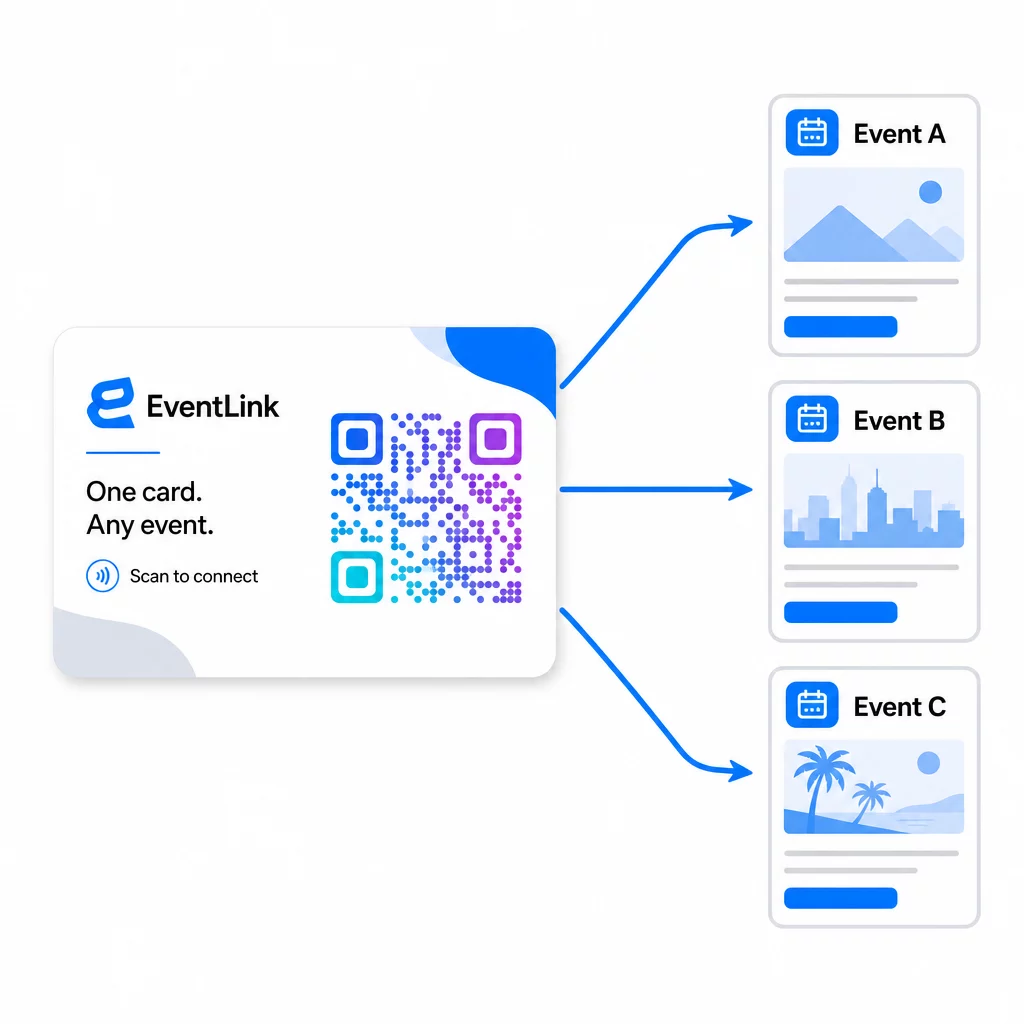
Это означает:
- Перед каждым мероприятием обновляйте свою целевую страницу, чтобы она ссылалась на конкретное название мероприятия и аудиторию.
- Между мероприятиями перенаправляйте код на свой основной веб-сайт, универсальный лид-магнит или страницу контактов.
- Если предложение истекает или целевая страница не работает, мгновенно исправьте это из своей панели управления – без перепечатки, без неработающих ссылок, достигающих реальных людей.
Эта гибкость также применима к выставочным стендам, флаерам и печатным вывескам. Один печатный баннер с QR-кодом может обслуживать несколько мероприятий с различными предложениями, аудиториями и последовательностями последующих действий, при условии, что базовый код является динамическим.
Шаг 6: Отслеживание производительности и доработка
Кампания с QR-кодом, которая не измеряется, не может быть улучшена. Динамические QR-коды предоставляют данные на уровне сканирования, включая общее количество сканирований, уникальные сканирования, типы устройств, географическое положение и временные закономерности. Эти данные показывают, работает ли размещение вашей карты, какие мероприятия генерируют наиболее заинтересованных потенциальных клиентов и конвертируется ли ваша целевая страница.
Используйте эти данные, чтобы ответить на практические вопросы после каждого мероприятия:
- Какой процент людей, получивших вашу карту, фактически отсканировал ее?
- Происходили ли сканирования во время мероприятия или в последующие дни – что указывает на отложенное поведение по отслеживанию?
- Какие типы устройств преобладали, и была ли ваша целевая страница полностью оптимизирована для них?
- Как сравнивались коэффициенты конверсии формы на мероприятиях с различными стимулами?
Руководство по инструментам отслеживания событий по QR-коду охватывает, как оценивать и интерпретировать аналитику сканирований в контексте мероприятия.
Примечание о согласии и соблюдении требований
Сбор контактной информации на мероприятиях означает, что вы подпадаете под действие применимых законов о конфиденциальности данных. В США нет единого федерального закона о конфиденциальности, но несколько правил применяются к пост-событийному маркетингу:
- В Закон CAN-SPAM требует, чтобы каждое отправляемое вами коммерческое электронное письмо включало четкий способ для получателей отказаться от рассылки, и вы должны выполнять эти запросы на отказ в течение 10 рабочих дней.
- Если вы собираете данные от жителей Калифорнии, то Закон Калифорнии о правах на конфиденциальность требует информировать потребителей о том, как их данные собираются и используются, а также предоставлять им возможность доступа, исправления или удаления этих данных.
- В Правила согласия FCC для телемаркетинга и маркетинга текстовых сообщений требуют отдельного, конкретного согласия для каждого отправителя – общее многостороннее согласие, полученное через одну форму, недостаточно.
Самый безопасный подход: сделайте язык согласия вашей формы явным. Четко укажите, кто будет с ними связываться, с какой целью и как они могут отказаться от рассылки. Для процессов RSVP и регистрации на мероприятия, размещение вашей формы на защищенной HTTPS-странице и включение прозрачных раскрытий информации об использовании данных является как юридической основой, так и сигналом доверия.
QR-код против визитной карточки: Практическое сравнение
| Подход | Ввод данных | Интеграция с CRM | Возможность повторного использования | АНАЛИТИКА |
|---|---|---|---|---|
| Бумажная визитная карточка | Руководство | Требует ручного ввода | Одноразовое событие | Отсутствуют |
| NFC-карта | Автоматически | Зависит от приложения | Многоразовый | Ограниченный |
| QR-код (статический) | На основе формы | Через инструмент формы | Многоразовый | Отсутствуют |
| QR-код (динамический) | На основе формы | Автоматизировано через веб-хук | Многоразовый, обновляемый | Полная аналитика сканирований |
Динамические QR-коды также решают практическую проблему, которая часто возникает с NFC-картами: NFC требует, чтобы принимающее устройство находилось в непосредственной близости и, в некоторых конфигурациях, запрашивает доступ на системном уровне. QR-код не требует от устройства получателя ничего, кроме камеры – никакого приложения, никаких изменений настроек, никаких разрешений, предоставленных в данный момент.
Часто задаваемые вопросы
Не если вы используете динамический QR-код. Динамический код указывает на URL-адрес перенаправления, который вы можете обновить в любое время из вашей панели управления, так что вы можете изменить целевую страницу перед каждым событием без перепечатки ваших карт или материалов.
Сохраняйте его сфокусированным и удобным для мобильных устройств. Включите персонализированное приветствие, ссылающееся на событие, короткую форму не более чем с тремя-четырьмя полями и конкретный стимул для отправки – например, участие в бесплатной консультации или загружаемый ресурс. Избегайте длинного текста или нескольких конкурирующих призывов к действию на одной странице.
Сделайте формулировку согласия явной в форме. Четко укажите, кто будет связываться с человеком, с какой целью и как он может отказаться от рассылки. Убедитесь, что ваша целевая страница размещена на HTTPS, оперативно выполняйте запросы на отказ от рассылки, как того требует Закон CAN-SPAM, и изучите применимые законы штатов – такие как Закон Калифорнии о правах на конфиденциальность – если ваша аудитория включает жителей этих штатов.