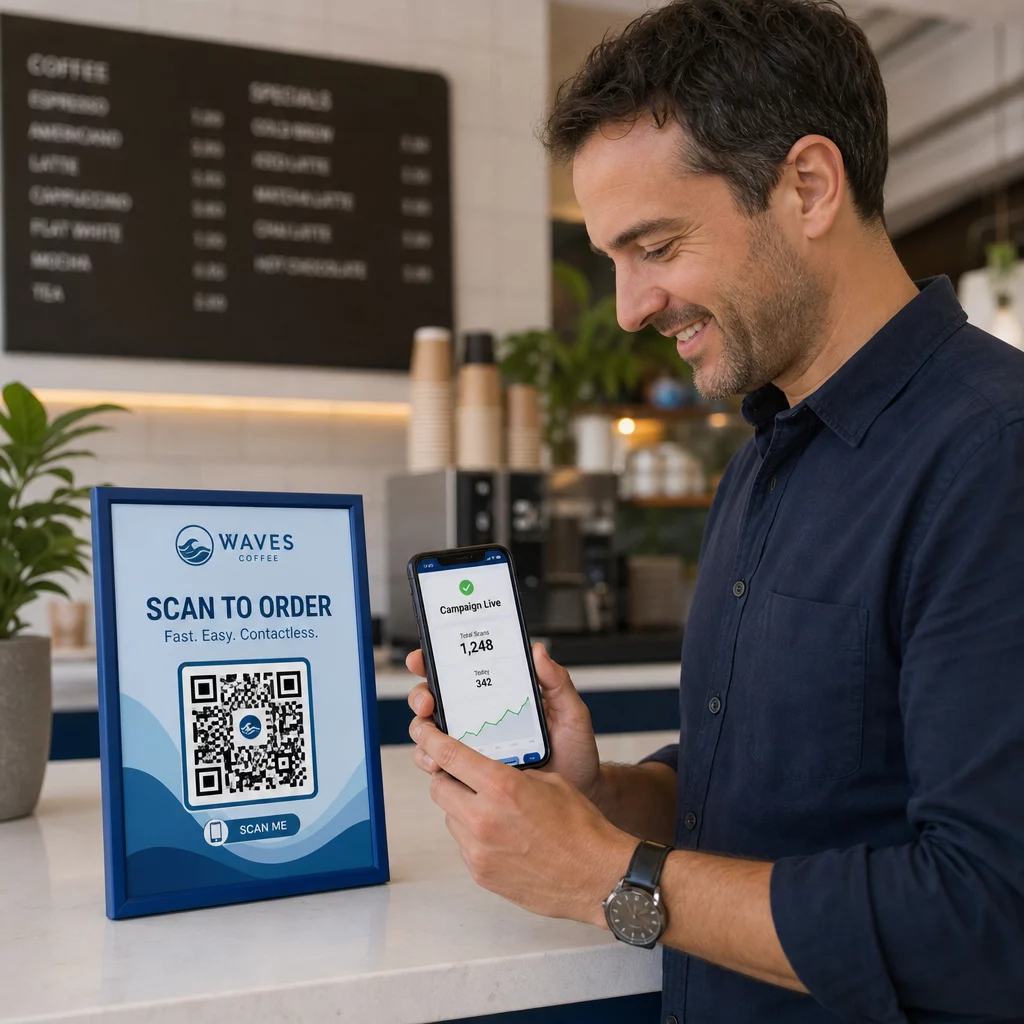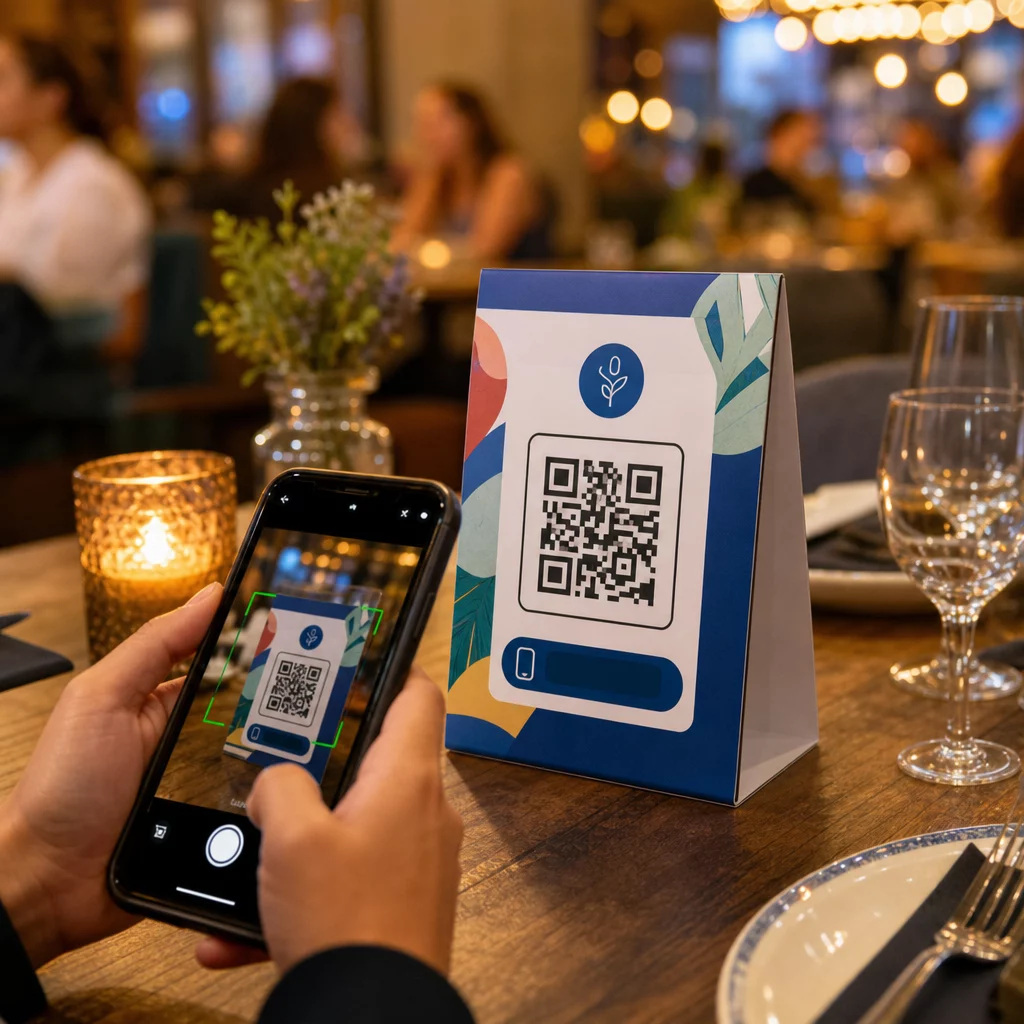
Vai jūsu galda teltis dara kaut ko vairāk par sveces turēšanu vai putekļu vākšanu starp apkalpošanas reizēm? Statiskas drukātas kartītes atstāj naudu uz galda – burtiski. Pievienojot QR kodu, katra galda telts kļūst par interaktīvu saskares punktu, kas dažu sekunžu laikā savieno sēdošos klientus ar jūsu digitālo saturu.
Kāpēc ir vērts izmantot galda telšu QR kodus
Galda telts atrodas tieši klienta priekšā viņa apmeklējuma visaugstākās iesaistes logā: brīdī, kad viņš ir apsēdies un gaida. Šis uzturēšanās laiks ir patiesa iespēja, un skenējams QR kods to piepilda ar kaut ko noderīgu.
Vietnei restorāni un viesmīlības uzņēmumi, QR kodi uz galda teltīm racionalizē darbību veidos, kas nāk par labu gan personālam, gan viesiem. Klienti var pārlūkot digitālo ēdienkarti, veikt pasūtījumu vai apmaksāt rēķinu, negaidot viesmīli. Priekš mazumtirgotājiem, uz letes novietotas galda teltis ar QR kodiem var parādīt akcijas, lojalitātes programmu reģistrācijas vai produkta detaļas tieši pirkuma lēmuma pieņemšanas brīdī.
Skaitļi to apstiprina. Restorāni un viesmīlības uzņēmumi ir līderi QR kodu ieviešanā ar 75%, un pētījumi liecina, ka 60% no visām restorānu QR skenēšanām notiek, ja kodi ir novietoti tieši uz galda – uz uzlīmēm vai galda teltīm. Formāts darbojas, jo tas satiek klientus tur, kur viņi jau atrodas.
Pareizā QR koda veida izvēle jūsu galda teltij
Ne katrs QR kods veic vienu un to pašu darbu. Koda veida saskaņošana ar jūsu mērķi ir vissvarīgākais lēmums, ko pieņemsiet pirms drukāšanas.
Ēdienkartes piekļuve ir visizplatītākais lietošanas gadījums. A ēdienkartes QR kodu ļauj augšupielādēt PDF failu vai izveidot mobilajām ierīcēm optimizētu galveno lapu, ko viesi var pārlūkot no saviem viedtālruņiem. Tā kā šie kodi ir dinamiski, jūs varat atjaunināt ēdienus, cenas vai dienas īpašos piedāvājumus, nepieskaroties drukātajai galda teltij. Tas vien novērš atkārtotas izmaksas par ēdienkaršu pārprintēšanu katru reizi, kad kaut kas mainās.
Bezkontakta maksājums ir otrais augstas vērtības lietošanas gadījums. A PayPal QR kods ļauj klientiem skenēt un maksāt tieši no sava galdiņa, samazinot gaidīšanas laiku un mazinot slodzi jūsu apkalpojošajai komandai. Īpaši restorāniem, QR koda maksājumi paātrina galdiņu apgrozījumu un samazina karšu apstrādes berzi.
Akcijas un kuponi labi darbojas mazumtirdzniecības letes displejos. A kupona QR kods ved uz galveno lapu, kur klienti var saņemt atlaides, lojalitātes balvas vai ierobežota laika piedāvājumus, kamēr viņi vēl atrodas pirkšanas brīdī.
PDF dokumenti piemērots vietām, kurām nepieciešams kopīgot detalizētu saturu – alergēnu informāciju, vīnu sarakstus, pasākumu programmas vai produktu katalogus. A PDF QR kods piegādā failu nekavējoties uz jebkuru viedtālruni, neprasot lietotni.
Tiešās saites sniedz jums vislielāko elastību. A saites QR kodam var norādīt uz jebko: rezervācijas sistēmu, sociālo mediju profilu, Google atsauksmju lapu vai lojalitātes reģistrācijas veidlapu.
Gatavs iestatīt galda telts QR kodus? Izveidojiet pielāgojamus, izsekojamus QR kodus savām ēdienkartēm, maksājumiem un akcijām, izmantojot Pageloot QR kodu ģenerators. Sāciet savu bezmaksas 14 dienu izmēģinājuma periodu – nav nepieciešama kredītkarte.
Kā iestatīt QR koda pasūtīšanas sistēmu uz galda teltīm
Ja jūsu mērķis ir pilnīga pasūtīšanas plūsma pie galda, iestatīšana ir vienkārša. The QR koda pasūtīšanas sistēmas ceļvedis detalizēti izskaidro procesu, bet galvenie soļi ir:
- Izveidojiet vai augšupielādējiet savu digitālo ēdienkarti kā PDF vai mobilajām ierīcēm optimizētu lapu
- Ģenerējiet dinamisku QR kodu, kas saistīts ar šo ēdienkarti
- Pielāgojiet kodu ar saviem zīmola krāsām, logotipu un aicinājuma veikt darbību rāmi
- Izdrukājiet un novietojiet kodu uz katras galda kartes
- Pirms ieviešanas pārbaudiet katru kodu, skenējot ar viedtālruni
Dinamiskie kodi ir ļoti ieteicami šai darba plūsmai. Tie ļauj atjaunināt saistīto ēdienkarti, mainīt sezonālo saturu vai pārvirzīt uz jaunu URL, nepārprintējot nevienu galda karti. Tas ir īpaši noderīgi restorāniem, kas pārvalda dienas īpašos piedāvājumus vai mainīgas ēdienkartes.
Dizaina un drukas specifikācijas, kas patiešām ir svarīgas
QR kods, kas neizdodas skenēt, sabojā klientu pieredzi. Pareizu tehnisko detaļu nodrošināšana pirms drukāšanas pasargā jūs no visas partijas atkārtotas drukāšanas.
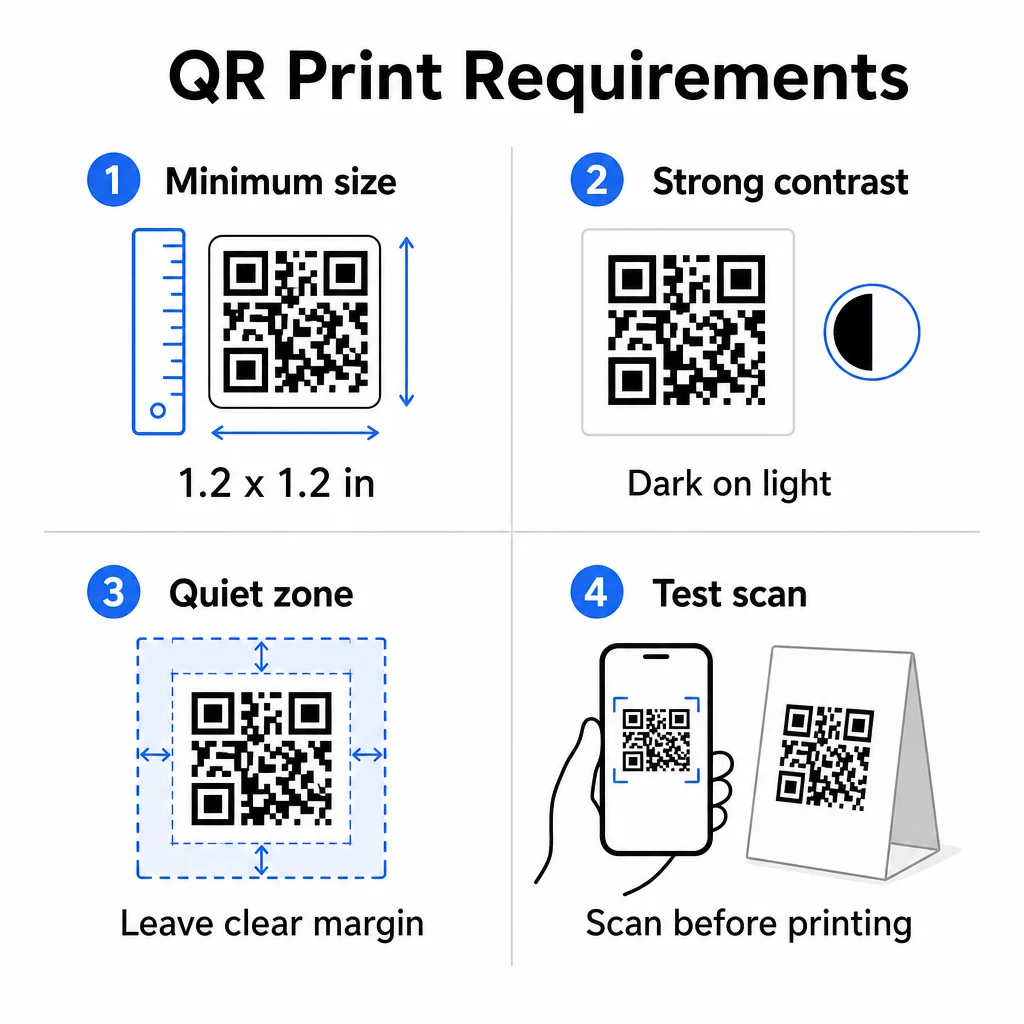
Izmērs: Galda kartēm, ko izmanto tuvā diapazonā, minimālais uzticamais izmērs ir 1,2 × 1,2 collas (3 × 3 cm). Noderīgs īkšķa likums ir attiecība 10:1 – koda platumam jābūt aptuveni vienai desmitdaļai no paredzamā skenēšanas attāluma. Pie tipiska galda 1,2 collu kodu ērti var skenēt ar lielāko daļu viedtālruņu kameru. Lai iegūtu detalizētākus norādījumus, skatiet QR koda izmēri dažādiem drukas materiāliem.
Kontrasts: Tumši moduļi uz gaiša fona ir visuzticamākā kombinācija. Melns uz balta joprojām ir zelta standarts. Zema kontrasta vai apgrieztas krāsu shēmas (gaišs uz tumša) izraisa skenēšanas kļūmes dažās ierīcēs. Mērķējiet uz kontrasta attiecību vismaz 4,5:1. The QR koda krāsu kontrasta ceļvedis paskaidro, kuras krāsu kombinācijas darbojas un kuras jāizvairās.
Klusā zona: Atstājiet skaidru baltu apmali vismaz četru moduļu platumā ap visu kodu – aptuveni 0,25 collas. Bez šīs bufera skeneriem ir grūti atrast koda robežu, īpaši, ja tas atrodas blakus tekstam vai grafikai.
Drukas kvalitāte: Izmantojiet vektoru eksporta formātus (SVG, EPS vai PDF), nevis zemas izšķirtspējas PNG. Izplūduši vai pikseļoti moduļi ir galvenais skenēšanas kļūmju cēlonis uz drukātiem materiāliem.
Testēšana: Vienmēr skenējiet fizisku paraugu pirms pilnas tirāžas drukāšanas. Testējiet ar vairākām ierīcēm, jūsu pasākuma vietas faktiskajos apgaismojuma apstākļos un no attāluma, kādā sēdošs viesis reāli turētu savu tālruni. The QR kodu lasāmības labākās prakses ceļvedis aptver, ko pārbaudīt un kā novērst biežākās problēmas.
Kam piesaistīt jūsu galda telts QR kodu
Galamērķis ir tikpat svarīgs kā pats kods. Šeit ir visefektīvākie pielietojumi visā viesmīlības un mazumtirdzniecības nozarēs:
- Digitālā ēdienkarte – sniedziet viesiem tūlītēju piekļuvi jūsu pilnai ēdienkartei, ieskaitot fotogrāfijas, aprakstus, alergēnu informāciju un dienas īpašos piedāvājumus
- Tiešsaistes pasūtīšana – ļaujiet klientiem veikt pasūtījumus tieši no savas vietas, negaidot viesmīli
- Maksājumu lapa – ļaujiet klientiem norēķināties par rēķinu, skenējot, samazinot norēķinu berzi
- Lojalitātes programmas reģistrācija – iegūt klientu e-pastus un veidot tiešā mārketinga sarakstu
- Akcijas un kuponi – piedāvāt laika ziņā ierobežotas atlaides tieši tad, kad pirkuma nodoms ir visaugstākais
- Sociālo mediju profils – palielināt sekotāju skaitu, novirzot apmierinātus klientus uz jūsu Instagram vai Google atsauksmju lapu
- Atrašanās vietas kopīgošana – saistīt ar jūsu Google Maps ierakstu, lai viesi varētu dalīties ar jūsu atrašanās vietu ar draugiem ceļā
Veiktspējas izsekošana ar dinamiskajiem QR kodiem
Viena no vismazāk izmantotajām galda telts QR kodu priekšrocībām ir analītika. Ar dinamisko QR kodu jūs varat uzraudzīt, cik reižu katrs kods tiek skenēts, kurā diennakts laikā, uz kāda ierīces tipa un no kuras vietas. Šie dati parāda, kuri galdi saņem vislielāko iesaisti, kuras akcijas rada visvairāk klikšķu un vai ēdienkartes atjaunināšana ietekmēja klientu mijiedarbību.
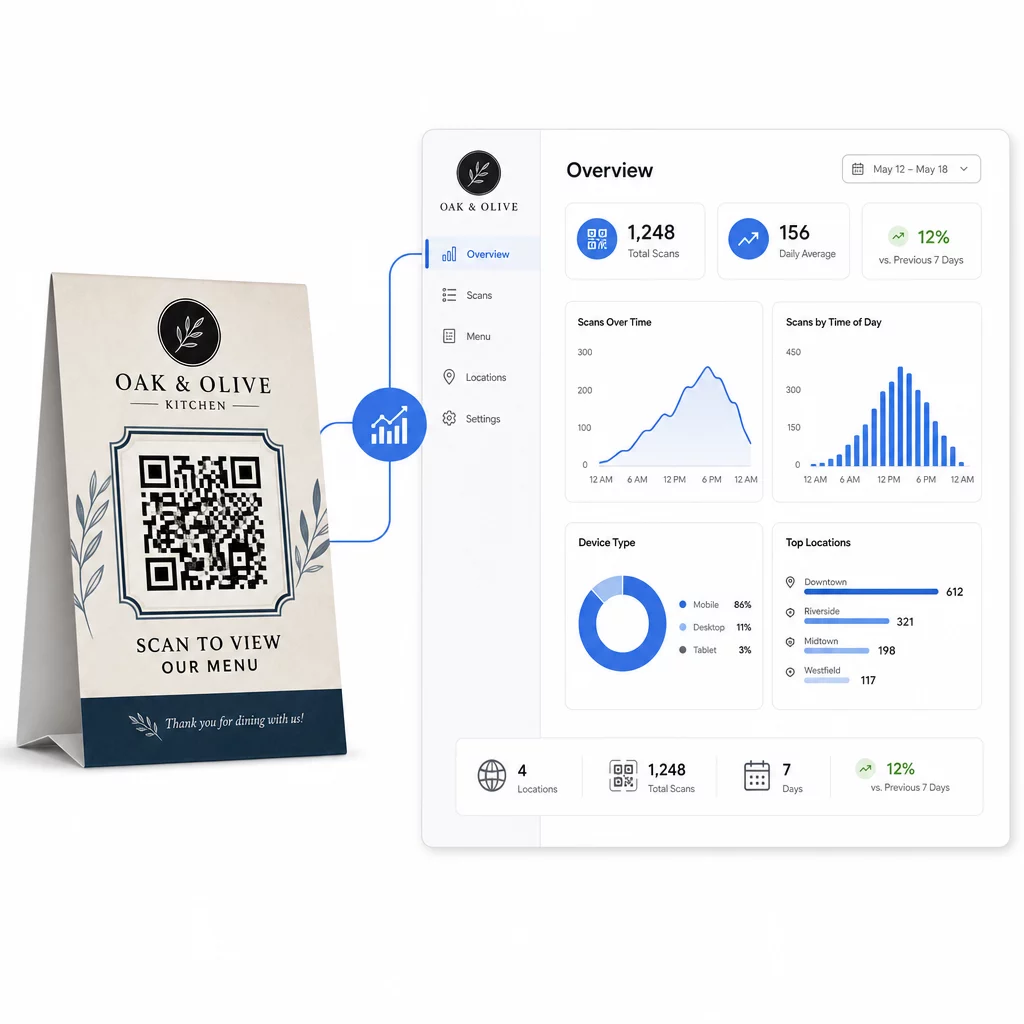
Pageloot Dinamisks QR kodu ģenerators nodrošina centralizētu informācijas paneli, kurā varat visu to izsekot reāllaikā, vienlaicīgi atjaunināt saistīto saturu visās galda teltīs un veikt dizaina izmaiņas, nepieskaroties jūsu drukātajiem materiāliem.
Uzņēmumiem, kas darbojas vairākās vietās, šis kontroles līmenis pārvērš galda teltis no statiskiem drukātiem materiāliem par izmērāmu mārketinga kanālu.
Izsekojiet katru skenēšanu pie katra galda Izmantojiet Pageloot dinamiskais QR kodu ģenerators lai atjauninātu saturu, uzraudzītu skenēšanas analītiku un pārvaldītu visus jūsu galda telts kodus no viena informācijas paneļa.
Biežāk uzdotie jautājumi
Galda skenēšanai QR kodam jābūt vismaz 1,2 × 1,2 collas (3 × 3 cm). Tas nodrošina uzticamu skenēšanu tuvos attālumos, kas raksturīgi sēdošam viesim. Ja jūsu dizains ietver logotipa pārklājumu vai sarežģītu krāsu shēmu, palieliniet izmēru par 20–30%, lai saglabātu skenēšanas iespēju.
Dinamiskie QR kodi ir stingri ieteicami galda teltīm. Tie ļauj jums atjaunināt saistīto saturu – piemēram, ēdienkarti, akciju vai maksājumu lapu – bez atkārtotas drukāšanas. Tie arī nodrošina skenēšanas analītiku, lai jūs varētu izsekot iesaistei laika gaitā. Statiskie kodi ir piemēroti tikai tad, ja galamērķa saturs nekad nemainīsies.
Galda telts QR kods var novirzīt uz digitālu ēdienkarti, tiešsaistes pasūtīšanas lapu, maksājumu portālu, kuponu vai lojalitātes programmas galveno lapu, sociālo mediju profilu, PDF dokumentu vai jebkuru URL. Labākais galamērķis ir atkarīgs no jūsu uzņēmējdarbības veida un no tā, ko vēlaties, lai klients darītu tajā brīdī viņu apmeklējuma laikā.