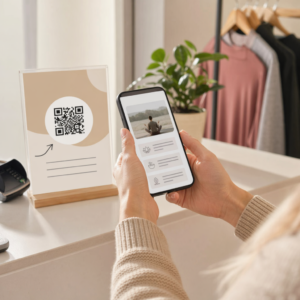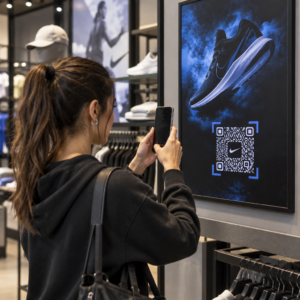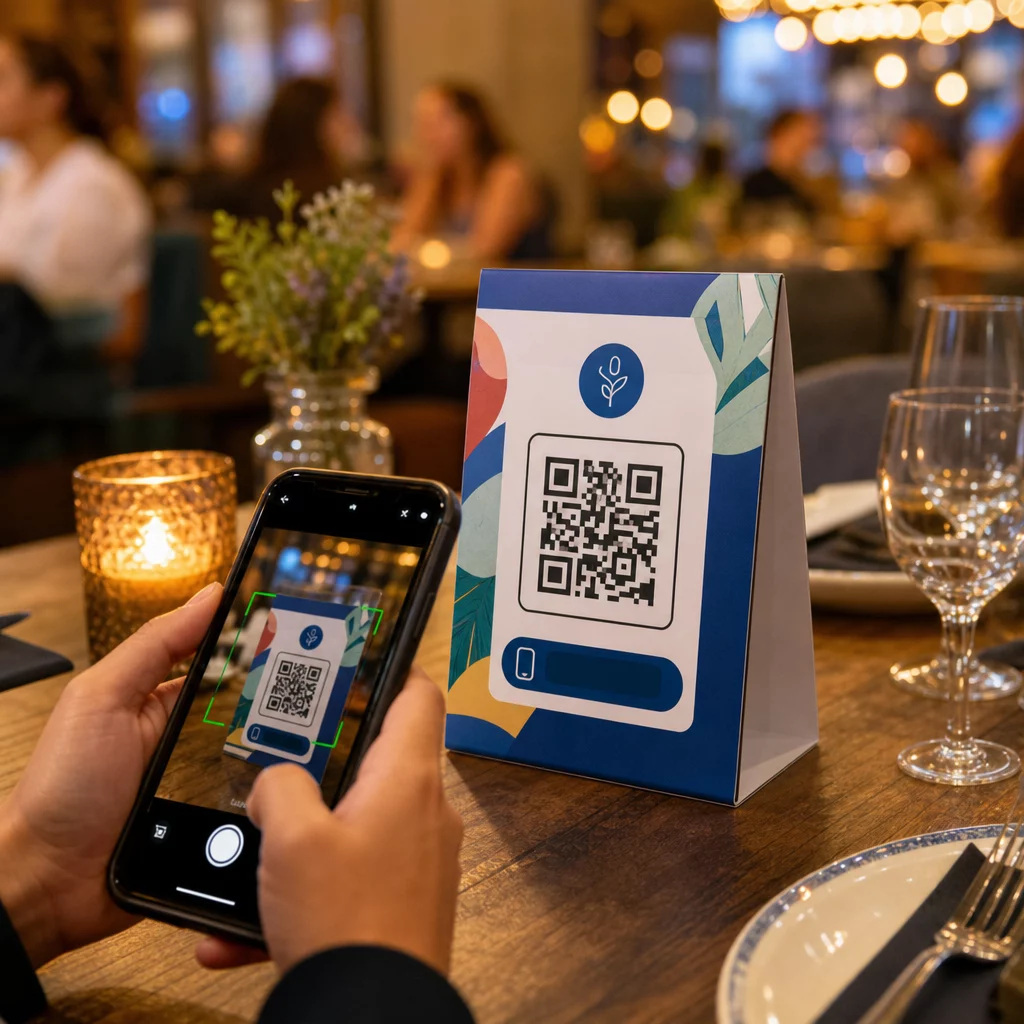
Kas teie lauatelgid teevad midagi enamat kui hoiavad küünalt või koguvad tolmu teeninduskordade vahel? Staatilised trükitud kaardid jätavad raha lauale – sõna otseses mõttes. QR-koodi lisamine muudab iga lauatelgi interaktiivseks puutepunktiks, mis ühendab istuvad kliendid teie digitaalse sisuga sekunditega.
Mis teeb lauatelgi QR-koodid kasutamist väärt
Lauatelk asub otse kliendi ees nende külastuse kõige suurema kaasatuse akna ajal: hetkel, mil nad istuvad ja ootavad. See viibimisaeg on tõeline võimalus ja skaneeritav QR-kood täidab selle millegi kasulikuga.
Sest restoranid ja hotellindusettevõtted, QR-koodid lauatelkidel lihtsustavad tegevust viisil, mis on kasulik nii personalile kui ka külalistele. Kliendid saavad sirvida digitaalset menüüd, esitada tellimuse või tasuda arve ilma teenindajat ootamata. Jaoks jaemüüjad, letile paigutatud QR-koodidega lauatelgid saavad kuvada pakkumisi, lojaalsusprogrammi registreerimisi või toote üksikasju täpselt ostuotsuse tegemise hetkel.
Numbrid toetavad seda. Restoranid ja hotellindusettevõtted on QR-koodide kasutuselevõtu esirinnas 75% juures ning uuringud näitavad, et 60% kõigist restorani QR-skaneeringutest toimub siis, kui koodid on paigutatud otse lauale – kleebistele või lauatelkidele. Formaat töötab, sest see kohtub klientidega seal, kus nad juba on.
Õige QR-koodi tüübi valimine oma lauatelgi jaoks
Mitte iga QR-kood ei tee sama tööd. Kooditüübi sobitamine oma eesmärgiga on kõige olulisem otsus, mille teete enne printimist.
Menüüle ligipääs on kõige levinum kasutusjuhtum. A menüü QR-koodi võimaldab teil üles laadida PDF-i või luua mobiilile optimeeritud sihtlehe, mida külalised saavad oma nutitelefonidest sirvida. Kuna need koodid on dünaamilised, saate roogasid, hindu või päevapakkumisi värskendada ilma trükitud lauatelki puudutamata. See üksi kõrvaldab menüüde korduvtrükkimise korduvad kulud iga kord, kui midagi muutub.
Kontaktivaba makse on teine kõrge väärtusega kasutusjuhtum. A PayPali QR-kood võimaldab klientidel skaneerida ja maksta otse oma laualt, lühendades ooteaegu ja vähendades teie saalimeeskonna koormust. Eriti restoranide puhul, QR-koodimaksed kiirendavad laudade käivet ja vähendavad kaardimaksete hõõrdumist.
Kampaaniad ja kupongid töötavad hästi jaekassa lettidel. A kupongi QR-kood viib sihtlehele, kus kliendid saavad taotleda allahindlusi, püsikliendipreemiaid või piiratud aja pakkumisi ajal, mil nad on veel ostuhetkes.
PDF-dokumendid sobivad kohtadele, mis peavad jagama üksikasjalikku sisu – allergeeniteavet, veinikaarte, ürituste programme või tootekatalooge. A PDF QR-kood edastab faili koheselt mis tahes nutitelefoni ilma rakendust nõudmata.
Otseviited annavad teile kõige suurema paindlikkuse. A lingi QR-koodile saab viidata millelegi: broneerimissüsteemile, sotsiaalmeedia profiilile, Google'i arvustuste lehele või püsikliendi registreerimisvormile.
Valmis seadistama lauatelgi QR-koode? Looge kohandatavaid, jälgitavaid QR-koode oma menüüde, maksete ja kampaaniate jaoks, kasutades Pageloot QR-koodi generaator. Alustage oma tasuta 14-päevast prooviperioodi – krediitkaarti pole vaja.
Kuidas seadistada QR-koodi tellimissüsteemi lauatelkidele
Kui teie eesmärk on täielik lauaäärne tellimisvoog, on seadistamine lihtne. The QR-koodi tellimissüsteemi juhend kirjeldab protsessi üksikasjalikult, kuid põhietapid on järgmised:
- Loo või laadi üles oma digitaalne menüü PDF-i või mobiilile optimeeritud lehena
- Genereeri selle menüüga seotud dünaamiline QR-kood
- Kohanda koodi oma brändivärvide, logo ja tegevusele kutsuva raamiga
- Prindi ja aseta kood igale lauatelgile
- Testi iga koodi nutitelefoniga skaneerides enne kasutuselevõttu
Dünaamilised koodid on tungivalt eelistatud selle töövoo jaoks. Need võimaldavad teil värskendada lingitud menüüd, vahetada hooajalist sisu või suunata uuele URL-ile ilma ühtegi lauatelki uuesti printimata. See on eriti kasulik restoranidele, mis haldavad päevapakkumisi või vahetuvaid menüüsid.
Disaini- ja printimisspetsifikatsioonid, mis tegelikult loevad
QR-kood, mis ei skaneeri, rikub kliendikogemuse. Tehniliste detailide õigesti seadistamine enne printimist säästab teid terve partii uuesti printimisest.
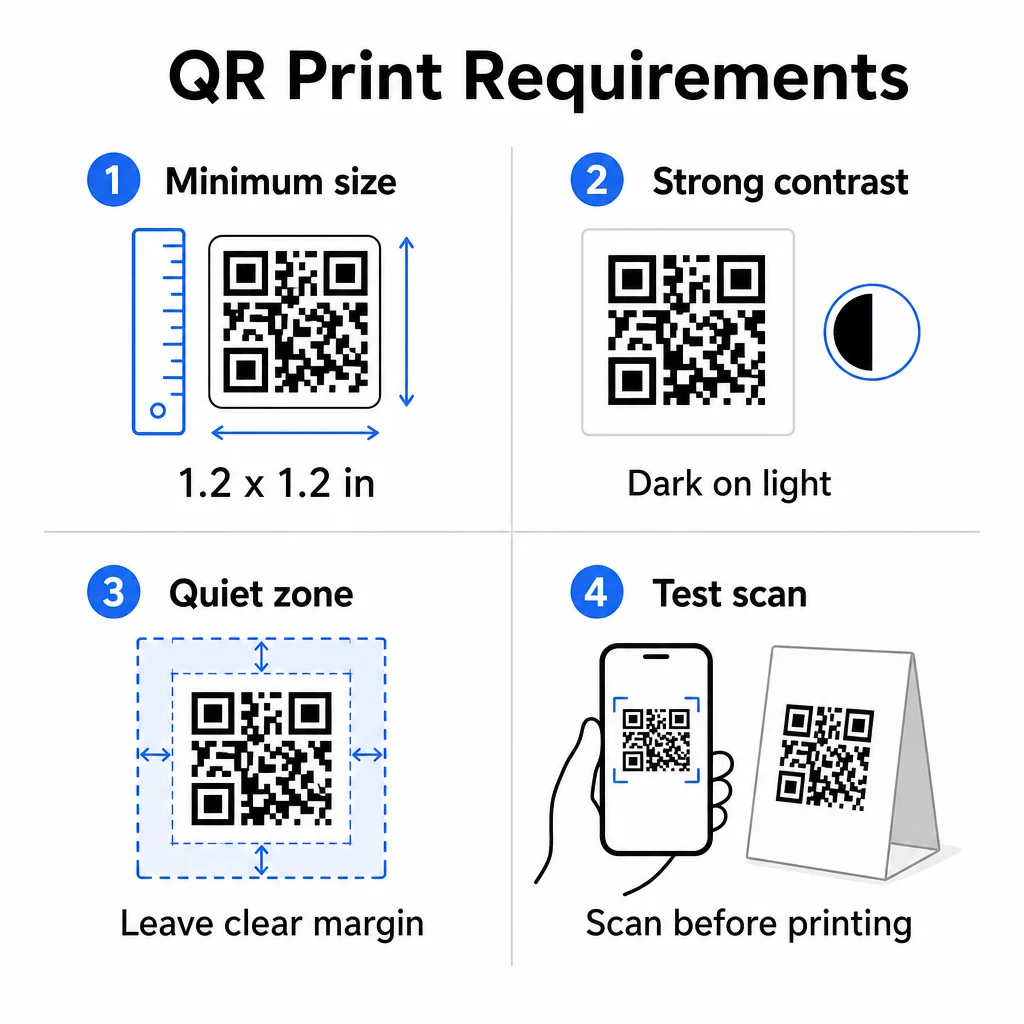
Suurus: Lähivaates kasutatavate lauatelkide puhul on minimaalne usaldusväärne suurus 1,2 × 1,2 tolli (3 × 3 cm). Kasulik rusikareegel on 10:1 suhe – koodi laius peaks olema umbes üks kümnendik eeldatavast skaneerimiskaugusest. Tüüpilise laua taga on 1,2-tolline kood enamiku nutitelefonikaameratega mugavalt skaneeritav. Täpsema juhendi saamiseks vaadake QR-koodi suuruse määramine erinevatele trükimaterjalidele.
Kontrast: Tumedad moodulid heledal taustal on kõige usaldusväärsem kombinatsioon. Must valgel jääb kuldstandardiks. Madala kontrastsusega või pööratud värviskeemid (hele tumedal) põhjustavad mõnedel seadmetel skaneerimisvigu. Püüdke saavutada kontrastsussuhe vähemalt 4,5:1. QR-koodi värvikontrasti juhendist selgitab, millised värvikombinatsioonid töötavad ja milliseid vältida.
Vaikne tsoon: Jätke kogu koodi ümber vähemalt nelja mooduli laiune selge valge äär – umbes 0,25 tolli. Ilma selle puhvriga on skanneritel raske koodi piiri leida, eriti kui see asub teksti või graafika lähedal.
Prindikvaliteet: Kasutage vektoreksportvorminguid (SVG, EPS või PDF) madala eraldusvõimega PNG-de asemel. Udused või pikseldatud moodulid on trükitud materjalide skaneerimise ebaõnnestumise peamine põhjus.
Testimine: Skaneerige alati füüsilist tõendit enne täieliku tiraaži printimist. Testige mitme seadmega, teie asukoha tegelikes valgustingimustes ja kauguselt, kust istuv külaline oma telefoni realistlikult hoiaks. QR-koodi loetavuse parimate tavade juhend käsitleb, mida kontrollida ja kuidas levinud probleeme lahendada.
Millega oma lauatelgi QR-koodi linkida
Sihtkoht on sama oluline kui kood ise. Siin on kõige tõhusamad kasutusviisid hotellindus- ja jaekaubanduses:
- Digitaalne menüü – andke külalistele kohene juurdepääs teie täielikule menüüle, sealhulgas fotodele, kirjeldustele, allergeeniteabele ja päevapakkumistele
- Veebipõhine tellimine – võimaldage klientidel tellimusi otse oma kohalt esitada, ilma et peaksid kelnerit ootama
- Makseleht – laske klientidel arve skaneerides tasuda, vähendades maksmise hõõrdumist
- Püsikliendiprogrammi registreerimine – koguda klientide e-kirju ja luua otseturunduse nimekiri
- Kampaaniad ja kupongid – tuua esile ajatundlikud allahindlused täpselt siis, kui ostukavatsus on kõige kõrgem
- Sotsiaalmeedia profiil – kasvatada oma jälgijaskonda, suunates rahulolevad kliendid oma Instagrami või Google'i arvustuste lehele
- Asukoha jagamine – linkida oma Google Mapsi kirjele, et külalised saaksid teie asukohta sõpradega teel jagada
Jõudluse jälgimine dünaamiliste QR-koodidega
Üks lauatelgi QR-koodide kõige alakasutatud eeliseid on analüütika. Dünaamilise QR-koodiga saate jälgida, mitu korda iga koodi skannitakse, mis kellaajal, millisel seadmetüübil ja millisest asukohast. Need andmed näitavad teile, millised lauad saavad kõige rohkem kaasatust, millised kampaaniad toovad kõige rohkem klikke ja kas menüü uuendus mõjutas klientide suhtlust.
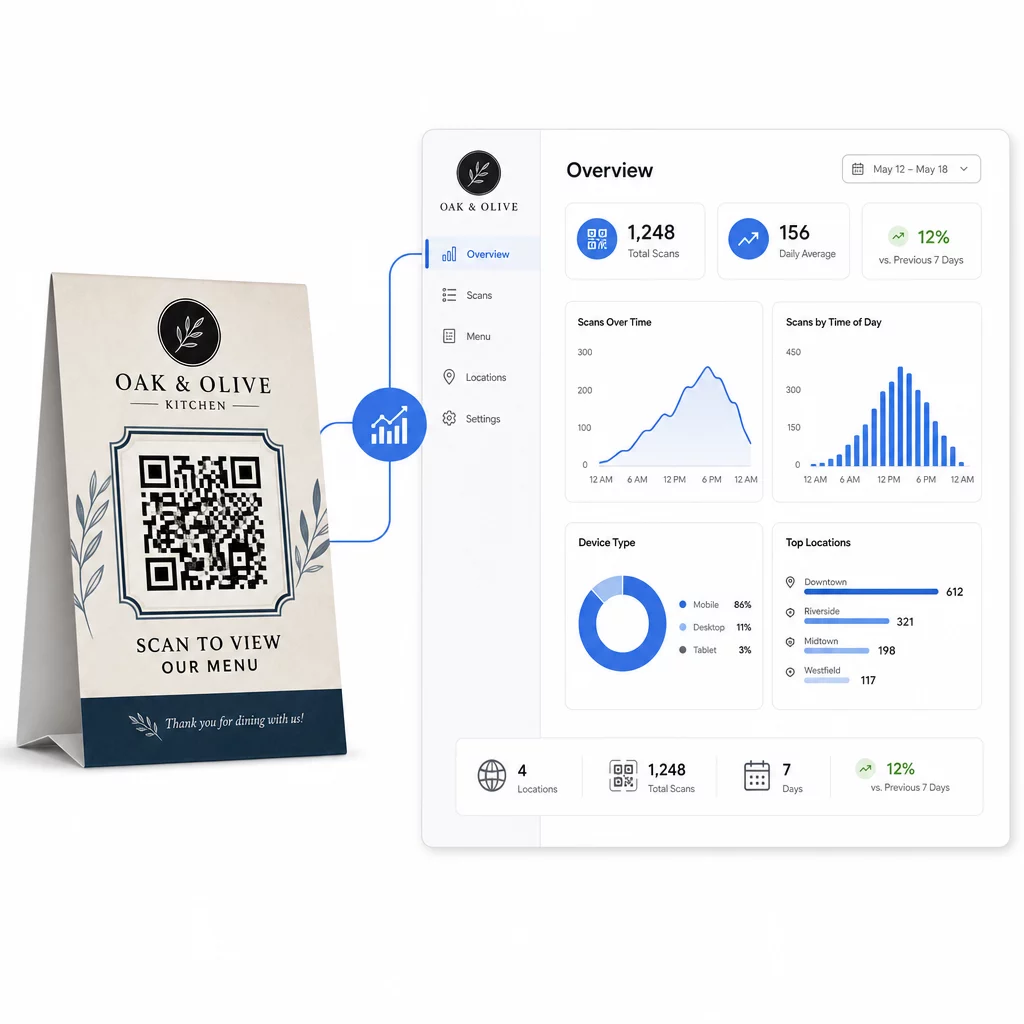
Pagelooti Dünaamilise QR koodi generaator pakub tsentraliseeritud armatuurlauda, kus saate seda kõike reaalajas jälgida, värskendada lingitud sisu kõigil lauatelkidel samaaegselt ja teha disainimuudatusi oma trükimaterjale puudutamata.
Mitme asukohaga ettevõtete jaoks muudab see kontrollitase lauatelgid staatilisest trükimaterjalist mõõdetavaks turunduskanaliks.
Jälgi iga skannimist igal laual Kasutage Pagelooti dünaamiline QR-koodi generaator sisu värskendamiseks, skannimisanalüütika jälgimiseks ja kõigi oma lauatelgi koodide haldamiseks ühest armatuurlauast.
Korduma kippuvad küsimused
Lauaküljelt skaneerimiseks peaks QR-kood olema vähemalt 1,2 × 1,2 tolli (3 × 3 cm). See toetab usaldusväärset skaneerimist lähedalt, mis on iseloomulik istuvale külalisele. Kui teie disain sisaldab logo ülekatet või keerulist värviskeemi, suurendage suurust 20–30%, et säilitada skaneeritavus.
Dünaamilised QR-koodid on tungivalt soovitatavad lauatelkide jaoks. Need võimaldavad teil värskendada lingitud sisu – näiteks menüüd, pakkumist või makselehte – ilma uuesti printimata. Need pakuvad ka skaneerimisanalüütikat, et saaksite jälgida kaasamist aja jooksul. Staatilised koodid sobivad ainult siis, kui sihtsisu ei muutu kunagi.
Lauatelgi QR-kood võib linkida digitaalsele menüüle, veebipõhisele tellimislehele, makseportaalile, kupongi või lojaalsusprogrammi sihtlehele, sotsiaalmeedia profiilile, PDF-dokumendile või mis tahes URL-ile. Parim sihtkoht sõltub teie ettevõtte tüübist ja sellest, mida soovite, et klient sel hetkel oma külastuse ajal teeks.