> 사용 사례 > QR Codes for Table Tents: A Setup Guide for Restaurants and Retailers
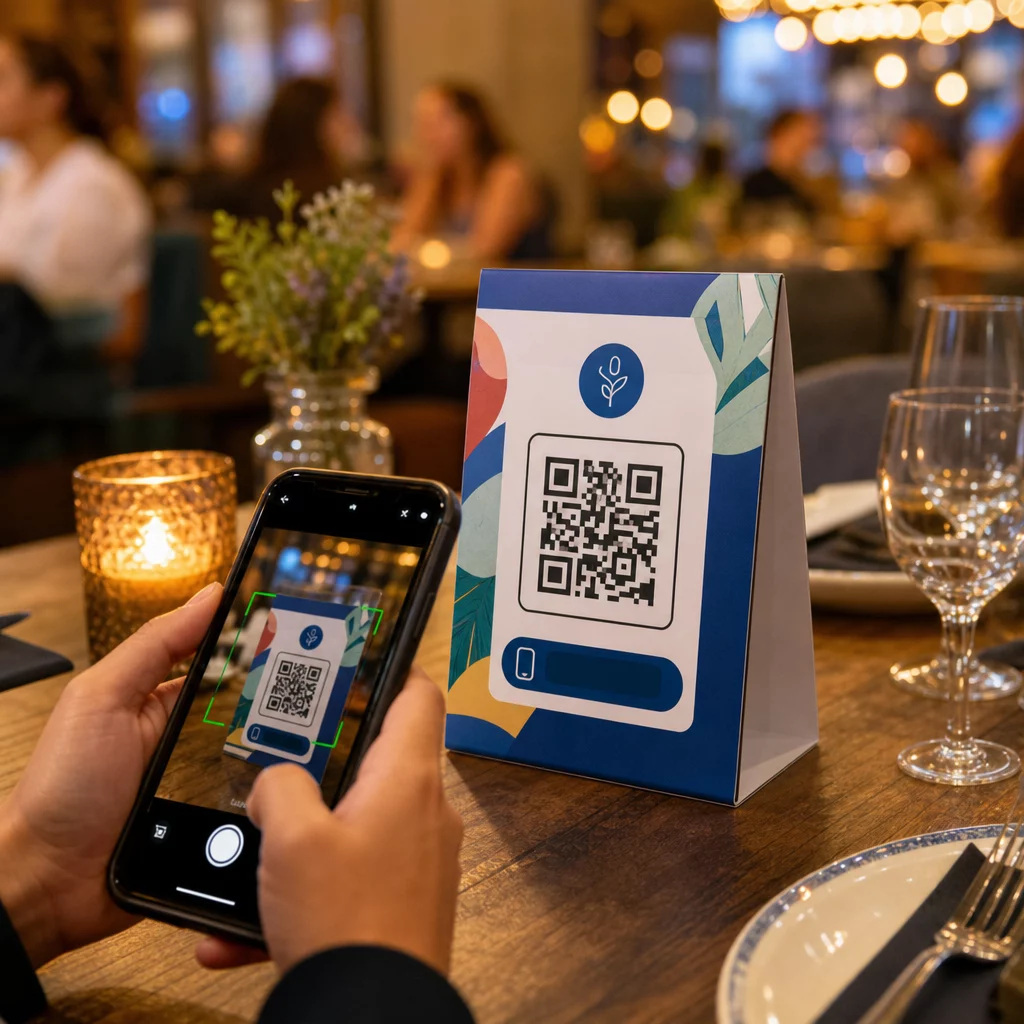
QR table tent

QR Codes for Table Tents: A Setup Guide for Restaurants and Retailers

Learn how to set up QR codes on table tents for restaurants and retailers. Connect customers to digital menus, payments, and promotions in seconds.
Updated on 6월 10, 2026
목차

Are your table tents doing anything beyond holding a candle or collecting dust between services? Static printed cards leave money on the table – literally. Adding a QR code turns every table tent into an interactive touchpoint that connects seated customers to your digital content in seconds.

What Makes Table Tent QR Codes Worth Using

A table tent sits directly in front of a customer during the highest-engagement window of their visit: the moment they are seated and waiting. That dwell time is a genuine opportunity, and a scannable QR code fills it with something useful.

에 대한 restaurants and hospitality businesses, QR codes on table tents streamline operations in ways that benefit both staff and guests. Customers can browse a digital menu, place an order, or pay a bill without waiting for a server. For 소매상, counter-placed table tents with QR codes can surface promotions, loyalty program sign-ups, or product details at the exact moment a purchase decision is being made.

The numbers back this up. Restaurants and hospitality businesses lead QR code adoption at 75%, and research shows that 60% of all restaurant QR scans happen when codes are placed directly on the table – on stickers or table tents. The format works because it meets customers where they already are.

Choosing the Right QR Code Type for Your Table Tent

Not every QR code does the same job. Matching the code type to your goal is the most important decision you will make before printing.

Menu access is the most common use case. A 메뉴 QR 코드 lets you upload a PDF or build a mobile-optimized landing page that guests can browse from their smartphones. Because these codes are dynamic, you can update dishes, prices, or daily specials without touching the printed table tent. This alone eliminates the recurring cost of reprinting menus every time something changes.

Contactless payment is the second high-value use case. A PayPal QR code lets customers scan and pay directly from their table, cutting wait times and reducing the load on your front-of-house team. For restaurants specifically, QR code payments speed up table turnover and reduce card processing friction.

Promotions and coupons work well on retail counter displays. A coupon QR code links to a landing page where customers can claim discounts, loyalty rewards, or limited-time offers while they are still in the buying moment.

PDF documents suit venues that need to share detailed content – allergen information, wine lists, event programs, or product catalogs. A PDF QR 코드 delivers the file instantly to any smartphone without requiring an app.

Direct links give you the most flexibility. A QR 코드 링크 can point to anything: a reservation system, a social media profile, a Google review page, or a loyalty sign-up form.

Ready to Set Up Table Tent QR Codes? Create customizable, trackable QR codes for your menus, payments, and promotions using the Pageloot QR 코드 생성기. Start your free 14-day trial – no credit card required.

How to Set Up a QR Code Ordering System on Table Tents

If your goal is a full table-side ordering flow, the setup is straightforward. The QR code ordering system guide walks through the process in detail, but the core steps are:

  • Build or upload your digital menu as a PDF or mobile-optimized page
  • Generate a dynamic QR code linked to that menu
  • Customize the code with your brand colors, logo, and a call-to-action frame
  • Print and place the code on each table tent
  • Test every code by scanning from a smartphone before deployment

Dynamic codes are strongly preferred for this workflow. They allow you to update the linked menu, swap out seasonal content, or redirect to a new URL without reprinting a single table tent. This is especially useful for restaurants managing daily specials or rotating menus.

Design and Print Specifications That Actually Matter

A QR code that fails to scan destroys the customer experience. Getting the technical details right before printing saves you from reprinting an entire batch.

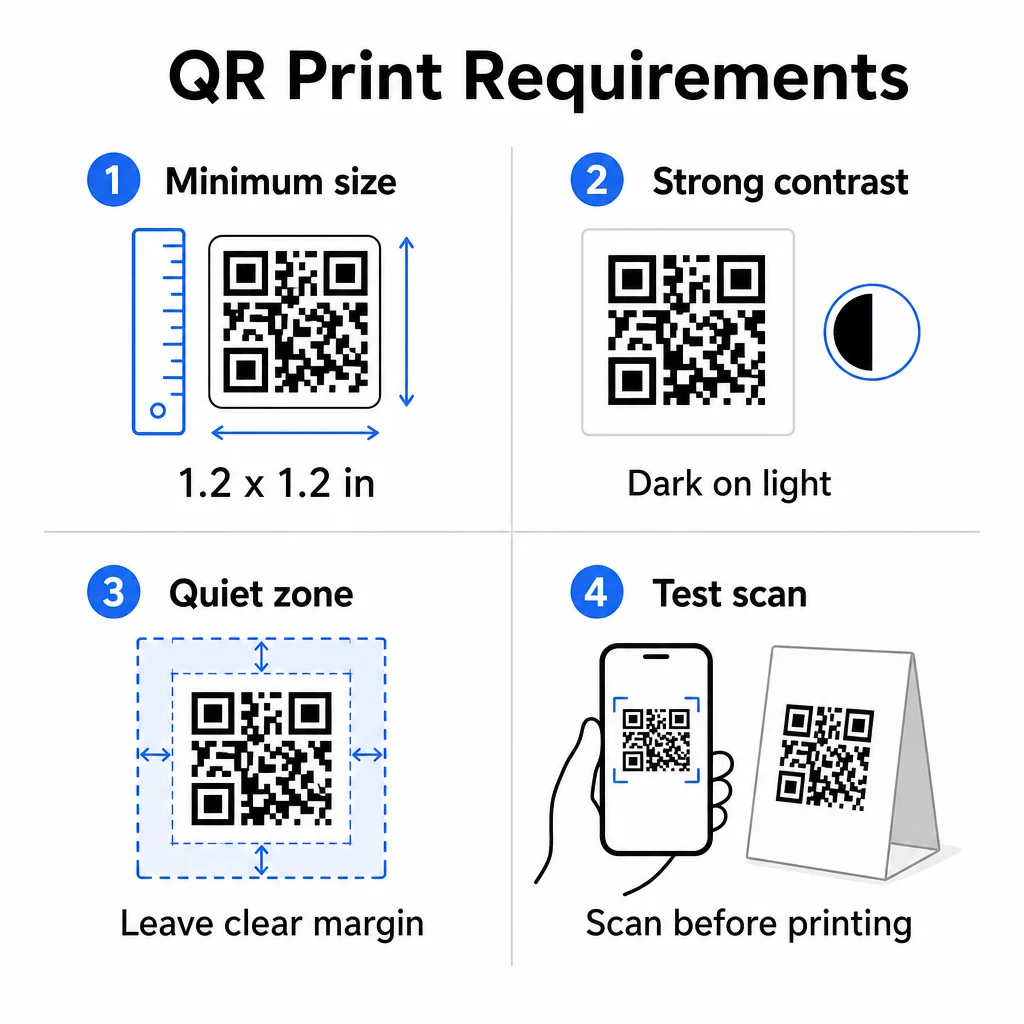
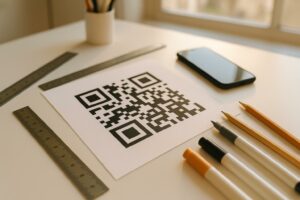
QR print specifications

크기: For table tents used at close range, the minimum reliable size is 1.2 × 1.2 inches (3 × 3 cm). A useful rule of thumb is the 10:1 ratio – the code’s width should be roughly one-tenth of the expected scanning distance. At a typical table, a 1.2-inch code is comfortably scannable by most smartphone cameras. For more detailed guidance, see 다양한 인쇄 재료에 대한 QR 코드 크기 조정.

대비: Dark modules on a light background is the most reliable combination. Black on white remains the gold standard. Low-contrast or inverted color schemes (light on dark) cause scanning failures on some devices. Aim for a contrast ratio of at least 4.5:1. The QR 코드 색상 대비 가이드 explains which color combinations work and which to avoid.

콰이어트 존: Leave a clear white margin of at least four modules around the entire code – roughly 0.25 inches. Without this buffer, scanners struggle to locate the code boundary, especially when placed near text or graphics.

Print quality: Use vector export formats (SVG, EPS, or PDF) rather than low-resolution PNGs. Blurry or pixelated modules are a leading cause of scan failure on printed materials.

Testing: Always scan a physical proof before printing the full run. Test across multiple devices, under the actual lighting conditions of your venue, and from the distance a seated guest would realistically hold their phone. The QR code readability best practices guide covers what to check and how to fix common issues.

What to Link Your Table Tent QR Code To

The destination matters as much as the code itself. Here are the most effective uses across hospitality and retail industries:

  • Digital menu – give guests instant access to your full menu, including photos, descriptions, allergen info, and daily specials
  • Online ordering – allow customers to place orders directly from their seat without waiting for a server
  • Payment page – let customers settle their bill by scanning, reducing checkout friction
  • Loyalty program sign-up – capture customer emails and build a direct marketing list
  • Promotions and coupons – surface time-sensitive discounts exactly when purchase intent is highest
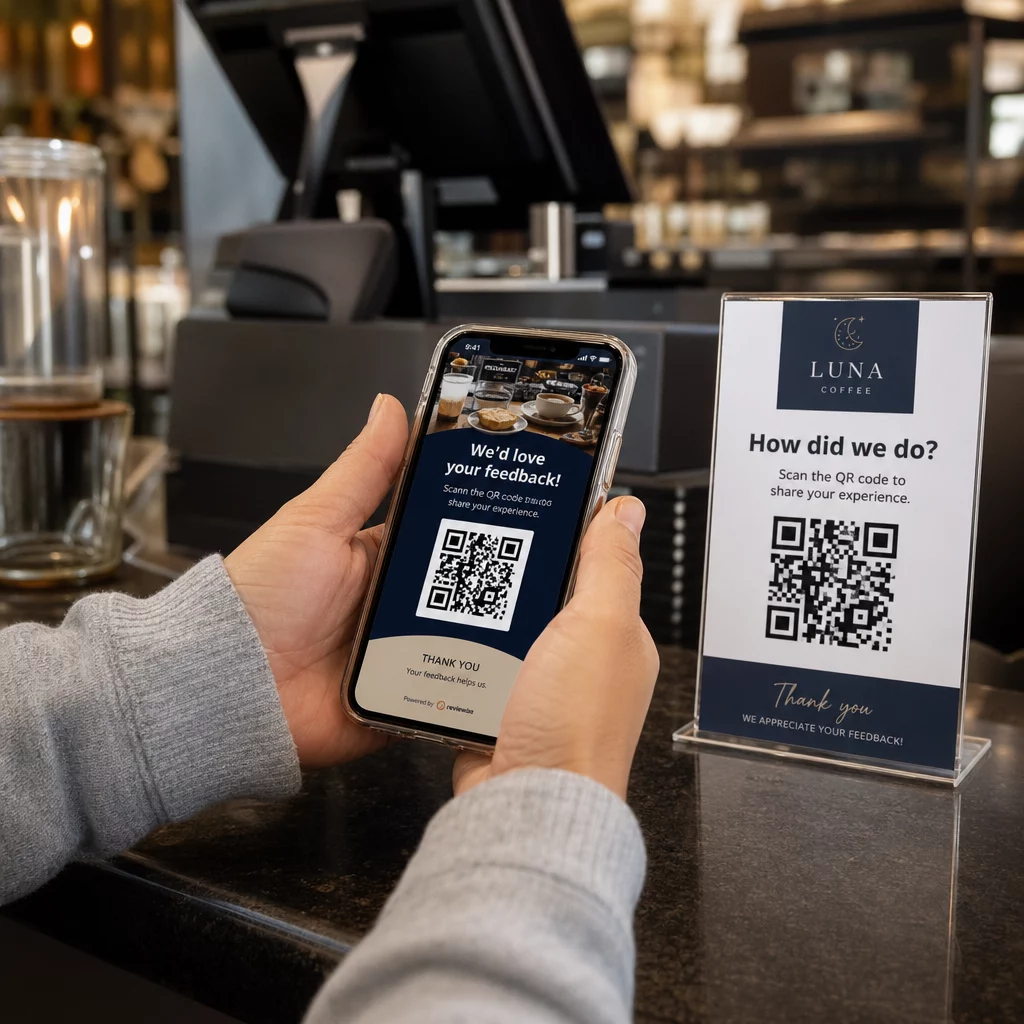
  • Social media profile – grow your following by directing satisfied customers to your Instagram or Google review page
  • 위치 공유 – link to your Google Maps listing so guests can share your location with friends on the way

Tracking Performance with Dynamic QR Codes

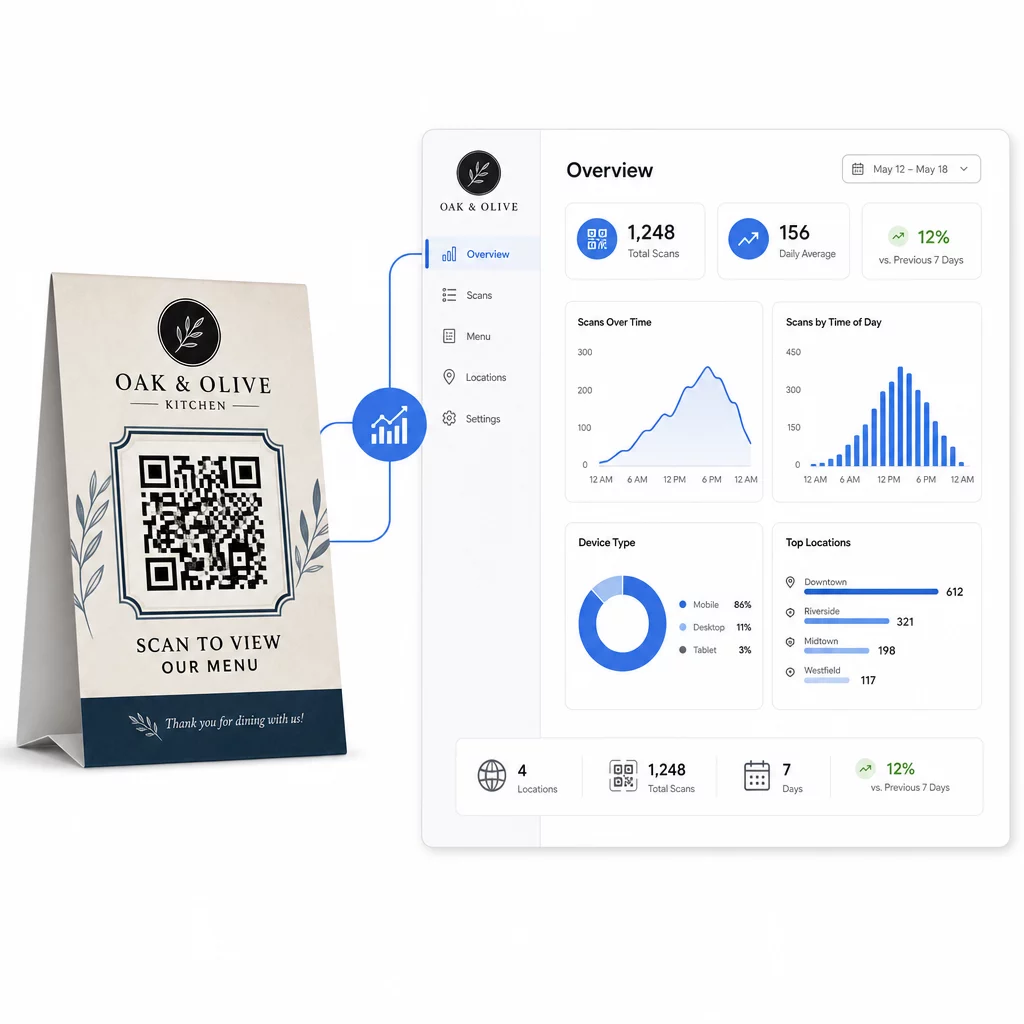
One of the most underused advantages of table tent QR codes is analytics. With a dynamic QR code, you can monitor how many times each code is scanned, at what time of day, on which device type, and from which location. This data tells you which tables get the most engagement, which promotions drive the most clicks, and whether a menu update affected customer interaction.

동적 QR 분석

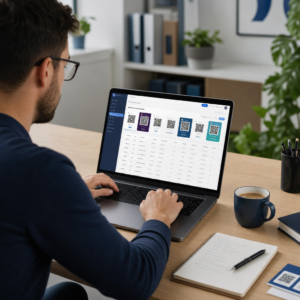
페이지루트의 동적 QR 코드 생성기 provides a centralized dashboard where you can track all of this in real time, update linked content across all table tents simultaneously, and make design changes without touching your printed materials.

For businesses running multiple locations, this level of control turns table tents from static print collateral into a measurable marketing channel.

Track Every Scan Across Every Table 사용하다 Pageloot’s Dynamic QR Code Generator to update content, monitor scan analytics, and manage all your table tent codes from one dashboard.

자주 묻는 질문

What size should a QR code be on a table tent?

For table-side scanning, the QR code should be at least 1.2 × 1.2 inches (3 × 3 cm). This supports reliable scanning at the close distances typical of a seated guest. If your design includes a logo overlay or complex color scheme, increase the size by 20–30% to maintain scannability.

Should I use a static or dynamic QR code on a table tent?

Dynamic QR codes are strongly recommended for table tents. They allow you to update the linked content – such as a menu, promotion, or payment page – without reprinting. They also provide scan analytics so you can track engagement over time. Static codes are only suitable if the destination content will never change.

What can a QR code on a table tent link to?

A table tent QR code can link to a digital menu, an online ordering page, a payment portal, a coupon or loyalty program landing page, a social media profile, a PDF document, or any URL. The best destination depends on your business type and what you want the customer to do at that moment in their visit.

작성자 정보

시임 코스타비는 페이지루트의 콘텐츠 책임자입니다. 그는 페이지루트의 혁신적인 QR 코드 생성 서비스에 대한 글을 쓰고 있습니다. 5년 이상 QR 코드 분야에서 쌓아온 깊이 있는 전문 지식을 바탕으로, 시임은 이 분야의 전문가로 인정받고 있습니다. 그는 QR 기술을 활용하여 디지털 상호작용을 간소화하고 향상시키는 데 크게 기여하고 있습니다.

범주
에 대해 자세히 알아보기
QR 코드 포스터 스캔
QR 코드 데이터 제한

온라인으로 QR 코드를 생성해야하는 경우 QR 코드 만들기 무료로 여기!
Pageloot는 #1 Go-To 솔루션 QR 코드를 만들고 스캔합니다.

QO-20

블로그 세대

20,000개 이상의 브랜드로부터 신뢰를 받아 더 많은 매출, 리뷰, 팔로워를 확보했습니다.

클라이언트 로고
최고 브랜드의 신뢰
5 중 4.8 평가

4.86 / 5 별점

휴고 로랑
휴고 로랑
레스토랑 주인
가장 쉽고 안정적인 QR 코드 생성기. PDF 파일을 즉시 업로드할 수 있습니다. 이제 레스토랑 메뉴가 디지털화되었습니다.
루카스 얀센
루카스 얀센
부동산 개발사
이것은 훌륭한 도구이며 QR 코드를 사용하면 원하는 곳으로 이동할 수 있습니다. 우리는 위치 QR 코드만 사용하지만 유용한 기능이 너무 많습니다.
엠마 모레티
엠마 모레티
소매 제품
사용하기 쉽고 빠릅니다. 그것은 훌륭하게 작동하고 완벽한 이미지를 생성하므로 직원들이 내 vCard를 다운로드할 수 있습니다.
휴고 로랑
휴고 로랑
레스토랑 주인
가장 쉽고 안정적인 QR 코드 생성기. PDF 파일을 즉시 업로드할 수 있습니다. 이제 레스토랑 메뉴가 디지털화되었습니다.
루카스 얀센
루카스 얀센
부동산 개발사
이것은 훌륭한 도구이며 QR 코드를 사용하면 원하는 곳으로 이동할 수 있습니다. 우리는 위치 QR 코드만 사용하지만 유용한 기능이 너무 많습니다.
엠마 모레티
엠마 모레티
소매 제품
사용하기 쉽고 빠릅니다. 그것은 훌륭하게 작동하고 완벽한 이미지를 생성하므로 직원들이 내 vCard를 다운로드할 수 있습니다.
더 많은 QR 코드보기
무엇이든 디지털 경험으로 전환하세요 3분 이내에.

14일 무료 체험.

신용카드는 필요 없습니다.

첫 구매 시 30% 할인

코드를 사용하세요:

MP3 파일 공유

PDF QR 코드를 생성하려면 가입하세요

필요한 모든 것을 업로드하고 표시합니다.

  • 오디오 파일
  • 팟캐스트
  • 음악

가입 시 14일 무료 체험.
체험 기간 후 QR 코드 만료.

오디오 mp3 QR 코드를 생성하려면 가입하세요

프레임으로 더 많은 스캔 확보

QR 코드에 더 많은 프레임을 추가하려면 가입하세요

클릭 유도 문안 프레임은 고객이 QR 코드와 쉽게 상호 작용할 수 있도록 도와줍니다. 사용해 보세요!

가입 시 14일 무료 체험.
체험 기간 후 QR 코드 만료.

QR 코드에 더 많은 프레임을 추가하려면 가입하세요

도형으로 더 많은 스타일 추가

더 많은 도형을 만들려면 가입하세요

QR 코드는 정사각형일 필요가 없습니다. 브랜드 이미지에 맞게 전환해 보세요.

가입 시 14일 무료 체험.
체험 기간 후 QR 코드 만료.

더 많은 도형을 만들려면 가입하세요

QR 코드에 로고 추가

QR 코드에 로고를 추가하려면 가입하세요

로고와 브랜드를 추가하여 QR 코드를 돋보이게 만드세요.

가입 시 14일 무료 체험.
체험 기간 후 QR 코드 만료.

QR 코드에 로고를 추가하려면 가입하세요

스마트 앱 스토어 리디렉션

앱 스토어 QR 코드를 생성하려면 가입하세요

스마트 앱 스토어 QR 코드에 앱 링크를 추가하세요. 사용자는 장치에 따라 리디렉션됩니다.

가입 시 14일 무료 체험.
체험 기간 후 QR 코드 만료.

앱 스토어 QR 코드를 생성하려면 가입하세요

QR 코드에 이미지 업로드

이미지 QR 코드를 생성하려면 가입하세요

이미지를 쉽게 공유하세요. 몇 초 안에 동적으로 이미지를 변경하십시오.

가입 시 14일 무료 체험.
체험 기간 후 QR 코드 만료.

이미지 QR 코드를 생성하려면 가입하세요

PDF 파일 공유

PDF QR 코드를 생성하려면 가입하세요

필요한 모든 것을 업로드하고 표시합니다.

  • 메뉴 및 가격표
  • 명령
  • 모든 문서

가입 시 14일 무료 체험.
체험 기간 후 QR 코드 만료.

PDF QR 코드를 생성하려면 가입하세요

인쇄 없이 나중에 편집

다시 인쇄하지 않고 QR 코드를 편집하려면 가입하세요

동적 QR 코드를 사용하면 새 QR 코드를 인쇄하지 않고도 QR 코드의 내용을 변경할 수 있습니다.

가입 시 14일 무료 체험.
체험 기간 후 QR 코드 만료.

다시 인쇄하지 않고 QR 코드를 편집하려면 가입하세요

언제? 어디서? QR 코드 스캔 추적

QR 코드를 추적하려면 가입하세요

어떤 QR 코드가 가장 많이 스캔되고 무엇이 고객을 가장 흥분시키는지 알아보십시오.

가입 시 14일 무료 체험.
체험 기간 후 QR 코드 만료.

QR 코드를 추적하려면 가입하세요

인쇄 준비 파일 제공

PDF 및 SVG와 같은 벡터 QR 코드를 생성하려면 가입하세요.

.EPS, .PDF, .SVG

HD 해상도로 QR 코드를 다운로드하고 싶으신가요? 인쇄할 준비가 된 벡터 또는 픽셀 형식을 가져옵니다.

가입 시 14일 무료 체험.
체험 기간 후 QR 코드 만료.

PDF 및 SVG와 같은 벡터 QR 코드를 생성하려면 가입하세요.

기다리세요. 귀하의 QR 코드는 로드 중... 로드 중...

나만의 것으로 만들기

나중을 위해 QR 코드를 저장하려면 가입하세요.

다양한 색상, 로고 및 클릭 유도문안 프레임으로 멋진 QR 코드를 만들어 더 많은 스캔을 받으세요.

가입 시 14일 무료 체험.
체험 기간 후 QR 코드 만료.

나중을 위해 QR 코드를 저장하려면 가입하세요.