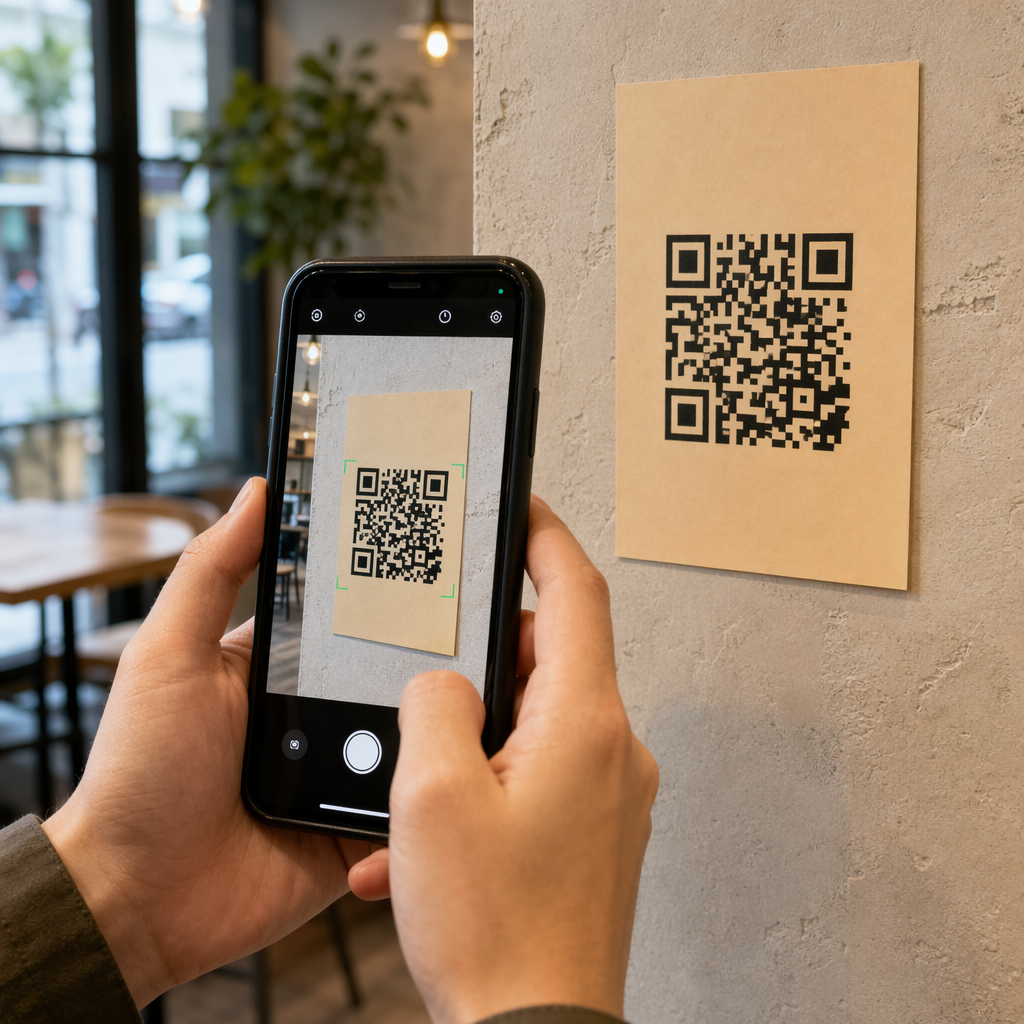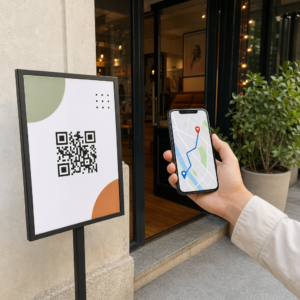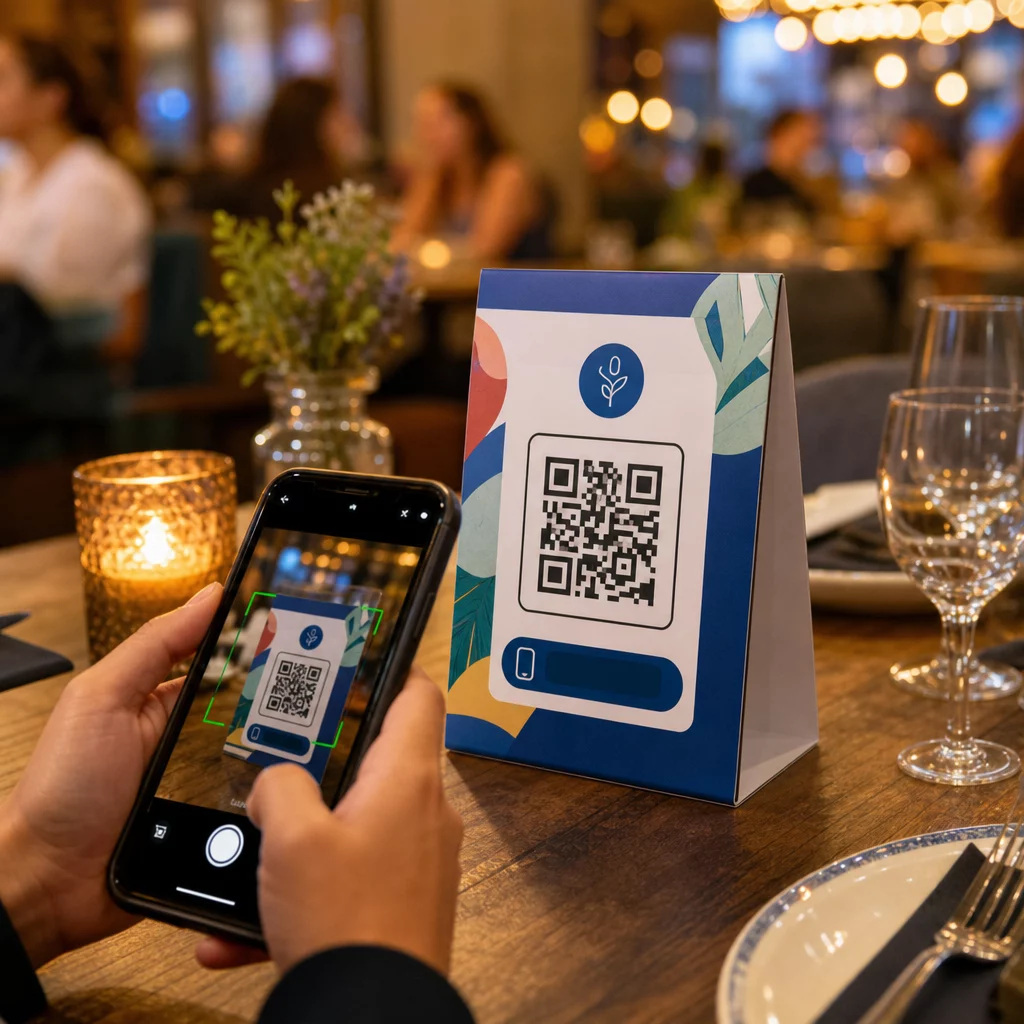
Ovatko pöytäkolmiosi tekemässä mitään muuta kuin pitämässä kynttilää tai keräämässä pölyä palveluiden välillä? Staattiset painetut kortit jättävät rahaa pöydälle – kirjaimellisesti. QR-koodin lisääminen muuttaa jokaisen pöytäkolmion interaktiiviseksi kosketuspisteeksi, joka yhdistää istuvat asiakkaat digitaaliseen sisältöösi sekunneissa.
Miksi pöytäkolmioiden QR-koodit kannattaa ottaa käyttöön
Pöytäkolmio on suoraan asiakkaan edessä vierailunsa suurimman sitoutumisen hetkellä: silloin kun he istuvat ja odottavat. Tämä odotusaika on todellinen mahdollisuus, ja skannattava QR-koodi täyttää sen jollakin hyödyllisellä.
Sillä ravintolat ja majoitus- ja ravitsemusalan yritykset, pöytäkolmioiden QR-koodit tehostavat toimintaa tavoilla, jotka hyödyttävät sekä henkilökuntaa että vieraita. Asiakkaat voivat selata digitaalista ruokalistaa, tehdä tilauksen tai maksaa laskun odottamatta tarjoilijaa. Esimerkiksi vähittäiskauppiaat, tiskille sijoitetut QR-koodeilla varustetut pöytäkolmiot voivat tuoda esiin kampanjoita, kanta-asiakasohjelman ilmoittautumisia tai tuotetietoja juuri sillä hetkellä, kun ostopäätös tehdään.
Luvut tukevat tätä. Ravintolat ja majoitus- ja ravitsemusalan yritykset ovat edelläkävijöitä QR-koodien käyttöönotossa 75 %:lla, ja tutkimukset osoittavat, että 60 % kaikista ravintoloiden QR-skannauksista tapahtuu, kun koodit on sijoitettu suoraan pöydälle – tarroihin tai pöytäkolmioihin. Muoto toimii, koska se tavoittaa asiakkaat siellä, missä he jo ovat.
Oikean QR-koodityypin valitseminen pöytäkolmioosi
Kaikki QR-koodit eivät tee samaa työtä. Koodityypin sovittaminen tavoitteeseesi on tärkein päätös, jonka teet ennen tulostamista.
Ruokalistan käyttö on yleisin käyttötapaus. A ruokalistan QR-koodia antaa sinun ladata PDF-tiedoston tai rakentaa mobiilioptimoidun aloitussivun, jota vieraat voivat selata älypuhelimillaan. Koska nämä koodit ovat dynaamisia, voit päivittää ruokia, hintoja tai päivän erikoistarjouksia koskematta painettuun pöytäkolmioon. Tämä yksinään poistaa toistuvat kustannukset ruokalistojen uudelleenpainamisesta aina, kun jotain muuttuu.
Lähimaksu on toinen arvokas käyttötapaus. A PayPal QR-koodi antaa asiakkaiden skannata ja maksaa suoraan pöydästään, mikä lyhentää odotusaikoja ja vähentää etusalin henkilökunnan työtaakkaa. Erityisesti ravintoloille, QR-koodimaksut nopeuttavat pöytien kiertoa ja vähentävät korttimaksujen kitkaa.
Kampanjat ja kupongit toimivat hyvin vähittäiskaupan kassatiskin näytöillä. A kuponki-QR-koodi linkittää laskeutumissivulle, josta asiakkaat voivat lunastaa alennuksia, kanta-asiakasetuja tai rajoitetun ajan tarjouksia, kun he ovat vielä ostohetkellä.
PDF-dokumentit sopivat paikkoihin, jotka tarvitsevat jakaa yksityiskohtaista sisältöä – allergiatiedot, viinilistat, tapahtumaohjelmat tai tuotekuvastot. A PDF QR-koodi toimittaa tiedoston välittömästi mille tahansa älypuhelimelle ilman sovelluksen vaatimusta.
Suorat linkit antavat sinulle eniten joustavuutta. A linkin QR-koodi voi osoittaa mihin tahansa: varausjärjestelmään, sosiaalisen median profiiliin, Google-arvostelusivulle tai kanta-asiakasrekisteröitymislomakkeeseen.
Valmiina perustamaan pöytäkolmioiden QR-koodeja? Luo muokattavia, seurattavia QR-koodeja valikoillesi, maksuillesi ja kampanjoillesi käyttämällä Pageloot QR-koodigeneraattori. Aloita ilmainen 14 päivän kokeilujaksosi – luottokorttia ei vaadita.
Miten perustaa QR-kooditilausjärjestelmä pöytäkolmioihin
Jos tavoitteenasi on täydellinen pöytäkohtainen tilausvirta, asennus on yksinkertainen. The QR-kooditilausjärjestelmän opas käy prosessin läpi yksityiskohtaisesti, mutta ydinvaiheet ovat:
- Rakenna tai lataa digitaalinen ruokalistasi PDF-tiedostona tai mobiilioptimoidulla sivuna
- Luo dynaaminen QR-koodi, joka on linkitetty kyseiseen ruokalistaan
- Mukauta koodia brändisi väreillä, logolla ja toimintakehotuskehyksellä
- Tulosta ja aseta koodi jokaiseen pöytäkolmioon
- Testaa jokainen koodi skannaamalla älypuhelimella ennen käyttöönottoa
Dynaamiset koodit ovat erittäin suositeltavia tähän työnkulkuun. Ne mahdollistavat linkitetyn ruokalistan päivittämisen, kausisisällön vaihtamisen tai uudelleenohjauksen uuteen URL-osoitteeseen ilman yhdenkään pöytäkolmion uudelleentulostamista. Tämä on erityisen hyödyllistä ravintoloille, jotka hallinnoivat päivittäisiä erikoistarjouksia tai vaihtuvia ruokalistoja.
Suunnittelu- ja tulostusmääritykset, joilla on todella merkitystä
QR-koodi, joka ei skannaa, tuhoaa asiakaskokemuksen. Teknisten yksityiskohtien saaminen oikein ennen tulostusta säästää sinut koko erän uudelleentulostamiselta.
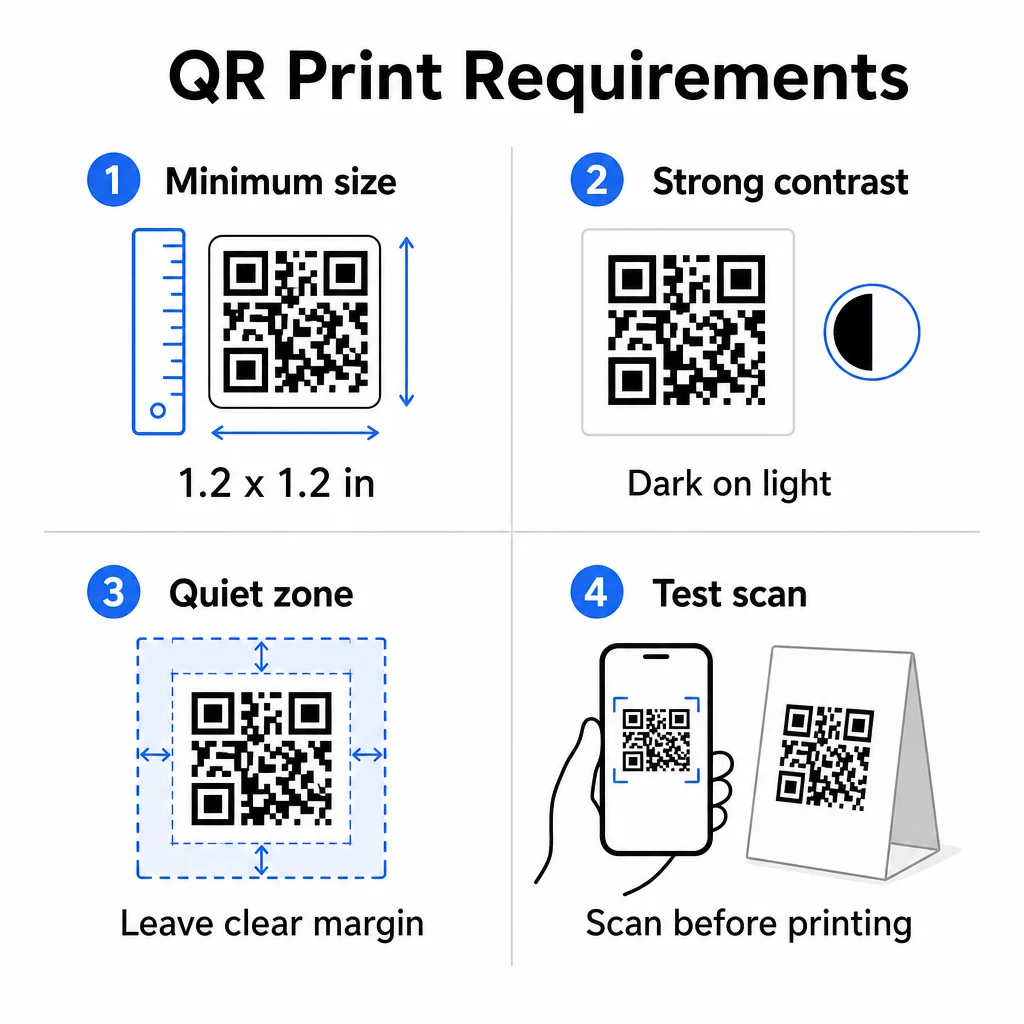
Koko: Lähikuvassa käytettävien pöytäkolmioiden vähimmäisluotettava koko on 1,2 × 1,2 tuumaa (3 × 3 cm). Hyödyllinen nyrkkisääntö on 10:1-suhde – koodin leveyden tulisi olla noin kymmenesosa odotetusta skannausetäisyydestä. Tyypillisessä pöydässä 1,2 tuuman koodi on mukavasti skannattavissa useimmilla älypuhelinkameroilla. Tarkempia ohjeita löydät kohdasta QR-koodin koon määrittäminen eri painomateriaaleille.
Kontrasti: Tummat moduulit vaalealla taustalla on luotettavin yhdistelmä. Musta valkoisella pysyy kultaisena standardina. Matala kontrasti tai käännetyt värimaailmat (vaalea tummalla) aiheuttavat skannausvirheitä joissakin laitteissa. Tavoittele vähintään 4,5:1 kontrastisuhdetta. QR-koodin värikontrastioppaasta selittää, mitkä väriyhdistelmät toimivat ja mitä tulee välttää.
Hiljainen vyöhyke: Jätä selkeä valkoinen marginaali, vähintään neljä moduulia, koko koodin ympärille – noin 0,25 tuumaa. Ilman tätä puskuria skannerit kamppailevat löytääkseen koodin rajan, erityisesti kun se on sijoitettu tekstin tai grafiikan lähelle.
Tulostuslaatu: Käytä vektorimuotoisia vientimuotoja (SVG, EPS tai PDF) matalaresoluutioisten PNG-tiedostojen sijaan. Sumuiset tai pikselöidyt moduulit ovat yleisin syy skannausvirheisiin painetuissa materiaaleissa.
Testaus: Skannaa aina fyysinen vedos ennen täyden painoksen tulostamista. Testaa useilla laitteilla, tapahtumapaikkasi todellisissa valaistusolosuhteissa ja etäisyydeltä, jolta istuva vieras realistisesti pitäisi puhelintaan. The QR-koodin luettavuuden parhaiden käytäntöjen opas kattaa mitä tarkistaa ja miten korjata yleisiä ongelmia.
Mihin pöytäkolmion QR-koodi linkitetään
Kohde on yhtä tärkeä kuin itse koodi. Tässä ovat tehokkaimmat käyttötarkoitukset ravintola- ja vähittäiskaupan aloilla:
- Digitaalinen ruokalista – anna vieraille välitön pääsy koko ruokalistaasi, mukaan lukien kuvat, kuvaukset, allergeenitiedot ja päivän erikoistarjoukset
- Verkkotilaus – anna asiakkaiden tehdä tilauksia suoraan paikaltaan odottamatta tarjoilijaa
- Maksusivu – anna asiakkaiden maksaa laskunsa skannaamalla, mikä vähentää kassalla syntyvää kitkaa
- Kanta-asiakasohjelmaan liittyminen – kerää asiakkaiden sähköpostiosoitteita ja rakenna suoramarkkinointilista
- Kampanjat ja kupongit – nosta esiin aikaherkkiä alennuksia juuri silloin, kun ostoaikeet ovat korkeimmillaan
- Sosiaalisen median profiili – kasvata seuraajamäärääsi ohjaamalla tyytyväiset asiakkaat Instagram- tai Google-arvostelusivullesi
- Sijainnin jakaminen – linkitä Google Maps -listaukseesi, jotta vieraat voivat jakaa sijaintisi ystävien kanssa matkalla
Suorituskyvyn seuranta dynaamisilla QR-koodeilla
Yksi pöytäkolmioiden QR-koodien alikäytetyimmistä eduista on analytiikka. Dynaamisen QR-koodin avulla voit seurata, kuinka monta kertaa kukin koodi skannataan, mihin aikaan päivästä, millä laitetyypillä ja mistä sijainnista. Tämä data kertoo, mitkä pöydät saavat eniten sitoutumista, mitkä kampanjat tuottavat eniten klikkauksia ja vaikuttiko menun päivitys asiakasvuorovaikutukseen.
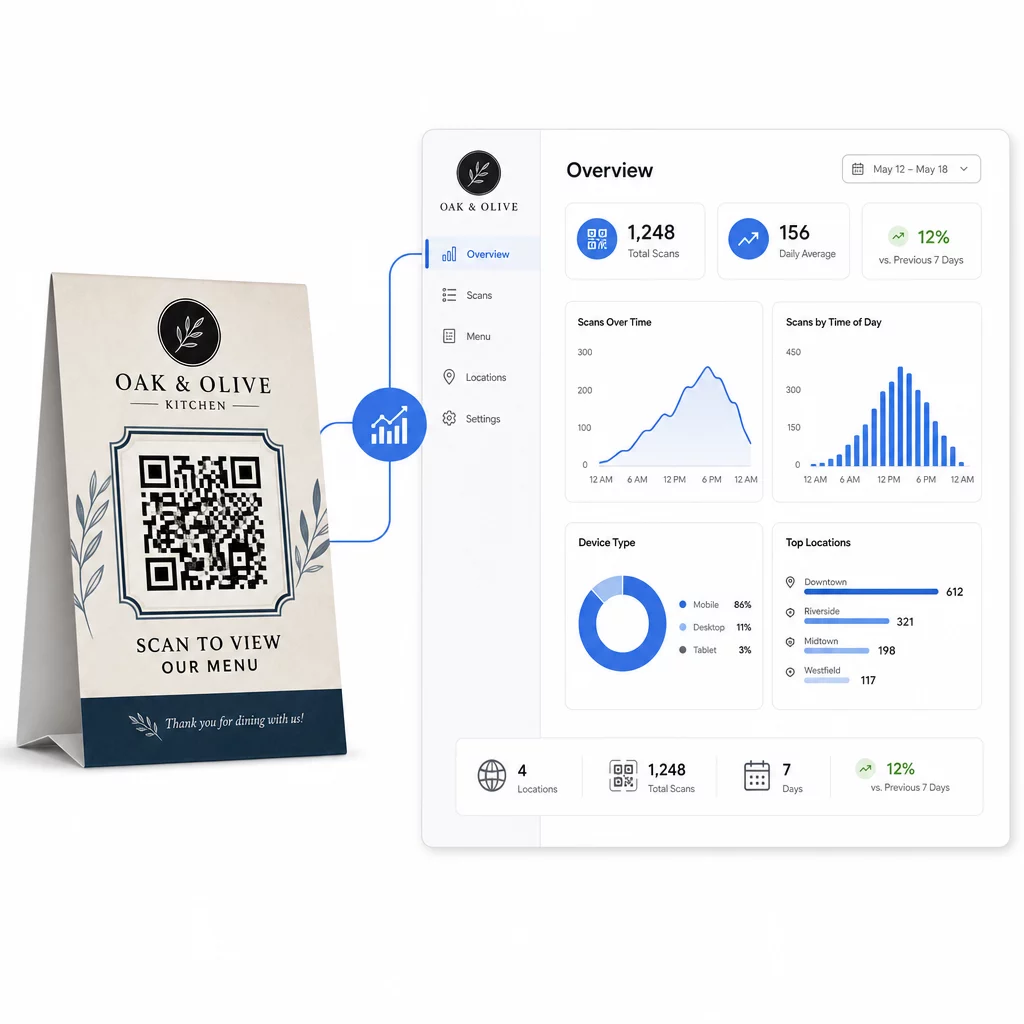
Pagelootin Dynaaminen QR-koodi generaattori tarjoaa keskitetyn hallintapaneelin, jossa voit seurata kaikkea tätä reaaliaikaisesti, päivittää linkitettyä sisältöä kaikissa pöytäkolmioissa samanaikaisesti ja tehdä suunnittelumuutoksia koskematta painettuihin materiaaleihisi.
Yrityksille, joilla on useita toimipisteitä, tämä hallinnan taso muuttaa pöytäkolmiot staattisesta painetusta markkinointimateriaalista mitattavaksi markkinointikanavaksi.
Seuraa jokaista skannausta jokaisesta pöydästä Käyttää Pagelootin dynaaminen QR-koodigeneraattori päivittääksesi sisältöä, seurataksesi skannausanalytiikkaa ja hallitaksesi kaikkia pöytäkolmiokoodisi yhdestä hallintapaneelista.
Usein kysytyt kysymykset
Pöytäskannausta varten QR-koodin tulisi olla vähintään 1,2 × 1,2 tuumaa (3 × 3 cm). Tämä tukee luotettavaa skannausta lähietäisyyksillä, jotka ovat tyypillisiä istuvalle asiakkaalle. Jos suunnittelusi sisältää logon peittokuvan tai monimutkaisen värimaailman, suurenna kokoa 20–30 % skannattavuuden säilyttämiseksi.
Dynaamisia QR-koodeja suositellaan vahvasti pöytätelineisiin. Ne mahdollistavat linkitetyn sisällön – kuten ruokalistan, kampanjan tai maksusivun – päivittämisen ilman uudelleenpainatusta. Ne tarjoavat myös skannausanalytiikkaa, jotta voit seurata sitoutumista ajan mittaan. Staattiset koodit soveltuvat vain, jos kohdesisältö ei koskaan muutu.
Pöytäkolmion QR-koodi voi linkittää digitaaliseen ruokalistaan, verkkotilaussivulle, maksupalveluun, kuponki- tai kanta-asiakasohjelman aloitussivulle, sosiaalisen median profiiliin, PDF-dokumenttiin tai mihin tahansa URL-osoitteeseen. Paras kohde riippuu yrityksesi tyypistä ja siitä, mitä haluat asiakkaan tekevän sillä hetkellä hänen vierailunsa aikana.