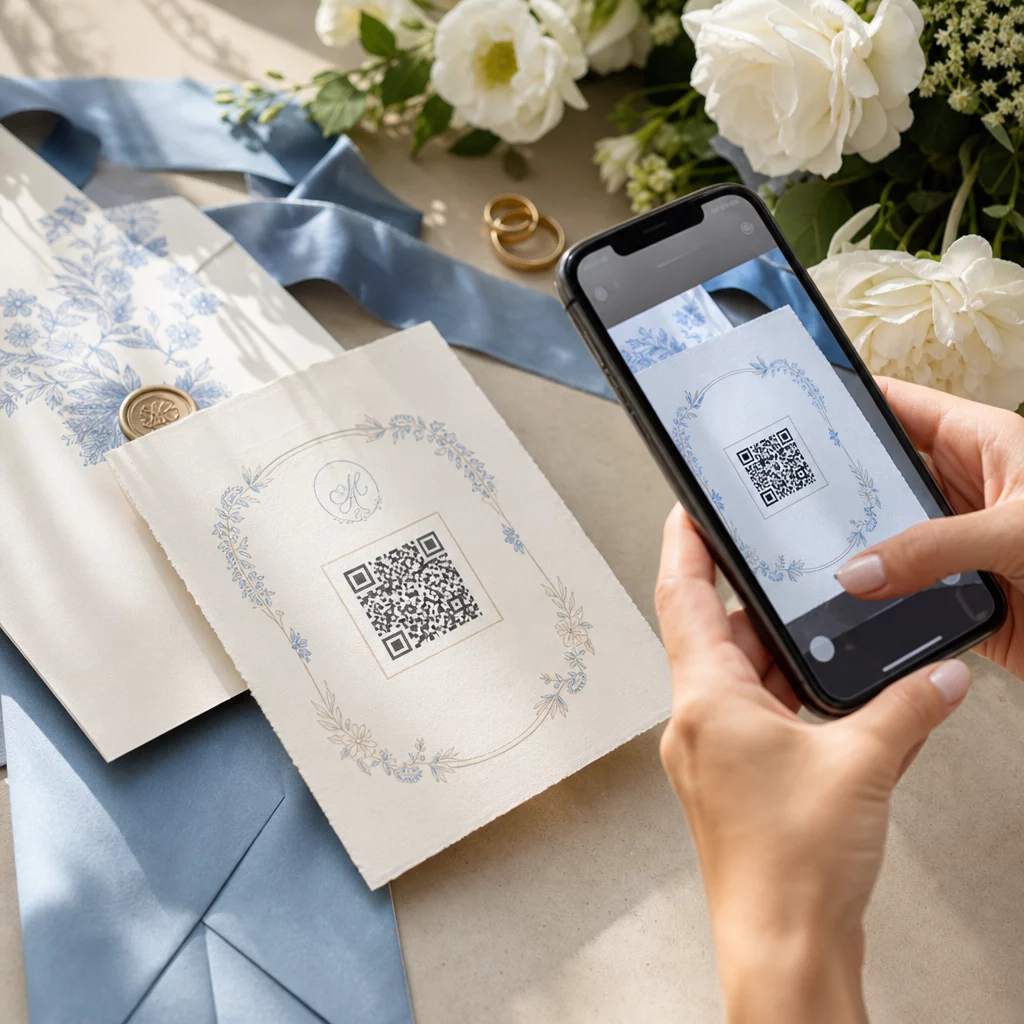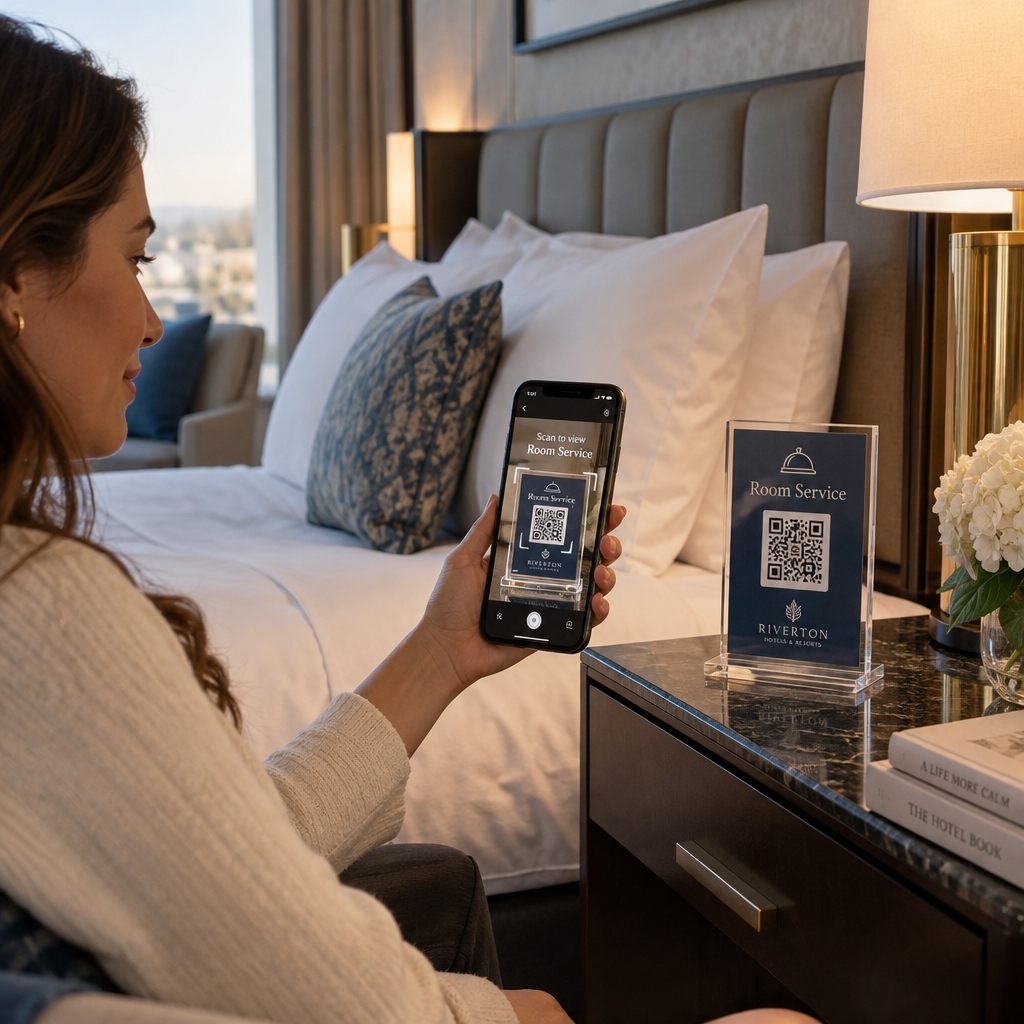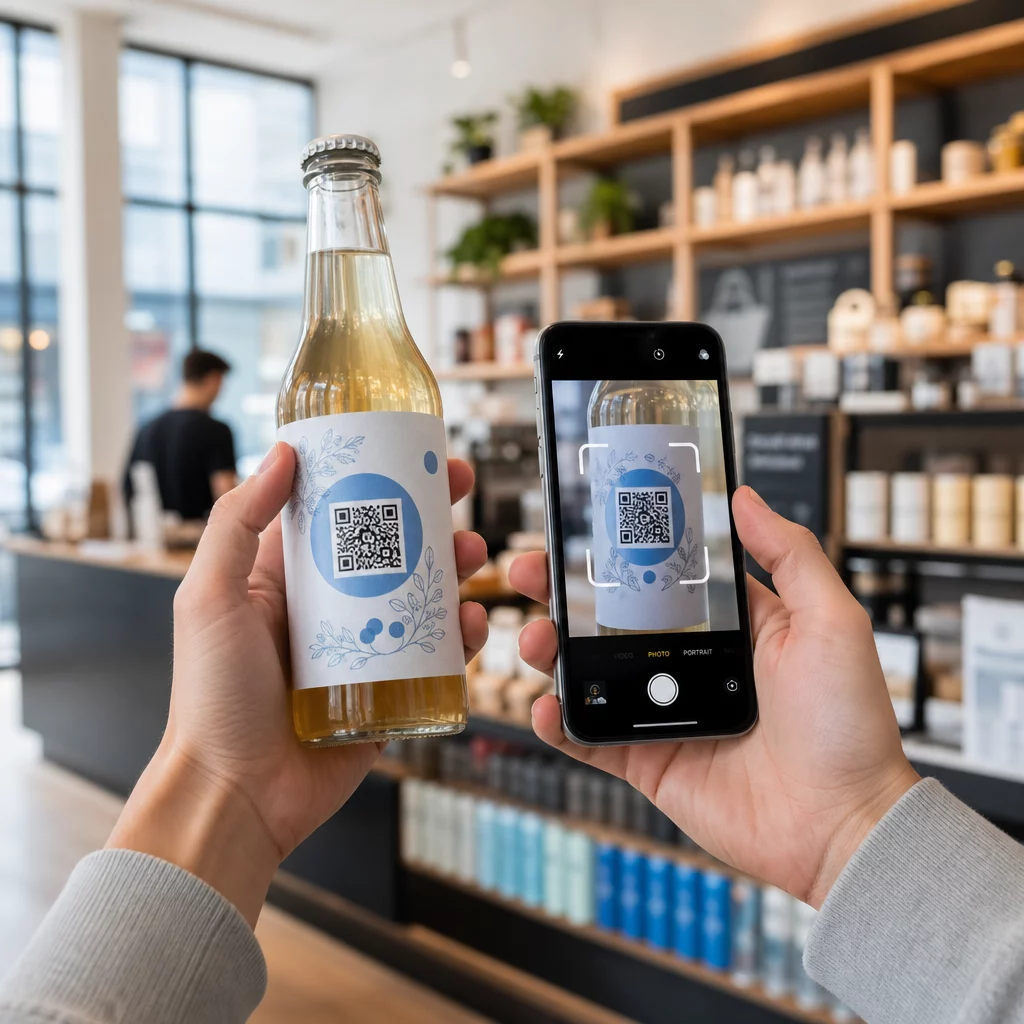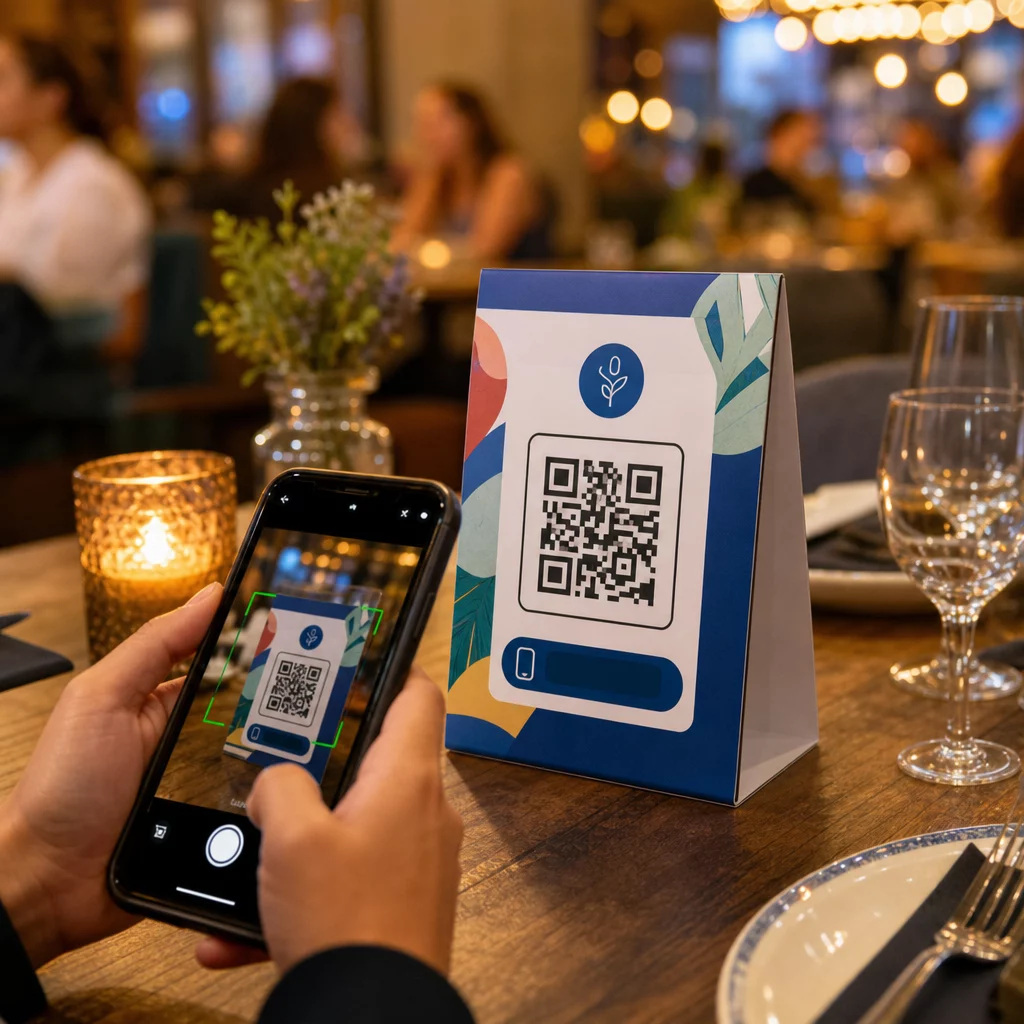
เต็นท์ตั้งโต๊ะของคุณทำอะไรได้บ้างนอกจากการวางเทียนหรือเก็บฝุ่นระหว่างการบริการ? การ์ดพิมพ์แบบคงที่ทำให้คุณเสียโอกาสทางธุรกิจ – อย่างแท้จริง การเพิ่มรหัส QR เปลี่ยนเต็นท์ตั้งโต๊ะทุกอันให้เป็นจุดสัมผัสแบบโต้ตอบที่เชื่อมโยงลูกค้าที่นั่งอยู่กับเนื้อหาดิจิทัลของคุณได้ในไม่กี่วินาที.
อะไรที่ทำให้รหัส QR บนเต็นท์ตั้งโต๊ะคุ้มค่าที่จะใช้
เต็นท์ตั้งโต๊ะจะวางอยู่ตรงหน้าลูกค้าในช่วงเวลาที่มีการมีส่วนร่วมสูงสุดของการเยี่ยมชม: คือช่วงเวลาที่พวกเขานั่งลงและกำลังรอคอย ช่วงเวลาที่รอคคอยนั้นเป็นโอกาสที่แท้จริง และรหัส QR ที่สามารถสแกนได้จะเติมเต็มช่วงเวลานั้นด้วยสิ่งที่มีประโยชน์.
สำหรับ ร้านอาหารและธุรกิจบริการ, รหัส QR บนเต็นท์ตั้งโต๊ะช่วยปรับปรุงการดำเนินงานในลักษณะที่เป็นประโยชน์ต่อทั้งพนักงานและแขก ลูกค้าสามารถเรียกดูเมนูดิจิทัล สั่งอาหาร หรือชำระบิลได้โดยไม่ต้องรอพนักงานเสิร์ฟ สำหรับ ผู้ค้าปลีก, เต็นท์ตั้งโต๊ะที่วางบนเคาน์เตอร์พร้อมรหัส QR สามารถแสดงโปรโมชั่น การสมัครสมาชิกโปรแกรมสะสมคะแนน หรือรายละเอียดผลิตภัณฑ์ได้ในขณะที่กำลังตัดสินใจซื้อ.
ตัวเลขเหล่านี้สนับสนุนสิ่งนี้ ร้านอาหารและธุรกิจบริการเป็นผู้นำในการนำรหัส QR มาใช้ที่ 75% และงานวิจัยแสดงให้เห็นว่า 60% ของการสแกน QR ของร้านอาหารทั้งหมดเกิดขึ้นเมื่อรหัสถูกวางไว้บนโต๊ะโดยตรง – บนสติกเกอร์หรือเต็นท์ตั้งโต๊ะ รูปแบบนี้ได้ผลเพราะมันเข้าถึงลูกค้าในที่ที่พวกเขาอยู่แล้ว.
การเลือกรหัส QR ประเภทที่เหมาะสมสำหรับเต็นท์ตั้งโต๊ะของคุณ
รหัส QR ทุกอันไม่ได้ทำงานเหมือนกัน การจับคู่ประเภทโค้ดกับเป้าหมายของคุณคือการตัดสินใจที่สำคัญที่สุดที่คุณจะทำก่อนพิมพ์.
การเข้าถึงเมนู เป็นกรณีการใช้งานที่พบบ่อยที่สุด รหัส QR เมนู ช่วยให้คุณอัปโหลดไฟล์ PDF หรือสร้างหน้า Landing Page ที่ปรับให้เหมาะกับมือถือซึ่งแขกสามารถเรียกดูได้จากสมาร์ทโฟน เนื่องจากรหัสเหล่านี้เป็นแบบไดนามิก คุณจึงสามารถอัปเดตอาหาร ราคา หรือเมนูพิเศษประจำวันได้โดยไม่ต้องแก้ไขเต็นท์ตั้งโต๊ะที่พิมพ์ออกมา สิ่งนี้เพียงอย่างเดียวก็ช่วยลดค่าใช้จ่ายในการพิมพ์เมนูซ้ำทุกครั้งที่มีการเปลี่ยนแปลง.
การชำระเงินแบบไร้สัมผัส เป็นกรณีการใช้งานที่มีมูลค่าสูงอันดับสอง รหัส QR ของ PayPal ช่วยให้ลูกค้าสามารถสแกนและชำระเงินได้โดยตรงจากโต๊ะ ลดเวลารอและลดภาระงานของทีมงานส่วนหน้าของคุณ สำหรับร้านอาหารโดยเฉพาะ, การชำระเงินด้วยรหัส QR ช่วยเพิ่มความเร็วในการหมุนเวียนโต๊ะ และลดความยุ่งยากในการประมวลผลบัตร.
โปรโมชั่นและคูปอง ใช้งานได้ดีบนเคาน์เตอร์แสดงสินค้าปลีก A รหัส QR คูปอง เชื่อมโยงไปยังหน้า Landing Page ที่ลูกค้าสามารถรับส่วนลด, รางวัลสะสมคะแนน, หรือข้อเสนอแบบจำกัดเวลา ในขณะที่พวกเขากำลังตัดสินใจซื้อ.
เอกสาร PDF เหมาะสำหรับสถานที่ที่ต้องการแบ่งปันเนื้อหาโดยละเอียด – ข้อมูลสารก่อภูมิแพ้, รายการไวน์, โปรแกรมกิจกรรม, หรือแคตตาล็อกสินค้า A รหัส QR PDF ส่งไฟล์ได้ทันทีไปยังสมาร์ทโฟนทุกเครื่องโดยไม่ต้องใช้แอป.
ลิงก์โดยตรง ให้ความยืดหยุ่นสูงสุดแก่คุณ A QR Code ลิงก์ สามารถชี้ไปยังสิ่งใดก็ได้: ระบบการจอง, โปรไฟล์โซเชียลมีเดีย, หน้า Google รีวิว, หรือแบบฟอร์มลงทะเบียนสะสมคะแนน.
พร้อมที่จะตั้งค่ารหัส QR สำหรับป้ายตั้งโต๊ะแล้วหรือยัง? สร้างรหัส QR ที่ปรับแต่งได้และติดตามได้สำหรับเมนู, การชำระเงิน, และโปรโมชั่นของคุณโดยใช้ Pageloot เครื่องสร้างรหัส QR. เริ่มทดลองใช้ฟรี 14 วัน – ไม่ต้องใช้บัตรเครดิต.
วิธีตั้งค่าระบบสั่งอาหารด้วยรหัส QR บนป้ายตั้งโต๊ะ
หากเป้าหมายของคุณคือระบบสั่งอาหารที่โต๊ะแบบครบวงจร, การตั้งค่าก็ตรงไปตรงมา The คู่มือระบบสั่งอาหารด้วยรหัส QR อธิบายกระบวนการโดยละเอียด แต่ขั้นตอนหลักคือ:
- สร้างหรืออัปโหลดเมนูดิจิทัลของคุณในรูปแบบ PDF หรือหน้าเว็บที่ปรับให้เหมาะกับมือถือ
- สร้างรหัส QR แบบไดนามิกที่เชื่อมโยงกับเมนูนั้น
- ปรับแต่งรหัสด้วยสีของแบรนด์ โลโก้ และกรอบคำกระตุ้นการตัดสินใจ
- พิมพ์และวางรหัสบนป้ายตั้งโต๊ะแต่ละอัน
- ทดสอบรหัสทุกอันโดยการสแกนจากสมาร์ทโฟนก่อนนำไปใช้งานจริง
รหัสแบบไดนามิกเป็นที่นิยมอย่างยิ่ง สำหรับขั้นตอนการทำงานนี้ รหัสเหล่านี้ช่วยให้คุณสามารถอัปเดตเมนูที่เชื่อมโยง เปลี่ยนเนื้อหาตามฤดูกาล หรือเปลี่ยนเส้นทางไปยัง URL ใหม่ได้โดยไม่ต้องพิมพ์ป้ายตั้งโต๊ะใหม่แม้แต่ชิ้นเดียว สิ่งนี้มีประโยชน์อย่างยิ่งสำหรับ ร้านอาหารที่จัดการเมนูพิเศษประจำวันหรือเมนูหมุนเวียน.
ข้อกำหนดการออกแบบและการพิมพ์ที่สำคัญจริง ๆ
รหัส QR ที่สแกนไม่ได้จะทำลายประสบการณ์ของลูกค้า การทำความเข้าใจรายละเอียดทางเทคนิคให้ถูกต้องก่อนพิมพ์จะช่วยให้คุณไม่ต้องพิมพ์ซ้ำทั้งชุด.
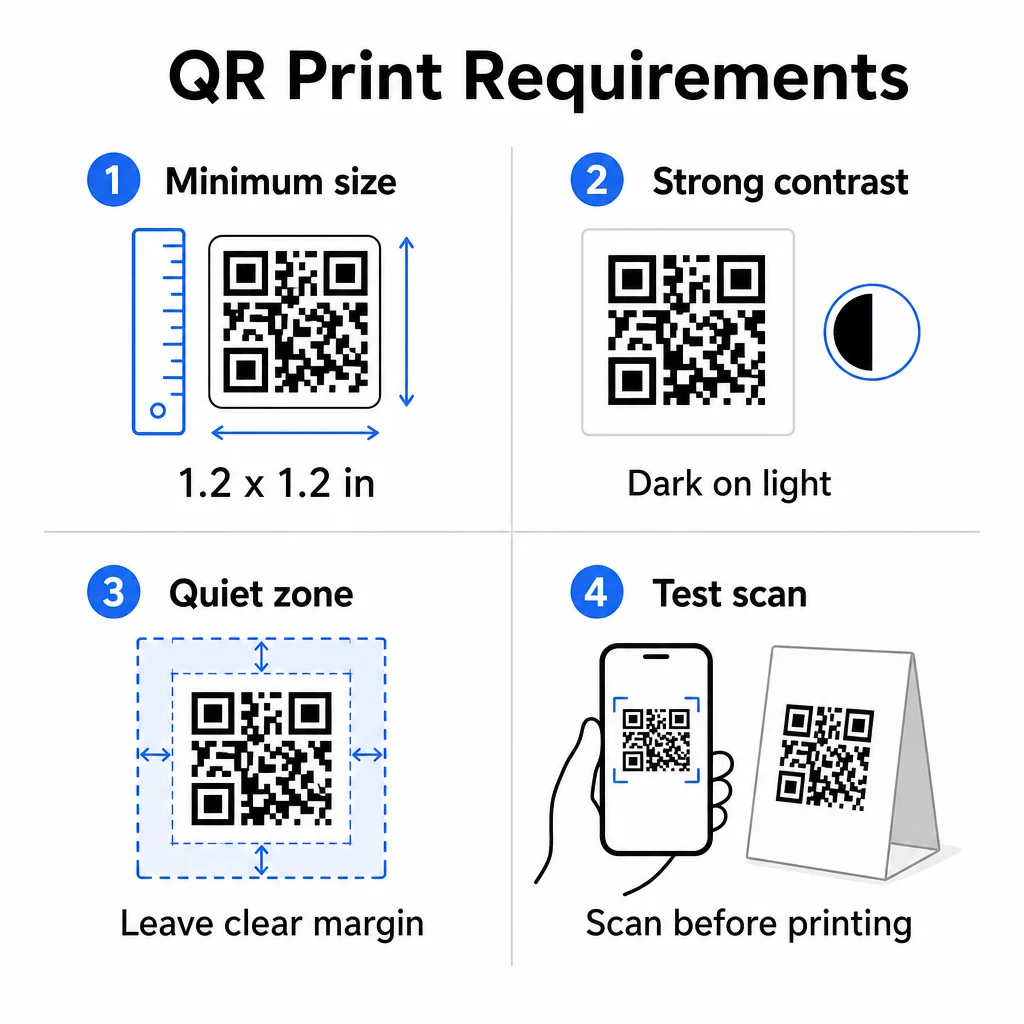
ขนาด: สำหรับป้ายตั้งโต๊ะที่ใช้ในระยะใกล้ ขนาดขั้นต่ำที่เชื่อถือได้คือ 1.2 × 1.2 นิ้ว (3 × 3 ซม.). กฎง่ายๆ ที่มีประโยชน์คืออัตราส่วน 10:1 – ความกว้างของรหัสควรอยู่ที่ประมาณหนึ่งในสิบของระยะการสแกนที่คาดไว้ ที่โต๊ะทั่วไป รหัสขนาด 1.2 นิ้วสามารถสแกนได้อย่างสะดวกสบายด้วยกล้องสมาร์ทโฟนส่วนใหญ่ สำหรับคำแนะนำโดยละเอียดเพิ่มเติม โปรดดู การปรับขนาดรหัส QR สำหรับวัสดุการพิมพ์ที่แตกต่างกัน.
ความคมชัด: โมดูลสีเข้มบนพื้นหลังสีอ่อนเป็นการผสมผสานที่น่าเชื่อถือที่สุด สีดำบนสีขาวยังคงเป็นมาตรฐานทองคำ รูปแบบสีที่มีคอนทราสต์ต่ำหรือสีกลับด้าน (สีอ่อนบนสีเข้ม) ทำให้เกิดข้อผิดพลาดในการสแกนบนอุปกรณ์บางชนิด ตั้งเป้าอัตราส่วนคอนทราสต์อย่างน้อย 4.5:1 คู่มือความคมชัดของสีรหัส QR อธิบายว่าการผสมสีใดใช้ได้ผลและควรหลีกเลี่ยงสีใด.
พื้นที่ว่างรอบโค้ด (Quiet zone): เว้นระยะขอบสีขาวที่ชัดเจนอย่างน้อยสี่โมดูลรอบรหัสทั้งหมด – ประมาณ 0.25 นิ้ว หากไม่มีระยะขอบนี้ เครื่องสแกนจะสแกนหาขอบเขตของรหัสได้ยาก โดยเฉพาะอย่างยิ่งเมื่อวางใกล้กับข้อความหรือกราฟิก.
คุณภาพการพิมพ์: ใช้รูปแบบการส่งออกเวกเตอร์ (SVG, EPS หรือ PDF) แทนไฟล์ PNG ที่มีความละเอียดต่ำ โมดูลที่เบลอหรือเป็นพิกเซลเป็นสาเหตุหลักที่ทำให้การสแกนล้มเหลวบนวัสดุที่พิมพ์.
การทดสอบ: สแกนตัวอย่างจริงเสมอก่อนพิมพ์งานทั้งหมด ทดสอบกับอุปกรณ์หลายเครื่อง ภายใต้สภาพแสงจริงของสถานที่ของคุณ และจากระยะห่างที่แขกที่นั่งอยู่จะถือโทรศัพท์ของตนอย่างสมจริง The แนวทางปฏิบัติที่ดีที่สุดในการอ่านรหัส QR ครอบคลุมสิ่งที่จะตรวจสอบและวิธีแก้ไขปัญหาทั่วไป.
สิ่งที่ควรเชื่อมโยงรหัส QR บนป้ายตั้งโต๊ะของคุณ
จุดหมายปลายทางมีความสำคัญพอๆ กับตัวรหัสเอง นี่คือการใช้งานที่มีประสิทธิภาพมากที่สุดใน อุตสาหกรรมการบริการและการค้าปลีก:
- เมนูดิจิทัล – ให้แขกเข้าถึงเมนูทั้งหมดของคุณได้ทันที รวมถึงรูปภาพ คำอธิบาย ข้อมูลสารก่อภูมิแพ้ และเมนูพิเศษประจำวัน
- การสั่งซื้อออนไลน์ – ให้ลูกค้าสามารถสั่งอาหารได้โดยตรงจากที่นั่งโดยไม่ต้องรอพนักงานเสิร์ฟ
- หน้าชำระเงิน – ให้ลูกค้าชำระเงินได้ด้วยการสแกน ลดความยุ่งยากในการชำระเงิน
- การสมัครสมาชิกโปรแกรมสะสมคะแนน – รวบรวมอีเมลลูกค้าและสร้างรายการการตลาดโดยตรง
- โปรโมชั่นและคูปอง – แสดงส่วนลดแบบจำกัดเวลาเมื่อความตั้งใจในการซื้อสูงสุด
- โปรไฟล์โซเชียลมีเดีย – เพิ่มผู้ติดตามของคุณโดยการนำลูกค้าที่พึงพอใจไปยังหน้า Instagram หรือหน้า Google รีวิวของคุณ
- การแบ่งปันตำแหน่งที่ตั้ง – เชื่อมโยงไปยังรายชื่อ Google Maps ของคุณ เพื่อให้แขกสามารถแชร์ตำแหน่งของคุณกับเพื่อนๆ ระหว่างทางได้
การติดตามประสิทธิภาพด้วยรหัส QR แบบไดนามิก
หนึ่งในข้อดีที่ถูกนำมาใช้น้อยที่สุดของรหัส QR บนป้ายตั้งโต๊ะคือการวิเคราะห์ ด้วยรหัส QR แบบไดนามิก คุณสามารถตรวจสอบได้ว่ารหัสแต่ละรหัสถูกสแกนกี่ครั้ง ในช่วงเวลาใดของวัน บนอุปกรณ์ประเภทใด และจากตำแหน่งใด ข้อมูลนี้จะบอกคุณว่าโต๊ะใดได้รับการมีส่วนร่วมมากที่สุด โปรโมชั่นใดที่กระตุ้นการคลิกมากที่สุด และการอัปเดตเมนูส่งผลต่อการโต้ตอบกับลูกค้าหรือไม่.
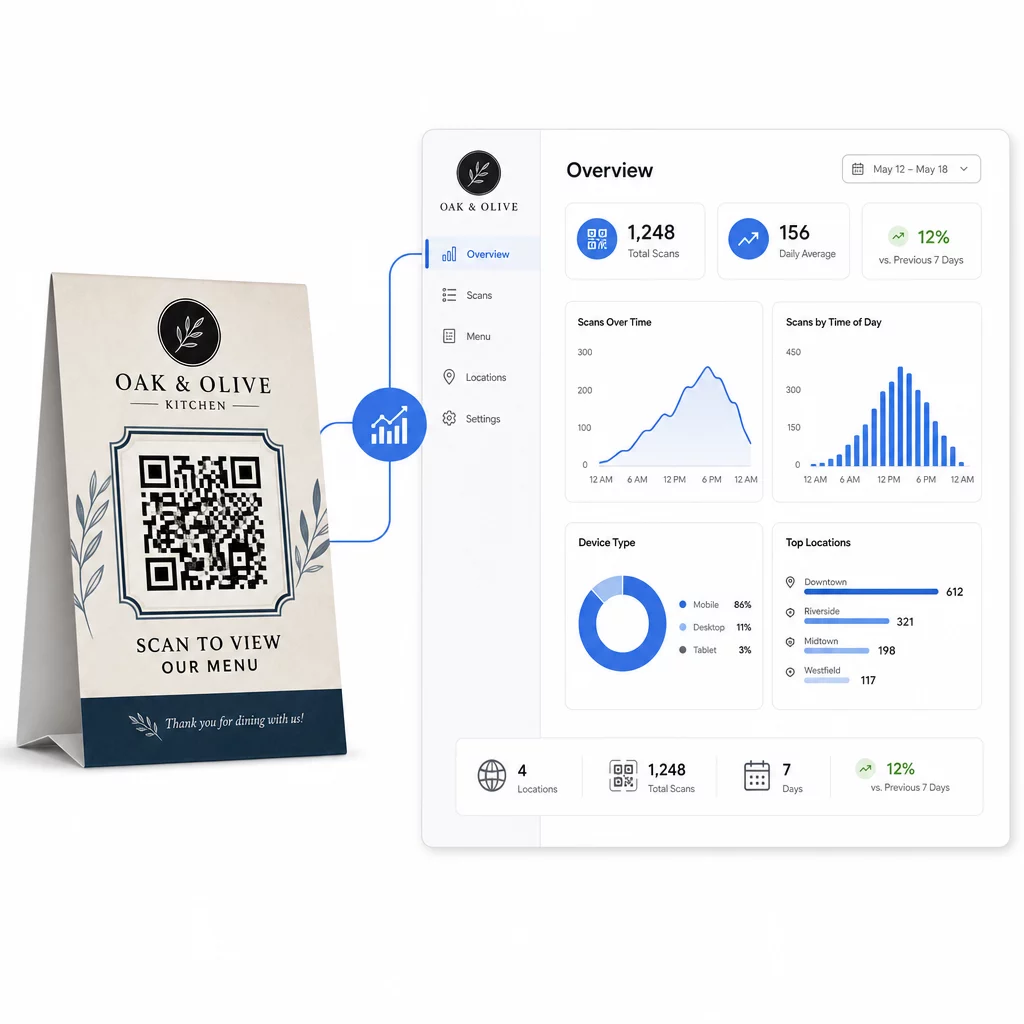
ของ Pageloot สร้าง Dynamic QR Code มีแดชบอร์ดส่วนกลางที่คุณสามารถติดตามทั้งหมดนี้ได้แบบเรียลไทม์ อัปเดตเนื้อหาที่เชื่อมโยงบนป้ายตั้งโต๊ะทั้งหมดพร้อมกัน และทำการเปลี่ยนแปลงการออกแบบโดยไม่ต้องแตะต้องวัสดุสิ่งพิมพ์ของคุณ.
สำหรับธุรกิจที่มีหลายสาขา การควบคุมระดับนี้จะเปลี่ยนป้ายตั้งโต๊ะจากสื่อสิ่งพิมพ์แบบคงที่ให้กลายเป็นช่องทางการตลาดที่วัดผลได้.
ติดตามทุกการสแกนในทุกโต๊ะ ใช้ เครื่องสร้างรหัส QR แบบไดนามิกของ Pageloot เพื่ออัปเดตเนื้อหา ตรวจสอบการวิเคราะห์การสแกน และจัดการรหัสป้ายตั้งโต๊ะทั้งหมดของคุณจากแดชบอร์ดเดียว.
คำถามที่พบบ่อย
สำหรับการสแกนข้างโต๊ะ, รหัส QR ควรมีขนาดอย่างน้อย 1.2 × 1.2 นิ้ว (3 × 3 ซม.) ซึ่งรองรับการสแกนที่เชื่อถือได้ในระยะใกล้ซึ่งเป็นเรื่องปกติสำหรับแขกที่นั่งอยู่ หากการออกแบบของคุณมีการซ้อนทับโลโก้หรือโทนสีที่ซับซ้อน ให้เพิ่มขนาดขึ้น 20–30% เพื่อรักษาความสามารถในการสแกน.
คิวอาร์โค้ดแบบไดนามิกเป็นที่แนะนำอย่างยิ่งสำหรับป้ายตั้งโต๊ะ ช่วยให้คุณสามารถอัปเดตเนื้อหาที่เชื่อมโยง เช่น เมนู โปรโมชัน หรือหน้าชำระเงิน โดยไม่ต้องพิมพ์ซ้ำ นอกจากนี้ยังมีการวิเคราะห์การสแกน เพื่อให้คุณสามารถติดตามการมีส่วนร่วมได้ตลอดเวลา โค้ดแบบคงที่เหมาะสำหรับกรณีที่เนื้อหาปลายทางจะไม่เปลี่ยนแปลงเท่านั้น.
โค้ด QR แบบตั้งโต๊ะสามารถเชื่อมโยงไปยังเมนูดิจิทัล, หน้าสั่งอาหารออนไลน์, พอร์ทัลการชำระเงิน, หน้า Landing Page ของคูปองหรือโปรแกรมสะสมคะแนน, โปรไฟล์โซเชียลมีเดีย, เอกสาร PDF, หรือ URL ใดๆ จุดหมายปลายทางที่ดีที่สุดขึ้นอยู่กับประเภทธุรกิจของคุณและสิ่งที่คุณต้องการให้ลูกค้าทำในช่วงเวลานั้นของการเยี่ยมชมของพวกเขา.