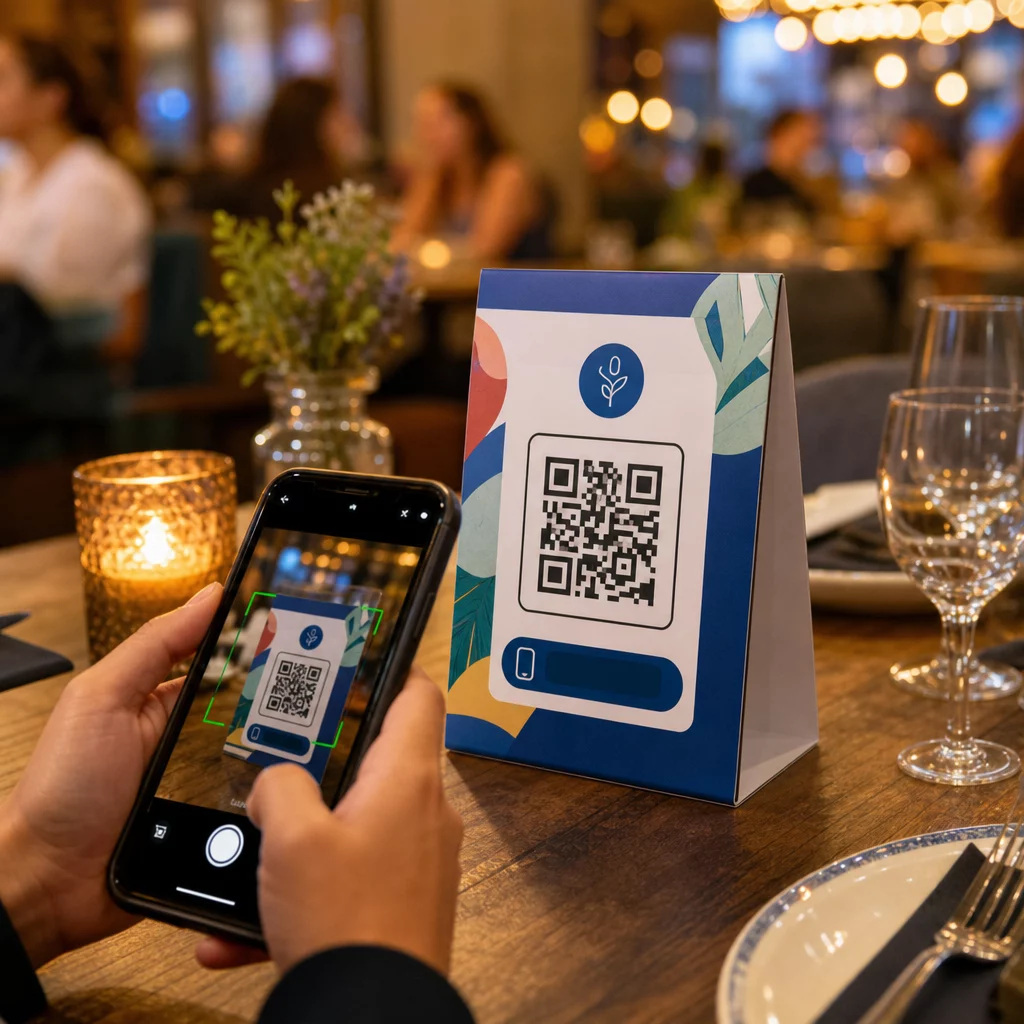
Tun Ihre Tischaufsteller mehr, als nur eine Kerze zu halten oder zwischen den Services Staub zu sammeln? Statische gedruckte Karten lassen Geld auf dem Tisch liegen – im wahrsten Sinne des Wortes. Das Hinzufügen eines QR-Codes verwandelt jeden Tischaufsteller in einen interaktiven Berührungspunkt, der sitzende Kunden in Sekundenschnelle mit Ihren digitalen Inhalten verbindet.
Was Tischaufsteller-QR-Codes lohnenswert macht
Ein Tischaufsteller steht direkt vor einem Kunden während des Zeitfensters mit der höchsten Interaktion ihres Besuchs: dem Moment, in dem sie sitzen und warten. Diese Verweildauer ist eine echte Gelegenheit, und ein scannbarer QR-Code füllt sie mit etwas Nützlichem.
Für Restaurants und Gastronomiebetriebe, QR-Codes auf Tischaufstellern optimieren Abläufe auf eine Weise, die sowohl dem Personal als auch den Gästen zugutekommt. Kunden können ein digitales Menü durchsuchen, eine Bestellung aufgeben oder eine Rechnung bezahlen, ohne auf einen Kellner warten zu müssen. Für Einzelhändler, können auf dem Tresen platzierte Tischaufsteller mit QR-Codes Aktionen, Anmeldungen zu Treueprogrammen oder Produktdetails genau in dem Moment anzeigen, in dem eine Kaufentscheidung getroffen wird.
Die Zahlen bestätigen dies. Restaurants und Gastronomiebetriebe führen die Akzeptanz von QR-Codes mit 75 % an, und Untersuchungen zeigen, dass 60 % aller Restaurant-QR-Scans stattfinden, wenn die Codes direkt auf dem Tisch platziert werden – auf Aufklebern oder Tischaufstellern. Das Format funktioniert, weil es die Kunden dort abholt, wo sie bereits sind.
Den richtigen QR-Code-Typ für Ihren Tischaufsteller wählen
Nicht jeder QR-Code erfüllt die gleiche Aufgabe. Die Abstimmung des Code-Typs auf Ihr Ziel ist die wichtigste Entscheidung, die Sie vor dem Druck treffen werden.
Menüzugang ist der häufigste Anwendungsfall. Ein Menü-QR-Code ermöglicht es Ihnen, ein PDF hochzuladen oder eine mobil-optimierte Landingpage zu erstellen, die Gäste von ihren Smartphones aus durchsuchen können. Da diese Codes dynamisch sind, können Sie Gerichte, Preise oder Tagesangebote aktualisieren, ohne den gedruckten Tischaufsteller anfassen zu müssen. Dies allein eliminiert die wiederkehrenden Kosten für den Neudruck von Speisekarten jedes Mal, wenn sich etwas ändert.
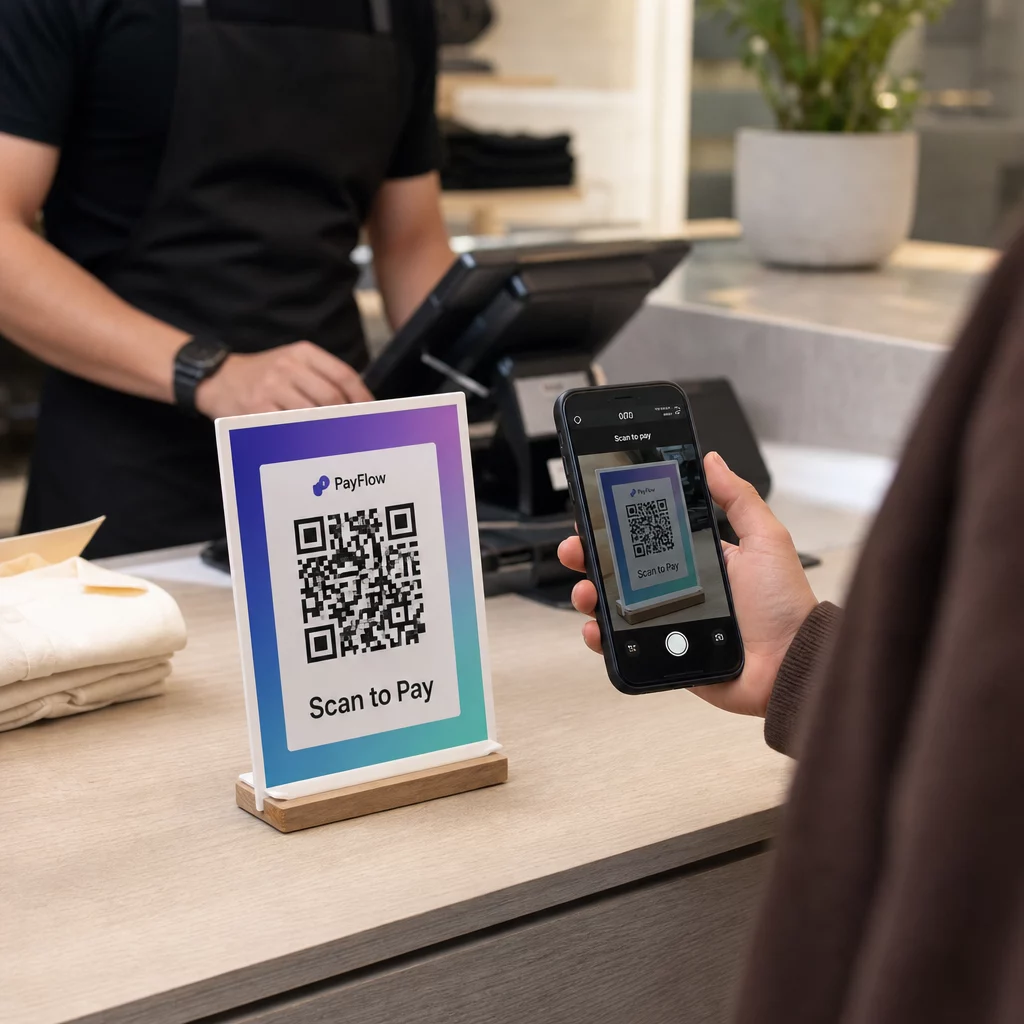
Kontaktloses Bezahlen ist der zweite hochwertige Anwendungsfall. Ein PayPal QR-Code ermöglicht Kunden, direkt von ihrem Tisch aus zu scannen und zu bezahlen, wodurch Wartezeiten verkürzt und die Belastung Ihres Servicepersonals reduziert werden. Speziell für Restaurants, QR-Code-Zahlungen beschleunigen den Tischumsatz und reduzieren Reibungsverluste bei der Kartenabwicklung.
Aktionen und Gutscheine funktionieren gut auf Ladentheken-Displays. Ein Gutschein-QR-Code führt zu einer Landingpage, auf der Kunden Rabatte, Treueprämien oder zeitlich begrenzte Angebote einlösen können, während sie sich noch im Kaufmoment befinden.
PDF-Dokumente eignen sich für Orte, die detaillierte Inhalte teilen müssen – Allergeninformationen, Weinkarten, Veranstaltungsprogramme oder Produktkataloge. Ein PDF QR-Code liefert die Datei sofort an jedes Smartphone, ohne dass eine App erforderlich ist.
Direktlinks bieten Ihnen die größte Flexibilität. Ein Link-QR-Code kann auf alles verweisen: ein Reservierungssystem, ein Social-Media-Profil, eine Google-Bewertungsseite oder ein Anmeldeformular für Treueprogramme.
Bereit, Tischaufsteller-QR-Codes einzurichten? Erstellen Sie anpassbare, verfolgbare QR-Codes für Ihre Menüs, Zahlungen und Aktionen mit dem Pageloot QR-Code-Generator. Starten Sie Ihre kostenlose 14-tägige Testphase – keine Kreditkarte erforderlich.
So richten Sie ein QR-Code-Bestellsystem auf Tischaufstellern ein
Wenn Ihr Ziel ein vollständiger Bestellablauf am Tisch ist, ist die Einrichtung unkompliziert. Das Leitfaden für das QR-Code-Bestellsystem führt detailliert durch den Prozess, aber die Kernschritte sind:
- Erstellen oder laden Sie Ihr digitales Menü als PDF oder mobiloptimierte Seite hoch
- Generieren Sie einen dynamischen QR-Code, der mit diesem Menü verknüpft ist
- Passen Sie den Code mit Ihren Markenfarben, Ihrem Logo und einem Call-to-Action-Rahmen an
- Drucken und platzieren Sie den Code auf jedem Tischaufsteller
- Testen Sie jeden Code durch Scannen mit einem Smartphone vor der Bereitstellung
Dynamische Codes werden dringend bevorzugt für diesen Workflow. Sie ermöglichen es Ihnen, das verknüpfte Menü zu aktualisieren, saisonale Inhalte auszutauschen oder auf eine neue URL umzuleiten, ohne einen einzigen Tischaufsteller neu drucken zu müssen. Dies ist besonders nützlich für Restaurants, die Tagesgerichte oder wechselnde Speisekarten verwalten.
Design- und Druckspezifikationen, die wirklich wichtig sind
Ein QR-Code, der nicht scannt, zerstört das Kundenerlebnis. Die richtigen technischen Details vor dem Drucken zu beachten, erspart Ihnen das Neudrucken einer ganzen Charge.
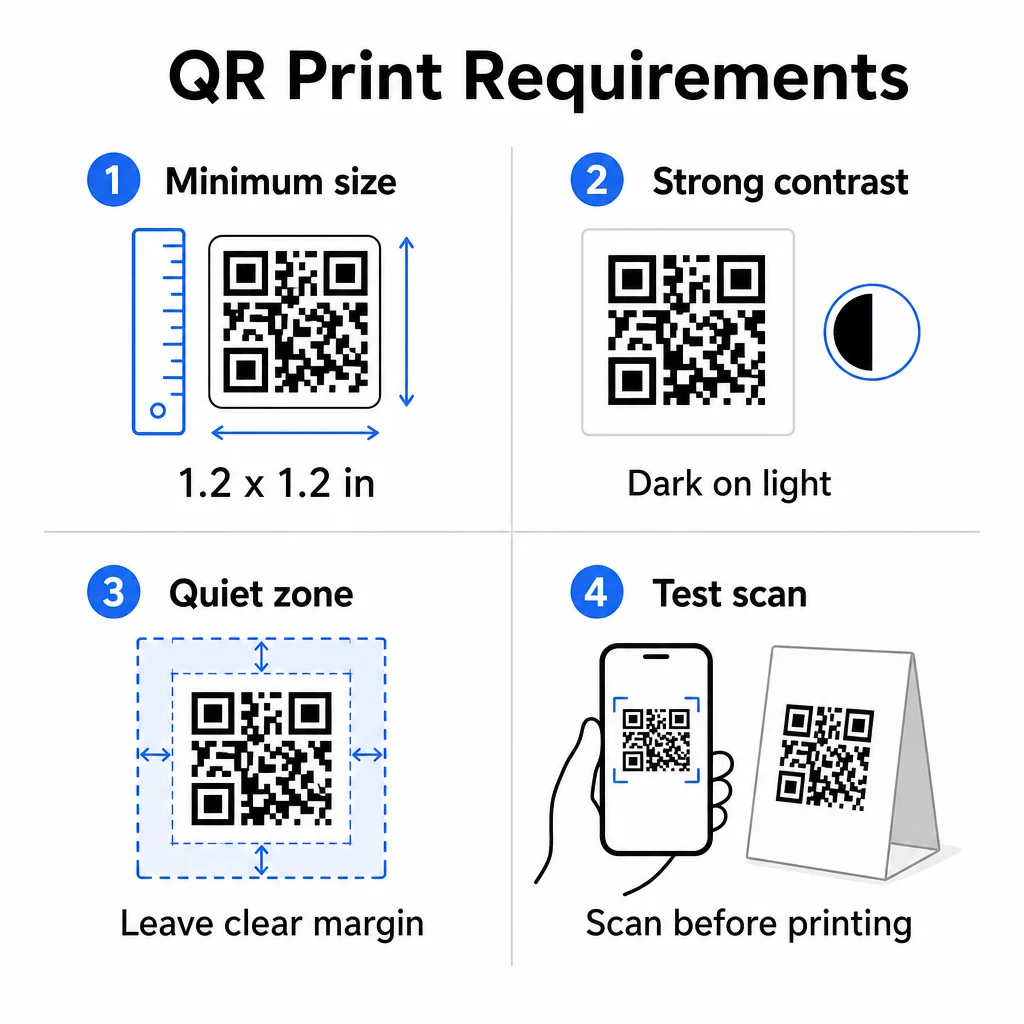
Größe: Für Tischaufsteller, die aus nächster Nähe verwendet werden, beträgt die minimale zuverlässige Größe 1,2 × 1,2 Zoll (3 × 3 cm). Eine nützliche Faustregel ist das 10:1-Verhältnis – die Breite des Codes sollte ungefähr ein Zehntel der erwarteten Scan-Entfernung betragen. An einem typischen Tisch ist ein 1,2-Zoll-Code mit den meisten Smartphone-Kameras bequem scannbar. Für detailliertere Anweisungen siehe QR-Code-Größen für verschiedene Druckmaterialien.
Kontrast: Dunkle Module auf hellem Hintergrund ist die zuverlässigste Kombination. Schwarz auf Weiß bleibt der Goldstandard. Kontrastarme oder invertierte Farbschemata (hell auf dunkel) führen bei einigen Geräten zu Scanfehlern. Streben Sie ein Kontrastverhältnis von mindestens 4,5:1 an. Der Leitfaden zum Farbkontrast von QR-Codes erklärt, welche Farbkombinationen funktionieren und welche zu vermeiden sind.
Ruhezone: Lassen Sie einen klaren weißen Rand von mindestens vier Modulen um den gesamten Code – etwa 0,25 Zoll. Ohne diesen Puffer haben Scanner Schwierigkeiten, die Codegrenze zu finden, insbesondere wenn der Code in der Nähe von Text oder Grafiken platziert wird.
Druckqualität: Verwenden Sie Vektor-Exportformate (SVG, EPS oder PDF) anstelle von niedrigauflösenden PNGs. Unscharfe oder verpixelte Module sind eine Hauptursache für Scanfehler bei gedruckten Materialien.
Testen: Scannen Sie immer einen physischen Probedruck, bevor Sie die gesamte Auflage drucken. Testen Sie auf mehreren Geräten, unter den tatsächlichen Lichtverhältnissen Ihres Veranstaltungsortes und aus der Entfernung, aus der ein sitzender Gast sein Telefon realistischerweise halten würde. Das Leitfaden für bewährte Verfahren zur Lesbarkeit von QR-Codes behandelt, was zu überprüfen ist und wie häufige Probleme behoben werden können.
Womit Sie Ihren Tischaufsteller-QR-Code verknüpfen sollten
Das Ziel ist genauso wichtig wie der Code selbst. Hier sind die effektivsten Anwendungen in den Gastronomie- und Einzelhandelsbranchen:
- Digitale Speisekarte – geben Sie Gästen sofortigen Zugriff auf Ihre vollständige Speisekarte, einschließlich Fotos, Beschreibungen, Allergeninformationen und Tagesangeboten
- Online-Bestellung – ermöglichen Sie Kunden, Bestellungen direkt von ihrem Platz aus aufzugeben, ohne auf einen Kellner warten zu müssen
- Zahlungsseite – lassen Sie Kunden ihre Rechnung durch Scannen begleichen, wodurch die Reibung beim Bezahlen reduziert wird
- Anmeldung zum Treueprogramm – Kundene-Mails erfassen und eine Direktmarketingliste aufbauen
- Aktionen und Gutscheine – zeitlich begrenzte Rabatte genau dann anzeigen, wenn die Kaufabsicht am höchsten ist
- Social-Media-Profil – Ihre Followerzahl erhöhen, indem Sie zufriedene Kunden auf Ihre Instagram- oder Google-Bewertungsseite leiten
- Standortfreigabe – auf Ihren Google Maps-Eintrag verlinken, damit Gäste Ihren Standort unterwegs mit Freunden teilen können
Leistungsverfolgung mit dynamischen QR-Codes
Einer der am meisten unterschätzten Vorteile von Tischaufsteller-QR-Codes ist die Analyse. Mit einem dynamischen QR-Code können Sie überwachen, wie oft jeder Code gescannt wird, zu welcher Tageszeit, auf welchem Gerätetyp und von welchem Standort aus. Diese Daten verraten Ihnen, welche Tische die höchste Interaktion erzielen, welche Aktionen die meisten Klicks generieren und ob eine Menüaktualisierung die Kundeninteraktion beeinflusst hat.
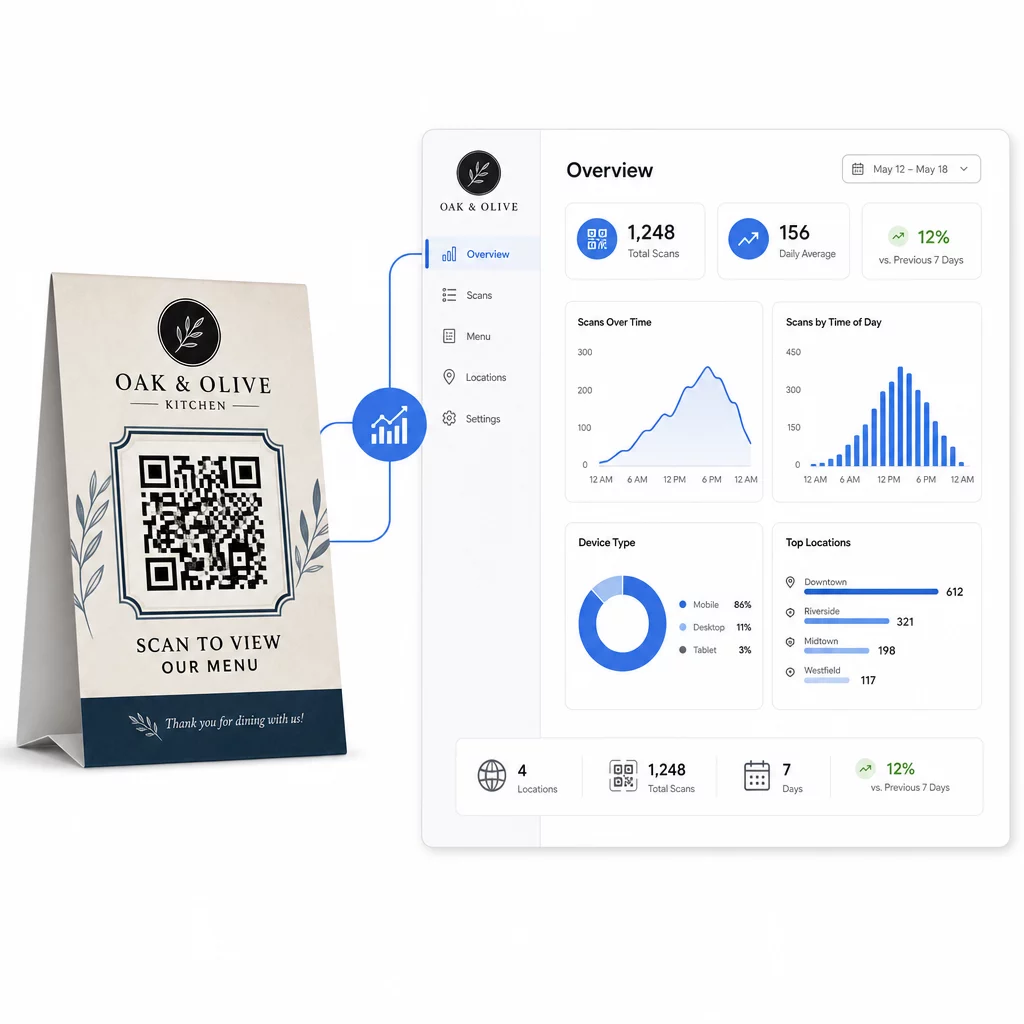
Pageloots Dynamischer QR-Code Generator bietet ein zentralisiertes Dashboard, in dem Sie all dies in Echtzeit verfolgen, verknüpfte Inhalte auf allen Tischaufstellern gleichzeitig aktualisieren und Designänderungen vornehmen können, ohne Ihre gedruckten Materialien anfassen zu müssen.
Für Unternehmen mit mehreren Standorten verwandelt dieses Maß an Kontrolle Tischaufsteller von statischen Druckmaterialien in einen messbaren Marketingkanal.
Jeden Scan an jedem Tisch verfolgen Verwenden Sie . Pageloots dynamischer QR-Code-Generator um Inhalte zu aktualisieren, Scan-Analysen zu überwachen und alle Ihre Tischaufsteller-Codes von einem Dashboard aus zu verwalten.
Häufig gestellte Fragen
Für das Scannen am Tisch sollte der QR-Code mindestens 1,2 × 1,2 Zoll (3 × 3 cm) groß sein. Dies ermöglicht zuverlässiges Scannen aus der geringen Entfernung, die für einen sitzenden Gast typisch ist. Wenn Ihr Design eine Logo-Überlagerung oder ein komplexes Farbschema enthält, erhöhen Sie die Größe um 20–30 %, um die Scanbarkeit zu gewährleisten.
Dynamische QR-Codes werden für Tischaufsteller dringend empfohlen. Sie ermöglichen es Ihnen, den verknüpften Inhalt – wie eine Speisekarte, eine Aktion oder eine Zahlungsseite – ohne Neudruck zu aktualisieren. Sie liefern auch Scan-Analysen, damit Sie die Interaktion im Laufe der Zeit verfolgen können. Statische Codes sind nur geeignet, wenn sich der Zielinhalt niemals ändern wird.
Ein Tischaufsteller-QR-Code kann auf eine digitale Speisekarte, eine Online-Bestellseite, ein Zahlungsportal, eine Landingpage für Gutschein- oder Treueprogramme, ein Social-Media-Profil, ein PDF-Dokument oder eine beliebige URL verlinken. Das beste Ziel hängt von Ihrem Geschäftstyp und davon ab, was Sie möchten, dass der Kunde in diesem Moment seines Besuchs tut.