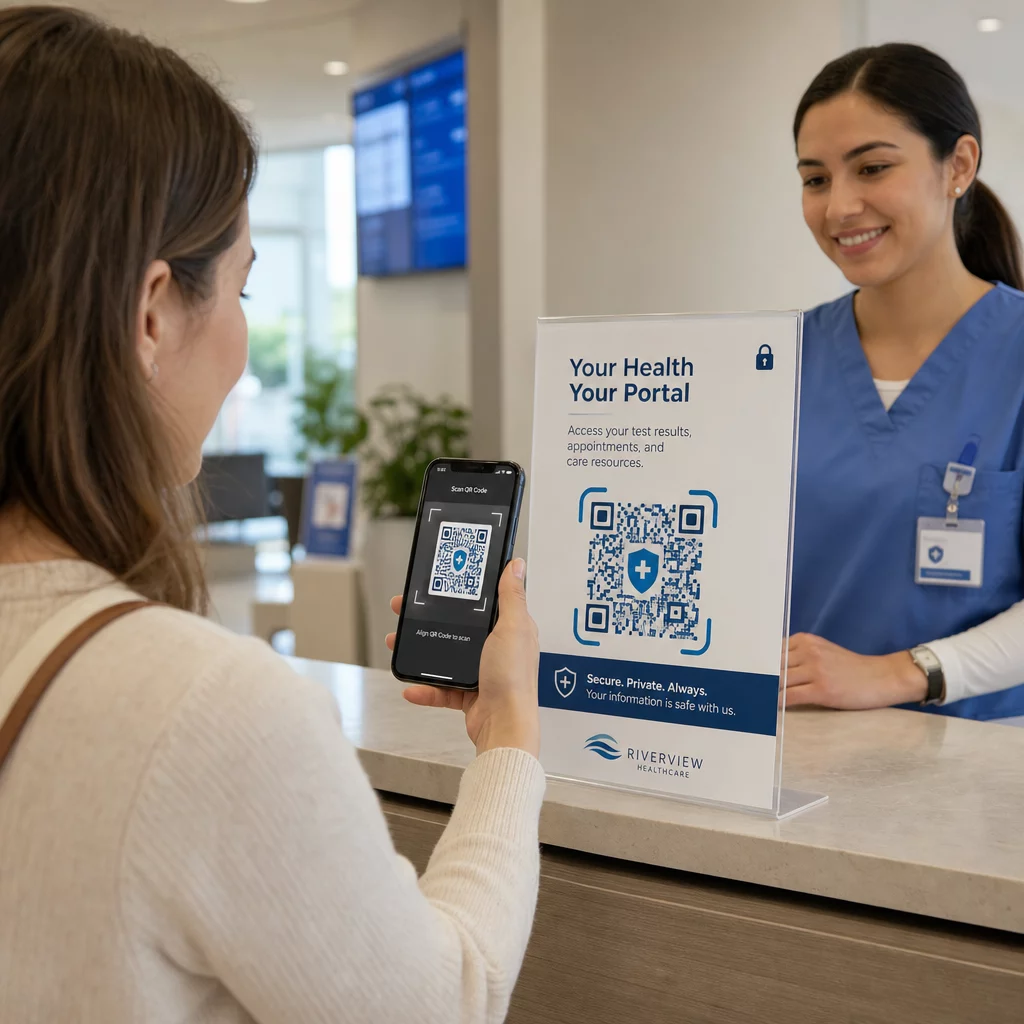
Are you unsure whether QR codes are safe enough for sharing protected health information? Exposing patient data – even accidentally – can mean HIPAA violations, steep fines, and broken patient trust. This guide explains how to implement QR codes securely in healthcare settings, what compliance requirements apply, and which practices keep patient data protected at every step.
How QR Codes Work for Health Data Sharing
QR codes encode a link or token into a scannable pattern. When a staff member or patient scans the code, their device retrieves the associated content – a patient intake form, lab result, discharge instruction, or secure portal – without requiring manual data entry or specialized software.
In healthcare, this matters because the alternative is often a fragmented mix of phone calls, fax transmissions, printed forms, and unencrypted email. QR codes consolidate these touchpoints into a single, auditable interaction. The QR codes for healthcare and hospitals guide describes them as a way to improve patient access, streamline communication, and increase operational safety without requiring a dedicated tech team.
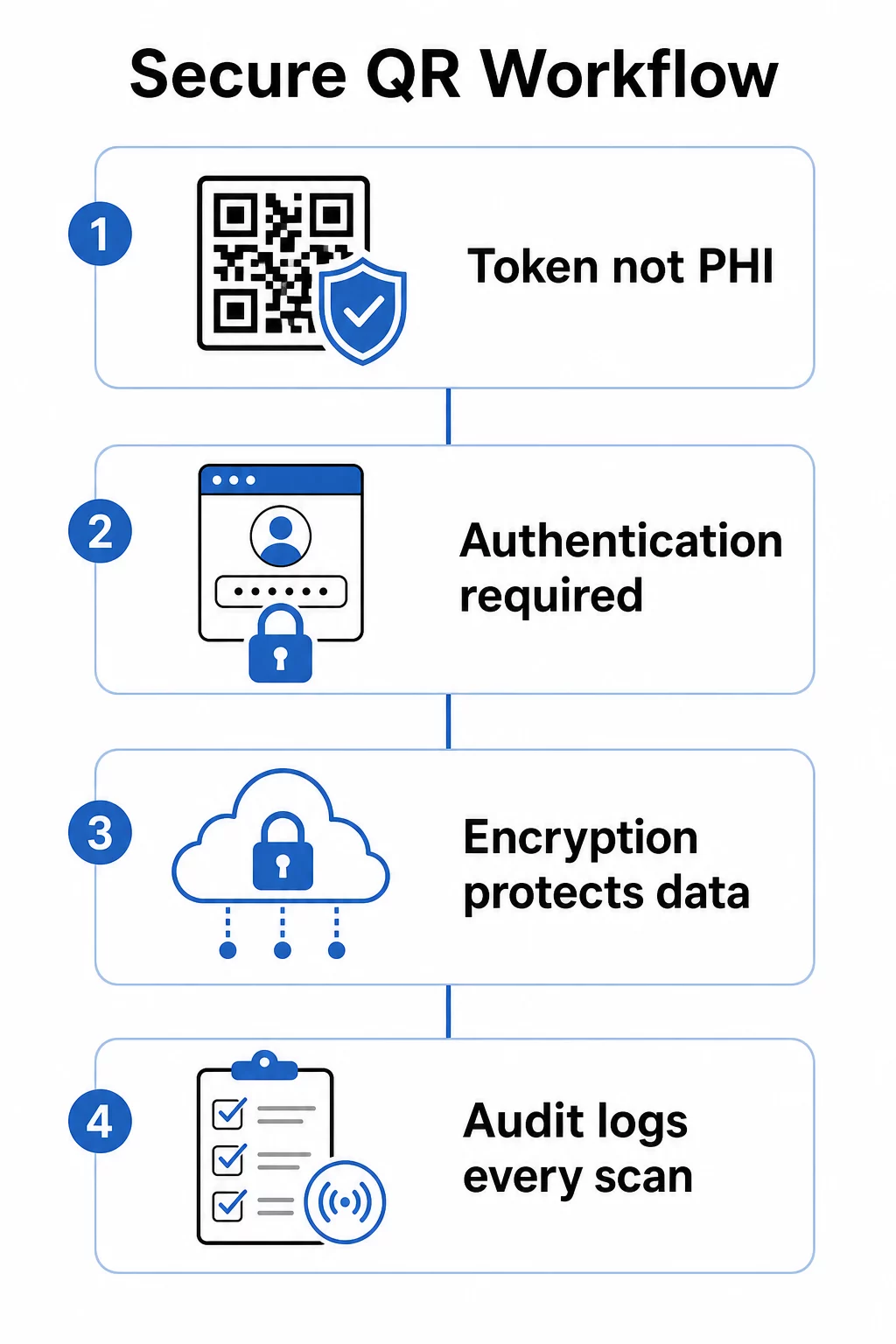
A critical distinction: the QR code itself should never contain protected health information (PHI). Instead, it should encode an opaque token or signed URL that points to a backend system where ePHI is stored and protected under proper safeguards. This keeps the physical code safe to print on wristbands, appointment cards, or discharge packets without exposing sensitive data if the code is photographed or intercepted.
HIPAA Requirements That Apply to QR Code Systems
The HIPAA Security Rule establishes national standards for protecting electronic protected health information (ePHI). Any QR code system that creates, receives, maintains, or transmits ePHI must meet these requirements – and so must any third-party vendor involved in that workflow.
The Security Rule’s technical safeguards cover four areas directly relevant to QR-based systems:
- Access control: Only authorized persons or software programs may access systems containing ePHI. This means QR-linked resources must require authentication before displaying patient data.
- Audit controls: Mechanisms must record and examine activity in systems that contain or use ePHI. Every scan, access attempt, and data retrieval needs to be logged with timestamps and user identifiers.
- Transmission security: Technical measures must guard against unauthorized access to ePHI transmitted over electronic networks, including encryption and integrity controls.
- Authentication: Systems must verify that users are who they claim to be before granting access.
The Privacy Rule adds the minimum necessary standard: only the information required for a specific purpose should be shared. Dynamic QR codes support this directly – you can configure a code to surface only the relevant portion of a patient record, not the entire file.
When you use a third-party QR code platform that handles ePHI, HIPAA requires a signed Business Associate Agreement (BAA). This agreement legally binds the vendor to the same data protection and breach notification standards that apply to your organization. Always verify that a vendor will sign a BAA and that their documented security controls – encryption standards, access logging, incident response procedures – meet HIPAA requirements before deploying their tools in a clinical workflow.
Share Medical Documents Securely Need to give patients instant access to consent forms, discharge instructions, or lab results? Use the PDF QR kodu ģenerators to upload files and generate trackable, secure QR codes without email attachments or paper handoffs.
Static vs. Dynamic QR Codes for Healthcare
Not all QR codes offer the same level of control, and for healthcare use, the difference matters significantly.
Statiskie QR kodi encode fixed data directly into the code. Once printed, they cannot be updated, revoked, or monitored. If a static code links to a resource that later becomes outdated or compromised, you have no way to disable it without reprinting. For healthcare applications involving any patient-specific information, static codes introduce unnecessary risk.
Dinamiskie QR kodi link to a server-side destination that you control. This means you can:
- Update the linked content without reprinting the code
- Set expiration dates or one-time access rules on the URL
- Revoke access immediately if a code is lost, tampered with, or no longer needed
- Monitor scan activity in real time – who accessed the resource, when, and from which device
For example, a physician sharing test results with a specialist for a single consultation can configure the link to expire automatically after the session. If a patient’s medication list changes, the QR code on their medical ID card continues to work while the linked content updates instantly. This flexibility is what makes dynamic codes the appropriate choice for sensitive healthcare workflows.
Portāls pilnīgu ceļvedi QR kodiem veselības aprūpē recommends static codes only for permanent, non-sensitive information – hygiene instructions, Wi-Fi access in waiting rooms, or fixed contact details – and dynamic codes for anything requiring updates, tracking, or security controls.
Create Trackable, Editable Healthcare QR Codes Manage all your healthcare QR codes from one dashboard, update destinations without reprinting, and monitor scan activity in real time with the Pageloot healthcare QR code solution.
Security Controls to Implement
Meeting HIPAA’s technical safeguard requirements in a QR code workflow requires deliberate configuration. These are the controls that matter most:
Encryption in transit and at rest
All QR-linked resources that handle ePHI must use TLS-only connections with valid certificates. The data stored on the server must also be encrypted at rest. AES-256 is the standard used by financial institutions and government agencies, and it satisfies HIPAA’s encryption implementation specifications. How encryption secures QR code data explains how symmetric encryption like AES works well for QR applications given the storage constraints of the code format itself.
Authentication and access control
Require users to verify their identity before viewing ePHI retrieved through a QR code. This can include single sign-on (SSO), multi-factor authentication (MFA), or time-based session tokens. Role-based access control ensures that a front desk administrator and an attending physician see only the data their role requires. Pageloot supports role-based access control for enterprise users, enabling organizations to prevent unauthorized edits and centralize governance across teams.
Password-protected codes
For QR codes shared in semi-public contexts – printed on discharge paperwork, affixed to equipment, or included in mailed materials – password protection adds a layer of defense. Even if someone photographs the code, they cannot access the linked resource without credentials.
Short-lived, signed URLs
Rather than issuing permanent links, generate tokens that expire after a set period or after a single use. This limits the exposure window if a code is intercepted or shared beyond its intended recipient.
Comprehensive audit logging
Every scan attempt, successful access, and data interaction should be logged automatically. Logs must capture timestamps, user identifiers, and the specific resources accessed. These records support both routine HIPAA compliance reviews and incident response if a breach is suspected. Organisations can also use dedicated data protection software to monitor sensitive information, identify potential exposure, and support a faster response when security issues arise.
Avoid public URL shorteners and third-party trackers
QR-linked ePHI pages should be hosted under trusted, first-party healthcare domains. Public URL shorteners obscure the destination and may route traffic through third-party infrastructure that does not meet HIPAA standards. Use privacy-preserving analytics rather than third-party tracking scripts that collect unnecessary metadata.
For a broader look at secure QR code generation practices, the secure QR code generation best practices guide un QR code security in cyber defense guide cover encryption, tamper detection, and monitoring in detail.
Physical Security: Tamper and Phishing Risks
Digital controls protect data in transit, but QR codes in clinical environments also face physical threats. QR code phishing – sometimes called “quishing” – occurs when an attacker places a fraudulent QR code over a legitimate one, redirecting scans to a malicious site designed to harvest credentials or install malware. This risk is real in healthcare settings where QR codes appear on waiting room signage, equipment labels, and printed patient materials.
Mitigate physical tampering by:
- Using tamper-evident materials for codes affixed to physical surfaces
- Embedding your organization’s logo and branding directly in the QR code design so altered codes look visually inconsistent
- Establishing a routine inspection schedule for all placed QR codes, with reference photos for comparison
- Training staff to verify that QR code destinations match expected URLs before entering any credentials
Patient and staff education is equally important. Train your team to recognize suspicious QR distributions, use scanning apps that preview the destination URL before opening it, and never enter login credentials into a page reached by scanning an unfamiliar code. QR code privacy laws and key regulations outlines the regulatory context for these risks in more detail.
Healthcare Use Cases
The security controls above enable a range of practical applications across the care continuum:
Patient registration and check-in
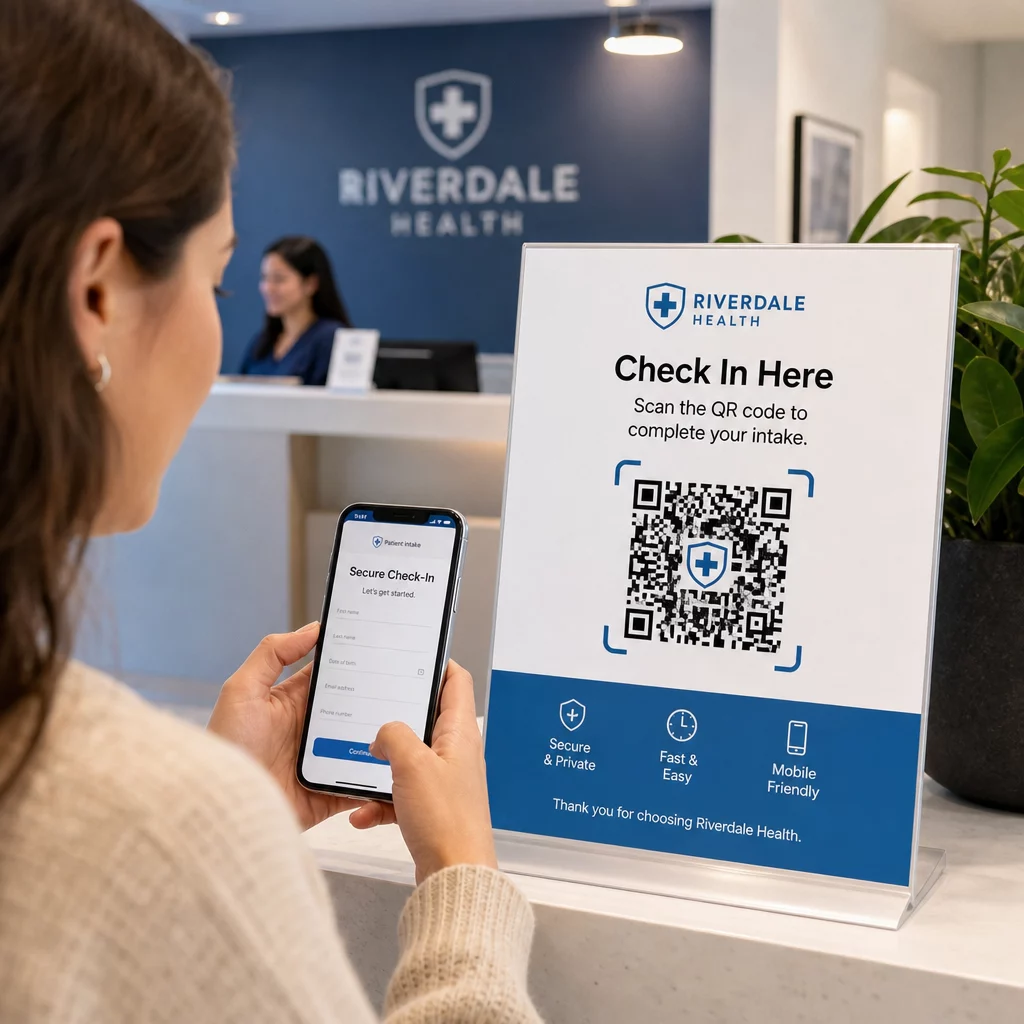
Patients scan a QR code on arrival to access a secure intake form, update insurance details, or complete consent documents on their own device. This eliminates paper forms, reduces front desk load, and creates a digital record of submissions. Contactless check-in workflows gained wide adoption during COVID-19 and continue to reduce wait times and infection risk.
Secure document distribution
Lab results, imaging reports, treatment plans, and aftercare instructions can be distributed as PDF QR codes. Patients access documents directly on their devices without requiring a portal login or printed handout. When results are amended, the dynamic code reflects the updated content automatically. The file upload feature on Pageloot supports secure PDF hosting for exactly this use case.
Emergency access to critical health information
Patients can carry QR codes on medical alert cards or bracelets linking to critical details – allergies, current medications, implanted devices, emergency contacts. First responders scan the code to retrieve life-saving information when the patient cannot communicate. Dynamic codes ensure this data stays current without requiring a new card each time medications change.
Provider-to-provider data sharing
When transferring care between facilities or consulting specialists, a sending provider generates a time-limited QR code linked to the relevant portion of the patient’s record. The receiving provider scans to access the data securely. Access expires automatically after the consultation period, reducing the risk of unauthorized future access.
Medication management
QR codes on prescription packaging link patients to dosing instructions, multilingual resources, reminder tools, and support programs. For home-based care, QR codes can link to updated care plans and medication schedules that reflect the most current prescriptions without requiring a new printout.
Equipment tracking and maintenance
QR codes on medical devices give clinical staff instant access to device specifications, maintenance schedules, calibration records, and safety alerts – reducing administrative overhead and supporting compliance with equipment safety requirements.
Comparing QR Codes to Other Sharing Methods
| Metode | Privacy & Security | Usability | Reāllaika atjauninājumi | Audit Trail |
|---|---|---|---|---|
| Dinamiskie QR kodi | High (encrypted, access-controlled) | Excellent (instant scan) | Jā | Yes (automatic logging) |
| Statiskie QR kodi | Medium (no revocation) | Excellent (instant scan) | Nē | Ierobežots |
| Patient Portals | High (MFA supported) | Poor (login friction) | Jā | Jā |
| Email/Fax | Low (often unencrypted) | Vidēja | Nē | Nē |
| Traditional Barcodes | Medium (limited encryption) | Good (requires scanner) | Nē | Nē |
Dynamic QR codes occupy a practical middle ground: they offer the security controls of a patient portal without the login friction that discourages patient engagement. They outperform fax and email on every security dimension, and they provide the audit trails that HIPAA requires – without the infrastructure cost of building or maintaining a dedicated portal system.
Implementation Checklist
Before deploying QR codes in any workflow that involves patient data, verify these controls are in place:
- QR codes encode opaque tokens, not PHI directly
- All linked resources use HTTPS with valid certificates
- ePHI is encrypted in transit and at rest
- Authentication (MFA or SSO) is required before displaying patient data
- Access is scoped by role using least-privilege principles
- URLs are time-limited or single-use for sensitive exchanges
- Every scan and access event is logged automatically
- Logs are reviewed regularly and retained per your organization’s policies
- A signed BAA is in place with your QR code platform vendor
- Physical codes are branded, inspected regularly, and use tamper-evident materials
- Staff have received training on quishing risks and safe scanning behavior
- Patient-facing codes link only to minimum necessary information
For a deeper look at QR code applications across clinical environments, the QR codes for hospitals and healthcare page covers patient identification, equipment tracking, drug transparency, and more. You can also explore QR code solutions by industry to see how the same technology adapts across different operational contexts.
QR codes work in healthcare when the implementation treats them as a secure interface to properly protected systems – not as a storage mechanism for sensitive data. Get the architecture right, enforce authentication and logging, and QR codes become one of the lowest-friction ways to give patients and providers fast, compliant access to the information they need.
Build a HIPAA-Ready QR Code Workflow Generate dynamic, branded QR codes with built-in scan tracking, access controls, and real-time analytics. The Pageloot saišu QR kodu ģeneratoru lets you create and manage every code from one dashboard – and update destinations anytime without reprinting.
Bieži uzdotie jautājumi
No. The QR code should encode only an opaque token or signed URL that points to a secure backend system. The PHI is stored and protected server-side under proper HIPAA safeguards. This way, photographing or intercepting the code does not expose any patient data – access still requires authentication at the linked destination.
Dynamic QR codes allow you to update the linked content, set expiration dates, revoke access instantly, and monitor every scan attempt in real time. Static codes are permanent and unrevocable – if a linked resource changes or a security issue arises, you cannot disable the code without reprinting it. For any workflow involving patient-specific information or time-sensitive data, dynamic codes are the appropriate choice.
Yes, if the vendor’s platform creates, receives, maintains, or transmits ePHI as part of your workflow. HIPAA requires a signed BAA with any business associate involved in handling protected health information. Before selecting a platform, confirm that the vendor will sign a BAA and that their security controls – encryption standards, access logging, breach notification procedures – meet HIPAA requirements.