Vous ne savez pas si les codes QR sont suffisamment sûrs pour le partage d'informations de santé protégées ? L'exposition de données patient – même accidentelle – peut entraîner des violations de la HIPAA, de lourdes amendes et une rupture de la confiance des patients. Ce guide explique comment implémenter les codes QR en toute sécurité dans les établissements de santé, quelles exigences de conformité s'appliquent et quelles pratiques protègent les données des patients à chaque étape.
Comment les codes QR fonctionnent pour le partage de données de santé
Les codes QR encodent un lien ou un jeton dans un motif scannable. Lorsqu'un membre du personnel ou un patient scanne le code, son appareil récupère le contenu associé – un formulaire d'admission patient, un résultat de laboratoire, une instruction de sortie ou un portail sécurisé – sans nécessiter de saisie manuelle de données ou de logiciel spécialisé.
Dans le domaine de la santé, cela est important car l'alternative est souvent un mélange fragmenté d'appels téléphoniques, de transmissions par fax, de formulaires imprimés et d'e-mails non chiffrés. Les codes QR consolident ces points de contact en une seule interaction auditable. Le guide des codes QR pour les soins de santé et les hôpitaux les décrit comme un moyen d'améliorer l'accès des patients, de rationaliser la communication et d'accroître la sécurité opérationnelle sans nécessiter une équipe technique dédiée.
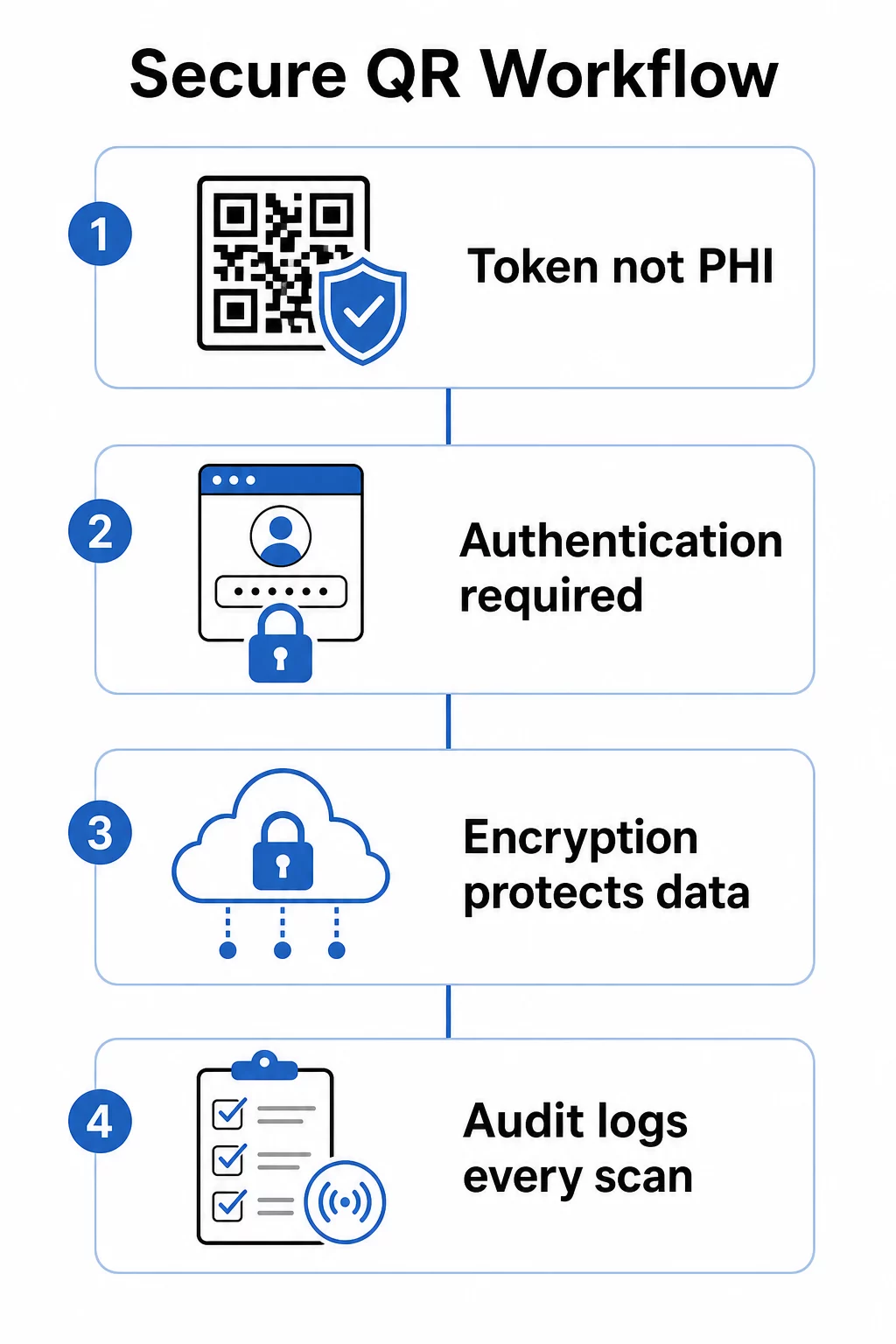
Une distinction cruciale : le code QR lui-même ne doit jamais contenir d'informations de santé protégées (PHI). Au lieu de cela, il doit encoder un jeton opaque ou une URL signée qui pointe vers un système backend où les ePHI sont stockées et protégées par des mesures de sécurité appropriées. Cela permet d'imprimer le code physique en toute sécurité sur des bracelets, des cartes de rendez-vous ou des dossiers de sortie sans exposer de données sensibles si le code est photographié ou intercepté.
Exigences HIPAA applicables aux systèmes de codes QR
La règle de sécurité HIPAA établit des normes nationales pour la protection des informations de santé électroniques protégées (ePHI). Tout système de code QR qui crée, reçoit, maintient ou transmet des ePHI doit satisfaire à ces exigences – de même que tout fournisseur tiers impliqué dans ce flux de travail.
Les mesures de sécurité techniques de la règle de sécurité couvrent quatre domaines directement pertinents pour les systèmes basés sur les codes QR :
- Contrôle d'accès : Seules les personnes ou les programmes logiciels autorisés peuvent accéder aux systèmes contenant des ePHI. Cela signifie que les ressources liées aux codes QR doivent exiger une authentification avant d'afficher les données des patients.
- Contrôles d'audit : Des mécanismes doivent enregistrer et examiner l'activité dans les systèmes qui contiennent ou utilisent des ePHI. Chaque scan, tentative d'accès et récupération de données doit être enregistré avec des horodatages et des identifiants d'utilisateur.
- Sécurité de la transmission : Des mesures techniques doivent protéger contre l'accès non autorisé aux ePHI transmises sur les réseaux électroniques, y compris le chiffrement et les contrôles d'intégrité.
- Authentification : Les systèmes doivent vérifier que les utilisateurs sont bien ceux qu'ils prétendent être avant d'accorder l'accès.
La Règle de Confidentialité ajoute la norme du minimum nécessaire: seules les informations nécessaires à un objectif spécifique doivent être partagées. Les codes QR dynamiques prennent directement en charge cela – vous pouvez configurer un code pour afficher uniquement la partie pertinente d'un dossier patient, et non le fichier entier.
Lorsque vous utilisez une plateforme de codes QR tierce qui gère les DSE, la HIPAA exige un Accord de Partenariat Commercial (APC). Cet accord lie légalement le fournisseur aux mêmes normes de protection des données et de notification des violations qui s'appliquent à votre organisation. Vérifiez toujours qu'un fournisseur signera un APC et que ses contrôles de sécurité documentés – normes de chiffrement, journalisation des accès, procédures de réponse aux incidents – répondent aux exigences de la HIPAA avant de déployer leurs outils dans un flux de travail clinique.
Partager des Documents Médicaux en Toute Sécurité Besoin de donner aux patients un accès instantané aux formulaires de consentement, aux instructions de sortie ou aux résultats de laboratoire ? Utilisez le Générateur de QR code PDF pour télécharger des fichiers et générer des codes QR sécurisés et traçables sans pièces jointes par e-mail ni transferts papier.
Codes QR Statiques vs. Dynamiques pour les Soins de Santé
Tous les codes QR n'offrent pas le même niveau de contrôle, et pour une utilisation dans le domaine de la santé, la différence est significative.
Codes QR statiques encodent des données fixes directement dans le code. Une fois imprimés, ils ne peuvent pas être mis à jour, révoqués ou surveillés. Si un code statique renvoie à une ressource qui devient obsolète ou compromise par la suite, vous n'avez aucun moyen de le désactiver sans le réimprimer. Pour les applications de santé impliquant des informations spécifiques au patient, les codes statiques introduisent un risque inutile.
Codes QR dynamiques renvoient à une destination côté serveur que vous contrôlez. Cela signifie que vous pouvez :
- Mettre à jour le contenu lié sans réimprimer le code
- Définir des dates d'expiration ou des règles d'accès unique sur l'URL
- Révoquer l'accès immédiatement si un code est perdu, altéré ou n'est plus nécessaire
- Surveiller l'activité de scan en temps réel – qui a accédé à la ressource, quand et depuis quel appareil
Par exemple, un médecin partageant des résultats de tests avec un spécialiste pour une seule consultation peut configurer le lien pour qu'il expire automatiquement après la session. Si la liste de médicaments d'un patient change, le code QR sur sa carte d'identité médicale continue de fonctionner tandis que le contenu lié se met à jour instantanément. Cette flexibilité est ce qui fait des codes dynamiques le choix approprié pour les flux de travail sensibles du secteur de la santé.
Le guide ultime des codes QR pour les soins de santé recommande les codes statiques uniquement pour les informations permanentes et non sensibles – instructions d'hygiène, accès Wi-Fi dans les salles d'attente ou coordonnées fixes – et les codes dynamiques pour tout ce qui nécessite des mises à jour, un suivi ou des contrôles de sécurité.
Créer des codes QR de santé traçables et modifiables Gérez tous vos codes QR de santé depuis un seul tableau de bord, mettez à jour les destinations sans réimpression et surveillez l'activité de scan en temps réel avec la solution de codes QR de santé Pageloot.
Contrôles de sécurité à mettre en œuvre
Le respect des exigences de protection technique de la HIPAA dans un flux de travail de codes QR nécessite une configuration délibérée. Voici les contrôles les plus importants :
Chiffrement en transit et au repos
Toutes les ressources liées par QR qui traitent des informations de santé protégées électroniques (ePHI) doivent utiliser des connexions TLS uniquement avec des certificats valides. Les données stockées sur le serveur doivent également être chiffrées au repos. L'AES-256 est la norme utilisée par les institutions financières et les agences gouvernementales, et elle satisfait aux spécifications de mise en œuvre du chiffrement de la HIPAA. Comment le chiffrement sécurise les données des codes QR explique comment le chiffrement symétrique comme l'AES fonctionne bien pour les applications QR compte tenu des contraintes de stockage du format de code lui-même.
Authentification et contrôle d'accès
Exiger des utilisateurs qu'ils vérifient leur identité avant de consulter les informations de santé protégées électroniques (ePHI) récupérées via un code QR. Cela peut inclure l'authentification unique (SSO), l'authentification multi-facteurs (MFA) ou des jetons de session basés sur le temps. Le contrôle d'accès basé sur les rôles garantit qu'un administrateur de réception et un médecin traitant ne voient que les données requises par leur rôle. Pageloot prend en charge le contrôle d'accès basé sur les rôles pour les utilisateurs d'entreprise, permettant aux organisations de prévenir les modifications non autorisées et de centraliser la gouvernance entre les équipes.
Codes protégés par mot de passe
Pour les codes QR partagés dans des contextes semi-publics – imprimés sur les documents de sortie, apposés sur l'équipement ou inclus dans des documents envoyés par courrier – la protection par mot de passe ajoute une couche de défense. Même si quelqu'un photographie le code, il ne peut pas accéder à la ressource liée sans identifiants.
URL signées à courte durée de vie
Plutôt que d'émettre des liens permanents, générez des jetons qui expirent après une période définie ou après une seule utilisation. Cela limite la fenêtre d'exposition si un code est intercepté ou partagé au-delà de son destinataire prévu.
Journalisation d'audit complète
Chaque tentative d'analyse, accès réussi et interaction de données devrait être enregistrée automatiquement. Les journaux doivent capturer les horodatages, les identifiants d'utilisateur et les ressources spécifiques consultées. Ces enregistrements soutiennent à la fois les examens de conformité HIPAA de routine et la réponse aux incidents si une violation est suspectée. Les organisations peuvent également utiliser des logiciels dédiés logiciel de protection des données pour surveiller les informations sensibles, identifier les expositions potentielles et soutenir une réponse plus rapide lorsque des problèmes de sécurité surviennent.
Évitez les raccourcisseurs d'URL publics et les traqueurs tiers
Les pages ePHI liées aux codes QR doivent être hébergées sous des domaines de soins de santé de confiance et de première partie. Les raccourcisseurs d'URL publics masquent la destination et peuvent acheminer le trafic via une infrastructure tierce qui ne répond pas aux normes HIPAA. Utilisez des analyses respectueuses de la vie privée plutôt que des scripts de suivi tiers qui collectent des métadonnées inutiles.
Pour un aperçu plus large des pratiques de génération sécurisée de codes QR, le guide des meilleures pratiques de génération sécurisée de codes QR et le guide de sécurité des codes QR en cyberdéfense couvrent en détail le chiffrement, la détection d'altération et la surveillance.
Sécurité physique : Risques d'altération et de phishing
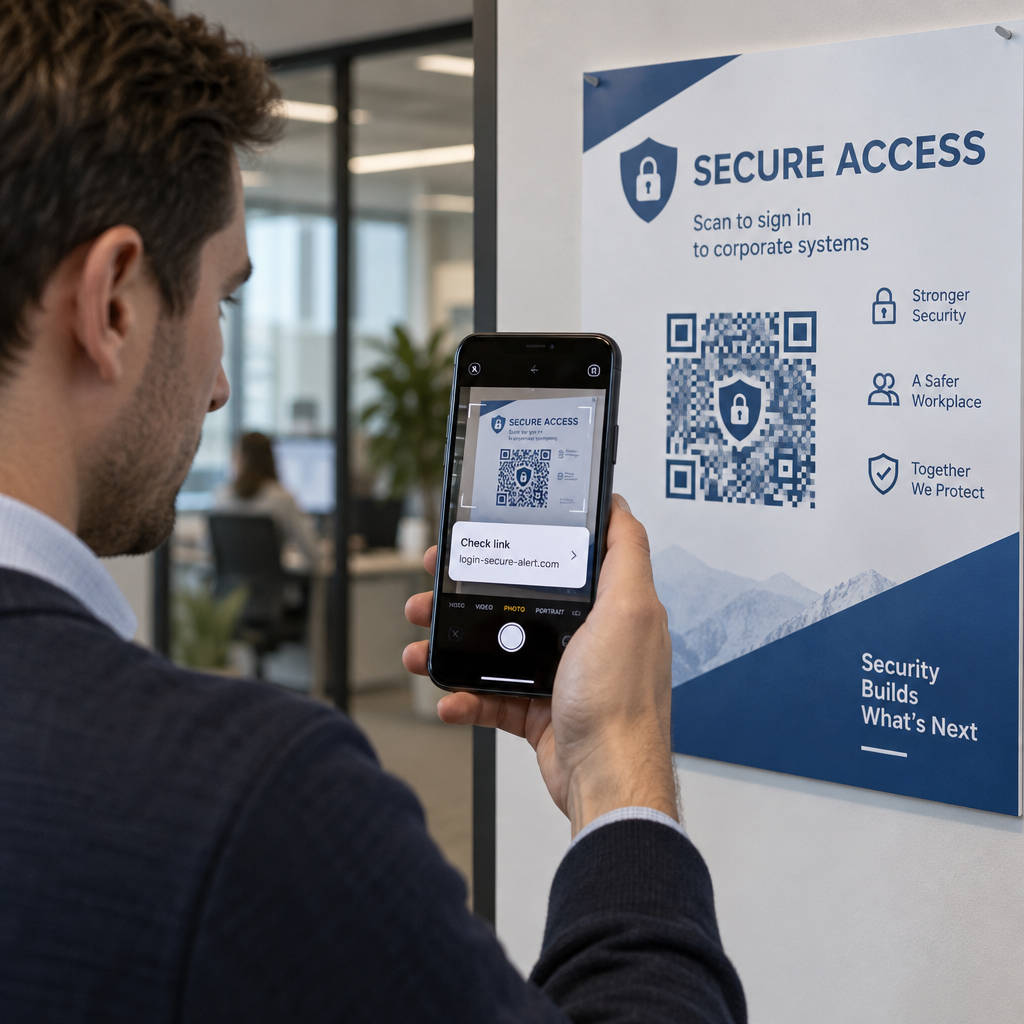
Les contrôles numériques protègent les données en transit, mais les codes QR dans les environnements cliniques sont également confrontés à des menaces physiques. Phishing par code QR – parfois appelé “ quishing ” – se produit lorsqu'un attaquant place un code QR frauduleux sur un code légitime, redirigeant les scans vers un site malveillant conçu pour collecter des identifiants ou installer des logiciels malveillants. Ce risque est réel dans les établissements de santé où les codes QR apparaissent sur la signalisation des salles d'attente, les étiquettes d'équipement et les documents imprimés pour les patients.
Atténuer la falsification physique en :
- Utilisant des matériaux inviolables pour les codes apposés sur les surfaces physiques
- Intégrant le logo et l'image de marque de votre organisation directement dans la conception du code QR afin que les codes modifiés semblent visuellement incohérents
- Établissant un calendrier d'inspection de routine pour tous les codes QR placés, avec des photos de référence pour comparaison
- Formant le personnel à vérifier que les destinations des codes QR correspondent aux URL attendues avant de saisir des identifiants
L'éducation des patients et du personnel est tout aussi importante. Formez votre équipe à reconnaître les distributions de codes QR suspectes, à utiliser des applications de numérisation qui prévisualisent l'URL de destination avant de l'ouvrir, et à ne jamais saisir d'identifiants de connexion sur une page atteinte en scannant un code inconnu. Lois sur la confidentialité des codes QR et réglementations clés décrit le contexte réglementaire de ces risques plus en détail.
Cas d'utilisation dans le domaine de la santé
Les contrôles de sécurité ci-dessus permettent une gamme d'applications pratiques tout au long du continuum de soins :
Enregistrement et admission des patients
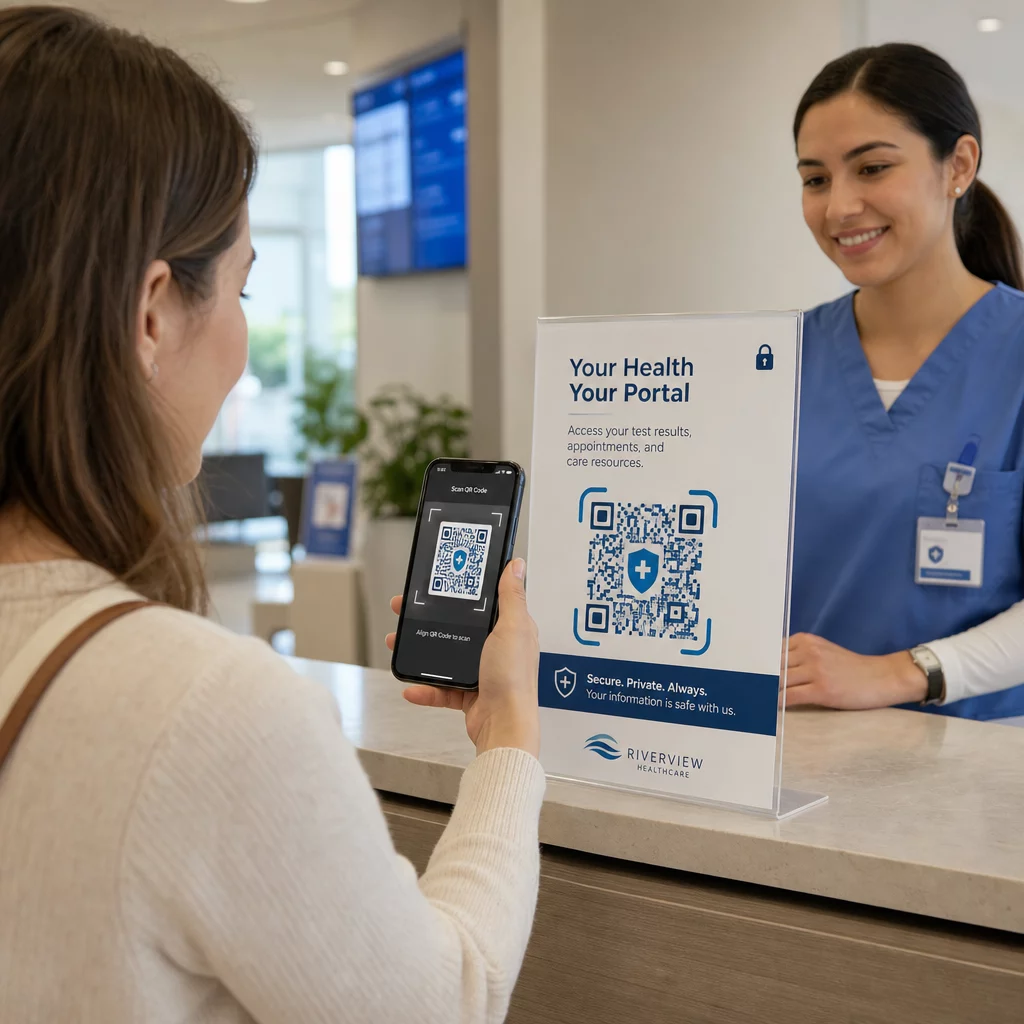
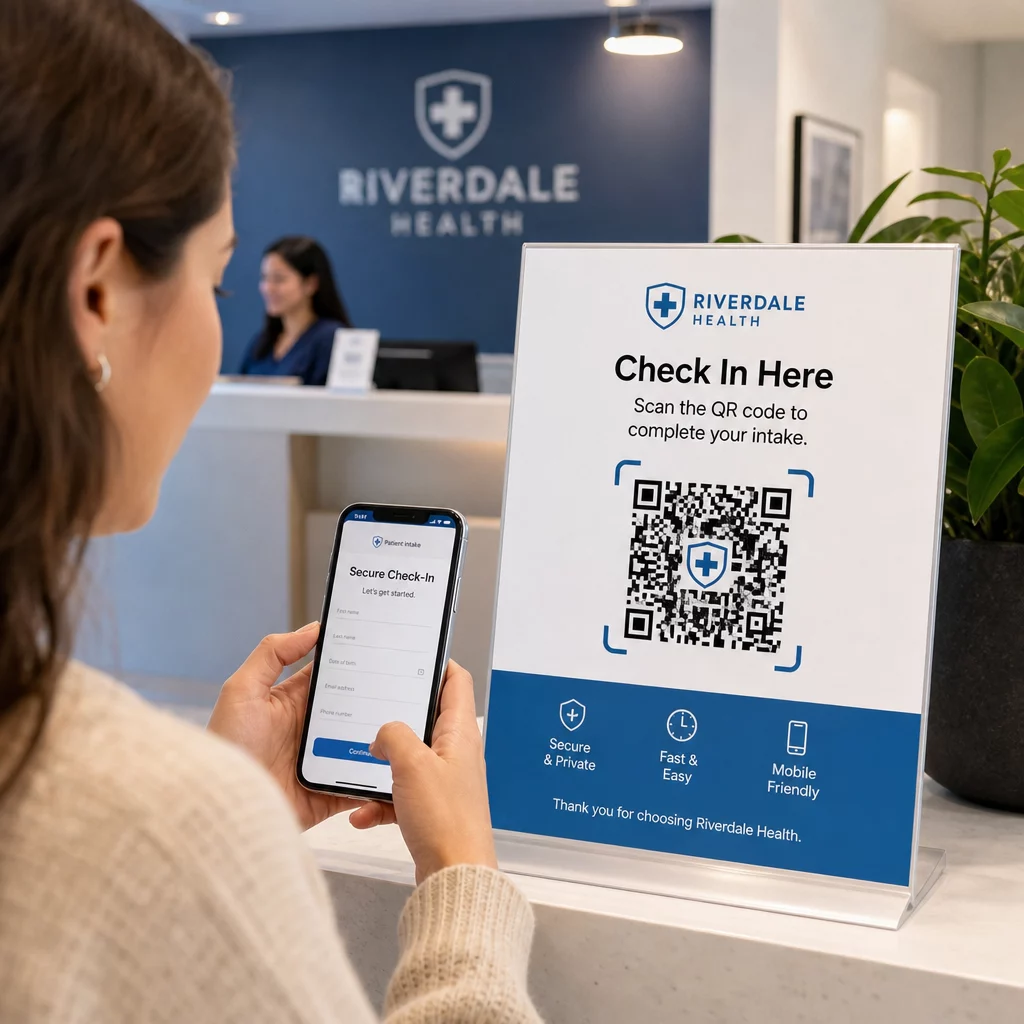
Les patients scannent un code QR à leur arrivée pour accéder à un formulaire d'admission sécurisé, mettre à jour les détails de leur assurance ou remplir des documents de consentement sur leur propre appareil. Cela élimine les formulaires papier, réduit la charge de travail de la réception et crée un enregistrement numérique des soumissions. Les flux de travail d'enregistrement sans contact ont été largement adoptés pendant la COVID-19 et continuent de réduire les temps d'attente et les risques d'infection.
Distribution sécurisée de documents
Les résultats de laboratoire, les rapports d'imagerie, les plans de traitement et les instructions post-opératoires peuvent être distribués sous forme de codes QR PDF. Les patients accèdent aux documents directement sur leurs appareils sans nécessiter de connexion à un portail ou de document imprimé. Lorsque les résultats sont modifiés, le code dynamique reflète automatiquement le contenu mis à jour. La fonction de téléchargement de fichiers sur Pageloot prend en charge l'hébergement sécurisé de PDF précisément pour ce cas d'utilisation.
Accès d'urgence aux informations de santé critiques
Les patients peuvent porter des codes QR sur des cartes ou des bracelets d'alerte médicale renvoyant à des détails critiques – allergies, médicaments actuels, dispositifs implantés, contacts d'urgence. Les premiers intervenants scannent le code pour récupérer des informations vitales lorsque le patient ne peut pas communiquer. Les codes dynamiques garantissent que ces données restent à jour sans nécessiter une nouvelle carte à chaque changement de médicaments.
Partage de données entre prestataires
Lors du transfert de soins entre établissements ou de la consultation de spécialistes, un prestataire émetteur génère un code QR à durée limitée lié à la partie pertinente du dossier du patient. Le prestataire récepteur scanne pour accéder aux données en toute sécurité. L'accès expire automatiquement après la période de consultation, réduisant le risque d'accès non autorisé futur.
Gestion des médicaments
Les codes QR sur les emballages de médicaments relient les patients aux instructions de dosage, aux ressources multilingues, aux outils de rappel et aux programmes de soutien. Pour les soins à domicile, les codes QR peuvent renvoyer à des plans de soins et des calendriers de médicaments mis à jour qui reflètent les prescriptions les plus récentes sans nécessiter une nouvelle impression.
Suivi et maintenance des équipements
Les codes QR sur les dispositifs médicaux donnent au personnel clinique un accès instantané aux spécifications des dispositifs, aux calendriers de maintenance, aux enregistrements d'étalonnage et aux alertes de sécurité – réduisant les frais administratifs et soutenant la conformité aux exigences de sécurité des équipements.
Comparaison des codes QR à d'autres méthodes de partage
| Méthode | Confidentialité et sécurité | Facilité d'utilisation | Mises à jour en temps réel | Piste d'audit |
|---|---|---|---|---|
| Dynamic QR Codes | Élevé (chiffré, accès contrôlé) | Excellent (scan instantané) | Oui | Oui (journalisation automatique) |
| Codes QR statiques | Moyen (pas de révocation) | Excellent (scan instantané) | Non | Limitée |
| Portails Patients | Élevé (MFA pris en charge) | Faible (friction de connexion) | Oui | Oui |
| E-mail/Fax | Faible (souvent non chiffré) | Moyen | Non | Non |
| Codes-barres traditionnels | Moyen (chiffrement limité) | Bon (nécessite un scanner) | Non | Non |
Les codes QR dynamiques occupent un juste milieu pratique : ils offrent les contrôles de sécurité d'un portail patient sans la friction de connexion qui décourage l'engagement des patients. Ils surpassent le fax et l'e-mail sur toutes les dimensions de sécurité, et ils fournissent les pistes d'audit requises par la HIPAA – sans le coût d'infrastructure lié à la construction ou à la maintenance d'un système de portail dédié.
Liste de contrôle de l'implémentation
Avant de déployer des codes QR dans tout flux de travail impliquant des données patient, vérifiez que ces contrôles sont en place :
- Les codes QR encodent des jetons opaques, pas directement des informations de santé protégées (PHI)
- Toutes les ressources liées utilisent HTTPS avec des certificats valides
- Les informations de santé électroniques protégées (ePHI) sont chiffrées en transit et au repos
- L'authentification (MFA ou SSO) est requise avant d'afficher les données patient
- L'accès est défini par rôle en utilisant les principes du moindre privilège
- Les URL sont limitées dans le temps ou à usage unique pour les échanges sensibles
- Chaque événement de scan et d'accès est enregistré automatiquement
- Les journaux sont examinés régulièrement et conservés conformément aux politiques de votre organisation
- Un BAA signé est en place avec votre fournisseur de plateforme de codes QR
- Les codes physiques sont personnalisés, inspectés régulièrement et utilisent des matériaux inviolables
- Le personnel a reçu une formation sur les risques de quishing et les comportements de scan sécurisés
- Les codes destinés aux patients ne renvoient qu'aux informations minimales nécessaires
Pour un examen plus approfondi des applications des codes QR dans les environnements cliniques, la page Codes QR pour les hôpitaux et les soins de santé couvre l'identification des patients, le suivi des équipements, la transparence des médicaments, et plus encore. Vous pouvez également explorer les solutions de codes QR par secteur d'activité pour voir comment la même technologie s'adapte à différents contextes opérationnels.
Les codes QR fonctionnent dans le secteur de la santé lorsque leur implémentation les traite comme une interface sécurisée vers des systèmes correctement protégés – et non comme un mécanisme de stockage de données sensibles. Mettez en place la bonne architecture, appliquez l'authentification et la journalisation, et les codes QR deviennent l'un des moyens les moins contraignants de donner aux patients et aux prestataires un accès rapide et conforme aux informations dont ils ont besoin.
Créez un flux de travail de codes QR conforme à la HIPAA Générez des codes QR dynamiques et personnalisés avec suivi des scans intégré, contrôles d'accès et analyses en temps réel. Le Générateur de code QR de lien Pageloot vous permet de créer et de gérer chaque code à partir d'un seul tableau de bord – et de mettre à jour les destinations à tout moment sans réimpression.
Questions fréquentes
Non. Le code QR ne devrait encoder qu'un jeton opaque ou une URL signée qui pointe vers un système backend sécurisé. Les PHI sont stockées et protégées côté serveur conformément aux mesures de protection HIPAA appropriées. De cette manière, photographier ou intercepter le code n'expose aucune donnée patient – l'accès nécessite toujours une authentification à la destination liée.
Les codes QR dynamiques vous permettent de mettre à jour le contenu lié, de définir des dates d'expiration, de révoquer l'accès instantanément et de surveiller chaque tentative de scan en temps réel. Les codes statiques sont permanents et irrévocables – si une ressource liée change ou si un problème de sécurité survient, vous ne pouvez pas désactiver le code sans le réimprimer. Pour tout flux de travail impliquant des informations spécifiques au patient ou des données sensibles au facteur temps, les codes dynamiques sont le choix approprié.
Oui, si la plateforme du fournisseur crée, reçoit, maintient ou transmet des informations de santé protégées électroniques (ePHI) dans le cadre de votre flux de travail. La loi HIPAA exige un accord d'associé commercial (BAA) signé avec tout associé commercial impliqué dans le traitement des informations de santé protégées. Avant de sélectionner une plateforme, confirmez que le fournisseur signera un BAA et que ses contrôles de sécurité – normes de chiffrement, journalisation des accès, procédures de notification de violation – répondent aux exigences de la loi HIPAA.