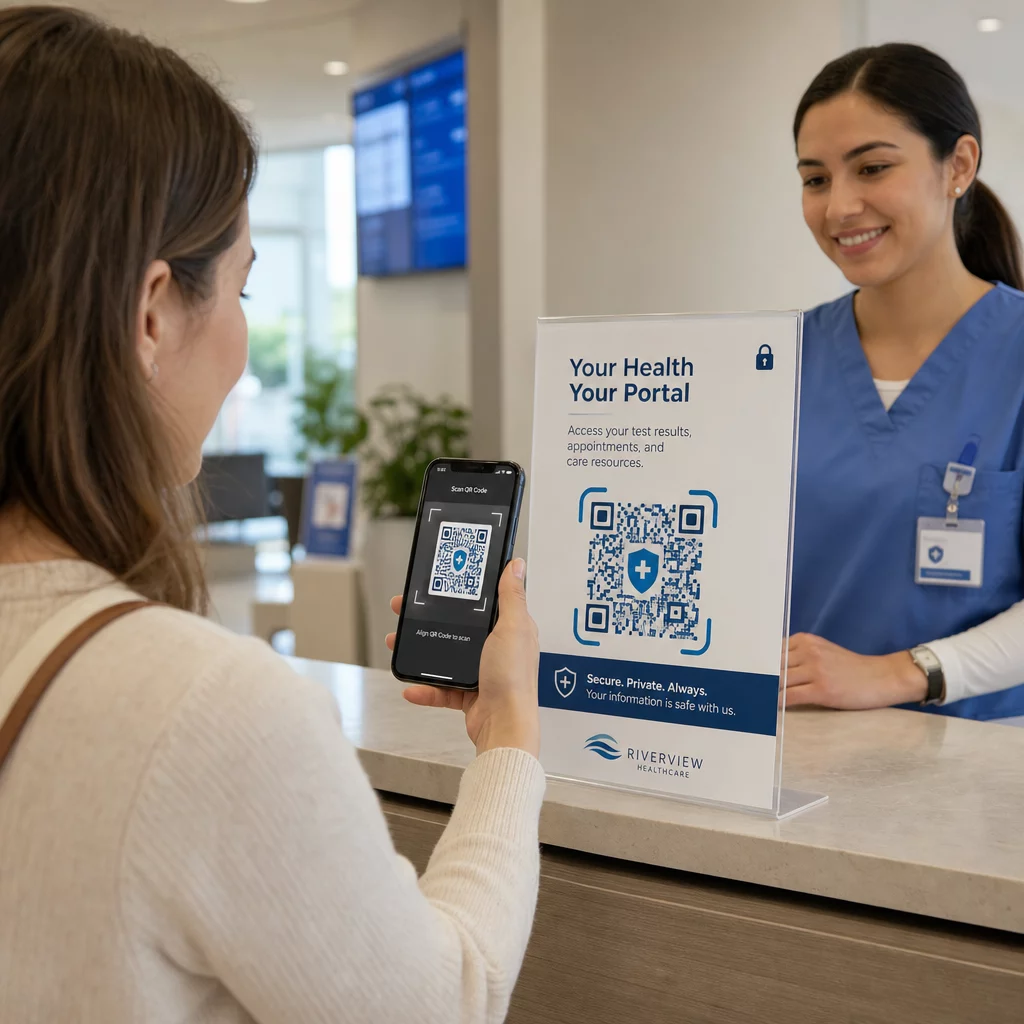
Non sei sicuro che i codici QR siano abbastanza sicuri per la condivisione di informazioni sanitarie protette? Esporre i dati dei pazienti – anche accidentalmente – può significare violazioni HIPAA, multe salate e perdita di fiducia dei pazienti. Questa guida spiega come implementare i codici QR in modo sicuro negli ambienti sanitari, quali requisiti di conformità si applicano e quali pratiche mantengono i dati dei pazienti protetti ad ogni passo.
Come funzionano i codici QR per la condivisione dei dati sanitari
I codici QR codificano un link o un token in un modello scansionabile. Quando un membro del personale o un paziente scansiona il codice, il loro dispositivo recupera il contenuto associato – un modulo di ammissione del paziente, un risultato di laboratorio, un'istruzione di dimissione o un portale sicuro – senza richiedere l'inserimento manuale dei dati o software specializzati.
Nel settore sanitario, questo è importante perché l'alternativa è spesso un mix frammentato di telefonate, trasmissioni fax, moduli stampati ed email non crittografate. I codici QR consolidano questi punti di contatto in un'unica interazione verificabile. Il guida ai codici QR per la sanità e gli ospedali li descrive come un modo per migliorare l'accesso dei pazienti, semplificare la comunicazione e aumentare la sicurezza operativa senza richiedere un team tecnico dedicato.
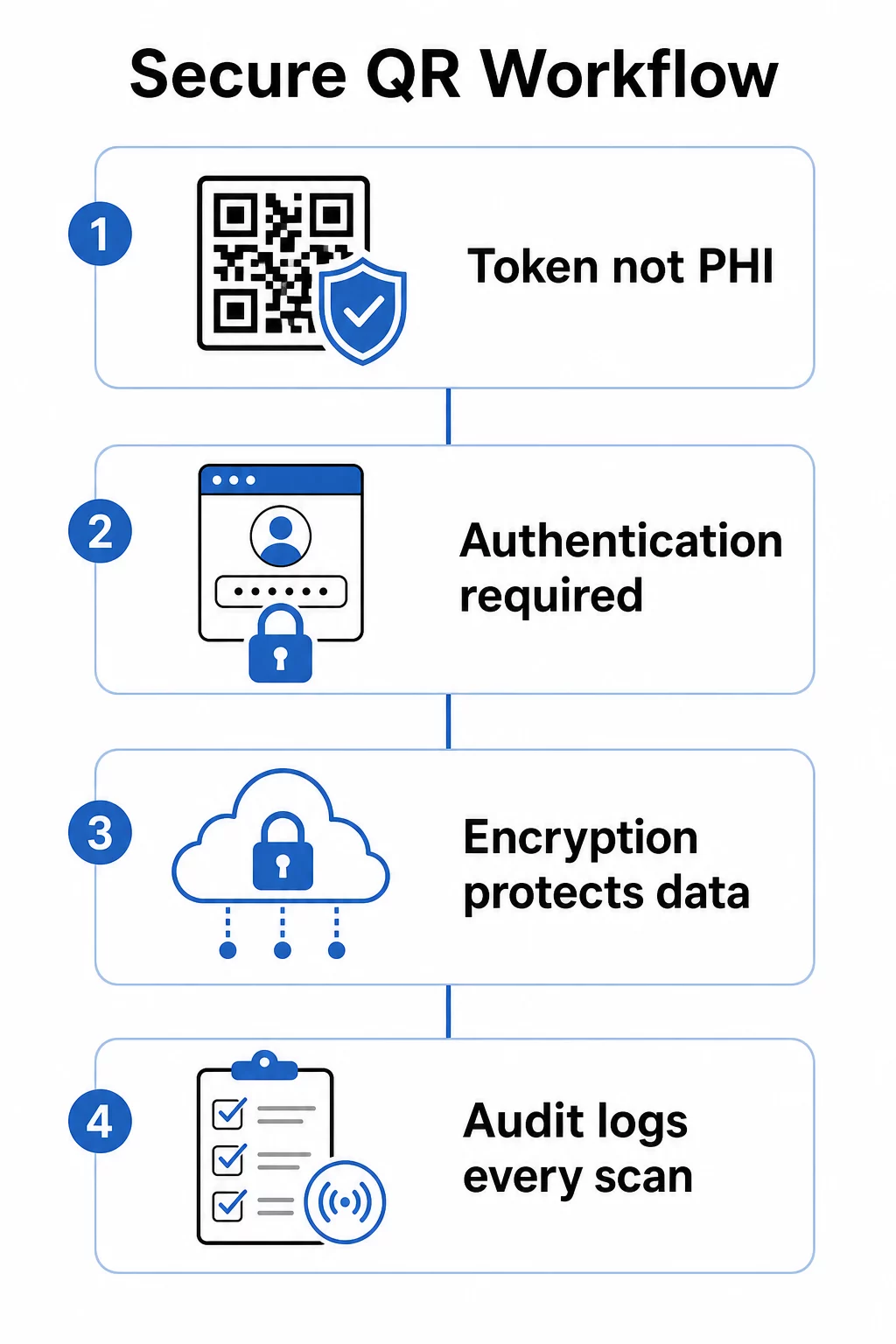
Una distinzione critica: il codice QR stesso non dovrebbe mai contenere informazioni sanitarie protette (PHI). Invece, dovrebbe codificare un token opaco o un URL firmato che punta a un sistema backend dove l'ePHI è memorizzato e protetto con adeguate salvaguardie. Questo mantiene il codice fisico sicuro da stampare su braccialetti, tessere appuntamento o pacchetti di dimissione senza esporre dati sensibili se il codice viene fotografato o intercettato.
Requisiti HIPAA che si applicano ai sistemi di codici QR
La Regola di Sicurezza HIPAA stabilisce standard nazionali per la protezione delle informazioni sanitarie protette elettronicamente (ePHI). Qualsiasi sistema di codici QR che crea, riceve, mantiene o trasmette ePHI deve soddisfare questi requisiti – e così deve fare qualsiasi fornitore terzo coinvolto in quel flusso di lavoro.
Le salvaguardie tecniche della Regola di Sicurezza coprono quattro aree direttamente rilevanti per i sistemi basati su QR:
- Controllo degli accessi: Solo persone autorizzate o programmi software possono accedere a sistemi contenenti ePHI. Ciò significa che le risorse collegate a QR devono richiedere l'autenticazione prima di visualizzare i dati del paziente.
- Controlli di audit: I meccanismi devono registrare ed esaminare l'attività nei sistemi che contengono o utilizzano ePHI. Ogni scansione, tentativo di accesso e recupero dati deve essere registrato con timestamp e identificatori utente.
- Sicurezza della trasmissione: Misure tecniche devono proteggere contro l'accesso non autorizzato all'ePHI trasmesso su reti elettroniche, inclusa la crittografia e i controlli di integrità.
- Autenticazione: I sistemi devono verificare che gli utenti siano chi dichiarano di essere prima di concedere l'accesso.
La Regola sulla Privacy aggiunge lo standard del minimo necessario: solo le informazioni richieste per uno scopo specifico dovrebbero essere condivise. I codici QR dinamici supportano direttamente questo – puoi configurare un codice per mostrare solo la parte rilevante di una cartella clinica del paziente, non l'intero file.
Quando utilizzi una piattaforma di codici QR di terze parti che gestisce ePHI, HIPAA richiede un Accordo di Associazione Commerciale (BAA) firmato. Questo accordo vincola legalmente il fornitore agli stessi standard di protezione dei dati e di notifica delle violazioni che si applicano alla tua organizzazione. Verifica sempre che un fornitore firmi un BAA e che i suoi controlli di sicurezza documentati – standard di crittografia, registrazione degli accessi, procedure di risposta agli incidenti – soddisfino i requisiti HIPAA prima di implementare i loro strumenti in un flusso di lavoro clinico.
Condividi Documenti Medici in Modo Sicuro Hai bisogno di dare ai pazienti accesso istantaneo a moduli di consenso, istruzioni di dimissione o risultati di laboratorio? Usa il Generatore di QR code per PDF per caricare file e generare codici QR tracciabili e sicuri senza allegati e-mail o passaggi di mano cartacei.
Codici QR Statici vs. Dinamici per l'Assistenza Sanitaria
Non tutti i codici QR offrono lo stesso livello di controllo, e per l'uso sanitario, la differenza è significativamente importante.
Codici QR statici codificano dati fissi direttamente nel codice. Una volta stampati, non possono essere aggiornati, revocati o monitorati. Se un codice statico si collega a una risorsa che in seguito diventa obsoleta o compromessa, non hai modo di disabilitarlo senza ristampare. Per le applicazioni sanitarie che coinvolgono qualsiasi informazione specifica del paziente, i codici statici introducono rischi inutili.
Codici QR dinamici si collegano a una destinazione lato server che controlli. Questo significa che puoi:
- Aggiornare il contenuto collegato senza ristampare il codice
- Imposta date di scadenza o regole di accesso una tantum sull'URL
- Revoca l'accesso immediatamente se un codice viene perso, manomesso o non è più necessario
- Monitora l'attività di scansione in tempo reale – chi ha acceduto alla risorsa, quando e da quale dispositivo
Ad esempio, un medico che condivide i risultati dei test con uno specialista per una singola consultazione può configurare il link in modo che scada automaticamente dopo la sessione. Se l'elenco dei farmaci di un paziente cambia, il codice QR sulla sua tessera sanitaria continua a funzionare mentre il contenuto collegato si aggiorna istantaneamente. Questa flessibilità è ciò che rende i codici dinamici la scelta appropriata per i flussi di lavoro sanitari sensibili.
Il sito guida definitiva ai codici QR per l'assistenza sanitaria raccomanda codici statici solo per informazioni permanenti e non sensibili – istruzioni igieniche, accesso Wi-Fi nelle sale d'attesa o dettagli di contatto fissi – e codici dinamici per qualsiasi cosa richieda aggiornamenti, tracciamento o controlli di sicurezza.
Crea codici QR sanitari tracciabili e modificabili Gestisci tutti i tuoi codici QR sanitari da un'unica dashboard, aggiorna le destinazioni senza ristampare e monitora l'attività di scansione in tempo reale con la soluzione Pageloot per codici QR sanitari.
Controlli di sicurezza da implementare
Soddisfare i requisiti di salvaguardia tecnica di HIPAA in un flusso di lavoro con codici QR richiede una configurazione deliberata. Questi sono i controlli che contano di più:
Crittografia in transito e a riposo
Tutte le risorse collegate a QR che gestiscono ePHI devono utilizzare connessioni solo TLS con certificati validi. I dati memorizzati sul server devono essere crittografati anche a riposo. AES-256 è lo standard utilizzato dalle istituzioni finanziarie e dalle agenzie governative e soddisfa le specifiche di implementazione della crittografia di HIPAA. Come la crittografia protegge i dati dei codici QR spiega come la crittografia simmetrica come AES funzioni bene per le applicazioni QR date le limitazioni di archiviazione del formato del codice stesso.
Autenticazione e controllo degli accessi
Richiedi agli utenti di verificare la propria identità prima di visualizzare le ePHI recuperate tramite un codice QR. Ciò può includere il single sign-on (SSO), l'autenticazione a più fattori (MFA) o i token di sessione basati sul tempo. Il controllo degli accessi basato sui ruoli garantisce che un amministratore di front office e un medico curante vedano solo i dati richiesti dal loro ruolo. Pageloot supporta il controllo degli accessi basato sui ruoli per gli utenti aziendali, consentendo alle organizzazioni di prevenire modifiche non autorizzate e centralizzare la governance tra i team.
Codici protetti da password
Per i codici QR condivisi in contesti semi-pubblici – stampati su documenti di dimissione, apposti su apparecchiature o inclusi in materiali spediti – la protezione con password aggiunge un livello di difesa. Anche se qualcuno fotografa il codice, non può accedere alla risorsa collegata senza credenziali.
URL firmati a breve termine
Invece di emettere link permanenti, generate token che scadono dopo un periodo prestabilito o dopo un singolo utilizzo. Ciò limita la finestra di esposizione se un codice viene intercettato o condiviso oltre il destinatario previsto.
Registrazione completa degli audit
Ogni tentativo di scansione, accesso riuscito e interazione di dati dovrebbe essere registrato automaticamente. I log devono acquisire timestamp, identificatori utente e le risorse specifiche a cui si è avuto accesso. Questi registri supportano sia le revisioni di conformità HIPAA di routine sia la risposta agli incidenti se si sospetta una violazione. Le organizzazioni possono anche utilizzare dedicato software di protezione dei dati per monitorare le informazioni sensibili, identificare potenziali esposizioni e supportare una risposta più rapida quando sorgono problemi di sicurezza.
Evitare accorciatori di URL pubblici e tracker di terze parti
Le pagine ePHI collegate a QR dovrebbero essere ospitate su domini sanitari di prima parte affidabili. Gli accorciatori di URL pubblici oscurano la destinazione e possono instradare il traffico attraverso infrastrutture di terze parti che non soddisfano gli standard HIPAA. Utilizzare analisi che preservano la privacy anziché script di tracciamento di terze parti che raccolgono metadati non necessari.
Per uno sguardo più ampio alle pratiche di generazione sicura dei codici QR, la guida alle migliori pratiche per la generazione sicura dei codici QR e dell' guida alla sicurezza dei codici QR nella cyber difesa coprono in dettaglio la crittografia, il rilevamento delle manomissioni e il monitoraggio.
Sicurezza Fisica: Rischi di Manomissione e Phishing
I controlli digitali proteggono i dati in transito, ma i codici QR negli ambienti clinici affrontano anche minacce fisiche. Phishing tramite codice QR – a volte chiamato “quishing” – si verifica quando un attaccante posiziona un codice QR fraudolento su uno legittimo, reindirizzando le scansioni a un sito malevolo progettato per raccogliere credenziali o installare malware. Questo rischio è reale negli ambienti sanitari dove i codici QR appaiono sulla segnaletica delle sale d'attesa, sulle etichette delle apparecchiature e sui materiali stampati per i pazienti.
Mitigare la manomissione fisica tramite:
- Utilizzare materiali a prova di manomissione per i codici apposti su superfici fisiche
- Incorporare il logo e il marchio della propria organizzazione direttamente nel design del codice QR in modo che i codici alterati appaiano visivamente incoerenti
- Stabilire un programma di ispezione di routine per tutti i codici QR posizionati, con foto di riferimento per il confronto
- Formare il personale a verificare che le destinazioni dei codici QR corrispondano agli URL previsti prima di inserire qualsiasi credenziale
L'educazione dei pazienti e del personale è altrettanto importante. Addestra il tuo team a riconoscere distribuzioni QR sospette, a utilizzare app di scansione che mostrano l'URL di destinazione in anteprima prima di aprirlo e a non inserire mai credenziali di accesso in una pagina raggiunta scansionando un codice sconosciuto. Leggi sulla privacy dei codici QR e regolamenti chiave delinea il contesto normativo per questi rischi in modo più dettagliato.
Casi d'uso nel settore sanitario
I controlli di sicurezza sopra descritti consentono una serie di applicazioni pratiche lungo l'intero percorso di cura:
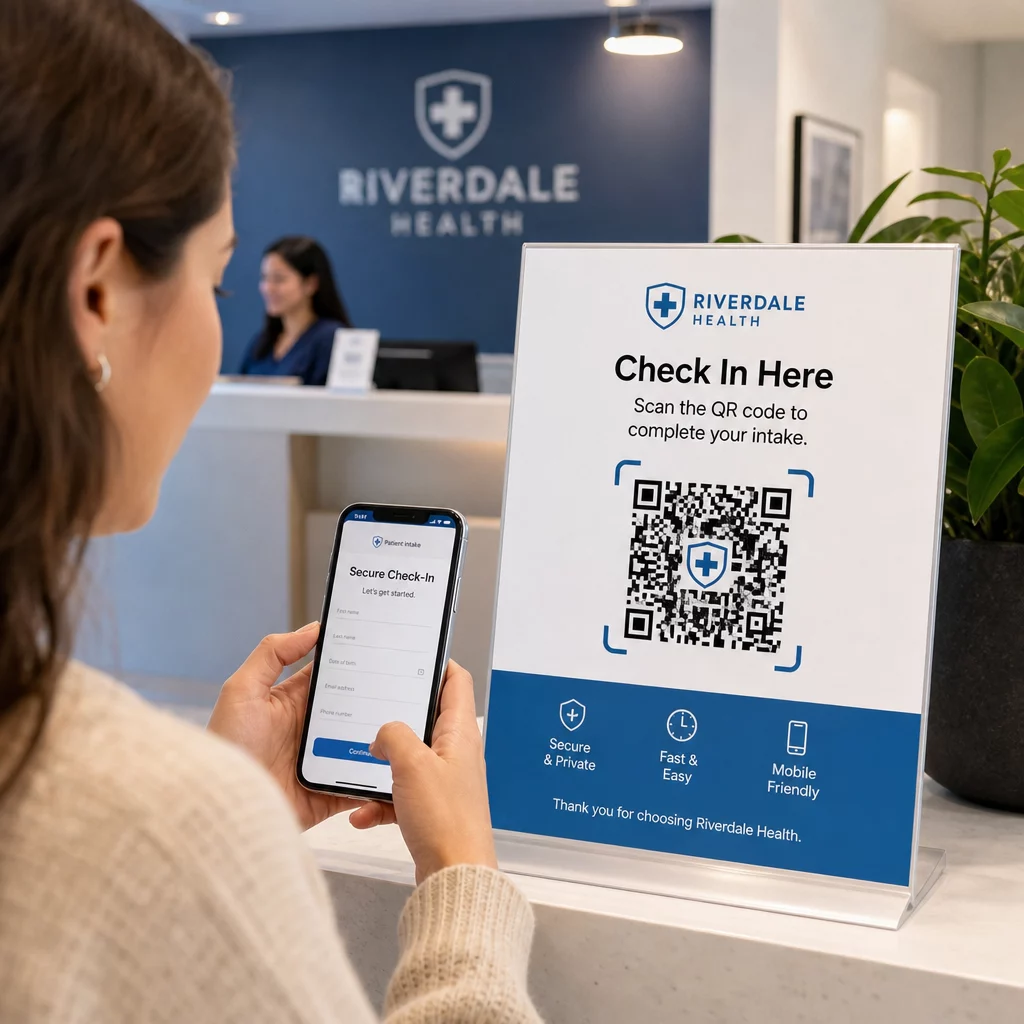
Registrazione e check-in del paziente
I pazienti scansionano un codice QR all'arrivo per accedere a un modulo di ammissione sicuro, aggiornare i dettagli dell'assicurazione o completare documenti di consenso sul proprio dispositivo. Ciò elimina i moduli cartacei, riduce il carico della reception e crea un registro digitale delle presentazioni. I flussi di lavoro di check-in senza contatto hanno ottenuto ampia adozione durante il COVID-19 e continuano a ridurre i tempi di attesa e il rischio di infezione.
Distribuzione sicura dei documenti
I risultati di laboratorio, i referti di imaging, i piani di trattamento e le istruzioni post-cura possono essere distribuiti come codici QR PDF. I pazienti accedono ai documenti direttamente sui propri dispositivi senza richiedere un login al portale o una stampa. Quando i risultati vengono modificati, il codice dinamico riflette automaticamente il contenuto aggiornato. La funzione di caricamento file su Pageloot supporta l'hosting sicuro di PDF esattamente per questo caso d'uso.
Accesso di emergenza a informazioni sanitarie critiche
I pazienti possono portare codici QR su tessere o braccialetti di allerta medica che rimandano a dettagli critici – allergie, farmaci attuali, dispositivi impiantati, contatti di emergenza. I primi soccorritori scansionano il codice per recuperare informazioni salvavita quando il paziente non può comunicare. I codici dinamici assicurano che questi dati rimangano aggiornati senza richiedere una nuova tessera ogni volta che i farmaci cambiano.
Condivisione di dati tra fornitori di servizi sanitari
Quando si trasferisce l'assistenza tra strutture o si consultano specialisti, un fornitore di servizi sanitari che invia genera un codice QR a tempo limitato collegato alla parte pertinente della cartella clinica del paziente. Il fornitore ricevente scansiona per accedere ai dati in modo sicuro. L'accesso scade automaticamente dopo il periodo di consultazione, riducendo il rischio di accessi futuri non autorizzati.
Gestione dei farmaci
I codici QR sulle confezioni dei farmaci collegano i pazienti alle istruzioni di dosaggio, risorse multilingue, strumenti di promemoria e programmi di supporto. Per l'assistenza domiciliare, i codici QR possono collegarsi a piani di cura e schemi di farmaci aggiornati che riflettono le prescrizioni più recenti senza richiedere una nuova stampa.
Tracciamento e manutenzione delle attrezzature
I codici QR sui dispositivi medici offrono al personale clinico accesso istantaneo alle specifiche del dispositivo, ai programmi di manutenzione, ai registri di calibrazione e agli avvisi di sicurezza – riducendo il carico amministrativo e supportando la conformità ai requisiti di sicurezza delle attrezzature.
Confronto tra codici QR e altri metodi di condivisione
| Metodo | Privacy e sicurezza | Usabilità | Aggiornamenti in tempo reale | Traccia di controllo |
|---|---|---|---|---|
| Codici QR Dinamici | Elevata (crittografata, con controllo degli accessi) | Eccellente (scansione istantanea) | Sì | Sì (registrazione automatica) |
| Codici QR statici | Media (nessuna revoca) | Eccellente (scansione istantanea) | No | Limitato |
| Portali Pazienti | Alto (MFA supportato) | Scarso (attrito di accesso) | Sì | Sì |
| Email/Fax | Basso (spesso non crittografato) | Medio | No | No |
| Codici a barre tradizionali | Medio (crittografia limitata) | Buono (richiede scanner) | No | No |
I codici QR dinamici occupano una via di mezzo pratica: offrono i controlli di sicurezza di un portale pazienti senza l'attrito di accesso che scoraggia il coinvolgimento del paziente. Superano fax ed email in ogni dimensione di sicurezza e forniscono le tracce di audit richieste dall'HIPAA, senza il costo infrastrutturale di costruire o mantenere un sistema di portale dedicato.
Lista di controllo per l'implementazione
Prima di implementare i codici QR in qualsiasi flusso di lavoro che coinvolga dati del paziente, verificare che questi controlli siano in atto:
- I codici QR codificano token opachi, non direttamente PHI
- Tutte le risorse collegate utilizzano HTTPS con certificati validi
- L'ePHI è crittografato in transito e a riposo
- L'autenticazione (MFA o SSO) è richiesta prima di visualizzare i dati del paziente
- L'accesso è definito per ruolo utilizzando i principi del privilegio minimo
- Gli URL sono a tempo limitato o monouso per scambi sensibili
- Ogni evento di scansione e accesso viene registrato automaticamente
- I log vengono esaminati regolarmente e conservati secondo le politiche della vostra organizzazione
- È in atto un BAA firmato con il fornitore della vostra piattaforma di codici QR
- I codici fisici sono brandizzati, ispezionati regolarmente e utilizzano materiali antimanomissione
- Il personale ha ricevuto formazione sui rischi di quishing e sul comportamento di scansione sicuro
- I codici rivolti ai pazienti si collegano solo alle informazioni minime necessarie
Per uno sguardo più approfondito alle applicazioni dei codici QR negli ambienti clinici, la pagina sui codici QR per ospedali e sanità copre l'identificazione dei pazienti, il tracciamento delle attrezzature, la trasparenza dei farmaci e altro ancora. Puoi anche esplorare soluzioni di codici QR per settore per vedere come la stessa tecnologia si adatta a diversi contesti operativi.
I codici QR funzionano nel settore sanitario quando l'implementazione li tratta come un'interfaccia sicura per sistemi adeguatamente protetti – non come un meccanismo di archiviazione per dati sensibili. Ottenete l'architettura giusta, applicate l'autenticazione e la registrazione, e i codici QR diventeranno uno dei modi a minor attrito per fornire a pazienti e fornitori un accesso rapido e conforme alle informazioni di cui hanno bisogno.
Costruisci un flusso di lavoro con codici QR conforme a HIPAA Genera codici QR dinamici e brandizzati con tracciamento delle scansioni integrato, controlli di accesso e analisi in tempo reale. Il Generatore di codici QR Pageloot Link ti permette di creare e gestire ogni codice da un'unica dashboard – e di aggiornare le destinazioni in qualsiasi momento senza ristampare.
Domande frequenti
No. Il codice QR dovrebbe codificare solo un token opaco o un URL firmato che punta a un sistema backend sicuro. Il PHI è memorizzato e protetto lato server secondo le appropriate salvaguardie HIPAA. In questo modo, fotografare o intercettare il codice non espone alcun dato del paziente – l'accesso richiede comunque l'autenticazione alla destinazione collegata.
I codici QR dinamici ti consentono di aggiornare il contenuto collegato, impostare date di scadenza, revocare l'accesso istantaneamente e monitorare ogni tentativo di scansione in tempo reale. I codici statici sono permanenti e irrevocabili – se una risorsa collegata cambia o sorge un problema di sicurezza, non puoi disabilitare il codice senza ristamparlo. Per qualsiasi flusso di lavoro che coinvolga informazioni specifiche del paziente o dati sensibili al tempo, i codici dinamici sono la scelta appropriata.
Sì, se la piattaforma del fornitore crea, riceve, mantiene o trasmette ePHI come parte del tuo flusso di lavoro. HIPAA richiede un BAA firmato con qualsiasi associato commerciale coinvolto nella gestione delle informazioni sanitarie protette. Prima di selezionare una piattaforma, conferma che il fornitore firmerà un BAA e che i loro controlli di sicurezza – standard di crittografia, registrazione degli accessi, procedure di notifica delle violazioni – soddisfano i requisiti HIPAA.