Nie ste si istí, či sú QR kódy dostatočne bezpečné na zdieľanie chránených zdravotných informácií? Odhalenie údajov o pacientoch – dokonca aj náhodné – môže znamenať porušenie HIPAA, vysoké pokuty a stratu dôvery pacientov. Táto príručka vysvetľuje, ako bezpečne implementovať QR kódy v zdravotníckych zariadeniach, aké požiadavky na súlad platia a aké postupy chránia údaje pacientov na každom kroku.
Ako fungujú QR kódy pri zdieľaní zdravotných údajov
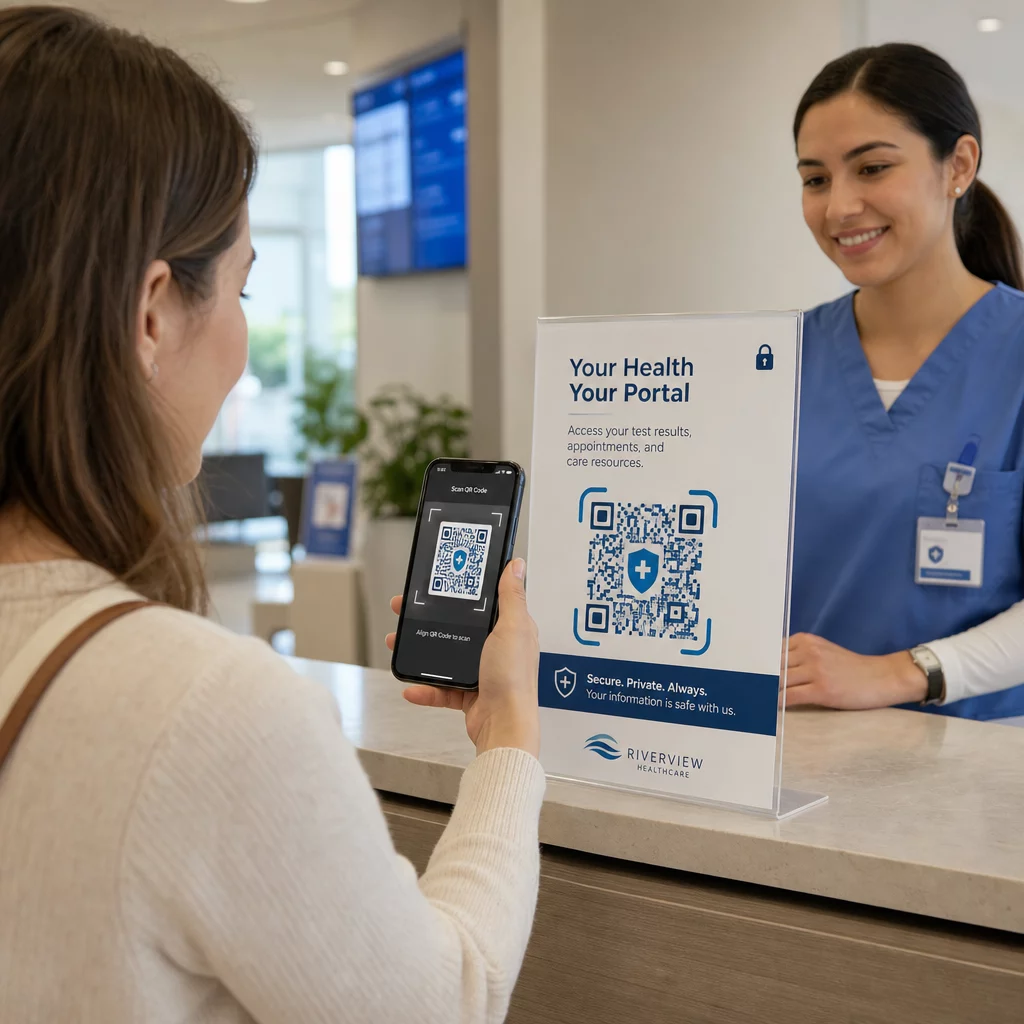
QR kódy kódujú odkaz alebo token do skenovateľného vzoru. Keď zamestnanec alebo pacient naskenuje kód, jeho zariadenie načíta súvisiaci obsah – formulár pre príjem pacienta, výsledok laboratórneho testu, pokyny na prepustenie alebo zabezpečený portál – bez potreby manuálneho zadávania údajov alebo špecializovaného softvéru.
V zdravotníctve je to dôležité, pretože alternatívou je často fragmentovaná zmes telefonátov, faxových prenosov, tlačených formulárov a nešifrovanej e-mailovej komunikácie. QR kódy konsolidujú tieto kontaktné body do jednej, auditovateľnej interakcie. The príručka QR kódov pre zdravotníctvo a nemocnice ich opisuje ako spôsob, ako zlepšiť prístup pacientov, zefektívniť komunikáciu a zvýšiť prevádzkovú bezpečnosť bez potreby špecializovaného technického tímu.
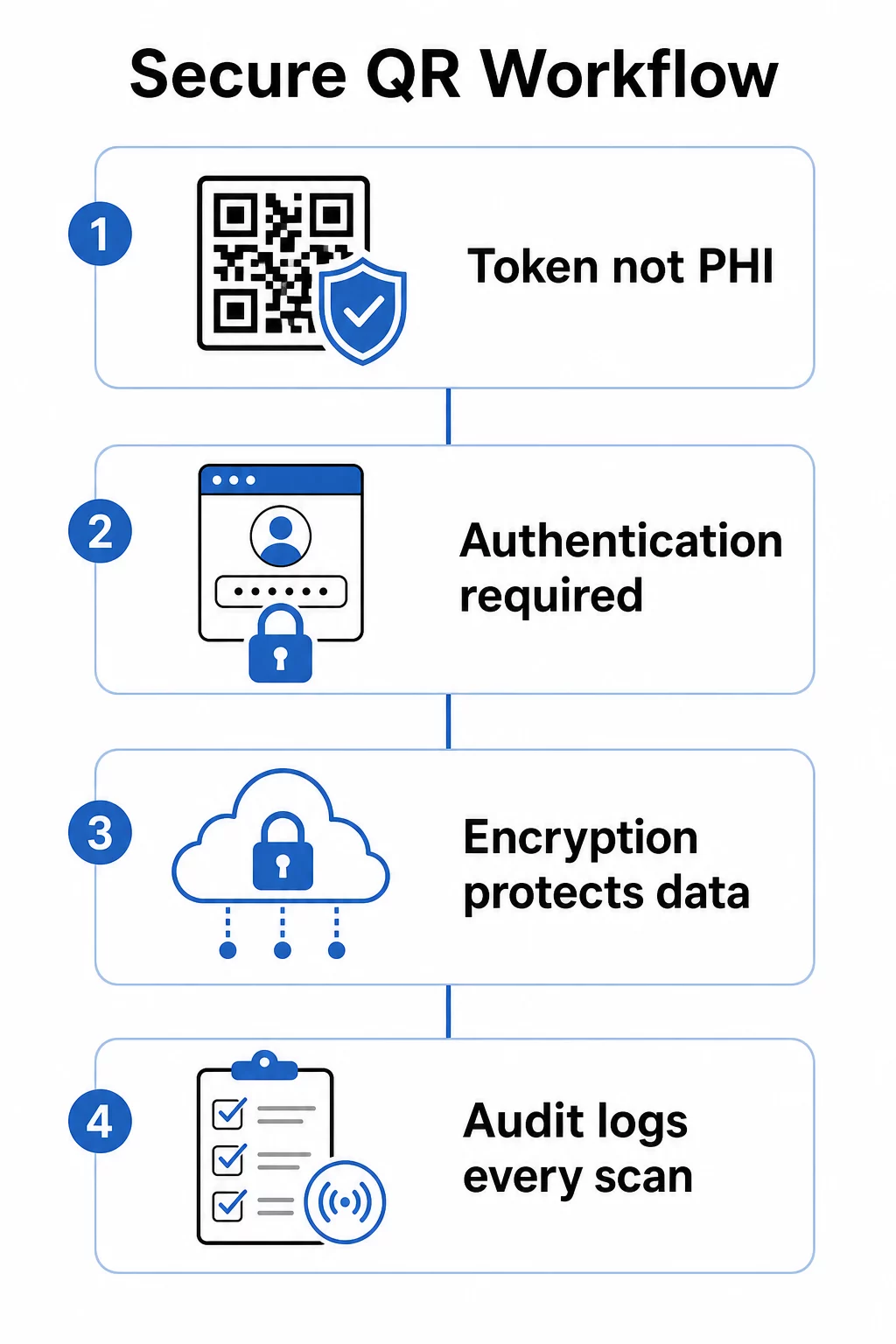
Kritické rozlíšenie: samotný QR kód by nikdy nemal obsahovať chránené zdravotné informácie (PHI). Namiesto toho by mal kódovať nepriehľadný token alebo podpísanú URL adresu, ktorá odkazuje na backendový systém, kde sú ePHI uložené a chránené podľa príslušných bezpečnostných opatrení. To udržuje fyzický kód v bezpečí na tlač na náramky, kartičky s termínmi alebo prepúšťacie balíčky bez odhalenia citlivých údajov, ak je kód odfotografovaný alebo zachytený.
Požiadavky HIPAA, ktoré sa vzťahujú na systémy QR kódov
Bezpečnostné pravidlo HIPAA stanovuje národné štandardy pre ochranu elektronických chránených zdravotných informácií (ePHI). Akýkoľvek systém QR kódov, ktorý vytvára, prijíma, udržiava alebo prenáša ePHI, musí spĺňať tieto požiadavky – a rovnako aj akýkoľvek dodávateľ tretej strany zapojený do tohto pracovného postupu.
Technické bezpečnostné opatrenia bezpečnostného pravidla pokrývajú štyri oblasti priamo relevantné pre systémy založené na QR kódoch:
- Kontrola prístupu: K systémom obsahujúcim ePHI môžu pristupovať iba oprávnené osoby alebo softvérové programy. To znamená, že zdroje prepojené s QR kódom musia vyžadovať autentifikáciu pred zobrazením údajov o pacientoch.
- Kontroly auditu: Mechanizmy musia zaznamenávať a skúmať aktivitu v systémoch, ktoré obsahujú alebo používajú ePHI. Každé skenovanie, pokus o prístup a načítanie údajov musí byť zaznamenané s časovými pečiatkami a identifikátormi používateľov.
- Bezpečnosť prenosu: Technické opatrenia musia chrániť pred neoprávneným prístupom k ePHI prenášaným cez elektronické siete, vrátane šifrovania a kontrol integrity.
- Autentifikácia: Systémy musia overiť, či sú používatelia tými, za koho sa vydávajú, predtým, ako im udelia prístup.
Pravidlo o ochrane súkromia pridáva štandard minimálnej nevyhnutnosti: zdieľať by sa mali len informácie potrebné na konkrétny účel. Dynamické QR kódy to priamo podporujú – kód môžete nakonfigurovať tak, aby zobrazoval len relevantnú časť záznamu pacienta, nie celý súbor.
Keď používate platformu QR kódov tretej strany, ktorá spracováva ePHI, HIPAA vyžaduje podpísanú Dohodu o obchodnej spolupráci (BAA). Táto dohoda právne zaväzuje dodávateľa k rovnakým štandardom ochrany údajov a oznamovania porušení, aké platia pre vašu organizáciu. Vždy si overte, či dodávateľ podpíše BAA a či jeho zdokumentované bezpečnostné kontroly – šifrovacie štandardy, zaznamenávanie prístupu, postupy reakcie na incidenty – spĺňajú požiadavky HIPAA predtým, ako nasadíte ich nástroje do klinického pracovného postupu.
Bezpečné zdieľanie lekárskych dokumentov Potrebujete poskytnúť pacientom okamžitý prístup k formulárom súhlasu, pokynom na prepustenie alebo výsledkom laboratórnych testov? Použite PDF QR kód generátor na nahrávanie súborov a generovanie sledovateľných, bezpečných QR kódov bez e-mailových príloh alebo odovzdávania papierov.
Statické vs. Dynamické QR kódy pre zdravotníctvo
Nie všetky QR kódy ponúkajú rovnakú úroveň kontroly a pre použitie v zdravotníctve je rozdiel významný.
Statické kódy QR kódujú pevné dáta priamo do kódu. Po vytlačení ich nemožno aktualizovať, odvolať ani monitorovať. Ak statický kód odkazuje na zdroj, ktorý sa neskôr stane zastaraným alebo kompromitovaným, nemáte žiadny spôsob, ako ho zakázať bez opätovnej tlače. Pre zdravotnícke aplikácie zahŕňajúce akékoľvek informácie špecifické pre pacienta, statické kódy prinášajú zbytočné riziko.
Dynamické kódy QR odkazujú na cieľ na strane servera, ktorý ovládate. To znamená, že môžete:
- Aktualizovať prepojený obsah bez opätovnej tlače kódu
- Nastavte dátumy vypršania platnosti alebo pravidlá jednorazového prístupu na URL adrese
- Okamžite zrušte prístup, ak sa kód stratí, zmení alebo už nie je potrebný
- Monitorujte aktivitu skenovania v reálnom čase – kto pristupoval k zdroju, kedy a z akého zariadenia
Napríklad, lekár zdieľajúci výsledky testov so špecialistom na jednu konzultáciu môže nakonfigurovať odkaz tak, aby automaticky vypršal po relácii. Ak sa zmení zoznam liekov pacienta, QR kód na jeho lekárskej identifikačnej karte naďalej funguje, zatiaľ čo prepojený obsah sa okamžite aktualizuje. Táto flexibilita robí z dynamických kódov vhodnú voľbu pre citlivé pracovné postupy v zdravotníctve.
Ten komplexného sprievodcu QR kódmi pre zdravotníctvo odporúča statické kódy len pre trvalé, necitlivé informácie – hygienické pokyny, prístup k Wi-Fi v čakárňach alebo pevné kontaktné údaje – a dynamické kódy pre všetko, čo vyžaduje aktualizácie, sledovanie alebo bezpečnostné kontroly.
Vytvárajte sledovateľné a upraviteľné QR kódy pre zdravotníctvo Spravujte všetky svoje QR kódy pre zdravotníctvo z jedného ovládacieho panela, aktualizujte ciele bez predtlače a monitorujte aktivitu skenovania v reálnom čase pomocou riešenia QR kódov Pageloot pre zdravotníctvo.
Bezpečnostné kontroly na implementáciu
Splnenie technických požiadaviek HIPAA na ochranu v pracovnom postupe s QR kódmi si vyžaduje zámernú konfiguráciu. Toto sú najdôležitejšie kontroly:
Šifrovanie počas prenosu a v pokoji
Všetky zdroje prepojené s QR kódmi, ktoré spracúvajú ePHI, musia používať pripojenia iba cez TLS s platnými certifikátmi. Dáta uložené na serveri musia byť tiež šifrované v pokoji. AES-256 je štandard používaný finančnými inštitúciami a vládnymi agentúrami a spĺňa špecifikácie implementácie šifrovania HIPAA. Ako šifrovanie zabezpečuje dáta QR kódov vysvetľuje, ako symetrické šifrovanie ako AES dobre funguje pre QR aplikácie vzhľadom na obmedzenia úložiska samotného formátu kódu.
Autentifikácia a kontrola prístupu
Vyžadujte od používateľov overenie ich identity pred zobrazením ePHI získaných prostredníctvom QR kódu. To môže zahŕňať jednotné prihlásenie (SSO), viacfaktorovú autentifikáciu (MFA) alebo časovo obmedzené tokeny relácie. Kontrola prístupu založená na rolách zaisťuje, že administrátor recepcie a ošetrujúci lekár vidia iba údaje, ktoré ich rola vyžaduje. Pageloot podporuje kontrolu prístupu založenú na rolách pre podnikových používateľov, čo umožňuje organizáciám zabrániť neoprávneným úpravám a centralizovať správu naprieč tímami.
Kódy chránené heslom
Pre QR kódy zdieľané v polo-verejných kontextoch – vytlačené na prepúšťacích dokumentoch, pripevnené na zariadení alebo zahrnuté v zasielaných materiáloch – pridáva ochrana heslom ďalšiu vrstvu obrany. Aj keď niekto kód odfotí, nemôže pristupovať k prepojenému zdroju bez poverení.
Krátkodobé, podpísané URL adresy
Namiesto vydávania trvalých odkazov generujte tokeny, ktoré vypršia po stanovenom období alebo po jedinom použití. Tým sa obmedzí okno expozície, ak je kód zachytený alebo zdieľaný mimo zamýšľaného príjemcu.
Komplexné protokolovanie auditu
Každý pokus o skenovanie, úspešný prístup a interakcia s údajmi by sa mali automaticky zaznamenávať. Záznamy musia zachytávať časové pečiatky, identifikátory používateľov a konkrétne prístupové zdroje. Tieto záznamy podporujú rutinné kontroly súladu s HIPAA aj reakciu na incidenty v prípade podozrenia z narušenia. Organizácie môžu tiež použiť špecializovaný softvér na ochranu údajov na monitorovanie citlivých informácií, identifikáciu potenciálneho vystavenia a podporu rýchlejšej reakcie, keď nastanú bezpečnostné problémy.
Vyhnite sa verejným skracovačom URL a sledovačom tretích strán
Stránky ePHI prepojené s QR kódmi by mali byť hostované pod dôveryhodnými, vlastnými doménami zdravotníckych zariadení. Verejné skracovače URL zakrývajú cieľ a môžu smerovať prevádzku cez infraštruktúru tretích strán, ktorá nespĺňa štandardy HIPAA. Používajte analytiku chrániacu súkromie namiesto sledovacích skriptov tretích strán, ktoré zhromažďujú nepotrebné metadáta.
Pre širší pohľad na postupy bezpečnej generácie QR kódov, sprievodca osvedčenými postupmi pre bezpečnú generáciu QR kódov and the sprievodca bezpečnosťou QR kódov v kybernetickej obrane podrobne pokrývajú šifrovanie, detekciu manipulácie a monitorovanie.
Fyzická bezpečnosť: Riziká manipulácie a phishingu
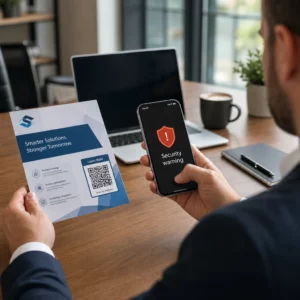
Digitálne kontroly chránia dáta počas prenosu, ale QR kódy v klinických prostrediach čelia aj fyzickým hrozbám. Phishing pomocou QR kódov – niekedy nazývaný “quishing” – nastáva, keď útočník umiestni podvodný QR kód cez legitímny, presmerujúc skeny na škodlivú stránku navrhnutú na získavanie poverení alebo inštaláciu malvéru. Toto riziko je reálne v zdravotníckych zariadeniach, kde sa QR kódy objavujú na označeniach v čakárňach, štítkoch zariadení a tlačených materiáloch pre pacientov.
Zmiernite fyzické manipulácie pomocou:
- Používanie materiálov odolných voči manipulácii pre kódy pripevnené na fyzické povrchy
- Vloženie loga a značky vašej organizácie priamo do dizajnu QR kódu, aby zmenené kódy vyzerali vizuálne nekonzistentne
- Zavedenie pravidelného plánu kontroly pre všetky umiestnené QR kódy, s referenčnými fotografiami na porovnanie
- Školenie personálu na overenie, či ciele QR kódov zodpovedajú očakávaným URL adresám pred zadaním akýchkoľvek prihlasovacích údajov
Vzdelávanie pacientov a personálu je rovnako dôležité. Vyškolte svoj tím, aby rozpoznal podozrivé distribúcie QR kódov, používal skenovacie aplikácie, ktoré zobrazia náhľad cieľovej URL adresy pred jej otvorením, a nikdy nezadával prihlasovacie údaje na stránku, na ktorú sa dostal naskenovaním neznámeho kódu. Zákony o ochrane súkromia QR kódov a kľúčové nariadenia podrobnejšie načrtáva regulačný kontext pre tieto riziká.
Prípady použitia v zdravotníctve
Vyššie uvedené bezpečnostné kontroly umožňujú celý rad praktických aplikácií v celom spektre starostlivosti:
Registrácia a prihlásenie pacienta
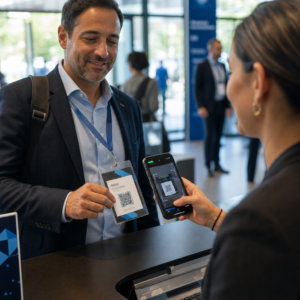
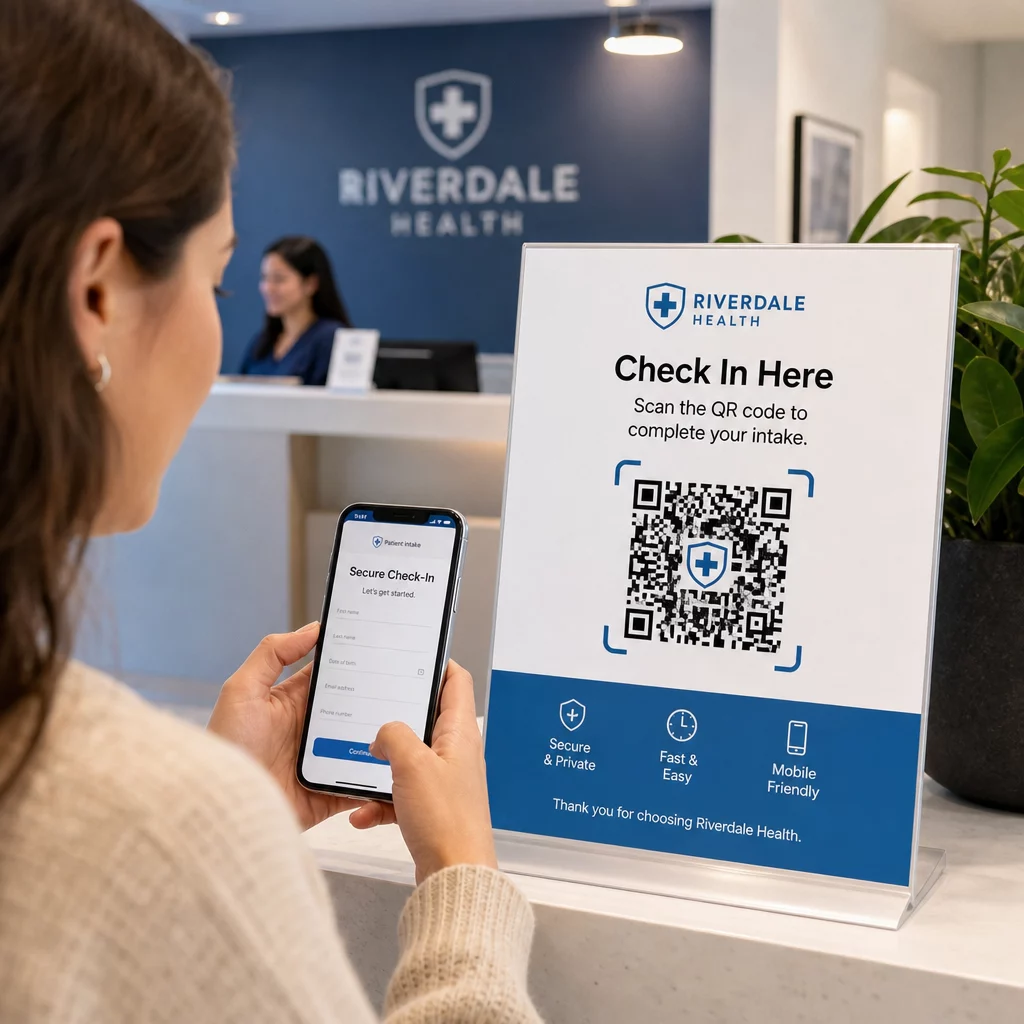
Pacienti po príchode naskenujú QR kód, aby získali prístup k zabezpečenému prijímaciemu formuláru, aktualizovali údaje o poistení alebo vyplnili súhlasné dokumenty na svojom vlastnom zariadení. Tým sa eliminujú papierové formuláre, znižuje sa zaťaženie recepcie a vytvára sa digitálny záznam o podaniach. Bezdotykové procesy registrácie sa počas COVID-19 široko rozšírili a naďalej znižujú čakacie doby a riziko infekcie.
Bezpečná distribúcia dokumentov
Laboratórne výsledky, správy z zobrazovacích vyšetrení, plány liečby a pokyny pre následnú starostlivosť môžu byť distribuované ako PDF QR kódy. Pacienti pristupujú k dokumentom priamo na svojich zariadeniach bez potreby prihlásenia do portálu alebo tlačenej brožúry. Keď sa výsledky zmenia, dynamický kód automaticky odráža aktualizovaný obsah. funkcia nahrávania súborov na Pageloot podporuje bezpečné hostovanie PDF presne pre tento prípad použitia.
Núdzový prístup ku kritickým zdravotným informáciám
Pacienti môžu nosiť QR kódy na lekárskych výstražných kartách alebo náramkoch, ktoré odkazujú na kritické detaily – alergie, aktuálne lieky, implantované zariadenia, núdzové kontakty. Záchranári naskenujú kód, aby získali život zachraňujúce informácie, keď pacient nemôže komunikovať. Dynamické kódy zabezpečujú, že tieto údaje zostanú aktuálne bez potreby novej karty pri každej zmene liekov.
Zdieľanie údajov medzi poskytovateľmi
Pri prenose starostlivosti medzi zariadeniami alebo konzultácii so špecialistami, odosielajúci poskytovateľ vygeneruje časovo obmedzený QR kód prepojený s relevantnou časťou záznamu pacienta. Prijímajúci poskytovateľ naskenuje kód pre bezpečný prístup k údajom. Prístup automaticky vyprší po konzultačnom období, čím sa znižuje riziko neoprávneného budúceho prístupu.
Manažment liekov
QR kódy na obaloch liekov spájajú pacientov s pokynmi na dávkovanie, viacjazyčnými zdrojmi, nástrojmi na pripomínanie a podpornými programami. Pre domácu starostlivosť môžu QR kódy odkazovať na aktualizované plány starostlivosti a rozvrhy liekov, ktoré odrážajú najaktuálnejšie predpisy bez potreby novej tlače.
Sledovanie a údržba zariadení
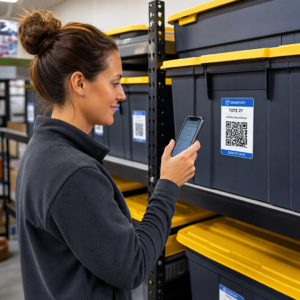
QR kódy na zdravotníckych pomôckach poskytujú klinickému personálu okamžitý prístup k špecifikáciám zariadenia, plánom údržby, kalibračným záznamom a bezpečnostným upozorneniam – čím sa znižuje administratívna záťaž a podporuje súlad s bezpečnostnými požiadavkami na zariadenia.
Porovnanie QR kódov s inými metódami zdieľania
| Metóda | Súkromie a bezpečnosť | Použiteľnosť | Aktualizácie v reálnom čase | Auditná stopa |
|---|---|---|---|---|
| Dynamické QR kódy | Vysoká (šifrované, riadený prístup) | Výborná (okamžité skenovanie) | Áno | Áno (automatické zaznamenávanie) |
| Statické QR kódy | Stredná (bez odvolania) | Výborná (okamžité skenovanie) | Nie | Obmedzené |
| Pacientske portály | Vysoká (podporované MFA) | Slabá (trenie pri prihlasovaní) | Áno | Áno |
| E-mail/Fax | Nízka (často nešifrované) | Stredná | Nie | Nie |
| Tradičné čiarové kódy | Stredná (obmedzené šifrovanie) | Dobrá (vyžaduje skener) | Nie | Nie |
Dynamické QR kódy predstavujú praktickú strednú cestu: ponúkajú bezpečnostné kontroly pacientskeho portálu bez trenia pri prihlasovaní, ktoré odrádza pacientov od zapojenia. Prekonávajú fax a e-mail v každom bezpečnostnom rozmere a poskytujú auditné záznamy, ktoré vyžaduje HIPAA – bez nákladov na infraštruktúru spojených s budovaním alebo údržbou vyhradeného portálového systému.
Kontrolný zoznam implementácie
Pred nasadením QR kódov v akomkoľvek pracovnom postupe, ktorý zahŕňa údaje o pacientoch, overte, či sú zavedené tieto kontroly:
- QR kódy kódujú nepriehľadné tokeny, nie priamo PHI
- Všetky prepojené zdroje používajú HTTPS s platnými certifikátmi
- ePHI je šifrované počas prenosu a v pokoji
- Pred zobrazením údajov o pacientoch je vyžadovaná autentifikácia (MFA alebo SSO)
- Prístup je obmedzený rolou s použitím princípov najmenších privilégií
- URL adresy sú časovo obmedzené alebo na jedno použitie pre citlivé výmeny
- Každá udalosť skenovania a prístupu sa automaticky zaznamenáva
- Záznamy sa pravidelne kontrolujú a uchovávajú podľa zásad vašej organizácie
- Podpísaná BAA je v platnosti s vaším dodávateľom platformy QR kódov
- Fyzické kódy sú označené značkou, pravidelne kontrolované a používajú materiály odolné proti manipulácii
- Zamestnanci boli vyškolení o rizikách quishingu a bezpečnom správaní pri skenovaní
- Kódy určené pre pacientov odkazujú len na minimálne potrebné informácie
Pre hlbší pohľad na aplikácie QR kódov v klinických prostrediach, stránka QR kódy pre nemocnice a zdravotníctvo pokrýva identifikáciu pacientov, sledovanie vybavenia, transparentnosť liekov a ďalšie. Môžete tiež preskúmať Riešenia QR kódov podľa odvetvia aby ste videli, ako sa tá istá technológia prispôsobuje rôznym prevádzkovým kontextom.
QR kódy fungujú v zdravotníctve, keď ich implementácia považuje za bezpečné rozhranie k riadne chráneným systémom – nie ako úložný mechanizmus pre citlivé údaje. Nastavte správnu architektúru, vynúťte autentifikáciu a zaznamenávanie, a QR kódy sa stanú jedným z najmenej náročných spôsobov, ako poskytnúť pacientom a poskytovateľom rýchly a vyhovujúci prístup k informáciám, ktoré potrebujú.
Vytvorte pracovný postup QR kódov pripravený na HIPAA Generujte dynamické, značkové QR kódy so vstavaným sledovaním skenovania, kontrolou prístupu a analýzou v reálnom čase. Systém Generátor QR kódov Pageloot Link vám umožňuje vytvárať a spravovať každý kód z jedného ovládacieho panela – a kedykoľvek aktualizovať ciele bez opätovnej tlače.
Často kladené otázky
Nie. QR kód by mal kódovať iba nepriehľadný token alebo podpísanú URL adresu, ktorá odkazuje na bezpečný backendový systém. PHI je uložené a chránené na strane servera podľa príslušných bezpečnostných opatrení HIPAA. Týmto spôsobom fotografovanie alebo zachytenie kódu neodhalí žiadne údaje o pacientovi – prístup si stále vyžaduje autentifikáciu na prepojenom mieste určenia.
Dynamické QR kódy vám umožňujú aktualizovať prepojený obsah, nastaviť dátumy vypršania platnosti, okamžite zrušiť prístup a monitorovať každý pokus o skenovanie v reálnom čase. Statické kódy sú trvalé a neodvolateľné – ak sa zmení prepojený zdroj alebo nastane bezpečnostný problém, nemôžete kód deaktivovať bez jeho opätovnej tlače. Pre akýkoľvek pracovný postup zahŕňajúci informácie špecifické pre pacienta alebo časovo citlivé údaje sú dynamické kódy vhodnou voľbou.
Áno, ak platforma dodávateľa vytvára, prijíma, udržiava alebo prenáša ePHI ako súčasť vášho pracovného postupu. HIPAA vyžaduje podpísanú BAA s akýmkoľvek obchodným partnerom zapojeným do spracovania chránených zdravotných informácií. Pred výberom platformy si overte, či dodávateľ podpíše BAA a či jeho bezpečnostné kontroly – šifrovacie štandardy, protokolovanie prístupu, postupy oznamovania narušenia – spĺňajú požiadavky HIPAA.