Ar nesate tikri, ar QR kodai yra pakankamai saugūs dalijantis saugoma sveikatos informacija? Pacientų duomenų atskleidimas – net ir atsitiktinai – gali reikšti HIPAA pažeidimus, dideles baudas ir prarastą pacientų pasitikėjimą. Šiame vadove paaiškinama, kaip saugiai įdiegti QR kodus sveikatos priežiūros įstaigose, kokie atitikties reikalavimai taikomi ir kokios praktikos užtikrina pacientų duomenų apsaugą kiekviename žingsnyje.
Kaip QR kodai veikia dalijantis sveikatos duomenimis
QR kodai užkoduoja nuorodą arba žetoną į nuskaitomą šabloną. Kai darbuotojas ar pacientas nuskaito kodą, jo įrenginys gauna susijusį turinį – paciento priėmimo formą, laboratorijos rezultatą, išrašymo instrukciją ar saugų portalą – nereikalaujant rankinio duomenų įvedimo ar specializuotos programinės įrangos.
Sveikatos priežiūros srityje tai svarbu, nes alternatyva dažnai yra fragmentuotas telefono skambučių, fakso perdavimų, spausdintų formų ir nešifruoto el. pašto derinys. QR kodai sujungia šiuos sąlyčio taškus į vieną, audituojamą sąveiką. QR kodų sveikatos priežiūrai ir ligoninėms vadovas apibūdina juos kaip būdą pagerinti pacientų prieigą, supaprastinti bendravimą ir padidinti veiklos saugumą, nereikalaujant specialios techninės komandos.
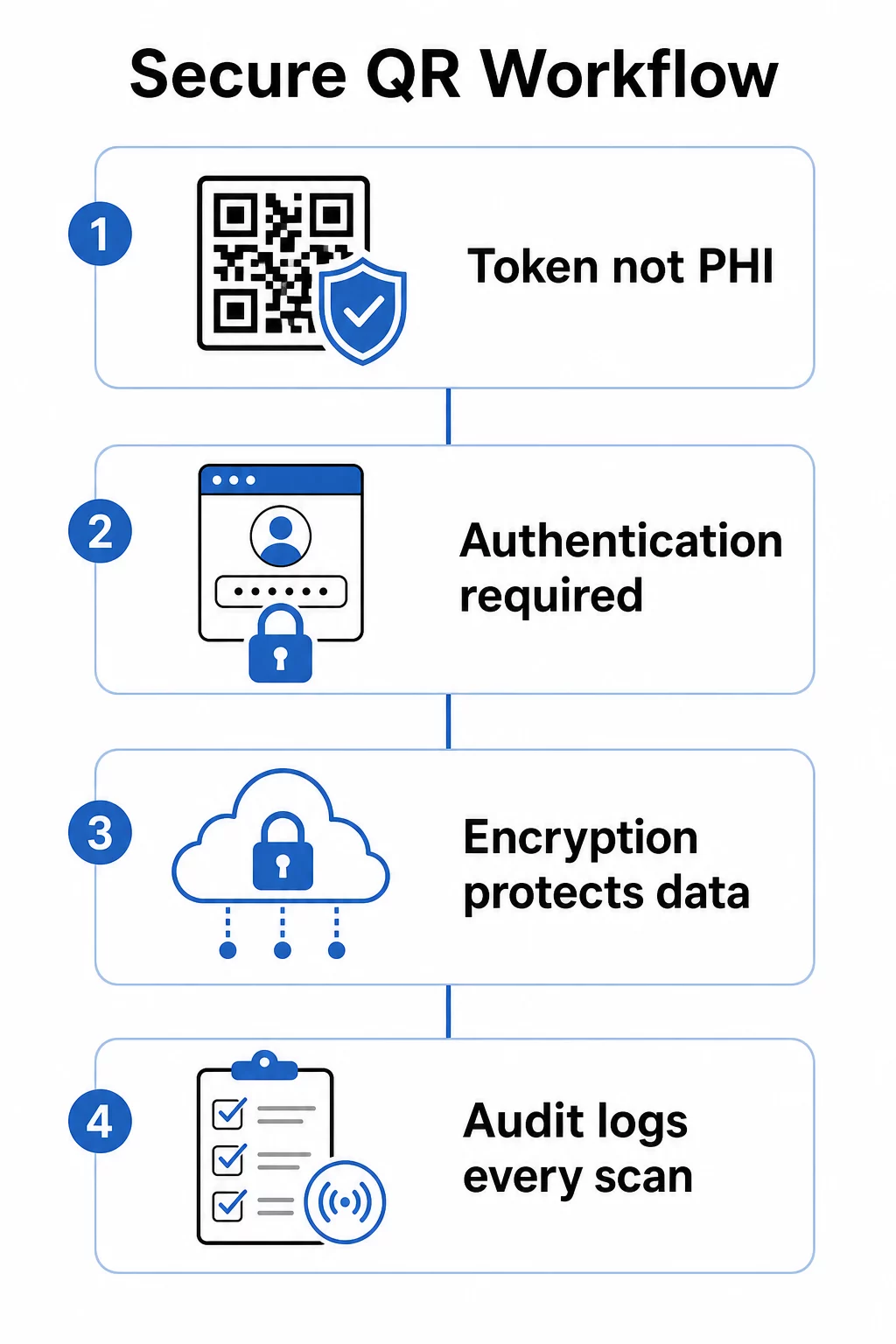
Kritinis skirtumas: pats QR kodas niekada neturėtų turėti saugomos sveikatos informacijos (PHI). Vietoj to, jis turėtų užkoduoti nepermatomą žetoną arba pasirašytą URL, kuris nukreipia į galinę sistemą, kurioje ePHI yra saugoma ir apsaugota tinkamomis apsaugos priemonėmis. Tai leidžia saugiai spausdinti fizinį kodą ant apyrankių, susitikimų kortelių ar išrašymo paketų, neatskleidžiant jautrių duomenų, jei kodas būtų nufotografuotas ar perimtas.
HIPAA reikalavimai, taikomi QR kodų sistemoms
HIPAA saugumo taisyklė nustato nacionalinius standartus elektroninės saugomos sveikatos informacijos (ePHI) apsaugai. Bet kokia QR kodų sistema, kuri kuria, gauna, palaiko ar perduoda ePHI, turi atitikti šiuos reikalavimus – taip pat ir bet kuris trečiosios šalies tiekėjas, dalyvaujantis šiame darbo procese.
Saugumo taisyklės techninės apsaugos priemonės apima keturias sritis, tiesiogiai susijusias su QR pagrindu veikiančiomis sistemomis:
- Prieigos kontrolė: Tik įgalioti asmenys ar programinės įrangos programos gali pasiekti sistemas, kuriose yra ePHI. Tai reiškia, kad QR susieti ištekliai turi reikalauti autentifikavimo prieš rodant paciento duomenis.
- Audito kontrolė: Mechanizmai turi registruoti ir tikrinti veiklą sistemose, kuriose yra arba naudojama ePHI. Kiekvienas nuskaitymas, prieigos bandymas ir duomenų gavimas turi būti registruojamas su laiko žymėmis ir vartotojo identifikatoriais.
- Perdavimo saugumas: Techninės priemonės turi apsaugoti nuo neteisėtos prieigos prie ePHI, perduodamos elektroniniais tinklais, įskaitant šifravimo ir vientisumo kontrolę.
- Autentifikavimas: Sistemos turi patikrinti, ar vartotojai yra tie, kuo jie prisistato, prieš suteikiant prieigą.
Privatumo taisyklė papildo minimalaus būtinumo standartą: turėtų būti dalijamasi tik ta informacija, kuri reikalinga konkrečiam tikslui. Dinaminiai QR kodai tiesiogiai tai palaiko – galite sukonfigūruoti kodą taip, kad būtų rodoma tik atitinkama paciento įrašo dalis, o ne visas failas.
Kai naudojate trečiosios šalies QR kodų platformą, kuri tvarko ePHI, HIPAA reikalauja pasirašytos Verslo partnerio sutarties (BAA). Ši sutartis teisiškai įpareigoja tiekėją laikytis tų pačių duomenų apsaugos ir pažeidimų pranešimo standartų, kurie taikomi jūsų organizacijai. Visada patikrinkite, ar tiekėjas pasirašys BAA ir ar jo dokumentuoti saugumo kontrolės mechanizmai – šifravimo standartai, prieigos registravimas, incidentų reagavimo procedūros – atitinka HIPAA reikalavimus prieš diegiant jų įrankius klinikinėje darbo eigoje.
Saugiai dalinkitės medicininiais dokumentais Reikia suteikti pacientams tiesioginę prieigą prie sutikimo formų, išrašymo instrukcijų ar laboratorinių tyrimų rezultatų? Naudokite PDF QR kodo generatorius norėdami įkelti failus ir generuoti sekamus, saugius QR kodus be el. pašto priedų ar popierinių perdavimų.
Statiniai ir dinaminiai QR kodai sveikatos priežiūrai
Ne visi QR kodai siūlo tą patį kontrolės lygį, o sveikatos priežiūros srityje skirtumas yra labai svarbus.
Statiniai QR kodai užkoduoja fiksuotus duomenis tiesiai į kodą. Atspausdinus jų negalima atnaujinti, atšaukti ar stebėti. Jei statinis kodas susieja su ištekliumi, kuris vėliau pasensta arba yra pažeidžiamas, neturite galimybės jo išjungti be pakartotinio spausdinimo. Sveikatos priežiūros programoms, susijusioms su bet kokia paciento specifine informacija, statiniai kodai sukelia nereikalingą riziką.
Dinaminiai QR kodai susieja su serverio pusės paskirties vieta, kurią kontroliuojate. Tai reiškia, kad galite:
- Atnaujinti susietą turinį neperspausdinant kodo
- Nustatykite galiojimo datas arba vienkartinės prieigos taisykles URL nuorodai
- Nedelsiant atšaukite prieigą, jei kodas pamestas, suklastotas arba nebereikalingas
- Stebėkite nuskaitymo veiklą realiuoju laiku – kas, kada ir iš kokio įrenginio pasiekė išteklių
Pavyzdžiui, gydytojas, dalijantis tyrimų rezultatus su specialistu vienai konsultacijai, gali nustatyti, kad nuoroda automatiškai nustotų galioti po sesijos. Jei paciento vaistų sąrašas pasikeičia, QR kodas jo medicininėje asmens tapatybės kortelėje ir toliau veikia, o susietas turinys atnaujinamas akimirksniu. Šis lankstumas daro dinaminius kodus tinkamu pasirinkimu jautrioms sveikatos priežiūros darbo eigoms.
Tas išsamiu QR kodų vadovu sveikatos priežiūrai rekomenduoja statinius kodus tik nuolatinei, nejautriai informacijai – higienos instrukcijoms, Wi-Fi prieigai laukiamuosiuose arba fiksuotiems kontaktiniams duomenims – ir dinaminius kodus viskam, kam reikalingi atnaujinimai, stebėjimas ar saugumo kontrolė.
Kurkite sekamus, redaguojamus sveikatos priežiūros QR kodus Valdykite visus savo sveikatos priežiūros QR kodus iš vienos prietaisų skydelio, atnaujinkite paskirties vietas be pakartotinio spausdinimo ir stebėkite nuskaitymo veiklą realiuoju laiku naudodami Pageloot sveikatos priežiūros QR kodų sprendimą.
Įgyvendintinos saugumo kontrolės priemonės
HIPAA techninių apsaugos reikalavimų įvykdymas QR kodų darbo eigoje reikalauja apgalvoto konfigūravimo. Šios kontrolės priemonės yra svarbiausios:
Šifravimas perduodant ir saugant
Visi su QR susieti ištekliai, tvarkantys ePHI, turi naudoti tik TLS ryšius su galiojančiais sertifikatais. Serveryje saugomi duomenys taip pat turi būti šifruojami ramybės būsenoje. AES-256 yra standartas, naudojamas finansinių institucijų ir vyriausybinių agentūrų, ir jis atitinka HIPAA šifravimo įgyvendinimo specifikacijas. Kaip šifravimas apsaugo QR kodo duomenis paaiškina, kaip simetrinis šifravimas, pvz., AES, gerai tinka QR programoms, atsižvelgiant į paties kodo formato saugojimo apribojimus.
Autentifikavimas ir prieigos kontrolė
Reikalauti, kad vartotojai patvirtintų savo tapatybę prieš peržiūrėdami ePHI, gautą per QR kodą. Tai gali apimti vienkartinį prisijungimą (SSO), daugiafaktorinį autentifikavimą (MFA) arba laiku pagrįstus sesijos žetonus. Rolėmis pagrįsta prieigos kontrolė užtikrina, kad registratūros administratorius ir gydantis gydytojas matytų tik tuos duomenis, kurių reikalauja jų vaidmuo. Pageloot palaiko rolėmis pagrįstą prieigos kontrolę įmonės vartotojams, leidžiant organizacijoms užkirsti kelią neteisėtiems redagavimams ir centralizuoti valdymą visose komandose.
Slaptažodžiu apsaugoti kodai
QR kodams, bendrinamiems pusiau viešose aplinkose – atspausdintiems išrašymo dokumentuose, pritvirtintiems prie įrangos ar įtrauktiems į siunčiamą medžiagą – slaptažodžio apsauga suteikia papildomą gynybos lygį. Net jei kas nors nufotografuoja kodą, jie negalės pasiekti susieto ištekliaus be prisijungimo duomenų.
Trumpalaikiai, pasirašyti URL adresai
Užuot išdavus nuolatines nuorodas, generuokite žetonus, kurie baigia galioti po nustatyto laikotarpio arba po vienkartinio naudojimo. Tai apriboja atskleidimo langą, jei kodas yra perimtas arba pasidalintas už numatyto gavėjo ribų.
Išsamus audito registravimas
Kiekvienas nuskaitymo bandymas, sėkminga prieiga ir duomenų sąveika turėtų būti automatiškai registruojama. Žurnaluose turi būti užfiksuoti laiko žymos, vartotojo identifikatoriai ir konkrečiai pasiekti ištekliai. Šie įrašai palaiko tiek įprastas HIPAA atitikties peržiūras, tiek reagavimą į incidentus, jei įtariamas pažeidimas. Organizacijos taip pat gali naudoti specializuotą duomenų apsaugos programinę įrangą jautriai informacijai stebėti, nustatyti galimą poveikį ir palaikyti greitesnį atsaką, kai kyla saugumo problemų.
Venkite viešų URL trumpiklių ir trečiųjų šalių sekiklių
QR kodu susieti ePHI puslapiai turėtų būti talpinami patikimuose, pirmosios šalies sveikatos priežiūros domenuose. Vieši URL trumpikliai užgožia paskirties vietą ir gali nukreipti srautą per trečiųjų šalių infrastruktūrą, kuri neatitinka HIPAA standartų. Naudokite privatumą saugančią analizę, o ne trečiųjų šalių sekimo scenarijus, kurie renka nereikalingus metaduomenis.
Norėdami plačiau susipažinti su saugaus QR kodo generavimo praktikomis, saugaus QR kodo generavimo geriausios praktikos vadovas ir QR kodo saugumo kibernetinės gynybos vadovas išsamiai aprašo šifravimą, klastojimo aptikimą ir stebėjimą.
Fizinė sauga: klastojimo ir sukčiavimo rizikos
Skaitmeniniai valdikliai apsaugo duomenis perdavimo metu, tačiau QR kodai klinikinėje aplinkoje taip pat susiduria su fizinėmis grėsmėmis. QR kodo sukčiavimas – kartais vadinamas “quishing” – įvyksta, kai užpuolikas uždeda apgaulingą QR kodą ant teisėto, nukreipdamas nuskaitymus į kenkėjišką svetainę, skirtą rinkti prisijungimo duomenis arba įdiegti kenkėjišką programinę įrangą. Ši rizika yra reali sveikatos priežiūros įstaigose, kur QR kodai atsiranda ant laukiamųjų salių iškabų, įrangos etikečių ir spausdintos pacientų medžiagos.
Mažinti fizinį klastojimą:
- Naudojant klastojimui atsparias medžiagas kodams, pritvirtintiems prie fizinių paviršių
- Įterpiant savo organizacijos logotipą ir prekės ženklą tiesiai į QR kodo dizainą, kad pakeisti kodai atrodytų vizualiai nenuoseklūs
- Nustatant reguliarų visų patalpintų QR kodų patikrinimo grafiką, su nuorodos nuotraukomis palyginimui
- Mokant personalą patikrinti, ar QR kodų paskirties vietos atitinka numatytus URL adresus prieš įvedant bet kokius prisijungimo duomenis
Pacientų ir personalo švietimas yra vienodai svarbus. Apmokykite savo komandą atpažinti įtartinus QR kodų platinimus, naudoti nuskaitymo programas, kurios parodo paskirties URL prieš jį atidarant, ir niekada neįvesti prisijungimo duomenų į puslapį, pasiektą nuskaičius nepažįstamą kodą. QR kodų privatumo įstatymai ir pagrindiniai reglamentai išsamiau aprašo šių rizikų reguliavimo kontekstą.
Sveikatos priežiūros naudojimo atvejai
Aukščiau nurodytos saugumo kontrolės priemonės leidžia įgyvendinti daugybę praktinių pritaikymų visame priežiūros spektre:
Pacientų registracija ir įsiregistravimas
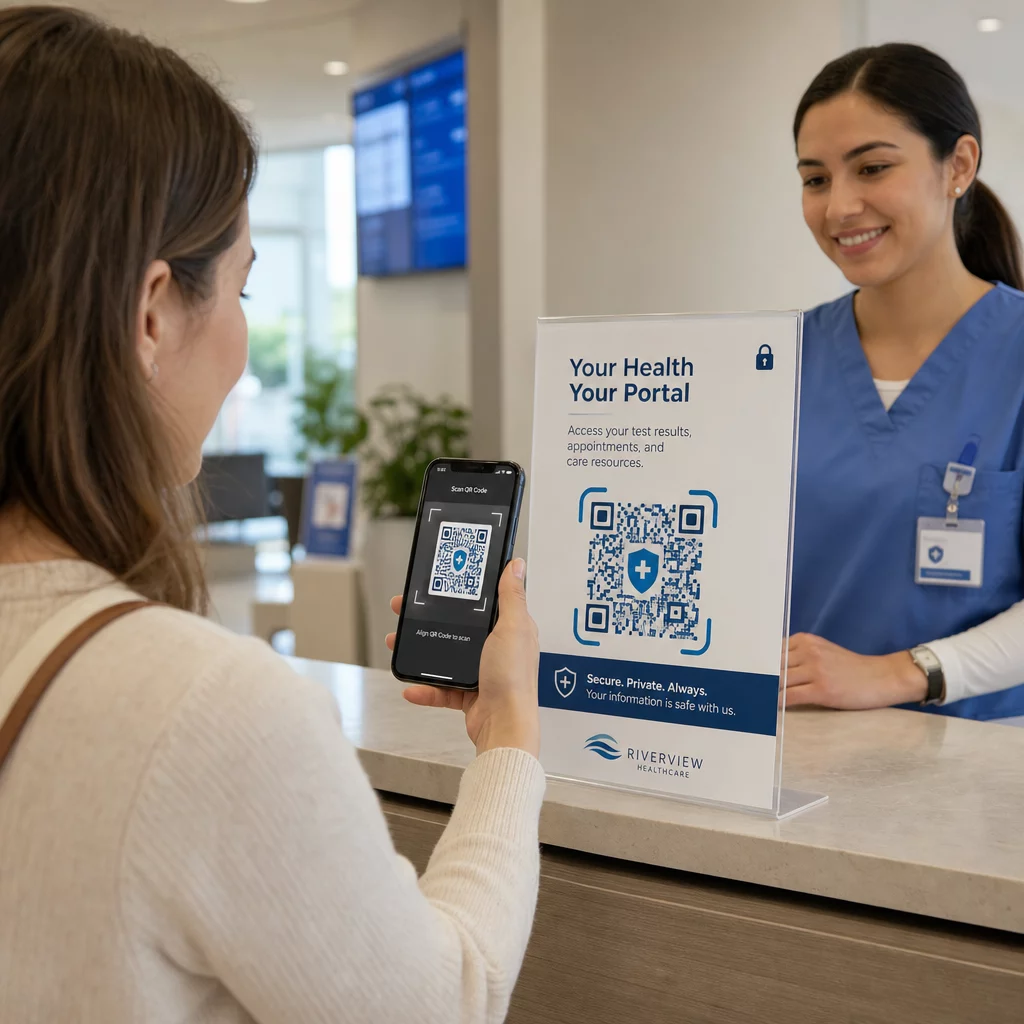
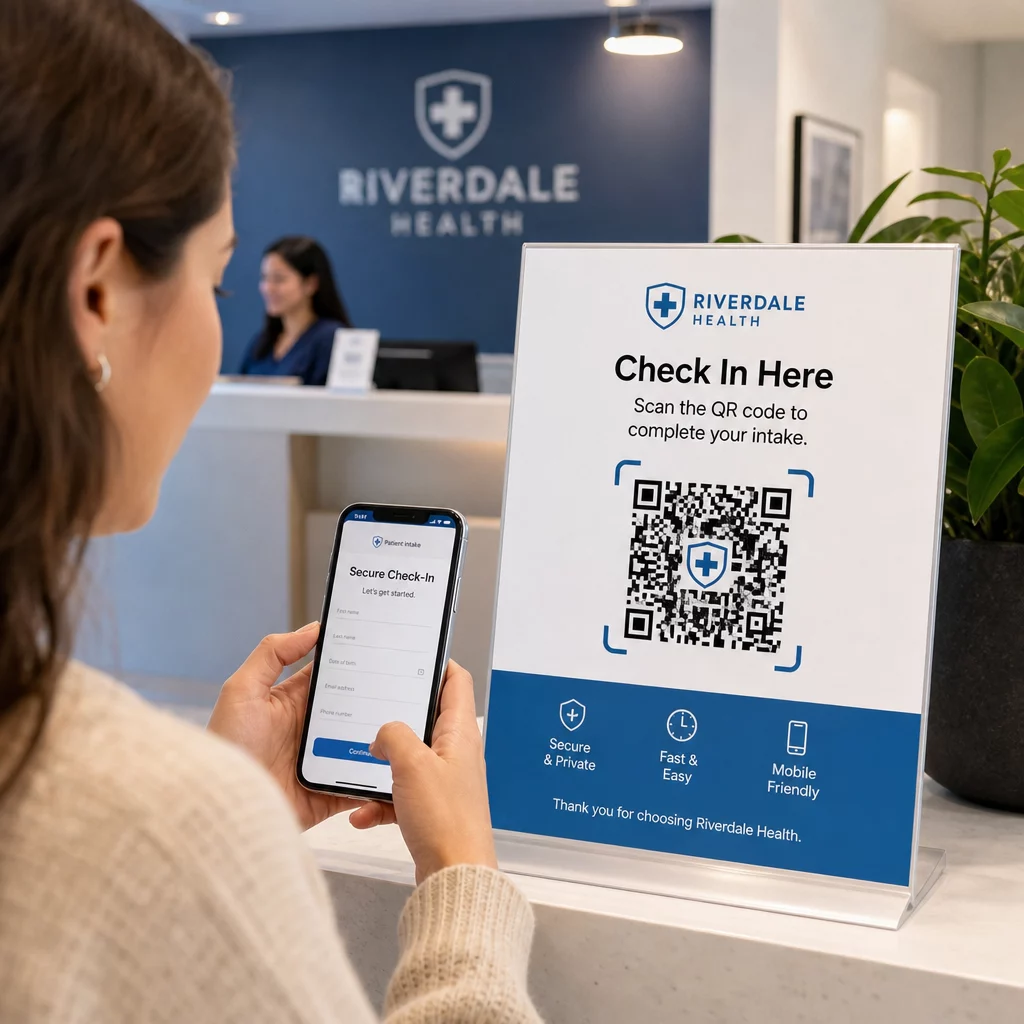
Pacientai atvykę nuskaito QR kodą, kad pasiektų saugią priėmimo formą, atnaujintų draudimo duomenis arba užpildytų sutikimo dokumentus savo įrenginyje. Tai pašalina popierines formas, sumažina registratūros apkrovą ir sukuria skaitmeninį pateiktų duomenų įrašą. Bekontakčio įsiregistravimo procesai plačiai paplito COVID-19 pandemijos metu ir toliau mažina laukimo laiką bei infekcijos riziką.
Saugus dokumentų platinimas
Laboratorijos rezultatai, vaizdinės diagnostikos ataskaitos, gydymo planai ir pooperacinės priežiūros instrukcijos gali būti platinami kaip PDF QR kodai. Pacientai pasiekia dokumentus tiesiogiai savo įrenginiuose, nereikalaujant prisijungimo prie portalo ar spausdinto lapelio. Kai rezultatai yra pakeičiami, dinaminis kodas automatiškai atspindi atnaujintą turinį. failų įkėlimo funkcija „Pageloot“ palaiko saugų PDF talpinimą būtent šiam naudojimo atvejui.
Avarinė prieiga prie kritinės sveikatos informacijos
Pacientai gali nešiotis QR kodus ant medicininių įspėjamųjų kortelių ar apyrankių, susietų su svarbia informacija – alergijomis, dabartiniais vaistais, implantuotais prietaisais, skubios pagalbos kontaktais. Pirmieji gelbėtojai nuskaito kodą, kad gautų gyvybę gelbstinčią informaciją, kai pacientas negali bendrauti. Dinaminiai kodai užtikrina, kad šie duomenys išliktų aktualūs, nereikalaujant naujos kortelės kiekvieną kartą, kai keičiasi vaistai.
Duomenų dalijimasis tarp paslaugų teikėjų
Perduodant priežiūrą tarp įstaigų arba konsultuojantis su specialistais, siunčiantis paslaugų teikėjas sugeneruoja laikiną QR kodą, susietą su atitinkama paciento įrašo dalimi. Gaunantis paslaugų teikėjas nuskaito kodą, kad saugiai pasiektų duomenis. Prieiga automatiškai pasibaigia po konsultacijos laikotarpio, sumažinant neteisėtos prieigos riziką ateityje.
Vaistų valdymas
QR kodai ant receptinių pakuočių susieja pacientus su dozavimo instrukcijomis, daugiakalbiais ištekliais, priminimo įrankiais ir palaikymo programomis. Namų priežiūrai QR kodai gali susieti su atnaujintais priežiūros planais ir vaistų tvarkaraščiais, kurie atspindi naujausius receptus, nereikalaujant naujo spausdinimo.
Įrangos sekimas ir priežiūra
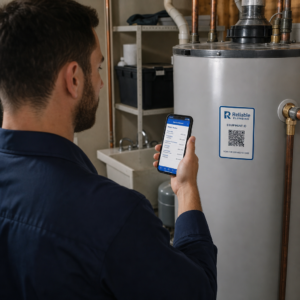
QR kodai ant medicinos prietaisų suteikia klinikiniam personalui tiesioginę prieigą prie prietaisų specifikacijų, priežiūros grafikų, kalibravimo įrašų ir saugos įspėjimų – sumažinant administracines išlaidas ir palaikant atitiktį įrangos saugos reikalavimams.
QR kodų palyginimas su kitais dalijimosi metodais
| Metodas | Privatumas ir saugumas | Naudojamumas | Atnaujinimai realiuoju laiku | Audito seka |
|---|---|---|---|---|
| Dinaminiai QR kodai | Aukštas (šifruotas, kontroliuojama prieiga) | Puikus (momentinis nuskaitymas) | Taip | Taip (automatinis registravimas) |
| Statiniai QR kodai | Vidutinis (nėra atšaukimo) | Puikus (momentinis nuskaitymas) | Ne | Ribotas |
| Pacientų portalai | Aukštas (palaikomas MFA) | Prastas (prisijungimo trintis) | Taip | Taip |
| El. paštas/Faksas | Žemas (dažnai nešifruotas) | Vidutinis | Ne | Ne |
| Tradiciniai brūkšniniai kodai | Vidutinis (ribotas šifravimas) | Geras (reikalingas skaitytuvas) | Ne | Ne |
Dinaminiai QR kodai užima praktišką vidurį: jie siūlo paciento portalo saugumo kontrolę be prisijungimo trinties, kuri atgraso pacientus nuo įsitraukimo. Jie pranašesni už faksą ir el. paštą visais saugumo aspektais ir suteikia audito žurnalus, kurių reikalauja HIPAA – be infrastruktūros išlaidų, susijusių su specialios portalo sistemos kūrimu ar palaikymu.
Įgyvendinimo kontrolinis sąrašas
Prieš diegiant QR kodus bet kokioje darbo eigoje, susijusioje su paciento duomenimis, patikrinkite, ar šios kontrolės priemonės yra įdiegtos:
- QR kodai koduoja nepermatomus žetonus, o ne tiesiogiai PHI
- Visi susieti ištekliai naudoja HTTPS su galiojančiais sertifikatais
- ePHI yra šifruojama perduodant ir ramybės būsenoje
- Autentifikavimas (MFA arba SSO) reikalingas prieš rodant paciento duomenis
- Prieiga apibrėžiama pagal vaidmenį, naudojant mažiausių privilegijų principus
- URL nuorodos yra riboto galiojimo arba vienkartinės jautriems mainams
- Kiekvienas nuskaitymas ir prieigos įvykis yra automatiškai registruojamas
- Žurnalai reguliariai peržiūrimi ir saugomi pagal jūsų organizacijos politiką
- Pasirašyta BAA sutartis yra sudaryta su jūsų QR kodų platformos tiekėju
- Fiziniai kodai yra firminiai, reguliariai tikrinami ir naudoja klastojimui atsparias medžiagas
- Darbuotojai yra apmokyti apie „quishing“ riziką ir saugų nuskaitymo elgesį
- Pacientams skirti kodai susieja tik su minimalia būtina informacija
Norėdami giliau pažvelgti į QR kodų taikymą įvairiose klinikinėse aplinkose, QR kodai ligoninėms ir sveikatos priežiūrai puslapis apima pacientų identifikavimą, įrangos sekimą, vaistų skaidrumą ir dar daugiau. Taip pat galite ištirti QR kodų sprendimus pagal pramonės šakas kad pamatytumėte, kaip ta pati technologija prisitaiko prie skirtingų veiklos kontekstų.
QR kodai veikia sveikatos priežiūros srityje, kai diegimas juos traktuoja kaip saugią sąsają tinkamai apsaugotoms sistemoms – o ne kaip jautrių duomenų saugojimo mechanizmą. Sukurkite tinkamą architektūrą, įdiekite autentifikavimą ir registravimą, ir QR kodai taps vienu iš mažiausiai trinties keliančių būdų suteikti pacientams ir paslaugų teikėjams greitą, atitinkantį reikalavimus priėjimą prie jiems reikalingos informacijos.
Sukurkite HIPAA reikalavimus atitinkančią QR kodų darbo eigą Generuokite dinaminius, firminius QR kodus su integruotu nuskaitymo sekimu, prieigos kontrolėmis ir realaus laiko analize. Platforma Pageloot nuorodų QR kodo generatoriumi leidžia jums kurti ir valdyti kiekvieną kodą iš vienos prietaisų skydelio – ir atnaujinti paskirties vietas bet kuriuo metu be pakartotinio spausdinimo.
Dažniausiai užduodami klausimai
Ne. QR kodas turėtų koduoti tik nepermatomą žetoną arba pasirašytą URL, nukreipiantį į saugią užpakalinę sistemą. PHI yra saugoma ir apsaugota serverio pusėje pagal tinkamas HIPAA apsaugos priemones. Tokiu būdu, nufotografavus ar perėmus kodą, nepasiekiami jokie paciento duomenys – prieigai vis dar reikalinga autentifikacija susietoje vietoje.
Dinaminiai QR kodai leidžia jums atnaujinti susietą turinį, nustatyti galiojimo datas, akimirksniu atšaukti prieigą ir stebėti kiekvieną nuskaitymo bandymą realiuoju laiku. Statiniai kodai yra nuolatiniai ir neatšaukiami – jei susietas šaltinis pasikeičia arba kyla saugumo problema, negalite išjungti kodo jo neperspausdinę. Bet kokiam darbo procesui, apimančiam konkretaus paciento informaciją ar laiko jautrius duomenis, dinaminiai kodai yra tinkamas pasirinkimas.
Taip, jei pardavėjo platforma kuria, gauna, saugo ar perduoda ePHI kaip jūsų darbo eigos dalį. HIPAA reikalauja pasirašytos BAA su bet kuriuo verslo partneriu, dalyvaujančiu tvarkant saugomą sveikatos informaciją. Prieš pasirinkdami platformą, patvirtinkite, kad pardavėjas pasirašys BAA ir kad jo saugumo kontrolės priemonės – šifravimo standartai, prieigos registravimas, pranešimo apie pažeidimus procedūros – atitinka HIPAA reikalavimus.