QR kodlarının korunan sağlık bilgilerini paylaşmak için yeterince güvenli olup olmadığından emin değil misiniz? Hasta verilerini – kazara bile olsa – ifşa etmek HIPAA ihlallerine, yüksek para cezalarına ve hasta güveninin sarsılmasına yol açabilir. Bu kılavuz, QR kodlarının sağlık hizmeti ortamlarında güvenli bir şekilde nasıl uygulanacağını, hangi uyumluluk gereksinimlerinin geçerli olduğunu ve hasta verilerini her adımda koruyan uygulamaları açıklamaktadır.
QR Kodları Sağlık Veri Paylaşımı İçin Nasıl Çalışır?
QR kodları, taranabilir bir desene bir bağlantı veya belirteç kodlar. Bir personel veya hasta kodu taradığında, cihazları ilgili içeriği – bir hasta kabul formu, laboratuvar sonucu, taburculuk talimatı veya güvenli portal – manuel veri girişi veya özel yazılım gerektirmeden alır.
Sağlık hizmetlerinde bu önemlidir, çünkü alternatif genellikle telefon görüşmeleri, faks iletimleri, basılı formlar ve şifrelenmemiş e-postaların parçalı bir karışımıdır. QR kodları bu temas noktalarını tek, denetlenebilir bir etkileşime dönüştürür. Sağlık hizmetleri ve hastaneler için QR kodları kılavuzu hasta erişimini iyileştirmenin, iletişimi kolaylaştırmanın ve özel bir teknoloji ekibi gerektirmeden operasyonel güvenliği artırmanın bir yolu olarak tanımlar.
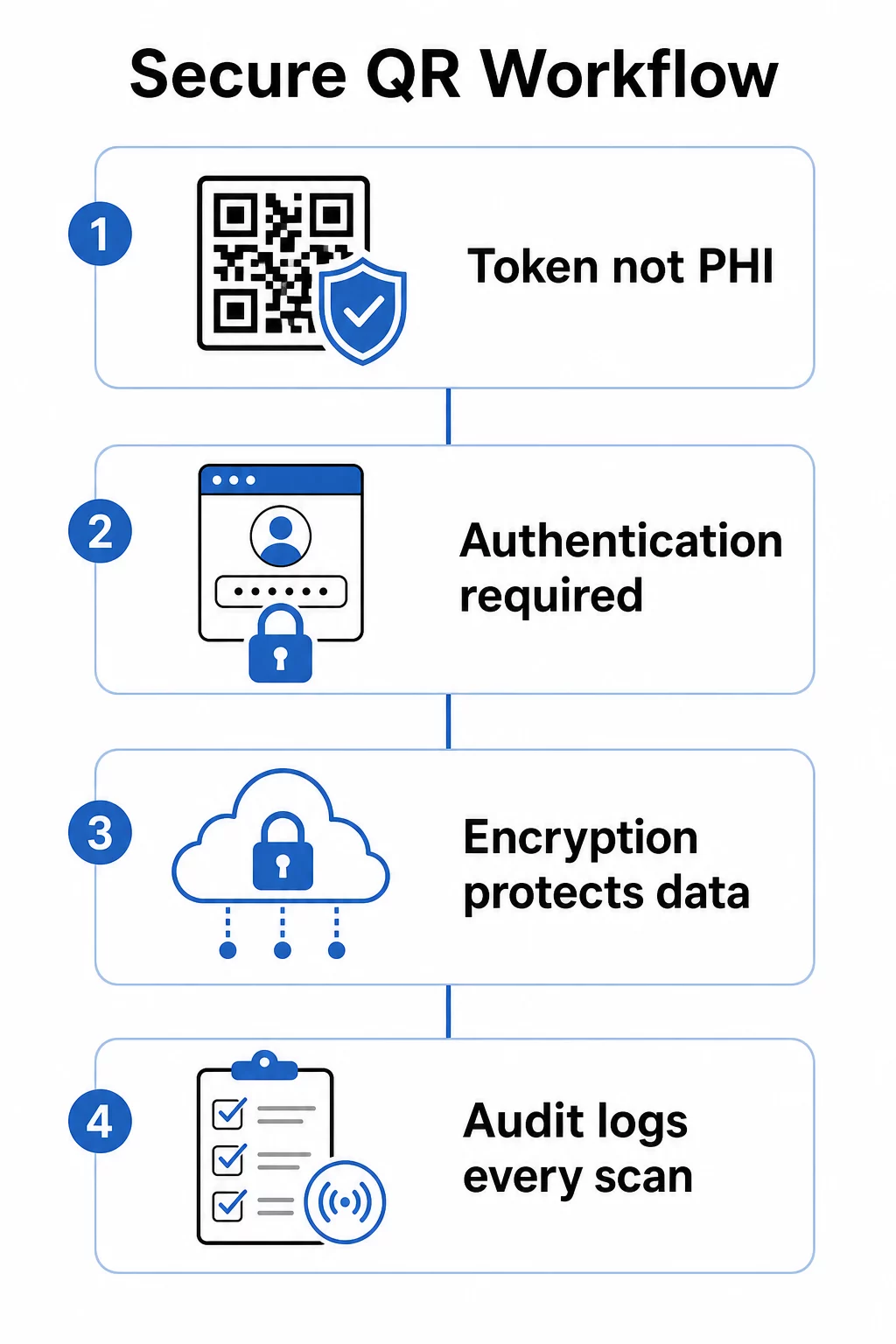
Kritik bir ayrım: QR kodunun kendisi asla korunan sağlık bilgisi (PHI) içermemelidir. Bunun yerine, ePHI'nin uygun güvenlik önlemleri altında depolandığı ve korunduğu bir arka uç sistemine işaret eden opak bir belirteç veya imzalı bir URL kodlamalıdır. Bu, kodun fotoğraflanması veya ele geçirilmesi durumunda hassas verileri ifşa etmeden fiziksel kodu bilekliklere, randevu kartlarına veya taburculuk paketlerine yazdırmak için güvenli tutar.
QR Kod Sistemlerine Uygulanan HIPAA Gereksinimleri
HIPAA Güvenlik Kuralı, elektronik korunan sağlık bilgilerini (ePHI) korumak için ulusal standartlar belirler. ePHI oluşturan, alan, sürdüren veya ileten herhangi bir QR kod sistemi bu gereksinimleri karşılamalıdır – ve bu iş akışına dahil olan herhangi bir üçüncü taraf satıcı da.
Güvenlik Kuralı'nın teknik koruyucuları, QR tabanlı sistemlerle doğrudan ilgili dört alanı kapsar:
- Erişim kontrolü: Yalnızca yetkili kişiler veya yazılım programları ePHI içeren sistemlere erişebilir. Bu, QR bağlantılı kaynakların hasta verilerini görüntülemeden önce kimlik doğrulama gerektirmesi gerektiği anlamına gelir.
- Denetim kontrolleri: Mekanizmalar, ePHI içeren veya kullanan sistemlerdeki etkinliği kaydetmeli ve incelemelidir. Her tarama, erişim denemesi ve veri alımı, zaman damgaları ve kullanıcı tanımlayıcıları ile günlüğe kaydedilmelidir.
- İletim güvenliği: Teknik önlemler, şifreleme ve bütünlük kontrolleri dahil olmak üzere elektronik ağlar üzerinden iletilen ePHI'ye yetkisiz erişime karşı koruma sağlamalıdır.
- Kimlik Doğrulama: Sistemler, erişim izni vermeden önce kullanıcıların iddia ettikleri kişiler olduğunu doğrulamalıdır.
Gizlilik Kuralı şunları ekler: asgari gerekli standart: yalnızca belirli bir amaç için gerekli olan bilgiler paylaşılmalıdır. Dinamik QR kodları bunu doğrudan destekler – bir kodu, bir hasta kaydının tamamını değil, yalnızca ilgili kısmını gösterecek şekilde yapılandırabilirsiniz.
ePHI'yi işleyen üçüncü taraf bir QR kod platformu kullandığınızda, HIPAA imzalı bir İş Ortağı Sözleşmesi (BAA). gerektirir. Bu sözleşme, satıcıyı kuruluşunuz için geçerli olan veri koruma ve ihlal bildirim standartlarına yasal olarak bağlar. Bir satıcının BAA imzalayacağını ve belgelenmiş güvenlik kontrollerinin – şifreleme standartları, erişim günlüğü, olay müdahale prosedürleri – araçlarını klinik bir iş akışına dağıtmadan önce HIPAA gereksinimlerini karşıladığını daima doğrulayın.
Tıbbi Belgeleri Güvenli Bir Şekilde Paylaşın Hastalara onay formlarına, taburcu talimatlarına veya laboratuvar sonuçlarına anında erişim sağlamanız mı gerekiyor? Şunu kullanın: PDF QR Kod Oluşturucu dosyaları yüklemek ve e-posta ekleri veya kağıt teslimi olmadan izlenebilir, güvenli QR kodları oluşturmak için.
Sağlık Hizmetleri İçin Statik ve Dinamik QR Kodları
Tüm QR kodları aynı düzeyde kontrol sunmaz ve sağlık hizmetleri kullanımı için bu fark önemli ölçüde önemlidir.
Statik QR kodları sabit verileri doğrudan koda kodlar. Bir kez basıldıktan sonra güncellenemez, iptal edilemez veya izlenemezler. Statik bir kod, daha sonra güncelliğini yitiren veya tehlikeye giren bir kaynağa bağlanırsa, yeniden basmadan onu devre dışı bırakmanın bir yolu yoktur. Hasta özelinde herhangi bir bilgi içeren sağlık uygulamaları için statik kodlar gereksiz risk oluşturur.
Dinamik QR kodları kontrol ettiğiniz sunucu tarafı bir hedefe bağlanır. Bu, şunları yapabileceğiniz anlamına gelir:
- Bağlantılı içeriği kodu yeniden basmadan güncelleyin
- URL üzerinde son kullanma tarihleri veya tek seferlik erişim kuralları belirleyin
- Bir kod kaybolursa, kurcalanırsa veya artık gerekmiyorsa erişimi derhal iptal edin
- Tarama etkinliğini gerçek zamanlı olarak izleyin – kaynağa kimin, ne zaman ve hangi cihazdan eriştiğini
Örneğin, bir uzmanla tek bir konsültasyon için test sonuçlarını paylaşan bir doktor, bağlantıyı oturumdan sonra otomatik olarak sona erecek şekilde yapılandırabilir. Bir hastanın ilaç listesi değişirse, tıbbi kimlik kartındaki QR kodu çalışmaya devam ederken bağlantılı içerik anında güncellenir. Bu esneklik, dinamik kodları hassas sağlık hizmetleri iş akışları için uygun bir seçim haline getirir.
Bu sağlık sektörü için QR kodları nihai rehberi statik kodları yalnızca kalıcı, hassas olmayan bilgiler (hijyen talimatları, bekleme odalarındaki Wi-Fi erişimi veya sabit iletişim bilgileri) için ve dinamik kodları ise güncelleme, izleme veya güvenlik kontrolleri gerektiren her şey için önerir.
İzlenebilir, Düzenlenebilir Sağlık Hizmetleri QR Kodları Oluşturun Tüm sağlık hizmetleri QR kodlarınızı tek bir kontrol panelinden yönetin, yeniden yazdırmadan hedefleri güncelleyin ve tarama etkinliğini gerçek zamanlı olarak izleyin Pageloot sağlık hizmetleri QR kodu çözümü.
Uygulanacak Güvenlik Kontrolleri
Bir QR kodu iş akışında HIPAA'nın teknik koruma gereksinimlerini karşılamak, dikkatli bir yapılandırma gerektirir. En önemli kontroller şunlardır:
Aktarımda ve beklemede şifreleme
ePHI'yi işleyen tüm QR bağlantılı kaynaklar, geçerli sertifikalara sahip yalnızca TLS bağlantıları kullanmalıdır. Sunucuda depolanan veriler de beklemede şifrelenmelidir. AES-256, finans kurumları ve devlet kurumları tarafından kullanılan standarttır ve HIPAA'nın şifreleme uygulama özelliklerini karşılar. Şifreleme QR kodu verilerini nasıl güvence altına alır AES gibi simetrik şifrelemenin, kod formatının depolama kısıtlamaları göz önüne alındığında QR uygulamaları için neden iyi çalıştığını açıklar.
Kimlik doğrulama ve erişim kontrolü
Kullanıcıların bir QR kodu aracılığıyla alınan ePHI'yi görüntülemeden önce kimliklerini doğrulamalarını zorunlu kılın. Bu, tek oturum açma (SSO), çok faktörlü kimlik doğrulama (MFA) veya zamana dayalı oturum belirteçlerini içerebilir. Rol tabanlı erişim kontrolü, bir resepsiyon yöneticisinin ve bir doktorun yalnızca rollerinin gerektirdiği verileri görmesini sağlar. Pageloot, kurumsal kullanıcılar için rol tabanlı erişim kontrolünü destekleyerek kuruluşların yetkisiz düzenlemeleri önlemesine ve ekipler arasında yönetimi merkezileştirmesine olanak tanır.
Parola korumalı kodlar
Yarı kamusal bağlamlarda paylaşılan QR kodları için – taburcu evraklarına basılmış, ekipmana yapıştırılmış veya postalanan materyallere dahil edilmiş – parola koruması ek bir savunma katmanı sağlar. Biri kodu fotoğraflasa bile, kimlik bilgileri olmadan bağlantılı kaynağa erişemez.
Kısa ömürlü, imzalı URL'ler
Kalıcı bağlantılar vermek yerine, belirli bir süre sonra veya tek kullanımdan sonra süresi dolan belirteçler oluşturun. Bu, bir kodun ele geçirilmesi veya hedeflenen alıcının ötesinde paylaşılması durumunda maruz kalma penceresini sınırlar.
Kapsamlı denetim kaydı
Her tarama girişimi, başarılı erişim ve veri etkileşimi otomatik olarak kaydedilmelidir. Kayıtlar zaman damgalarını, kullanıcı tanımlayıcılarını ve erişilen belirli kaynakları yakalamalıdır. Bu kayıtlar hem rutin HIPAA uyumluluk incelemelerini hem de bir ihlalden şüphelenildiğinde olay müdahalesini destekler. Kuruluşlar ayrıca özel veri koruma yazılımı hassas bilgileri izlemek, potansiyel maruziyeti belirlemek ve güvenlik sorunları ortaya çıktığında daha hızlı bir yanıtı desteklemek için.
Herkese açık URL kısaltıcılarından ve üçüncü taraf izleyicilerden kaçının
QR bağlantılı ePHI sayfaları güvenilir, birinci taraf sağlık hizmetleri alan adları altında barındırılmalıdır. Herkese açık URL kısaltıcıları hedefi gizler ve trafiği HIPAA standartlarını karşılamayan üçüncü taraf altyapı üzerinden yönlendirebilir. Gereksiz meta verileri toplayan üçüncü taraf izleme komut dosyaları yerine gizliliği koruyan analizler kullanın.
Güvenli QR kodu oluşturma uygulamalarına daha geniş bir bakış için, güvenli QR kodu oluşturma en iyi uygulamaları kılavuzu ve siber savunmada QR kodu güvenliği kılavuzu şifreleme, kurcalama tespiti ve izlemeyi ayrıntılı olarak ele alır.
Fiziksel Güvenlik: Kurcalama ve Kimlik Avı Riskleri
Dijital kontroller aktarımdaki verileri korur, ancak klinik ortamlardaki QR kodları fiziksel tehditlerle de karşı karşıyadır. QR kodu kimlik avı – bazen “quishing” olarak adlandırılır – bir saldırganın meşru bir QR kodunun üzerine sahte bir QR kodu yerleştirerek taramaları kimlik bilgilerini toplamak veya kötü amaçlı yazılım yüklemek için tasarlanmış kötü niyetli bir siteye yönlendirmesiyle meydana gelir. Bu risk, QR kodlarının bekleme odası tabelalarında, ekipman etiketlerinde ve basılı hasta materyallerinde göründüğü sağlık hizmetleri ortamlarında gerçektir.
Fiziksel kurcalamayı azaltmak için:
- Fiziksel yüzeylere yapıştırılan kodlar için kurcalamaya dayanıklı malzemeler kullanmak
- Kuruluşunuzun logosunu ve markasını doğrudan QR kod tasarımına yerleştirmek, böylece değiştirilmiş kodların görsel olarak tutarsız görünmesini sağlamak
- Yerleştirilen tüm QR kodları için rutin bir denetim programı oluşturmak ve karşılaştırma için referans fotoğrafları kullanmak
- Personeli, herhangi bir kimlik bilgisi girmeden önce QR kod hedeflerinin beklenen URL'lerle eşleştiğini doğrulamak üzere eğitmek
Hasta ve personel eğitimi de aynı derecede önemlidir. Ekibinizi şüpheli QR dağıtımlarını tanımaları, hedef URL'yi açmadan önce önizleyen tarama uygulamaları kullanmaları ve yabancı bir kod tarayarak ulaşılan bir sayfaya asla oturum açma kimlik bilgilerini girmemeleri konusunda eğitin. QR kodu gizlilik yasaları ve temel düzenlemeler bu riskler için düzenleyici bağlamı daha ayrıntılı olarak özetlemektedir.
Sağlık Hizmetleri Kullanım Durumları
Yukarıdaki güvenlik kontrolleri, bakım sürekliliği boyunca bir dizi pratik uygulamayı mümkün kılar:
Hasta kaydı ve giriş
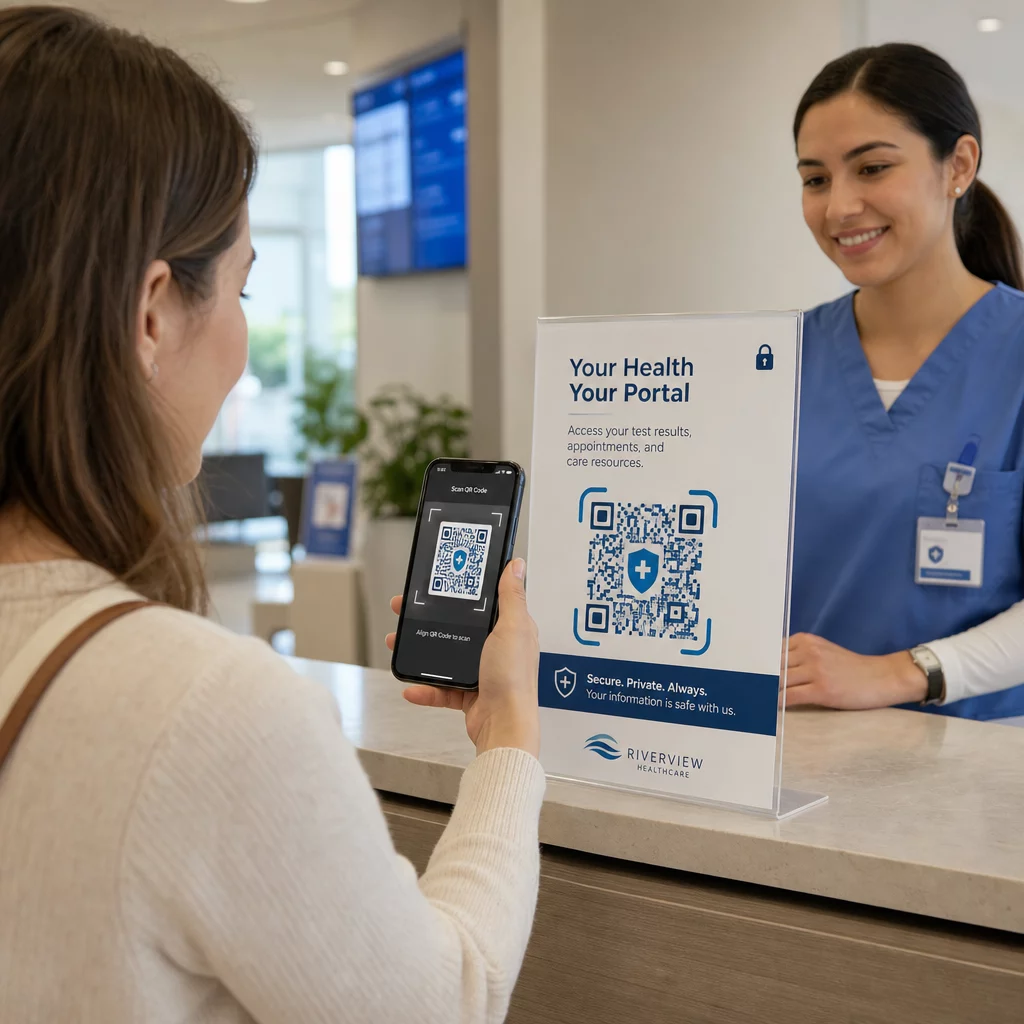
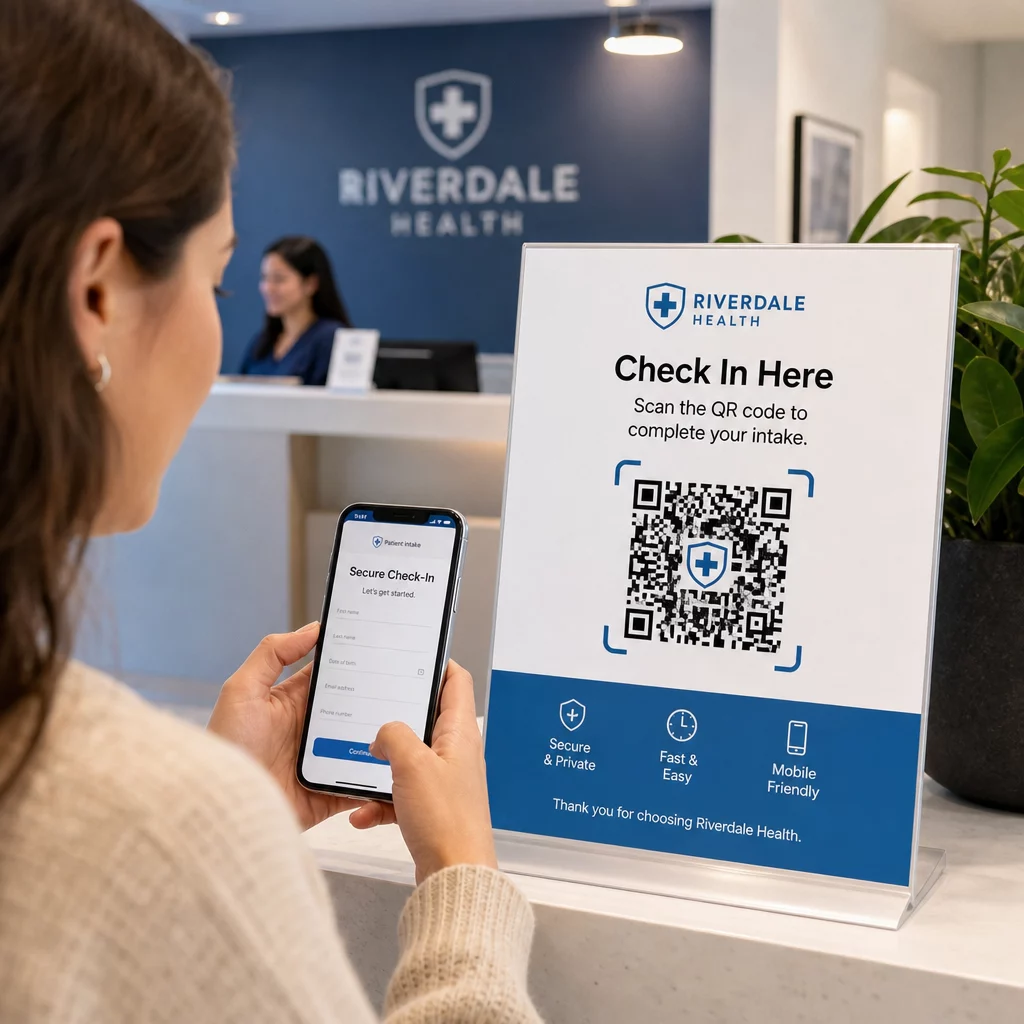
Hastalar, varışta güvenli bir başvuru formuna erişmek, sigorta bilgilerini güncellemek veya kendi cihazlarında onay belgelerini tamamlamak için bir QR kodu tarar. Bu, kağıt formları ortadan kaldırır, ön büro yükünü azaltır ve gönderimlerin dijital kaydını oluşturur. Temassız giriş iş akışları COVID-19 sırasında geniş çapta benimsenmiş ve bekleme sürelerini ve enfeksiyon riskini azaltmaya devam etmektedir.
Güvenli belge dağıtımı
Laboratuvar sonuçları, görüntüleme raporları, tedavi planları ve taburculuk sonrası talimatlar PDF QR kodları olarak dağıtılabilir. Hastalar, bir portal girişi veya basılı bir broşür gerektirmeden belgelere doğrudan kendi cihazlarından erişir. Sonuçlar değiştirildiğinde, dinamik kod güncellenmiş içeriği otomatik olarak yansıtır. dosya yükleme özelliği Pageloot'taki tam da bu kullanım durumu için güvenli PDF barındırmayı destekler.
Acil durumlarda kritik sağlık bilgilerine erişim
Hastalar, alerjiler, mevcut ilaçlar, implante edilmiş cihazlar, acil durum kişileri gibi kritik detaylara bağlantı veren QR kodlarını tıbbi uyarı kartlarında veya bilekliklerinde taşıyabilirler. İlk müdahale ekipleri, hasta iletişim kuramadığında hayat kurtarıcı bilgilere ulaşmak için kodu tarar. Dinamik kodlar, ilaçlar her değiştiğinde yeni bir karta ihtiyaç duymadan bu verilerin güncel kalmasını sağlar.
Sağlayıcıdan sağlayıcıya veri paylaşımı
Tesisler arasında bakım transferi yaparken veya uzmanlara danışırken, gönderen bir sağlayıcı hastanın kaydının ilgili kısmına bağlı, zaman sınırlı bir QR kodu oluşturur. Alan sağlayıcı, verilere güvenli bir şekilde erişmek için kodu tarar. Erişim, danışma süresi sona erdikten sonra otomatik olarak sona erer ve yetkisiz gelecekteki erişim riskini azaltır.
İlaç yönetimi
Reçete ambalajlarındaki QR kodları, hastaları dozaj talimatlarına, çok dilli kaynaklara, hatırlatma araçlarına ve destek programlarına bağlar. Evde bakım için, QR kodları, yeni bir çıktıya ihtiyaç duymadan en güncel reçeteleri yansıtan güncellenmiş bakım planlarına ve ilaç programlarına bağlanabilir.
Ekipman takibi ve bakımı
Tıbbi cihazlardaki QR kodları, klinik personele cihaz özelliklerine, bakım programlarına, kalibrasyon kayıtlarına ve güvenlik uyarılarına anında erişim sağlar; bu da idari yükü azaltır ve ekipman güvenlik gereksinimlerine uyumu destekler.
QR Kodlarını Diğer Paylaşım Yöntemleriyle Karşılaştırma
| Yöntem | Gizlilik ve Güvenlik | Kullanılabilirlik | Gerçek Zamanlı Güncellemeler | Denetim İzleği |
|---|---|---|---|---|
| Dinamik QR Kodları | Yüksek (şifreli, erişim kontrollü) | Mükemmel (anında tarama) | Evet | Evet (otomatik kayıt) |
| Statik QR Kodları | Orta (geri alma yok) | Mükemmel (anında tarama) | Hayır | Sınırlı |
| Hasta Portalları | Yüksek (MFA destekli) | Zayıf (giriş sürtünmesi) | Evet | Evet |
| E-posta/Faks | Düşük (genellikle şifresiz) | Orta | Hayır | Hayır |
| Geleneksel Barkodlar | Orta (sınırlı şifreleme) | İyi (tarayıcı gerektirir) | Hayır | Hayır |
Dinamik QR kodları pratik bir orta yol sunar: hasta katılımını engelleyen giriş sürtünmesi olmadan bir hasta portalının güvenlik kontrollerini sağlarlar. Her güvenlik boyutunda faks ve e-postadan daha iyi performans gösterirler ve HIPAA'nın gerektirdiği denetim izlerini, özel bir portal sistemi kurma veya sürdürme altyapı maliyeti olmadan sağlarlar.
Uygulama Kontrol Listesi
Hasta verilerini içeren herhangi bir iş akışında QR kodlarını dağıtmadan önce, bu kontrollerin mevcut olduğunu doğrulayın:
- QR kodları doğrudan PHI değil, opak belirteçleri kodlar
- Bağlantılı tüm kaynaklar geçerli sertifikalarla HTTPS kullanır
- ePHI aktarım sırasında ve beklemede şifrelenir
- Hasta verilerini görüntülemeden önce kimlik doğrulama (MFA veya SSO) gereklidir
- Erişim, en az ayrıcalık ilkeleri kullanılarak role göre kapsamlandırılır
- URL'ler hassas alışverişler için zaman sınırlı veya tek kullanımlıktır
- Her tarama ve erişim olayı otomatik olarak kaydedilir
- Günlükler düzenli olarak incelenir ve kuruluşunuzun politikalarına göre saklanır
- QR kod platformu satıcınızla imzalı bir BAA mevcuttur
- Fiziksel kodlar markalıdır, düzenli olarak denetlenir ve kurcalanmaya karşı belirgin malzemeler kullanır
- Personel, kimlik avı riskleri ve güvenli tarama davranışları konusunda eğitim almıştır
- Hasta odaklı kodlar yalnızca asgari gerekli bilgilere bağlantı verir
Klinik ortamlardaki QR kod uygulamalarına daha derinlemesine bir bakış için, hastaneler ve sağlık hizmetleri için QR kodları sayfası hasta kimliği, ekipman takibi, ilaç şeffaflığı ve daha fazlasını kapsar. Ayrıca şunları da keşfedebilirsiniz: sektöre göre QR kod çözümleri aynı teknolojinin farklı operasyonel bağlamlara nasıl uyum sağladığını görmek için.
QR kodları, uygulama onları hassas veriler için bir depolama mekanizması olarak değil, düzgün bir şekilde korunan sistemlere güvenli bir arayüz olarak ele aldığında sağlık hizmetlerinde işe yarar. Mimarinin doğru olduğundan emin olun, kimlik doğrulama ve günlük kaydını uygulayın; böylece QR kodları, hastalara ve sağlayıcılara ihtiyaç duydukları bilgilere hızlı ve uyumlu erişim sağlamanın en düşük sürtünmeli yollarından biri haline gelir.
HIPAA Uyumlu Bir QR Kod İş Akışı Oluşturun Dahili tarama takibi, erişim kontrolleri ve gerçek zamanlı analizlerle dinamik, markalı QR kodları oluşturun. Bu Pageloot Bağlantı QR Kod Oluşturucu her kodu tek bir panodan oluşturmanıza ve yönetmenize olanak tanır – ve yeniden yazdırmadan hedefleri istediğiniz zaman güncelleyebilirsiniz.
Sıkça sorulan sorular
Hayır. QR kodu yalnızca güvenli bir arka uç sistemine işaret eden opak bir belirteç veya imzalı bir URL kodlamalıdır. PHI, uygun HIPAA güvenceleri altında sunucu tarafında depolanır ve korunur. Bu şekilde, kodun fotoğraflanması veya ele geçirilmesi herhangi bir hasta verisini açığa çıkarmaz – erişim yine de bağlantılı hedeften kimlik doğrulama gerektirir.
Dinamik QR kodları, bağlantılı içeriği güncellemenize, son kullanma tarihleri belirlemenize, erişimi anında iptal etmenize ve her tarama girişimini gerçek zamanlı olarak izlemenize olanak tanır. Statik kodlar kalıcı ve geri alınamazdır – bağlantılı bir kaynak değişirse veya bir güvenlik sorunu ortaya çıkarsa, kodu yeniden yazdırmadan devre dışı bırakamazsınız. Hastaya özel bilgiler veya zamana duyarlı veriler içeren herhangi bir iş akışı için dinamik kodlar uygun seçimdir.
Evet, eğer satıcının platformu iş akışınızın bir parçası olarak ePHI oluşturuyor, alıyor, saklıyor veya iletiyorsa. HIPAA, korunan sağlık bilgilerinin işlenmesinde yer alan herhangi bir iş ortağıyla imzalı bir BAA (İş Ortaklığı Anlaşması) gerektirir. Bir platform seçmeden önce, satıcının bir BAA imzalayacağını ve güvenlik kontrollerinin – şifreleme standartları, erişim kaydı, ihlal bildirim prosedürleri – HIPAA gereksinimlerini karşıladığını doğrulayın.