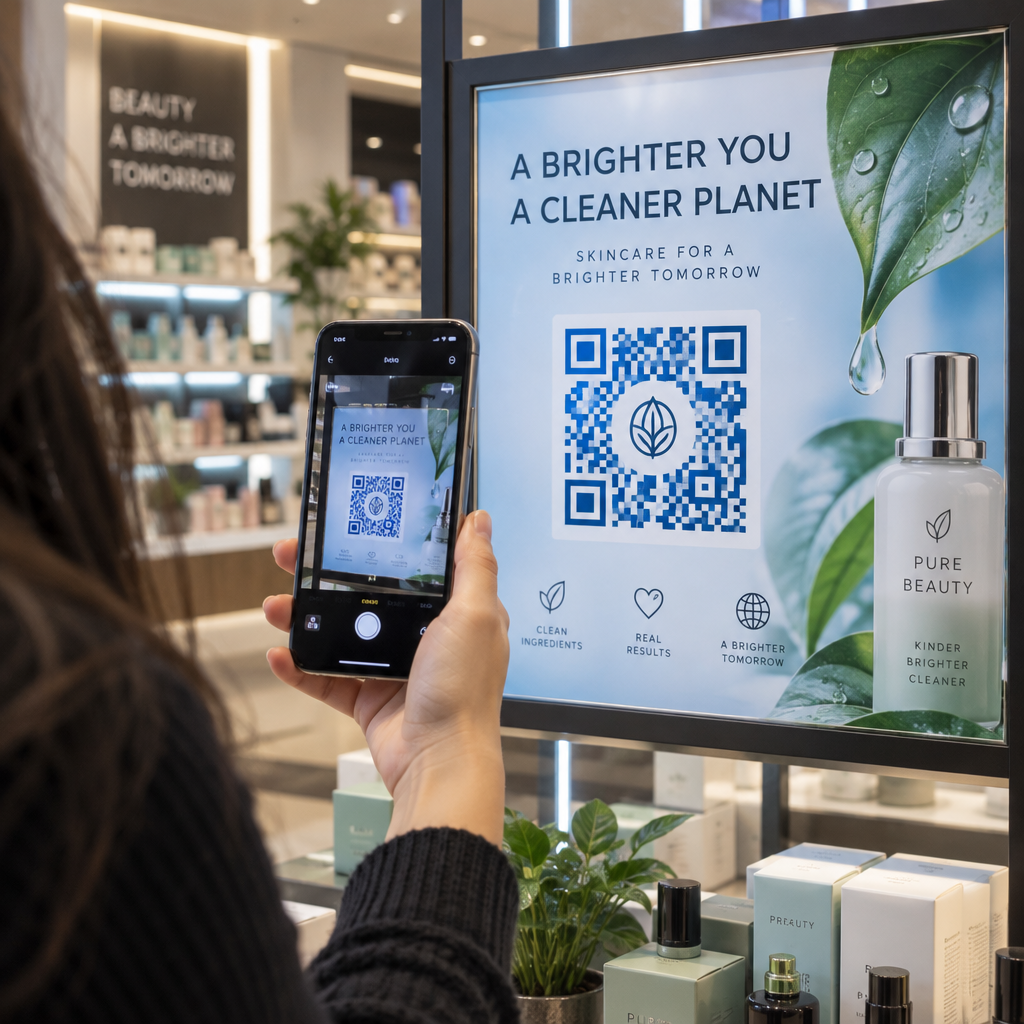
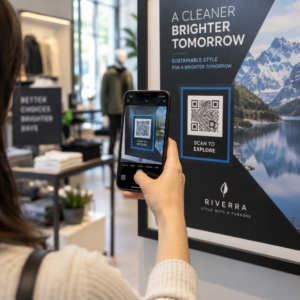
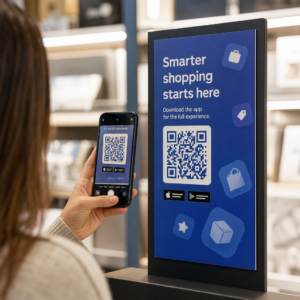
A QR-kód egy újság- vagy magazinreklámban az olvasókat a nyomtatott oldalról egy webhelyre, videóra, kuponra vagy PDF-re küldi. Hozzáadásához: hozza létre a kódot, nyomtassa ki legalább 2 x 2 cm-es (0,8 x 0,8 hüvelyk) méretben, üres margóval körülötte, helyezzen mellé egy rövid cselekvésre ösztönzést, és tesztelje a tényleges papíron a nyomtatás előtt. Ez az útmutató minden lépést bemutat a magazinokban és újságokban megjelenő nyomtatott hirdetések QR-kódjaihoz.
Gyors válaszok újság- és magazin-QR-kódokhoz
- Méret: legalább 2 x 2 cm (0,8 x 0,8 hüvelyk). A legtöbb magazinreklámhoz használjon 3-4 cm-t (1,2-1,6 hüvelyk), és egy kicsit többet az újságpapírhoz.
- Csendes zóna: tartson legalább négy modul (a kis négyzetek) széles üres margót minden oldalon.
- Színek: sötét kód világos, egyszínű háttéren. A fekete fehér alapon a legbiztonságosabb választás.
- Elhelyezés: a hirdetés középső vagy alsó része, távol a hajtástól vagy a gerinctől.
- Kód típusa: dinamikus kód, ha a hirdetés hetekig fut, vagy szkennelési statisztikákat szeretne. Egy statikus kód elegendő egy egyszeri linkhez, amely soha nem változik.
- Nyomtatás előtt: szkenneljen be egy próbanyomatot a tényleges papíron legalább egy iPhone-nal és egy Android telefonnal.
Miért működik még mindig a nyomtatott média QR-kóddal?
Az újságok és magazinok olvasói lelassítanak és olvasnak. Egy nyomtatott hirdetésben van hely elmagyarázni, hogy mire való a kód, és miért érdemes beszkennelnie az olvasónak. Egy olyan sor, mint a „Szkennelje be a receptvideó megtekintéséhez” elmondja az olvasónak, hogy mi következik, amit egy puszta kód nem tesz meg.
Az élelmiszeripar, a kiadás, az oktatás, a kiskereskedelem és a helyi szolgáltatások mind használnak nyomtatott anyagokat. Egy QR-kód összekapcsolja ezt a közönséget az Ön webhelyével, videójával, ajánlatával vagy alkalmazásával anélkül, hogy bárkit is arra kérne, hogy írjon be egy URL-t.
Kapcsolja össze nyomtatott hirdetéseit digitális kampányokkal Használja a Link QR-kód generátor hogy QR-kódot hozzon létre bármely URL-hez, készen arra, hogy beillessze a következő újság- vagy magazinreklámjába.
Mire linkeljen egy magazin QR-kód vagy újság QR-kód?
Döntse el, mire való a kód, mielőtt megtervezi a hirdetést. A cél határozza meg a cselekvésre ösztönzést, a méretet és az elhelyezkedést az oldalon.
- Weboldal vagy landing oldal: egy kampányoldal, termékoldal vagy regisztrációs űrlap, amely a következővel készült: Link QR-kód generátor
- PDF dokumentum: egy katalógus, menü, sajtóanyag vagy melléklet, amely a következővel készült: PDF QR kód generátor
- Videó: egy termékvideó, recept vagy interjú, készítve a YouTube QR kód generátor
- Csak nyomtatásban érvényes kupon: egy ajánlat, amit csak ennek a lapszámnak az olvasói vehetnek igénybe, készítve a Kuponkód generátor QR kóddal
- Hanganyag: egy újságírói interjú MP3-ja vagy egy podcast részlet
- Közösségi profil vagy elérhetőségek: egy kód az író neve mellett, hogy az olvasók követhessék vagy kapcsolatba léphessenek a szerzővel
Valódi példák: egy ételmagazin összekapcsolhatja egy recept terjedelmét a teljes videóval. Egy újság hirdetése linkelhet egy ingatlanhirdetésre fotókkal. Egy helyi üzlet kinyomtathat egy kuponkódot egy heti lapban, és megszámolhatja, hányan váltják be. Minél gyorsabb és relevánsabb a szkennelés eredménye, annál több szkennelést fog kapni.
Hogyan adjunk QR-kódot újság- vagy magazin hirdetéshez
- Nyissa meg a QR Kód Generátor és válassza ki a típust: link, PDF, videó vagy kupon.
- Adja meg a célállomást. Használjon rövid, végleges URL-t. A hosszabb URL-ek sűrűbb kódot eredményeznek, ami több helyet igényel nyomtatásban.
- Válasszon sötét kódszínt és világos hátteret. Csak akkor adjon hozzá logót, ha a kód könnyen olvasható marad. Ne adjon logót kis újságpapír kódhoz.
- Töltse le a nyomtatónak szánt vektoros fájlt (SVG vagy PDF). Egy PNG-nek legalább 1000 px szélesnek kell lennie, ha nem lehetséges vektoros fájl.
- Helyezze a kódot a hirdetés elrendezésében 2 x 2 cm-es vagy nagyobb méretben, üres „csendes zónával” körülötte.
- Helyezzen el egy cselekvésre ösztönző felhívást a kód mellé, amely elmondja, mit kap az olvasó.
- Kérjen próbanyomatot a kiadványtól vagy nyomtatótól, majd szkennelje be több telefonnal a végleges nyomtatás előtt.
Hogyan tervezzünk olyan QR-kódot, amelyet beolvasnak
Márkázza meg vizuálisan a kódot
Egy egyszerű fekete kód beleolvad az oldalba. A márkaszínek és egy kis logó a közepén megmutatja az olvasóknak, kinek a kódja. Használja a QR Kód Generátor színeinek beállításához, logó hozzáadásához és olyan forma kiválasztásához, amely illeszkedik a hirdetés elrendezéséhez.
Tartson erős kontrasztot. A kódmoduloknak sokkal sötétebbnek kell lenniük, mint a háttérnek. A fekete fehéren a legmegbízhatóbb. Ne fordítsa meg a színeket (világos kód sötét háttéren), és ne helyezze a kódot fotóra vagy mintára.
Válasszon dinamikusat a statikus helyett
A dinamikus QR-kód rövid átirányító linket tárol a végleges cím helyett. A kód célját a nyomtatás után is megváltoztathatja, és a kinyomtatott kód változatlan marad. A dinamikus kódok szkennelési statisztikákat is mutatnak: mikor, hol és milyen eszközön szkenneltek az emberek. Tudjon meg többet a hogyan szerkeszthetők a QR-kódok nyomtatás után.
Egy statikus kód elegendő, ha a link soha nem változik, és nincs szüksége statisztikára, például egy állandó link a honlapjához. Egy hetekig futó hirdetés, vagy egy olyan hirdetés esetében, amelynek ajánlata lejárhat, érdemes dinamikusat használni. Egy statikus kód soha nem jár le. Egy havi vagy éves előfizetéses dinamikus kód lejár, amikor az előfizetés véget ér, ezért tartsa aktívan az előfizetést, amíg a kiadvány forgalomban van.
A dinamikus kódok 14 napos ingyenes próbaverzióval rendelkeznek. Tekintse meg az előfizetéseket itt: pageloot.com/pricing.
Frissítse hirdetéseit újranyomtatás nélkül A Dinamikus QR-kód generátor lehetővé teszi, hogy bármikor megváltoztassa a cél URL-t, és megtekintse a beolvasásokat dátum, hely és eszköz típusa szerint.
Írjon egyértelmű cselekvésre ösztönzést
Helyezzen egy rövid szöveget a kód mellé, ami elmondja, mit kap az olvasó. „Szkennelje be a receptvideó megtekintéséhez” vagy „Szkennelje be olvasói kedvezményéért” működik. A „Szkennelje be itt” nem mond semmit. Ha az olvasó nem tudja, mi van a kód mögött, a legtöbben átugorják.
Optimalizálja a céloldalt mobilra
Minden olvasó, aki egy nyomtatott kódot beszkennel, egy telefonon landol. Az oldalnak gyorsan kell betöltenie, illeszkednie kell egy kis képernyőhöz, és az ajánlatot felül kell megjelenítenie. Nyomtatás előtt tesztelje a teljes utat a beolvasástól a céloldalig iOS és Android eszközökön egyaránt.
Elhelyezési és méretezési útmutató QR-kódokhoz magazinokon és újságokon
A méret, az elhelyezés és a papír dönti el, hogy egy kód beolvasható-e. Ezek a fő szabályok.

Minimális méret
Nyomtassa ki a kódot legalább 2 x 2 cm (kb. 0,8 x 0,8 hüvelyk). A legtöbb magazinhirdetéshez megfelelő méret 1,2-1,6 hüvelyk (30-40 mm). A sűrű kódok, hosszú URL-ekkel, több helyet igényelnek. Lásd QR-kód méretezési irányelvek különböző nyomtatott anyagokhoz formátum-specifikus tanácsokért.
Újságpapír kontra fényes magazinpapír
Az újságpapír porózus és felszívja a tintát, így a finom részletek lágyabbnak tűnnek, és a kód sötétebb és homályosabb lehet nyomtatásban, mint a képernyőn. Használjon nagyobb kódot (3 cm vagy több), egyszerű négyzet alakú dizájnt, ne legyen logó a középen, és tiszta fekete legyen fehér alapon. A fényes magazinpapír élesebben nyomtat, de a csillogás megnehezítheti a szkennelést. Kérjen matt területet a kód körül, ha a kiadó meg tudja oldani. Ezek a méretek biztonságos kiindulási pontot jelentenek. A végleges méretet a próba határozza meg.
Csendes zóna
Hagyjon legalább négy modul széles üres margót minden oldalon. Ez a margó segíti a kamerát a kód megtalálásában. Ne engedje, hogy szöveg, fotók vagy keretek behatoljanak ebbe a területbe.
Elhelyezés az oldalon
Helyezze a kódot a hirdetés középső vagy alsó részére, ahol az olvasó meg tudja fogni az oldalt és célozni tudja a telefont. A sarkokat könnyű eltéveszteni. Tartsa távol a kódot a magazin gerincétől vagy hajtásától, mert a hajlat torzítja azt. Ne tegye a kódot olyan oldal szélére, amelyet levágnak. Lásd a QR-kód elhelyezésének legjobb gyakorlatait a marketingben.
Nyomtatási minőség
Küldjön a nyomdának vektoros fájlt (SVG, PDF vagy EPS), hogy a kód bármilyen méretben éles maradjon. Az alacsony felbontású kód a leggyakoribb oka a nyomtatott kód hibás működésének. Lásd 15. az, hogy a nyomtatási technikák hogyan befolyásolják a QR-kód olvashatóságát, nagymértékben függ olyan tényezőktől, mint a tinta elfolyása. Nedvszívó anyagokon, mint például szövet vagy texturált papír, a tinta szétterjedhet, kiterjesztve a sötét modulokat és összehúzva a köztük lévő fehér tereket..
Mindig teszteljen a nyomtatás előtt
Szkennelje be a próbanyomatot a végső méretében, az eredeti papíron, több telefonnal, nappali fényben és szobai fényben. Egy kód, amely a monitoron szkennelhető, papíron hibás lehet. Lásd a QR-kód olvashatóságára vonatkozó legjobb gyakorlatokat egy ellenőrzőlistáért.
Nem olvasható be? Ellenőrizze ezeket az okokat
- Túl kicsi: 2 cm alatt, vagy kisebb, mint amit a próbanyomat lehetővé tesz. Nagyítsa meg.
- Nincs csendes zóna: szöveg vagy képek érintik a kódot. Adjon hozzá egy üres margót.
- Alacsony kontraszt vagy invertált színek: használjon sötét kódot világos háttéren.
- Kód a hajtáson: mozgassa távolabb a gerinctől.
- Tintaterjedés újságpapíron: nagyítsa meg a kódot és távolítsa el a logót.
- Sűrű kód: rövidítse le az URL-t, vagy használjon dinamikus kódot, amely rövid linkkel és kevésbé sűrű mintázattal rendelkezik.
- Halott link: egy lejárt előfizetésen lévő dinamikus kód, vagy egy eltávolított céloldal.
Hogyan követheti és mérheti nyomtatott QR-kampányát
A nyomtatott hirdetéseket nehéz mérni. Amikor egy olvasó lát egy hirdetést, majd később beírja az Ön címét, nem tudhatja, hogy a hirdetés okozta-e a látogatást. Egy beolvasott kód azonban megmondja.

Val vel dinamikus QR kódok segítségével láthatja:
- Összes és egyedi szkennelés: hányszor használták a kódot
- Szkennelés dátuma és ideje: melyik szám vagy nap eredményezte a legtöbb szkennelést
- Helyszín: mely régiók reagáltak
- Eszköztípus: iOS vagy Android, ami segít ellenőrizni a mobil oldalt
Készítsen egy kódot minden kiadványhoz, számhoz vagy hirdetési helyhez. Ezután összehasonlíthatja a címeket és pozíciókat. A részletesség foka az Ön tervétől függ. Tudjon meg többet erről hogyan követik nyomon a QR kódok a nyomtatott hirdetések elkötelezettségét és hogyan kapcsolják össze a QR-kódok a nyomtatott és digitális marketinget.
Lássa, Ki Mikor Szkennel Kövesse nyomon a szkenneléseket dátum, hely és eszköz szerint a Pageloot's Dinamikus QR-kód generátor.
Összefoglalás
Egy újságban vagy magazinban lévő QR kód akkor működik, ha az olvasó kap valami olyat, ami megéri a szkennelést: egy videót, egy ajánlatot vagy olyan információt, ami nem fér el az oldalon. Készítse elég nagyméretűre a kódot, tartsa meg az üres margót, magyarázza el egy mondatban, és tesztelje a tényleges papíron.
Használjon dinamikus kódot, ha módosítani szeretné a célhelyet vagy látni szeretné az eredményeket. Használjon statikus kódot egy állandó hivatkozáshoz.
További információkért a nyomtatásról lásd hogyan használjuk a QR-kódokat a nyomtatott médiában.
Gyakori kérdések
Nyomtassa ki a kódot legalább 2 x 2 cm (körülbelül 0,8 x 0,8 hüvelyk) méretben. A legtöbb magazin hirdetéshez 3-4 cm (1,2-1,6 hüvelyk) biztonságosabb. Újságpapíron nyomtasson nagyobb méretben, mert a tinta szétterjed a papíron. Mindig tesztelje le egy próbanyomattal.
Használjon dinamikus kódot, ha a hirdetés hosszú ideig fut, az ajánlat változhat, vagy ha szkennelési statisztikákat szeretne, például dátumot, helyet és eszközt. A célhelyet nyomtatás után is szerkesztheti. Használjon statikus kódot egy állandó linkhez, amelyet soha nem kell módosítania. A statikus kódok nem járnak le.
Helyezze a hirdetés középső vagy alsó részére. Kerülje a sarkokat, a hajtást és a magazin gerincét. Hagyjon legalább négy modulnyi üres margót körülötte, és adjon hozzá egy rövid cselekvésre ösztönző felhívást.
Igen. Újsághirdetések, apróhirdetések és cikkek mind tartalmazhatnak QR-kódot. Használjon nagyobb méretet, sötét tintát világos háttéren és logó nélkül, mivel az újságpapír magába szívja a tintát és elmosja a finom részleteket.
Használjon dinamikus QR-kódot. Megmutatja, hogy az emberek mikor, hol és milyen eszközön szkenneltek. Adjon minden magazinnak, lapszámnak vagy hirdetésnek saját kódot, hogy összehasonlíthassa őket. A Pageloot dinamikus kódjai 14 napos ingyenes próbaverzióval rendelkeznek.
Egy mobilbarát oldal, amely teljesíti, amit a cselekvésre ösztönző felhívás ígért, mint például egy videó, egy kupon vagy egy termékoldal. Ne linkelj egy általános kezdőlapra.
A szokásos okok közé tartozik a túl kicsi kód, a körüli üres margó hiánya, az alacsony kontraszt, a hajtásvonalra helyezés vagy az alacsony felbontású kép. Teszteljen egy próbanyomatot a valódi papíron több telefonnal.
A statikus kód nem jár le. A havi vagy éves előfizetéssel rendelkező dinamikus kód az előfizetés lejárta után inaktívvá válik, ezért tartsa aktívan az előfizetést, amíg a kiadvány forgalomban van.