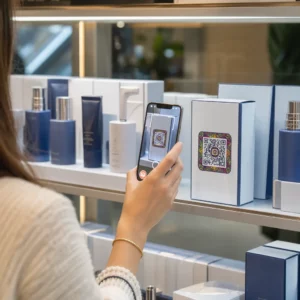
QR-код в рекламе в газете или журнале отправляет читателей с печатной страницы на веб-сайт, видео, купон или PDF. Чтобы добавить его: создайте код, напечатайте его размером не менее 2 x 2 см (0.8 x 0.8 дюйма) с пустым полем вокруг него, поместите рядом с ним короткий призыв к действию и протестируйте его на реальной бумаге перед печатью. Это руководство охватывает каждый шаг по созданию QR-кодов для печатной рекламы в журналах и газетах.
Быстрые ответы по QR-кодам для газет и журналов
- Размер: не менее 2 x 2 см (0.8 x 0.8 дюйма). Используйте от 3 до 4 см (1.2 до 1.6 дюйма) для большинства журнальных объявлений и немного больше для газетной бумаги.
- Тихая зона: сохраняйте пустое поле размером не менее четырех модулей (маленьких квадратов) с каждой стороны.
- Цвета: темный код на светлом, однотонном фоне. Черный на белом — самый безопасный выбор.
- Размещение: средняя или нижняя часть объявления, вдали от сгиба или корешка.
- Тип кода: динамический код, если объявление публикуется неделями или вам нужна статистика сканирований. Статического кода достаточно для одноразовой ссылки, которая никогда не изменится.
- Перед печатью: отсканируйте пробный образец на реальной бумаге как минимум с помощью одного iPhone и одного телефона Android.
Почему печатные СМИ по-прежнему работают с QR-кодом
Читатели газет и журналов замедляют темп и читают. Печатное объявление также имеет место для объяснения того, что делает код и почему читатель должен его сканировать. Строка, такая как “Scan to watch the recipe video” сообщает читателю, что произойдет дальше, чего голый код не делает.
Пищевая промышленность, издательское дело, образование, розничная торговля и местные услуги — все используют печать. QR-код связывает эту аудиторию с вашим веб-сайтом, видео, предложением или приложением, не требуя от кого-либо вводить URL.
Свяжите свои печатные объявления с цифровыми кампаниями Использовать Генератор QR-кодов для ссылок для создания QR-кода для любого URL, готового к размещению в вашем следующем объявлении в газете или журнале.
На что ссылаться с помощью QR-кода журнала или QR-кода газеты
Решите, что делает код, прежде чем разрабатывать объявление. Назначение определяет призыв к действию, размер и положение на странице.
- Веб-сайт или целевая страница: страница кампании, страница продукта или форма регистрации, созданная с помощью Генератор QR-кодов для ссылок
- Документ PDF: каталог, меню, пресс-кит или приложение, созданные с помощью QR код на пдф файл
- Видео: видео о продукте, рецепт или интервью, сделанное с помощью QR код ютуб
- Купон только для печати: предложение, которое могут получить только читатели этого выпуска, сделанное с помощью QR код купона на скидку
- Аудио: MP3-файл интервью журналиста или фрагмент подкаста
- Профиль в соцсети или контактные данные: код рядом с именем автора, чтобы читатели могли подписаться на автора или связаться с ним
Реальные примеры: журнал о еде может связать разворот с рецептом с полным видео. Объявление в газете может ссылаться на объявление о недвижимости с фотографиями. Местный магазин может напечатать код купона в еженедельной газете и подсчитать, сколько людей его активируют. Чем быстрее и релевантнее результат сканирования, тем больше сканирований вы получите.
Как добавить QR-код в рекламу в газете или журнале
- Открыть Генератор QR-кодов и выберите тип: ссылка, PDF, видео или купон.
- Введите пункт назначения. Используйте короткий, окончательный URL. Более длинные URL-адреса создают более плотный код, который требует больше места в печати.
- Выберите темный цвет кода и светлый фон. Добавляйте логотип только в том случае, если код остается легко сканируемым. Не добавляйте логотип к маленькому коду на газетной бумаге.
- Скачайте векторный файл (SVG или PDF) для печати. PNG должен быть шириной не менее 1000 пикселей, если векторный файл недоступен.
- Разместите код в макете объявления размером 2 x 2 см или больше, с пустой свободной зоной вокруг него.
- Добавьте призыв к действию рядом с кодом, который сообщает, что получает читатель.
- Запросите макет у издания или типографии, затем отсканируйте его несколькими телефонами перед окончательным тиражом.
Как создать QR-код, который будут сканировать
Визуально брендируйте код
Обычный черный код сливается со страницей. Фирменные цвета и небольшой логотип в центре показывают читателям, кому принадлежит код. Используйте Генератор QR-кодов чтобы установить цвета, добавить логотип и выбрать форму, которая соответствует макету вашей рекламы.
Сохраняйте сильный контраст. Модули кода должны быть значительно темнее фона. Черный на белом — самый надежный вариант. Не инвертируйте цвета (светлый код на темном фоне) и не размещайте код поверх фотографии или узора.
Выбирайте динамические вместо статических
A динамический QR-код хранит короткую ссылку-перенаправление вместо конечного адреса. Вы можете изменить, куда ведет код, после того как будут напечатаны тысячи копий, и напечатанный код останется прежним. Динамические коды также показывают статистику сканирований: когда, где и на каком устройстве люди сканировали. Узнайте больше о как редактировать QR-коды после печати.
Статический код достаточен, когда ссылка никогда не изменится и вам не нужна статистика, например, постоянная ссылка на вашу домашнюю страницу. Для рекламы, которая длится неделями, или рекламы, предложение которой может закончиться, динамический код стоит того. Статический код никогда не истекает. Динамический код по месячному или годовому плану перестает работать по окончании плана, поэтому поддерживайте план активным, пока выпуск находится в обращении.
Динамические коды имеют 14-дневный бесплатный пробный период. Смотрите тарифы на pageloot.com/pricing.
Обновляйте свои объявления без перепечатки В Динамический QR код: генератор позволяет вам изменять целевой URL в любое время и просматривать сканирования по дате, местоположению и типу устройства.
Напишите четкий призыв к действию
Поместите одну короткую строку рядом с кодом, которая объясняет, что получит читатель. «Отсканируйте, чтобы посмотреть видео с рецептом» или «Отсканируйте для получения скидки читателя» работает. «Сканировать здесь» ничего не говорит. Если читатель не знает, что скрывается за кодом, большинство пропустит его.
Оптимизируйте целевую страницу для мобильных устройств
Каждый читатель, который сканирует код в печатном виде, попадает на телефон. Страница должна загружаться быстро, помещаться на маленький экран и показывать предложение сверху. Перед печатью протестируйте весь путь от сканирования до целевой страницы как на iOS, так и на Android.
Рекомендации по размещению и размеру QR-кодов в журналах и газетах
Размер, размещение и бумага определяют, сканируется ли код. Это основные правила.

Минимальный размер
Печатайте код размером не менее 2 x 2 см (примерно 0.8 x 0.8 дюйма). Рабочий размер для большинства рекламных объявлений в журналах составляет от 1.2 до 1.6 дюймов (30 до 40 мм). Плотные коды с длинными URL-адресами требуют больше места. Смотрите рекомендации по размеру QR-кода для различных печатных материалов для советов по конкретным форматам.
Газетная бумага против глянцевой журнальной бумаги
Газетная бумага пористая и впитывает чернила, поэтому мелкие детали выглядят мягкими, а код может печататься темнее и размытее, чем на экране. Используйте код большего размера (3 см и более), простой квадратный дизайн, без логотипа в центре и чисто черный на белом фоне. Глянцевая журнальная бумага печатает четче, но блики могут затруднить сканирование. Попросите матовую область вокруг кода, если издатель может это сделать. Эти размеры являются безопасной отправной точкой. Ваш макет определяет окончательный размер.
Тихая зона
Оставьте пустое поле шириной не менее четырех модулей со всех сторон. Это поле позволяет камере найти код. Не допускайте попадания текста, фотографий или рамок в него.
Размещение на странице
Разместите код в середине или нижней части объявления, где читатель может держать страницу и наводить телефон. Углы легко пропустить. Держите код подальше от корешка или сгиба журнала, потому что изгиб искажает его. Не размещайте код на краю страницы, который будет обрезан. См. лучшими практиками размещения QR-кодов в маркетинге.
Качество печати
Отправьте в типографию векторный файл (SVG, PDF или EPS), чтобы код оставался четким при любом размере. Низкое разрешение кода является наиболее частой причиной неудачной печати кода. См. как методы печати влияют на сканируемость QR-кода.
Всегда тестируйте перед печатью
Отсканируйте макет в его окончательном размере, на фактической бумаге, несколькими телефонами, при дневном свете и при комнатном освещении. Код, который сканируется на вашем мониторе, может не работать на бумаге. См. лучшим практикам читаемости QR-кодов для контрольного списка.
Не сканируется? Проверьте эти причины
- Слишком маленький: менее 2 см или меньше, чем позволяет макет. Увеличьте его.
- Нет "тихой зоны": текст или изображения касаются кода. Добавьте пустое поле.
- Низкий контраст или инвертированные цвета: используйте темный код на светлом фоне.
- Код на сгибе: отодвиньте его от корешка.
- Расплывание чернил на газетной бумаге: увеличьте код и удалите логотип.
- Плотный код: сократите URL, или используйте динамический код, который имеет короткую ссылку и менее плотный узор.
- Недействительная ссылка: динамический код на просроченном тарифе или удаленная целевая страница.
Как отслеживать и измерять вашу печатную QR-кампанию
Печатную рекламу трудно измерить. Когда читатель видит объявление и позже вводит ваш адрес, вы не знаете, что объявление вызвало посещение. Отсканированный код это показывает.

С участием динамические QR-коды вы можете увидеть:
- Общее количество сканирований и уникальные сканирования: сколько раз был использован код
- Дата и время сканирования: какой выпуск или день дал наибольшее количество сканирований
- Местоположение: какие регионы откликнулись
- Тип устройства: iOS или Android, что поможет вам проверить мобильную страницу
Создайте один код для каждой публикации, выпуска или размещения рекламы. Затем вы сможете сравнивать заголовки и позиции. Уровень детализации зависит от вашего плана. Узнайте больше о как QR-коды отслеживают вовлеченность в печатную рекламу и как QR-коды связывают печатный и цифровой маркетинг.
Узнайте, кто и когда сканирует Отслеживайте сканирования по дате, местоположению и устройству с помощью Pageloot's Динамический QR код: генератор.
Собираем все воедино
QR-код в газете или журнале работает, когда читатель получает что-то, что стоит сканирования: видео, предложение или информацию, которая не помещается на странице. Сделайте код достаточно большим, сохраните пустое поле, объясните его в одной строке и протестируйте на реальной бумаге.
Используйте динамический код, если хотите изменить назначение или увидеть результаты. Используйте статический код для постоянной ссылки.
Подробнее о печати см. как использовать QR-коды в печатных изданиях.
Часто задаваемые вопросы
Распечатайте код размером не менее 2 x 2 см (примерно 0.8 x 0.8 дюйма). Для большинства журнальных объявлений безопаснее 3-4 см (1.2-1.6 дюйма). На газетной бумаге делайте размер больше, потому что чернила растекаются по бумаге. Всегда проверяйте пробный оттиск.
Используйте динамический код, если объявление действует долго, предложение может измениться, или вы хотите получить статистику сканирований, такую как дата, местоположение и устройство. Вы можете изменить пункт назначения после печати. Используйте статический код для постоянной ссылки, которую никогда не потребуется менять. Статические коды не истекают.
Разместите его в середине или нижней части объявления. Избегайте углов, сгиба и корешка журнала. Оставьте вокруг него пустое поле размером не менее четырех модулей и добавьте короткий призыв к действию.
Да. Газетные объявления, рубрики и статьи могут содержать QR-код. Используйте больший размер, темные чернила на светлом фоне и без логотипа, потому что газетная бумага впитывает чернила и сглаживает мелкие детали.
Используйте динамический QR-код. Он показывает, когда, где и на каком устройстве люди сканировали. Присвойте каждому журналу, выпуску или объявлению свой собственный код, чтобы вы могли их сравнивать. Динамические коды Pageloot имеют 14-дневный бесплатный пробный период.
Удобная для мобильных устройств страница, которая предоставляет то, что обещает призыв к действию, например, видео, купон или страницу продукта. Не ссылайтесь на общую домашнюю страницу.
Обычными причинами являются слишком маленький код, отсутствие пустого поля вокруг него, низкий контраст, размещение на сгибе или изображение с низким разрешением. Протестируйте образец на реальной бумаге с помощью нескольких телефонов.
Статический код не имеет срока действия. Динамический код по месячному или годовому плану становится неактивным после окончания плана, поэтому поддерживайте план активным, пока выпуск находится в обращении.