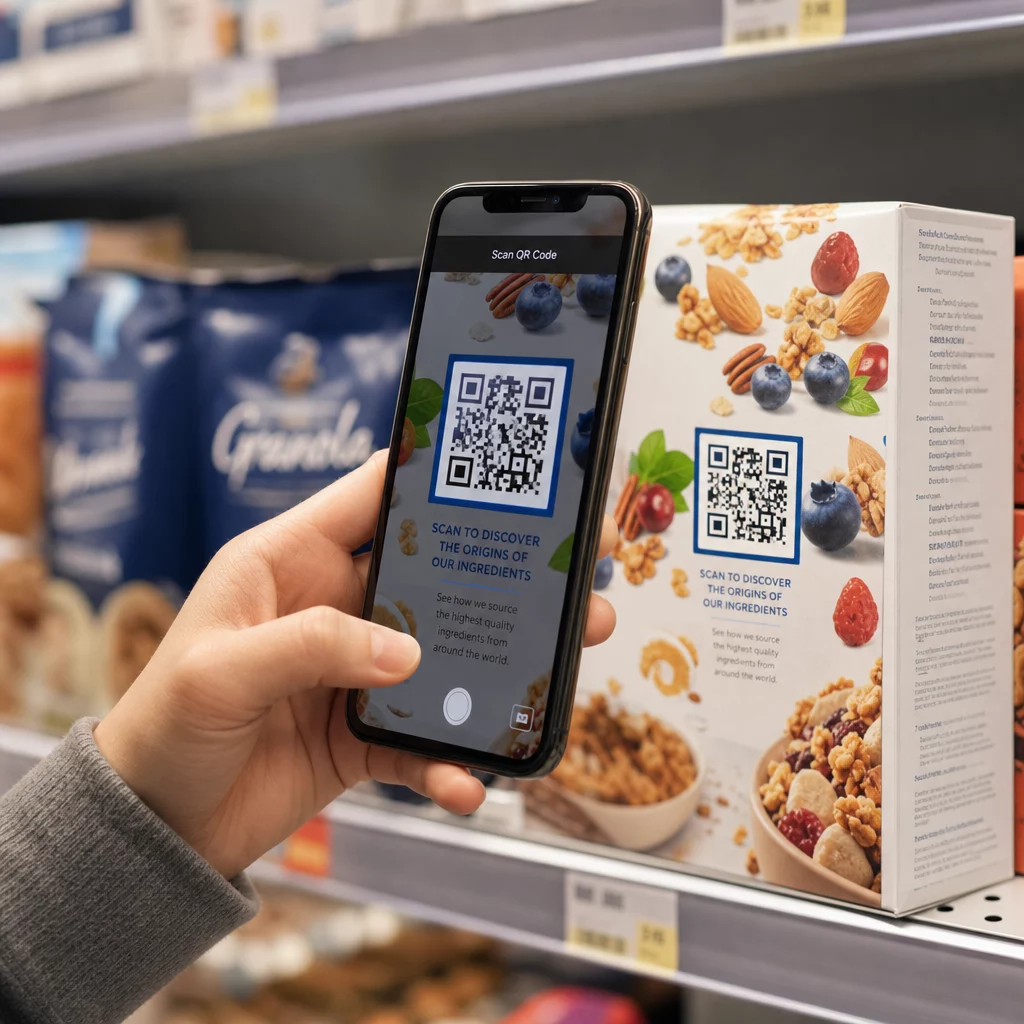
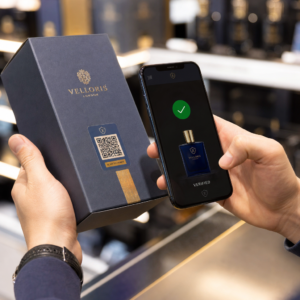
Koda QR v oglasu v časopisu ali reviji bralce s tiskane strani usmeri na spletno stran, video, kupon ali PDF. Za dodajanje kode: ustvarite kodo, jo natisnite v velikosti vsaj 2 x 2 cm (0,8 x 0,8 palca) s prazno obrobo okoli nje, ob njo dodajte kratek poziv k akciji in jo preizkusite na dejanskem papirju pred tiskom. Ta vodnik zajema vsak korak za kode QR za tiskane oglase v revijah in časopisih.
Hitri odgovori za kode QR v časopisih in revijah
- Velikost: vsaj 2 x 2 cm (0,8 x 0,8 palca). Za večino oglasov v revijah uporabite 3 do 4 cm (1,2 do 1,6 palca) in malo več za časopisni tisk.
- Tiha cona: ohranite prazen rob vsaj štirih modulov (majhne kvadratke) na vseh straneh.
- Barve: temna koda na svetlem, enobarvnem ozadju. Črna na beli je najvarnejša izbira.
- Umestitev: srednji ali spodnji del oglasa, stran od pregiba ali hrbta.
- Vrsta kode: dinamično kodo, če oglas teče več tednov ali želite statistiko skeniranja. Statična koda zadostuje za enkratno povezavo, ki se nikoli ne bo spremenila.
- Pred tiskanjem: skenirajte poskusni odtis na dejanskem papirju z vsaj enim telefonom iPhone in enim telefonom Android.
Zakaj tiskani mediji še vedno delujejo s kodo QR
Bralci časopisov in revij se umirijo in berejo. Tiskan oglas ima tudi prostor za razlago, kaj koda počne in zakaj naj jo bralec skenira. Vrstica, kot je “Skeniraj za ogled video recepta”, bralcu pove, kaj sledi, česar gola koda ne.
Hrana, založništvo, izobraževanje, maloprodaja in lokalne storitve vsi uporabljajo tisk. Koda QR poveže to občinstvo z vašo spletno stranjo, videom, ponudbo ali aplikacijo, ne da bi kogar koli prosili za vnos URL-ja.
Povežite svoje tiskane oglase z digitalnimi kampanjami Uporabi Generator QR kod za povezave za ustvarjanje kode QR za kateri koli URL, pripravljene za vstavitev v vaš naslednji oglas v časopisu ali reviji.
Na kaj povezati kodo QR revije ali časopisa
Odločite se, kaj bo koda počela, preden oblikujete oglas. Destinacija določa poziv k akciji, velikost in položaj na strani.
- Spletna stran ali pristajalna stran: stran kampanje, stran izdelka ali obrazec za prijavo, izdelan z Generator QR kod za povezave
- Dokument PDF: katalog, meni, press kit ali dodatek, izdelan z Generator QR kod za PDF
- Video: videoposnetek izdelka, recept ali intervju, narejen z Generator QR kod za YouTube
- Kupon samo za tiskanje: ponudba, ki jo lahko izkoristijo samo bralci te izdaje, narejena z Kupon generator: QR kode za kupone
- Zvočni posnetek: MP3 novinarskega intervjuja ali segmenta podcasta
- Socialni profil ali kontaktni podatki: koda poleg imena pisca, tako da lahko bralci spremljajo ali kontaktirajo sodelavca
Resnični primeri: revija o hrani lahko povezavo do recepta poveže s celotnim videom. Oglas v časopisu lahko poveže s seznamom nepremičnin s fotografijami. Lokalna trgovina lahko natisne kodo kupona v tedenskem časopisu in prešteje, koliko ljudi jo unovči. Hitrejši in bolj relevanten kot je rezultat skeniranja, več skeniranj boste dobili.
Kako dodati QR kodo v oglas v časopisu ali reviji
- Odprite Generator QR kod in izberite vrsto: povezava, PDF, video ali kupon.
- Vnesite destinacijo. Uporabite kratek, končni URL. Daljši URL-ji ustvarijo gostejšo kodo, ki potrebuje več prostora pri tiskanju.
- Izberite temno barvo kode in svetlo ozadje. Logotip dodajte samo, če je kodo še vedno enostavno skenirati. Logotipa ne dodajajte majhni kodi za časopisni tisk.
- Prenesite vektorsko datoteko (SVG ali PDF) za tiskarja. PNG mora biti širok vsaj 1000 slikovnih pik, če vektorska datoteka ni možna.
- Kodo postavite v postavitev oglasa v velikosti 2 x 2 cm ali več, z prazno mirno cono okoli nje.
- Dodajte poziv k dejanju poleg kode, ki pove, kaj bralec dobi.
- Prosite publikacijo ali tiskarja za preizkusni izvod, nato ga skenirajte z več telefoni pred končnim tiskanjem.
Kako oblikovati QR kodo, ki bo skenirana
Vizualno označite kodo z blagovno znamko
Navadna črna koda se zlije s stranjo. Barve blagovne znamke in majhen logotip v sredini bralcem pokažejo, komu koda pripada. Uporabite Generator QR kod za nastavitev barv, dodajanje logotipa in izbiro oblike, ki ustreza postavitvi vašega oglasa.
Ohranite močan kontrast. Moduli kode morajo biti veliko temnejši od ozadja. Črna na beli je najbolj zanesljiva. Ne obrnite barv (svetla koda na temnem ozadju) in kode ne postavljajte čez fotografijo ali vzorec.
Izberite dinamično namesto statične
A dinamična QR koda shranjuje kratko preusmeritveno povezavo namesto končnega naslova. Spremenite lahko, kam kaže koda, tudi potem, ko je natisnjenih na tisoče kopij, in natisnjena koda ostane enaka. Dinamične kode prikazujejo tudi statistiko skeniranja: kdaj, kje in na kateri napravi so ljudje skenirali. Več o tem kako urediti QR kode po tiskanju.
Statična koda je dovolj, ko se povezava nikoli ne bo spremenila in ne potrebujete statistike, na primer trajna povezava do vaše domače strani. Za oglas, ki traja več tednov, ali oglas, katerega ponudba se lahko konča, je dinamična koda vredna. Statična koda nikoli ne poteče. Dinamična koda z mesečnim ali letnim načrtom preneha delovati, ko se načrt konča, zato ohranjajte načrt aktiven, dokler je izdaja v obtoku.
Dinamične kode imajo 14-dnevno brezplačno preizkusno obdobje. Ogled načrtov na pageloot.com/pricing.
Posodobite svoje oglase brez ponovnega tiskanja Vprašanje QR generator za dinamične QR kode vam omogoča, da kadar koli spremenite ciljni URL in si ogledate skeniranja po datumu, lokaciji in vrsti naprave.
Napišite jasen poziv k dejanju
Ob kodo dodajte kratko vrstico, ki pove, kaj bralec dobi. “Skenirajte za ogled video recepta” ali “Skenirajte za popust za bralce” deluje. “Skenirajte tukaj” ne pove ničesar. Če bralec ne ve, kaj je za kodo, jo bo večina preskočila.
Optimizirajte cilj za mobilne naprave
Vsak bralec, ki skenira kodo v tisku, pristane na telefonu. Stran se mora hitro naložiti, se prilegati majhnemu zaslonu in prikazati ponudbo na vrhu. Preden tiskate, preizkusite celotno pot od skeniranja do ciljne strani tako na iOS kot na Androidu.
Smernice za postavitev in velikost QR kod na revijah in časopisih
Velikost, postavitev in papir določajo, ali se koda skenira. To so glavna pravila.

Minimalna velikost
Natisnite kodo vsaj 2 x 2 cm (približno 0.8 x 0.8 palca). Delovna velikost za večino oglasov v revijah je od 1.2 do 1.6 palca (30 do 40 mm). Goste kode z dolgimi URL-ji potrebujejo več prostora. Glej Smernice za velikost QR kode za različne tiskane materiale za nasvete glede formata.
Časopisni papir v primerjavi s sijočim revijalnim papirjem
Novinski papir je porozen in vpija črnilo, zato so fine podrobnosti mehke, koda pa se lahko natisne temneje in bolj zamegljeno kot na zaslonu. Uporabite večjo kodo (3 cm ali več), preprosto kvadratno obliko, brez logotipa v sredini in čisto črno na beli podlagi. Sijajni revijalni papir tiska ostreje, vendar lahko bleščanje oteži skeniranje. Če lahko založnik, prosite za matirano območje okoli kode. Te velikosti so varno izhodišče. Končno velikost določi vaš predogled.
Tiha cona
Na vseh straneh pustite prazen rob vsaj štirih modulov. Ta rob omogoča kameri, da najde kodo. Ne dovolite, da bi vanj posegali besedilo, fotografije ali obrobe.
Postavitev na strani
Kodo postavite v sredino ali spodnji del oglasa, kjer lahko bralec drži stran in nameri telefon. Vogali so zlahka spregledani. Kodo držite stran od hrbtišča ali pregiba revije, ker jo upogibanje popači. Ne postavljajte kode na rob strani, ki se odreže. Glej najboljše prakse za postavitev QR kode v marketingu.
Kakovost tiska
Tiskarju pošljite vektorsko datoteko (SVG, PDF ali EPS), da bo koda ostala ostra pri kateri koli velikosti. Koda nizke ločljivosti je najpogostejši razlog za neuspeh natisnjene kode. Glej kako tiskarske tehnike vplivajo na skenirljivost QR kode.
Vedno testirajte pred tiskom
Skenirajte predogled v končni velikosti, na dejanskem papirju, z več telefoni, pri dnevni svetlobi in sobni svetlobi. Koda, ki se skenira na vašem monitorju, lahko na papirju odpove. Glej najboljšim praksam za berljivost QR kod za kontrolni seznam.
Ne skenira? Preverite te vzroke
- Premajhen: pod 2 cm ali manjši, kot dovoljuje predogled. Povečajte ga.
- Brez mirne cone: besedilo ali slike se dotikajo kode. Dodajte prazen rob.
- Nizek kontrast ali obrnjene barve: uporabite temno kodo na svetlem ozadju.
- Koda na pregibu: odmaknite jo od hrbtišča.
- Razlitje črnila na novinskem papirju: povečajte kodo in odstranite logotip.
- Gosta koda: skrajšajte URL, ali uporabite dinamično kodo, ki ima kratko povezavo in manj gost vzorec.
- Mrtva povezava: dinamična koda na poteklem načrtu ali stran, ki je bila odstranjena.
Kako slediti in meriti svojo tiskano QR kampanjo
Tiskanih oglasov je težko meriti. Ko bralec vidi oglas in kasneje vpiše vaš naslov, ne veste, ali je oglas povzročil obisk. Skenirana koda pa vam to pove.

S dinamične QR kode lahko vidite:
- Skupno število skeniranj in edinstvenih skeniranj: kolikokrat je bila koda uporabljena
- Datum in čas skeniranja: katera izdaja ali dan je prinesel največ skeniranj
- Lokacija: katere regije so se odzvale
- Vrsta naprave: iOS ali Android, ki vam pomaga preveriti mobilno stran
Ustvarite eno kodo za vsako publikacijo, izdajo ali postavitev oglasa. Nato lahko primerjate naslove in položaje. Stopnja podrobnosti je odvisna od vašega načrta. Več o tem si lahko preberete kako QR kode sledijo angažiranosti tiskanih oglasov in kako QR kode povezujejo tiskano in digitalno trženje.
Poglejte, Kdo Skenira in Kdaj Sledite skeniranjem po datumu, lokaciji in napravi z Pagelootovim QR generator za dinamične QR kode.
Združevanje vsega
QR koda v časopisu ali reviji deluje, ko bralec dobi nekaj, kar je vredno skeniranja: video, ponudbo ali informacijo, ki ne sodi na stran. Naredite kodo dovolj veliko, ohranite prazen rob, jo razložite v eni vrstici in jo preizkusite na pravem papirju.
Uporabite dinamično kodo, če želite spremeniti destinacijo ali si ogledati rezultate. Uporabite statično kodo za trajno povezavo.
Za več o tisku, glej kako uporabljati kode QR v tiskanih medijih..
Pogosta vprašanja
Natisnite kodo v velikosti vsaj 2 x 2 cm (približno 0,8 x 0,8 palca). Za večino revijalnih oglasov je varneje 3 do 4 cm (1,2 do 1,6 palca). Na časopisnem papirju uporabite večjo velikost, ker se črnilo razmaže po papirju. Vedno preverite poskusni odtis.
Uporabite dinamično kodo, če oglas teče dlje časa, se ponudba lahko spremeni, ali pa želite statistiko skeniranja, kot so datum, lokacija in naprava. Cilj lahko uredite po tiskanju. Uporabite statično kodo za trajno povezavo, ki je nikoli ne boste potrebovali spreminjati. Statične kode ne potečejo.
Postavite ga v sredino ali spodnji del oglasa. Izogibajte se vogalom, pregibu in hrbtu revije. Okoli njega pustite prazen rob vsaj štirih modulov in dodajte kratek poziv k dejanju.
Da. Oglasi v časopisih, mali oglasi in članki lahko vsi vsebujejo kodo QR. Uporabite večjo velikost, temno črnilo na svetli podlagi in brez logotipa, saj časopisni papir vpija črnilo in mehča fine podrobnosti.
Uporabite dinamično QR kodo. Prikazuje, kdaj, kje in na kateri napravi so ljudje skenirali. Vsaki reviji, številki ali oglasu dajte svojo kodo, da jih lahko primerjate. Dinamične kode Pageloot imajo 14-dnevno brezplačno preizkusno obdobje.
Mobilna stran, ki izpolnjuje obljubo poziva k dejanju, kot so videoposnetek, kupon ali stran izdelka. Ne povezujte na splošno domačo stran.
Običajni vzroki so premajhna koda, brez praznega roba okoli nje, nizek kontrast, postavitev na pregibu ali slika nizke ločljivosti. Preizkusite predlog na pravem papirju z več telefoni.
Statična koda ne poteče. Dinamična koda na mesečnem ali letnem paketu postane neaktivna, ko se paket izteče, zato ohranite paket aktiven, dokler je izdaja v obtoku.