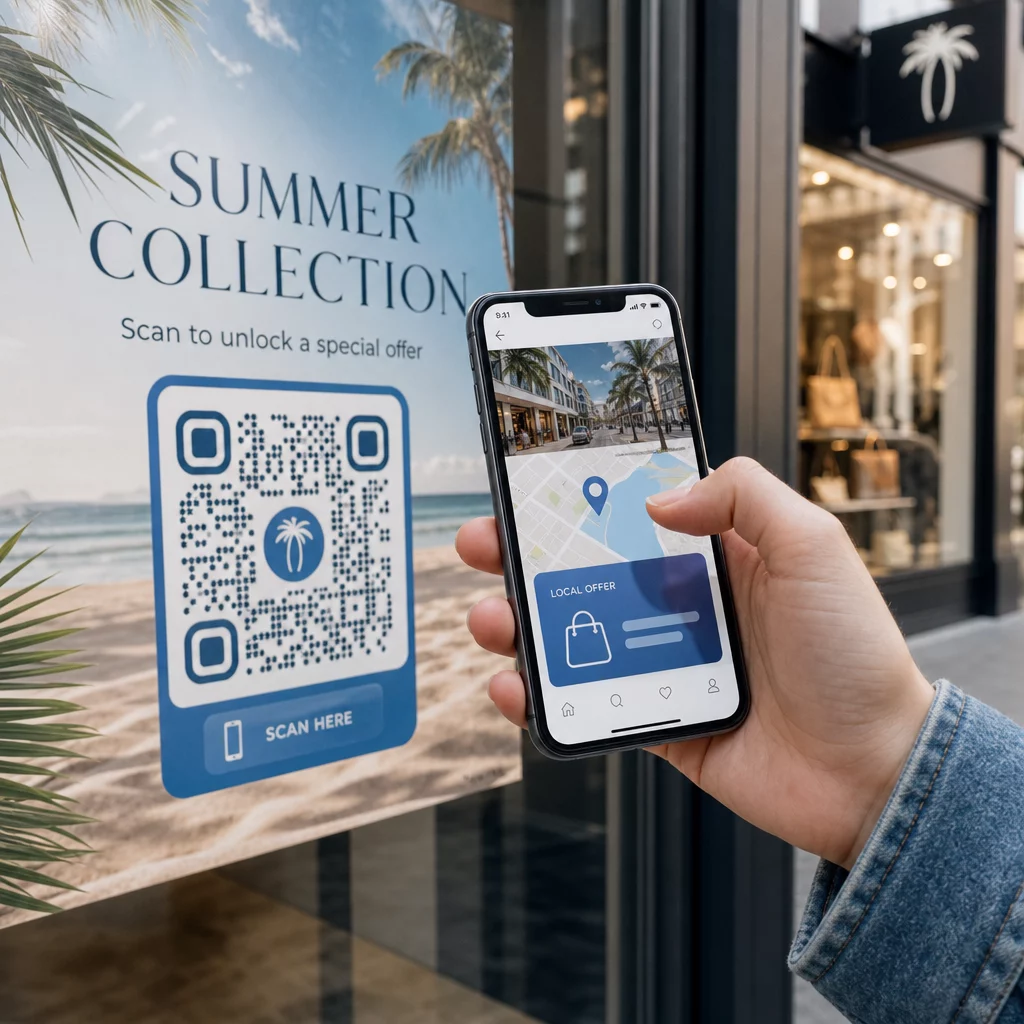
¿Quieres que cada escáner llegue a contenido relevante para su ubicación? Cuando un solo código QR envía a todos a la misma página sin importar la geografía, pierdes la oportunidad de hablar con audiencias locales con ofertas, idioma y contexto dirigidos. Esta guía explica cómo funciona la redirección de códigos QR basada en la ubicación, cómo configurarla y qué tener en cuenta.
Por qué la redirección basada en la ubicación requiere códigos QR dinámicos
Un código QR estático estándar codifica una URL fija directamente en su patrón. Ese destino nunca puede cambiar; tendrías que imprimir un nuevo código cada vez. Códigos QR dinámicos funcionan de manera diferente: el código en sí codifica una URL de redirección corta, y el destino real se controla en un servidor. Eso significa que puedes actualizar a dónde apunta el código en cualquier momento, sin tocar el material impreso.
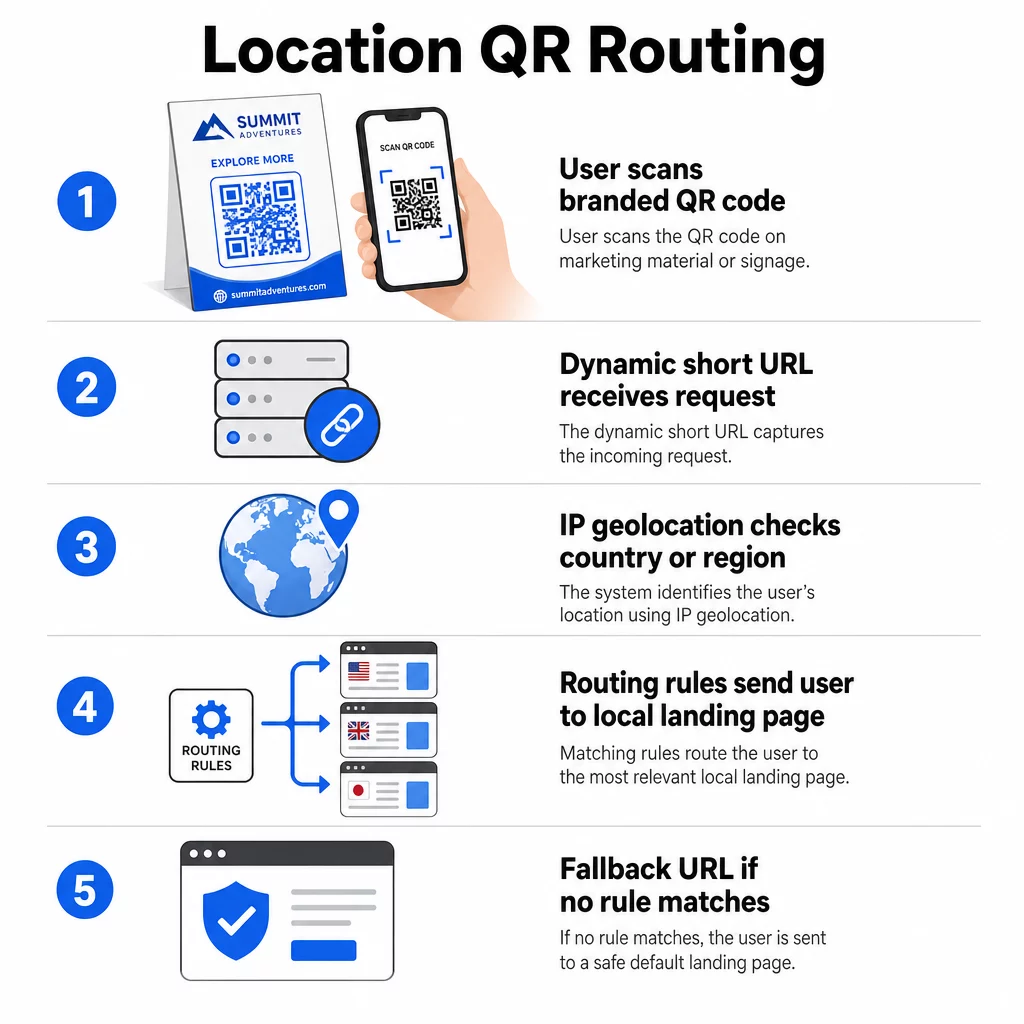
La redirección basada en la ubicación se basa en esta premisa. Cuando alguien escanea un código dinámico, la capa de redirección verifica la ubicación geográfica del escáner –típicamente derivada de la dirección IP del dispositivo– y aplica las reglas que has configurado para servir una URL específica de país o región. Si ninguna regla coincide, el sistema recurre a una URL predeterminada que hayas establecido.
Comprender las diferencia entre códigos QR estáticos y dinámicos es el primer paso más importante antes de construir cualquier campaña con conciencia de ubicación.
Crear códigos QR con conciencia de ubicación ¿Listo para enviar a los escáneres al destino correcto según su ubicación? Usa el Generador de códigos QR dinámicos para construir códigos editables y rastreables con reglas de ubicación incorporadas.
Cómo funciona realmente la detección de ubicación
La mayoría de las plataformas usan geolocalización basada en IP: cuando un dispositivo escanea el código QR y abre la URL de redirección corta, la solicitud lleva una dirección IP. La plataforma busca esa IP en una base de datos de geolocalización para determinar el país o la región del escáner, y luego redirige a la URL de destino correspondiente.
Este enfoque es fiable a nivel de país –la precisión generalmente se reporta en el rango del 90–99% para la detección de país– pero disminuye considerablemente para geografías más pequeñas. La detección a nivel regional o estatal ronda el 55–80% de precisión, y la precisión a nivel de ciudad cae al 50–75%. Varios factores reducen aún más la fiabilidad:
- Uso de VPN o proxy, donde la ubicación IP aparente difiere de la ubicación física del usuario
- NAT de grado de operador móvil, que puede asignar IPs registradas lejos del dispositivo real
- Redes corporativas, donde el tráfico se enruta a través de una IP de oficina central
- Bases de datos de geolocalización desactualizadas que no se han puesto al día con las reasignaciones de IP
Para campañas donde la segmentación a nivel de país es suficiente –diferentes versiones de idioma, promociones regionales, escaparates específicos de cada país– la detección basada en IP funciona bien. Para una segmentación hiperlocal a nivel de barrio o lugar, la ubicación basada en GPS (donde el usuario otorga permiso) proporciona mayor precisión, aunque requiere una solicitud de consentimiento explícito.
Siempre configure una URL de respaldo predeterminada para escáneres cuya ubicación no se pueda determinar o que queden fuera de sus reglas definidas. Esto evita que alguien llegue a un callejón sin salida.
Lo que necesita antes de empezar
Antes de configurar las reglas de ubicación, tenga listas estas tres cosas:
- Una plataforma de códigos QR dinámicos que admita el enrutamiento geográfico. Busque una que le permita definir URL de destino por país o región, actualizar reglas sin reimprimir y rastrear datos de escaneo por ubicación. Las características de Pageloot incluyen todo esto en un solo panel.
- URL de destino para cada geografía objetivo. Estas deben estar completamente construidas y optimizadas para dispositivos móviles antes de su lanzamiento. Cada página regional debe reflejar el idioma local, la moneda, las ofertas o la información de la tienda según corresponda.
- Una URL de respaldo que funcione para cualquier escáner no coincidente con una regla específica –típicamente su sitio web principal o una página de destino neutral donde los usuarios puedan seleccionar su región.
Cómo configurar la redirección basada en la ubicación
Paso 1: Crear un código QR dinámico
Regístrese en un plan de código QR dinámico y cree un nuevo código utilizando el Generador de códigos QR dinámicos. En esta etapa, introduzca una URL de destino provisional; a continuación, configurará las reglas de ubicación. Personalice la apariencia del código con los colores y el logotipo de su marca para generar confianza y fomentar el escaneo.
Paso 2: Configurar las reglas de enrutamiento geográfico
Dentro de su panel de gestión de códigos QR, localice la configuración de redirección o enrutamiento para el código que acaba de crear. Añada reglas por país (o región, si es compatible):
- Seleccione una geografía de destino (por ejemplo, Alemania)
- Introduzca la URL de destino para esa geografía (por ejemplo, su página de producto en alemán)
- Repita para cada país o región a la que desee dirigirse
- Establezca su URL de respaldo predeterminada para todas las demás ubicaciones
El sistema utiliza redirecciones HTTP temporales 302, lo que significa que la URL corta siempre permanece igual, mientras que el destino puede actualizarse en cualquier momento sin afectar al código impreso.
Paso 3: Añadir marca al código QR
Un código QR de marca –con su logotipo centrado en el patrón y colores que coincidan con su identidad– anima a los usuarios a escanearlo en lugar de ignorarlo. La mayoría de las plataformas le permiten controlar el tamaño del logotipo, la paleta de colores y el estilo de los bordes. Asegúrese de que el contraste entre el primer plano y el fondo del código sea lo suficientemente alto para un escaneo fiable, especialmente si el código aparecerá en superficies variadas o en diferentes condiciones de iluminación.
Para una mirada más profunda a las mejores prácticas de geofencing y colocación, incluida la regla de tamaño 10:1 para materiales impresos, esa guía cubre la lista completa de verificación de diseño e implementación.
Paso 4: Prueba antes de implementar
Las pruebas no son negociables. Antes de imprimir o publicar cualquier cosa, verifica que cada regla geográfica dirija correctamente. Usa una VPN configurada para cada país objetivo para simular escaneos desde esas ubicaciones y confirma que llegas a la URL de destino esperada cada vez. También prueba la URL de respaldo con una ubicación fuera de cualquiera de tus reglas definidas.
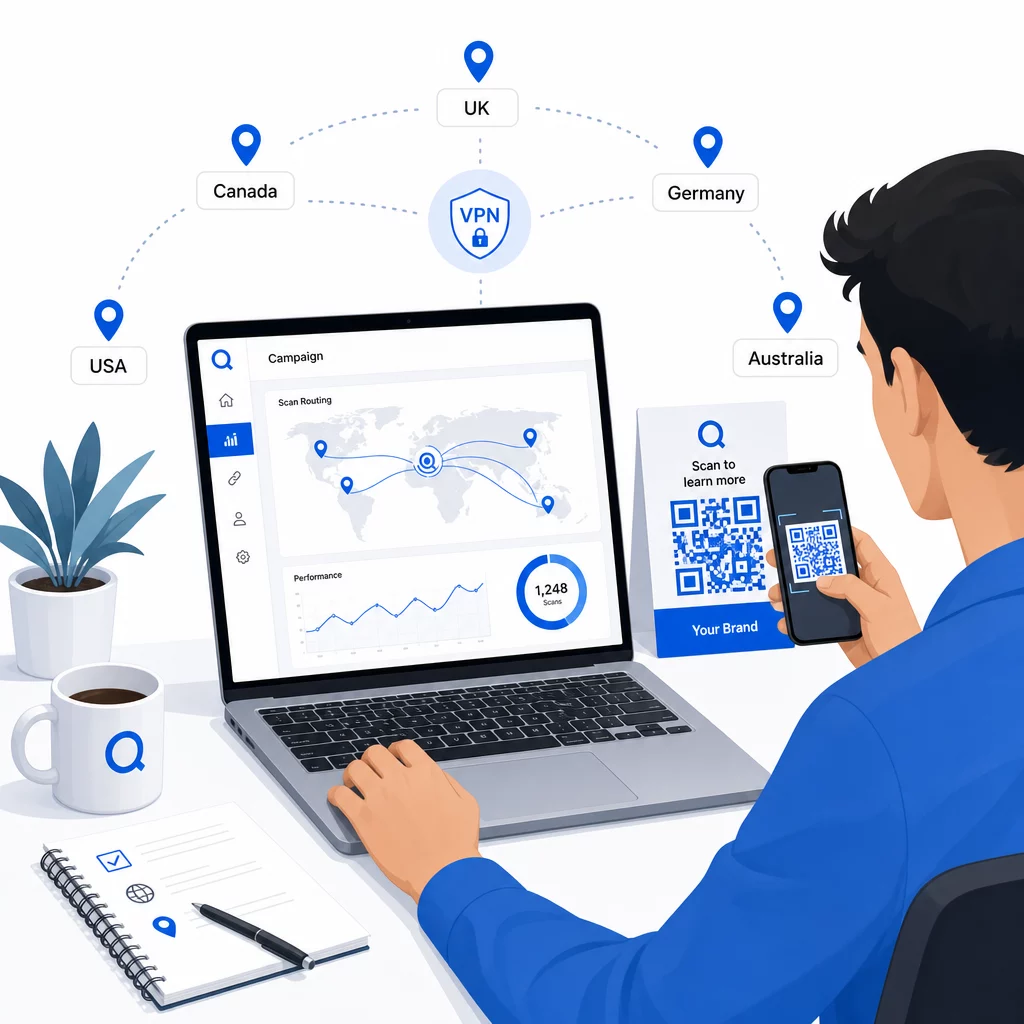
Prueba en múltiples tipos de dispositivos (iOS y Android), tanto en conexiones Wi-Fi como de datos móviles, y en diferentes condiciones de iluminación para confirmar la escaneabilidad. Documenta cualquier problema y resuélvelo antes de salir en vivo. Si necesitas hacer cambios más tarde, el proceso para editar el destino de un código QR dinámico es sencillo y no requiere reimprimir nada.
Creación de contenido regional que atrae el escaneo
Una regla de ubicación que dirige un escáner a una página genérica anula el propósito. El contenido de destino debe reflejar lo que hace que cada geografía sea distinta:
- Idioma: Incluso dentro de los mercados de habla inglesa, la fraseología, la ortografía y el tono difieren. Para los mercados no ingleses, se espera una página completamente traducida.
- Ofertas y precios locales: La moneda, el momento de la promoción y la disponibilidad del producto varían según la región. Muestra lo que es realmente relevante y comprable en esa ubicación.
- Información de la tienda o de contacto: Si tienes ubicaciones físicas, muestra la más cercana según la ubicación del escáner.
- Detalles regulatorios o de cumplimiento: Algunas industrias – alimentos y bebidas, atención médica, servicios financieros – tienen requisitos de divulgación específicos de la región. Asegúrate de que cada página cumpla con los estándares locales.
La investigación muestra que el 39% de los clientes buscan activamente contenido de código QR personalizado. Una página específica de la región no es una buena adición, es cada vez más la expectativa básica. Para una visión más amplia de llegar a audiencias locales con códigos QR geodirigidos, incluyendo ejemplos de marcas del mundo real, esa guía profundiza en la estrategia de localización.
Medición y mejora del rendimiento
Los códigos QR dinámicos generan datos de escaneo automáticamente. Utiliza el panel de análisis de tu plataforma para monitorear:
- Volumen de escaneos por país o región, para identificar dónde el engagement es más fuerte
- Horario de escaneo, para entender cuándo los usuarios están más activos en cada mercado
- Tipos de dispositivos, para asegurar que tus páginas regionales se muestren correctamente para el dispositivo dominante en cada geografía
- Comportamiento de conversión, si has conectado parámetros UTM a tus URL de destino y te has integrado con una herramienta como Google Analytics
Para una explicación completa de lo que se puede rastrear y cómo interpretar los datos, la guía sobre seguimiento de escaneos de códigos QR y análisis cubre toda la gama de métricas disponibles con códigos dinámicos.
Utiliza estos datos para realizar pruebas A/B en páginas de destino regionales, ajustar la ubicación de los códigos QR físicos a lugares de mayor tráfico y desviar el presupuesto hacia los mercados que producen los mejores resultados. Revisa el rendimiento mensualmente y actualiza las URL de destino a medida que cambien las campañas, ofertas o el contenido, sin imprimir un solo código nuevo.
Rastrea cada escaneo por ubicación Descubre qué regiones generan el mayor engagement y ajusta tus campañas en tiempo real. Empieza con el Generador de códigos QR dinámicos y obtener un panel de análisis completo desde el primer día.
Gestión de la privacidad y el cumplimiento de datos
La recopilación de datos de ubicación –incluso basados en IP– crea responsabilidades de cumplimiento. Las reglas varían según la región:
- RGPD (Unión Europea): Necesita una base legal para procesar datos de ubicación. Para fines de marketing, normalmente se requiere el consentimiento explícito. Sea transparente sobre qué datos recopila y por qué antes de que se realice el escaneo.
- CCPA (California): Los usuarios tienen derecho a saber qué datos personales posee y a solicitar su eliminación. Su plataforma y procesos deben admitir esas solicitudes.
- HIPAA (Estados Unidos): Los contextos de atención médica requieren salvaguardias adicionales en torno a cualquier dato adyacente al paciente, incluidas las señales de ubicación vinculadas a códigos QR relacionados con la salud.
Pasos prácticos para mantener el cumplimiento:
- Solo recopile datos de ubicación si mejora la experiencia del usuario de una manera específica y articulable
- Informe a los usuarios claramente –antes de escanear– qué datos se recopilan y cómo se utilizan
- Proporcione una ruta alternativa para los usuarios que rechacen compartir la ubicación (como una página donde puedan seleccionar su región manualmente)
- Utilice HTTPS y almacenamiento de datos cifrado en todo momento
- Trabaje con una plataforma que cumpla con los estándares de seguridad reconocidos y le permita gestionar la retención de datos
Mantenga su aviso de privacidad breve, en lenguaje sencillo y fácil de encontrar, incluso en cualquier material impreso que contenga el código QR.
Limitaciones a tener en cuenta
La geolocalización basada en IP no es perfecta, y algunos usuarios serán inevitablemente dirigidos al destino regional incorrecto, particularmente aquellos que usan VPN, viajan internacionalmente o se conectan a través de una red corporativa. Algunas formas de reducir el impacto:
- Proporcione siempre un selector de idioma o región visible en cada página de destino para que los usuarios mal dirigidos puedan corregir su experiencia por sí mismos
- Evite bloquear el contenido por geografía de formas que frustren a los usuarios que saben que quieren el contenido de una región diferente
- Supervise sus análisis en busca de anomalías, como un tráfico inesperadamente alto de un país que no coincide con su segmentación, lo que puede indicar errores de enrutamiento
Preguntas frecuentes
No. Debido a que los códigos QR dinámicos utilizan una URL de redirección corta controlada a nivel de servidor, puede actualizar las URL de destino para cualquier regla geográfica en cualquier momento sin cambiar ni reimprimir el código en sí. El código impreso permanece igual; solo cambia la lógica de enrutamiento.
La precisión a nivel de país es generalmente alta – alrededor del 90–99% en la mayoría de los casos – lo que la hace confiable para dirigir a los usuarios a páginas específicas de cada país o versiones de idioma. La precisión disminuye significativamente a nivel regional, de ciudad o de barrio, y se reduce aún más para los usuarios que utilizan VPN, operadores móviles con enrutamiento IP centralizado o redes corporativas. Si necesita una segmentación local más precisa, busque plataformas que admitan la ubicación basada en GPS con el consentimiento del usuario.
El sistema dirige el escáner a la URL de respaldo predeterminada que configura al configurar el código. Esta es la razón por la que definir un destino de respaldo confiable – típicamente su sitio web principal o una página de aterrizaje neutral con un selector de región manual – es una parte esencial de cualquier configuración de QR basada en la ubicación.