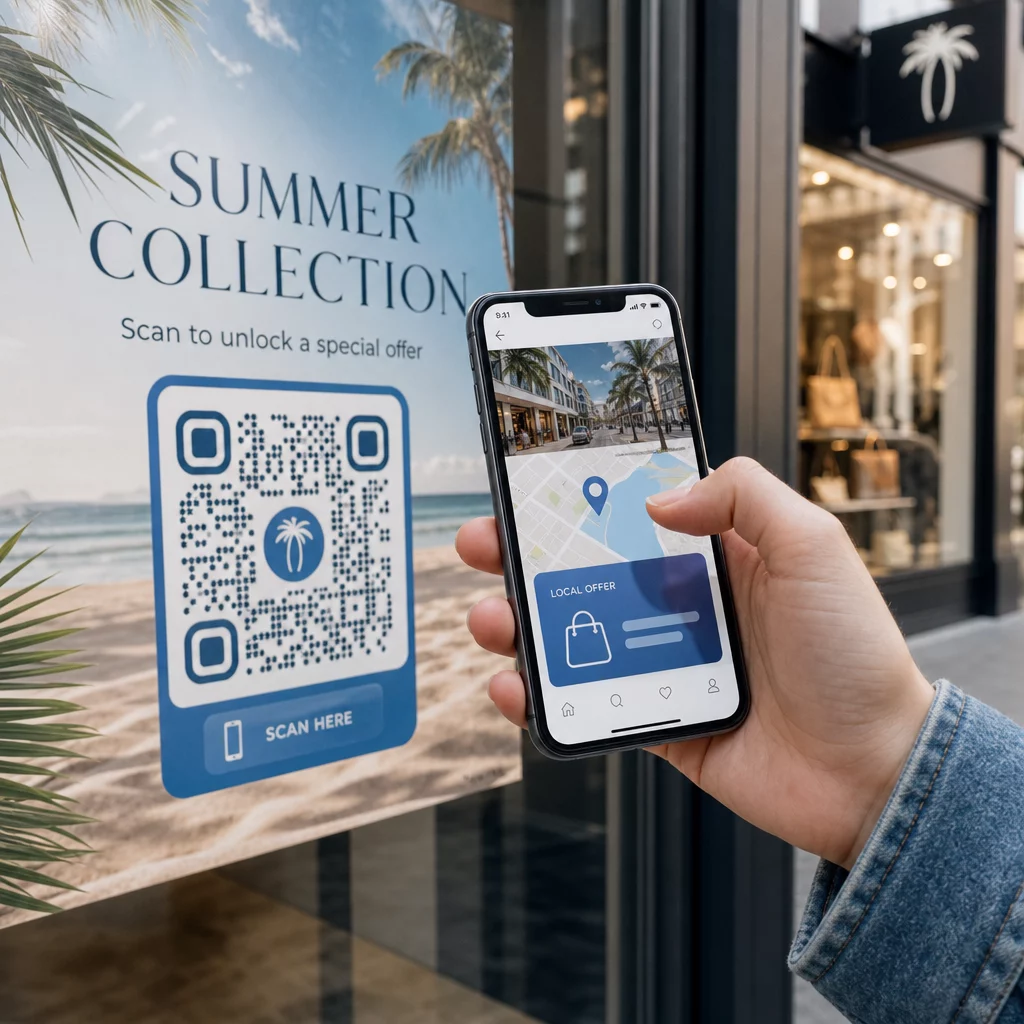
Her tarayıcının bulunduğu yere uygun içeriğe ulaşmasını ister misiniz? Tek bir QR kodu herkesi coğrafyadan bağımsız olarak aynı sayfaya gönderdiğinde, yerel kitlelere hedeflenmiş teklifler, dil ve bağlam ile hitap etme şansını kaybedersiniz. Bu kılavuz, konum tabanlı QR kodu yönlendirmesinin nasıl çalıştığını, nasıl kurulacağını ve nelere dikkat edilmesi gerektiğini açıklar.
Konum Tabanlı Yönlendirme Neden Dinamik QR Kodları Gerektirir?
Standart bir statik QR kodu, sabit bir URL'yi doğrudan desenine kodlar. Bu hedef asla değişemez – her seferinde yeni bir kod yazdırmanız gerekir. Dinamik QR kodları farklı çalışır: kodun kendisi kısa bir yönlendirme URL'si kodlar ve gerçek hedef bir sunucuda kontrol edilir. Bu, basılı materyale dokunmadan kodun işaret ettiği yeri istediğiniz zaman güncelleyebileceğiniz anlamına gelir.
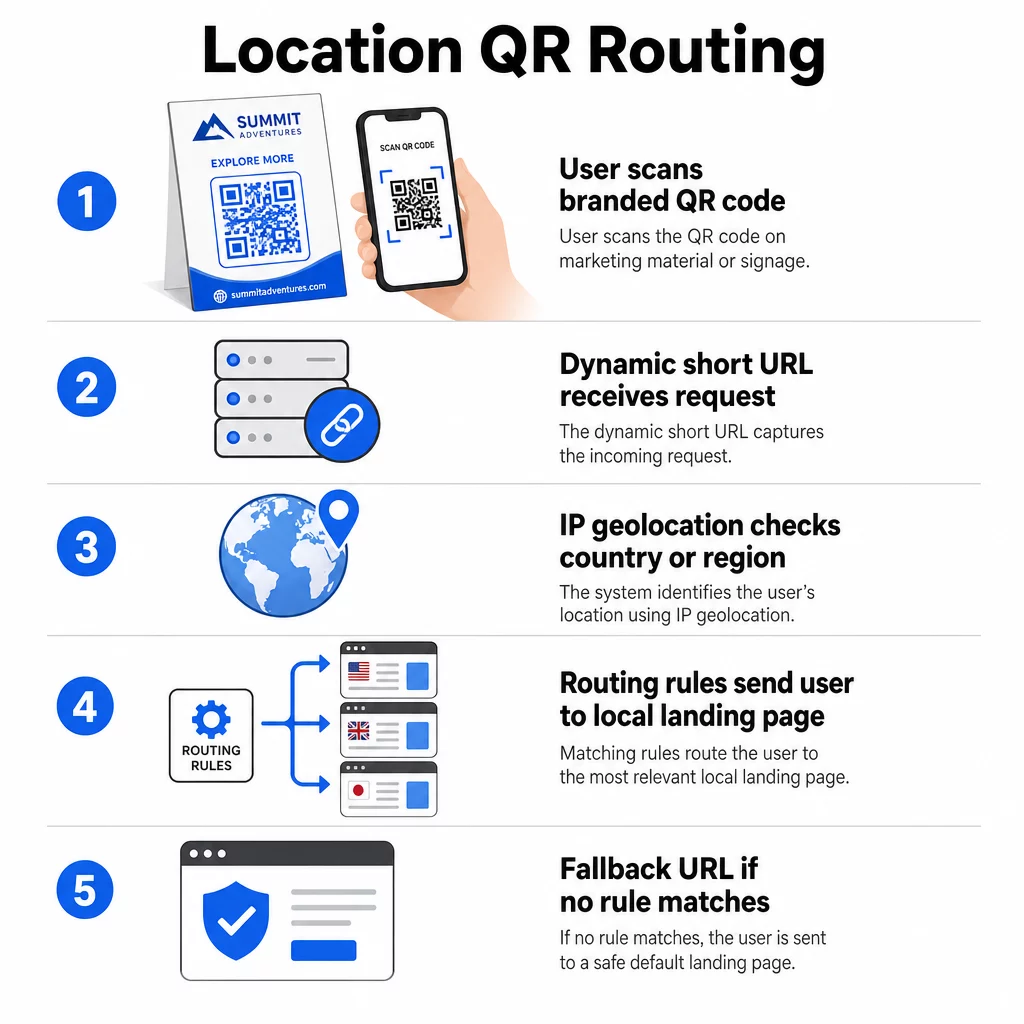
Konum tabanlı yönlendirme bu temel üzerine kuruludur. Birisi dinamik bir kodu taradığında, yönlendirme katmanı tarayıcının coğrafi konumunu (genellikle cihazın IP adresinden türetilir) kontrol eder ve yapılandırdığınız kuralları uygulayarak ülkeye veya bölgeye özel bir URL sunar. Hiçbir kural eşleşmezse, sistem belirlediğiniz varsayılan bir URL'ye geri döner.
Şunları anlamak statik ve dinamik QR kodları arasındaki fark herhangi bir konum tabanlı kampanya oluşturmadan önceki en önemli ilk adımdır.
Konum Tabanlı QR Kodları Oluşturun Tarayıcıları bulundukları yere göre doğru hedefe göndermeye hazır mısınız? Şunu kullanın: Dinamik QR Kod Oluşturucu konum kuralları yerleşik olarak bulunan düzenlenebilir, izlenebilir kodlar oluşturmak için.
Konum Algılama Gerçekte Nasıl Çalışır?
Çoğu platform şunu kullanır: IP tabanlı coğrafi konum: bir cihaz QR kodunu taradığında ve kısa yönlendirme URL'sini açtığında, istek bir IP adresi taşır. Platform, tarayıcının ülkesini veya bölgesini belirlemek için bu IP'yi bir coğrafi konum veritabanında arar, ardından eşleşen hedef URL'ye yönlendirir.
Bu yaklaşım ülke düzeyinde güvenilirdir – ülke tespiti için doğruluk genellikle -99 aralığında rapor edilir – ancak daha küçük coğrafyalar için önemli ölçüde düşer. Bölgesel veya eyalet düzeyindeki tespit -80 doğruluk civarında seyreder ve şehir düzeyindeki doğruluk -75'e düşer. Birkaç faktör güvenilirliği daha da azaltır:
- Görünür IP konumunun kullanıcının fiziksel konumundan farklı olduğu VPN veya proxy kullanımı
- Gerçek cihazdan uzakta kayıtlı IP'ler atayabilen mobil operatör düzeyinde NAT
- Kurumsal ağlar, trafiğin merkezi bir ofis IP'si üzerinden yönlendirildiği yerler
- IP yeniden atamalarına ayak uyduramamış güncel olmayan coğrafi konum veritabanları
Ülke düzeyinde hedeflemenin yeterli olduğu kampanyalar için – farklı dil sürümleri, bölgesel promosyonlar, ülkeye özel mağazalar – IP tabanlı algılama iyi çalışır. Mahalle veya mekan düzeyinde hiper-yerel hedefleme için, GPS tabanlı konum (kullanıcının izin verdiği durumlarda) daha fazla hassasiyet sağlar, ancak açık bir onay istemi gerektirir.
Her zaman bir yapılandırın varsayılan yedek URL konumu belirlenemeyen veya tanımladığınız kuralların dışında kalan tarayıcılar için. Bu, kimsenin çıkmaza girmesini engeller.
Başlamadan Önce İhtiyacınız Olanlar
Konum kurallarını ayarlamadan önce şu üç şeyi hazır bulundurun:
- Dinamik bir QR kod platformu coğrafi yönlendirmeyi destekleyen. Ülke veya bölge başına hedef URL'leri tanımlamanıza, yeniden yazdırmadan kuralları güncellemenize ve tarama verilerini konuma göre izlemenize olanak tanıyan birini arayın. Pageloot'un özellikleri tüm bunları tek bir kontrol panelinde içerir.
- Her hedef coğrafya için hedef URL'ler. Bunlar, lansmandan önce tamamen oluşturulmuş ve mobil uyumlu olmalıdır. Her bölgesel sayfa, uygun şekilde yerel dili, para birimini, teklifleri veya mağaza bilgilerini yansıtmalıdır.
- Bir yedek URL belirli bir kurala uymayan herhangi bir tarayıcı için çalışan – genellikle ana web siteniz veya kullanıcıların kendi bölgelerini seçebilecekleri tarafsız bir açılış sayfası.
Konum Tabanlı Yönlendirme Nasıl Kurulur
Adım 1: Dinamik Bir QR Kodu Oluşturun
Dinamik bir QR kodu planına kaydolun ve kullanarak yeni bir kod oluşturun Dinamik QR Kod Oluşturucu. Bu aşamada, bir yer tutucu hedef URL girin – konum kurallarını daha sonra yapılandıracaksınız. Güven oluşturmak ve taramayı teşvik etmek için kodun görünümünü marka renkleriniz ve logonuzla özelleştirin.
Adım 2: Coğrafi Yönlendirme Kurallarını Yapılandırın
QR kod yönetim panonuzda, yeni oluşturduğunuz kod için yönlendirme veya rota ayarlarını bulun. Ülkeye göre (veya destekleniyorsa bölgeye göre) kurallar ekleyin:
- Bir hedef coğrafya seçin (örneğin, Almanya)
- O coğrafya için hedef URL'yi girin (örneğin, Almanca ürün sayfanız)
- Hedeflemek istediğiniz her ülke veya bölge için tekrarlayın
- Diğer tüm konumlar için varsayılan yedek URL'nizi ayarlayın
Sistem, 302 geçici HTTP yönlendirmeleri kullanır; bu, kısa URL'nin her zaman aynı kaldığı, hedef ise basılı kodu etkilemeden istediğiniz zaman güncellenebileceği anlamına gelir.
Adım 3: QR Koduna Markalama Ekleyin
Logonuzun desende ortalandığı ve kimliğinizle eşleşen renklere sahip markalı bir QR kodu, kullanıcıları onu görmezden gelmek yerine taramaya teşvik eder. Çoğu platform, logo boyutunu, renk paletini ve kenar stilini kontrol etmenize olanak tanır. Özellikle kod çeşitli yüzeylerde veya farklı aydınlatma koşullarında görünecekse, güvenilir tarama için kodun ön planı ile arka planı arasındaki kontrastın yeterince yüksek kaldığından emin olun.
Daha derinlemesine bir bakış için coğrafi sınırlama ve yerleştirme en iyi uygulamaları, basılı materyaller için 10:1 boyutlandırma kuralı da dahil olmak üzere, bu kılavuz tüm tasarım ve dağıtım kontrol listesini kapsar.
Adım 4: Dağıtımdan Önce Test Edin
Test etmek vazgeçilmezdir. Herhangi bir şeyi yazdırmadan veya yayınlamadan önce, her coğrafi kuralın doğru şekilde yönlendirdiğini doğrulayın. Her hedef ülkeye ayarlanmış bir VPN kullanarak o konumlardan taramaları simüle edin ve her seferinde beklenen hedef URL'ye ulaştığınızı onaylayın. Ayrıca, tanımladığınız kuralların dışındaki bir konumla yedek URL'yi de test edin.
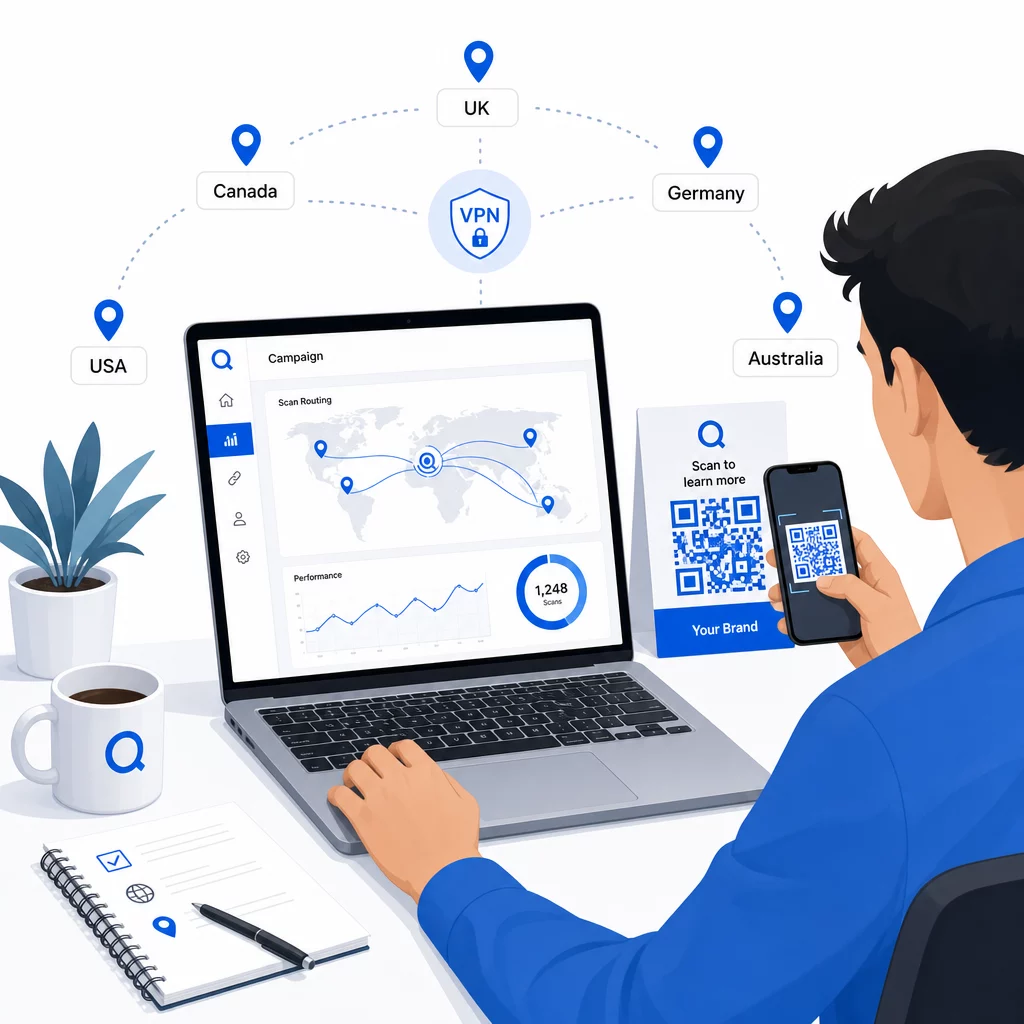
Taranabilirliği doğrulamak için birden fazla cihaz türünde (iOS ve Android), hem Wi-Fi hem de mobil veri bağlantılarında ve farklı aydınlatma koşullarında test edin. Herhangi bir sorunu belgeleyin ve yayına geçmeden önce çözün. Daha sonra değişiklik yapmanız gerekirse, dinamik bir QR kodunun hedefini düzenleme süreci basittir ve herhangi bir şeyi yeniden yazdırmayı gerektirmez.
Taramayı Kazandıran Bölgesel İçerik Oluşturma
Bir tarayıcıyı genel bir sayfaya yönlendiren bir konum kuralı amacına aykırıdır. Hedef içerik, her coğrafyayı farklı kılan şeyleri yansıtmalıdır:
- Dil: İngilizce konuşulan pazarlarda bile ifade, yazım ve ton farklılık gösterir. İngilizce olmayan pazarlar için tamamen çevrilmiş bir sayfa beklenir.
- Yerel teklifler ve fiyatlandırma: Para birimi, promosyon zamanlaması ve ürün bulunabilirliği bölgeye göre değişir. O konumda gerçekten alakalı ve satın alınabilir olanı gösterin.
- Mağaza veya iletişim bilgileri: Fiziksel konumlarınız varsa, tarayıcının bulunduğu yere göre en yakın olanı gösterin.
- Düzenleyici veya uyumluluk detayları: Bazı endüstriler – yiyecek ve içecek, sağlık, finansal hizmetler – bölgeye özgü açıklama gereksinimlerine sahiptir. Her sayfanın yerel standartları karşıladığından emin olun.
Araştırmalar, müşterilerin 'unun kişiselleştirilmiş QR kod içeriği aradığını gösteriyor. Bölgeye özgü bir sayfa hoş bir ek değil – giderek artan bir temel beklenti haline geliyor. Daha geniş bir bakış için coğrafi hedefli QR kodları ile yerel kitlelere ulaşmak, gerçek dünya marka örnekleri dahil, bu kılavuz yerelleştirme stratejisine daha derinlemesine iner.
Performansı Ölçme ve İyileştirme
Dinamik QR kodları tarama verilerini otomatik olarak oluşturur. Platformunuzun analiz panosunu kullanarak şunları izleyin:
- Ülkeye veya bölgeye göre tarama hacmi, etkileşimin en güçlü olduğu yerleri belirlemek için
- Tarama zamanlaması, kullanıcıların her pazarda ne zaman en aktif olduğunu anlamak için
- Cihaz türleri, bölgesel sayfalarınızın her coğrafyada baskın cihaz için doğru şekilde görüntülendiğinden emin olmak için
- Dönüşüm davranışı, hedef URL'lerinize UTM parametrelerini bağladıysanız ve Google Analytics gibi bir araçla entegre ettiyseniz
Nelerin izlenebilir olduğu ve verilerin nasıl yorumlanacağı hakkında eksiksiz bir rehber için, şu kılavuz QR kodu taramalarını ve analizlerini takip etme dinamik kodlarla kullanılabilen tüm metrik yelpazesini kapsar.
Bu verileri bölgesel açılış sayfalarında A/B testleri yapmak, fiziksel QR kodlarının yerleşimini daha yüksek trafikli konumlara ayarlamak ve bütçeyi en iyi sonuçları veren pazarlara kaydırmak için kullanın. Performansı aylık olarak gözden geçirin ve kampanyalar, teklifler veya içerik değiştikçe hedef URL'leri güncelleyin – tek bir yeni kod yazdırmadan.
Konuma Göre Her Taramayı Takip Edin Hangi bölgelerin en çok etkileşim sağladığını görün ve kampanyalarınızı gerçek zamanlı olarak ayarlayın. Şununla başlayın Dinamik QR Kod Oluşturucu ve ilk günden itibaren tam bir analiz panosu edinin.
Gizlilik ve Veri Uyumunu Yönetme
Konum verilerini toplamak – IP tabanlı olsa bile – uyumluluk sorumlulukları yaratır. Kurallar bölgeye göre değişir:
- GDPR (Avrupa Birliği): Konum verilerini işlemek için yasal bir dayanağa ihtiyacınız var. Pazarlama amaçları için genellikle açık rıza gereklidir. Tarama gerçekleşmeden önce hangi verileri topladığınız ve neden topladığınız konusunda şeffaf olun.
- CCPA (Kaliforniya): Kullanıcılar, hangi kişisel verileri tuttuğunuzu bilme ve silme talebinde bulunma hakkına sahiptir. Platformunuz ve süreçleriniz bu talepleri desteklemelidir.
- HIPAA (Amerika Birleşik Devletleri): Sağlık hizmetleri bağlamları, sağlıkla ilgili QR kodlarına bağlı konum sinyalleri de dahil olmak üzere, hastayla ilgili tüm veriler için ek güvenceler gerektirir.
Uyumlu kalmak için pratik adımlar:
- Konum verilerini yalnızca kullanıcı deneyimini belirli, açıkça ifade edilebilir bir şekilde iyileştiriyorsa toplayın
- Kullanıcılara – taramadan önce – hangi verilerin toplandığını ve nasıl kullanıldığını açıkça bildirin
- Konum paylaşımını reddeden kullanıcılar için alternatif bir yol sağlayın (örneğin, bölgelerini manuel olarak seçebilecekleri bir sayfa)
- Her yerde HTTPS ve şifreli veri depolama kullanın
- Tanınmış güvenlik standartlarını karşılayan ve veri saklamayı yönetmenize olanak tanıyan bir platformla çalışın
Gizlilik bildiriminizi kısa, sade bir dilde ve kolay bulunabilir tutun – QR kodunu taşıyan basılı materyaller de dahil olmak üzere.
Akılda Tutulması Gereken Sınırlamalar
IP tabanlı coğrafi konumlandırma mükemmel değildir ve bazı kullanıcılar kaçınılmaz olarak yanlış bölgesel hedefe yönlendirilecektir – özellikle VPN kullananlar, uluslararası seyahat edenler veya kurumsal bir ağ üzerinden bağlananlar. Etkiyi azaltmanın birkaç yolu:
- Yanlış yönlendirilen kullanıcıların deneyimlerini kendileri düzeltebilmeleri için her açılış sayfasında her zaman görünür bir dil veya bölge seçici sağlayın
- Farklı bir bölgenin içeriğini istediklerini bilen kullanıcıları hayal kırıklığına uğratacak şekilde içeriği coğrafi olarak katı bir şekilde kilitlemekten kaçının
- Hedeflemenizle eşleşmeyen bir ülkeden beklenmedik derecede yüksek trafik gibi anormallikler için analitiklerinizi izleyin; bu, yönlendirme hatalarını gösterebilir
Sıkça sorulan sorular
Hayır. Çünkü dinamik QR kodları, sunucu düzeyinde kontrol edilen kısa bir yönlendirme URL'si kullanır, kodun kendisini değiştirmeden veya yeniden basmadan herhangi bir coğrafi kural için hedef URL'leri istediğiniz zaman güncelleyebilirsiniz. Basılı kod aynı kalır; yalnızca yönlendirme mantığı değişir.
Ülke düzeyindeki doğruluk genellikle yüksektir – çoğu durumda -99 civarındadır – bu da kullanıcıları ülkeye özgü sayfalara veya dil sürümlerine yönlendirmek için güvenilir kılar. Doğruluk, bölgesel, şehir veya mahalle düzeyinde önemli ölçüde düşer ve VPN kullanan, merkezi IP yönlendirmeli mobil operatörler veya kurumsal ağlardaki kullanıcılar için daha da azalır. Daha hassas yerel hedefleme ihtiyacınız varsa, kullanıcı onayıyla GPS tabanlı konumu destekleyen platformlara bakın.
Sistem, kodu kurarken yapılandırdığınız varsayılan yedek URL'ye tarayıcıyı yönlendirir. Bu nedenle, güvenilir bir yedek hedef (genellikle ana web siteniz veya manuel bölge seçicili nötr bir açılış sayfası) tanımlamak, konum tabanlı herhangi bir QR kurulumunun önemli bir parçasıdır.