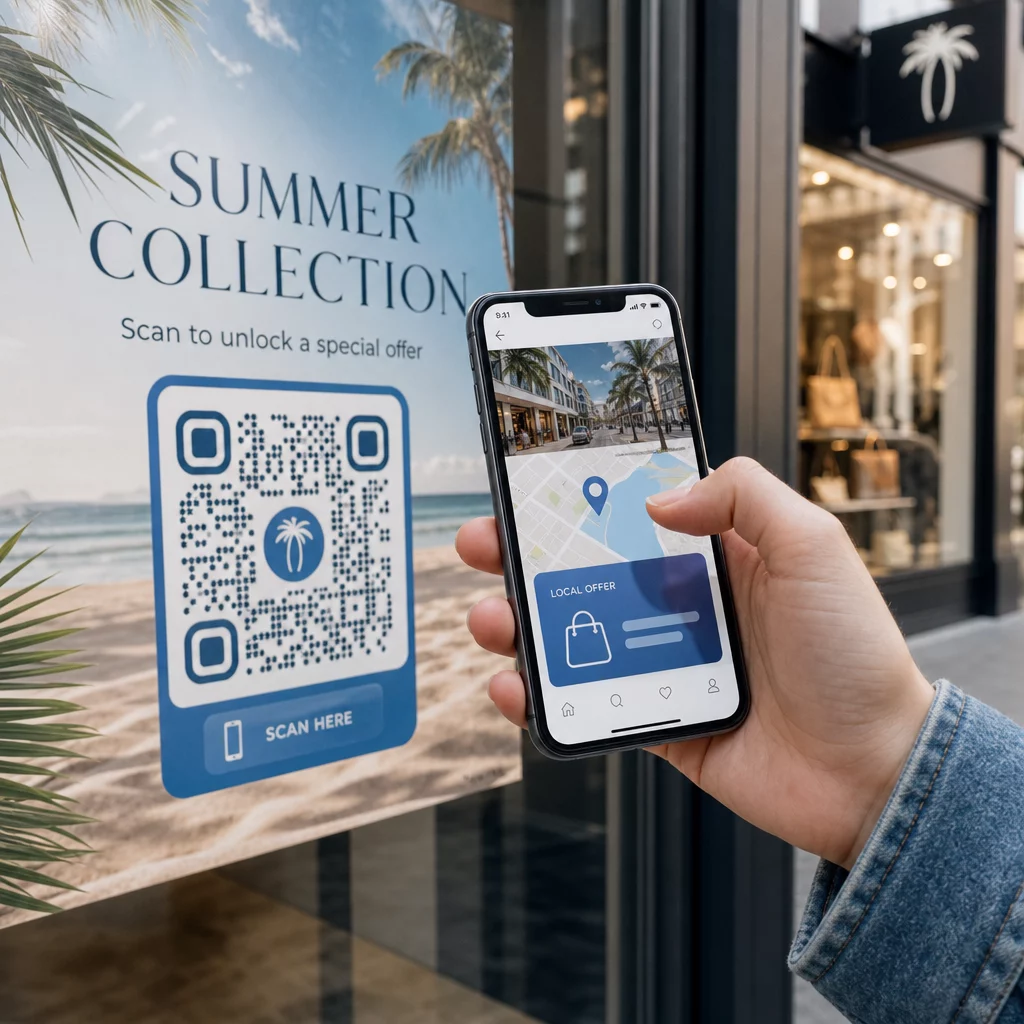
Szeretné, ha minden szkennelő olyan tartalomra jutna, amely releváns a tartózkodási helyéhez? Amikor egyetlen QR-kód mindenkit ugyanarra az oldalra küld, földrajzi elhelyezkedéstől függetlenül, elveszíti az esélyt, hogy célzott ajánlatokkal, nyelvvel és kontextussal szóljon a helyi közönséghez. Ez az útmutató elmagyarázza, hogyan működik a helyalapú QR-kód átirányítás, hogyan kell beállítani, és mire kell figyelni.
Miért igényel a helyalapú átirányítás dinamikus QR-kódokat
Egy szabványos statikus QR-kód egy rögzített URL-t kódol közvetlenül a mintájába. Ez a cél soha nem változhat – minden alkalommal új kódot kellene nyomtatnia. Dinamikus QR-kódok másképp működnek: maga a kód egy rövid átirányítási URL-t kódol, és a tényleges cél egy szerveren keresztül vezérelhető. Ez azt jelenti, hogy bármikor frissítheti, hová mutat a kód, anélkül, hogy hozzáérne a nyomtatott anyaghoz.
A helyalapú átirányítás erre az alapra épül. Amikor valaki beolvas egy dinamikus kódot, az átirányítási réteg ellenőrzi a szkennelő földrajzi helyét – jellemzően az eszköz IP-címéből származtatva –, és alkalmazza az Ön által konfigurált szabályokat egy országspecifikus vagy régióspecifikus URL kiszolgálására. Ha nincs egyező szabály, a rendszer visszatér az Ön által beállított alapértelmezett URL-hez.
A megértése különbséget a statikus és dinamikus QR-kódok között a legfontosabb első lépés, mielőtt bármilyen helyalapú kampányt építene.
Hozzon létre helyalapú QR-kódokat Készen áll arra, hogy a szkennelőket a megfelelő célállomásra küldje a tartózkodási helyük alapján? Használja a Dinamikus QR-kód generátor szerkeszthető, nyomon követhető kódok létrehozásához beépített helyszabályokkal.
Hogyan működik valójában a helymeghatározás
A legtöbb platform használja a IP-alapú földrajzi helymeghatározást: amikor egy eszköz beolvassa a QR-kódot és megnyitja a rövid átirányítási URL-t, a kérés egy IP-címet tartalmaz. A platform megkeresi ezt az IP-címet egy földrajzi helymeghatározási adatbázisban, hogy meghatározza a szkennelő országát vagy régióját, majd a megfelelő cél URL-re irányítja.
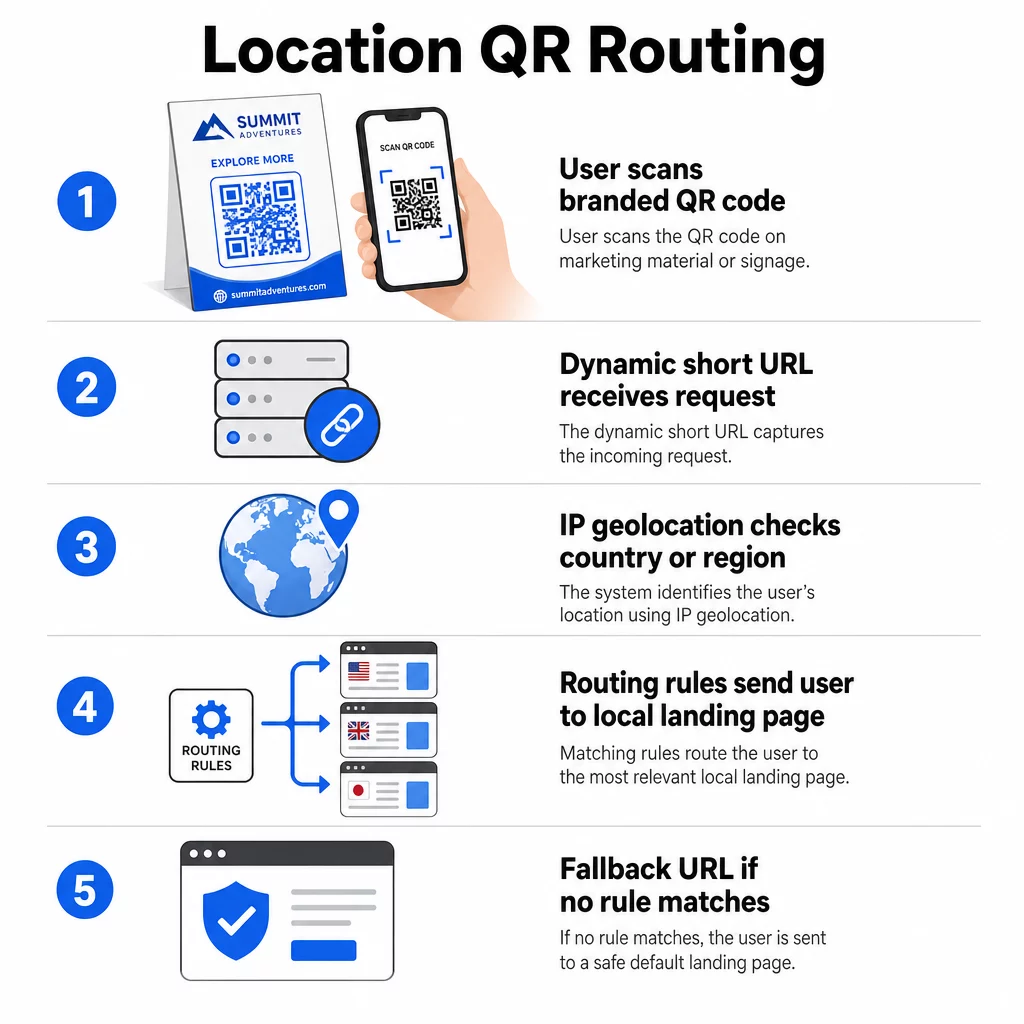
Ez a megközelítés országos szinten megbízható – az országfelismerés pontossága általában 90–99%-os tartományban van –, de jelentősen csökken kisebb földrajzi területeken. A regionális vagy állami szintű felismerés pontossága 55–80% körül mozog, a városi szintű pontosság pedig 50–75%-ra esik. Számos tényező tovább csökkenti a megbízhatóságot:
- VPN vagy proxy használata, ahol a látszólagos IP-hely eltér a felhasználó fizikai helyétől
- Mobil szolgáltatói szintű NAT, amely a tényleges eszköztől távol regisztrált IP-címeket rendelhet hozzá
- Vállalati hálózatok, ahol a forgalom egy központi irodai IP-n keresztül halad
- Elavult földrajzi helymeghatározó adatbázisok, amelyek nem követték az IP-címek újraosztását
Azoknál a kampányoknál, ahol az országos szintű célzás elegendő – különböző nyelvi verziók, regionális promóciók, országspecifikus webáruházak – az IP-alapú észlelés jól működik. A hiperlokális célzáshoz, például a környék vagy helyszín szintjén, a GPS-alapú helymeghatározás (ahol a felhasználó engedélyt ad) nagyobb pontosságot biztosít, bár ehhez kifejezett hozzájárulási kérés szükséges.
Mindig konfiguráljon egy alapértelmezett tartalék URL-t azoknak a szkennereknek, akiknek a helye nem határozható meg, vagy akik kívül esnek a meghatározott szabályokon. Ez megakadályozza, hogy bárki zsákutcába jusson.
Amire szüksége van, mielőtt elkezdi
Mielőtt beállítaná a helyszabályokat, készítse elő ezt a három dolgot:
- Egy dinamikus QR-kód platform amely támogatja a földrajzi útválasztást. Keressen olyat, amely lehetővé teszi a cél URL-ek meghatározását országonként vagy régiónként, a szabályok frissítését újranyomtatás nélkül, és a szkennelési adatok nyomon követését helyszín szerint. A Pageloot funkciói mindezeket egyetlen irányítópulton tartalmazzák.
- Cél URL-ek minden célföldrajzi területhez. Ezeknek teljesen elkészültnek és mobilra optimalizáltnak kell lenniük a bevezetés előtt. Minden regionális oldalnak tükröznie kell a helyi nyelvet, pénznemet, ajánlatokat vagy üzletinformációkat, ahogy az megfelelő.
- Egy tartalék URL amely minden olyan szkenner számára működik, amelyet nem egyezik meg egy adott szabály – jellemzően a fő webhelye vagy egy semleges céloldal, ahol a felhasználók maguk választhatják ki régiójukat.
Hogyan állítsunk be helyalapú átirányítást
1. lépés: Dinamikus QR-kód létrehozása
Regisztráljon egy dinamikus QR-kód csomagra, és hozzon létre egy új kódot a Dinamikus QR-kód generátor. Ebben a szakaszban adjon meg egy helyőrző cél URL-t – a helyszabályokat ezután konfigurálja. Szabja testre a kód megjelenését márkaszíneivel és logójával, hogy bizalmat építsen és ösztönözze a szkennelést.
2. lépés: Földrajzi útválasztási szabályok konfigurálása
A QR-kód kezelőpultján belül keresse meg az imént létrehozott kód átirányítási vagy útválasztási beállításait. Adjon hozzá szabályokat országonként (vagy régiónként, ha támogatott):
- Válasszon ki egy cél földrajzi területet (például Németországot)
- Adja meg az adott földrajzi terület cél URL-jét (például a német nyelvű termékoldalát)
- Ismételje meg minden olyan ország vagy régió esetében, amelyet megcélozni szeretne
- Állítsa be az alapértelmezett tartalék URL-t az összes többi helyszínre
A rendszer 302-es ideiglenes HTTP átirányításokat használ, ami azt jelenti, hogy a rövid URL mindig ugyanaz marad, miközben a cél bármikor frissíthető anélkül, hogy befolyásolná a nyomtatott kódot.
3. lépés: Márka hozzáadása a QR-kódhoz
Egy márkás QR-kód – a logójával a minta közepén és az identitásához illő színekkel – arra ösztönzi a felhasználókat, hogy inkább beolvassák, mint figyelmen kívül hagyják. A legtöbb platform lehetővé teszi a logó méretének, színpalettájának és élstílusának szabályozását. Győződjön meg arról, hogy a kód előtere és háttere közötti kontraszt elég magas marad a megbízható szkenneléshez, különösen, ha a kód változatos felületeken vagy különböző fényviszonyok között jelenik meg.
A mélyebb betekintésért a geofencing és elhelyezési legjobb gyakorlatok, beleértve a nyomtatott anyagokra vonatkozó 10:1 méretezési szabályt is, ez az útmutató lefedi a teljes tervezési és telepítési ellenőrzőlistát.
4. lépés: Tesztelés telepítés előtt
A tesztelés nem alkuképes. Mielőtt bármit kinyomtatna vagy közzétenne, ellenőrizze, hogy minden földrajzi szabály helyesen irányít-e. Használjon VPN-t, amelyet minden célországra beállított, hogy szimulálja a beolvasásokat ezekről a helyekről, és erősítse meg, hogy minden alkalommal a várt cél-URL-re érkezik. Tesztelje a tartalék URL-t is egy olyan helyszínnel, amely kívül esik a meghatározott szabályokon.
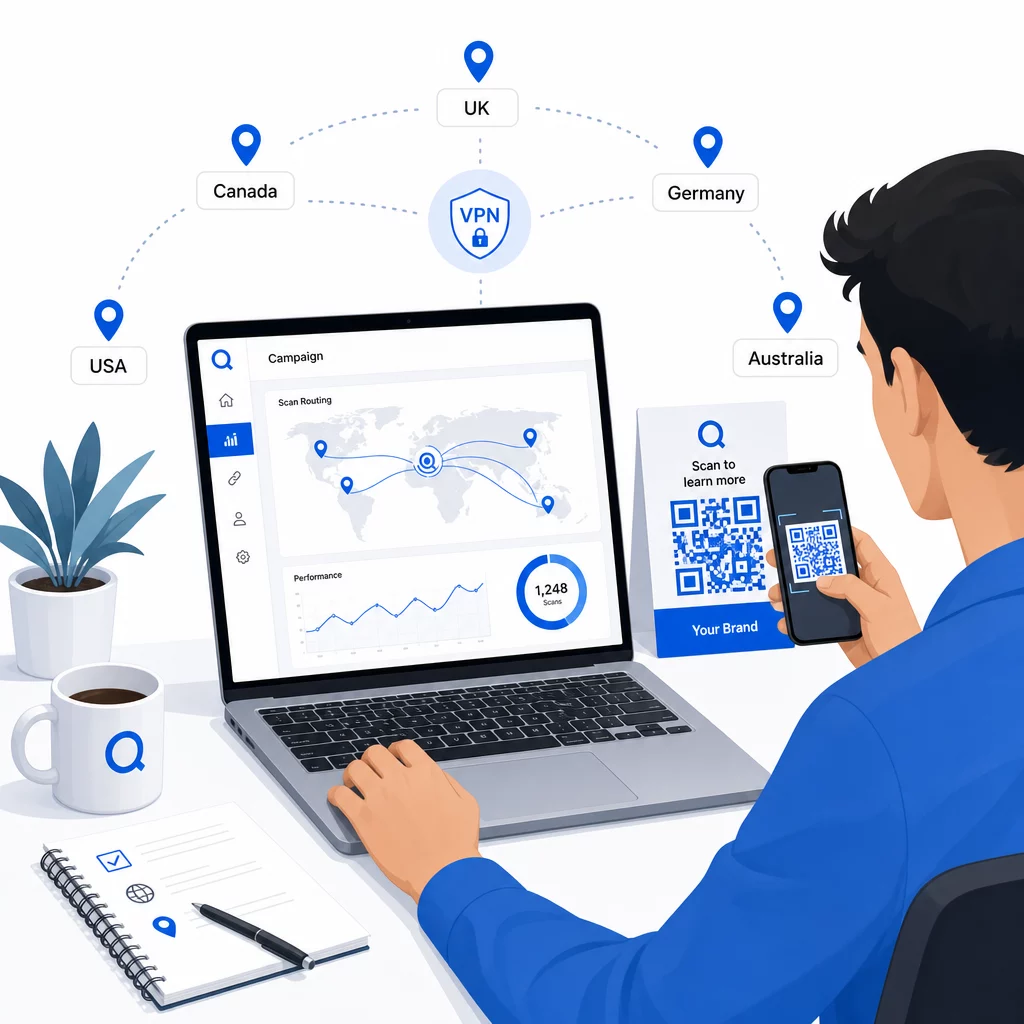
Teszteljen több eszköztípuson (iOS és Android), Wi-Fi és mobil adatkapcsolaton egyaránt, valamint különböző fényviszonyok között a szkennelhetőség megerősítéséhez. Dokumentáljon minden problémát, és oldja meg azokat az élesítés előtt. Ha később módosításokat kell végeznie, a dinamikus QR-kód céljának szerkesztési folyamata egyszerű, és nem igényel újranyomtatást.
Regionális tartalom készítése, amely megéri a szkennelést
Egy olyan helyszabály, amely egy szkennert egy általános oldalra irányít, meghiúsítja a célt. A cél tartalomnak tükröznie kell, mi teszi az egyes földrajzi területeket egyedivé:
- Nyelv: Még az angol nyelvű piacokon is eltér a megfogalmazás, a helyesírás és a hangnem. A nem angol nyelvű piacokon egy teljesen lefordított oldal elvárás.
- Helyi ajánlatok és árak: A valuta, a promóciós időzítés és a termék elérhetősége régiónként változik. Mutassa meg, mi az, ami valójában releváns és megvásárolható az adott helyen.
- Üzlet- vagy elérhetőségi információk: Ha vannak fizikai üzletei, jelenítse meg a legközelebbit a szkenner helyzete alapján.
- Szabályozási vagy megfelelőségi részletek: Egyes iparágak – élelmiszer- és italgyártás, egészségügy, pénzügyi szolgáltatások – régióspecifikus közzétételi követelményekkel rendelkeznek. Győződjön meg róla, hogy minden oldal megfelel a helyi szabványoknak.
Kutatások szerint az ügyfelek 39%-a aktívan keresi a személyre szabott QR-kód tartalmat. Egy régióspecifikus oldal nem egy kellemes kiegészítés – egyre inkább az alapvető elvárás. Egy szélesebb körű áttekintésért a helyi közönség elérése geocélzott QR-kódokkal, valós márkpéldákkal együtt, ez az útmutató mélyebben belemerül a lokalizációs stratégiába.
Teljesítmény mérése és javítása
A dinamikus QR-kódok automatikusan generálnak szkennelési adatokat. Használja platformja analitikai műszerfalát a következőkhöz:
- Szkennelési volumen ország vagy régió szerint, hogy azonosítsa, hol a legerősebb az elkötelezettség
- Szkennelési időzítés, hogy megértse, mikor a legaktívabbak a felhasználók az egyes piacokon
- Eszköztípusok, hogy biztosítsa, regionális oldalai helyesen jelenjenek meg az uralkodó eszközön az egyes földrajzi területeken
- Konverziós viselkedés, ha UTM paramétereket csatolt cél URL-jeihez, és integrálta egy olyan eszközzel, mint a Google Analytics
A nyomon követhető dolgok és az adatok értelmezésének teljes áttekintéséhez az útmutató a QR-kód beolvasások és elemzések nyomon követéséről szól lefedi a metrikák teljes skáláját, amelyek dinamikus kódokkal elérhetők.
Használja ezeket az adatokat A/B tesztek futtatására regionális céloldalakon, állítsa be a fizikai QR-kódok elhelyezését forgalmasabb helyekre, és irányítsa a költségvetést a legjobb eredményeket hozó piacok felé. Tekintse át a teljesítményt havonta, és frissítse a cél URL-eket, ahogy a kampányok, ajánlatok vagy tartalmak változnak – anélkül, hogy egyetlen új kódot is nyomtatna.
Minden szkennelés nyomon követése hely szerint Nézze meg, mely régiók generálják a legnagyobb elkötelezettséget, és valós időben módosítsa kampányait. Kezdje a Dinamikus QR-kód generátor és kap egy teljes analitikai műszerfalat az első naptól kezdve.
Adatvédelem és adatmegfelelőség kezelése
A helyadatok gyűjtése – még az IP-alapúak is – megfelelőségi kötelezettségeket von maga után. A szabályok régiónként eltérőek:
- GDPR (Európai Unió): Jogi alapra van szüksége a helyadatok feldolgozásához. Marketing célokra jellemzően kifejezett hozzájárulás szükséges. Legyen átlátható azzal kapcsolatban, hogy milyen adatokat gyűjt és miért, még a szkennelés előtt.
- CCPA (Kalifornia): A felhasználóknak joguk van tudni, milyen személyes adatokat tárol, és kérhetik azok törlését. Platformjának és folyamatainak támogatnia kell ezeket a kéréseket.
- HIPAA (Egyesült Államok): Az egészségügyi környezetek további biztosítékokat igényelnek minden beteghez kapcsolódó adat, beleértve az egészséggel kapcsolatos QR-kódokhoz kötött helymeghatározási jeleket is.
Gyakorlati lépések a megfelelőség fenntartásához:
- Csak akkor gyűjtsön helyadatokat, ha az egy specifikus, megfogalmazható módon javítja a felhasználói élményt
- Mondja el egyértelműen a felhasználóknak – még a szkennelés előtt –, hogy milyen adatokat gyűjt és hogyan használja fel azokat
- Biztosítson alternatív utat azoknak a felhasználóknak, akik elutasítják a helymegosztást (például egy oldalt, ahol manuálisan választhatják ki régiójukat)
- Használjon HTTPS-t és titkosított adattárolást mindenhol
- Dolgozzon olyan platformmal, amely megfelel az elismert biztonsági szabványoknak, és lehetővé teszi az adatok megőrzésének kezelését
Tartsa adatvédelmi nyilatkozatát tömörnek, közérthetőnek és könnyen megtalálhatónak – beleértve minden olyan nyomtatott anyagot is, amely a QR-kódot tartalmazza.
Figyelembe veendő korlátok
Az IP-alapú földrajzi helymeghatározás nem tökéletes, és egyes felhasználók elkerülhetetlenül rossz regionális célállomásra kerülnek – különösen azok, akik VPN-t használnak, nemzetközileg utaznak, vagy vállalati hálózaton keresztül csatlakoznak. Néhány módja a hatás csökkentésének:
- Mindig biztosítson látható nyelv- vagy régióválasztót minden céloldalon, hogy a rossz helyre irányított felhasználók maguk javíthassák az élményüket
- Kerülje a tartalom földrajzi alapú merev zárolását oly módon, amely frusztrálja azokat a felhasználókat, akik tudják, hogy egy másik régió tartalmát szeretnék
- Figyelje az analitikáját az anomáliákra, például egy olyan országból érkező váratlanul magas forgalomra, amely nem egyezik a célzásával, ami útválasztási hibákra utalhat
Gyakori kérdések
Nem. Mert a dinamikus QR-kódok egy rövid átirányító URL-t használnak, amelyet szerver szinten vezérelnek, bármikor frissítheti a cél URL-eket bármely földrajzi szabályhoz anélkül, hogy magát a kódot megváltoztatná vagy újra kinyomtatná. A kinyomtatott kód változatlan marad; csak az útválasztási logika változik.
Az országos szintű pontosság általában magas – a legtöbb esetben körülbelül 90–99% –, ami megbízhatóvá teszi a felhasználók országspecifikus oldalakhoz vagy nyelvi verziókhoz való irányítását. A pontosság jelentősen csökken regionális, városi vagy környékbeli szinten, és tovább csökken a VPN-t használó felhasználók, a központosított IP-útválasztással rendelkező mobilszolgáltatók vagy a vállalati hálózatok esetében. Ha pontosabb helyi célzásra van szüksége, keressen olyan platformokat, amelyek támogatják a GPS-alapú helymeghatározást felhasználói hozzájárulással.
A rendszer a szkennert az alapértelmezett tartalék URL-re irányítja, amelyet a kód beállításakor konfigurál. Ezért egy megbízható tartalék célállomás meghatározása – jellemzően a fő webhelye vagy egy semleges céloldal kézi régióválasztóval – alapvető része bármely helyalapú QR-beállításnak.