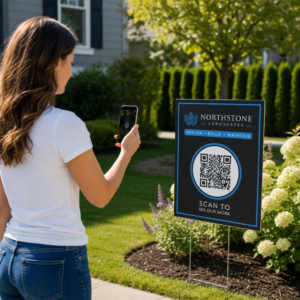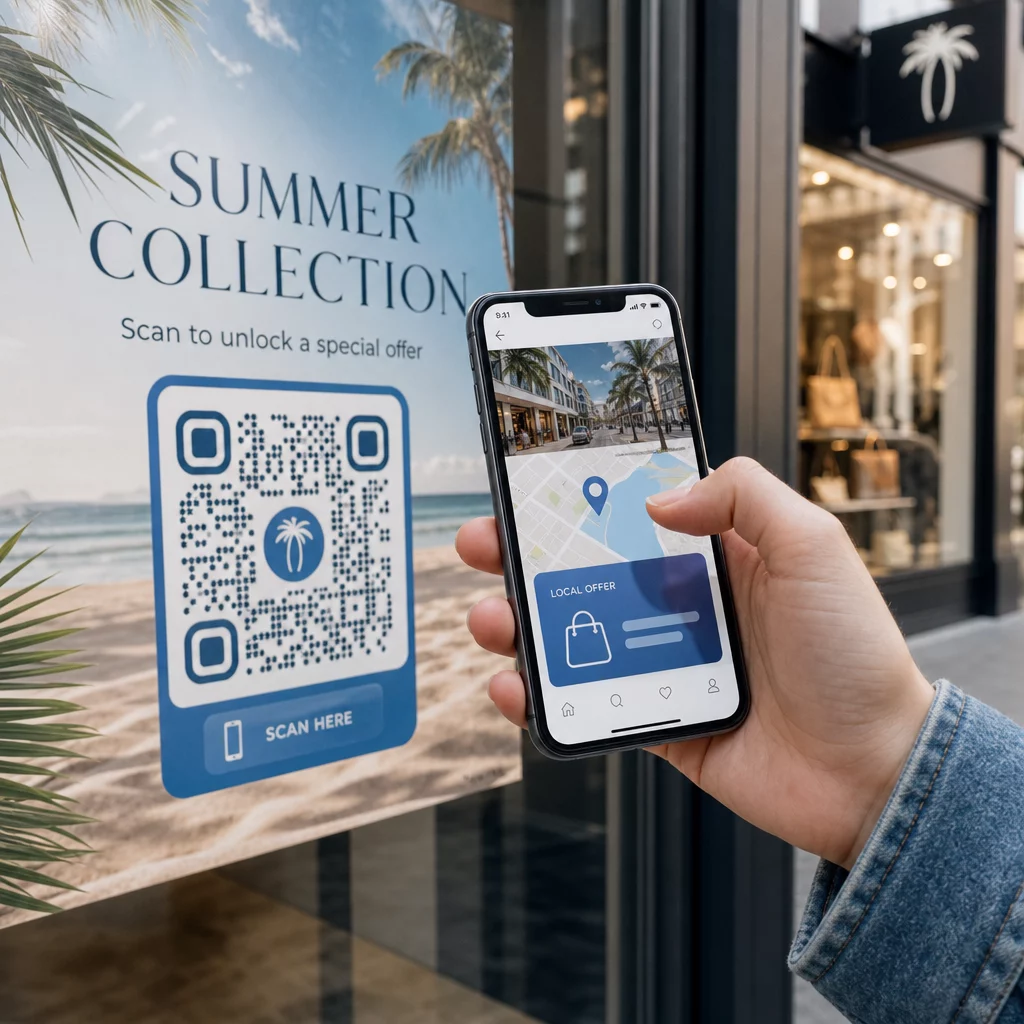
هل تريد أن يصل كل ماسح ضوئي إلى محتوى ذي صلة بموقعه؟ عندما يرسل رمز QR واحد الجميع إلى نفس الصفحة بغض النظر عن الموقع الجغرافي، فإنك تفقد فرصة التحدث إلى الجماهير المحلية بعروض ولغة وسياق مستهدفين. يشرح هذا الدليل كيفية عمل إعادة توجيه رمز QR المستندة إلى الموقع، وكيفية إعدادها، وما يجب الانتباه إليه.
لماذا تتطلب إعادة التوجيه المستندة إلى الموقع رموز QR ديناميكية
يقوم رمز QR ثابت قياسي بتشفير عنوان URL ثابت مباشرة في نمطه. لا يمكن تغيير هذه الوجهة أبدًا – سيتعين عليك طباعة رمز جديد في كل مرة. رموز QR الديناميكية تعمل بشكل مختلف: يقوم الرمز نفسه بتشفير عنوان URL قصير لإعادة التوجيه، ويتم التحكم في الوجهة الفعلية على خادم. هذا يعني أنه يمكنك تحديث الوجهة التي يشير إليها الرمز في أي وقت، دون لمس المواد المطبوعة.
تعتمد إعادة التوجيه المستندة إلى الموقع على هذا الأساس. عندما يقوم شخص ما بمسح رمز ديناميكي، تتحقق طبقة إعادة التوجيه من الموقع الجغرافي للماسح الضوئي – والذي يتم اشتقاقه عادةً من عنوان IP للجهاز – وتطبق القواعد التي قمت بتكوينها لتقديم عنوان URL خاص ببلد معين أو منطقة معينة. إذا لم تتطابق أي قاعدة، يعود النظام إلى عنوان URL افتراضي قمت بتعيينه.
فهم الفرق بين رموز QR الثابتة والديناميكية هي الخطوة الأولى الأكثر أهمية قبل بناء أي حملة تعتمد على الموقع.
إنشاء رموز QR تعتمد على الموقع هل أنت مستعد لإرسال الماسحات الضوئية إلى الوجهة الصحيحة بناءً على موقعها؟ استخدم الـ مولد QR code ديناميكي لبناء رموز قابلة للتحرير والتتبع مع قواعد الموقع المضمنة.
كيف يعمل الكشف عن الموقع بالفعل
تستخدم معظم المنصات تحديد الموقع الجغرافي المستند إلى IP: عندما يقوم جهاز بمسح رمز QR وفتح عنوان URL القصير لإعادة التوجيه، يحمل الطلب عنوان IP. تبحث المنصة عن عنوان IP هذا في قاعدة بيانات تحديد الموقع الجغرافي لتحديد بلد أو منطقة الماسح الضوئي، ثم توجهه إلى عنوان URL الوجهة المطابق.
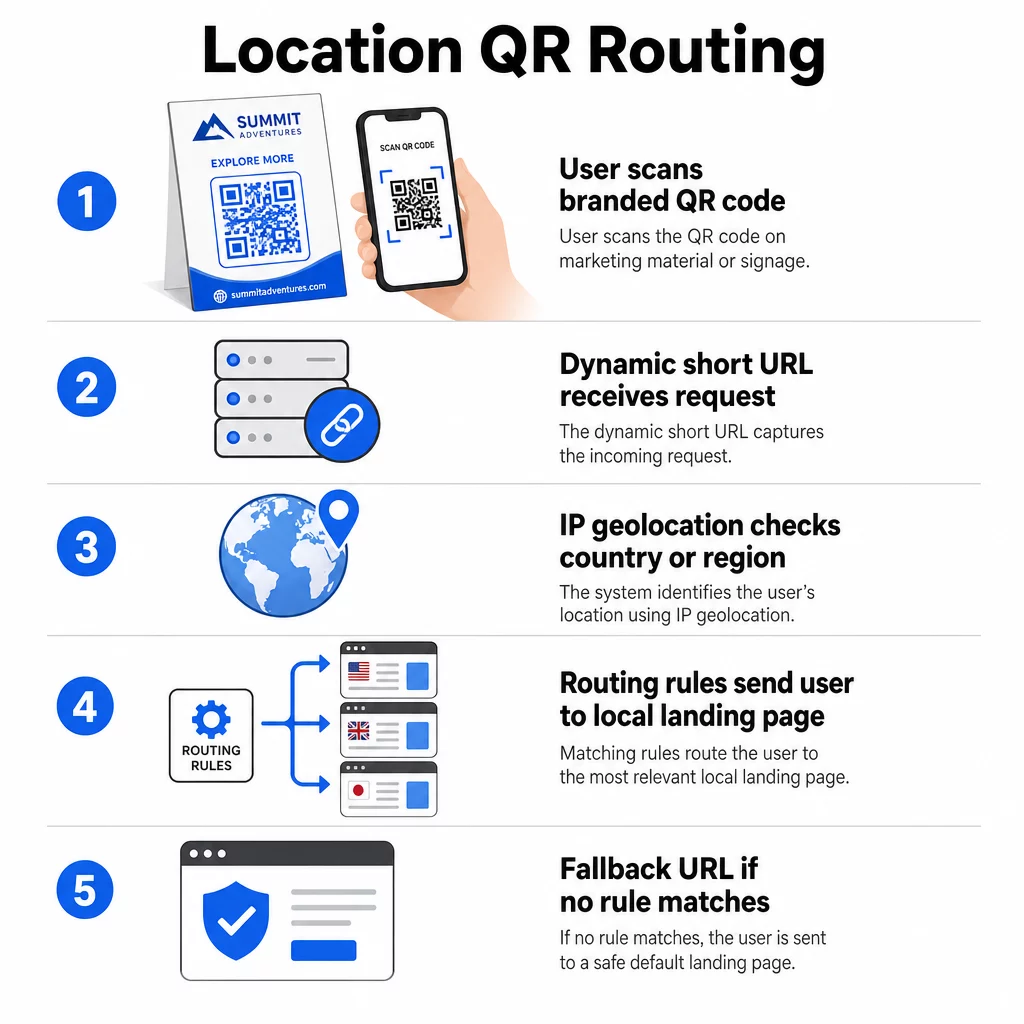
هذا النهج موثوق به على مستوى الدولة – يتم الإبلاغ عن الدقة بشكل عام في نطاق 90-99% للكشف عن الدولة – ولكنه ينخفض بشكل كبير للمناطق الجغرافية الأصغر. يتراوح الكشف على مستوى المنطقة أو الولاية حوالي 55-80% دقة، وتنخفض دقة مستوى المدينة إلى 50-75%. تقلل عدة عوامل من الموثوقية بشكل أكبر:
- استخدام VPN أو وكيل، حيث يختلف موقع IP الظاهر عن الموقع الفعلي للمستخدم
- NAT على مستوى مشغل شبكة الجوال، والذي يمكنه تعيين عناوين IP مسجلة بعيدًا عن الجهاز الفعلي
- شبكات الشركات، حيث يتم توجيه حركة المرور عبر عنوان IP لمكتب مركزي
- قواعد بيانات تحديد الموقع الجغرافي القديمة التي لم تواكب عمليات إعادة تعيين عناوين IP
بالنسبة للحملات التي يكون فيها الاستهداف على مستوى الدولة كافيًا – إصدارات لغوية مختلفة، وعروض ترويجية إقليمية، وواجهات متاجر خاصة بالبلد – يعمل الكشف المستند إلى IP بشكل جيد. أما بالنسبة للاستهداف شديد المحلية على مستوى الحي أو المكان، فإن تحديد الموقع المستند إلى نظام تحديد المواقع العالمي (GPS) (حيث يمنح المستخدم الإذن) يوفر دقة أكبر، على الرغم من أنه يتطلب مطالبة صريحة بالموافقة.
قم دائمًا بتكوين عنوان URL احتياطي افتراضي للماسحات الضوئية التي لا يمكن تحديد موقعها أو التي تقع خارج القواعد المحددة لديك. هذا يمنع أي شخص من الوصول إلى طريق مسدود.
ما تحتاجه قبل البدء
قبل إعداد قواعد الموقع، جهّز هذه الأشياء الثلاثة:
- منصة رمز QR ديناميكية تدعم التوجيه الجغرافي. ابحث عن واحدة تتيح لك تحديد عناوين URL للوجهة لكل بلد أو منطقة، وتحديث القواعد دون إعادة الطباعة، وتتبع بيانات المسح حسب الموقع. ميزات Pageloot تتضمن كل هذه الميزات في لوحة تحكم واحدة.
- عناوين URL للوجهة لكل منطقة جغرافية مستهدفة. يجب أن تكون هذه الصفحات مبنية بالكامل ومحسّنة للجوال قبل الإطلاق. يجب أن تعكس كل صفحة إقليمية اللغة المحلية أو العملة أو العروض أو معلومات المتجر حسب الاقتضاء.
- عنوان URL احتياطي يعمل لأي ماسح ضوئي لا يتطابق مع قاعدة محددة – عادةً موقع الويب الرئيسي الخاص بك أو صفحة هبوط محايدة حيث يمكن للمستخدمين تحديد منطقتهم بأنفسهم.
كيف يتم إعداد إعادة التوجيه بناءً على الموقع
الخطوة 1: إنشاء رمز QR ديناميكي
اشترك في خطة رمز QR ديناميكي وأنشئ رمزًا جديدًا باستخدام مولد QR code ديناميكي. في هذه المرحلة، أدخل عنوان URL وجهة مؤقتًا – ستقوم بتكوين قواعد الموقع لاحقًا. خصص مظهر الرمز بألوان علامتك التجارية وشعارها لبناء الثقة وتشجيع المسح الضوئي.
الخطوة 2: تكوين قواعد التوجيه الجغرافي
داخل لوحة تحكم إدارة رمز QR الخاص بك، حدد موقع إعدادات إعادة التوجيه أو التوجيه للرمز الذي أنشأته للتو. أضف قواعد حسب البلد (أو المنطقة، إذا كانت مدعومة):
- حدد منطقة جغرافية مستهدفة (على سبيل المثال، ألمانيا)
- أدخل عنوان URL الوجهة لتلك المنطقة الجغرافية (على سبيل المثال، صفحة منتجك باللغة الألمانية)
- كرر ذلك لكل بلد أو منطقة تريد استهدافها
- عيّن عنوان URL الاحتياطي الافتراضي الخاص بك لجميع المواقع الأخرى
يستخدم النظام عمليات إعادة توجيه HTTP مؤقتة من نوع 302، مما يعني أن عنوان URL القصير يظل دائمًا كما هو بينما يمكن تحديث الوجهة في أي وقت دون التأثير على الرمز المطبوع.
الخطوة 3: إضافة العلامة التجارية إلى رمز QR
يشجع رمز QR ذو العلامة التجارية – مع شعارك المتمركز في النمط والألوان التي تتناسب مع هويتك – المستخدمين على مسحه ضوئيًا بدلاً من تجاهله. تتيح لك معظم المنصات التحكم في حجم الشعار ولوحة الألوان وتصميم الحواف. تأكد من أن التباين بين مقدمة الرمز وخلفيته يظل مرتفعًا بما يكفي للمسح الضوئي الموثوق به، خاصة إذا كان الرمز سيظهر على أسطح متنوعة أو في ظروف إضاءة مختلفة.
لإلقاء نظرة أعمق على أفضل ممارسات التسييج الجغرافي والتنسيب, ، بما في ذلك قاعدة التحجيم 10:1 للمواد المطبوعة، يغطي هذا الدليل قائمة التحقق الكاملة للتصميم والنشر.
الخطوة 4: الاختبار قبل النشر
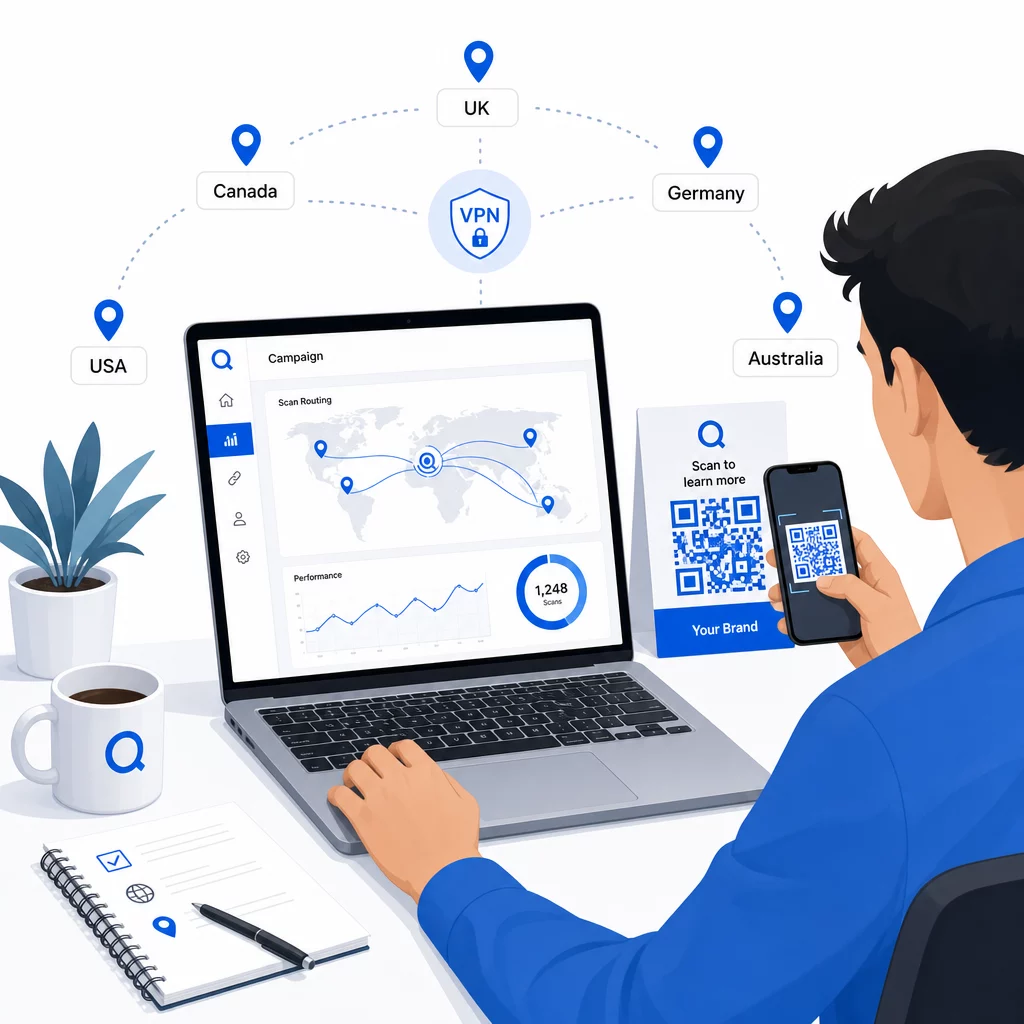
الاختبار غير قابل للتفاوض. قبل طباعة أو نشر أي شيء، تحقق من أن كل قاعدة جغرافية توجه بشكل صحيح. استخدم شبكة VPN مضبوطة على كل بلد مستهدف لمحاكاة عمليات المسح من تلك المواقع، وتأكد من وصولك إلى عنوان URL الوجهة المتوقع في كل مرة. اختبر أيضًا عنوان URL الاحتياطي بموقع خارج أي من قواعدك المحددة.
اختبر عبر أنواع أجهزة متعددة (iOS و Android)، على كل من اتصالات Wi-Fi وبيانات الهاتف المحمول، وفي ظروف إضاءة مختلفة لتأكيد إمكانية المسح الضوئي. وثّق أي مشكلات وحلها قبل البدء. إذا احتجت إلى إجراء تغييرات لاحقًا، فإن عملية تعديل وجهة رمز الاستجابة السريعة الديناميكي مباشرة ولا تتطلب إعادة طباعة أي شيء.
صياغة محتوى إقليمي يجذب المسح الضوئي
قاعدة الموقع التي توجه الماسح الضوئي إلى صفحة عامة تهزم الغرض. يجب أن يعكس محتوى الوجهة ما يميز كل منطقة جغرافية:
- اللغة: حتى داخل الأسواق الناطقة بالإنجليزية، تختلف الصياغة والتهجئة والنبرة. بالنسبة للأسواق غير الإنجليزية، من المتوقع وجود صفحة مترجمة بالكامل.
- العروض والأسعار المحلية: تختلف العملة وتوقيت العروض الترويجية وتوفر المنتج حسب المنطقة. اعرض ما هو ذو صلة وقابل للشراء بالفعل في ذلك الموقع.
- معلومات المتجر أو الاتصال: إذا كان لديك مواقع فعلية، اعرض أقرب واحد بناءً على مكان وجود الماسح الضوئي.
- تفاصيل تنظيمية أو امتثال: بعض الصناعات – الأغذية والمشروبات، الرعاية الصحية، الخدمات المالية – لديها متطلبات إفصاح خاصة بالمنطقة. تأكد من أن كل صفحة تلبي المعايير المحلية.
تظهر الأبحاث أن 39% من العملاء يبحثون بنشاط عن محتوى رمز QR مخصص. الصفحة الخاصة بالمنطقة ليست إضافة لطيفة – بل هي توقع أساسي متزايد. لإلقاء نظرة أوسع على الوصول إلى الجماهير المحلية باستخدام رموز QR المستهدفة جغرافيًا, ، بما في ذلك أمثلة لعلامات تجارية واقعية، يتعمق هذا الدليل في استراتيجية التوطين.
قياس الأداء وتحسينه
تُنشئ رموز QR الديناميكية بيانات المسح تلقائيًا. استخدم لوحة تحكم التحليلات الخاصة بمنصتك لمراقبة:
- حجم المسح حسب البلد أو المنطقة, ، لتحديد أين يكون التفاعل أقوى
- توقيت المسح, ، لفهم متى يكون المستخدمون الأكثر نشاطًا في كل سوق
- أنواع الأجهزة, ، لضمان عرض صفحاتك الإقليمية بشكل صحيح للجهاز السائد في كل منطقة جغرافية
- سلوك التحويل, ، إذا قمت بربط معلمات UTM بعناوين URL الوجهة الخاصة بك ودمجتها مع أداة مثل Google Analytics
للحصول على شرح كامل لما يمكن تتبعه وكيفية تفسير البيانات، الدليل حول تتبع عمليات مسح رمز الاستجابة السريعة (QR) والتحليلات يغطي النطاق الكامل للمقاييس المتاحة مع الرموز الديناميكية.
استخدم هذه البيانات لإجراء اختبارات A/B على الصفحات المقصودة الإقليمية، وتعديل موضع رموز QR المادية إلى المواقع ذات حركة المرور العالية، وتحويل الميزانية نحو الأسواق التي تحقق أفضل النتائج. راجع الأداء شهريًا وقم بتحديث عناوين URL الوجهة مع تغير الحملات أو العروض أو المحتوى – دون طباعة رمز جديد واحد.
تتبع كل مسح حسب الموقع تعرف على المناطق التي تحقق أكبر قدر من التفاعل وقم بتعديل حملاتك في الوقت الفعلي. ابدأ بـ مولد QR code ديناميكي واحصُل على لوحة تحكم تحليلية كاملة من اليوم الأول.
التعامل مع الخصوصية وامتثال البيانات
يؤدي جمع بيانات الموقع – حتى تلك المستندة إلى عنوان IP – إلى مسؤوليات الامتثال. تختلف القواعد حسب المنطقة:
- اللائحة العامة لحماية البيانات (الاتحاد الأوروبي): تحتاج إلى أساس قانوني لمعالجة بيانات الموقع. لأغراض التسويق، عادة ما تكون الموافقة الصريحة مطلوبة. كن شفافًا بشأن البيانات التي تجمعها وسبب جمعها قبل إجراء المسح.
- قانون خصوصية المستهلك في كاليفورنيا (كاليفورنيا): يحق للمستخدمين معرفة البيانات الشخصية التي تحتفظ بها وطلب حذفها. يجب أن تدعم منصتك وعملياتك هذه الطلبات.
- قانون قابلية نقل التأمين الصحي والمساءلة (الولايات المتحدة): تتطلب سياقات الرعاية الصحية ضمانات إضافية حول أي بيانات مرتبطة بالمرضى، بما في ذلك إشارات الموقع المرتبطة برموز QR المتعلقة بالصحة.
خطوات عملية للبقاء متوافقًا:
- اجمع بيانات الموقع فقط إذا كانت تحسن تجربة المستخدم بطريقة محددة وقابلة للتعبير عنها
- أخبر المستخدمين بوضوح – قبل المسح – ما هي البيانات التي يتم جمعها وكيف يتم استخدامها
- وفر مسارًا بديلاً للمستخدمين الذين يرفضون مشاركة الموقع (مثل صفحة يمكنهم من خلالها تحديد منطقتهم يدويًا)
- استخدم HTTPS وتخزين البيانات المشفرة في جميع الأنظمة
- اعمل مع منصة تفي بمعايير الأمان المعترف بها وتسمح لك بإدارة الاحتفاظ بالبيانات
اجعل إشعار الخصوصية الخاص بك موجزًا، وبلغة واضحة، وسهل العثور عليه – بما في ذلك على أي مواد مطبوعة تحمل رمز QR.
قيود يجب وضعها في الاعتبار
تحديد الموقع الجغرافي المستند إلى IP ليس مثاليًا، وسيتعرض بعض المستخدمين حتمًا للتوجيه إلى الوجهة الإقليمية الخاطئة – خاصة أولئك الذين يستخدمون شبكات VPN، أو يسافرون دوليًا، أو يتصلون عبر شبكة شركة. فيما يلي بعض الطرق لتقليل التأثير:
- قم دائمًا بتوفير محدد مرئي للغة أو المنطقة على كل صفحة هبوط حتى يتمكن المستخدمون الذين تم توجيههم بشكل خاطئ من تصحيح تجربتهم بأنفسهم
- تجنب قفل المحتوى بشكل صارم حسب الموقع الجغرافي بطرق تحبط المستخدمين الذين يعرفون أنهم يريدون محتوى منطقة مختلفة
- راقب تحليلاتك بحثًا عن الشذوذ، مثل حركة المرور العالية بشكل غير متوقع من بلد لا يتطابق مع استهدافك، مما قد يشير إلى أخطاء في التوجيه
الأسئلة الشائعة
لا. لأن رموز QR الديناميكية تستخدم عنوان URL قصيرًا لإعادة التوجيه يتم التحكم فيه على مستوى الخادم، يمكنك تحديث عناوين URL الوجهة لأي قاعدة جغرافية في أي وقت دون تغيير أو إعادة طباعة الرمز نفسه. يبقى الرمز المطبوع كما هو؛ فقط تتغير منطق التوجيه.
دقة مستوى الدولة عالية بشكل عام – حوالي 90-99% في معظم الحالات – مما يجعلها موثوقة لتوجيه المستخدمين إلى صفحات خاصة بالدولة أو إصدارات لغوية. تنخفض الدقة بشكل كبير على مستوى المنطقة أو المدينة أو الحي، وتتضاءل أكثر للمستخدمين الذين يستخدمون شبكات VPN، أو شركات الاتصالات المتنقلة ذات توجيه IP المركزي، أو الشبكات المؤسسية. إذا كنت بحاجة إلى استهداف محلي أكثر دقة، فابحث عن المنصات التي تدعم تحديد الموقع الجغرافي المستند إلى نظام تحديد المواقع العالمي (GPS) بموافقة المستخدم.
يوجه النظام الماسح الضوئي إلى عنوان URL الاحتياطي الافتراضي الذي تقوم بتكوينه عند إعداد الرمز. ولهذا السبب، يعد تحديد وجهة احتياطية موثوقة - عادةً موقع الويب الرئيسي الخاص بك أو صفحة هبوط محايدة تحتوي على محدد منطقة يدوي - جزءًا أساسيًا من أي إعداد لرمز QR يعتمد على الموقع.