How do you give viewers more than what fits on a placard – without cluttering the artwork itself? Static labels can’t carry artist interviews, oral histories, or augmented reality experiences, and that gap leaves audiences disconnected from the full story behind the work. This guide covers practical strategies for integrating QR codes into public art and murals, from design and placement to content types and analytics.
Why QR Codes Work in Public Art Settings
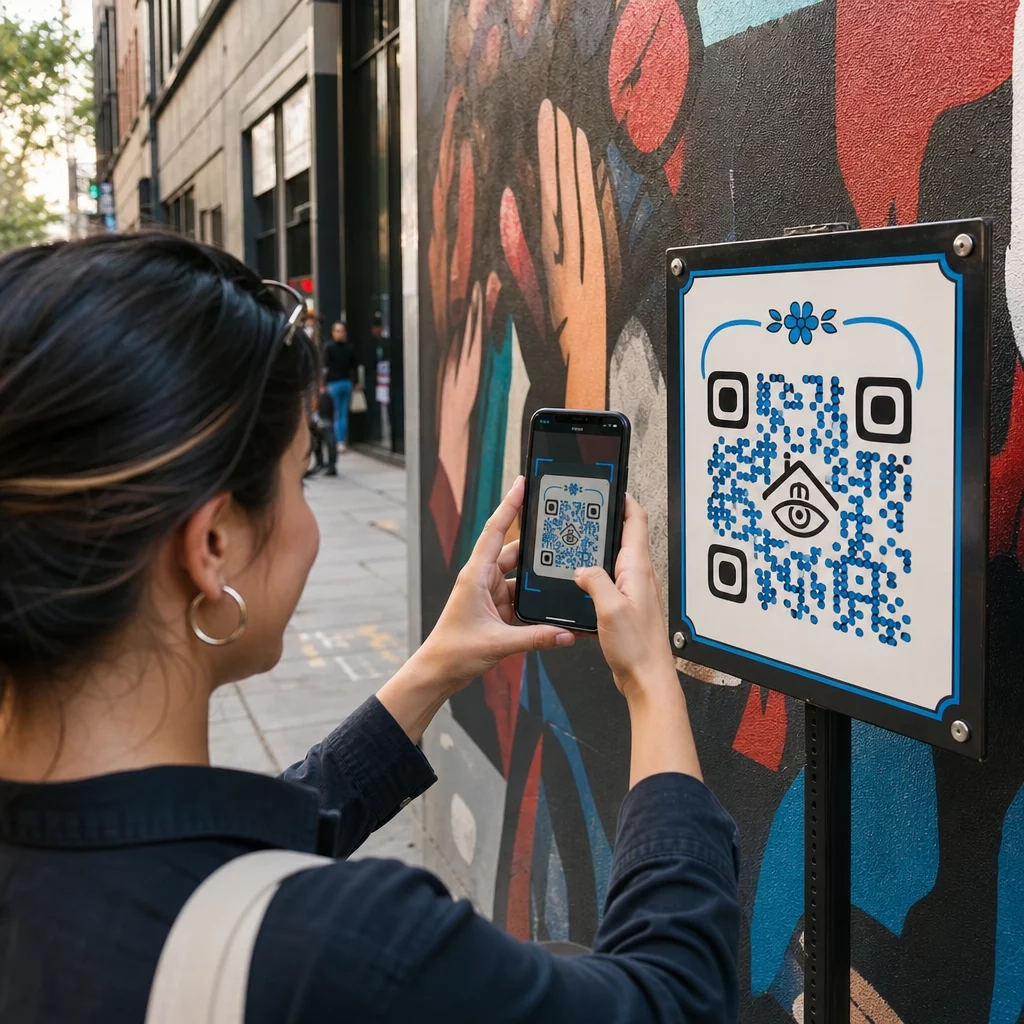
A QR code placed next to – or woven into – a mural acts as a bridge between the physical piece and a wealth of digital content. Viewers with smartphones can scan instantly, without downloading a separate app, and be taken to audio guides, video interviews, donation pages, or interactive AR experiences.
Several public art programs have demonstrated the model:
- In Raleigh, North Carolina, the Q-Art Code Project placed QR smart codes with public artworks throughout the city so community members could instantly access information about each piece and its creator.
- In Miami’s Wynwood neighborhood, artist Ruben Ubiera embedded a QR code directly into a mural depicting eight immigrants, linking each face to a recorded oral history – including accounts of family separation and deportation.
- In downtown Syracuse, the S.Alt City mural is built entirely from QR code tiles, with each tile linking to a different contemporary arts organization in the region, effectively turning the wall into a scannable directory.
- In Punta Gorda, Florida, a local mural society mounted QR code signs on historic mural walls so visitors can self-guide through the collection off-season, accessing brief history lessons from their phones.
These projects share a common principle: the QR code does not replace the art – it extends it.
Connect Your Public Art to Digital Content Use el Generador de códigos QR de enlace to create a scannable code that points viewers to artist bios, audio guides, video interviews, or any web destination you choose.
What Content to Link From Public Art QR Codes
The value of a scan depends entirely on what it delivers. Choosing the right content format for the context makes the difference between a curious tap and a meaningful interaction.
Artist information and context
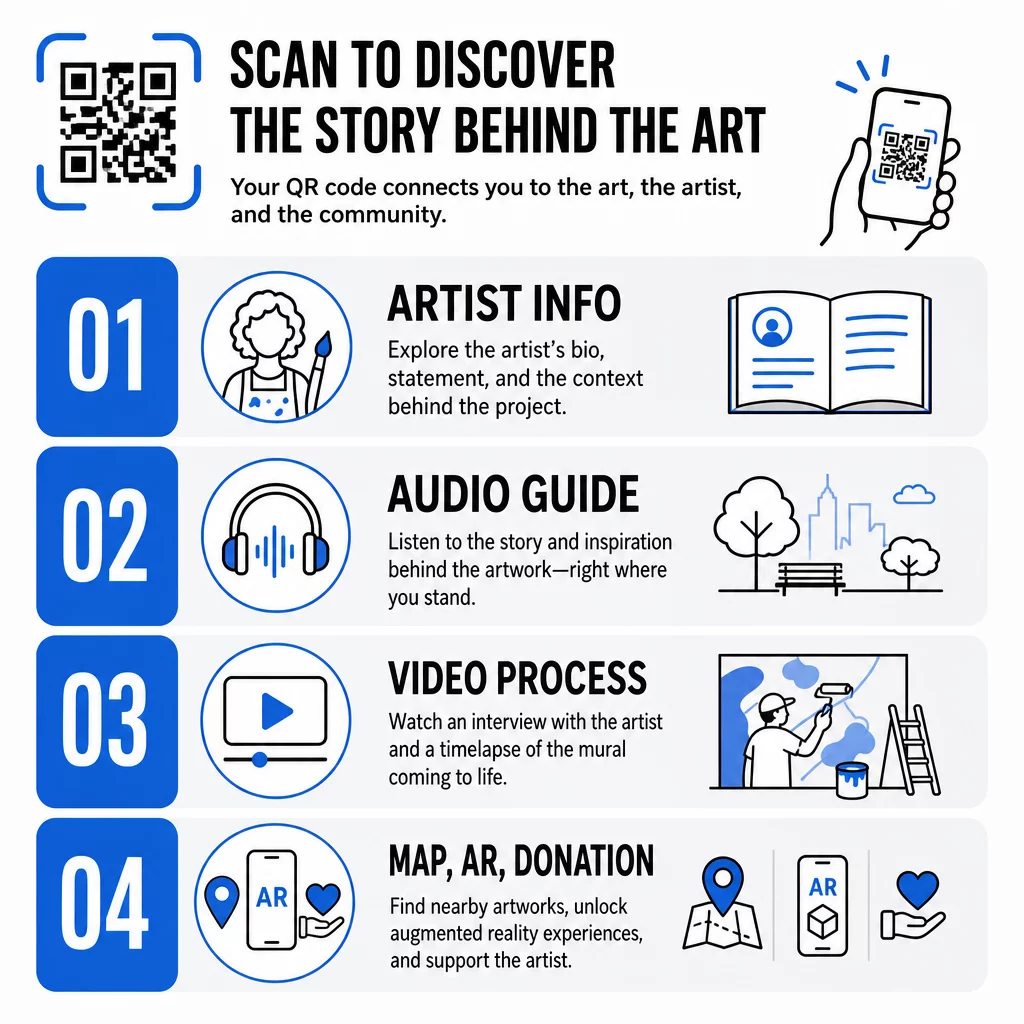
Link to a short biography, a statement about the work, or a timeline showing the project’s development. This is especially valuable for temporary installations where wall space is limited.
Audio guides
Spoken narration works well outdoors, where visitors may be moving or in noisy environments. You can host audio files directly using an MP3 QR code that plays back on any smartphone.
Video interviews and process documentation
Linking to an artist interview or a time-lapse of the mural being painted gives viewers a behind-the-scenes perspective that deepens appreciation of the finished work.
PDF guides and tour maps
For installations that are part of a larger trail or district, a PDF Código QR can deliver a downloadable walking tour map or printed guide equivalent – without printing costs.
Location and wayfinding
For multi-site public art collections, a Código QR de Google Maps lets visitors navigate from one piece to the next without having to search manually.
Augmented reality experiences
AR-linked QR codes allow viewers to unlock animations, 3D overlays, or evolving narratives layered on top of the physical work. Museums like the Smithsonian and interactive venues such as Meow Wolf’s Convergence Station in Denver have used this approach to turn static displays into participatory experiences. For a deeper look at how AR changes storytelling in art spaces, see how AR QR codes transform museum storytelling.
Donation and support links
French street artist Pascal “PBOY” Boyart embedded Bitcoin QR codes into his murals, allowing viewers to send cryptocurrency donations by scanning. The codes were designed as integral elements of the artwork, not afterthoughts, and resulted in direct community support for his practice.
Designing QR Codes That Belong in the Art
A QR code that clashes visually with the surrounding work breaks the viewer’s immersion. Thoughtful design keeps the code functional while respecting the artistic context.
Contrast is non-negotiable
Dark patterns on a light background scan reliably. Inverted color schemes – light on dark – are harder for most readers to detect. Whatever color palette you choose, prioritize sufficient contrast between the code’s foreground and background.
Keep the quiet zone clear
Leave at least four modules of blank space around the outer edge of the code. Text, imagery, and decorative elements that encroach on this border interfere with scanning.
Use high error correction when adding logos
Embedding a logo or symbol in the center of a QR code is a common way to integrate branding or the artist’s signature. Set error correction to Level H before adding any overlay – this level can recover up to 30% of damaged data, which compensates for the portion of the code obscured by the logo.
Size for the viewing distance
The general rule is that the code should be roughly one-tenth the width of the expected scanning distance. A visitor standing 10 feet from a mural needs a code at least 12 inches wide to scan comfortably. For close-range signage, a minimum of 1 × 1 inch applies. For large-scale murals, plan for codes 1 to 1.5 feet wide.
Choose durable materials for outdoor use
UV-resistant inks, engraved metal or plastic, and weatherproof laminates all extend the functional life of outdoor codes. Glossy finishes create glare; matte substrates perform better in varied lighting. Test the code at different times of day and under the lighting conditions the installation will actually face.
Export in vector format for print
Download your QR code as an SVG, EPS, or PDF file rather than a low-resolution raster image. Vector formats scale cleanly to any size without pixelation, which is essential for large outdoor applications.
For a complete breakdown of contrast ratios, quiet zones, and error correction levels, see las mejores prácticas de usabilidad de códigos QR y las mejores prácticas para la legibilidad de los códigos QR.
Where to Place QR Codes on Murals and Installations
Even a perfectly designed code will go unscanned if it’s in the wrong location. Placement decisions affect both discoverability and ease of use.
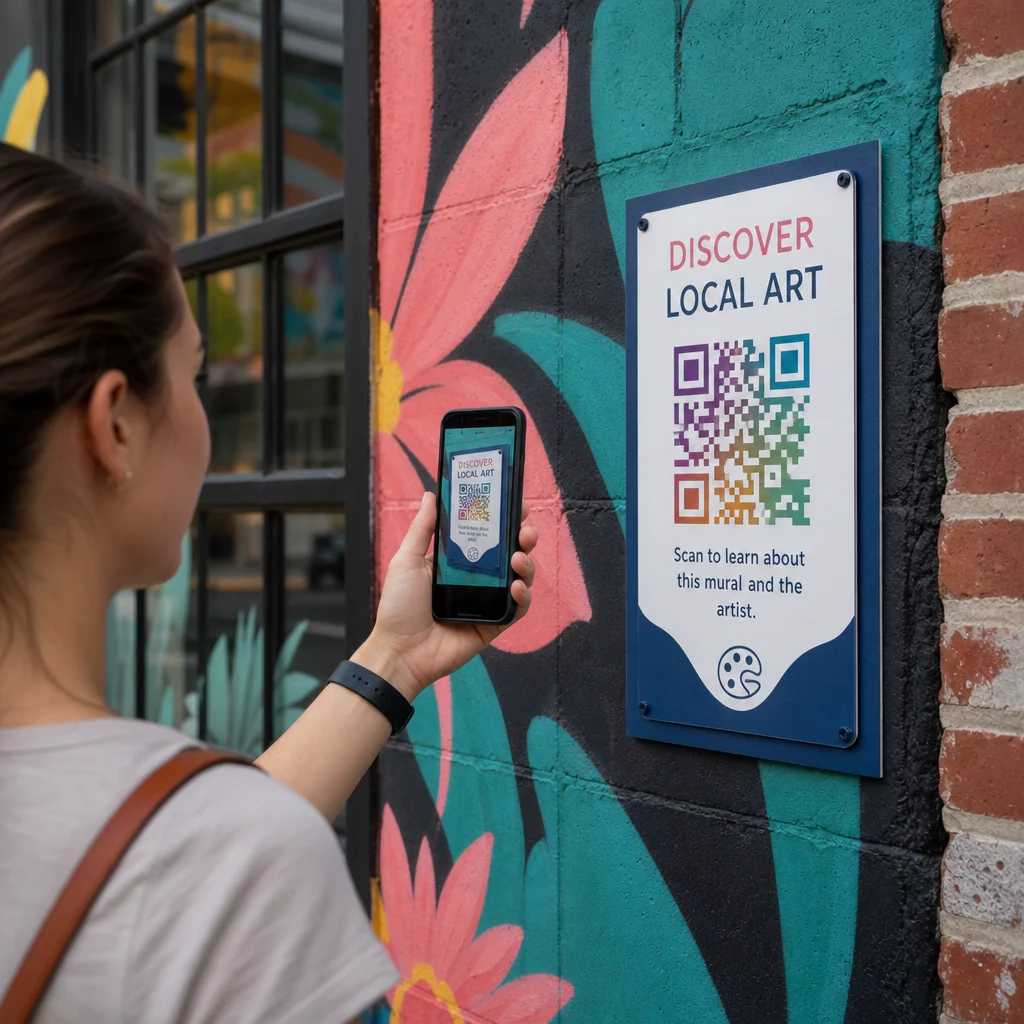
Eye level and reachable
Position codes at roughly 4 to 5 feet from the ground – the natural scanning position for most adults. Codes placed too high require viewers to raise their phones awkwardly; codes placed at ground level are easy to miss.
Where people already pause
Viewers who are stationary are far more likely to scan than viewers walking past. Identify natural stopping points – seating areas, shaded spots, corners where people cluster – and place codes there rather than at mid-stride positions along a busy walkway.
Flat, stable surfaces
Flat surfaces give scanners a clean, undistorted read. Slightly curved or textured surfaces can work if the code is large enough, but they increase the chance of scanning failure. Avoid highly reflective surfaces that generate glare.
Clear signage cues
Add a short call-to-action near the code: “Scan to hear the artist’s story” or “Scan for the full guide.” Viewers who don’t immediately recognize what the code does are less likely to try. For guidance on writing effective CTAs, see QR code placement best practices.
Using Dynamic QR Codes to Manage and Track Public Art
Static QR codes encode a fixed destination. Once printed or installed, the linked content cannot be changed without replacing the physical code. For long-term public art installations – or projects where content evolves – this creates a real maintenance problem.
Códigos QR dinámicos solve this by pointing to a short redirect URL that you control. The physical code stays the same, but you can update the destination anytime from a dashboard. If an artist’s website changes, a video is re-hosted, or a seasonal tour guide replaces an older one, the update happens in the platform without touching the installed code.
Dynamic codes also provide analytics. You can track how many times a code has been scanned, when scans happen, and where in the world scanners are located. For curators and exhibition organizers, this data reveals which pieces in a collection are generating the most engagement, what times of day see peak activity, and whether certain locations outperform others. Those insights support better placement decisions and more relevant content updates over time.
For artists managing temporary installations or evolving projects, the ability to layer content – providing basic information on the first scan and unlocking deeper material with repeat visits – encourages ongoing engagement with the same piece.
Track Every Scan Across Your Public Art Collection El Generador de Códigos QR Dinámicos lets you update linked content without reprinting and provides a full analytics dashboard to monitor engagement across every installation.
QR Codes in Museums and Cultural Institutions
Indoor cultural venues operate under different constraints than outdoor murals, but the same principles apply. Museums have adopted QR codes to extend what exhibit labels can communicate, offer multilingual content to international visitors, and replace printed brochures with updateable digital alternatives.
Use cases in museum settings include:
- Interactive audio guides and self-directed tours
- Digital maps of the exhibition space
- AR experiences that animate artifacts or reveal hidden layers of paintings
- Workshop schedules, lecture sign-ups, and event promotions
- Visitor feedback forms linked at exits or throughout the gallery
The M+ museum in Hong Kong recorded 148,000 visitor interactions via QR codes, demonstrating strong audience readiness for smartphone-based engagement in art spaces. Musea Brugge has used Pageloot QR codes specifically to enrich visitor engagement and streamline access to exhibition information.
For a broader look at how institutions are applying this technology, see QR codes for museums, QR codes for art galleries: best practicesy case studies on QR codes in modern art installations.
Security, Privacy, and Long-Term Maintenance
Public QR codes are accessible at all hours and to all audiences, which makes ongoing maintenance essential. A broken link or outdated destination undermines viewer trust and wastes the opportunity the scan created.
Key practices for responsible long-term deployment:
- Test regularly across multiple devices and under different lighting conditions to confirm codes remain scannable and links are live.
- Use HTTPS destinations to signal legitimacy and protect visitors from insecure redirects.
- Post clear signage about what data, if any, is collected when viewers scan, and comply with applicable privacy regulations.
- Use durable physical materials appropriate to the outdoor environment – UV-resistant inks, weatherproof laminates, or protected digital screens for permanent installations.
- Audit linked content periodically to ensure videos, PDFs, and artist pages remain current and accessible.
Dynamic QR codes reduce maintenance burden significantly, since content updates and link changes happen in the platform rather than requiring physical replacement of installed codes. When QR codes are designed with the same care as the artwork they accompany – right-sized, properly contrasted, thoughtfully placed, and linked to genuinely valuable content – they extend the life and reach of public art well beyond what a single viewing can offer. Whether you’re documenting a street mural, building an interactive sculpture trail, or digitizing a museum collection, the QR code tools for art available through Pageloot give you a straightforward path from physical installation to measurable digital engagement.
Preguntas Frecuentes
Size depends on scanning distance. A practical rule is to make the code at least one-tenth as wide as the distance from which you expect viewers to scan. For someone standing 10 feet away, the code should be at least 12 inches wide. For close-range signage, a minimum of 1 × 1 inch is sufficient. Large-scale murals typically require codes between 1 and 1.5 feet wide to remain scannable from a comfortable distance.
QR codes in public art can link to almost any digital content: artist biographies, audio guides, video interviews, AR experiences, PDF walking tour guides, donation pages, Google Maps navigation, social media profiles, or feedback forms. The right content type depends on the artwork’s context – outdoor murals often benefit from audio or short video, while museum installations may support more detailed multimedia guides.
A static QR code encodes a fixed destination that cannot be changed after the code is printed or installed. A dynamic QR code points to a redirect URL that you can update anytime from a management dashboard, so the physical code stays in place while the linked content evolves. Dynamic codes also provide analytics – scan counts, timing, and geographic data – which help curators understand which installations are generating the most engagement and refine their approach over time.