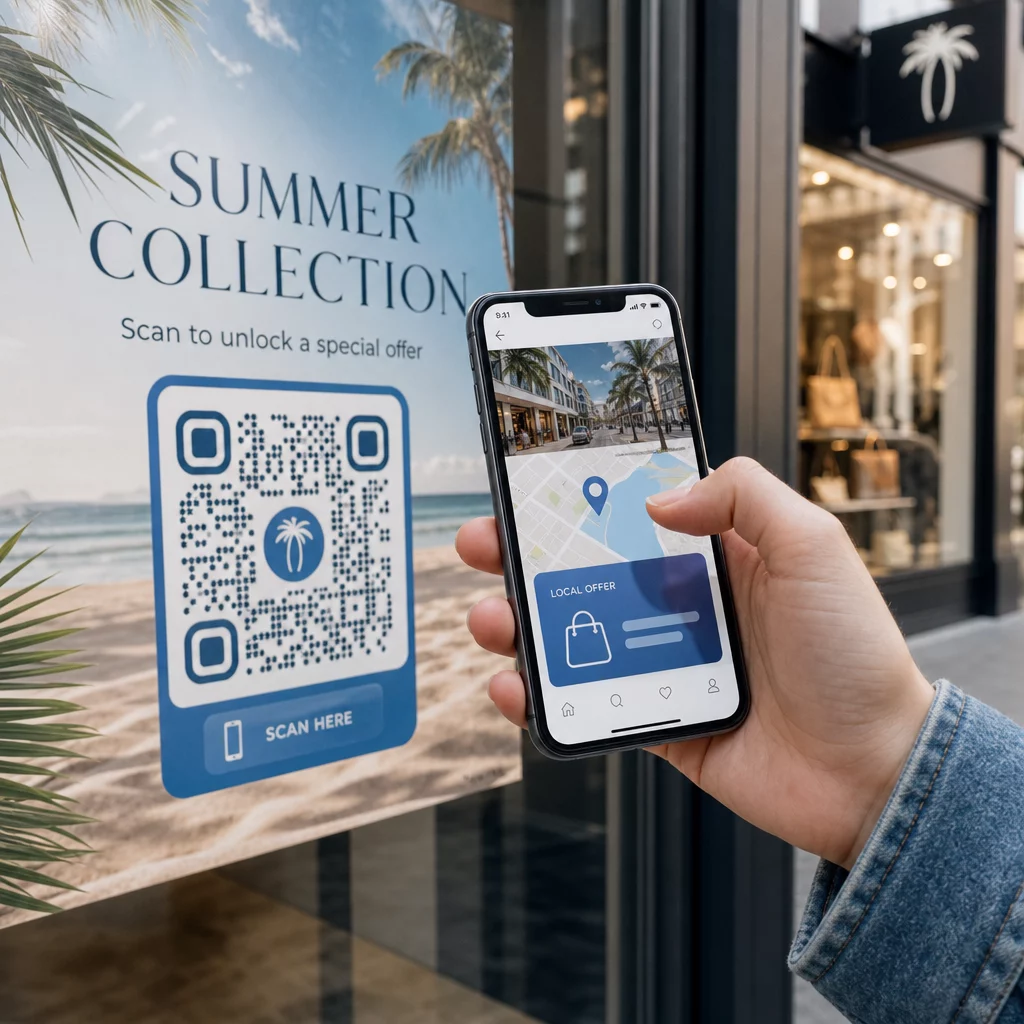
Kas soovite, et iga skanner jõuaks sisuni, mis on nende asukohaga seotud? Kui üks QR-kood saadab kõik samale lehele geograafiast olenemata, kaotate võimaluse kõnetada kohalikke sihtrühmi sihipäraste pakkumiste, keele ja kontekstiga. See juhend selgitab, kuidas asukohapõhine QR-koodi ümbersuunamine töötab, kuidas seda seadistada ja millele tähelepanu pöörata.
Miks asukohapõhine ümbersuunamine nõuab dünaamilisi QR-koode
Standardne staatiline QR-kood kodeerib fikseeritud URL-i otse oma mustrisse. See sihtkoht ei saa kunagi muutuda – peaksite iga kord uue koodi printima. Dünaamilised QR-koodid töötavad erinevalt: kood ise kodeerib lühikese ümbersuunamise URL-i ja tegelikku sihtkohta kontrollitakse serveris. See tähendab, et saate igal ajal värskendada, kuhu kood osutab, ilma trükitud materjali puudutamata.
Asukohapõhine ümbersuunamine tugineb sellele alusele. Kui keegi skannib dünaamilist koodi, kontrollib ümbersuunamise kiht skanneri geograafilist asukohta – mis on tavaliselt tuletatud seadme IP-aadressist – ja rakendab teie konfigureeritud reegleid riigipõhise või piirkonnapõhise URL-i pakkumiseks. Kui ükski reegel ei sobi, kasutab süsteem teie määratud vaikimisi URL-i.
Mõistmine staatiliste ja dünaamiliste QR-koodide erinevust on kõige olulisem esimene samm enne mis tahes asukohateadliku kampaania loomist.
Loo asukohateadlikud QR-koodid Kas olete valmis saatma skannereid õigesse sihtkohta vastavalt nende asukohale? Kasutage Dünaamilise QR koodi generaator et luua redigeeritavaid, jälgitavaid koode, millel on sisseehitatud asukohareeglid.
Kuidas asukoha tuvastamine tegelikult töötab
Enamik platvorme kasutab IP-põhist geolokatsiooni: kui seade skannib QR-koodi ja avab lühikese ümbersuunamise URL-i, sisaldab päring IP-aadressi. Platvorm otsib selle IP-aadressi geolokatsiooni andmebaasist, et määrata skanneri riik või piirkond, ja suunab seejärel vastavale sihtkoha URL-ile.
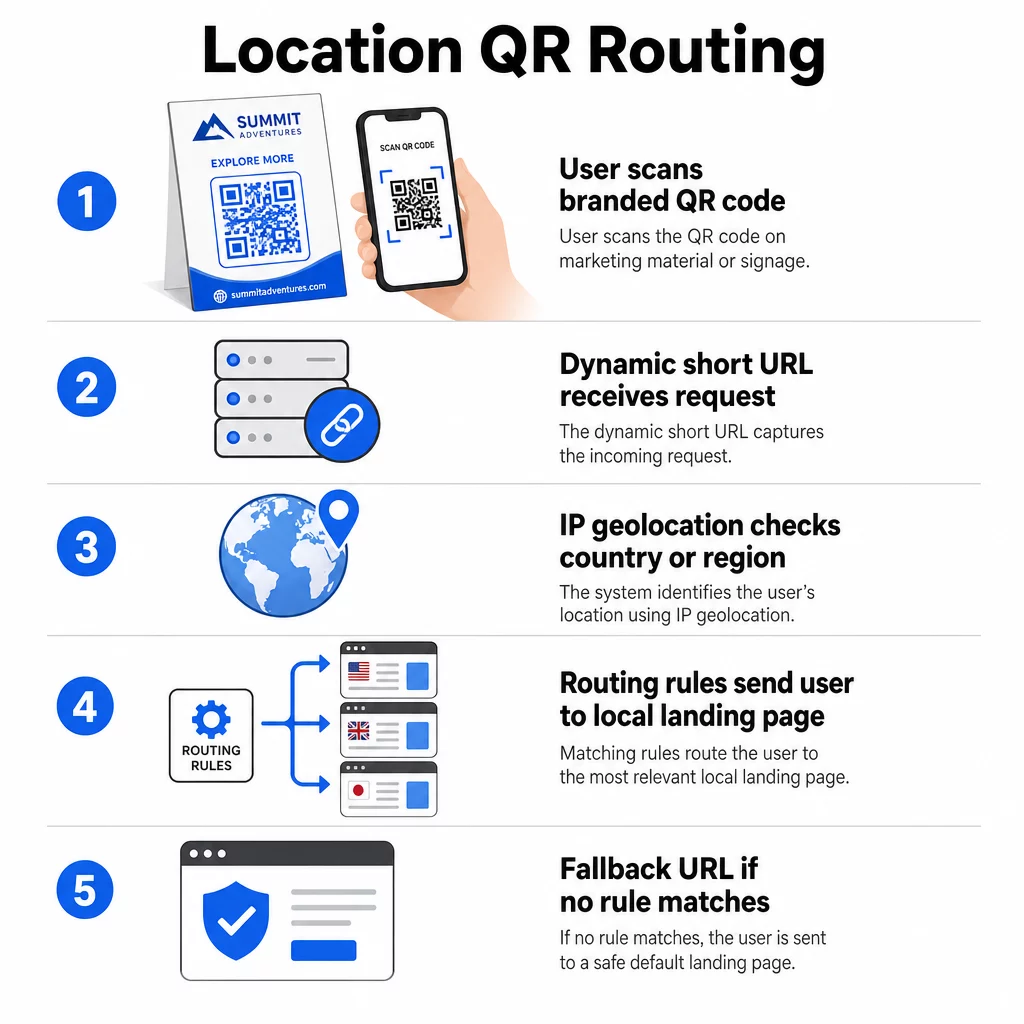
See lähenemine on riigi tasandil usaldusväärne – riigi tuvastamise täpsus on üldiselt 90–99% vahemikus –, kuid langeb oluliselt väiksemate geograafiliste piirkondade puhul. Piirkondliku või osariigi tasandi tuvastamise täpsus on umbes 55–80% ja linna tasandi täpsus langeb 50–75%-ni. Mitmed tegurid vähendavad usaldusväärsust veelgi:
- VPN-i või puhverserveri kasutamine, kus näiline IP-asukoha erineb kasutaja füüsilisest asukohast
- Mobiilsideoperaatori taseme NAT, mis võib määrata IP-aadresse, mis on registreeritud tegelikust seadmest kaugel
- Ettevõtte võrgud, kus liiklus marsruuditakse läbi keskse kontori IP
- Aegunud geolokatsiooni andmebaadid, mis pole IP-de ümberjaotamisega kursis
Kampaaniate puhul, kus riigi tasandi sihtimine on piisav – erinevad keeleversioonid, piirkondlikud kampaaniad, riigipõhised e-poed – töötab IP-põhine tuvastus hästi. Hüperkohaliku sihtimise puhul naabruskonna või asukoha tasandil pakub GPS-põhine asukoht (kus kasutaja annab loa) suuremat täpsust, kuigi see nõuab selget nõusoleku küsimist.
Konfigureerige alati vaikimisi varu-URL skannerite jaoks, kelle asukohta ei saa määrata või kes jäävad teie määratletud reeglitest välja. See hoiab ära selle, et keegi satuks tupikusse.
Mida vajate enne alustamist
Enne asukohareeglite seadistamist olgu need kolm asja valmis:
- Dünaamiline QR-koodi platvorm mis toetab geograafilist marsruutimist. Otsige sellist, mis võimaldab teil määratleda siht-URL-e riigi või piirkonna kohta, värskendada reegleid ilma uuesti printimata ja jälgida skannimisandmeid asukoha järgi. Pagelooti funktsioonid hõlmavad kõiki neid ühes juhtpaneelis.
- Siht-URL-id iga sihtgeograafia jaoks. Need peaksid olema täielikult ehitatud ja mobiilile optimeeritud enne käivitamist. Iga piirkondlik leht peaks kajastama kohalikku keelt, valuutat, pakkumisi või poe teavet vastavalt vajadusele.
- Varu-URL mis töötab iga skanneri puhul, mida konkreetne reegel ei vasta – tavaliselt teie peamine veebisait või neutraalne sihtleht, kus kasutajad saavad ise oma piirkonna valida.
Kuidas seadistada asukohapõhist ümbersuunamist
1. samm: looge dünaamiline QR-kood
Registreeruge dünaamilise QR-koodi plaanile ja looge uus kood, kasutades Dünaamilise QR koodi generaator. Selles etapis sisestage kohatäite siht-URL – asukohareeglid konfigureerite järgmisena. Kohandage koodi välimust oma brändivärvide ja logoga, et luua usaldust ja julgustada skaneerimist.
2. samm: konfigureerige geograafilised marsruutimisreeglid
Oma QR-koodi haldamise armatuurlaual leidke äsja loodud koodi ümbersuunamise või marsruutimise seaded. Lisage reeglid riigi (või piirkonna, kui toetatud) järgi:
- Valige sihtgeograafia (näiteks Saksamaa)
- Sisestage selle geograafia siht-URL (näiteks teie saksakeelne tooteleht)
- Korrake iga riigi või piirkonna puhul, mida soovite sihtida
- Määrake oma vaikimisi varu-URL kõigi teiste asukohtade jaoks
Süsteem kasutab 302 ajutist HTTP ümbersuunamist, mis tähendab, et lühike URL jääb alati samaks, samal ajal kui sihtkohta saab igal ajal värskendada, ilma et see mõjutaks prinditud koodi.
3. samm: lisage QR-koodile bränding
Bränditud QR-kood – mille muster on keskel teie logoga ja värvid vastavad teie identiteedile – julgustab kasutajaid seda skaneerima, mitte ignoreerima. Enamik platvorme võimaldab teil kontrollida logo suurust, värvipaletti ja servade stiili. Veenduge, et koodi esiplaanil ja taustal oleks piisavalt suur kontrast usaldusväärseks skaneerimiseks, eriti kui kood ilmub erinevatel pindadel või erinevates valgustingimustes.
Põhjalikumaks ülevaateks geopiirde ja paigutuse parimatest tavadest, sealhulgas 10:1 suuruse reegel trükimaterjalide jaoks, hõlmab see juhend täielikku disaini- ja juurutamise kontrollnimekirja.
4. samm: Testimine enne juurutamist
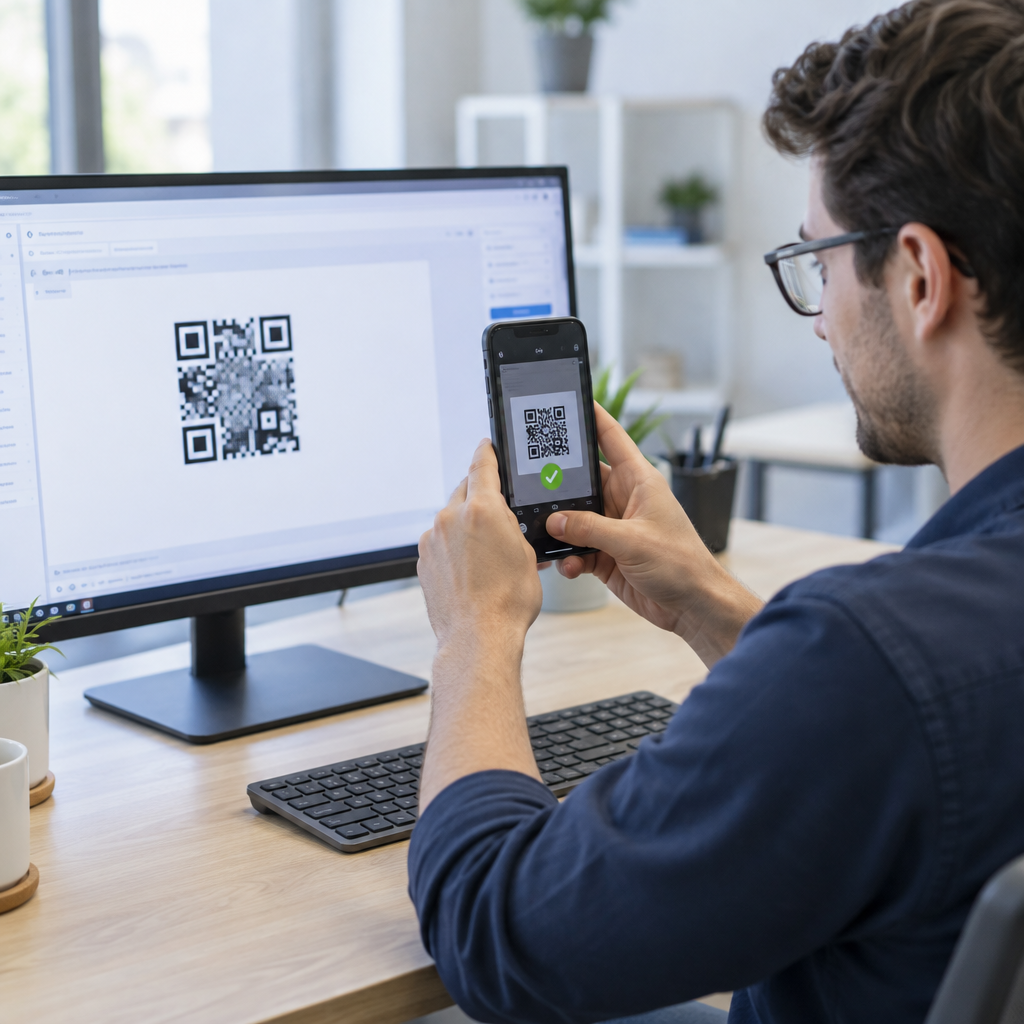
Testimine on vältimatu. Enne millegi printimist või avaldamist veenduge, et iga geograafiline reegel suunab õigesti. Kasutage VPN-i, mis on seadistatud igale sihtriigile, et simuleerida skaneeringuid nendest asukohtadest, ja kinnitage, et jõuate iga kord oodatud siht-URL-ile. Testige ka varu-URL-i asukohaga, mis jääb väljapoole teie määratletud reegleid.
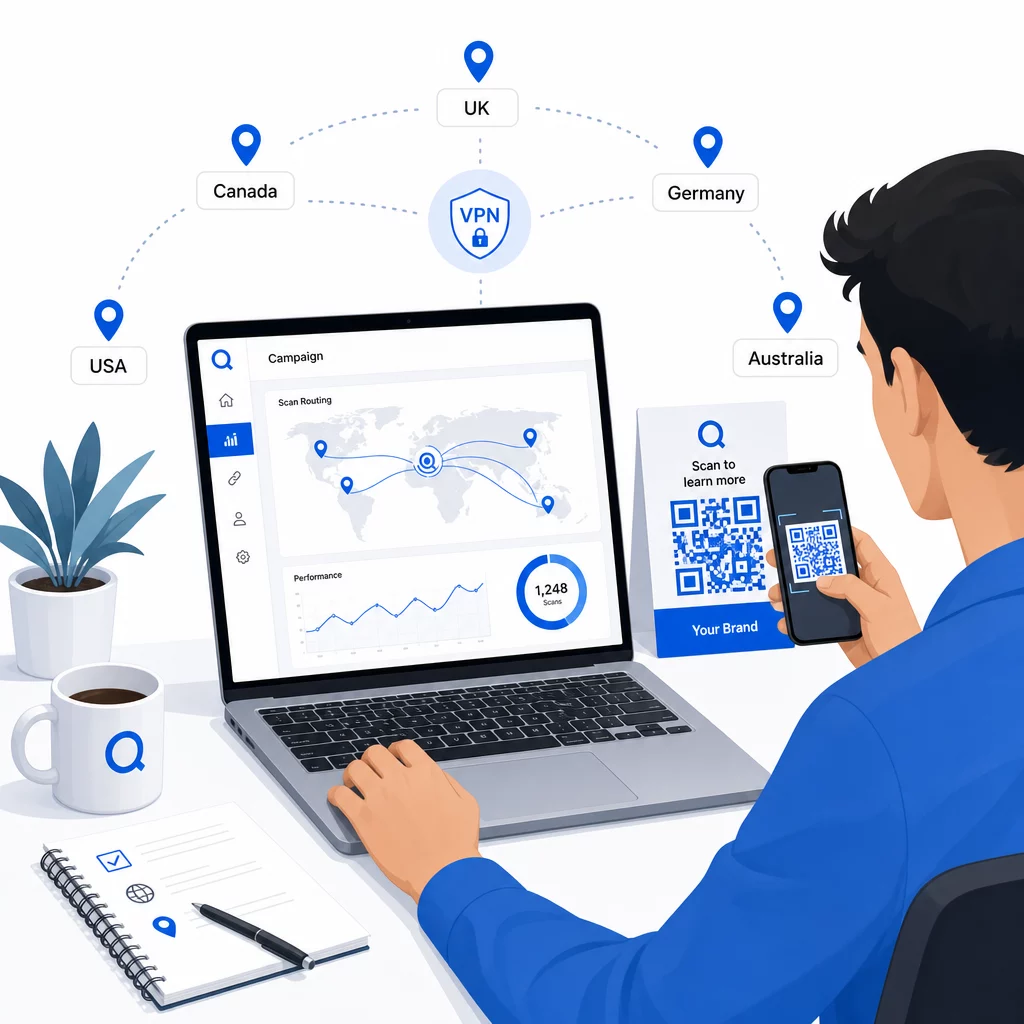
Testige mitme seadmetüübi (iOS ja Android) vahel, nii Wi-Fi kui ka mobiilse andmeside ühendustega ning erinevates valgustingimustes, et kinnitada skaneeritavust. Dokumenteerige kõik probleemid ja lahendage need enne avaldamist. Kui teil on vaja hiljem muudatusi teha, on dünaamilise QR-koodi sihtkoha muutmise protsess lihtne ja ei nõua millegi uuesti printimist.
Piirkondliku sisu loomine, mis teenib skaneeringu
Asukohareegel, mis suunab skanneri üldisele lehele, nurjab eesmärgi. Sihtkoha sisu peaks peegeldama seda, mis teeb iga geograafia ainulaadseks:
- Keel: Isegi ingliskeelsetel turgudel erinevad sõnastus, õigekiri ja toon. Mitte-ingliskeelsetel turgudel eeldatakse täielikult tõlgitud lehte.
- Kohalikud pakkumised ja hinnakujundus: Valuuta, kampaaniate ajastus ja toodete saadavus varieeruvad piirkonniti. Näidake, mis on selles asukohas tegelikult asjakohane ja ostetav.
- Poe või kontaktandmed: Kui teil on füüsilised asukohad, kuvage lähim vastavalt skanneri asukohale.
- Regulatiivsed või vastavusnõuded: Mõnedel tööstusharudel – toidu- ja joogitööstus, tervishoid, finantsteenused – on piirkonnaspetsiifilised avalikustamisnõuded. Veenduge, et iga leht vastab kohalikele standarditele.
Uuringud näitavad, et 39% klientidest otsib aktiivselt isikupärastatud QR-koodi sisu. Piirkonnaspetsiifiline leht ei ole tore lisand – see on üha enam baasootus. Laiema ülevaate saamiseks kohalike sihtrühmadeni jõudmine geosihitud QR-koodidega, sealhulgas reaalseid brändinäiteid, süveneb see juhend lokaliseerimisstrateegiasse.
Jõudluse mõõtmine ja parandamine
Dünaamilised QR-koodid genereerivad skannimisandmeid automaatselt. Kasutage oma platvormi analüütika armatuurlauda, et jälgida:
- Skannimismaht riigi või piirkonna järgi, et tuvastada, kus kaasatus on kõige tugevam
- Skaneerimise ajastus, et mõista, millal kasutajad on igal turul kõige aktiivsemad
- Seadmetüübid, et tagada teie piirkondlike lehtede õige kuvamine iga geograafilise piirkonna domineeriva seadme jaoks
- Konversioonikäitumine, kui olete ühendanud UTM-parameetrid oma siht-URL-idega ja integreerinud tööriistaga nagu Google Analytics
Põhjaliku ülevaate saamiseks sellest, mis on jälgitav ja kuidas andmeid tõlgendada, on juhend QR-koodi skannimiste ja analüütika jälgimine hõlmab dünaamiliste koodidega saadaolevate mõõdikute täielikku valikut.
Kasutage neid andmeid A/B testide läbiviimiseks piirkondlikel sihtlehtedel, füüsiliste QR-koodide paigutuse kohandamiseks suurema liiklusega asukohtadesse ja eelarve suunamiseks parimaid tulemusi andvatele turgudele. Vaadake jõudlust igakuiselt üle ja värskendage siht-URL-e vastavalt kampaaniate, pakkumiste või sisu muutumisele – ilma ühtegi uut koodi printimata.
Jälgi iga skannimist asukoha järgi Vaadake, millised piirkonnad toovad kõige rohkem kaasatust ja kohandage oma kampaaniaid reaalajas. Alustage Dünaamilise QR koodi generaator ja saate esimesest päevast alates täieliku analüüsi armatuurlaua.
Privaatsuse ja andmete vastavuse haldamine
Asukohaandmete kogumine – isegi IP-põhiste – loob vastavuskohustusi. Reeglid varieeruvad piirkonniti:
- GDPR (Euroopa Liit): Asukohaandmete töötlemiseks on vaja õiguslikku alust. Turunduse eesmärgil on tavaliselt vaja selgesõnalist nõusolekut. Olge läbipaistev selle suhtes, milliseid andmeid te kogute ja miks, enne skaneerimise toimumist.
- CCPA (California): Kasutajatel on õigus teada, milliseid isikuandmeid te hoiate, ja taotleda nende kustutamist. Teie platvorm ja protsessid peavad neid taotlusi toetama.
- HIPAA (Ameerika Ühendriigid): Tervishoiu kontekstis on vaja täiendavaid kaitsemeetmeid kõigi patsiendiga seotud andmete, sealhulgas tervisega seotud QR-koodidega seotud asukohasignaalide ümber.
Praktilised sammud vastavuse tagamiseks:
- Koguge asukohaandmeid ainult siis, kui see parandab kasutajakogemust konkreetsel, selgelt väljendataval viisil
- Teavitage kasutajaid selgelt – enne skaneerimist – milliseid andmeid kogutakse ja kuidas neid kasutatakse
- Pakkuge alternatiivset teed kasutajatele, kes keelduvad asukoha jagamisest (näiteks leht, kus nad saavad oma piirkonna käsitsi valida)
- Kasutage kogu ulatuses HTTPS-i ja krüpteeritud andmesalvestust
- Töötage platvormiga, mis vastab tunnustatud turvastandarditele ja võimaldab teil hallata andmete säilitamist
Hoidke oma privaatsusteatis lühike, lihtsas keeles ja kergesti leitav – sealhulgas igal trükitud materjalil, mis sisaldab QR-koodi.
Piirangud, mida meeles pidada
IP-põhine geolokatsioon ei ole täiuslik ja mõned kasutajad suunatakse paratamatult valesse piirkondlikku sihtkohta – eriti need, kes kasutavad VPN-e, reisivad rahvusvaheliselt või ühenduvad ettevõtte võrgu kaudu. Mõned viisid mõju vähendamiseks:
- Pakkuge igal sihtlehel alati nähtavat keele- või piirkonnavalijat, et valesti suunatud kasutajad saaksid oma kogemust ise parandada
- Vältige sisu geograafilist lukustamist viisil, mis frustreerib kasutajaid, kes teavad, et nad soovivad teise piirkonna sisu
- Jälgige oma analüütikat anomaaliate osas, näiteks ootamatult suur liiklus riigist, mis ei vasta teie sihtimisele, mis võib viidata marsruutimisvigadele
Korduma kippuvad küsimused
Ei. Kuna dünaamilised QR-koodid kasutavad serveri tasandil juhitavat lühikest ümbersuunamise URL-i, saate igal ajal värskendada siht-URL-e mis tahes geograafilise reegli jaoks, muutmata või koodi ennast uuesti printimata. Prinditud kood jääb samaks; muutub ainult marsruutimisloogika.
Riigi tasandi täpsus on üldiselt kõrge – enamikul juhtudel umbes 90–99% – muutes selle usaldusväärseks kasutajate suunamisel riigipõhistele lehtedele või keeleversioonidele. Täpsus langeb märkimisväärselt piirkondlikul, linna või naabruskonna tasandil ning väheneb veelgi VPN-e kasutavate, tsentraliseeritud IP-marsruutimisega mobiilioperaatorite või ettevõtte võrkude kasutajate puhul. Kui vajate täpsemat kohalikku sihtimist, otsige platvorme, mis toetavad GPS-põhist asukoha määramist kasutaja nõusolekul.
Süsteem suunab skanneri vaikimisi varu-URL-ile, mille te koodi seadistamisel konfigureerite. Seepärast on usaldusväärse varusihtkoha – tavaliselt teie peamise veebisaidi või neutraalse maandumislehe koos käsitsi piirkonnavalijaga – määratlemine iga asukohapõhise QR-seadistuse oluline osa.