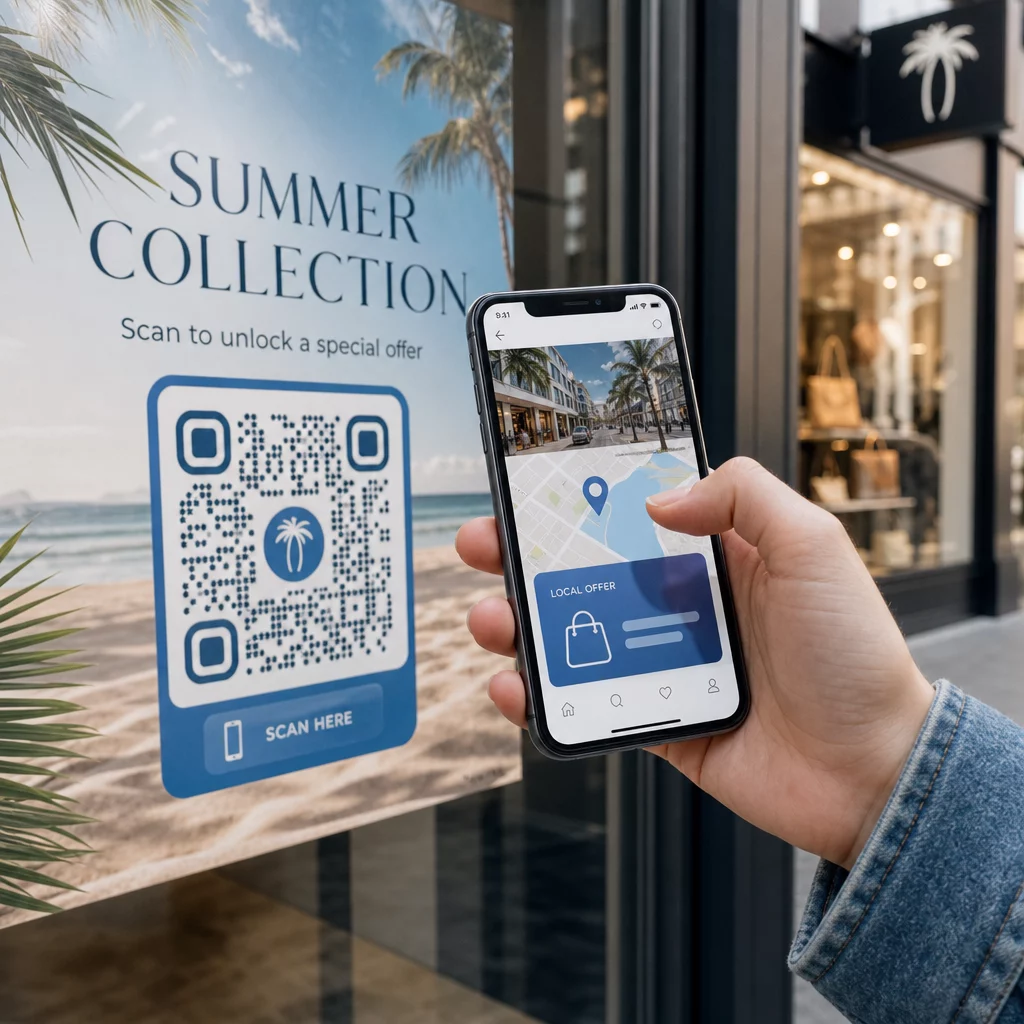
Want every scanner to land on content that’s relevant to where they are? When a single QR code sends everyone to the same page regardless of geography, you lose the chance to speak to local audiences with targeted offers, language, and context. This guide explains how location-based QR code redirection works, how to set it up, and what to watch out for.
Why Location-Based Redirection Requires Dynamic QR Codes
A standard static QR code encodes a fixed URL directly into its pattern. That destination can never change – you’d have to print a new code every time. Dynamische QR codes work differently: the code itself encodes a short redirect URL, and the actual destination is controlled on a server. That means you can update where the code points at any time, without touching the printed material.
Location-based redirection builds on this foundation. When someone scans a dynamic code, the redirect layer checks the scanner’s geographic location – typically derived from the device’s IP address – and applies rules you’ve configured to serve a country-specific or region-specific URL. If no rule matches, the system falls back to a default URL you set.
Het begrijpen van de verschil tussen statische en dynamische QR-codes is the most important first step before building any location-aware campaign.
Create Location-Aware QR Codes Ready to send scanners to the right destination based on where they are? Use the Dynamische QR-codegenerator to build editable, trackable codes with location rules built in.
How Location Detection Actually Works
Most platforms use IP-based geolocation: when a device scans the QR code and opens the short redirect URL, the request carries an IP address. The platform looks up that IP against a geolocation database to determine the scanner’s country or region, then routes to the matching destination URL.
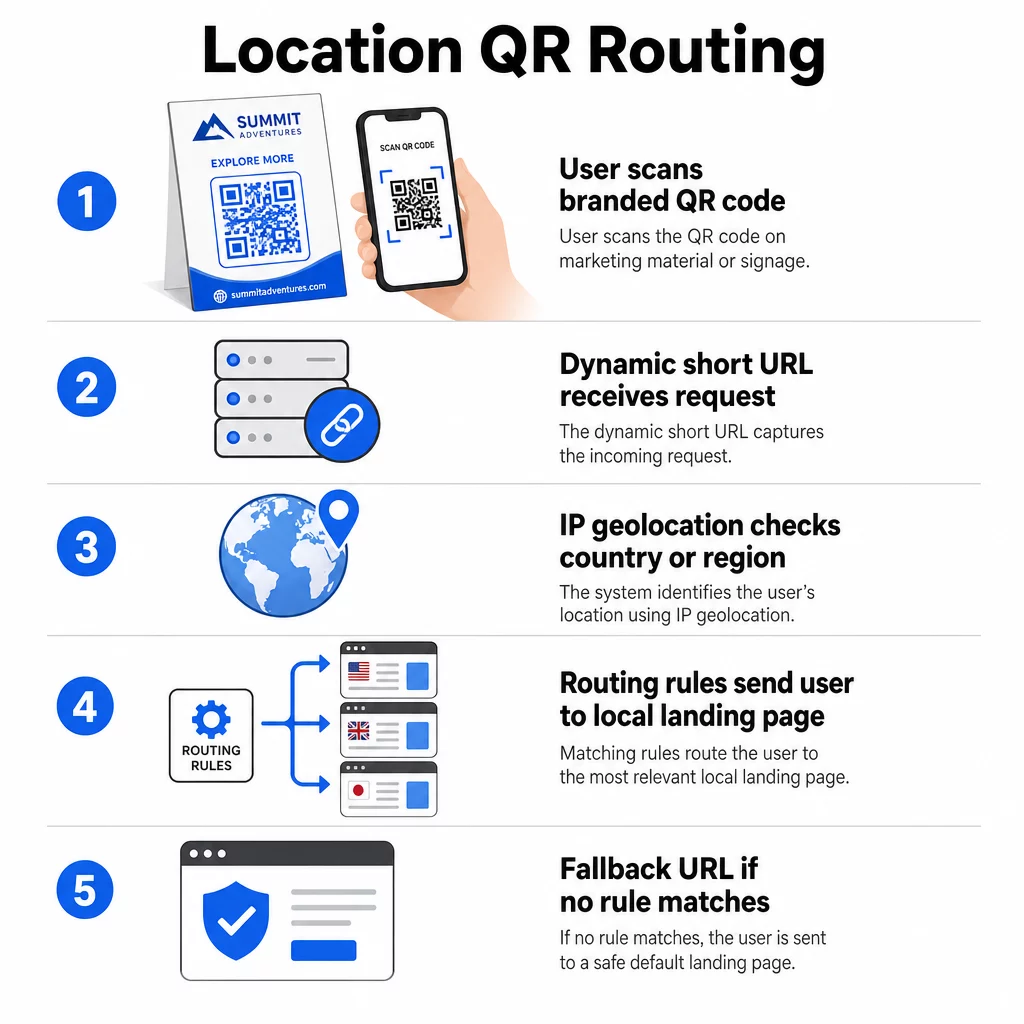
This approach is reliable at the country level – accuracy is generally reported in the 90–99% range for country detection – but drops considerably for smaller geographies. Regional or state-level detection runs around 55–80% accuracy, and city-level accuracy falls to 50–75%. Several factors reduce reliability further:
- VPN or proxy use, where the apparent IP location differs from the user’s physical location
- Mobile carrier-grade NAT, which can assign IPs registered far from the actual device
- Corporate networks, where traffic routes through a central office IP
- Outdated geolocation databases that haven’t caught up with IP reassignments
For campaigns where country-level targeting is sufficient – different language versions, regional promotions, country-specific storefronts – IP-based detection works well. For hyper-local targeting at the neighborhood or venue level, GPS-based location (where the user grants permission) provides greater precision, though it requires an explicit consent prompt.
Always configure a default fallback URL for scanners whose location cannot be determined or who fall outside your defined rules. This prevents anyone from hitting a dead end.
What You Need Before Getting Started
Before setting up location rules, have these three things ready:
- A dynamic QR code platform that supports geographic routing. Look for one that lets you define destination URLs per country or region, update rules without reprinting, and track scan data by location. Pageloot’s features include all of these in one dashboard.
- Destination URLs for each target geography. These should be fully built and mobile-optimized before you launch. Each regional page should reflect local language, currency, offers, or store information as appropriate.
- A fallback URL that works for any scanner not matched by a specific rule – typically your main website or a neutral landing page where users can self-select their region.
How to Set Up Location-Based Redirection
Step 1: Create a Dynamic QR Code
Sign up for a dynamic QR code plan and create a new code using the Dynamische QR-codegenerator. At this stage, enter a placeholder destination URL – you’ll configure the location rules next. Customize the code’s appearance with your brand colors and logo to build trust and encourage scanning.
Step 2: Configure Geographic Routing Rules
Inside your QR code management dashboard, locate the redirection or routing settings for the code you just created. Add rules by country (or region, if supported):
- Select a target geography (for example, Germany)
- Enter the destination URL for that geography (for example, your German-language product page)
- Repeat for each country or region you want to target
- Set your default fallback URL for all other locations
The system uses 302 temporary HTTP redirects, which means the short URL always stays the same while the destination can be updated anytime without affecting the printed code.
Step 3: Add Branding to the QR Code
A branded QR code – with your logo centered in the pattern and colors that match your identity – encourages users to scan rather than ignore it. Most platforms let you control logo size, color palette, and edge styling. Make sure the contrast between the code’s foreground and background remains high enough for reliable scanning, particularly if the code will appear on varied surfaces or in different lighting conditions.
For a deeper look at geofencing and placement best practices, including the 10:1 sizing rule for print materials, that guide covers the full design and deployment checklist.
Step 4: Test Before Deploying
Testing is non-negotiable. Before printing or publishing anything, verify that each geographic rule routes correctly. Use a VPN set to each target country to simulate scans from those locations, and confirm you arrive at the expected destination URL each time. Also test the fallback URL with a location outside any of your defined rules.
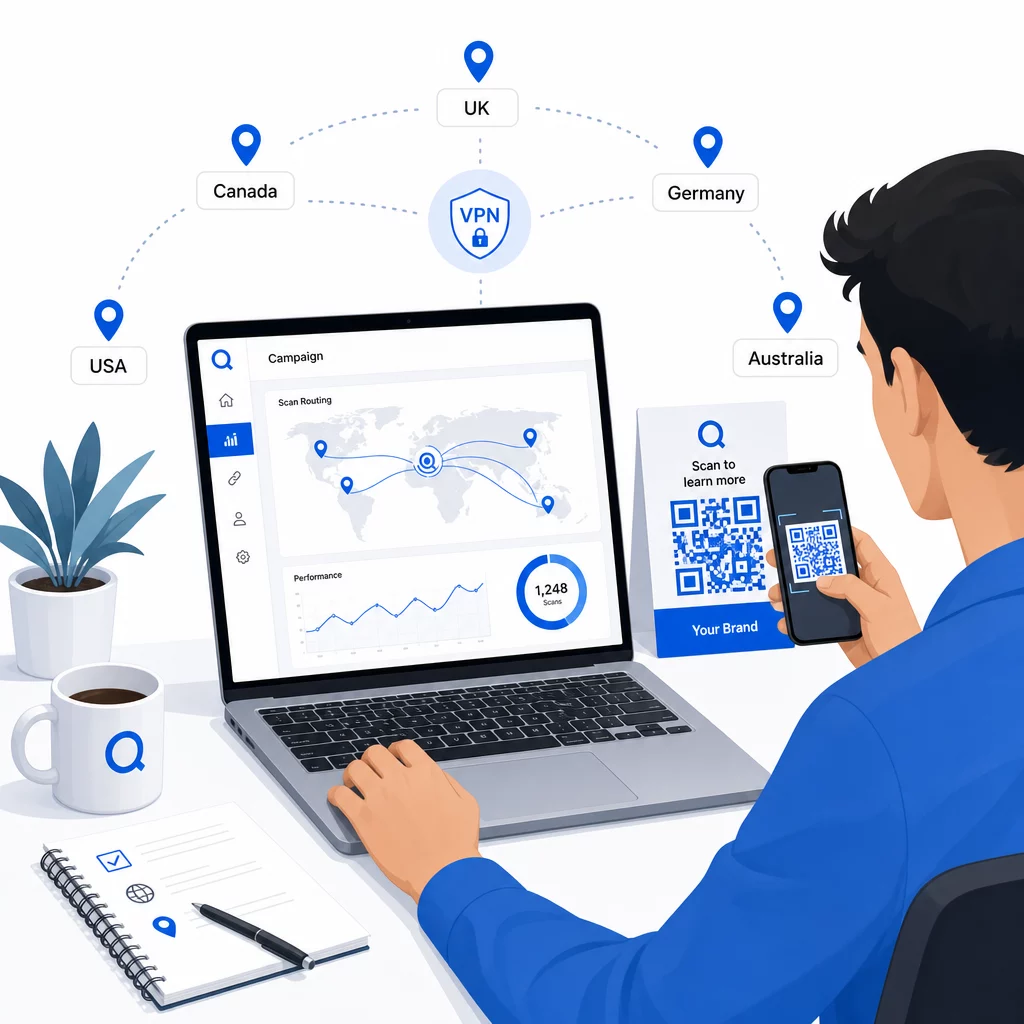
Test across multiple device types (iOS and Android), on both Wi-Fi and mobile data connections, and in different lighting conditions to confirm scannability. Document any issues and resolve them before going live. If you need to make changes later, the process for editing a dynamic QR code’s destination is straightforward and doesn’t require reprinting anything.
Crafting Regional Content That Earns the Scan
A location rule that routes a scanner to a generic page defeats the purpose. The destination content should reflect what makes each geography distinct:
- Language: Even within English-speaking markets, phrasing, spelling, and tone differ. For non-English markets, a fully translated page is expected.
- Local offers and pricing: Currency, promotional timing, and product availability vary by region. Show what’s actually relevant and purchasable in that location.
- Store or contact information: If you have physical locations, surface the nearest one based on where the scanner is.
- Regulatory or compliance details: Some industries – food and beverage, healthcare, financial services – have region-specific disclosure requirements. Ensure each page meets local standards.
Research shows that 39% of customers actively look for personalized QR code content. A region-specific page isn’t a nice addition – it’s increasingly the baseline expectation. For a broader look at reaching local audiences with geotargeted QR codes, including real-world brand examples, that guide goes deeper into localization strategy.
Measuring and Improving Performance
Dynamic QR codes generate scan data automatically. Use your platform’s analytics dashboard to monitor:
- Scan volume by country or region, to identify where engagement is strongest
- Scan timing, to understand when users are most active in each market
- Device types, to ensure your regional pages render correctly for the dominant device in each geography
- Conversion behavior, if you’ve connected UTM parameters to your destination URLs and integrated with a tool like Google Analytics
For a complete walkthrough of what’s trackable and how to interpret the data, the guide on tracking QR code scans and analytics covers the full range of metrics available with dynamic codes.
Use this data to run A/B tests on regional landing pages, adjust placement of physical QR codes to higher-traffic locations, and shift budget toward the markets producing the best results. Review performance monthly and update destination URLs as campaigns, offers, or content change – without printing a single new code.
Track Every Scan by Location See which regions drive the most engagement and adjust your campaigns in real time. Start with the Dynamische QR-codegenerator and get a full analytics dashboard from day one.
Handling Privacy and Data Compliance
Collecting location data – even IP-based – creates compliance responsibilities. The rules vary by region:
- GDPR (European Union): You need a lawful basis for processing location data. For marketing purposes, explicit consent is typically required. Be transparent about what data you collect and why before the scan occurs.
- CCPA (California): Users have the right to know what personal data you hold and to request deletion. Your platform and processes need to support those requests.
- HIPAA (United States): Healthcare contexts require additional safeguards around any patient-adjacent data, including location signals tied to health-related QR codes.
Practical steps to stay compliant:
- Only collect location data if it improves the user experience in a specific, articulable way
- Tell users clearly – before they scan – what data is collected and how it’s used
- Provide an alternative path for users who decline location sharing (such as a page where they can select their region manually)
- Use HTTPS and encrypted data storage throughout
- Work with a platform that meets recognized security standards and allows you to manage data retention
Keep your privacy notice brief, plain-language, and easy to find – including on any printed material that carries the QR code.
Limitations to Keep in Mind
IP-based geolocation isn’t perfect, and some users will inevitably be routed to the wrong regional destination – particularly those using VPNs, traveling internationally, or connecting through a corporate network. A few ways to reduce the impact:
- Always provide a visible language or region selector on each landing page so misdirected users can correct their experience themselves
- Avoid hard-locking content by geography in ways that frustrate users who know they want a different region’s content
- Monitor your analytics for anomalies, such as unexpectedly high traffic from a country that doesn’t match your targeting, which may indicate routing errors
Veelgestelde vragen
No. Because dynamic QR codes use a short redirect URL controlled at the server level, you can update destination URLs for any geographic rule at any time without changing or reprinting the code itself. The printed code stays the same; only the routing logic changes.
Country-level accuracy is generally high – around 90–99% in most cases – making it reliable for routing users to country-specific pages or language versions. Accuracy drops significantly at the regional, city, or neighborhood level, and is further reduced for users on VPNs, mobile carriers with centralized IP routing, or corporate networks. If you need more precise local targeting, look for platforms that support GPS-based location with user consent.
The system routes the scanner to the default fallback URL you configure when setting up the code. This is why defining a reliable fallback destination – typically your main website or a neutral landing page with a manual region selector – is an essential part of any location-based QR setup.