Czy zdarzyło Ci się kiedyś wydrukować magnes samochodowy, a potem odkryć, że aparaty w smartfonach nie są w stanie go zeskanować z odległości kilku metrów? Nieskanowalne kody marnują koszty druku i tracą cennych klientów w trasie. Oto jak obliczyć wymiary, zoptymalizować kontrast i zastosować skanowalny magnes samochodowy w swojej firmie.
Obliczanie rozmiaru kodu dla odległości oglądania
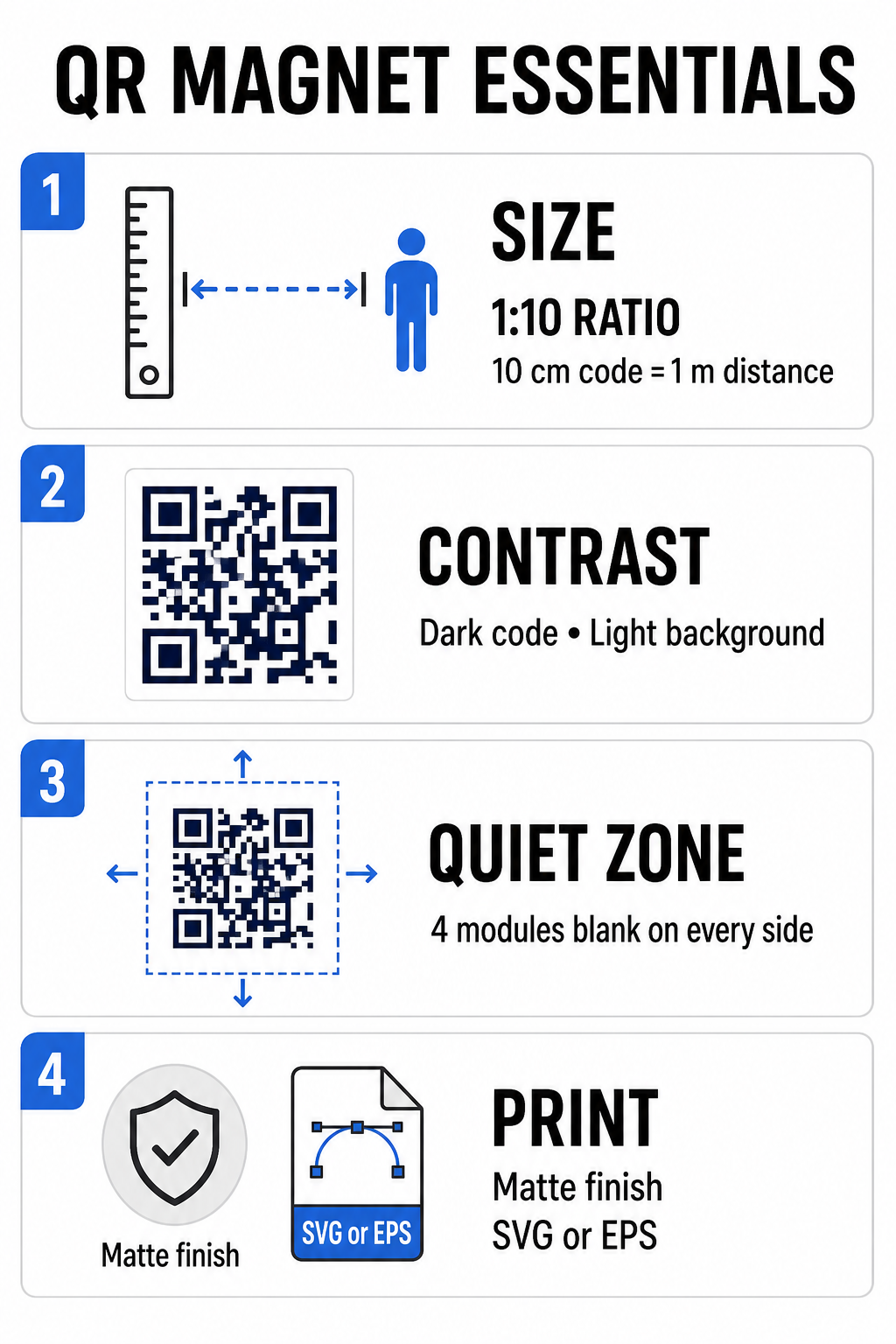
Magnes samochodowy wymaga znacznie większego kodu QR niż wizytówka czy ulotka, ponieważ odbiorcy wchodzą z nim w interakcję z odległości. Standardowe aparaty w smartfonach opierają się na Stosunek 1:10 między rozmiarem kodu a odległością skanowania. Jeśli potencjalni klienci stoją w odległości 1 metra (około 3,3 stopy) od zaparkowanego pojazdu, kwadratowy wzór kodu QR musi mieć co najmniej 10 cm (4 cale) szerokości.
Gęstość danych bezpośrednio wpływa na to, jak łatwo matryca aparatu rejestruje obraz z dużej odległości. Umieszczenie pełnych adresów internetowych w statycznym wzorze tworzy małe, zatłoczone moduły, których obiektywy mają problem z rozróżnieniem. Używanie Generator kodów QR do linków Zbudowanie dynamicznego kodu pozwala zachować krótki ładunek i rzadką strukturę modułów. Niższa gęstość matrycy przyspiesza autofokus aparatu i poprawia niezawodność skanowania. Przeglądanie szczegółowego przewodniku po rozmiarach kodów QR pomoże Ci wybrać dokładne wymiary na podstawie docelowych miejsc parkingowych i rozmiarów drzwi pojazdu.
Twórz dynamiczne kody QR, które można śledzić dla swoich pojazdów Potrzebujesz czystego kodu o niskiej gęstości, który możesz aktualizować w dowolnym momencie bez ponownego drukowania magnesu? Użyj Darmowy generator kodów QR aby projektować edytowalne kody i śledzić skuteczność kampanii.
Projektowanie dzieł sztuki o wysokim kontraście na zewnątrz
Warunki oświetlenia zewnętrznego zmieniają się w ciągu dnia, co sprawia, że dobór kolorów jest kluczowy dla możliwości skanowania mobilnego. Skanery wykrywają kody, mierząc światło odbite od kontrastujących modułów. Zawsze należy stosować ciemny wzór na pierwszym planie, wydrukowany na jednolitym, jasnym tle, takim jak czarny lub granatowy na matowej bieli.
Połączenia o niskim kontraście, takie jak żółty z bielą lub jasnoniebieski z szarością, nie sprawdzają się w bezpośrednim świetle słonecznym lub w silnym cieniu. Możesz przejrzeć ustalone najlepszymi praktykami kontrastu kolorów kodów QR aby mieć pewność, że Twoja paleta spełnia wiarygodne progi odczytu.
- Utrzymuj strefę ciszy: Zachowaj wolną, pustą przestrzeń o szerokości co najmniej czterech modułów wokół wszystkich czterech krawędzi wzoru kodu QR. Nigdy nie pozwól, aby zdjęcia pojazdów, tekstury tła ani linie obramowania znalazły się w tym marginesie.
- Unikaj laminatów odblaskowych lub błyszczących: Błyszczące nakładki winylowe powodują odblaski, które oślepiają aparaty smartfonów. Wybierz matowe wykończenie magnetycznej folii winylowej, aby rozproszyć bezpośrednie światło słoneczne.
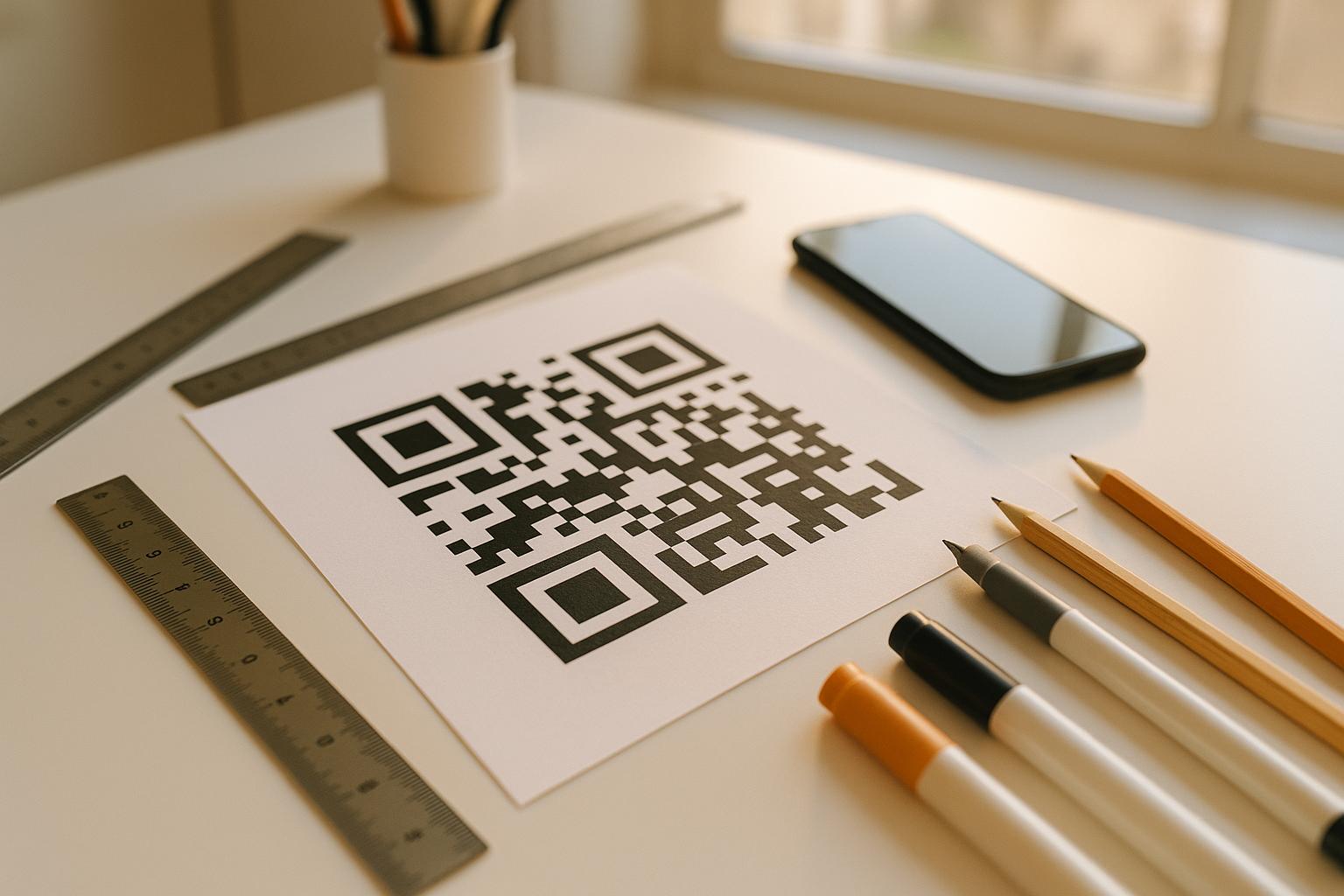
- Eksportuj w formatach plików wektorowych: Drukarnie wymagają grafiki o wysokiej rozdzielczości, aby zapobiec rozmyciu krawędzi. Zawsze eksportuj kod w formacie wektorowym, takim jak SVG lub EPS Dzięki temu wzór skaluje się bez pikselizacji. Dowiedz się więcej jak techniki druku wpływają na skanowalność kodów QR.
| Element projektu | Najlepsze praktyki | Typowy błąd, którego należy unikać |
|---|---|---|
| Kombinacja kolorów | Solidny, ciemny kod na matowym, jasnym tle | Ciemnoszary kod na wzorzystym lub ciemnym lakierze pojazdu |
| Margines strefy ciszy | Co najmniej 4 moduły wolnej przestrzeni ze wszystkich stron | Umieszczanie tekstu lub grafiki wewnątrz pustej ramki |
| Format pliku | Grafika wektorowa EPS lub SVG | Obrazy PNG lub JPG o niskiej rozdzielczości skalowane w górę |
| Wykończenie powierzchni magnesu | Matowa, antyodblaskowa powłoka ochronna UV | Nakładki o wysokim połysku lub metaliczne, odbijające światło słoneczne |
Dodawanie tekstu wezwania do działania i logo
Prosty, kwadratowy wzór nie zachęca potencjalnych klientów do otwierania aplikacji aparatu. Połączenie kodu QR ze zwięzłym wezwaniem do działania (CTA) dokładnie wyjaśnia korzyści płynące ze skanowania. Bezpośrednie instrukcje, takie jak “Skanuj, aby uzyskać zniżkę na 15%”, “Skanuj, aby uzyskać bezpłatną wycenę” lub “Skanuj, aby wyświetlić menu”, znacznie zwiększają skuteczność skanowania.
Umieszczenie logo firmy w centrum kodu wzmacnia wizerunek marki i buduje zaufanie. Dodając niestandardową grafikę centralną, wybierz Generator kodów QR z logo opcje i ustaw poziom korekcji błędów na Poziom Q (25%) lub Poziom H (30%). Wyższa korekcja błędów dodaje do wzoru redundantne bloki danych, umożliwiając aparatom w telefonach dekodowanie łącza docelowego, nawet jeśli logo zakrywa do 30% obszaru środkowego. Uważaj, aby nigdy nie zasłaniać ani nie zniekształcać trzech dużych, kwadratowych wzorów lokalizacyjnych znajdujących się w rogach kodu.
Aby uzyskać dodatkowe wskazówki dotyczące aranżacji grafiki marketingowej, zapoznaj się z naszą kompletny przewodnik po umieszczaniu kodów QR w marketingu.
Bezpieczny montaż i konserwacja magnesów samochodowych
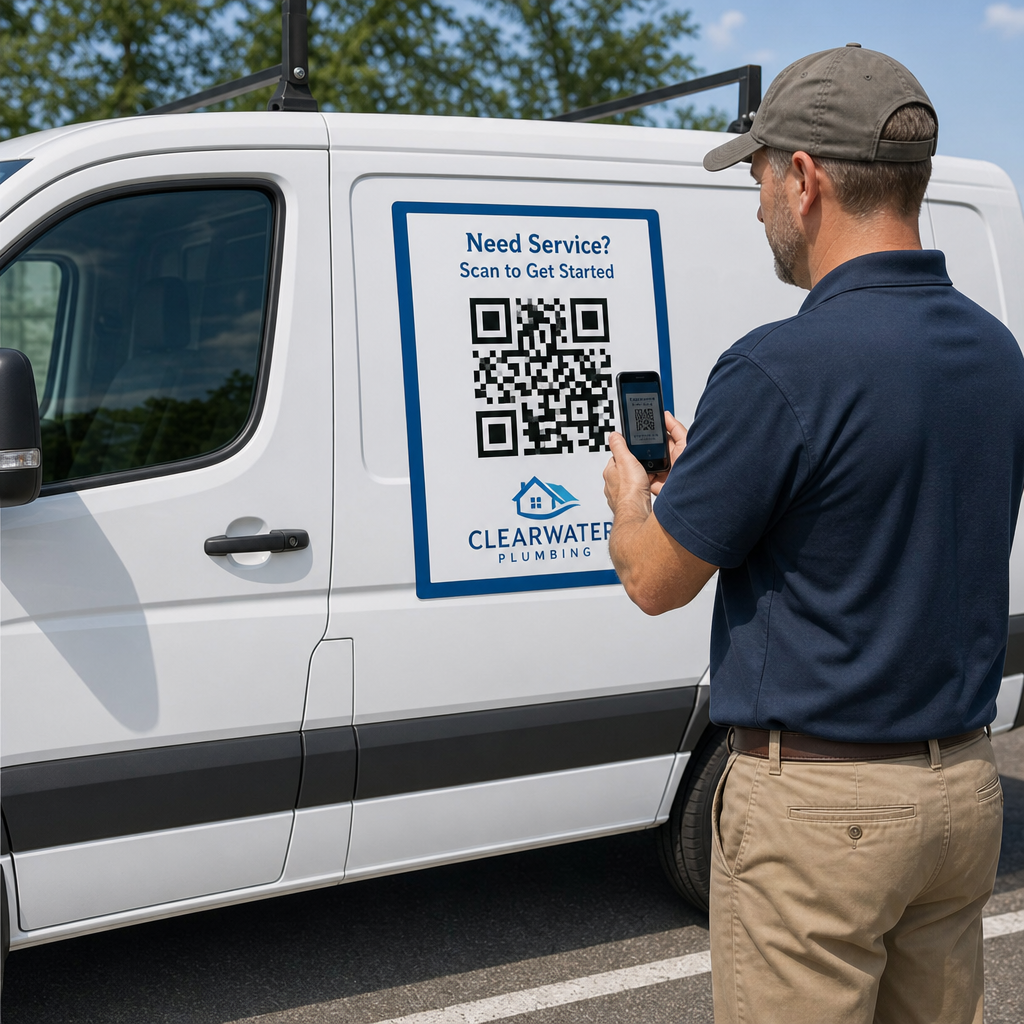
Miejsce umieszczenia magnesu samochodowego decyduje o tym, czy widzowie będą mogli bezpiecznie z nim wejść w interakcję. Skanowanie samochodów w ruchu jest nieskuteczne ze względu na rozmycie obrazu i stwarza poważne zagrożenie w ruchu drogowym. Zaprojektuj kampanię z uwzględnieniem sytuacji, w których zaparkowane są pojazdy, takie jak pojazdy serwisowe na placach budowy, samochody dostawcze na obszarach postojowych lub samochody osobowe zaparkowane na parkingach komercyjnych.
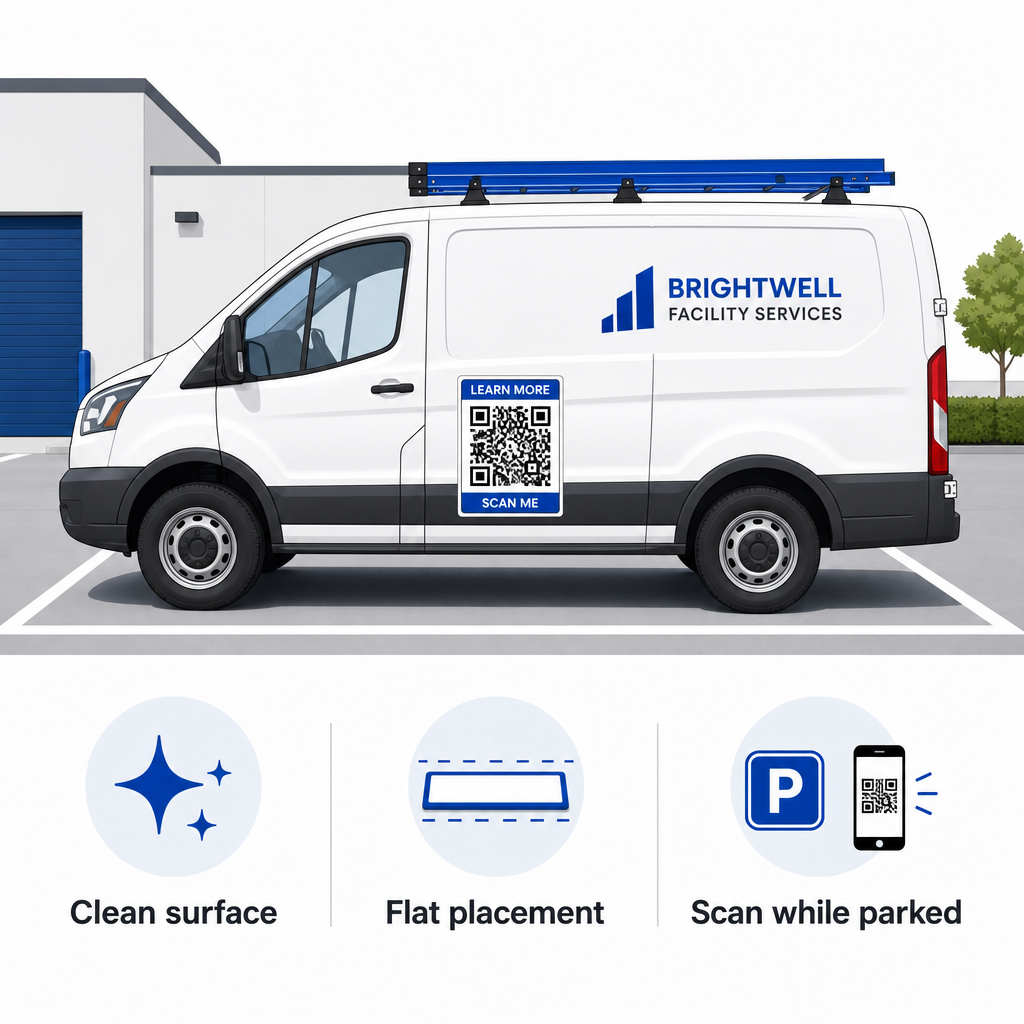
- Mocowanie do płaskich paneli metalowych: Umieść magnesy na płaskich bocznych drzwiach, gładkich panelach bocznych lub płaskich klapach bagażnika. Unikaj konturów nadwozia, listew wykończeniowych, klamek i ostrych zakrętów. Magnesy nie przykleją się do włókna szklanego, paneli aluminiowych, plastikowych zderzaków ani miejsc z wypełniaczem.
- Wyczyść powierzchnię aplikacji: Brud, kurz i nagromadzony wosk osłabiają przyczepność magnetyczną i zatrzymują drobinki, które rysują lakier pojazdu. Przed nałożeniem umyj i osusz panel pojazdu oraz magnetyczną powierzchnię za pomocą łagodnego roztworu mydła.
- Nałóż arkusz całkowicie płasko: Dopasuj jedną krawędź magnesu do panelu, a resztę pozostaw do naturalnego zamocowania. Dociśnij mocno powierzchnię, aby wyeliminować pęcherzyki powietrza, bąble lub uniesione krawędzie, które mogłyby zostać zassane przez wiatr podczas jazdy.
- Utrzymuj regularne rutyny sprzątania: Zdejmij magnes co najmniej raz w tygodniu, aby wytrzeć wilgoć i kurz drogowy. Nieużywane magnesy samochodowe przechowuj płasko w chłodnym, suchym miejscu, aby zapobiec ich odkształceniu lub zagięciu.
Szczegółowe wskazówki dotyczące instalacji dla flot komercyjnych znajdziesz w naszym poradniku kodów QR na pojazdach.
Testowanie możliwości skanowania w rzeczywistych warunkach zewnętrznych
Zanim umieścisz magnes na pojazdach na aktywnych trasach serwisowych, musisz zweryfikować jego skanowalność w różnych rzeczywistych warunkach. Wzór, który można łatwo odczytać w oświetleniu biurowym, może nie zostać odczytany w przypadku ostrego blasku zewnętrznego lub głębokich cieni.
Przetestuj wydrukowany magnes w trzech krytycznych warunkach:
- Wróć do realistycznej odległości oglądania, z jakiej będą korzystać Twoi klienci, i sprawdź, czy autofokus aparatu szybko się blokuje.
- Sprawdź wydajność skanowania w jasnym słońcu w południe, przy zachmurzeniu i częściowym cieniu.
- Zeskanuj magnes za pomocą kilku smartfonów z systemem iOS i Android, także tych budżetowych, z aparatami o niższej rozdzielczości.
Możesz również przetestować łącze docelowe za pomocą testu online Skaner kodów QR online aby zapewnić szybkie otwieranie strony docelowej w sieciach komórkowych. Zgodnie z ustalonymi najlepszymi praktykami w zakresie czytelności kodów QR zapewnia, że Twoje magnesy marketingowe na urządzenia mobilne konsekwentnie przekształcają widoczność pojazdu offline w śledzone zaangażowanie online.
Aby rozpocząć tworzenie własnej reklamy pojazdu zapewniającej wysoki współczynnik konwersji, wybierz link docelowy, zastosuj dynamiczne formatowanie o wysokim kontraście i wygeneruj grafikę wektorową gotową do profesjonalnego druku.
Najczęściej zadawane pytania
Zalecany rozmiar zależy od odległości skanowania, przy czym stosuje się współczynnik 1:10. Jeśli osoby skanujące magnes będą go skanować z odległości 90 cm (3 stóp) podczas parkowania, wzór kodu QR powinien mieć co najmniej 9–10 cm (3,6–4 cale) szerokości. W przypadku większej odległości skanowania, powiększ kod i ogranicz ilość zakodowanych danych.
Nie. Rozmycie obrazu w ruchu, prędkość pojazdu i opóźnienia autofokusa kamery sprawiają, że skanowanie pojazdów w ruchu jest niebezpieczne i zawodne. Zawsze projektuj kampanie kodów QR na pojazdach w sytuacjach, gdy pojazd jest zaparkowany w łatwo dostępnych miejscach, takich jak place budowy, parkingi lub place załadunku.
Zawsze dostarczaj pliki wektorowe w formatach SVG, EPS lub PDF w wysokiej rozdzielczości. Pliki wektorowe zachowują ostre krawędzie przy każdym rozmiarze wydruku, zapewniając wyrazistość modułów kodu QR bez pikselizacji i rozmycia podczas druku wielkoformatowego na magnesach.