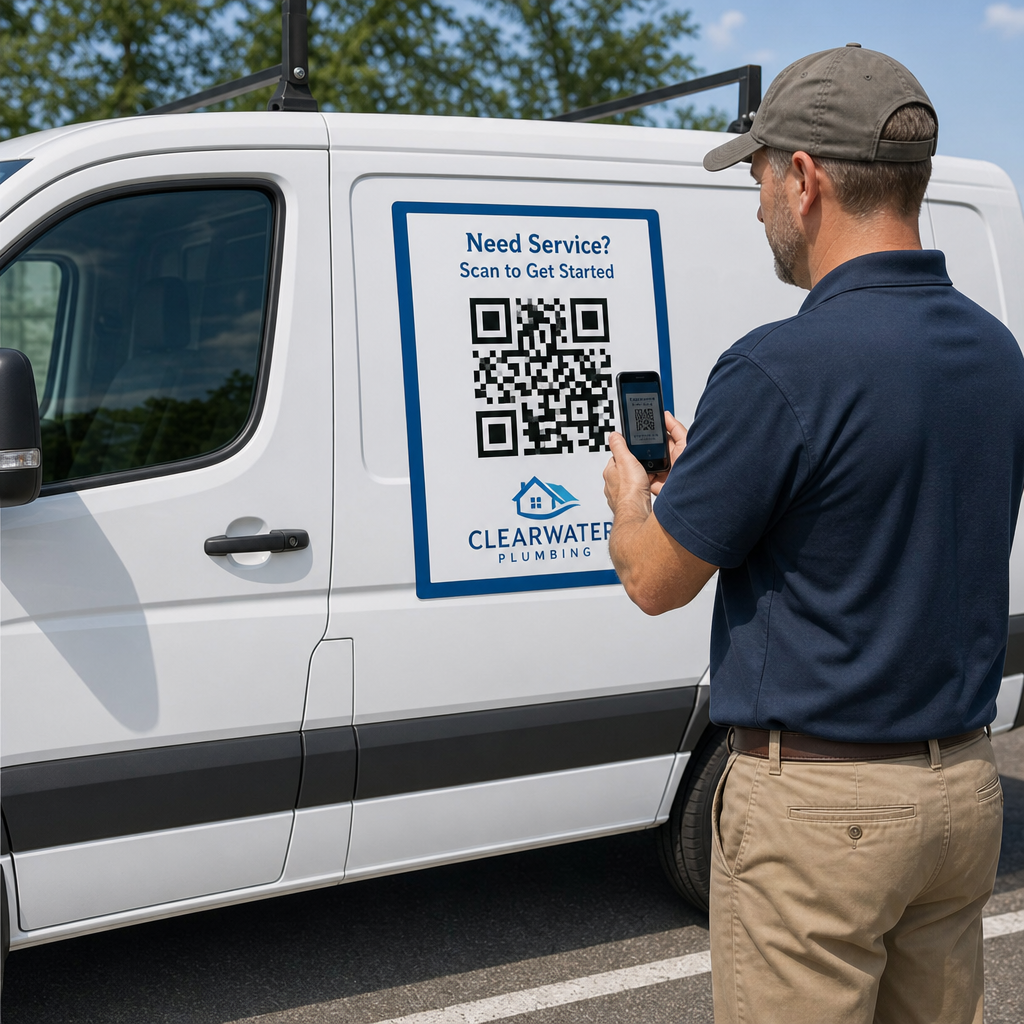
Bạn đã bao giờ in nam châm dán xe nhưng lại phát hiện ra rằng camera điện thoại thông minh không thể quét được mã vạch từ khoảng cách vài mét chưa? Mã vạch không thể quét được sẽ gây lãng phí chi phí in ấn và làm mất đi những khách hàng tiềm năng quý giá trên đường. Dưới đây là cách tính toán kích thước, tối ưu hóa độ tương phản và dán nam châm dán xe có thể quét được cho doanh nghiệp của bạn.
Tính toán kích thước mã cho khoảng cách xem
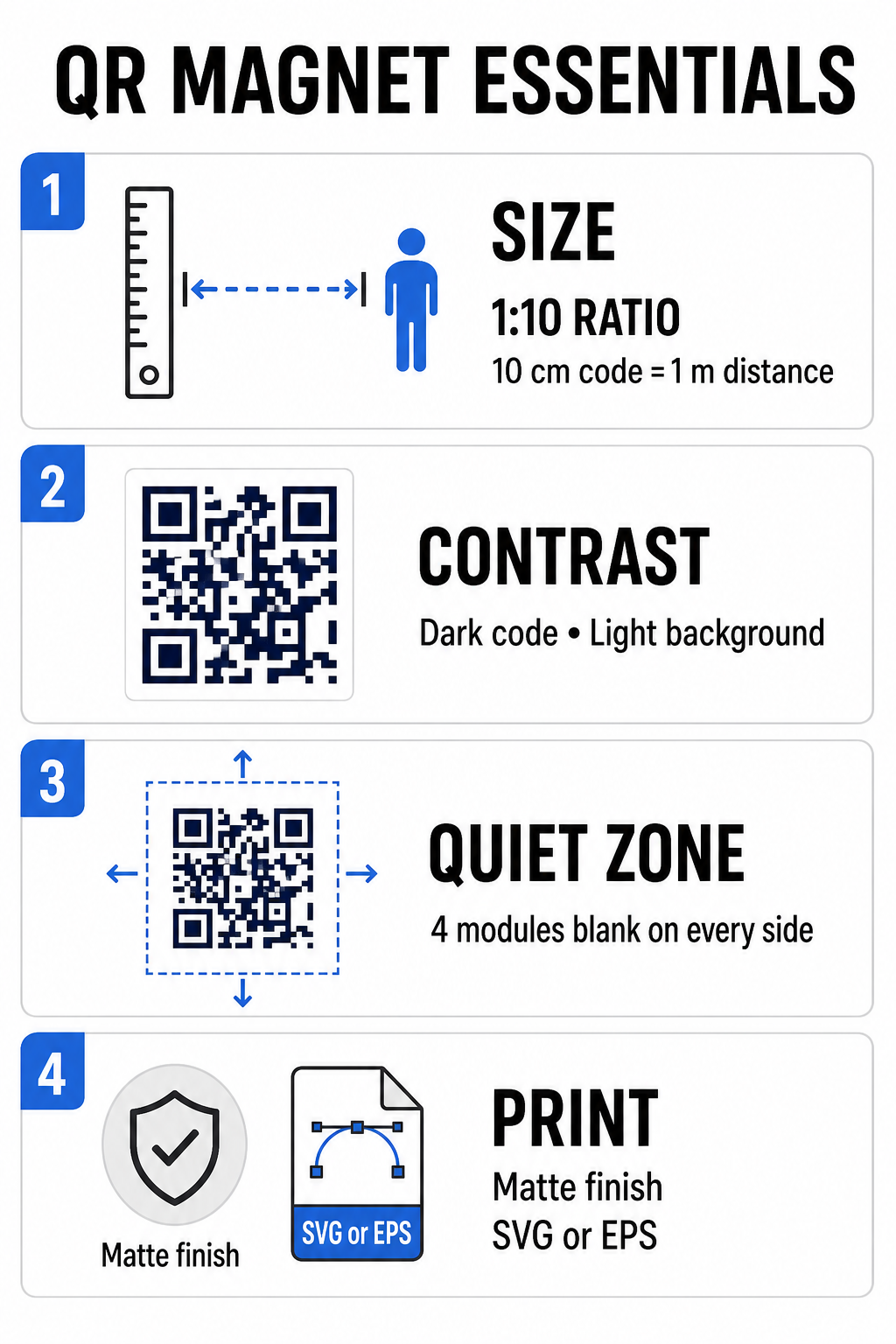
Nam châm dán xe cần mã QR lớn hơn nhiều so với danh thiếp hoặc tờ rơi vì người xem tương tác với nó từ xa. Camera điện thoại thông minh tiêu chuẩn dựa vào... Tỷ lệ 1:10 Giữa kích thước mã và khoảng cách quét. Nếu khách hàng tiềm năng đứng cách xe bạn đang đỗ 1 mét (khoảng 3,3 feet), thì mã QR hình vuông phải có chiều rộng ít nhất 10 cm (4 inch).
Mật độ dữ liệu ảnh hưởng trực tiếp đến khả năng cảm biến máy ảnh bắt nét tác phẩm nghệ thuật của bạn từ xa. Việc nén toàn bộ địa chỉ web vào một mẫu tĩnh tạo ra các mô-đun nhỏ, chật chội mà ống kính khó có thể phân giải. Sử dụng Trình tạo mã QR liên kết Việc xây dựng mã động giúp giữ cho tải trọng ngắn và cấu trúc mô-đun thưa thớt. Mật độ ma trận thấp hơn giúp tăng tốc độ lấy nét tự động của camera và cải thiện độ tin cậy của quá trình quét. Xem xét chi tiết hướng dẫn kích thước mã QR của chúng tôi Sẽ giúp bạn lựa chọn kích thước chính xác dựa trên vị trí đỗ xe mục tiêu và kích thước cửa xe của bạn.
Tạo mã QR động có thể theo dõi cho phương tiện của bạn Bạn muốn một mã sạch, mật độ thấp mà bạn có thể cập nhật bất cứ lúc nào mà không cần in lại nam châm? Hãy sử dụng... Tạo mã QR miễn phí Thiết kế mã có thể chỉnh sửa và theo dõi hiệu quả chiến dịch.
Thiết kế tác phẩm nghệ thuật ngoài trời có độ tương phản cao
Điều kiện ánh sáng ngoài trời thay đổi suốt cả ngày, do đó việc lựa chọn màu sắc rất quan trọng đối với khả năng quét mã trên thiết bị di động. Máy quét phát hiện mã bằng cách đo ánh sáng phản xạ từ các mô-đun có độ tương phản cao. Bạn nên luôn sử dụng mẫu chữ tối màu được in trên nền sáng màu, chẳng hạn như đen hoặc xanh navy trên nền trắng mờ.
Các sự kết hợp màu sắc có độ tương phản thấp như vàng trên trắng hoặc xanh nhạt trên xám sẽ không đẹp khi tiếp xúc trực tiếp với ánh nắng mặt trời hoặc bóng râm nhiều. Bạn có thể xem lại các nghiên cứu đã được chứng minh. các phương pháp hay nhất về độ tương phản màu của mã QR để đảm bảo bảng màu của bạn đáp ứng các ngưỡng đọc đáng tin cậy.
- Giữ gìn khu vực yên tĩnhHãy giữ một khoảng trống rõ ràng, rộng ít nhất bốn mô-đun xung quanh cả bốn cạnh của mẫu mã QR. Tuyệt đối không cho phép ảnh xe, họa tiết nền hoặc đường viền xâm phạm vào lề này.
- Tránh sử dụng các loại màng phủ phản chiếu hoặc bóng.Các lớp phủ vinyl bóng loáng tạo ra hiện tượng chói nắng làm lóa camera điện thoại thông minh. Hãy chọn bề mặt mờ cho tấm vinyl từ tính của bạn để làm dịu ánh nắng trực tiếp.
- Xuất ở định dạng tệp vectorCác xưởng in yêu cầu bản vẽ có độ phân giải cao để tránh bị mờ viền. Luôn xuất mã của bạn dưới dạng định dạng vector, ví dụ như... SVG hoặc là EPS Vì vậy, họa tiết có thể phóng to mà không bị vỡ hạt. Tìm hiểu thêm về cách các kỹ thuật in ảnh hưởng đến khả năng quét mã QR.
| Yếu tố thiết kế | Thực hành tốt nhất | Lỗi thường gặp cần tránh |
|---|---|---|
| Kết hợp màu sắc | Mã màu tối đậm trên nền sáng mờ. | Mã màu xám đậm trên bề mặt sơn xe có hoa văn hoặc màu tối. |
| Lề Vùng Yên tĩnh | Ít nhất 4 mô-đun không gian trống ở tất cả các phía. | Đặt văn bản hoặc hình ảnh vào bên trong khung trống. |
| Định dạng tệp | Đồ họa vector EPS hoặc SVG | Ảnh PNG hoặc JPG độ phân giải thấp được phóng to. |
| Hoàn thiện bề mặt nam châm | Lớp phủ chống tia UV mờ, không phản chiếu | Lớp phủ bóng cao hoặc kim loại phản chiếu ánh sáng mặt trời |
Thêm văn bản kêu gọi hành động và logo
Một mẫu hình vuông đơn giản không tạo động lực cho khách hàng tiềm năng mở ứng dụng camera. Việc kết hợp mã QR của bạn với văn bản kêu gọi hành động (CTA) ngắn gọn sẽ giải thích chính xác lợi ích của việc quét. Các hướng dẫn trực tiếp như “Quét để được giảm giá 15%”, “Quét để nhận báo giá miễn phí” hoặc “Quét để xem thực đơn” sẽ cải thiện đáng kể tỷ lệ quét.
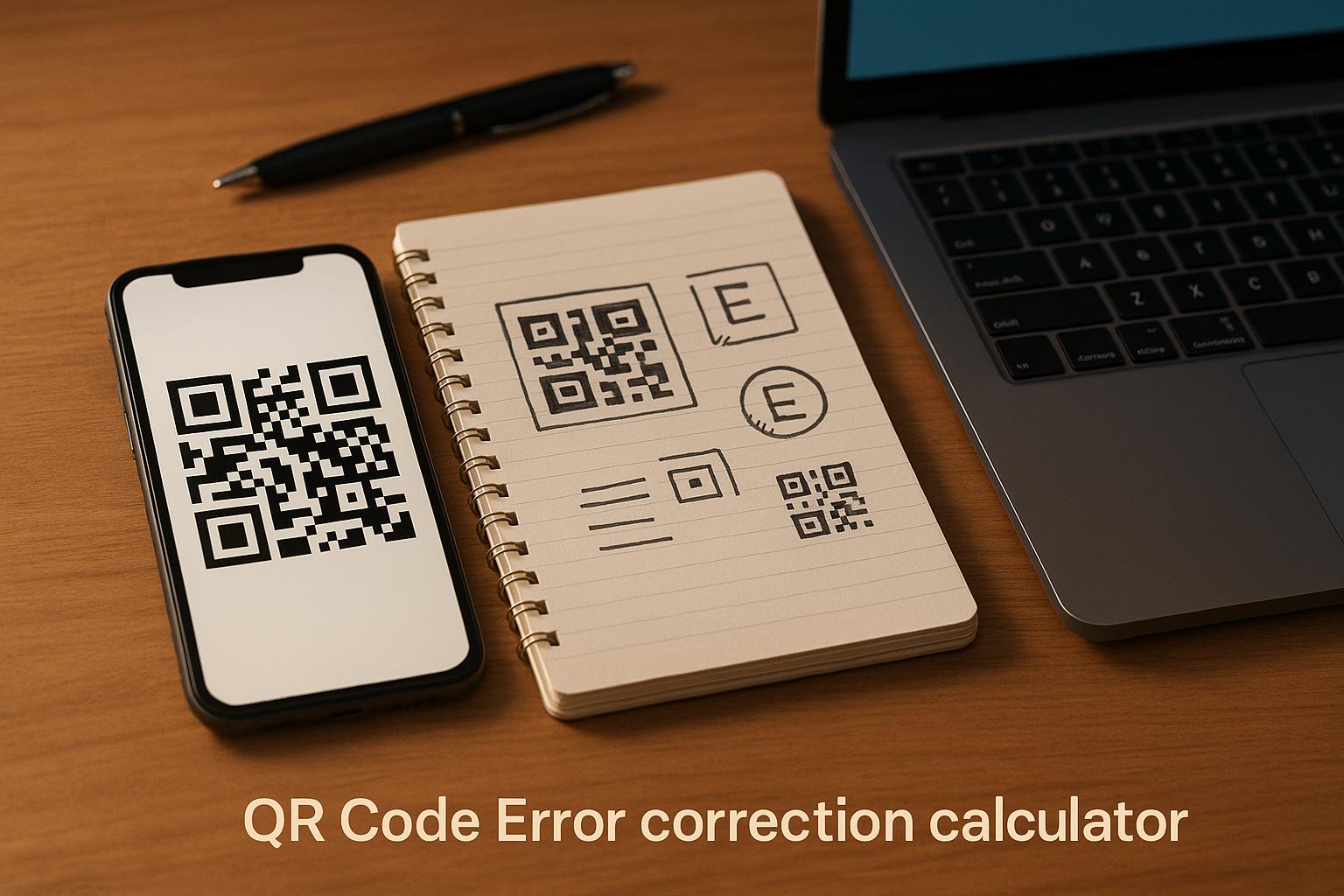
Đặt logo công ty vào giữa mã nguồn sẽ củng cố nhận diện thương hiệu và xây dựng lòng tin. Khi thêm hình ảnh tùy chỉnh ở giữa, hãy chọn một tùy chọn phù hợp. Tạo mã QR có logo ở giữa các tùy chọn và đặt mức độ sửa lỗi thành Cấp độ Q (25%) hoặc là Cấp độ H (30%). Khả năng sửa lỗi cao hơn sẽ bổ sung các khối dữ liệu dư thừa vào mẫu, cho phép camera điện thoại giải mã liên kết mục tiêu ngay cả khi logo của bạn che phủ tới 30% khu vực trung tâm. Hãy cẩn thận đừng bao giờ che khuất hoặc làm biến dạng ba mẫu hình vuông lớn nằm ở các góc của mã.
Để được hướng dẫn thêm về cách bố trí đồ họa tiếp thị, vui lòng tham khảo ý kiến của chúng tôi. hướng dẫn tối ưu về vị trí đặt mã QR trong marketing.
Hướng dẫn lắp đặt và bảo dưỡng nam châm dán xe an toàn
Vị trí đặt nam châm dán xe quyết định liệu người xem có thể tương tác an toàn với nó hay không. Việc quét nam châm khi xe đang di chuyển không hiệu quả do hiện tượng nhòe ảnh và tạo ra nguy hiểm giao thông nghiêm trọng. Hãy thiết kế chiến dịch của bạn xoay quanh các tình huống xe đang đỗ, chẳng hạn như xe dịch vụ đậu tại công trường, xe giao hàng tại khu vực tập kết hàng hoặc xe cá nhân đậu trong bãi đỗ xe thương mại.
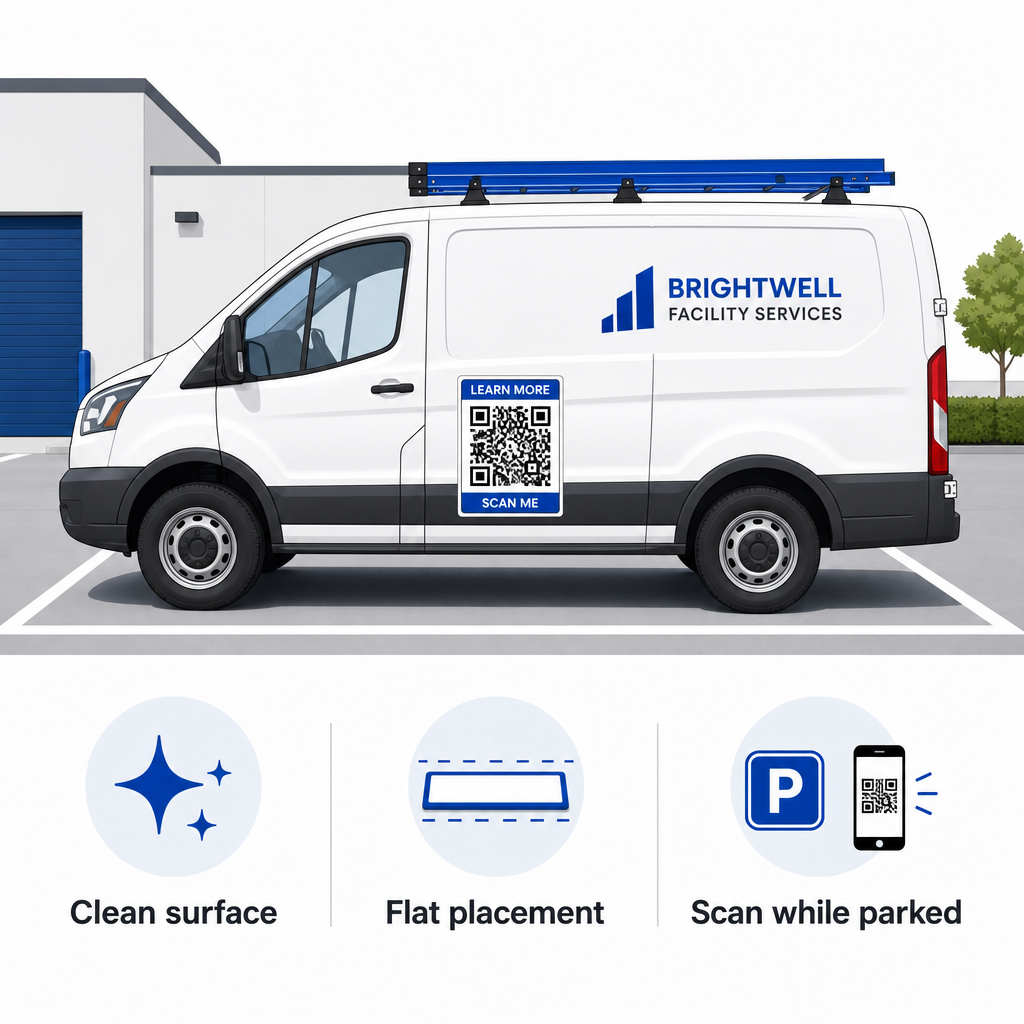
- Gắn vào các tấm kim loại phẳngĐặt nam châm lên các bề mặt phẳng của cửa xe, các tấm ốp hông nhẵn hoặc cửa hậu phẳng. Tránh các đường cong thân xe, các đường viền trang trí, tay nắm cửa và các đường cong sắc nhọn. Nam châm sẽ không dính vào sợi thủy tinh, các tấm nhôm, cản nhựa hoặc các khu vực có chất độn thân xe.
- Làm sạch bề mặt cần thi côngBụi bẩn, cặn bám và sáp tích tụ sẽ làm suy yếu lực hút từ tính và giữ lại các hạt bụi bẩn gây trầy xước sơn xe. Hãy rửa sạch và lau khô cả bề mặt xe và lớp đế từ tính bằng dung dịch xà phòng nhẹ trước khi sử dụng.
- Trải tấm giấy hoàn toàn phẳng.Đặt một cạnh của nam châm vào sát bề mặt và để phần còn lại tự dính vào. Ấn mạnh lên bề mặt để loại bỏ bọt khí, bong bóng hoặc các cạnh bị bong ra có thể cản gió khi lái xe.
- Duy trì thói quen vệ sinh thường xuyên.Ít nhất một lần mỗi tuần, hãy tháo nam châm ra để lau sạch hơi ẩm và bụi bẩn bám bên trong. Bảo quản nam châm dán xe không sử dụng ở vị trí phẳng, khô ráo, thoáng mát để tránh bị cong vênh hoặc gấp góc.
Bạn có thể tìm thấy các mẹo lắp đặt chi tiết dành cho đội xe thương mại trong hướng dẫn của chúng tôi về... mã QR trên xe cộ.
Kiểm tra khả năng quét trong điều kiện thực tế ngoài trời
Trước khi triển khai nam châm dán xe trên các tuyến đường dịch vụ đang hoạt động, bạn phải xác thực khả năng quét mã trong nhiều môi trường thực tế khác nhau. Một mẫu quét dễ dàng dưới ánh sáng văn phòng có thể không hoạt động khi tiếp xúc với ánh sáng chói hoặc bóng tối mạnh ngoài trời.
Hãy kiểm tra nam châm in của bạn trong ba điều kiện quan trọng:
- Hãy lùi lại một bước để có khoảng cách xem thực tế mà khách hàng của bạn sẽ sử dụng và xác nhận rằng chức năng tự động lấy nét của máy ảnh khóa nét nhanh chóng.
- Kiểm tra hiệu suất quét dưới ánh nắng mặt trời gay gắt giữa trưa, trời nhiều mây và bóng râm một phần.
- Quét nam châm bằng nhiều điện thoại thông minh iOS và Android khác nhau, bao gồm cả các thiết bị giá rẻ có độ phân giải camera thấp hơn.
Bạn cũng có thể kiểm tra liên kết đích của mình bằng công cụ trực tuyến. Quét mã QR Để đảm bảo trang đích mở nhanh chóng trên mạng di động. Tuân theo các quy trình đã thiết lập. các phương pháp hay nhất để đọc mã QR Đảm bảo các công cụ tiếp thị di động của bạn liên tục chuyển đổi khả năng hiển thị phương tiện ngoại tuyến thành tương tác trực tuyến có thể theo dõi được.
Để bắt đầu tạo quảng cáo xe hơi có tỷ lệ chuyển đổi cao, hãy chọn liên kết mục tiêu, áp dụng định dạng động với độ tương phản cao và tạo hình ảnh vector sẵn sàng cho việc in ấn chuyên nghiệp.
Câu hỏi thường gặp
Kích thước được đề xuất phụ thuộc vào khoảng cách quét theo tỷ lệ 1:10. Nếu người xem quét nam châm của bạn từ khoảng cách 3 feet (khoảng 9 đến 10 cm) khi đang đỗ xe, mẫu mã QR nên rộng ít nhất 3,6 đến 4 inch (9 đến 10 cm). Đối với khoảng cách xem xa hơn, hãy phóng to mã và giữ cho dữ liệu được mã hóa ở mức tối thiểu.
Không. Hiện tượng nhòe do chuyển động, tốc độ xe và độ trễ lấy nét tự động của camera khiến việc quét mã QR trên các phương tiện đang di chuyển trở nên không an toàn và không đáng tin cậy. Luôn thiết kế các chiến dịch quét mã QR trên xe cho các tình huống xe đỗ ở những vị trí dễ tiếp cận, chẳng hạn như công trường, bãi đậu xe hoặc khu vực bốc dỡ hàng.
Luôn cung cấp các định dạng tệp vector như SVG, EPS hoặc PDF vector độ phân giải cao. Tệp vector duy trì các cạnh sắc nét ở bất kỳ kích thước in nào, đảm bảo các mô-đun mã QR vẫn rõ ràng mà không bị vỡ pixel hoặc mờ nhòe trong quá trình in nam châm khổ lớn.