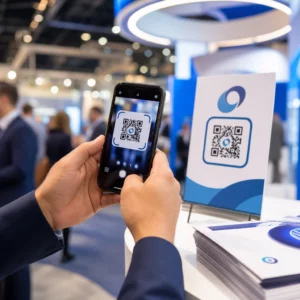
Ar kada nors atspausdinote automobilio magnetą ir pastebėjote, kad išmaniojo telefono kameros jo nenuskaito iš kelių metrų atstumo? Nenuskaitomi kodai švaisto spausdinimo išlaidas ir praranda vertingus klientus kelyje. Štai kaip apskaičiuoti matmenis, optimizuoti kontrastą ir pritaikyti nuskaitomą automobilio magnetą savo verslui.
Kodo dydžio apskaičiavimas atsižvelgiant į žiūrėjimo atstumus
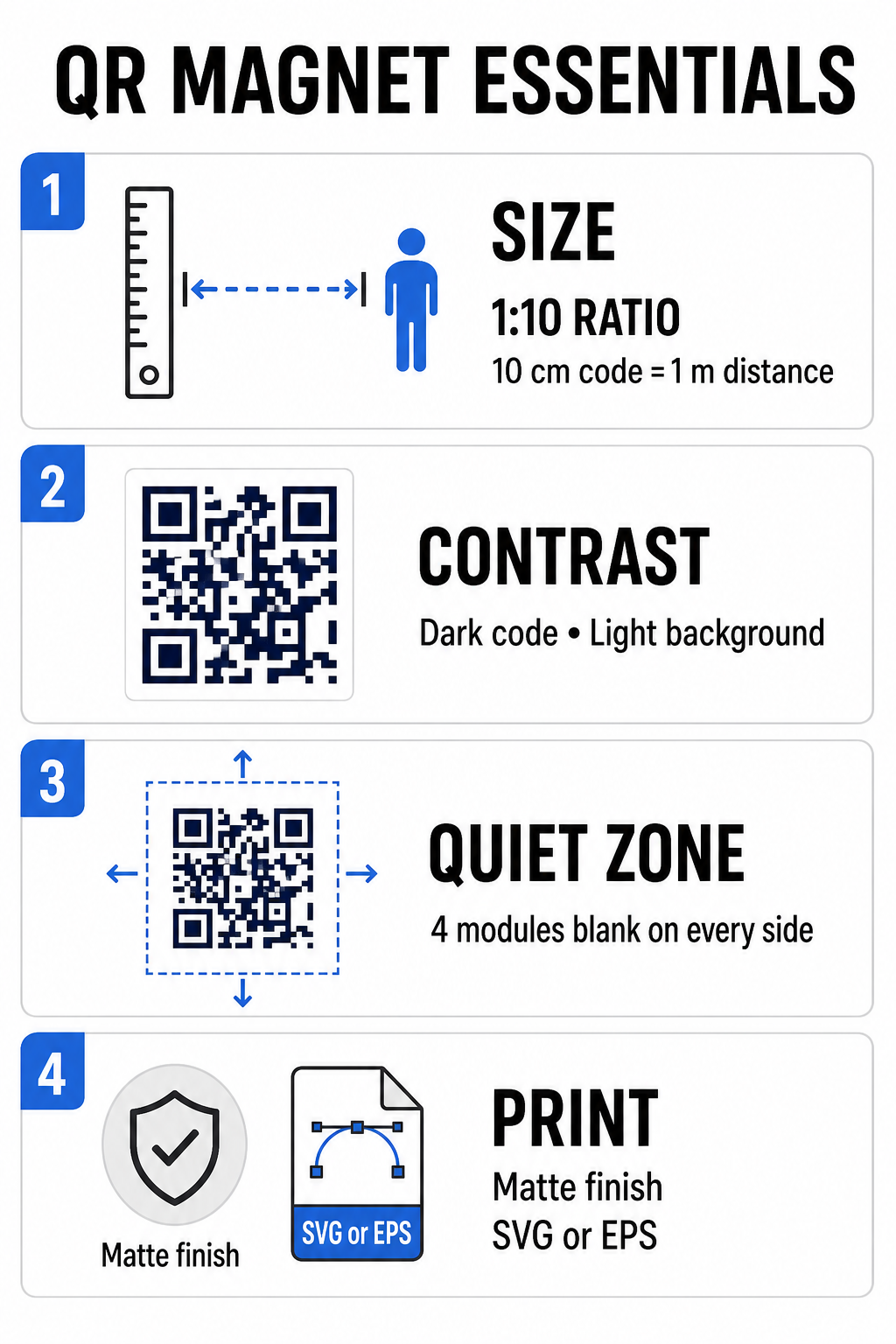
Automobilio magnetui reikia daug didesnio QR kodo nei vizitinei kortelei ar skrajutei, nes žiūrovai su juo sąveikauja per atstumą. Standartinės išmaniųjų telefonų kameros remiasi... 1:10 santykis tarp kodo dydžio ir nuskaitymo atstumo. Jei potencialūs klientai stovi 1 metro (apie 3,3 pėdų) atstumu nuo jūsų pastatyto automobilio, kvadratinio QR kodo rašto plotis turi būti bent 10 cm (4 coliai).
Duomenų tankis tiesiogiai veikia tai, kaip lengvai kameros jutiklis užfiksuoja jūsų meno kūrinį iš toli. Pilnų interneto adresų sudėjimas į statinį modelį sukuria mažyčius, perpildytus modulius, kuriuos objektyvams sunku išspręsti. Nuorodos QR kodo generatorius Dinaminio kodo kūrimas užtikrina trumpą naudingąją apkrovą ir retą modulio struktūrą. Mažesnis matricos tankis pagreitina kameros automatinį fokusavimą ir pagerina nuskaitymo patikimumą. Peržiūrint išsamią QR kodo dydžio vadove padės jums pasirinkti tikslius matmenis pagal jūsų numatytas parkavimo vietas ir transporto priemonės durų dydžius.
Sukurkite stebimus dinaminius QR kodus savo transporto priemonėms Norite švaraus, mažo tankio kodo, kurį galėtumėte bet kada atnaujinti nespausdindami magneto iš naujo? Naudokite Nemokamas QR kodo generatorius kurti redaguojamus kodus ir stebėti kampanijos našumą.
Didelio kontrasto lauko meno kūrinių kūrimas
Lauko apšvietimo sąlygos keičiasi visą dieną, todėl spalvų pasirinkimas yra labai svarbus norint nuskaityti mobiliaisiais įrenginiais. Skaitytuvai kodus aptinka matuodami šviesą, atsispindinčią nuo kontrastingų modulių. Visada turėtumėte naudoti tamsų priekinio plano raštą, atspausdintą ant vientiso, šviesaus fono, pavyzdžiui, juodą arba tamsiai mėlyną ant matinės baltos spalvos.
Mažo kontrasto spalvų deriniai, tokie kaip geltona ant baltos arba šviesiai mėlyna ant pilkos, neveikia tiesioginiuose saulės spinduliuose arba esant stipriam pavėsiui. Galite peržiūrėti nusistovėjusius QR kodo spalvų kontrasto geriausios praktikos kad jūsų paletė atitiktų patikimus skaitymo slenksčius.
- Išlaikykite tylos zonąAplink QR kodo šabloną palikite bent keturių modulių pločio tuščią erdvę. Niekada neleiskite, kad transporto priemonių nuotraukos, fono tekstūros ar kraštinės patektų į šią paraštę.
- Venkite atspindinčių ar blizgių laminatųBlizgūs vinilo sluoksniai sukuria saulės akinimą, kuris užtemdo išmaniųjų telefonų kameras. Rinkitės matinį magnetinio vinilo lakšto paviršių, kad išsklaidytumėte tiesioginius saulės spindulius.
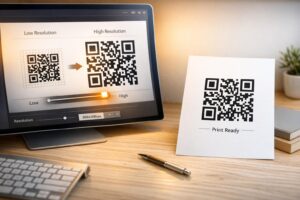
- Eksportuoti vektorinių failų formataisSpaustuvėms reikalingi didelės raiškos iliustracijos, kad būtų išvengta minkštų kraštų. Visada eksportuokite kodą vektoriniu formatu, pvz. SVG arba EPS kad raštas pasikeistų be pikselizacijos. Sužinokite daugiau apie kaip spausdinimo technikos veikia QR kodo nuskaitomumą.
| Dizaino elementas | Geriausia praktika | Dažna klaida, kurios reikia vengti |
|---|---|---|
| Spalvų derinys | Vientisas tamsus kodas ant matinio šviesaus fono | Tamsiai pilkas kodas ant raštuotų arba tamsių automobilio dažų |
| Tyliosios zonos paraštė | Bent 4 tuščios erdvės moduliai iš visų pusių | Teksto ar iliustracijos įdėjimas į tuščią rėmelį |
| Failo formatas | EPS arba SVG vektorinė grafika | Padidintos mažos raiškos PNG arba JPG vaizdų raiškos |
| Magneto paviršiaus apdaila | Matinė, neatspindinti UV spindulių apsauganti danga | Blizgūs arba metaliniai sluoksniai, atspindintys saulės šviesą |
Raginimo veikti teksto ir logotipų pridėjimas
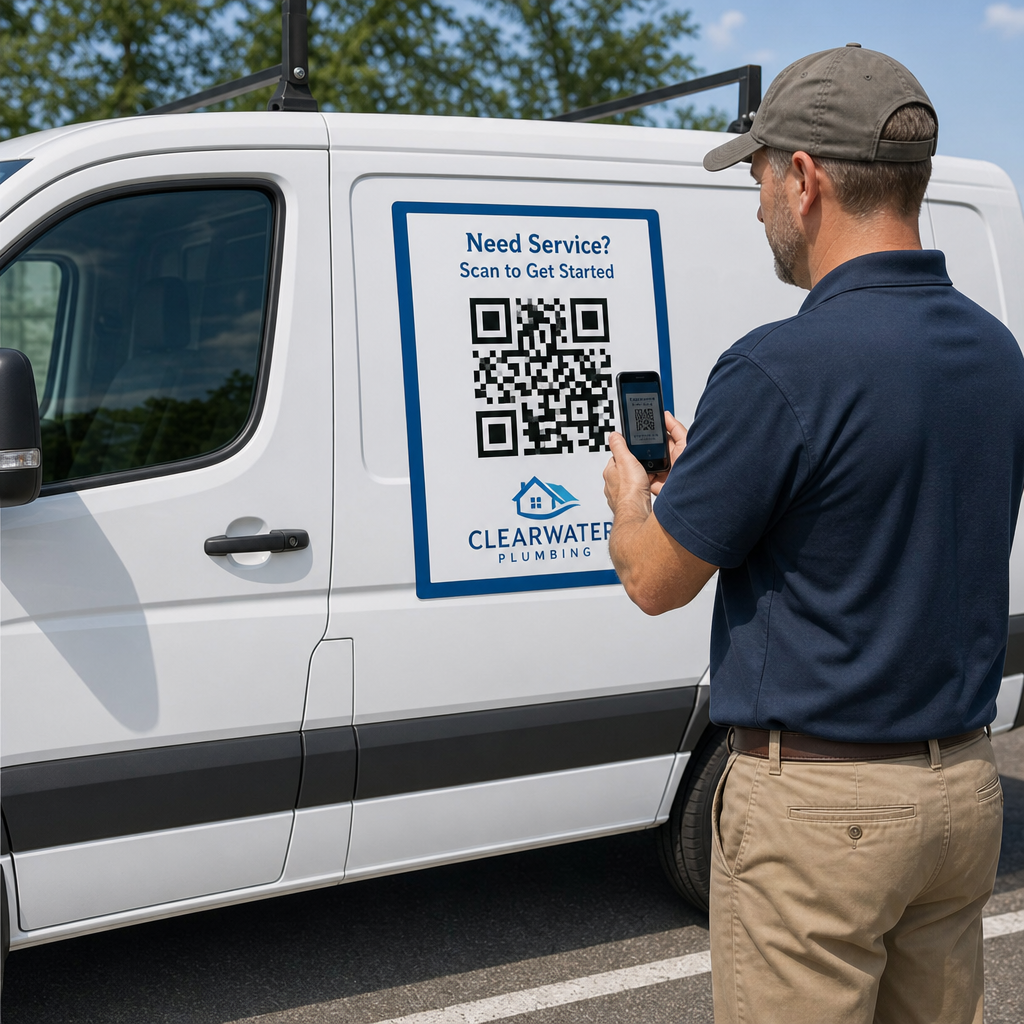
Paprastas kvadratinis raštas nesuteikia potencialiems klientams paskatų atidaryti fotoaparato programėlių. QR kodo derinimas su glaustu raginimo veikti (CTA) tekstu paaiškina tikslią nuskaitymo naudą. Tiesioginės instrukcijos, tokios kaip “Nuskaitykite, ar nėra 15% išpardavimo”, “Nuskaitykite, kad gautumėte nemokamą kainos pasiūlymą” arba “Nuskaitykite, kad peržiūrėtumėte meniu”, žymiai padidina nuskaitymo greitį.
Įmonės logotipo įdėjimas kodo centre sustiprina vizualinį prekės ženklą ir didina pasitikėjimą. Pridėdami pasirinktinį centrinį piešinį, pasirinkite QR kodo generatorius su logotipu parinktis ir nustatykite klaidų taisymo lygį į Q lygis (25%) arba H lygis (30%). Didesnis klaidų taisymas prideda prie šablono perteklinius duomenų blokus, todėl telefonų kameros gali dekoduoti tikslinę nuorodą, net jei jūsų logotipas dengia iki 30% centrinės srities. Būkite atsargūs ir niekada neuždenkite ir neiškraipykite trijų didelių kvadratinių ieškiklio šablonų, esančių kodo kampuose.
Dėl papildomos informacijos, kaip išdėstyti rinkodaros grafiką, žr. mūsų išsamus QR kodo išdėstymo rinkodaroje vadovas.
Saugus automobilio magnetų montavimas ir priežiūra
Automobilio magneto vieta lemia, ar žiūrovai gali su juo saugiai sąveikauti. Pravažiuojančių transporto priemonių skenavimas yra neefektyvus dėl judesio suliejimo ir kelia rimtų pavojų eismui. Kurkite savo kampaniją atsižvelgdami į stovėjimo aikšteles, pvz., techninės priežiūros automobilius, stovinčius darbo vietose, pristatymo furgonus stovėjimo aikštelėse arba asmeninius automobilius, pastatytus komercinėse aikštelėse.
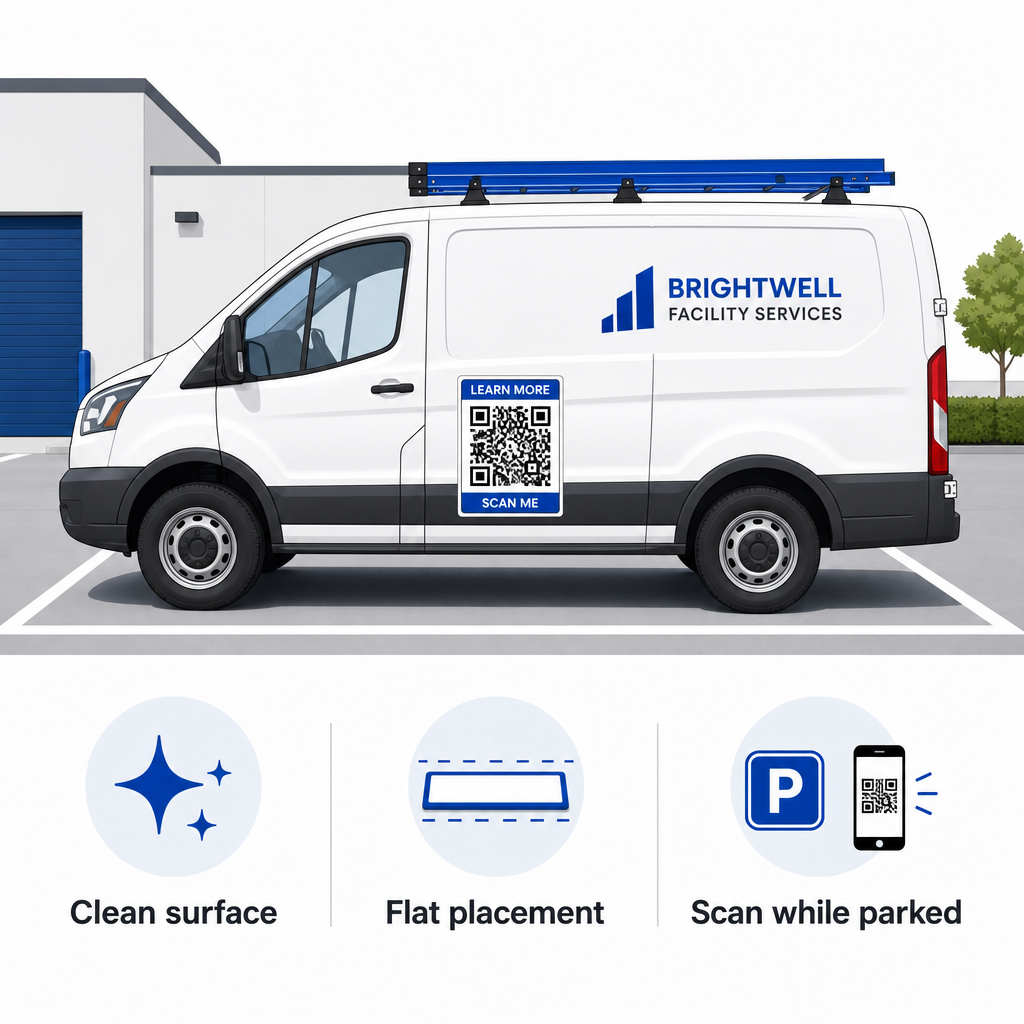
- Pritvirtinkite prie plokščių metalinių plokščiųMagnetus dėkite ant plokščių šoninių durelių, lygių šoninių panelių arba plokščių galinių bortų. Venkite kėbulo kontūrų, apdailos moldelių, rankenų ir aštrių išlinkių. Magnetai neprilips prie stiklo pluošto, aliuminio panelių, plastikinių bamperių ar vietų su kėbulo glaistu.
- Nuvalykite tepamą paviršiųNešvarumai, dulkės ir vaško sankaupos silpnina magnetinį laikymą ir sulaiko nešvarumus, kurie subraižo automobilio dažus. Prieš klijuodami, nuplaukite ir nusausinkite automobilio panelę ir magnetinę atramą švelniu muilo tirpalu.
- Uždėkite lapą visiškai plokščiaiPriglauskite vieną magneto kraštą prie skydelio ir leiskite likusiems kraštams natūraliai prisitvirtinti. Tvirtai paspauskite paviršių, kad pašalintumėte oro kišenes, burbuliukus ar pakilusius kraštus, į kuriuos važiuojant galėtų kauptis vėjas.
- Laikykitės reguliarių valymo procedūrųBent kartą per savaitę nuimkite magnetą, kad nuvalytumėte susikaupusią drėgmę ir kelio dulkes. Nenaudojamus automobilio magnetus laikykite horizontaliai vėsioje, sausoje vietoje, kad jie nedeformuotųsi ir neraitytųsi kampai.
Išsamius įrengimo patarimus komerciniams parkams rasite mūsų vadove QR kodų ant transporto priemonių.
Skenavimo bandymas realiomis lauko sąlygomis
Prieš išdėdami transporto priemonės magnetą aktyviuose aptarnavimo maršrutuose, turite patikrinti jo nuskaitomumą keliose realiose aplinkose. Šablonas, kuris lengvai dekoduojamas esant biuro apšvietimui, gali nepavykti, jei jį veiks stiprus lauko akinimas arba tamsūs šešėliai.
Išbandykite atspausdintą magnetą trimis svarbiomis sąlygomis:
- Grįžkite į realų žiūrėjimo atstumą, kuriuo naudosis jūsų klientai, ir greitai patikrinkite, ar fotoaparato automatinis fokusavimas užsifiksuoja.
- Patikrinkite nuskaitymo našumą esant ryškiai vidurdienio saulei, apsiniaukusiam dangui ir daliniam pavėsiui.
- Nuskaitykite magnetą naudodami kelis „iOS“ ir „Android“ išmaniuosius telefonus, įskaitant biudžetinius įrenginius su mažesne kameros raiška.
Taip pat galite patikrinti savo paskirties nuorodą naudodami internetinę programą QR kodo skaitytuvas siekiant užtikrinti, kad nukreipimo puslapis būtų greitai atidaromas mobiliojo ryšio tinkluose. Vadovaujantis nustatytais principais geriausia praktika QR kodo skaitomumui užtikrina, kad jūsų mobiliosios rinkodaros magnetai nuolat konvertuotų neprisijungus matomą transporto priemonės matomumą į stebimą internetinį įsitraukimą.
Norėdami pradėti kurti savo didelio konversijos rodiklio automobilio skelbimą, pasirinkite tikslinę nuorodą, pritaikykite dinaminį formatavimą su dideliu kontrastu ir sugeneruokite profesionaliai spausdinti paruoštus vektorinius paveikslėlius.
Dažniausiai užduodami klausimai
Rekomenduojamas dydis priklauso nuo nuskaitymo atstumo, naudojant santykį 1:10. Jei žiūrovai nuskaito jūsų magnetą iš 3 pėdų atstumo, kai automobilis pastatytas, QR kodo raštas turėtų būti bent 3,6–4 colių (9–10 cm) pločio. Jei matymo atstumas didesnis, padidinkite kodo mastelį ir palaikykite kuo mažiau užkoduotų duomenų.
Ne. Judesio suliejimas, transporto priemonės greitis ir fotoaparato automatinio fokusavimo vėlavimas daro judančių transporto priemonių nuskaitymą nesaugų ir nepatikimą. Visada kurkite transporto priemonių QR kodų kampanijas situacijoms, kai transporto priemonė pastatyta prieinamose vietose, pavyzdžiui, darbo vietose, automobilių stovėjimo aikštelėse ar pakrovimo vietose.
Visada pateikite vektorinius failų formatus, tokius kaip SVG, EPS arba didelės raiškos vektorinis PDF. Vektoriniai failai išlaiko ryškius kraštus bet kokio dydžio spaudiniuose, užtikrindami, kad QR kodo moduliai išliktų aiškūs be pikselių ar neryškumo spausdinant dideliu formatu magnetu.