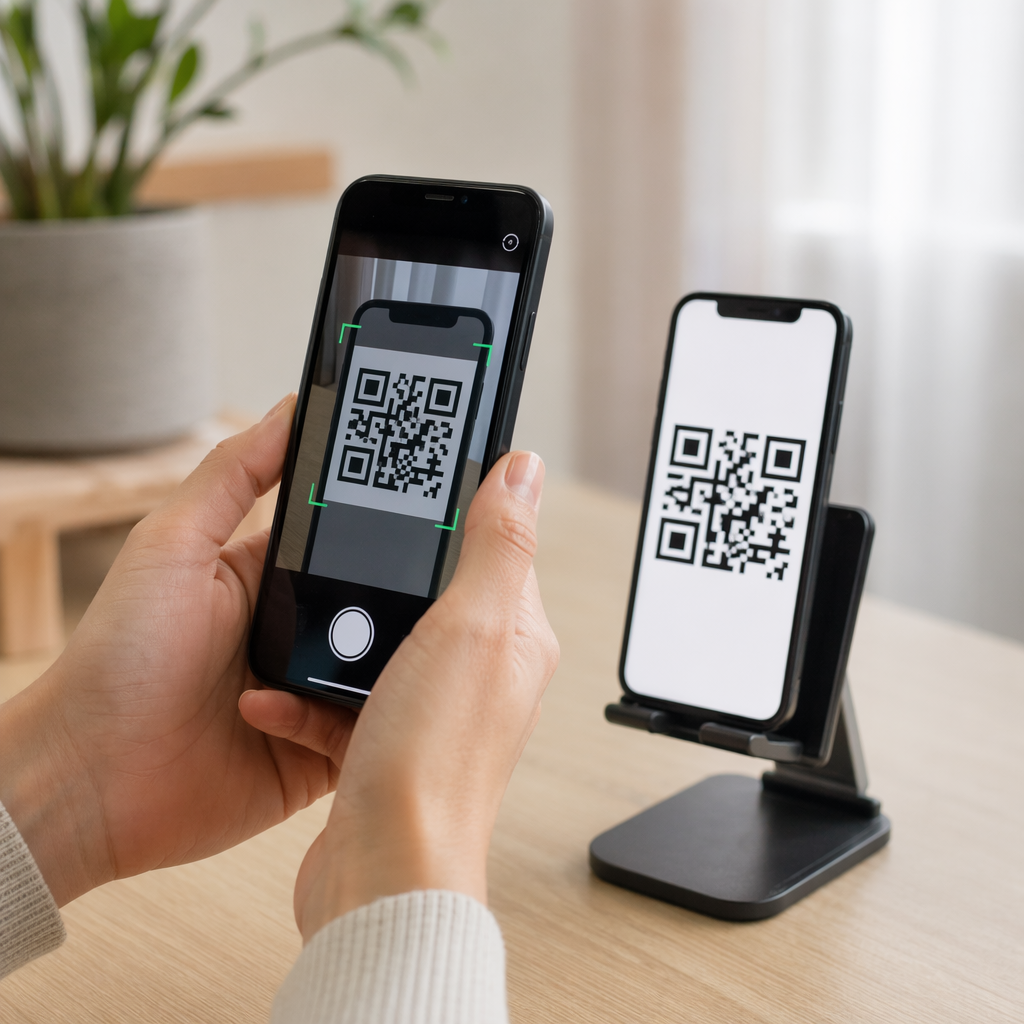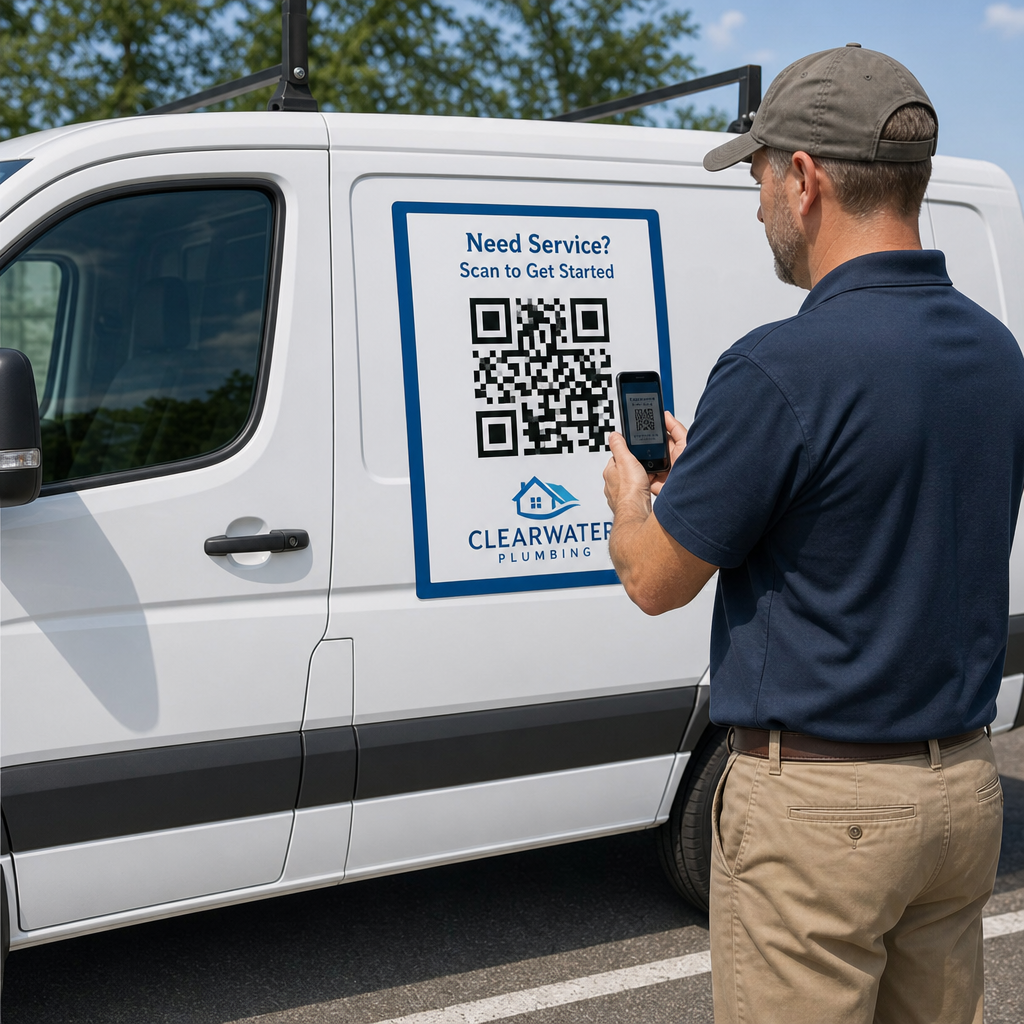
Kas olete kunagi automagneti välja printinud ja avastanud, et nutitelefoni kaamerad ei suuda seda mõne meetri kauguselt skannida? Skannimatud koodid raiskavad trükikulusid ja kaotavad väärtuslikke kliente teel olles. Siin on, kuidas arvutada mõõtmeid, optimeerida kontrasti ja rakendada oma ettevõtte jaoks skannitavat sõidukimagnetit.
Koodi suuruse arvutamine vaatamiskauguste jaoks
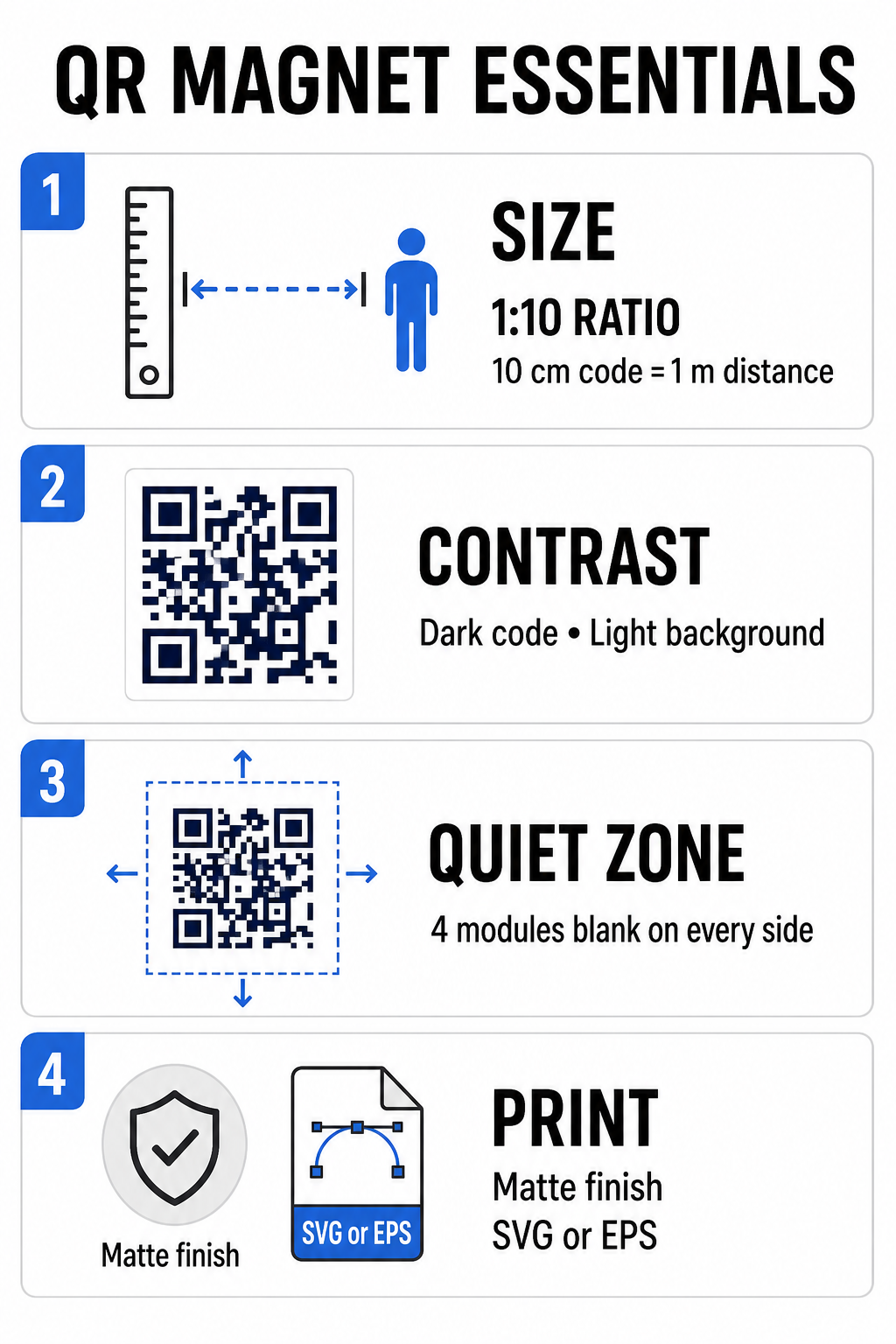
Automagnet vajab palju suuremat QR-koodi kui visiitkaart või flaier, sest vaatajad suhtlevad sellega kaugelt. Tavaliste nutitelefonide kaamerad tuginevad... Suhe 1:10 koodi suuruse ja skaneerimiskauguse vahel. Kui potentsiaalsed kliendid seisavad teie pargitud sõidukist 1 meetri (umbes 3,3 jala) kaugusel, peab ruudukujulise QR-koodi mustri laius olema vähemalt 10 cm (4 tolli).
Andmetihedus mõjutab otseselt seda, kui kergesti kaamerasensor teie kunstiteosele kaugelt lukustub. Tervete veebiaadresside pakkimine staatilisse mustrisse loob pisikesi, ülerahvastatud mooduleid, mida objektiividel on raske lahendada. Lingi QR-koodi generaator dünaamilise koodi loomine hoiab kasuliku koormuse lühikesena ja mooduli struktuuri hõredana. Madalam maatriksitihedus kiirendab kaamera autofookust ja parandab skaneerimise usaldusväärsust. Üksikasjaliku ... QR-koodi suuruse juhendist aitab teil valida täpsed mõõtmed vastavalt teie sihtkohtadele ja sõiduki uste suurustele.
Looge oma sõidukitele jälgitavaid dünaamilisi QR-koode Kas soovite puhast ja madala tihedusega koodi, mida saate igal ajal uuendada ilma magnetit uuesti printimata? Kasutage seda QR koodi loomine tasuta muudetavate koodide kujundamiseks ja kampaaniate toimivuse jälgimiseks.
Suure kontrastsusega õues kunstiteoste kujundamine
Välistingimustes muutuvad valgustustingimused päeva jooksul, mistõttu värvivalik on mobiilse skaneerimise seisukohalt kriitilise tähtsusega. Skannerid tuvastavad koode kontrastsetelt moodulitelt peegelduva valguse mõõtmise teel. Peaksite alati kasutama tumedat esiplaani mustrit, mis on trükitud ühtlasele heledale taustale, näiteks musta või tumesinist mattvalgel taustal.
Madala kontrastsusega paarid, näiteks kollane valgel või helesinine hallil, ei toimi otsese päikesevalguse või tugeva varju all. Saate üle vaadata väljakujunenud QR-koodi värvikontrasti parimaid tavasid et teie palett vastaks usaldusväärsetele lugemislävedele.
- Säilita vaikne tsoonJätke QR-koodi mustri kõigi nelja külje ümber vähemalt nelja mooduli laiune tühi ruum. Ärge kunagi laske sõidukite fotodel, taustatekstuuridel ega äärisjoontel sellele alale ulatuda.
- Vältige peegeldavaid või läikivaid laminaateKõrgläikega vinüülkatted loovad päikesepaistet, mis varjab nutitelefonide kaameraid. Otsese päikesevalguse hajutamiseks valige oma magnetilisele vinüüllehele matt viimistlus.
- Ekspordi vektorfailivormingutesTrükikojad vajavad pehmete servade vältimiseks kõrgresolutsioonilist kujundust. Ekspordi oma kood alati vektorvormingus, näiteks SVG või EPS nii et muster skaleerub ilma pikslite tekkimiseta. Lisateavet leiate teemast 15. kuidas printimistehnikad mõjutavad QR-koodi skannitavust.
| Kujunduselement | Parim tava | Levinud viga, mida tuleks vältida |
|---|---|---|
| Värvikombinatsioon | Tume kood matthelel taustal | Tumehall kood mustrilisel või tumedal sõidukivärvil |
| Vaikse tsooni veeris | Vähemalt 4 moodulit tühja ruumi igast küljest | Teksti või illustratsiooni paigutamine tühja äärise sisse |
| Faili formaat | EPS- või SVG-vektorgraafika | Madala eraldusvõimega PNG- või JPG-pildid on suurendatud |
| Magneti pinnaviimistlus | Matt, peegeldusvastane UV-kaitsekiht | Päikesevalgust peegeldavad läikivad või metallikkatted |
Tegevusele kutsuva teksti ja logode lisamine
Lihtne ruudukujuline muster ei paku potentsiaalsetele klientidele stiimulit kaamerarakenduste avamiseks. QR-koodi kombineerimine lühikese üleskutsega (CTA) selgitab skannimise täpset eelist. Otsesed juhised, näiteks “Skanni 15% väljalülitatud kujul”, “Skanni tasuta hinnapakkumise saamiseks” või “Skanni menüü vaatamiseks”, parandavad skannimise määra oluliselt.
Ettevõtte logo paigutamine koodi keskele tugevdab visuaalset brändingut ja loob usaldust. Kohandatud keskse kujunduse lisamisel valige QR-koodi generaator logoga valikud ja määrake veaparanduse tase väärtusele Q-tase (25%) või Tase H (30%). Suurem veaparandus lisab mustrile üleliigseid andmeplokke, võimaldades telefonikaameratel sihtlinki dekodeerida isegi siis, kui teie logo katab kuni 30% keskosast. Olge ettevaatlik, et te ei varjaks ega moonutaks koodi nurkades asuvaid kolme suurt ruudukujulist otsijamustrit.
Turundusgraafika korraldamise kohta lisateabe saamiseks vaadake meie ülim juhend QR-koodi paigutamiseks turunduses.
Automagnetite ohutu paigaldamine ja hooldamine
Automagneti asukoht määrab, kas vaatajad saavad sellega ohutult suhelda. Liikuvate sõidukite möödasõidul skaneerimine on liikumise hägususe tõttu ebaefektiivne ja tekitab tõsiseid liiklusohtusid. Kujundage oma kampaania pargitud stsenaariumide ümber, näiteks tööplatsidel paiknevad teenindussõidukid, peatusaladel pargitud kaubikud või äripindadel pargitud isiklikud autod.
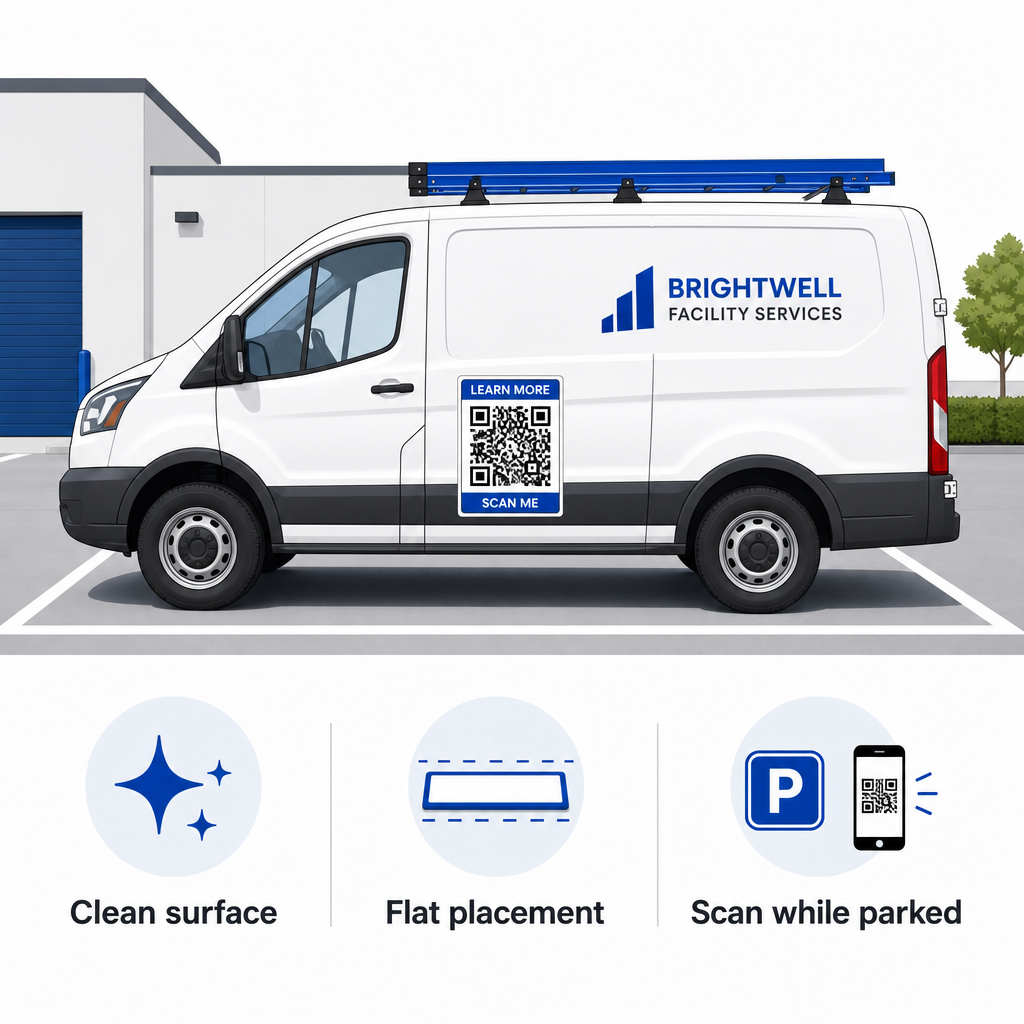
- Kinnitage lamedatele metallpaneelideleAsetage magnetid lamedatele külgustele, siledatele külgpaneelidele või lamedatele tagaluugidele. Vältige kere kontuure, liiste, käepidemeid ja teravaid kumerusi. Magnetid ei kleepu klaaskiust, alumiiniumpaneelidest, plastmassist kaitseraudadest ega kerepahtliga kaetud alade külge.
- Puhastage pealekandmispindMustus, tolm ja vaha nõrgendavad magnetilist haarduvust ja püüavad kinni mustuse, mis kriimustab auto värvi. Enne pealekandmist peske ja kuivatage nii auto paneel kui ka magnetiline aluspind õrna seebilahusega.
- Asetage leht täiesti tasasele pinnaleJoonda magneti üks serv paneeli vastu ja lase ülejäänud servad loomulikult kinnituda. Suru kindlalt pinnale, et eemaldada õhutaskud, mullid või ülestõusnud servad, kuhu sõidu ajal tuul võib ligi pääseda.
- Säilita regulaarseid puhastusrutiineEemaldage magnet vähemalt kord nädalas, et pühkida ära niiskus ja teetolm. Hoidke kasutamata sõidukimagneteid tasasel kujul jahedas ja kuivas kohas, et vältida nende kõverdumist või nurkade kõverdumist.
Kommertskasutusega autoparkide paigaldusjuhised leiate meie juhendist sõidukitel olevatelt QR-koodidelt.
Skaneeritavuse testimine reaalsetes välitingimustes
Enne sõidukimagneti paigaldamist aktiivsetele teenindusmarsruutidele peate valideerima skaneeritavuse mitmes reaalses keskkonnas. Muster, mis kontorivalgustuse all kergesti dekodeerub, ei pruugi ereda välispidise valguse või sügavate varjude korral skannida.
Testige oma trükitud magnetit kolmes kriitilises olukorras:
- Astu tagasi realistlikule vaatekaugusele, mida sinu kliendid kasutavad, ja veendu kiiresti, et kaamera autofookus lukustub.
- Kontrollige skaneerimise toimivust ereda keskpäevapäikese, pilvise taeva ja osalise varju korral.
- Skannige magnetit mitme iOS-i ja Androidi nutitelefoniga, sealhulgas madalama kaamera eraldusvõimega eelarvesõbralike seadmetega.
Samuti saate oma sihtkoha linki testida veebipõhise tööriistaga. QR-koodi lugeja et tagada sihtlehe kiire avanemine mobiilsidevõrkudes. Järgides väljakujunenud QR-koodi loetavuse parimaid tavasid tagab, et teie mobiilse turunduse magnetid muudavad sõidukite nähtavuse võrguühenduseta järjepidevalt jälgitavaks veebisuhtluseks.
Oma kõrge konversioonimääraga sõidukireklaami loomise alustamiseks valige sihtlink, rakendage dünaamilist vormingut suure kontrastsusega ja genereerige professionaalseks printimiseks valmis vektorgraafika.
Korduma kippuvad küsimused
Soovitatav suurus sõltub skannimiskaugusest, kasutades suhet 1:10. Kui vaatajad skannivad teie magnetit parkimise ajal 90 cm kauguselt, peaks QR-koodi muster olema vähemalt 9–10 cm (3,6–4 tolli) lai. Pikemate vaatamiskauguste korral skaleerige koodi suuremaks ja hoidke kodeeritud andmeid minimaalsena.
Ei. Liikumisest tingitud hägusus, sõiduki kiirus ja kaamera autofookuse viivitused muudavad liikuvate sõidukite skaneerimise ohtlikuks ja ebausaldusväärseks. Sõidukite QR-kampaaniad tuleks alati kavandada olukordade jaoks, kus sõiduk on pargitud ligipääsetavatesse kohtadesse, näiteks tööplatsidele, parklatesse või laadimisaladele.
Esitage alati vektorfailivorminguid, näiteks SVG, EPS või kõrgresolutsiooniga vektor-PDF. Vektorfailid säilitavad teravad servad igas trükisuuruses, tagades, et QR-koodi moodulid jäävad suureformaadilise magnetprintimise ajal eristatavaks ilma pikslite või hägususeta.