ホーム > ガイド > How to Add a Scannable QR Code to a Car Magnet
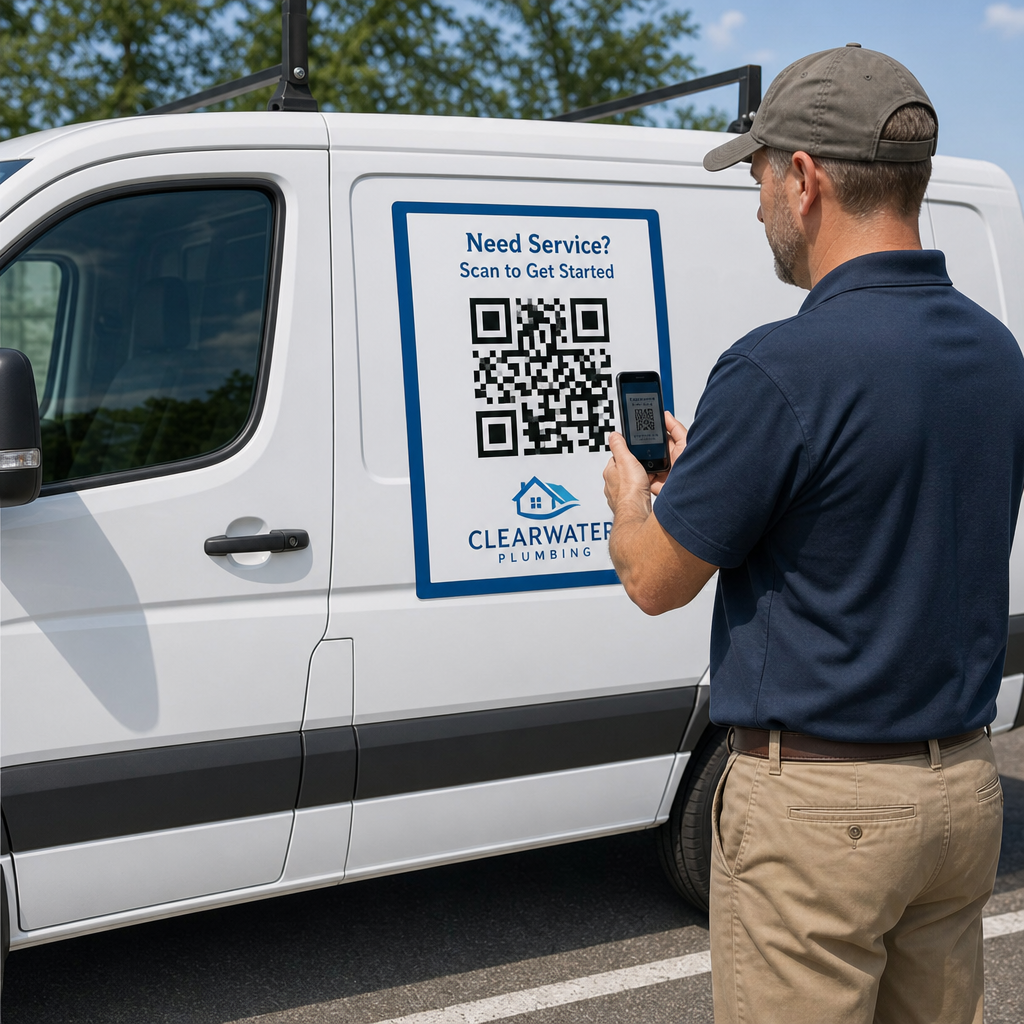
Scanning parked vehicle magnet

How to Add a Scannable QR Code to a Car Magnet

Learn how to create scannable QR codes for car magnets. Calculate sizing, optimize contrast, select vector formats, and safely apply magnets to vehicles.
Updated on 7月 27, 2026
目次

Have you ever printed a car magnet only to find that smartphone cameras fail to scan it from a few feet away? Unscannable codes waste printing costs and lose valuable customer leads on the road. Here is how to calculate dimensions, optimize contrast, and apply a scannable vehicle magnet for your business.

Calculating Code Size for Viewing Distances

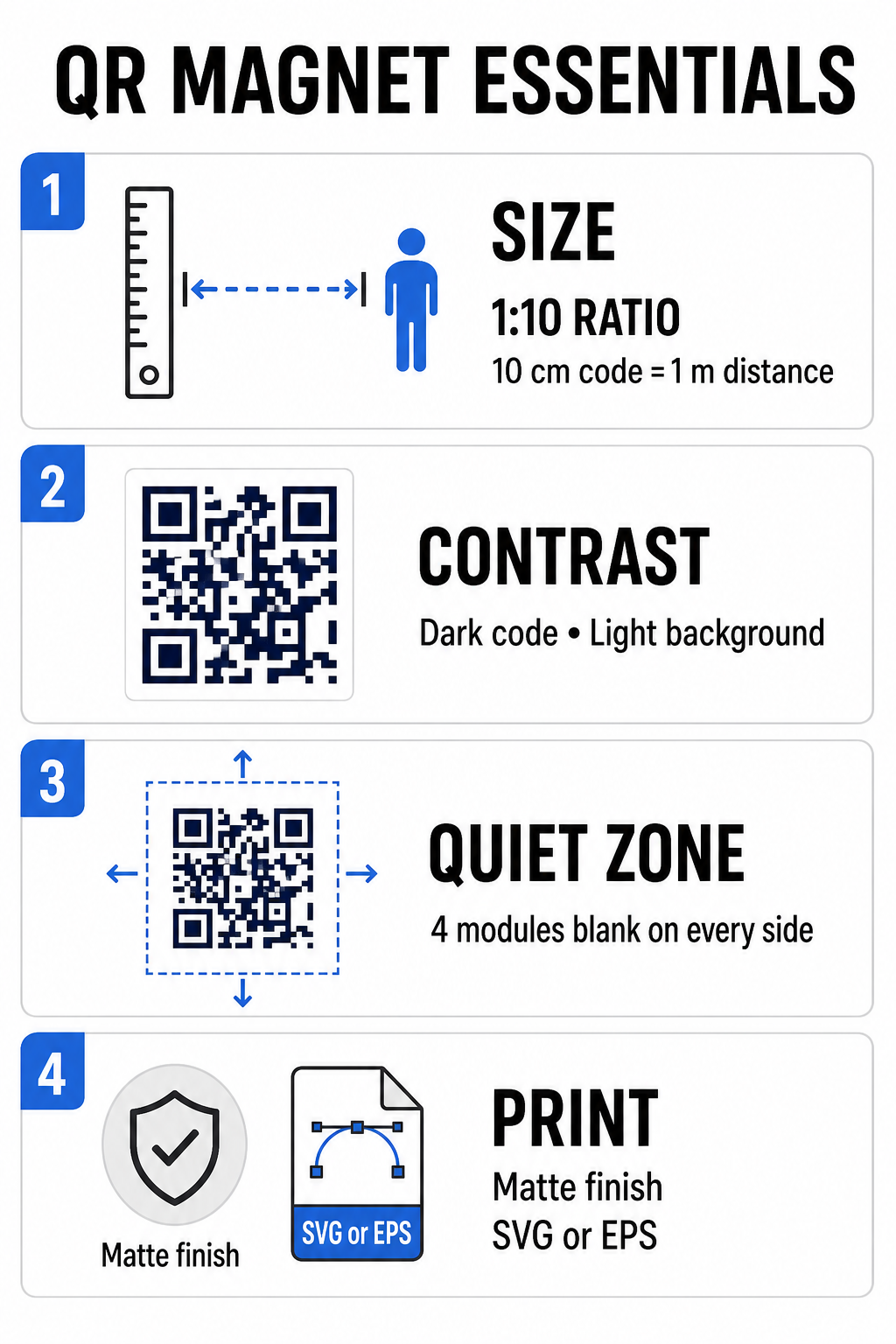
A car magnet requires a much larger QR code than a business card or flyer because viewers interact with it from a distance. Standard smartphone cameras rely on a 1:10 ratio between code size and scanning distance. If potential customers stand 1 meter (about 3.3 feet) away from your parked vehicle, the square QR code pattern must measure at least 10 cm (4 inches) wide.

Data density directly affects how easily a camera sensor locks onto your artwork from far away. Packing full web addresses into a static pattern creates tiny, crowded modules that lenses struggle to resolve. Using a リンクQRコードジェネレーター to build a dynamic code keeps the payload short and the module structure sparse. A lower matrix density speeds up camera autofocus and improves scan reliability. Reviewing a detailed QRコードサイズガイド will help you select exact dimensions based on your targeted parking spots and vehicle door sizes.

Create Trackable Dynamic QR Codes for Your Vehicles Want a clean, low-density code that you can update anytime without reprinting your magnet? Use the 無料のQRコードジェネレータ to design editable codes and track campaign performance.

Designing High-Contrast Outdoor Artwork

Outdoor lighting conditions shift throughout the day, making color selection critical for mobile scannability. Scanners detect codes by measuring light reflected from contrasting modules. You should always use a dark foreground pattern printed on a solid, light background, such as black or navy on matte white.

QR magnet design essentials

Low-contrast pairings like yellow on white or light blue on gray fail under direct sunlight or heavy shade. You can review established QRコードの色のコントラストに関するベストプラクティス to ensure your palette meets reliable reading thresholds.

  • Maintain the quiet zone: Keep a clear, blank space at least four modules wide around all four sides of the QR code pattern. Never allow vehicle photos, background textures, or border lines to enter this margin.
  • Avoid reflective or glossy laminates: High-gloss vinyl overlays create sun glare that blinds smartphone cameras. Opt for a matte finish on your magnetic vinyl sheet to diffuse direct sunlight.
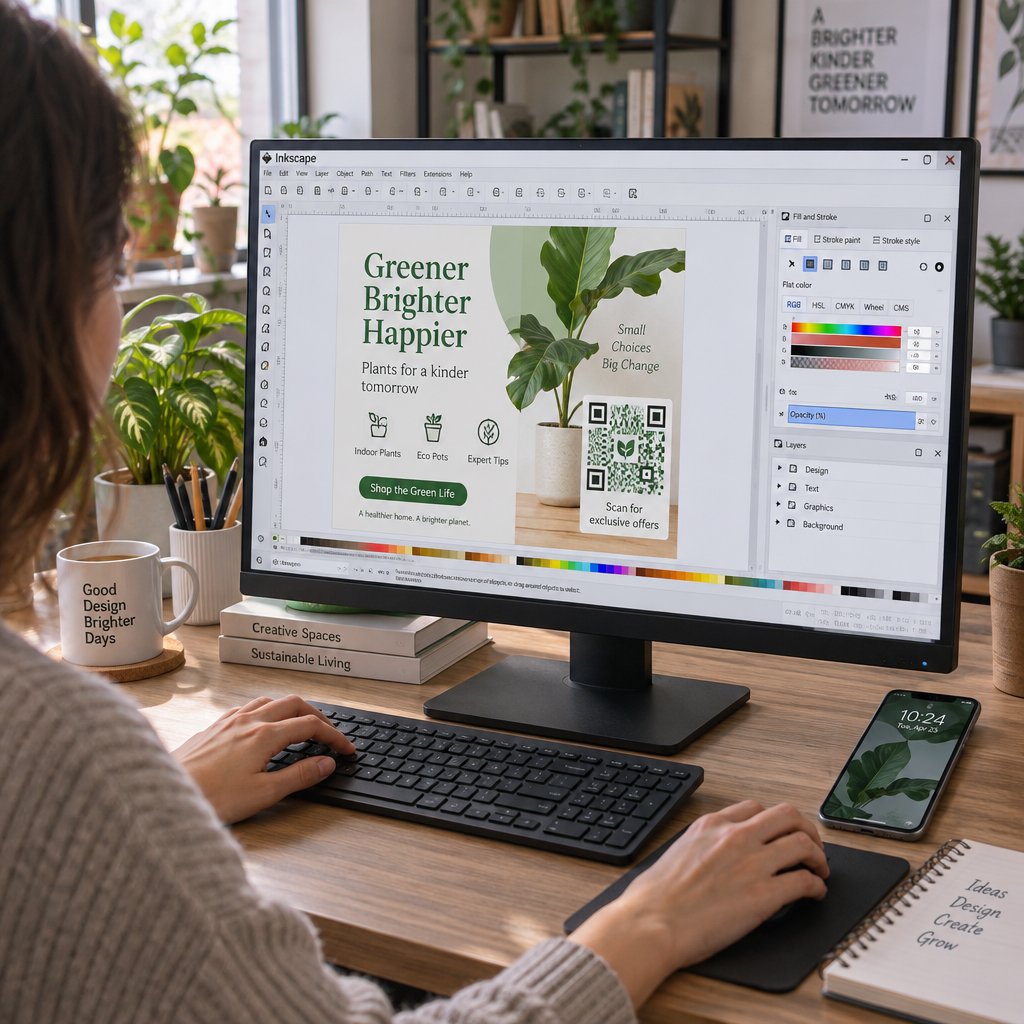
  • Export in vector file formats: Print shops require high-resolution artwork to prevent soft edges. Always export your code as a vector format like SVG 或いは EPS so the pattern scales without pixelation. Learn more about 印刷技術がQRコードのスキャン可能性にどのように影響するか.
Design Element Best Practice Common Mistake to Avoid
色の組み合わせ Solid dark code on a matte light background Dark gray code on patterned or dark vehicle paint
Quiet Zone Margin At least 4 modules of empty space on all sides Placing text or artwork inside the blank border
ファイル形式 EPS or SVG vector graphics Low-resolution PNG or JPG images scaled up
Magnet Surface Finish Matte, non-glare UV protective coating High-gloss or metallic overlays reflecting sunlight

Adding Call-to-Action Text and Logos

A plain square pattern offers prospective customers no incentive to open their camera apps. Combining your QR code with concise call-to-action (CTA) text explains the exact benefit of scanning. Direct instructions like “Scan for 15% Off,” “Scan for Free Estimate,” or “Scan to View Menu” significantly improve scan rates.

Placing a company logo inside the center of your code strengthens visual branding and builds trust. When adding custom central artwork, select a ロゴ付きQRコードジェネレーター options and set the error-correction level to Level Q (25%) 或いは レベルH (30%). Higher error correction adds redundant data blocks to the pattern, allowing phone cameras to decode the target link even if your logo covers up to 30% of the center area. Be careful never to obscure or distort the three large square finder patterns located in the corners of the code.

For additional guidance on arranging marketing graphics, consult our マーケティングにおけるQRコード配置の究極ガイド.

Installing and Maintaining Car Magnets Safely

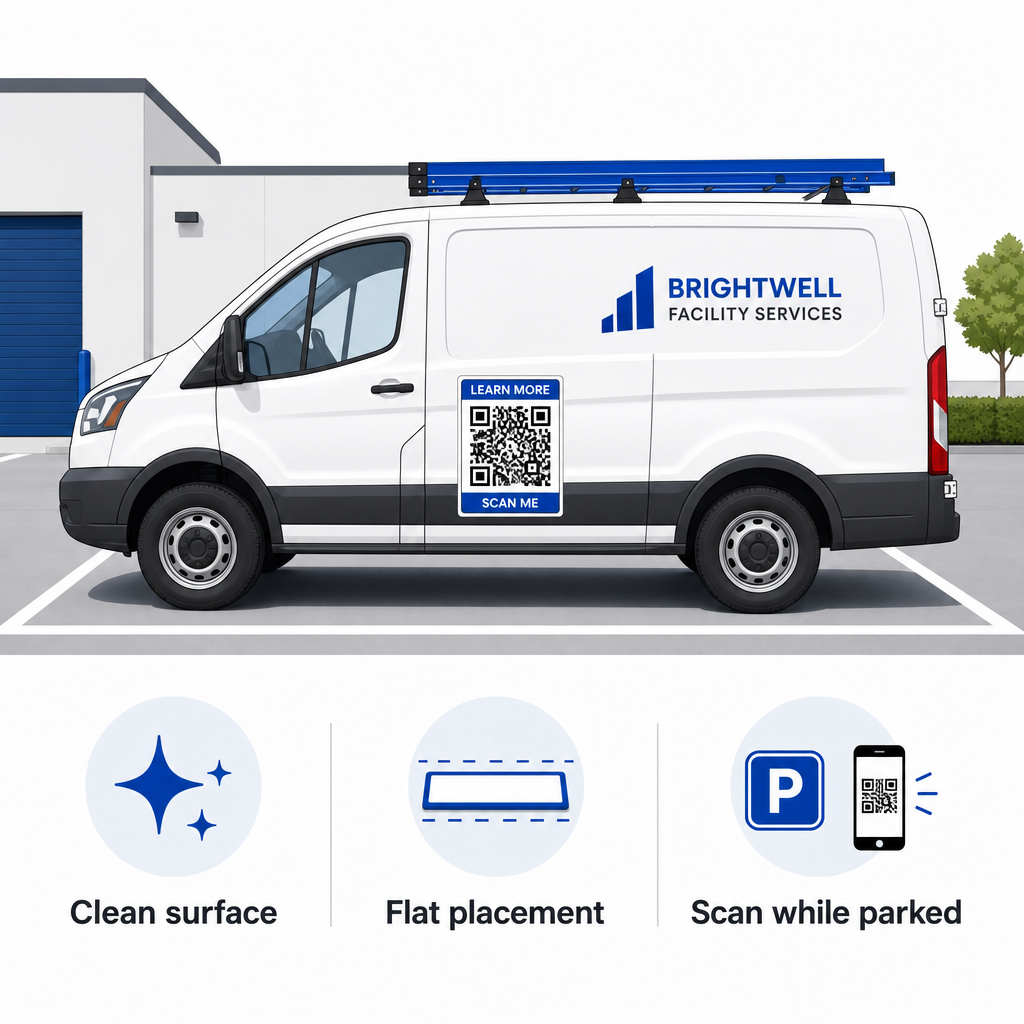
Where you position a car magnet determines whether viewers can interact with it safely. Drive-by scanning on moving vehicles is ineffective due to motion blur and creates severe traffic hazards. Design your campaign around parked scenarios, such as service vehicles stationed at job sites, delivery vans in staging areas, or personal cars parked in commercial lots.

Safe car magnet placement
  • Attach to flat metal panels: Position magnets on flat side doors, smooth side panels, or flat tailgates. Avoid body contours, trim moldings, handles, and sharp curves. Magnets will not stick to fiberglass, aluminum panels, plastic bumpers, or areas with body filler.
  • Clean the application surface: Dirt, dust, and wax buildup weaken magnetic hold and trap grit that scratches vehicle paint. Wash and dry both the vehicle panel and the magnetic backing with a mild soap solution before applying.
  • Apply the sheet completely flat: Align one edge of the magnet against the panel and let the rest attach naturally. Press firmly across the surface to eliminate air pockets, bubbles, or lifted edges that could catch wind during driving.
  • Maintain regular cleaning routines: Remove the magnet at least once a week to wipe away trapped moisture and road dust. Store unused vehicle magnets flat in a cool, dry place to prevent warping or corner curling.

Detailed installation tips for commercial fleets are available in our guide on 車両のQRコードからのスキャン数が多くても、.

Testing Scannability in Real Outdoor Conditions

Before deploying your vehicle magnet across active service routes, you must validate scannability across multiple real-world environments. A pattern that decodes easily under office lighting might fail when exposed to harsh outdoor glare or deep shadows.

Test your printed magnet across three critical conditions:

  • Step back to the realistic viewing distance your customers will use and confirm camera autofocus locks on quickly.
  • Check scanning performance under bright midday sun, overcast skies, and partial shade.
  • Scan the magnet using multiple iOS and Android smartphones, including budget devices with lower camera resolutions.

You can also test your destination link with an online QRコードスキャナ to ensure the landing page opens rapidly over cellular networks. Following established QRコードの読みやすさに関するベストプラクティス ensures your mobile marketing magnets consistently convert offline vehicle visibility into trackable online engagement.

To start building your own high-converting vehicle ad, select your target link, apply dynamic formatting with high contrast, and generate vector artwork ready for professional printing.

よくある質問

How big should a QR code be on a car magnet?

Recommended size depends on scanning distance using a 1:10 ratio. If viewers scan your magnet from 3 feet away while parked, the QR code pattern should be at least 3.6 to 4 inches (9 to 10 cm) wide. For longer viewing distances, scale the code larger and keep encoded data minimal.

Can phone cameras scan QR codes on moving vehicles?

No. Motion blur, vehicle speed, and camera autofocus delays make scanning moving vehicles unsafe and unreliable. Always design vehicle QR campaigns for situations where the vehicle is parked in accessible spots, such as job sites, parking lots, or loading areas.

What file format should I send to the magnet printing shop?

Always supply vector file formats such as SVG, EPS, or high-resolution vector PDF. Vector files maintain sharp edges at any print size, ensuring the QR code modules remain distinct without pixelation or blurriness during large-format magnet printing.

著者について

Siim KostabiはPagelootのコンテンツリードです。Pagelootの革新的なQRコード生成サービスについて執筆しています。5年以上にわたるQRコードに関する深い専門知識を持つSiimは、この分野の専門家です。QRテクノロジーを活用してデジタルインタラクションを簡素化・拡張する上で、大きな進歩を遂げています。.

カテゴリー
について詳しくはこちら
TikTokのQRコードをスキャン
のQRコードを作る チクトックトック
✅ QRコードの#1ソリューション

オンラインでQRコードを作成する必要がある場合は QRコードを作る ここで無料で
ページルートは #1のGo-Toソリューション でQRコードを作成してスキャンすることができます。

BL-0319

ブログジェネ

売上、レビュー、フォロワーを増やすために 20,000 を超えるブランドから信頼されています。

クライアントのロゴ
トップブランドから信頼される
5 のうち 4.8 と評価しました

4.86 / 5つ星評価

ユーゴ・ローラン
ユーゴ・ローラン
レストランオーナー
最も簡単で信頼性の高いQRコードジェネレータです。PDFファイルを即座にアップロードできます。レストランのメニューがデジタル化されました。
ルーカス・ジャンセン
ルーカス・ジャンセン
不動産開発業者
これは優れたツールで、QRコードでちょうど欲しいところに連れて行ってくれます。私たちは位置情報のQRコードしか使っていませんが、とても便利な機能がたくさんあります。
エマ・モレッティ
エマ・モレッティ
小売製品
使いやすいし、早い。素晴らしい機能で、完璧な画像を作成してくれるので、社員は私のvCardをダウンロードすることができます。
ユーゴ・ローラン
ユーゴ・ローラン
レストランオーナー
最も簡単で信頼性の高いQRコードジェネレータです。PDFファイルを即座にアップロードできます。レストランのメニューがデジタル化されました。
ルーカス・ジャンセン
ルーカス・ジャンセン
不動産開発業者
これは優れたツールで、QRコードでちょうど欲しいところに連れて行ってくれます。私たちは位置情報のQRコードしか使っていませんが、とても便利な機能がたくさんあります。
エマ・モレッティ
エマ・モレッティ
小売製品
使いやすいし、早い。素晴らしい機能で、完璧な画像を作成してくれるので、社員は私のvCardをダウンロードすることができます。
QRコードをもっと見る
あらゆるものをデジタル体験に変えよう 3分以内に。

14日間の無料トライアル。

クレジットカードは必要ありません。

初回購入で30%オフ

次のコードを使用してください:

MP3ファイルを共有

PDF QRコードを作成するにはサインアップしてください

必要なものをすべてアップロードして表示する。

  • オーディオファイル
  • ポッドキャスト
  • 音楽

サインアップで14日間無料トライアル。.
トライアル終了後、QRコードは期限切れになります。.

オーディオmp3 QRコードを作成するにはサインアップしてください

フレームでより多くのスキャンを獲得

QRコードにフレームを追加するにはサインアップしてください

コールトゥアクションフレームは、お客様が簡単にQRコードと対話できるようにします。ぜひお試しください。

サインアップで14日間無料トライアル。.
トライアル終了後、QRコードは期限切れになります。.

QRコードにフレームを追加するにはサインアップしてください

シェイプでスタイルを追加

より多くの図形を作成するにはサインアップしてください

QRコードは四角いものである必要はありません。あなたのブランドのイメージに合わせて変えてみてください。

サインアップで14日間無料トライアル。.
トライアル終了後、QRコードは期限切れになります。.

より多くの図形を作成するにはサインアップしてください

QRコードにロゴを追加

QRコードにロゴを追加するにはサインアップしてください

QRコードにロゴやブランドを入れることで、目立たせることができます。

サインアップで14日間無料トライアル。.
トライアル終了後、QRコードは期限切れになります。.

QRコードにロゴを追加するにはサインアップしてください

スマートなApp Storeリダイレクト

アプリストアのQRコードを作成するにはサインアップしてください

スマートなApp StoreのQRコードに、あなたのアプリのリンクを追加します。ユーザーは、デバイスに応じてリダイレクトされます。

サインアップで14日間無料トライアル。.
トライアル終了後、QRコードは期限切れになります。.

アプリストアのQRコードを作成するにはサインアップしてください

QRコードに画像をアップロード

画像QRコードを作成するにはサインアップしてください

画像を簡単に共有できます。どんな画像も、数秒でダイナミックに変化します。

サインアップで14日間無料トライアル。.
トライアル終了後、QRコードは期限切れになります。.

画像QRコードを作成するにはサインアップしてください

PDFファイルを共有

PDF QRコードを作成するにはサインアップしてください

必要なものをすべてアップロードして表示する。

  • メニュー&プライスリスト
  • 指示
  • 任意の書類

サインアップで14日間無料トライアル。.
トライアル終了後、QRコードは期限切れになります。.

PDF QRコードを作成するにはサインアップしてください

印刷せずに後で編集

再度印刷せずにQRコードを編集するにはサインアップしてください

ダイナミックQRコードは、新たにQRコードを印刷することなく、QRコードの内容を変更することができます。

サインアップで14日間無料トライアル。.
トライアル終了後、QRコードは期限切れになります。.

再度印刷せずにQRコードを編集するにはサインアップしてください

いつ?どこで?QRコードのスキャンを追跡

QRコードを追跡するにはサインアップしてください

どのQRコードが最も多くスキャンされ、何が最も顧客を喜ばせているのかを知ることができます。

サインアップで14日間無料トライアル。.
トライアル終了後、QRコードは期限切れになります。.

QRコードを追跡するにはサインアップしてください

印刷可能なファイルが利用可能

PDFやSVGのようなベクターQRコードを作成するにはサインアップしてください

.eps、.pdf、.svg

QRコードをHD解像度でダウンロードしたいですか?すぐに印刷できるベクターまたはピクセル形式を入手しましょう。

サインアップで14日間無料トライアル。.
トライアル終了後、QRコードは期限切れになります。.

PDFやSVGのようなベクターQRコードを作成するにはサインアップしてください

しばらくお待ちください。あなたのQRコードは ロード... ロード...

あなただけのものに

サインアップしてQRコードを後で保存してください

異なる色、ロゴ、コールトゥアクションフレームで素晴らしいQRコードを作成することで、より多くのスキャンを得ることができます。

サインアップで14日間無料トライアル。.
トライアル終了後、QRコードは期限切れになります。.

サインアップしてQRコードを後で保存してください