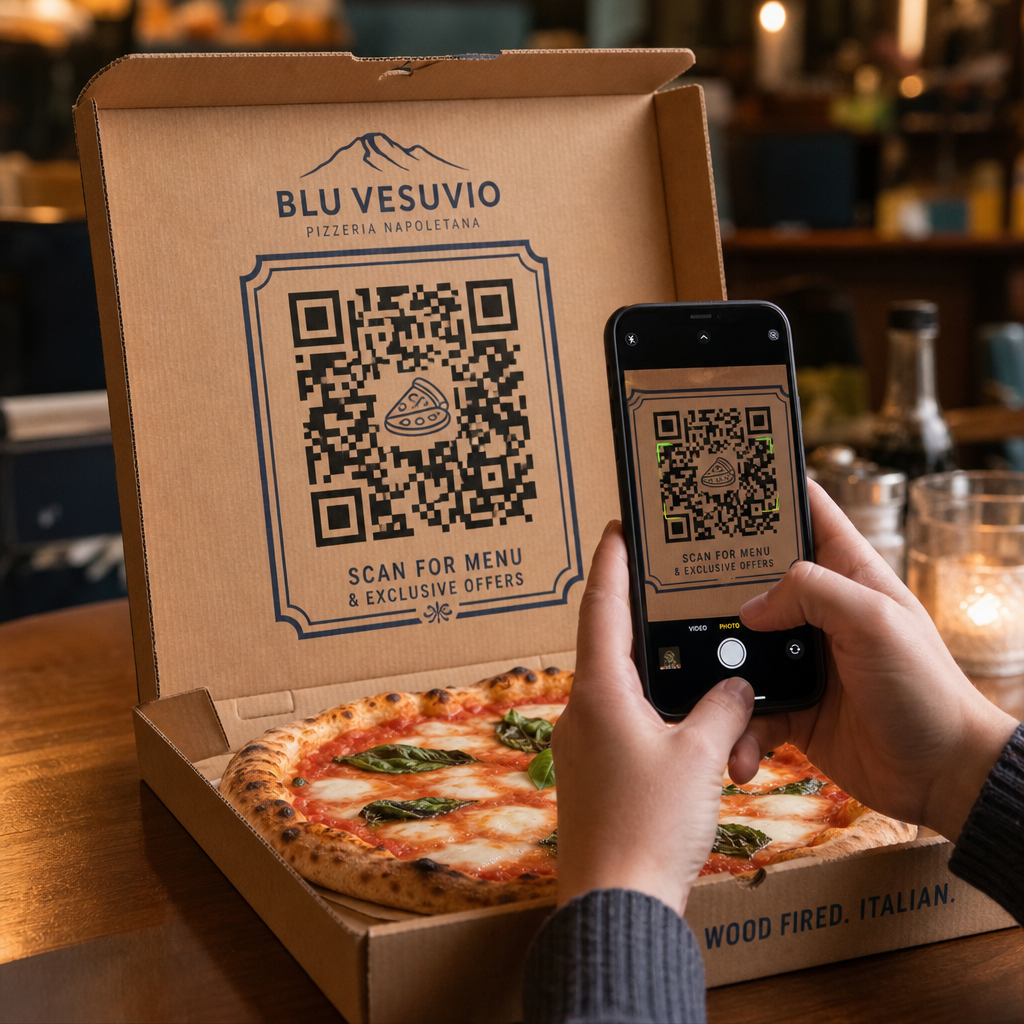
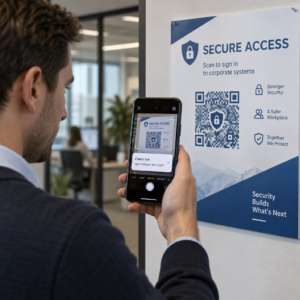
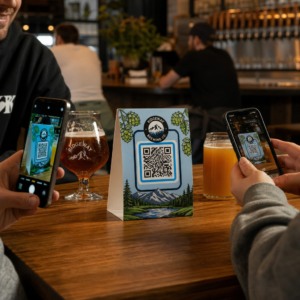
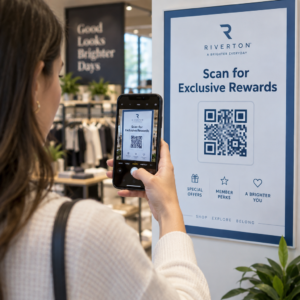
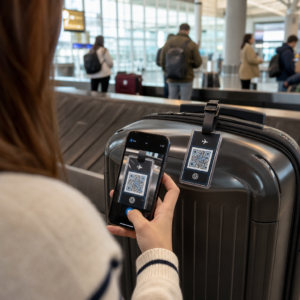
Mengurus kempen kod QR merentasi pelbagai pelanggan adalah lebih sukar daripada yang disangka – terutamanya apabila anda memerlukan penjejakan yang konsisten, pelaporan yang jelas, dan fleksibiliti untuk mengemas kini bahan tanpa mencetak semula. Panduan ini merangkumi cara agensi pemasaran boleh mencipta, mengurus, dan mengukur kempen kod QR yang memberikan hasil yang boleh diukur untuk setiap akaun pelanggan.
Mengapa Kod QR Penting untuk Agensi Pemasaran
Kod QR telah jauh melangkaui kebaharuan. Pada tahun 2025, 89 juta rakyat Amerika mengimbas kod QR, dengan angka itu dijangka melebihi 100 juta pada tahun 2026. Bagi agensi, kadar penerimaan itu bermakna kod QR kini merupakan saluran yang berdaya maju – dan dijangka – merentasi hampir setiap industri pelanggan.
Apa yang menjadikan mereka sangat berharga di peringkat agensi adalah peranan dwi mereka: mereka menghubungkan bahan cetak dan fizikal kepada pengalaman digital yang boleh dijejaki. Poster, kad perniagaan, atau label produk menjadi titik sentuh yang boleh diukur sebaik sahaja ia membawa kod QR dinamik.
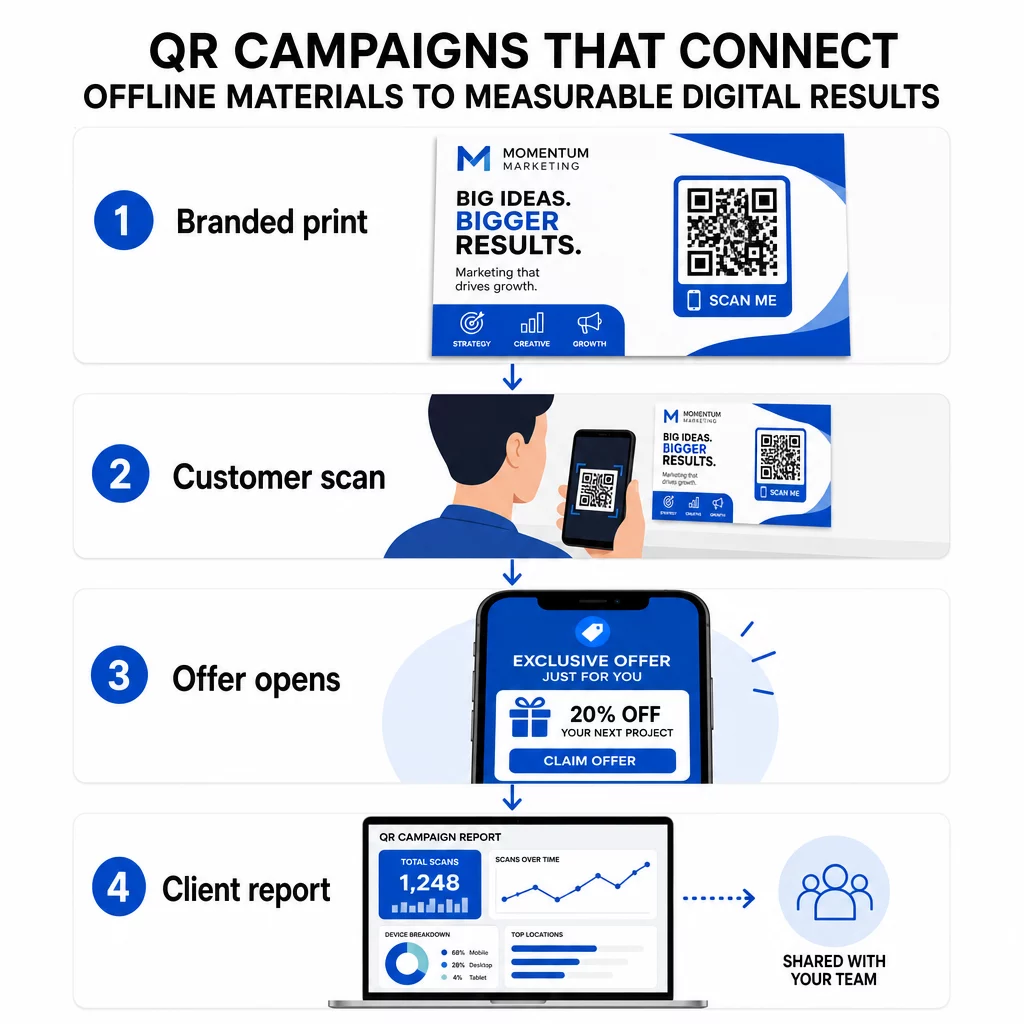
Sebab utama agensi perlu membina kod QR ke dalam kit alat standard mereka:
- Prestasi luar talian yang boleh diukur – Jejaki penempatan fizikal mana yang mendorong penglibatan paling banyak merentasi jumlah imbasan, lokasi, dan masa dalam sehari
- Pengurusan kempen yang fleksibel – Kemas kini URL destinasi tanpa mencetak semula, jadi satu kod boleh berfungsi sepanjang kitaran hayat kempen
- Pelaporan sedia pelanggan – Kongsi data imbasan langsung terus dengan pelanggan melalui laporan yang boleh dikongsi, tanpa memerlukan mereka log masuk
- Konsistensi jenama – Warna tersuai, logo, dan templat reka bentuk memastikan setiap kod selaras dengan identiti visual setiap pelanggan
Urus Setiap Kempen Pelanggan di Satu Tempat Yang Platform Agensi Pageloot memberikan pasukan pemasaran laporan pelanggan yang boleh dikongsi, papan pemuka label putih, parameter UTM terbina dalam, dan kawalan akses berasaskan peranan – supaya anda boleh menskalakan pengurusan kod QR merentasi sebarang bilangan akaun.
Jenis Kod QR Paling Banyak Digunakan Agensi
Matlamat kempen yang berbeza memerlukan format kod QR yang berbeza. Berikut adalah jenis yang cenderung memberikan nilai paling tinggi dalam kerja agensi:
Kod QR Pautan – Memacu Trafik ke Mana-mana URL
Kod QR pautan menghantar pengguna terus ke mana-mana halaman web – halaman pendaratan, halaman produk, borang pendaftaran, atau profil sosial. Ini adalah jenis yang paling serba boleh untuk kegunaan kempen.
Aplikasi biasa:
- Risalah bercetak dan mel terus yang memautkan kepada tawaran promosi
- Jemputan acara yang menghubungkan ke halaman RSVP
- Penempatan luar rumah yang mengarahkan khalayak ke saluran sosial atau mikrosit kempen
Kod QR PDF – Kongsi Dokumen Tanpa Mencetaknya
Apabila kempen pelanggan melibatkan aset yang padat kandungan – kajian kes, brosur produk, kertas putih – kod QR PDF membolehkan anda mengedarkannya dengan bersih.
- Lampirkan maklumat produk terperinci pada papan tanda dalam kedai tanpa mencetak setiap halaman
- Jejaki kekerapan dokumen diakses dan berapa lama
- Kemas kini fail di sebalik kod setiap kali kandungan berubah, tanpa mengeluarkan kod baharu
Kod QR vCard – Memudahkan Rangkaian dan Penangkapan Prospek
Pasukan jualan dan eksekutif di pameran perdagangan dan acara mendapat manfaat daripada kad perniagaan digital. Kod QR vCard serta-merta berkongsi butiran hubungan apabila diimbas, dan boleh dibenamkan dalam kad perniagaan bercetak, tandatangan e-mel, dan lencana acara.
Agensi boleh mengintegrasikan ini dengan aliran kerja CRM supaya setiap imbasan daripada prospek menjadi entri automatik, mengurangkan kemasukan data manual dan kelewatan susulan.
Kod QR Imej – Kandungan Visual Tanpa Pautan
Kod QR imej menyampaikan kandungan visual secara langsung – berguna untuk pameran portfolio, galeri produk, atau infografik yang tidak memerlukan pengalaman halaman pendaratan penuh.
Kod QR E-mel – Kurangkan Geseran Langganan Surat Berita
Meletakkan kod QR e-mel pada bahan fizikal – pembungkusan, poster, edaran acara – mencetuskan e-mel pra-tulis atau gesaan pendaftaran surat berita apabila diimbas. Ini menghilangkan halangan memasukkan alamat e-mel secara manual dan berfungsi dengan sangat baik di acara langsung.
Kod QR Aplikasi – Tingkatkan Kadar Muat Turun
Bagi pelanggan yang mempromosikan aplikasi mudah alih, kod QR aplikasi pintar mengesan peranti pengguna dan menghalakan mereka ke gedung aplikasi yang betul – App Store untuk iOS, Google Play untuk Android. Kod tunggal ini menggantikan dua pautan berasingan dan mengurangkan kekeliruan bagi pengguna akhir.
Menyiapkan Kempen Kod QR untuk Pelanggan
Cara anda menyusun dan mengurus kod QR adalah sama pentingnya dengan jenis yang anda gunakan. Agensi yang mengendalikan pelbagai pelanggan memerlukan sistem yang memastikan kempen teratur, boleh diaudit, dan mudah dilaporkan.
Gunakan Kod QR Dinamik untuk Setiap Kempen Aktif
Kod QR dinamik mengekod URL pengalihan pendek dan bukannya destinasi akhir. Ini bermakna anda boleh menukar ke mana kod itu menunjuk pada bila-bila masa – walaupun selepas bahan telah dicetak dan diedarkan.
Bagi agensi, ini menghapuskan salah satu masalah paling mahal dalam pemasaran cetak: keperluan untuk mencetak semula segala-galanya apabila URL berubah, kempen berakhir, atau pelanggan mengubah mesej di tengah-tengah kempen.
Kod dinamik juga membuka kunci analitik. Setiap imbasan dicatat dengan cap masa, lokasi, jenis peranti, dan sistem pengendalian – data yang tidak akan kelihatan dengan kod statik. Anda boleh mengetahui lebih lanjut tentang apa yang boleh dijejaki pada panduan penjejakan kod QR.
Susun Kod mengikut Pelanggan dan Kempen
Gunakan folder untuk memastikan kod QR setiap pelanggan berasingan dan dilabel dengan jelas. Sistem folder Pageloot membolehkan anda mengumpulkan kod mengikut projek, membandingkan prestasi merentasi kempen, dan segera mengenal pasti penempatan berprestasi tinggi. Ahli pasukan boleh diberikan akses kepada folder tertentu, dan kebenaran berasaskan peranan menghalang pengeditan atau penghapusan yang tidak dibenarkan.
Gunakan Parameter UTM Secara Konsisten
Parameter UTM adalah penghubung antara data imbasan QR dan timbunan analitik anda yang lebih luas. Dengan menandakan setiap URL destinasi dengan nilai UTM yang piawai, anda boleh mengaitkan trafik daripada mana-mana penempatan kod QR secara langsung kepada kempen, saluran dan kreatif yang betul dalam Google Analytics atau CRM pelanggan anda.
Ikuti konvensyen pemformatan ini untuk memastikan data bersih merentasi akaun:
- Gunakan semua huruf kecil (cth., `utm_source=pageloot` bukan `Pageloot`)
- Elakkan ruang – gunakan sengkang atau garis bawah untuk nilai berbilang perkataan
- Kekalkan definisi yang konsisten: `source` = platform atau rakan kongsi, `medium` = jenis saluran (cth., `cetak`, `e-mel`), `campaign` = inisiatif tertentu
- Jangan sekali-kali menggunakan UTM pada pautan dalaman, kerana ini akan menimpa sumber pemerolehan asal dan merosakkan atribusi
Platform agensi Pageloot menyertakan keupayaan UTM terbina dalam supaya parameter boleh ditambahkan secara automatik semasa penciptaan kod dan bukannya secara manual bagi setiap pautan.
Sesuaikan Kod untuk Jenama Setiap Pelanggan
Kod QR hitam-putih generik sebati dengan latar belakang mana-mana reka bentuk. A Kod QR dengan logo dan warna jenama menyerlah, menandakan kebolehpercayaan, dan meningkatkan kadar imbasan.
Apabila mereka bentuk kod berjenama, ingatlah keperluan teknikal ini:
- Kekalkan zon senyap sekurang-kurangnya empat modul pada semua sisi – tiada logo, teks atau corak dalam margin ini
- Gunakan kontras tinggi: corak gelap pada latar belakang cerah adalah kombinasi yang paling boleh dipercayai untuk pengimbasan
- Pastikan logo cukup kecil sehingga ia tidak menghalang corak itu sendiri
- Eksport dalam format vektor (SVG, EPS, atau PDF) untuk cetakan bagi mengelakkan pikselasi
Bina Kod QR Berjenama untuk Setiap Pelanggan Menggunakan QR code with logo untuk mencipta kod yang disesuaikan sepenuhnya yang sepadan dengan warna, fon, dan identiti visual mana-mana jenama – kemudian muat turun dalam format sedia cetak.
Penjejakan dan Pelaporan Prestasi Kempen
Lapisan analitik adalah tempat kod QR mendapat tempatnya dalam aliran kerja agensi profesional. Daripada menganggarkan sama ada kempen cetakan memacu hasil, anda mendapat data konkrit.
Apa Yang Boleh Anda Jejaki
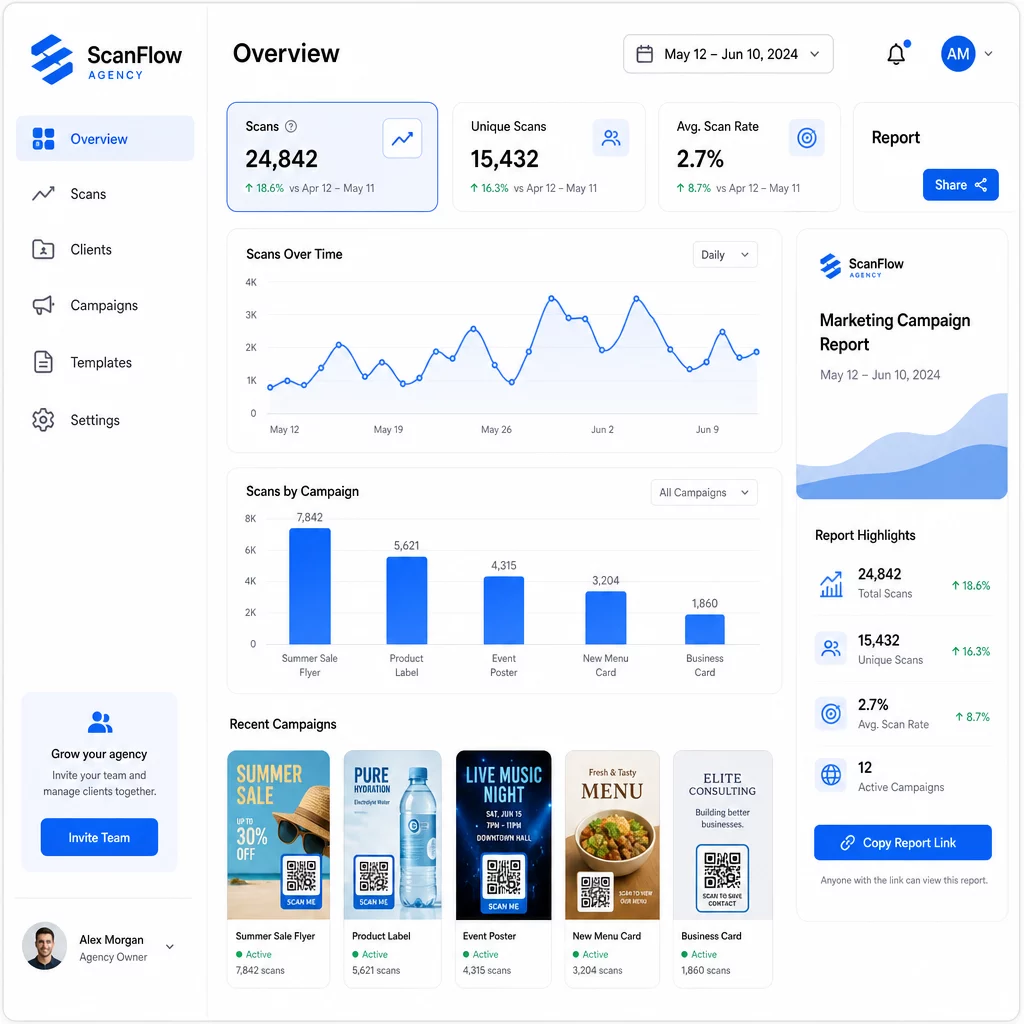
Yang papan pemuka analitik kod QR menangkap:
- Jumlah imbasan dan imbasan unik – Membezakan antara penglibatan keseluruhan dan pengguna individu
- Cap masa imbasan – Mengenal pasti masa penglibatan puncak dan corak hari dalam seminggu
- Lokasi geografi – Lihat pasaran, wilayah, atau bahkan tempat tertentu yang memacu aktiviti paling banyak
- Pecahan Peranti dan OS – Fahami sama ada khalayak anda terutamanya iOS atau Android, desktop atau mudah alih
Data ini membolehkan anda mengenal pasti penempatan trafik tinggi, mengalihkan bajet ke arah yang berkesan, dan membuat cadangan konkrit kepada pelanggan tentang di mana untuk menumpukan kempen masa depan.
Kongsi Hasil Tanpa Memerlukan Log Masuk
Salah satu bahagian yang paling memakan masa dalam pengurusan pelanggan agensi ialah penyediaan laporan prestasi. Laporan pelanggan boleh kongsi Pageloot memberikan pelanggan halaman statistik langsung – berjenama dengan logo mereka sendiri – di mana mereka boleh menyemak data imbasan dalam masa nyata tanpa memerlukan akaun mereka sendiri. Ini menjimatkan jam penyediaan laporan setiap bulan sambil memastikan pelanggan dimaklumkan dan yakin dengan prestasi kempen.
Ujian A/B Penempatan dan Destinasi
Kod QR dinamik menjadikan Ujian A/B jauh lebih mudah. Oleh kerana URL destinasi boleh ditukar tanpa mengeluarkan kod baharu, anda boleh menjalankan penempatan fizikal yang sama terhadap halaman pendaratan, CTA, atau tawaran yang berbeza dan membandingkan kadar imbasan-ke-penukaran secara langsung.
Uji satu pemboleh ubah pada satu masa – halaman destinasi, bahasa tawaran, atau penempatan kod pada bahan – dan gunakan analitik imbasan untuk menentukan versi mana yang menghasilkan hasil yang lebih baik sebelum menskalakan.
Letakkan Kod Di Mana Ia Akan Diimbas Sebenarnya
Analitik hanya membantu jika orang mengimbas. Ia Panduan penempatan kod QR merangkumi ini secara mendalam, tetapi peraturan utamanya adalah:
- Letakkan kod pada paras mata (kira-kira 3.5 hingga 5.5 kaki dari lantai) dalam persekitaran fizikal
- Sertakan seruan tindakan yang jelas berhampiran setiap kod – nyatakan apa yang pengguna akan dapat apabila mereka mengimbas
- Pastikan kod cukup besar untuk jarak tontonan yang dijangka (garis panduan umum: lebar minimum dalam sentimeter sama dengan jarak imbasan dalam sentimeter dibahagi dengan 10)
- Uji setiap kod merentasi pelbagai peranti dan keadaan pencahayaan sebelum bahan dicetak
Pertimbangan Privasi dan Pematuhan
Kod QR mengumpul data – jenis peranti, OS, pelayar, lokasi geografi, dan tingkah laku selepas imbasan. Bagi agensi yang bekerja merentasi pelbagai pelanggan dan pasaran, memahami konteks peraturan adalah penting.
Jika mana-mana audiens pelanggan termasuk penduduk EU, kempen perlu mengambil kira keperluan GDPR: persetujuan eksplisit, notis privasi yang jelas, dan minimalisasi data. Kempen yang berpangkalan di California menyentuh CCPA, yang memerlukan ketelusan dan mekanisme menarik diri. Pelanggan penjagaan kesihatan membawa keperluan HIPAA yang meliputi mana-mana platform yang mengendalikan data berkaitan pesakit.
Yang Panduan peraturan privasi kod QR merangkumi rangka kerja utama secara terperinci. Kod QR dinamik sangat berguna untuk pematuhan kerana anda boleh mengemas kini dasar privasi, terma, atau pendedahan pengumpulan data tanpa mengeluarkan kod baharu atau mencetak semula bahan.
Soalan lazim
Kod QR Statik mengekod destinasi tetap dan tidak boleh diubah selepas penciptaan – ia juga tidak menyediakan analitik. Kod QR Dinamik menunjuk kepada URL pengalihan yang boleh dikemas kini pada bila-bila masa, dan ia merekodkan data imbasan termasuk cap masa, lokasi, dan jenis peranti. Untuk kempen pelanggan yang aktif, kod QR dinamik adalah pilihan standard kerana ia menawarkan fleksibiliti dan prestasi yang boleh diukur.
Gunakan platform pengurusan kod QR yang menyokong organisasi berasaskan folder, analitik masa nyata, dan laporan pelanggan yang boleh dikongsi. Dengan memberikan setiap pelanggan folder mereka sendiri dan menggunakan parameter UTM yang konsisten pada URL destinasi, anda boleh mendapatkan data yang bersih dan boleh dikaitkan untuk setiap akaun tanpa mencampurkan metrik kempen.
Ya. Setiap imbasan kod QR boleh mengumpul data seperti maklumat peranti, lokasi, dan tingkah laku pelayaran. Bergantung pada geografi audiens, kempen mungkin perlu mematuhi GDPR (EU), CCPA (California), atau HIPAA (penjagaan kesihatan). Menggunakan kod QR dinamik membantu kerana halaman destinasi dan notis privasi boleh dikemas kini tanpa mencetak semula bahan. Rujuk peraturan yang berkaitan untuk pasaran setiap pelanggan sebelum pelancaran.