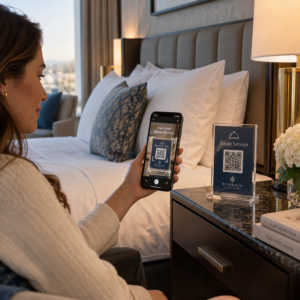
Gérer des campagnes de codes QR pour plusieurs clients est plus difficile qu'il n'y paraît – surtout lorsque vous avez besoin d'un suivi cohérent, de rapports clairs et de la flexibilité de mettre à jour les supports sans réimpression. Ce guide explique comment les agences de marketing peuvent créer, gérer et mesurer des campagnes de codes QR qui produisent des résultats mesurables pour chaque compte client.
Pourquoi les codes QR sont importants pour les agences de marketing
Les codes QR ont largement dépassé le stade de la nouveauté. En 2025, 89 millions d'Américains ont scanné un code QR, ce chiffre devant dépasser les 100 millions en 2026. Pour les agences, ce taux d'adoption signifie que les codes QR sont désormais un canal viable – et attendu – dans presque tous les secteurs d'activité de leurs clients.
Ce qui les rend particulièrement précieux au niveau de l'agence est leur double rôle : ils connectent les supports imprimés et physiques à des expériences numériques traçables. Une affiche, une carte de visite ou une étiquette de produit devient un point de contact mesurable dès qu'elle porte un code QR dynamique.
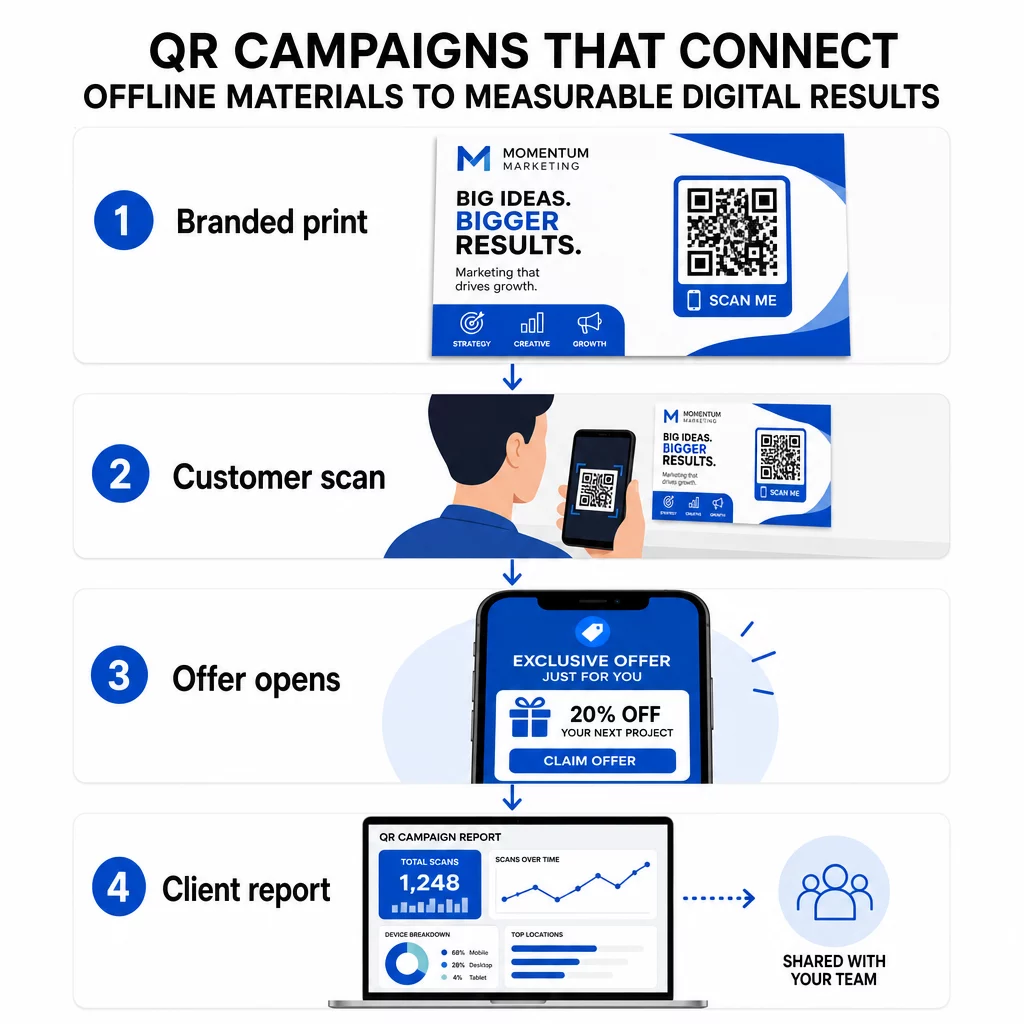
Principales raisons pour lesquelles les agences devraient intégrer les codes QR dans leur boîte à outils standard :
- Performance hors ligne mesurable – Suivez quels emplacements physiques génèrent le plus d'engagement en termes de volume de scans, de localisation et d'heure de la journée
- Gestion de campagne flexible – Mettez à jour les URL de destination sans réimpression, de sorte qu'un seul code puisse servir tout le cycle de vie d'une campagne
- Rapports prêts pour le client – Partagez les données de scan en direct directement avec les clients via des rapports partageables, sans qu'ils aient besoin de se connecter
- Cohérence de la marque – Des couleurs personnalisées, des logos et des modèles de conception maintiennent chaque code aligné avec l'identité visuelle de chaque client
Gérez chaque campagne client en un seul endroit Le Plateforme d'agence Pageloot offre aux équipes marketing des rapports clients partageables, des tableaux de bord en marque blanche, des paramètres UTM intégrés et un contrôle d'accès basé sur les rôles – afin que vous puissiez étendre la gestion des codes QR à un nombre illimité de comptes.
Types de codes QR les plus utilisés par les agences
Différents objectifs de campagne nécessitent différents formats de codes QR. Voici les types qui ont tendance à offrir le plus de valeur dans le travail d'agence :
Codes QR de lien – Générez du trafic vers n'importe quelle URL
Un code QR de lien envoie les utilisateurs directement vers n'importe quelle page web – une page de destination, une page produit, un formulaire d'inscription ou un profil social. Ce sont les types les plus polyvalents pour une utilisation en campagne.
Applications courantes :
- Flyers imprimés et publipostage direct renvoyant à des offres promotionnelles
- Invitations à des événements qui renvoient à des pages de confirmation de présence (RSVP)
- Affichages extérieurs dirigeant les audiences vers des canaux sociaux ou des microsites de campagne
Codes QR PDF – Partagez des documents sans les imprimer
Lorsqu'une campagne client implique des actifs riches en contenu – études de cas, brochures de produits, livres blancs – un code QR PDF vous permet de les distribuer proprement.
- Joignez des informations détaillées sur les produits à la signalisation en magasin sans imprimer chaque page
- Suivez la fréquence et la durée d'accès à un document
- Mettez à jour le fichier derrière le code chaque fois que le contenu change, sans émettre un nouveau code
Codes QR vCard – Simplifiez le réseautage et la capture de leads
Les équipes de vente et les cadres lors de salons professionnels et d'événements bénéficient des cartes de visite numériques. Un code QR vCard partage instantanément les coordonnées lorsqu'il est scanné, et peut être intégré dans des cartes de visite imprimées, des signatures d'e-mail et des badges d'événement.
Les agences peuvent les intégrer aux flux de travail CRM afin que chaque scan d'un lead devienne une entrée automatique, réduisant ainsi la saisie manuelle des données et les retards de suivi.
Codes QR d'image – Contenu visuel sans lien
Les codes QR d'image diffusent directement du contenu visuel – utile pour les présentations de portfolios, les galeries de produits ou les infographies qui ne nécessitent pas une expérience de page de destination complète.
Codes QR d'e-mail – Réduire la friction d'abonnement à la newsletter
Placer un code QR d'e-mail sur des supports physiques – emballages, affiches, documents d'événements – déclenche un e-mail pré-écrit ou une invite d'inscription à la newsletter lorsqu'il est scanné. Cela supprime la barrière de la saisie manuelle d'une adresse e-mail et fonctionne particulièrement bien lors d'événements en direct.
Codes QR d'application – Augmenter les taux de téléchargement
Pour les clients faisant la promotion d'une application mobile, un code QR d'application intelligent détecte l'appareil de l'utilisateur et le redirige vers le bon magasin d'applications – App Store pour iOS, Google Play pour Android. Ce code unique remplace deux liens distincts et réduit la confusion pour les utilisateurs finaux.
Mise en place de campagnes de codes QR pour les clients
La façon dont vous structurez et gérez les codes QR est aussi importante que le type que vous utilisez. Les agences gérant plusieurs clients ont besoin d'un système qui maintient les campagnes organisées, vérifiables et faciles à rapporter.
Utiliser des codes QR dynamiques pour chaque campagne active
Codes QR dynamiques encoder une URL de redirection courte plutôt que la destination finale. Cela signifie que vous pouvez modifier la destination du code à tout moment – même après que les supports ont été imprimés et distribués.
Pour les agences, cela élimine l'un des problèmes les plus coûteux du marketing imprimé : la nécessité de tout réimprimer lorsqu'une URL change, qu'une campagne se termine ou qu'un client modifie son message en cours de route.
Les codes dynamiques débloquent également les analyses. Chaque scan est enregistré avec l'horodatage, l'emplacement, le type d'appareil et le système d'exploitation – des données qui seraient invisibles avec un code statique. Vous pouvez en savoir plus sur ce qui est traçable sur le guide de suivi des codes QR.
Organiser les codes par client et par campagne
Utilisez des dossiers pour garder les codes QR de chaque client séparés et clairement étiquetés. Le système de dossiers de Pageloot vous permet de regrouper les codes par projet, de comparer les performances entre les campagnes et d'identifier immédiatement les emplacements les plus performants. Les membres de l'équipe peuvent se voir accorder l'accès à des dossiers spécifiques, et les autorisations basées sur les rôles empêchent les modifications ou suppressions non autorisées.
Appliquer les paramètres UTM de manière cohérente
Les paramètres UTM sont le tissu conjonctif entre les données de scan QR et votre pile d'analyse plus large. En étiquetant chaque URL de destination avec des valeurs UTM standardisées, vous pouvez attribuer le trafic de n'importe quel emplacement de code QR directement à la bonne campagne, au bon canal et à la bonne création dans Google Analytics ou le CRM de votre client.
Suivez ces conventions de formatage pour maintenir la propreté des données sur tous les comptes :
- Utilisez uniquement des minuscules (par exemple, `utm_source=pageloot` et non `Pageloot`)
- Évitez les espaces – utilisez des tirets ou des underscores pour les valeurs composées de plusieurs mots
- Maintenez des définitions cohérentes : `source` = plateforme ou partenaire, `medium` = type de canal (par exemple, `print`, `email`), `campaign` = l'initiative spécifique
- N'appliquez jamais d'UTM aux liens internes, car cela écrase la source d'acquisition originale et corrompt l'attribution
La plateforme d'agence de Pageloot inclut des capacités UTM intégrées afin que les paramètres puissent être ajoutés automatiquement lors de la création du code plutôt que manuellement par lien.
Personnalisez les codes pour la marque de chaque client
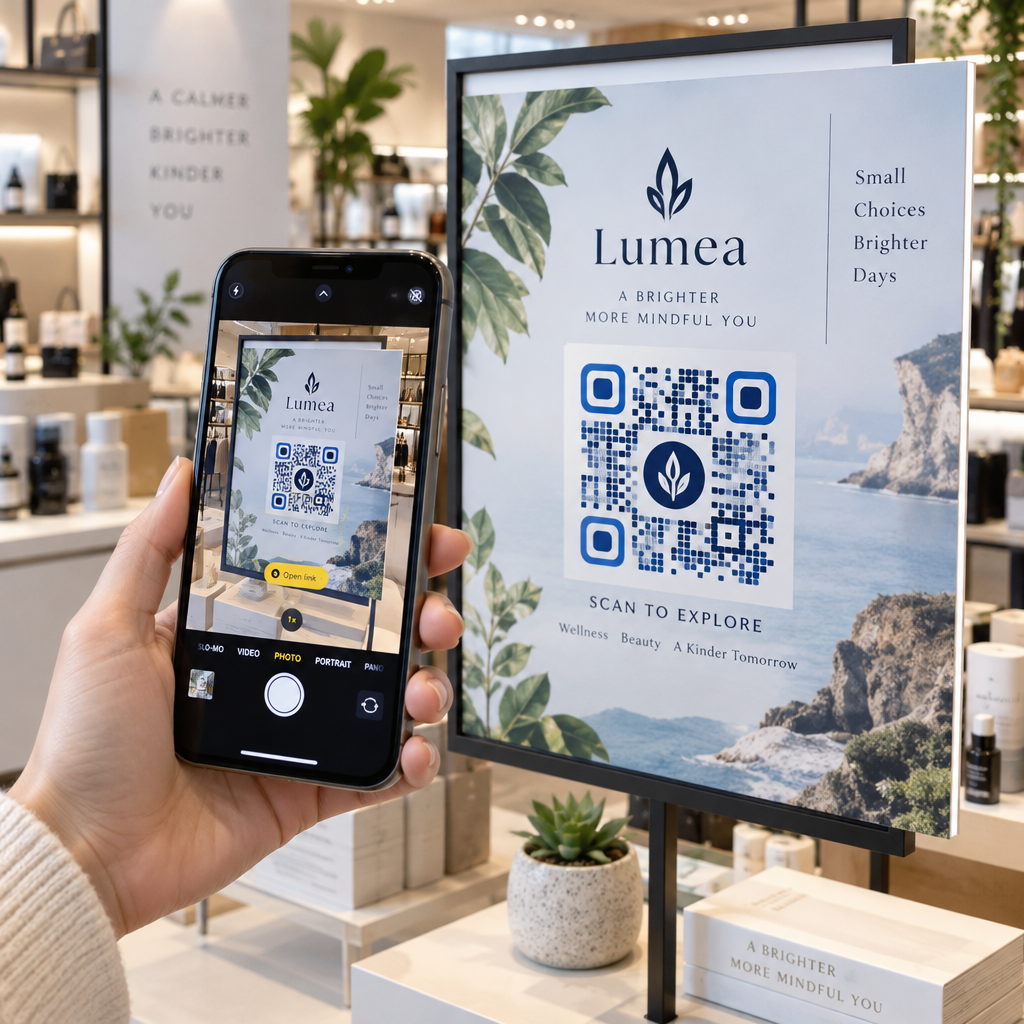
Les codes QR génériques en noir et blanc se fondent dans l'arrière-plan de n'importe quel design. Un Code QR avec un logo et les couleurs de la marque se démarque, signale la fiabilité et augmente les taux de scan.
Lors de la conception de codes de marque, gardez ces exigences techniques à l'esprit :
- Maintenez une zone de silence d'au moins quatre modules de tous les côtés – pas de logos, de texte ou de motifs dans cette marge
- Utilisez un contraste élevé : un motif sombre sur un fond clair est la combinaison la plus fiable pour le scan
- Gardez les logos suffisamment petits pour qu'ils n'obstruent pas le motif lui-même
- Exportez dans des formats vectoriels (SVG, EPS ou PDF) pour l'impression afin d'éviter la pixellisation
Créez des codes QR de marque pour chaque client Utilisez le Générateur de QR code avec logo pour créer des codes entièrement personnalisés qui correspondent aux couleurs, aux polices et à l'identité visuelle de n'importe quelle marque – puis les télécharger dans des formats prêts à l'impression.
Suivi et Rapports sur la Performance des Campagnes
La couche analytique est l'endroit où les codes QR gagnent leur place dans le flux de travail d'une agence professionnelle. Plutôt que d'estimer si une campagne d'impression a donné des résultats, vous obtenez des données concrètes.
Ce que Vous Pouvez Suivre
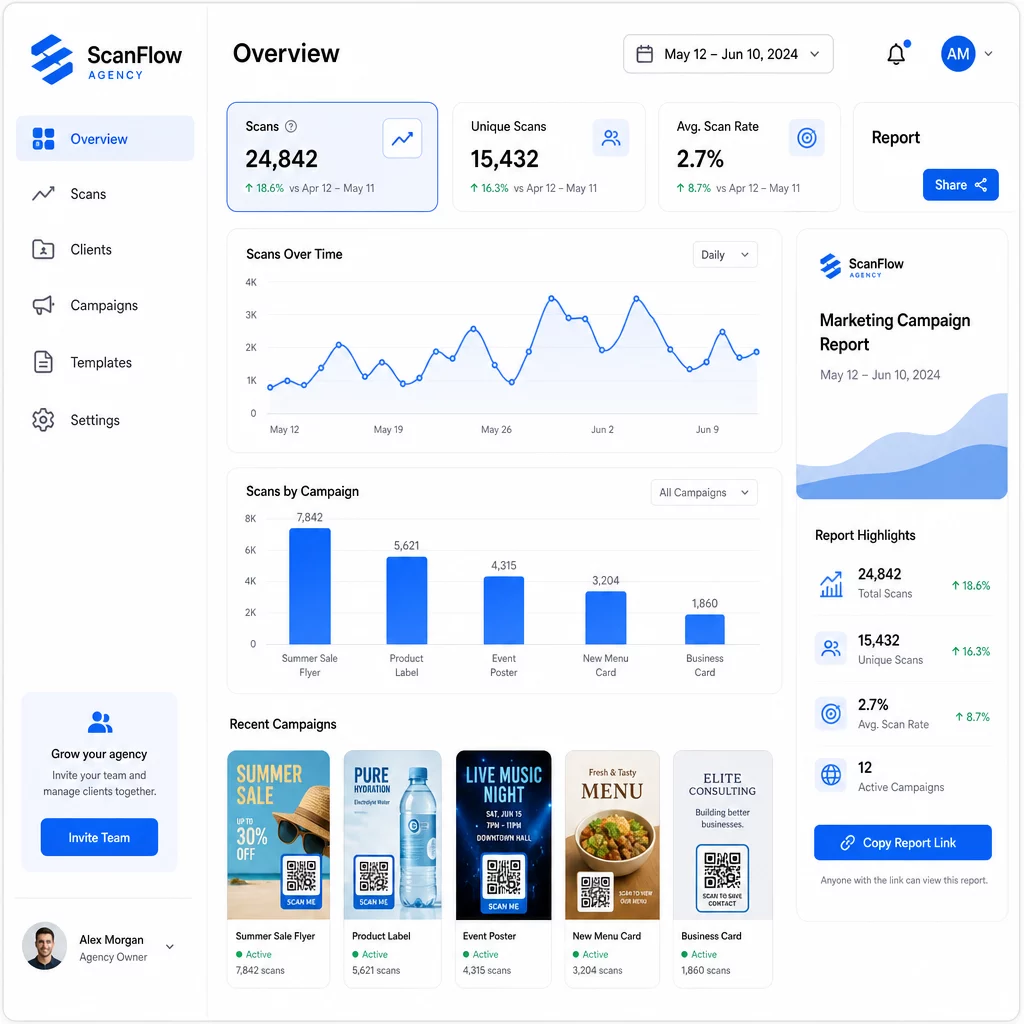
Le tableau de bord d'analyse de codes QR capture :
- Scans totaux et scans uniques – Distinguer l'engagement global des utilisateurs individuels
- Horodatages des scans – Identifier les heures de pointe d'engagement et les schémas par jour de la semaine
- Localisation géographique – Voir quels marchés, régions ou même lieux spécifiques génèrent le plus d'activité
- Répartition par appareil et OS – Comprendre si votre audience est principalement iOS ou Android, sur ordinateur de bureau ou mobile
Ces données vous permettent d'identifier les emplacements à fort trafic, de réorienter le budget vers ce qui fonctionne et de faire des recommandations concrètes aux clients sur l'endroit où concentrer les futures campagnes.
Partager les Résultats Sans Nécessiter de Connexion
L'une des parties les plus chronophages de la gestion des clients d'agence est la préparation des rapports de performance. Les rapports clients partageables de Pageloot offrent aux clients une page de statistiques en direct – personnalisée avec leur propre logo – où ils peuvent consulter les données de scan en temps réel sans avoir besoin de leur propre compte. Cela permet d'économiser des heures de préparation de rapports chaque mois tout en gardant les clients informés et confiants dans la performance de la campagne.
Tester A/B les Emplacements et les Destinations
Les codes QR dynamiques permettent Tests A/B nettement plus facile. Étant donné que l'URL de destination peut être modifiée sans émettre un nouveau code, vous pouvez utiliser le même emplacement physique pour différentes pages de destination, CTA ou offres et comparer directement les taux de conversion après scan.
Testez une variable à la fois – page de destination, langage de l'offre ou emplacement du code sur le support – et utilisez l'analyse des scans pour déterminer quelle version génère de meilleurs résultats avant de passer à l'échelle.
Placez les codes là où ils seront réellement scannés
Les analyses ne sont utiles que si les gens scannent. Le Guide de placement du code QR couvre ce sujet en profondeur, mais les règles fondamentales sont :
- Positionnez les codes à hauteur des yeux (environ 1,07 à 1,68 mètre du sol) dans les environnements physiques
- Incluez un appel à l'action clair près de chaque code – indiquez ce que l'utilisateur obtiendra en scannant
- Gardez les codes suffisamment grands pour la distance de visualisation attendue (une directive courante : la largeur minimale en centimètres est égale à la distance de scan en centimètres divisée par 10)
- Testez chaque code sur plusieurs appareils et dans différentes conditions d'éclairage avant l'impression des supports
Considérations relatives à la confidentialité et à la conformité
Les codes QR collectent des données – type d'appareil, système d'exploitation, navigateur, localisation géographique et comportement après le scan. Pour les agences travaillant avec plusieurs clients et marchés, il est important de comprendre le contexte réglementaire.
Si l'audience d'un client inclut des résidents de l'UE, la campagne doit tenir compte des exigences du RGPD : consentement explicite, avis de confidentialité clairs et minimisation des données. Les campagnes basées en Californie sont soumises au CCPA, qui exige transparence et mécanismes de désabonnement. Les clients du secteur de la santé sont soumis aux exigences de l'HIPAA qui s'étendent à toute plateforme traitant des données relatives aux patients.
Le Guide des réglementations de confidentialité des codes QR couvre les principaux cadres en détail. Les codes QR dynamiques sont particulièrement utiles pour la conformité car vous pouvez mettre à jour les politiques de confidentialité, les conditions ou les divulgations de collecte de données sans émettre un nouveau code ou réimprimer les supports.
Questions fréquentes
Les codes QR statiques encodent une destination fixe et ne peuvent pas être modifiés après leur création – ils ne fournissent également aucune analyse. Les codes QR dynamiques pointent vers une URL de redirection qui peut être mise à jour à tout moment, et ils enregistrent les données de scan, y compris l'horodatage, la localisation et le type d'appareil. Pour les campagnes clients actives, les codes QR dynamiques sont le choix standard car ils offrent flexibilité et performances mesurables.
Utilisez une plateforme de gestion de codes QR qui prend en charge l'organisation par dossiers, l'analyse en temps réel et des rapports clients partageables. En attribuant à chaque client son propre dossier et en appliquant des paramètres UTM cohérents aux URL de destination, vous pouvez extraire des données propres et attribuables pour chaque compte sans mélanger les métriques de campagne.
Oui. Chaque scan de code QR peut collecter des données telles que les informations sur l'appareil, la localisation et le comportement de navigation. Selon la géographie de l'audience, les campagnes peuvent devoir se conformer au RGPD (UE), au CCPA (Californie) ou à l'HIPAA (santé). L'utilisation de codes QR dynamiques est utile car les pages de destination et les avis de confidentialité peuvent être mis à jour sans réimprimer les supports. Consultez les réglementations pertinentes pour le marché de chaque client avant le lancement.