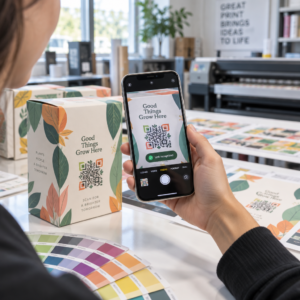
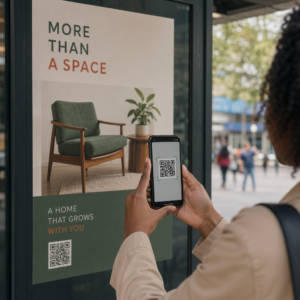
Die Verwaltung von QR-Code-Kampagnen für mehrere Kunden ist schwieriger, als es aussieht – besonders wenn Sie konsistentes Tracking, saubere Berichterstattung und die Flexibilität benötigen, Materialien ohne Neudruck zu aktualisieren. Dieser Leitfaden behandelt, wie Marketingagenturen QR-Code-Kampagnen erstellen, verwalten und messen können, die messbare Ergebnisse für jedes Kundenkonto liefern.
Warum QR-Codes für Marketingagenturen wichtig sind
QR-Codes sind weit über die Neuheit hinausgewachsen. Im Jahr 2025 scannten 89 Millionen Amerikaner einen QR-Code, wobei diese Zahl im Jahr 2026 voraussichtlich 100 Millionen überschreiten wird. Für Agenturen bedeutet diese Akzeptanzrate, dass QR-Codes heute ein praktikabler – und erwarteter – Kanal in fast jeder Kundenbranche sind.
Was sie auf Agenturebene besonders wertvoll macht, ist ihre doppelte Rolle: Sie verbinden gedruckte und physische Materialien mit verfolgbaren digitalen Erlebnissen. Ein Plakat, eine Visitenkarte oder ein Produktetikett wird zu einem messbaren Berührungspunkt, sobald es einen dynamischer QR-Code.
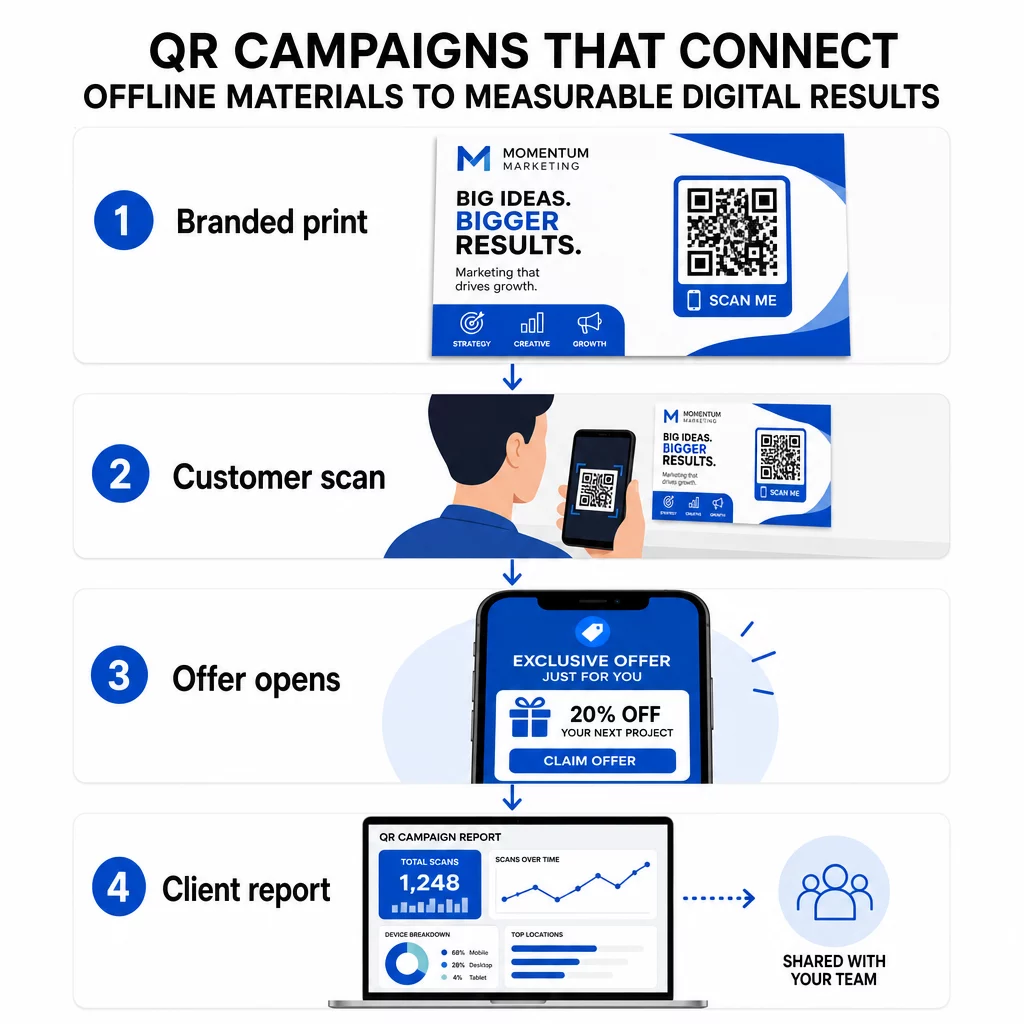
Hauptgründe, warum Agenturen QR-Codes in ihr Standard-Toolkit integrieren sollten:
- Messbare Offline-Leistung – Verfolgen Sie, welche physischen Platzierungen das meiste Engagement über Scanvolumen, Standort und Tageszeit hinweg erzielen
- Flexibles Kampagnenmanagement – Ziel-URLs ohne Neudruck aktualisieren, sodass ein einziger Code einen gesamten Kampagnenlebenszyklus bedienen kann
- Kundenfertige Berichterstattung – Teilen Sie Live-Scan-Daten direkt mit Kunden über teilbare Berichte, ohne dass diese sich anmelden müssen
- Markenkonsistenz – Benutzerdefinierte Farben, Logos und Designvorlagen sorgen dafür, dass jeder Code mit der visuellen Identität jedes Kunden übereinstimmt
Verwalten Sie jede Kundenkampagne an einem Ort Die Pageloot Agenturplattform bietet Marketingteams teilbare Kundenberichte, White-Label-Dashboards, integrierte UTM-Parameter und rollenbasierte Zugriffskontrolle – so können Sie die QR-Code-Verwaltung über beliebig viele Konten skalieren.
QR-Code-Typen, die Agenturen am häufigsten verwenden
Unterschiedliche Kampagnenziele erfordern unterschiedliche QR-Code-Formate. Hier sind die Typen, die in der Agenturarbeit den größten Mehrwert liefern:
Link-QR-Codes – Traffic auf jede URL leiten
Ein Link-QR-Code leitet Benutzer direkt zu jeder Webseite – einer Landingpage, einer Produktseite, einem Registrierungsformular oder einem sozialen Profil. Dies sind die vielseitigsten Typen für den Kampagneneinsatz.
Häufige Anwendungen:
- Gedruckte Flyer und Direktmailings, die auf Werbeangebote verlinken
- Veranstaltungseinladungen, die zu RSVP-Seiten führen
- Out-of-Home-Platzierungen, die Zielgruppen zu sozialen Kanälen oder Kampagnen-Microsites leiten
PDF-QR-Codes – Dokumente teilen, ohne sie zu drucken
Wenn eine Kampagne eines Kunden inhaltsreiche Assets umfasst – Fallstudien, Produktbroschüren, Whitepapers – ermöglicht ein PDF-QR-Code deren saubere Verteilung.
- Detaillierte Produktinformationen an In-Store-Beschilderungen anbringen, ohne jede Seite zu drucken
- Verfolgen, wie oft ein Dokument aufgerufen wird und wie lange
- Die Datei hinter dem Code aktualisieren, wann immer sich der Inhalt ändert, ohne einen neuen Code auszugeben
vCard-QR-Codes – Networking und Lead-Erfassung vereinfachen
Vertriebsteams und Führungskräfte auf Messen und Veranstaltungen profitieren von digitalen Visitenkarten. Ein vCard-QR-Code teilt beim Scannen sofort Kontaktdaten und kann in gedruckte Visitenkarten, E-Mail-Signaturen und Event-Badges eingebettet werden.
Agenturen können diese in CRM-Workflows integrieren, sodass jeder Scan eines Leads zu einem automatischen Eintrag wird, was die manuelle Dateneingabe und Nachfassverzögerungen reduziert.
Bild-QR-Codes – Visueller Inhalt ohne Link
Bild-QR-Codes liefern visuelle Inhalte direkt – nützlich für Portfolio-Präsentationen, Produktgalerien oder Infografiken, die keine vollständige Landingpage-Erfahrung erfordern.
E-Mail-QR-Codes – Reibung bei der Newsletter-Anmeldung reduzieren
Das Platzieren eines E-Mail-QR-Codes auf physischen Materialien – Verpackungen, Plakaten, Event-Handouts – löst beim Scannen eine vorformulierte E-Mail oder eine Newsletter-Anmeldeaufforderung aus. Dies beseitigt die Hürde der manuellen Eingabe einer E-Mail-Adresse und funktioniert besonders gut bei Live-Veranstaltungen.
App-QR-Codes – Download-Raten erhöhen
Für Kunden, die eine mobile App bewerben, erkennt ein intelligenter App-QR-Code das Gerät des Benutzers und leitet sie zum richtigen App Store weiter – App Store für iOS, Google Play für Android. Dieser einzelne Code ersetzt zwei separate Links und reduziert die Verwirrung für Endbenutzer.
Einrichten von QR-Code-Kampagnen für Kunden
Wie Sie QR-Codes strukturieren und verwalten, ist genauso wichtig wie die Art, die Sie verwenden. Agenturen, die mehrere Kunden betreuen, benötigen ein System, das Kampagnen organisiert, prüfbar und leicht zu berichten hält.
Verwenden Sie dynamische QR-Codes für jede aktive Kampagne
Dynamische QR-Codes kodieren Sie eine kurze Weiterleitungs-URL anstelle des endgültigen Ziels. Das bedeutet, Sie können jederzeit ändern, wohin der Code zeigt – selbst nachdem Materialien gedruckt und verteilt wurden.
Für Agenturen eliminiert dies eines der teuersten Probleme im Printmarketing: die Notwendigkeit, alles neu zu drucken, wenn sich eine URL ändert, eine Kampagne endet oder ein Kunde die Botschaft mitten im Flug ändert.
Dynamische Codes ermöglichen auch Analysen. Jeder Scan wird mit Zeitstempel, Standort, Gerätetyp und Betriebssystem protokolliert – Daten, die bei einem statischen Code unsichtbar wären. Sie können mehr darüber erfahren, was verfolgbar ist, im QR-Code-Tracking-Leitfaden.
Codes nach Kunde und Kampagne organisieren
Verwenden Sie Ordner, um die QR-Codes jedes Kunden getrennt und klar beschriftet zu halten. Das Ordnersystem von Pageloot ermöglicht es Ihnen, Codes nach Projekten zu gruppieren, die Leistung über Kampagnen hinweg zu vergleichen und sofort die leistungsstärksten Platzierungen zu identifizieren. Teammitgliedern kann Zugriff auf bestimmte Ordner gewährt werden, und rollenbasierte Berechtigungen verhindern unbefugte Bearbeitungen oder Löschungen.
UTM-Parameter konsistent anwenden
UTM-Parameter sind das Bindegewebe zwischen QR-Scan-Daten und Ihrem breiteren Analyse-Stack. Indem Sie jede Ziel-URL mit standardisierten UTM-Werten versehen, können Sie den Traffic von jeder QR-Code-Platzierung direkt der richtigen Kampagne, dem richtigen Kanal und dem richtigen Creative in Google Analytics oder dem CRM Ihres Kunden zuordnen.
Beachten Sie diese Formatierungskonventionen, um die Daten über alle Konten hinweg sauber zu halten:
- Verwenden Sie ausschließlich Kleinbuchstaben (z.B. `utm_source=pageloot` nicht `Pageloot`)
- Vermeiden Sie Leerzeichen – verwenden Sie Bindestriche oder Unterstriche für mehrteilige Werte
- Behalten Sie konsistente Definitionen bei: `source` = Plattform oder Partner, `medium` = Kanaltyp (z.B. `print`, `email`), `campaign` = die spezifische Initiative
- Wenden Sie UTMs niemals auf interne Links an, da dies die ursprüngliche Akquisitionsquelle überschreibt und die Attribution verfälscht
Die Agenturplattform von Pageloot verfügt über integrierte UTM-Funktionen, sodass Parameter während der Code-Erstellung automatisch angehängt werden können, anstatt manuell pro Link.
Codes für die Marke jedes Kunden anpassen
Generische Schwarz-Weiß-QR-Codes fügen sich in den Hintergrund jedes Designs ein. Ein QR-Code mit Logo und Markenfarben sticht hervor, signalisiert Vertrauenswürdigkeit und erhöht die Scanraten.
Beachten Sie beim Entwerfen von Marken-Codes diese technischen Anforderungen:
- Halten Sie eine Ruhezone von mindestens vier Modulen auf allen Seiten ein – keine Logos, Texte oder Muster in diesem Randbereich
- Verwenden Sie hohen Kontrast: Ein dunkles Muster auf hellem Hintergrund ist die zuverlässigste Kombination für das Scannen
- Halten Sie Logos klein genug, damit sie das Muster selbst nicht verdecken
- Exportieren Sie für den Druck in Vektorformaten (SVG, EPS oder PDF), um Pixelbildung zu vermeiden
Erstellen Sie Marken-QR-Codes für jeden Kunden Verwenden Sie die QR-Code Generator mit Logo um vollständig angepasste Codes zu erstellen, die zu den Farben, Schriftarten und der visuellen Identität jeder Marke passen – und diese dann in druckfertigen Formaten herunterzuladen.
Verfolgung und Berichterstattung der Kampagnenleistung
Die Analyseebene ist der Ort, an dem QR-Codes ihren Platz in einem professionellen Agentur-Workflow finden. Anstatt zu schätzen, ob eine Printkampagne Ergebnisse erzielt hat, erhalten Sie konkrete Daten.
Was Sie verfolgen können
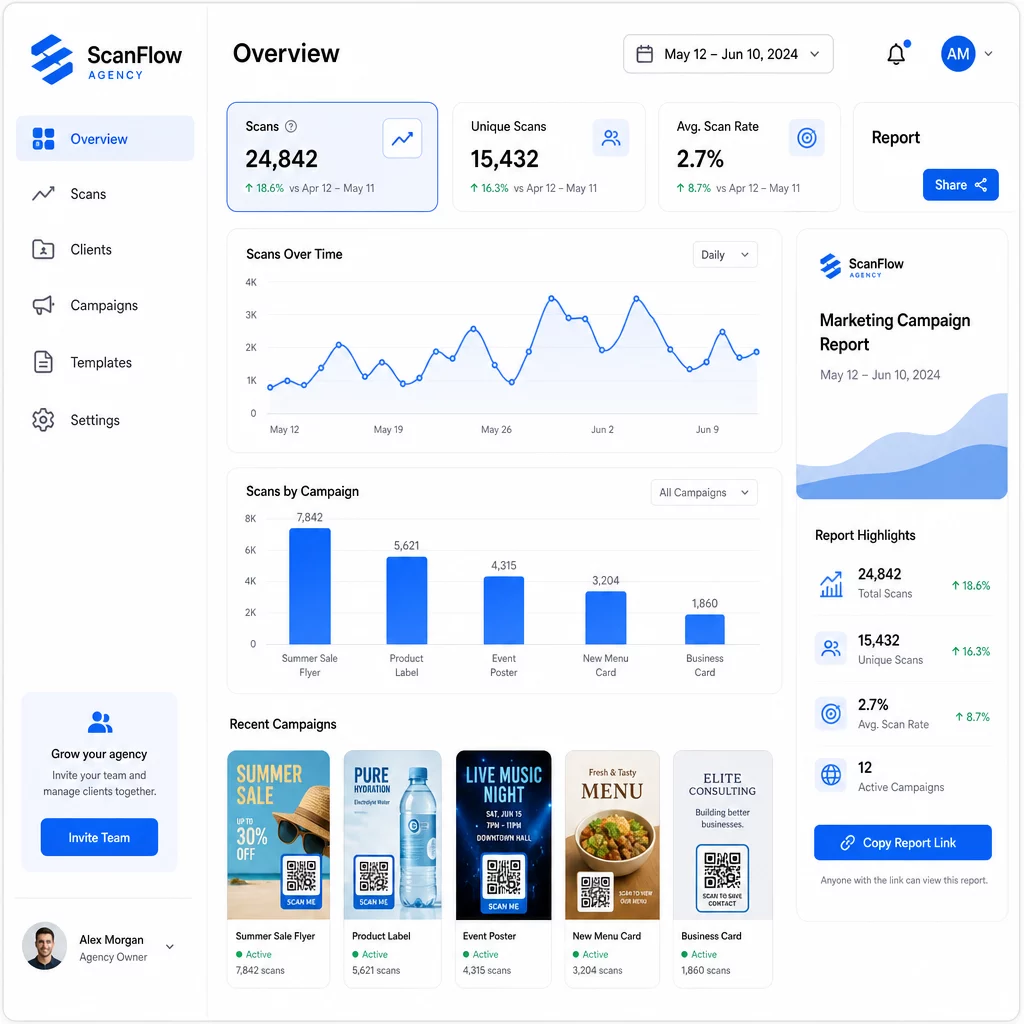
Die QR-Code-Analyse-Dashboard erfasst:
- Gesamtzahl der Scans und eindeutige Scans – Unterscheiden Sie zwischen Gesamtengagement und einzelnen Nutzern
- Scan-Zeitstempel – Identifizieren Sie Spitzenzeiten des Engagements und Wochentagsmuster
- Geografischer Standort – Sehen Sie, welche Märkte, Regionen oder sogar spezifische Veranstaltungsorte die meiste Aktivität generieren
- Aufschlüsselung nach Gerät und Betriebssystem – Verstehen Sie, ob Ihr Publikum hauptsächlich iOS oder Android, Desktop oder Mobil ist
Diese Daten ermöglichen es Ihnen, stark frequentierte Platzierungen zu identifizieren, Budgets auf das zu verlagern, was funktioniert, und Kunden konkrete Empfehlungen zu geben, wo zukünftige Kampagnen konzentriert werden sollten.
Ergebnisse teilen, ohne Anmeldung erforderlich
Einer der zeitaufwendigsten Teile des Agentur-Kundenmanagements ist die Erstellung von Leistungsberichten. Die teilbaren Kundenberichte von Pageloot bieten Kunden eine Live-Statistikseite – gebrandet mit ihrem eigenen Logo –, auf der sie Scandaten in Echtzeit überprüfen können, ohne ein eigenes Konto zu benötigen. Dies spart jeden Monat Stunden bei der Berichtserstellung und hält die Kunden gleichzeitig über die Kampagnenleistung informiert und zuversichtlich.
A/B-Tests von Platzierungen und Zielen
Dynamische QR-Codes machen A/B-Tests deutlich einfacher. Da die Ziel-URL ohne Ausgabe eines neuen Codes ausgetauscht werden kann, können Sie dieselbe physische Platzierung mit verschiedenen Landingpages, CTAs oder Angeboten testen und die Scan-zu-Konversionsraten direkt vergleichen.
Testen Sie jeweils eine Variable – Zielseite, Angebotssprache oder Code-Platzierung auf dem Material – und nutzen Sie Scan-Analysen, um zu bestimmen, welche Version bessere Ergebnisse liefert, bevor Sie skalieren.
Platzieren Sie Codes dort, wo sie tatsächlich gescannt werden
Analysen helfen nur, wenn Leute scannen. Der Leitfaden zur Platzierung von QR-Codes behandelt dies ausführlich, aber die Kernregeln sind:
- Platzieren Sie Codes in physischen Umgebungen auf Augenhöhe (ungefähr 1,07 bis 1,68 Meter vom Boden)
- Fügen Sie in der Nähe jedes Codes einen klaren Call-to-Action ein – geben Sie an, was der Benutzer beim Scannen erhält
- Halten Sie Codes groß genug für die erwartete Betrachtungsentfernung (eine gängige Richtlinie: Mindestbreite in Zentimetern entspricht der Scan-Entfernung in Zentimetern geteilt durch 10)
- Testen Sie jeden Code auf mehreren Geräten und unter verschiedenen Lichtverhältnissen, bevor die Materialien gedruckt werden
Datenschutz- und Compliance-Überlegungen
QR-Codes sammeln Daten – Gerätetyp, Betriebssystem, Browser, geografischer Standort und Verhalten nach dem Scan. Für Agenturen, die mit mehreren Kunden und Märkten arbeiten, ist das Verständnis des regulatorischen Kontextes wichtig.
Wenn die Zielgruppe eines Kunden EU-Bürger umfasst, muss die Kampagne die DSGVO-Anforderungen berücksichtigen: explizite Zustimmung, klare Datenschutzhinweise und Datenminimierung. Kampagnen mit Sitz in Kalifornien betreffen die CCPA, die Transparenz und Opt-out-Mechanismen erfordert. Gesundheitskunden bringen HIPAA-Anforderungen mit sich, die sich auf jede Plattform erstrecken, die patientenbezogene Daten verarbeitet.
Die Leitfaden zu QR-Code-Datenschutzbestimmungen behandelt die wichtigsten Rahmenwerke ausführlich. Dynamische QR-Codes sind besonders nützlich für die Compliance, da Sie Datenschutzrichtlinien, Geschäftsbedingungen oder Offenlegungen zur Datenerfassung aktualisieren können, ohne einen neuen Code auszugeben oder Materialien neu zu drucken.
Häufig gestellte Fragen
Statische QR-Codes kodieren ein festes Ziel und können nach der Erstellung nicht mehr geändert werden – sie bieten auch keine Analysen. Dynamische QR-Codes verweisen auf eine Weiterleitungs-URL, die jederzeit aktualisiert werden kann, und sie protokollieren Scandaten einschließlich Zeitstempel, Standort und Gerätetyp. Für aktive Kundenkampagnen sind dynamische QR-Codes die Standardwahl, da sie Flexibilität und messbare Leistung bieten.
Nutzen Sie eine QR-Code-Management-Plattform, die ordnerbasierte Organisation, Echtzeit-Analysen und teilbare Kundenberichte unterstützt. Indem Sie jedem Kunden einen eigenen Ordner zuweisen und konsistente UTM-Parameter auf Ziel-URLs anwenden, können Sie saubere, zuordenbare Daten für jedes Konto abrufen, ohne Kampagnenmetriken zu vermischen.
Ja. Jeder QR-Code-Scan kann Daten wie Geräteinformationen, Standort und Surfverhalten sammeln. Je nach geografischer Zielgruppe müssen Kampagnen möglicherweise die DSGVO (EU), CCPA (Kalifornien) oder HIPAA (Gesundheitswesen) einhalten. Die Verwendung dynamischer QR-Codes hilft, da Zielseiten und Datenschutzhinweise aktualisiert werden können, ohne Materialien neu zu drucken. Konsultieren Sie vor dem Start die relevanten Vorschriften für den Markt jedes Kunden.