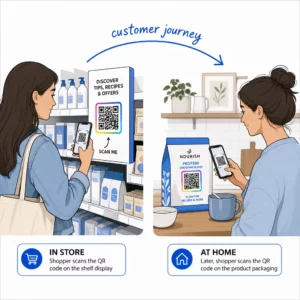
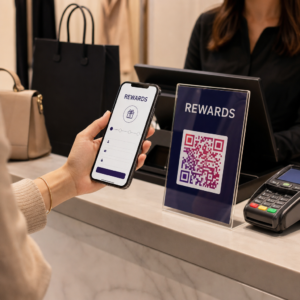
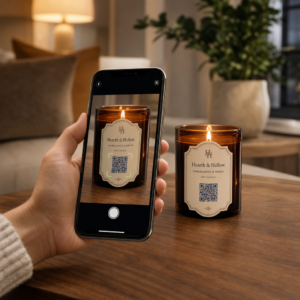
Mitme kliendi QR-koodikampaaniate haldamine on keerulisem, kui paistab – eriti kui vajate järjepidevat jälgimist, selget aruandlust ja paindlikkust materjalide uuendamiseks ilma uuesti printimata. See juhend käsitleb, kuidas turundusagentuurid saavad luua, hallata ja mõõta QR-koodikampaaniaid, mis annavad iga kliendikonto jaoks mõõdetavaid tulemusi.
Miks QR-koodid on turundusagentuuridele olulised
QR-koodid on ammu ületanud uudsuse piiri. 2025. aastal skaneeris QR-koodi 89 miljonit ameeriklast ja see arv peaks 2026. aastal ületama 100 miljonit. Agentuuride jaoks tähendab see kasutuselevõtu määr, et QR-koodid on nüüd elujõuline – ja oodatud – kanal peaaegu igas klienditööstuses.
Mis teeb need agentuuri tasandil eriti väärtuslikuks, on nende kahekordne roll: nad ühendavad trükitud ja füüsilised materjalid jälgitavate digitaalsete kogemustega. Plakat, visiitkaart või tooteetikett muutub mõõdetavaks puutepunktiks hetkel, kui see sisaldab dünaamiline QR-kood.
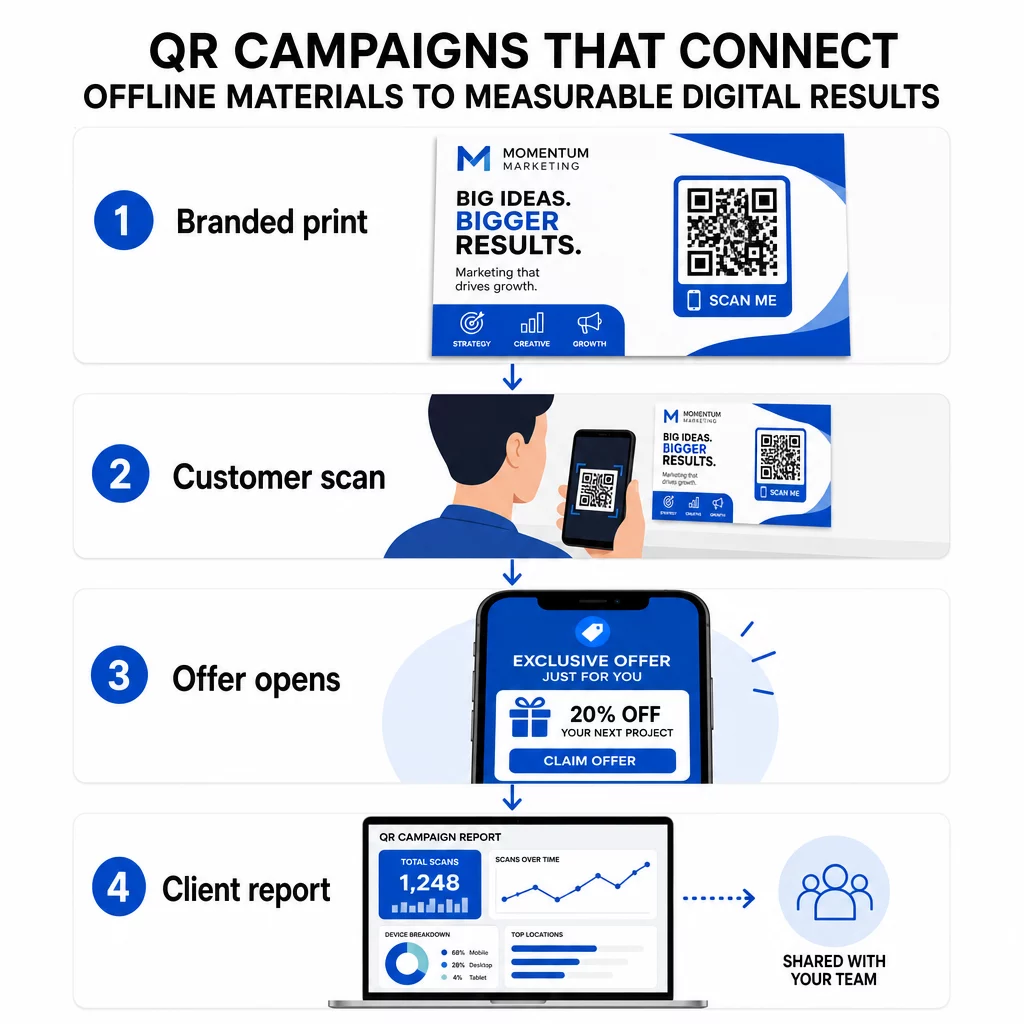
Peamised põhjused, miks agentuurid peaksid QR-koodid oma standardtööriistakomplekti lisama:
- Mõõdetav võrguväline jõudlus – Jälgige, millised füüsilised paigutused toovad kõige rohkem kaasatust skaneerimismahu, asukoha ja kellaaja lõikes
- Paindlik kampaaniahaldus – Uuendage siht-URL-e ilma uuesti printimata, nii et üks kood saab teenindada kogu kampaania elutsüklit
- Kliendile valmis aruandlus – Jagage reaalajas skaneerimisandmeid otse klientidega jagatavate aruannete kaudu, ilma et nad peaksid sisse logima
- Brändi järjepidevus – Kohandatud värvid, logod ja disainimallid hoiavad iga koodi vastavuses iga kliendi visuaalse identiteediga
Hallake iga kliendikampaaniat ühes kohas See Pagelooti agentuuri platvorm pakub turundusmeeskondadele jagatavaid kliendiaruandeid, valge sildiga armatuurlaudu, sisseehitatud UTM-parameetreid ja rollipõhist juurdepääsukontrolli – nii saate QR-koodide haldamist laiendada mis tahes arvule kontodele.
QR-koodi tüübid, mida agentuurid kõige rohkem kasutavad
Erinevad kampaania eesmärgid nõuavad erinevaid QR-koodi formaate. Siin on tüübid, mis kipuvad agentuuri töös kõige rohkem väärtust pakkuma:
Lingi QR-koodid – Suunake liiklust mis tahes URL-ile
Lingi QR-kood saadab kasutajad otse mis tahes veebilehele – maandumislehele, tootelehele, registreerimisvormile või sotsiaalprofiilile. Need on kampaania kasutamiseks kõige mitmekülgsemad tüübid.
Levinud rakendused:
- Trükitud flaierid ja otsepostitused, mis lingivad sooduspakkumistele
- Ürituste kutsed, mis ühenduvad RSVP lehtedega
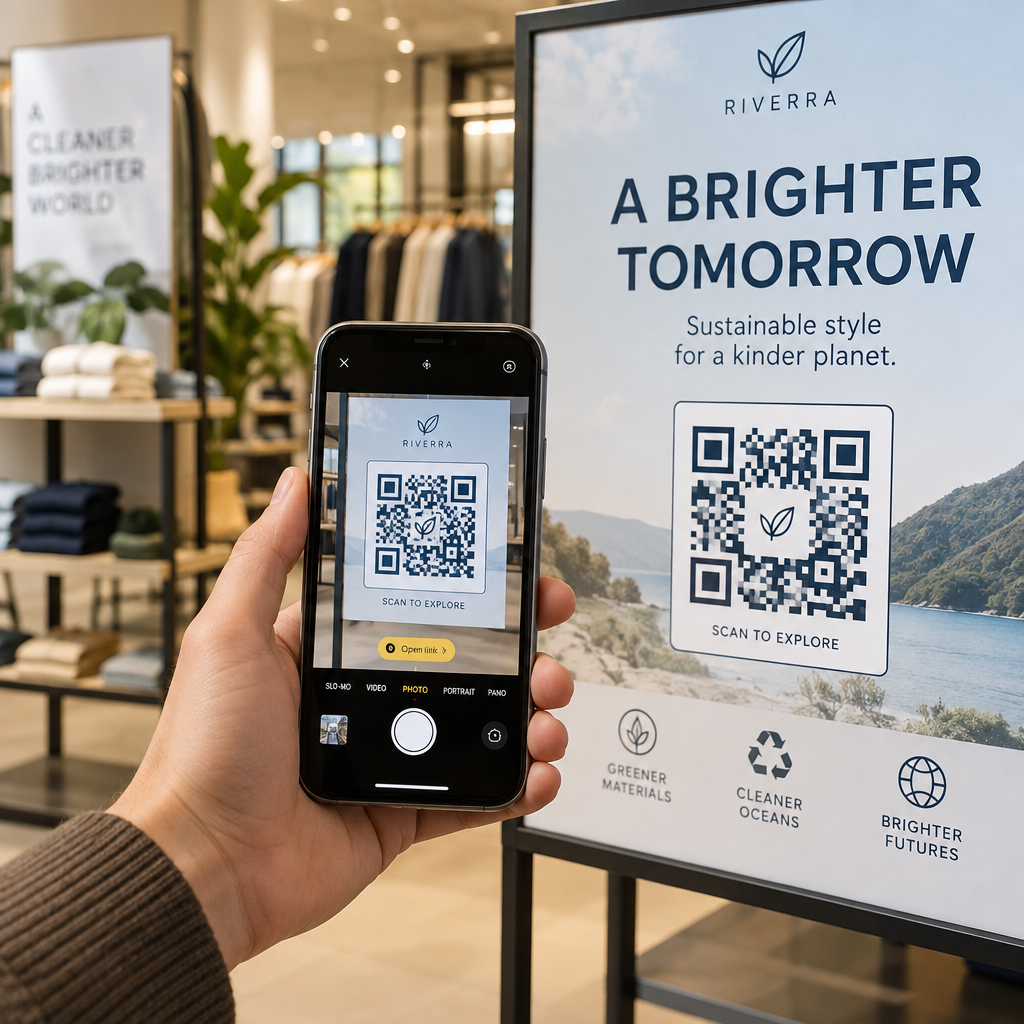
- Välireklaami paigutused, mis suunavad publikut sotsiaalmeedia kanalitele või kampaania mikrosaitidele
PDF QR-koodid – Jagage dokumente neid printimata
Kui kliendi kampaania hõlmab sisutihedaid varasid – juhtumiuuringuid, tootevoldikuid, valgeid raamatuid – võimaldab PDF QR-kood neid puhtalt levitada.
- Lisage üksikasjalik tooteinfo kauplusesisestele siltidele, printimata iga lehte
- Jälgige, kui tihti dokumenti avatakse ja kui kaua
- Uuendage koodi taga olevat faili alati, kui sisu muutub, väljastamata uut koodi
vCard QR-koodid – Lihtsustage võrgustike loomist ja müügivihjete kogumist
Müügimeeskonnad ja juhid messidel ja üritustel saavad kasu digitaalsetest visiitkaartidest. vCard QR-kood jagab skaneerimisel koheselt kontaktandmeid ja seda saab manustada trükitud visiitkaartidesse, e-posti allkirjadesse ja ürituste märkidesse.
Agentuurid saavad neid integreerida CRM-i töövoogudega, nii et iga müügivihje skaneerimine muutub automaatseks sisestuseks, vähendades käsitsi andmesisestust ja järeltegevuse viivitusi.
Pildi QR-koodid – visuaalne sisu ilma lingita
Pildi QR-koodid edastavad visuaalset sisu otse – kasulik portfoolio esitluste, toodete galeriide või infograafikute jaoks, mis ei vaja täielikku sihtlehe kogemust.
E-posti QR-koodid – vähendage uudiskirja tellimise hõõrdumist
E-posti QR-koodi paigutamine füüsilistele materjalidele – pakenditele, plakatitele, ürituste jaotusmaterjalidele – käivitab skaneerimisel eelnevalt kirjutatud e-kirja või uudiskirja registreerimise viipa. See eemaldab käsitsi e-posti aadressi sisestamise takistuse ja töötab eriti hästi otseüritustel.
Rakenduse QR-koodid – suurendage allalaadimismäärasid
Mobiilirakendust reklaamivate klientide jaoks tuvastab nutikas rakenduse QR-kood kasutaja seadme ja suunab nad õigesse rakenduste poodi – App Store iOS-i jaoks, Google Play Androidi jaoks. See üks kood asendab kahte eraldi linki ja vähendab lõppkasutajate segadust.
QR-koodi kampaaniate seadistamine klientidele
See, kuidas te QR-koode struktureerite ja haldate, on sama oluline kui see, millist tüüpi te kasutate. Mitme kliendiga tegelevad agentuurid vajavad süsteemi, mis hoiab kampaaniad organiseerituna, auditeeritavana ja hõlpsasti aruandluseks.
Kasutage dünaamilisi QR-koode iga aktiivse kampaania jaoks
Dünaamilised QR-koodid kodeerige lühike ümbersuunamise URL, mitte lõplik sihtkoht. See tähendab, et saate igal ajal muuta, kuhu kood osutab – isegi pärast materjalide printimist ja levitamist.
Agentuuride jaoks kõrvaldab see ühe kõige kallima probleemi trükireklaamis: vajaduse kõik uuesti trükkida, kui URL muutub, kampaania lõpeb või klient muudab sõnumit kampaania keskel.
Dünaamilised koodid avavad ka analüütika. Iga skaneering logitakse ajatempli, asukoha, seadme tüübi ja operatsioonisüsteemiga – andmed, mis oleksid staatilise koodiga nähtamatud. Saate rohkem teada, mida on võimalik jälgida QR-koodi jälgimise juhendist.
Korraldage koodid kliendi ja kampaania järgi
Kasutage kaustu, et hoida iga kliendi QR-koodid eraldi ja selgelt märgistatuna. Pagelooti kaustasüsteem võimaldab teil rühmitada koode projekti järgi, võrrelda jõudlust kampaaniate vahel ja koheselt tuvastada parimaid paigutusi. Meeskonnaliikmetele saab anda juurdepääsu konkreetsetele kaustadele ja rollipõhised õigused takistavad volitamata muudatusi või kustutamisi.
Rakendage UTM-parameetreid järjepidevalt
UTM-parameetrid on ühendav lüli QR-skannimise andmete ja teie laiemate analüütikavahendite vahel. Märgistades iga siht-URL-i standardiseeritud UTM-väärtustega, saate omistada liikluse mis tahes QR-koodi paigutusest otse õigele kampaaniale, kanalile ja loovmaterjalile Google Analyticsis või oma kliendi CRM-is.
Järgige neid vormindusreegleid andmete puhtana hoidmiseks kõigis kontodes:
- Kasutage ainult väiketähti (nt `utm_source=pageloot`, mitte `Pageloot`)
- Vältige tühikuid – kasutage mitmesõnaliste väärtuste jaoks sidekriipse või alakriipse
- Hoidke definitsioonid järjepidevad: `source` = platvorm või partner, `medium` = kanali tüüp (nt `print`, `email`), `campaign` = konkreetne algatus
- Ärge kunagi rakendage UTM-e sisemistele linkidele, kuna see kirjutab üle algse omandamise allika ja rikub omistamise
Pagelooti agentuuri platvorm sisaldab sisseehitatud UTM-võimalusi, nii et parameetreid saab koodi loomise ajal automaatselt lisada, mitte käsitsi lingi kohta.
Kohandage koode iga kliendi brändi jaoks
Üldised mustvalged QR-koodid sulanduvad iga disaini tausta. A Logoga QR-kood ja brändivärvid paistavad silma, annavad märku usaldusväärsusest ja suurendavad skannimismäärasid.
Bränditud koodide kujundamisel pidage meeles neid tehnilisi nõudeid:
- Hoidke vaikne tsoon vähemalt nelja mooduli ulatuses igast küljest – selles marginaalis ei tohi olla logosid, teksti ega mustreid
- Kasutage suurt kontrasti: tume muster heledal taustal on skannimiseks kõige usaldusväärsem kombinatsioon
- Hoidke logod piisavalt väikesed, et need ei takistaks mustrit ennast
- Eksportige vektorformaatides (SVG, EPS või PDF) printimiseks, et vältida pikseldumist
Looge bränditud QR-koode igale kliendile Kasuta QR-koodi generaator logoga luua täielikult kohandatud koode, mis sobivad iga brändi värvide, fontide ja visuaalse identiteediga – seejärel alla laadida printimiseks valmis formaatides.
Kampaania tulemuslikkuse jälgimine ja aruandlus
Analüütika kiht on koht, kus QR-koodid teenivad oma koha professionaalse agentuuri töövoos. Selle asemel, et hinnata, kas trükikampaania andis tulemusi, saate konkreetseid andmeid.
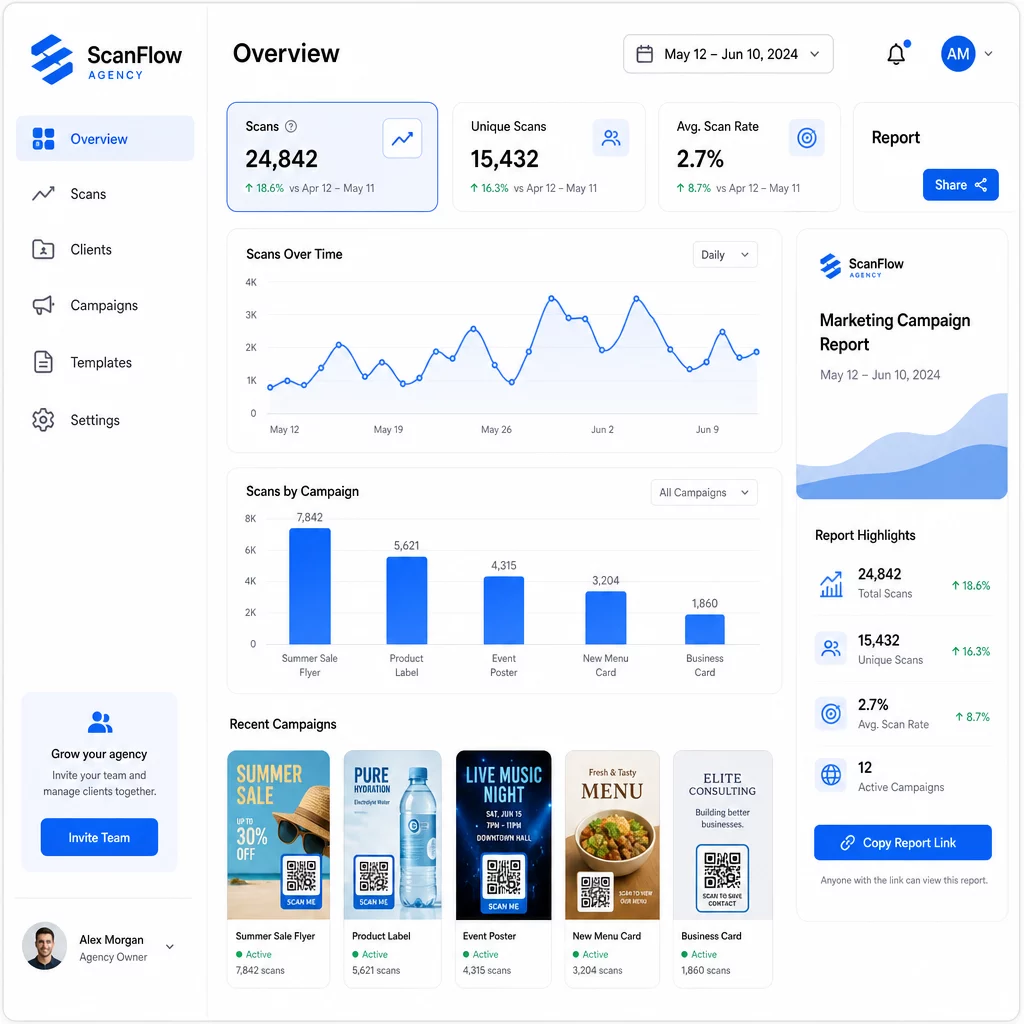
Mida saate jälgida
See QR-koodi analüüsi armatuurlaud jäädvustab:
- Skannimiste koguarv ja unikaalsed skannimised – Eristada üldist kaasatust ja üksikuid kasutajaid
- Skaneerimise ajatemplid – Tuvastada tipptasemel kaasatuse ajad ja nädalapäevade mustrid
- Geograafiline asukoht – Näha, millised turud, piirkonnad või isegi konkreetsed kohad genereerivad kõige rohkem tegevust
- Seadme ja OS-i jaotus – Mõista, kas teie publik on peamiselt iOS või Android, lauaarvuti või mobiil
Need andmed võimaldavad teil tuvastada suure liiklusega paigutusi, suunata eelarvet toimivatele lahendustele ja teha klientidele konkreetseid soovitusi selle kohta, kuhu tulevasi kampaaniaid koondada.
Jagage tulemusi ilma sisselogimist nõudmata
Üks agentuuri kliendihalduse kõige aeganõudvamaid osi on tulemusaruannete koostamine. Pagelooti jagatavad kliendiaruanded annavad klientidele reaalajas statistikalehe – bränditud nende oma logoga – kus nad saavad reaalajas skaneerimisandmeid kontrollida ilma oma kontot vajamata. See säästab iga kuu tunde aruannete ettevalmistamise aega, hoides samal ajal kliente kursis ja kindlana kampaania tulemuslikkuses.
A/B testimine paigutuste ja sihtkohtade
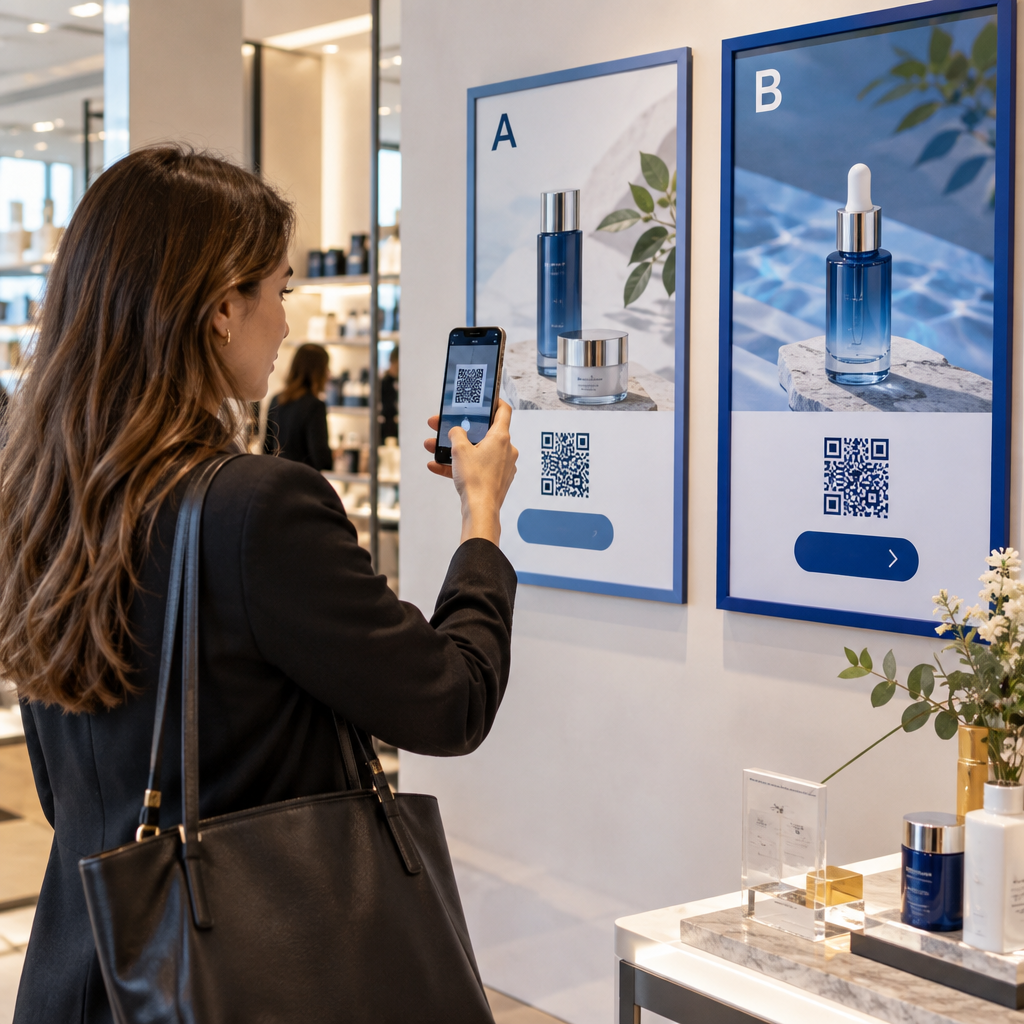
Dünaamilised QR-koodid teevad A/B testimine oluliselt lihtsam. Kuna siht-URL-i saab vahetada uut koodi väljastamata, saate sama füüsilist paigutust kasutada erinevate sihtlehtede, kutsete tegevusele (CTA) või pakkumiste vastu ning võrrelda otse skaneerimisest konversioonini määrasid.
Testige korraga ühte muutujat – sihtlehte, pakkumise keelt või koodi paigutust materjalil – ja kasutage skaneerimisanalüüsi, et määrata, milline versioon annab paremaid tulemusi enne laiendamist.
Paigutage koodid sinna, kus neid tegelikult skaneeritakse
Analüütika aitab ainult siis, kui inimesed skaneerivad. QR-koodi paigutusjuhend käsitleb seda põhjalikult, kuid põhireeglid on:
- Paigutage koodid füüsilises keskkonnas silmade kõrgusele (umbes 1,05 kuni 1,65 meetrit põrandast)
- Lisage iga koodi lähedale selge üleskutse tegevusele – öelge, mida kasutaja skaneerimisel saab
- Hoidke koodid piisavalt suured oodatava vaatamiskauguse jaoks (levinud juhis: minimaalne laius sentimeetrites võrdub skaneerimiskaugusega sentimeetrites jagatud 10-ga)
- Testige iga koodi mitme seadme ja valgustingimusega enne materjalide trükkimist
Privaatsuse ja vastavuse kaalutlused
QR-koodid koguvad andmeid – seadme tüüp, operatsioonisüsteem, brauser, geograafiline asukoht ja käitumine pärast skaneerimist. Agentuuridele, mis töötavad mitme kliendi ja turuga, on oluline mõista regulatiivset konteksti.
Kui mõne kliendi sihtrühma hulka kuuluvad EL-i elanikud, peab kampaania arvestama GDPR-i nõuetega: selgesõnaline nõusolek, selged privaatsusteatised ja andmete minimeerimine. Californias asuvad kampaaniad puudutavad CCPA-d, mis nõuab läbipaistvust ja loobumismehhanisme. Tervishoiukliendid toovad kaasa HIPAA nõuded, mis laienevad igale patsiendiga seotud andmeid käsitlevale platvormile.
See QR-koodi privaatsusregulatsioonide juhend käsitleb peamisi raamistikke üksikasjalikult. Dünaamilised QR-koodid on vastavuse tagamisel eriti kasulikud, kuna saate värskendada privaatsuspoliitikaid, tingimusi või andmekogumise avaldusi ilma uut koodi väljastamata või materjale uuesti trükkimata.
Korduma kippuvad küsimused
Staatilised QR-koodid kodeerivad fikseeritud sihtkoha ja neid ei saa pärast loomist muuta – samuti ei paku need analüütikat. Dünaamilised QR-koodid viitavad ümbersuunamise URL-ile, mida saab igal ajal uuendada, ja nad logivad skannimisandmeid, sealhulgas ajatempel, asukoht ja seadme tüüp. Aktiivsete kliendikampaaniate jaoks on dünaamilised QR-koodid standardvalik, sest need pakuvad paindlikkust ja mõõdetavat jõudlust.
Kasutage QR-koodi haldusplatvormi, mis toetab kaustapõhist korraldust, reaalajas analüüsi ja jagatavaid kliendiaruandeid. Määrates igale kliendile oma kausta ja rakendades siht-URL-idele ühtseid UTM-parameetreid, saate koguda puhtaid, omistatavaid andmeid iga konto kohta, segamata kampaania mõõdikuid.
Jah. Iga QR-koodi skaneerimine võib koguda andmeid, nagu seadme teave, asukoht ja sirvimiskäitumine. Sõltuvalt sihtrühma geograafiast võivad kampaaniad vajada vastavust GDPR-ile (EL), CCPA-le (California) või HIPAA-le (tervishoid). Dünaamiliste QR-koodide kasutamine aitab, sest sihtlehti ja privaatsusteatisi saab värskendada materjale uuesti trükkimata. Enne käivitamist konsulteerige iga kliendi turu asjakohaste regulatsioonidega.