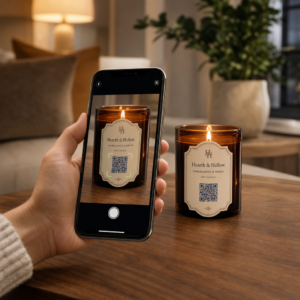
QR-koodikampanjoiden hallinta useille asiakkaille on vaikeampaa kuin miltä se näyttää – erityisesti kun tarvitset johdonmukaista seurantaa, selkeää raportointia ja joustavuutta materiaalien päivittämiseen ilman uudelleenpainatusta. Tämä opas käsittelee, miten markkinointitoimistot voivat luoda, hallita ja mitata QR-koodikampanjoita, jotka tuottavat mitattavia tuloksia jokaiselle asiakastilille.
Miksi QR-koodit ovat tärkeitä markkinointitoimistoille
QR-koodit ovat siirtyneet kauas uutuuden vaiheesta. Vuonna 2025 89 miljoonaa amerikkalaista skannasi QR-koodin, ja tämän luvun ennustetaan ylittävän 100 miljoonaa vuonna 2026. Toimistoille tämä käyttöaste tarkoittaa, että QR-koodit ovat nyt käyttökelpoinen – ja odotettu – kanava lähes kaikilla asiakastoimialoilla.
Mikä tekee niistä erityisen arvokkaita toimistotasolla, on niiden kaksoisrooli: ne yhdistävät painetut ja fyysiset materiaalit seurattaviin digitaalisiin kokemuksiin. Juliste, käyntikortti tai tuotetarra muuttuu mitattavaksi kosketuspisteeksi heti, kun se sisältää dynaaminen QR-koodi.
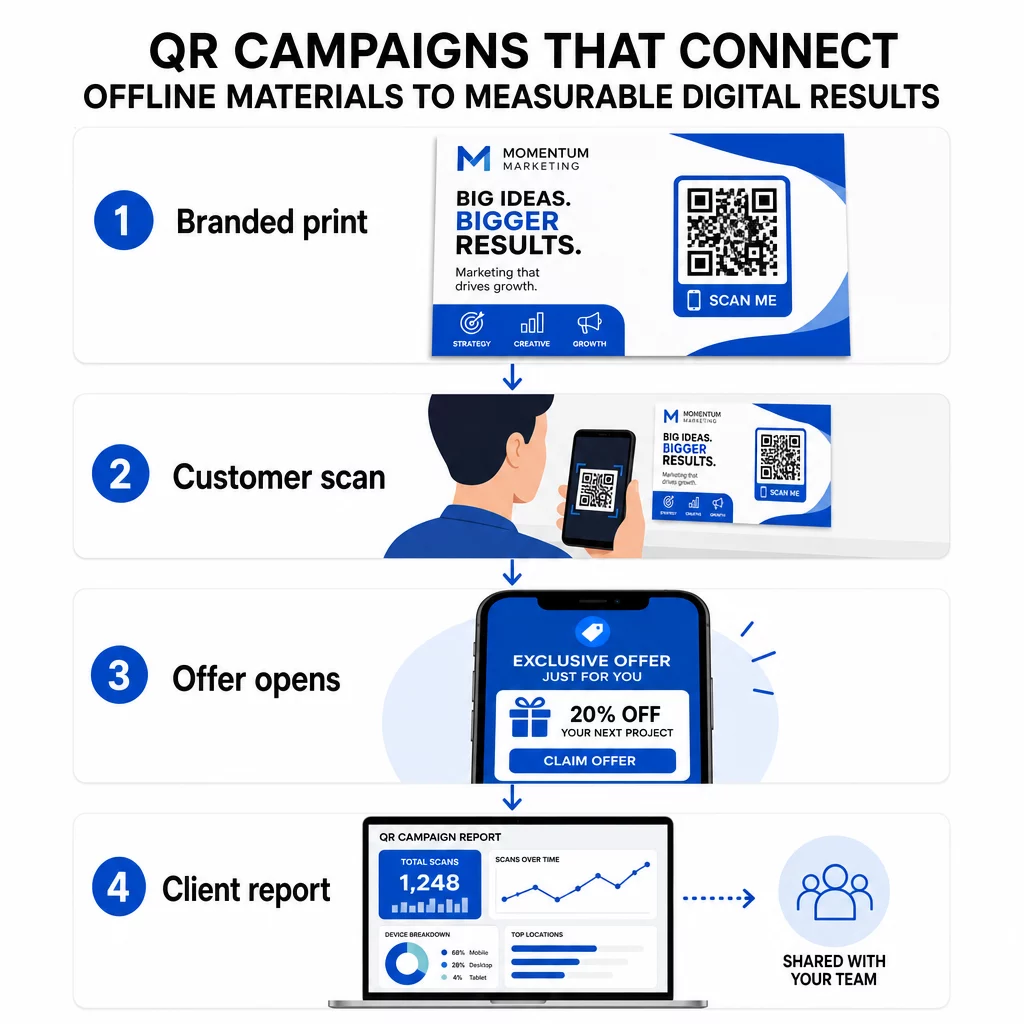
Tärkeimmät syyt, miksi toimistojen tulisi sisällyttää QR-koodit vakiotyökalupakkiinsa:
- Mitattava offline-suorituskyky – Seuraa, mitkä fyysiset sijoittelut tuottavat eniten sitoutumista skannausten määrän, sijainnin ja kellonajan mukaan
- Joustava kampanjanhallinta – Päivitä kohde-URL-osoitteet ilman uudelleenpainatusta, jotta yksi koodi voi palvella koko kampanjan elinkaaren ajan
- Asiakasvalmis raportointi – Jaa reaaliaikaiset skannaustiedot suoraan asiakkaille jaettavien raporttien kautta ilman, että heidän tarvitsee kirjautua sisään
- Brändin yhdenmukaisuus – Mukautetut värit, logot ja suunnittelumallit pitävät jokaisen koodin yhdenmukaisena kunkin asiakkaan visuaalisen identiteetin kanssa
Hallitse jokaista asiakaskampanjaa yhdessä paikassa Se Pageloot Agency -alusta tarjoaa markkinointitiimeille jaettavia asiakasraportteja, white-label-hallintapaneeleja, sisäänrakennettuja UTM-parametreja ja roolipohjaisen pääsynhallinnan – jotta voit skaalata QR-koodien hallintaa minkä tahansa määrän tilejä varten.
QR-koodityypit, joita toimistot käyttävät eniten
Erilaiset kampanjatavoitteet vaativat erilaisia QR-koodimuotoja. Tässä ovat tyypit, jotka yleensä tuottavat eniten arvoa toimistotyössä:
Linkki-QR-koodit – Ohjaa liikennettä mihin tahansa URL-osoitteeseen
Linkki-QR-koodi lähettää käyttäjät suoraan mille tahansa verkkosivulle – laskeutumissivulle, tuotesivulle, rekisteröitymislomakkeelle tai sosiaaliseen profiiliin. Nämä ovat monipuolisin tyyppi kampanjakäyttöön.
Yleisiä sovelluksia:
- Painetut esitteet ja suoramainonta, jotka linkittävät tarjouskampanjoihin
- Tapahtumakutsut, jotka yhdistävät RSVP-sivuille
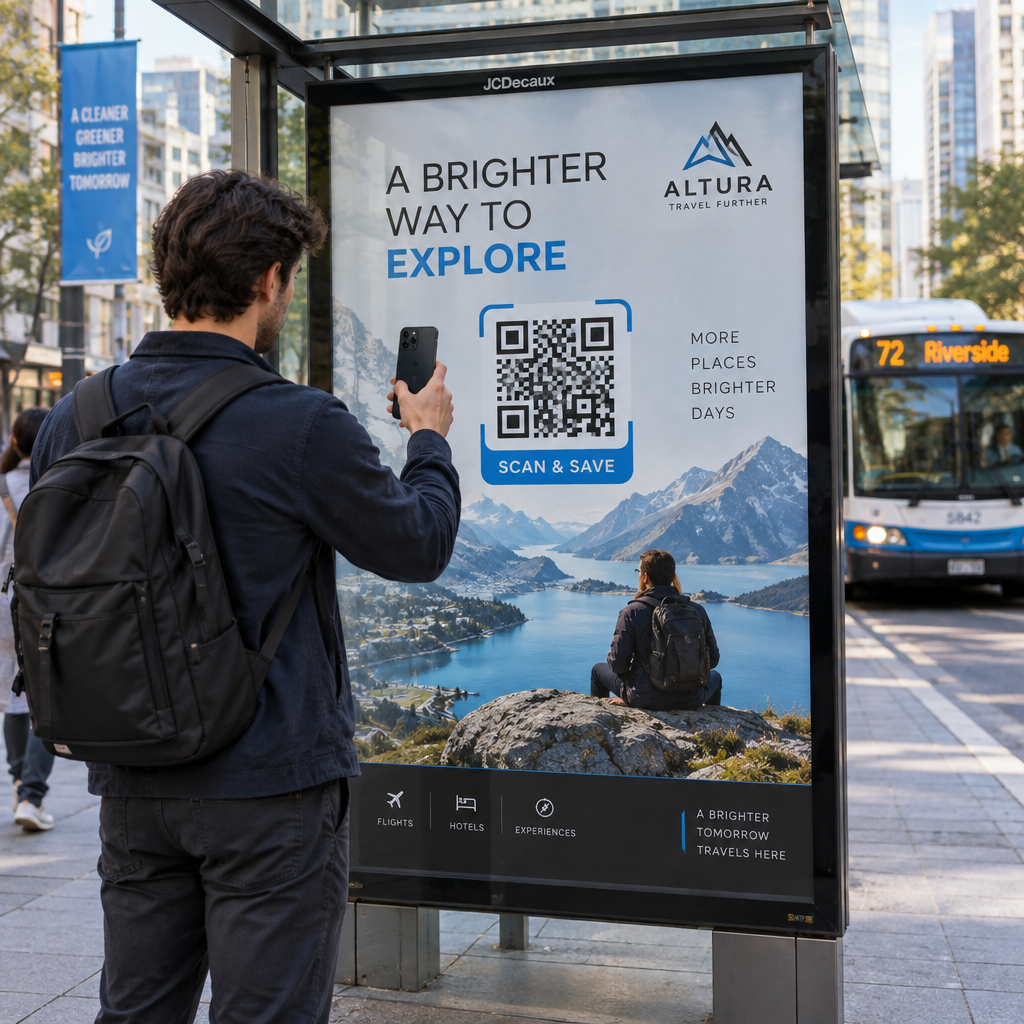
- Ulkomainospaikat, jotka ohjaavat yleisöä sosiaalisiin kanaviin tai kampanjoiden mikrosivustoille
PDF-QR-koodit – Jaa asiakirjoja tulostamatta niitä
Kun asiakkaan kampanja sisältää paljon sisältöä sisältäviä materiaaleja – tapaustutkimuksia, tuote-esitteitä, whitepapereita – PDF-QR-koodin avulla voit jakaa ne siististi.
- Liitä yksityiskohtaiset tuotetiedot myymäläopasteisiin tulostamatta jokaista sivua
- Seuraa, kuinka usein ja kuinka kauan asiakirjaa käytetään
- Päivitä koodin takana oleva tiedosto aina, kun sisältö muuttuu, ilman uuden koodin luomista
vCard-QR-koodit – Yksinkertaista verkostoitumista ja liidien keräämistä
Myyntitiimit ja johtajat messuilla ja tapahtumissa hyötyvät digitaalisista käyntikorteista. vCard-QR-koodi jakaa yhteystiedot välittömästi skannattaessa, ja sen voi upottaa painettuihin käyntikortteihin, sähköpostin allekirjoituksiin ja tapahtumapasseihin.
Toimistot voivat integroida nämä CRM-työnkulkuihin, jolloin jokaisesta liidin skannauksesta tulee automaattinen merkintä, mikä vähentää manuaalista tiedonsyöttöä ja seurantaviiveitä.
Kuva-QR-koodit – Visuaalista sisältöä ilman linkkiä
Kuva-QR-koodit toimittavat visuaalista sisältöä suoraan – hyödyllisiä portfoliosivustoille, tuotegallerioille tai infografiikoille, jotka eivät vaadi täyttä laskeutumissivukokemusta.
Sähköposti-QR-koodit – Vähennä uutiskirjeen tilaamisen kitkaa
Sähköposti-QR-koodin sijoittaminen fyysisiin materiaaleihin – pakkauksiin, julisteisiin, tapahtumien jakomateriaaleihin – käynnistää esikirjoitetun sähköpostin tai uutiskirjeen tilauskehotteen skannattaessa. Tämä poistaa esteen sähköpostiosoitteen manuaaliselta syöttämiseltä ja toimii erityisen hyvin live-tapahtumissa.
Sovellus-QR-koodit – Lisää latausmääriä
Asiakkaiden, jotka mainostavat mobiilisovellusta, älykäs sovellus-QR-koodi tunnistaa käyttäjän laitteen ja ohjaa heidät oikeaan sovelluskauppaan – App Storeen iOS:lle, Google Playhin Androidille. Tämä yksi koodi korvaa kaksi erillistä linkkiä ja vähentää loppukäyttäjien hämmennystä.
QR-koodikampanjoiden perustaminen asiakkaille
Se, miten QR-koodit rakennetaan ja hallitaan, on yhtä tärkeää kuin se, minkä tyyppistä koodia käytetään. Useita asiakkaita hoitavat toimistot tarvitsevat järjestelmän, joka pitää kampanjat järjestettyinä, auditoitavina ja helposti raportoitavina.
Käytä dynaamisia QR-koodeja jokaisessa aktiivisessa kampanjassa
Dynaamiset QR-koodit koodaa lyhyt uudelleenohjaus-URL lopullisen kohteen sijaan. Tämä tarkoittaa, että voit muuttaa, mihin koodi osoittaa milloin tahansa – jopa sen jälkeen, kun materiaalit on painettu ja jaettu.
Toimistoille tämä poistaa yhden painetun markkinoinnin kalleimmista ongelmista: tarpeen painaa kaikki uudelleen, kun URL-osoite muuttuu, kampanja päättyy tai asiakas muuttaa viestintää kesken kampanjan.
Dynaamiset koodit avaavat myös analytiikan. Jokainen skannaus kirjataan aikaleiman, sijainnin, laitetyypin ja käyttöjärjestelmän kanssa – tietoja, jotka olisivat näkymättömiä staattisella koodilla. Voit oppia lisää siitä, mitä voidaan seurata QR-koodin seurantaoppaasta.
Järjestä koodit asiakkaan ja kampanjan mukaan
Käytä kansioita pitääksesi kunkin asiakkaan QR-koodit erillään ja selkeästi merkittyinä. Pagelootin kansiojärjestelmän avulla voit ryhmitellä koodeja projektin mukaan, vertailla suorituskykyä kampanjoiden välillä ja tunnistaa välittömästi parhaiten menestyvät sijoittelut. Tiimin jäsenille voidaan myöntää pääsy tiettyihin kansioihin, ja roolipohjaiset käyttöoikeudet estävät luvattomat muokkaukset tai poistot.
Käytä UTM-parametreja johdonmukaisesti
UTM-parametrit ovat yhdistävä kudos QR-skannaustietojen ja laajemman analytiikkapinon välillä. Merkitsemällä jokaisen kohde-URL-osoitteen standardoiduilla UTM-arvoilla voit kohdistaa liikenteen mistä tahansa QR-koodin sijoittelusta suoraan oikeaan kampanjaan, kanavaan ja luovaan sisältöön Google Analyticsissa tai asiakkaasi CRM:ssä.
Noudata näitä muotoilukäytäntöjä pitääksesi tiedot puhtaina eri tileillä:
- Käytä pelkästään pieniä kirjaimia (esim. `utm_source=pageloot` eikä `Pageloot`)
- Vältä välilyöntejä – käytä yhdysviivoja tai alaviivoja monisanaisten arvojen kohdalla
- Ylläpidä johdonmukaisia määritelmiä: `source` = alusta tai kumppani, `medium` = kanavatyyppi (esim. `print`, `email`), `campaign` = tietty aloite
- Älä koskaan käytä UTM-parametreja sisäisiin linkkeihin, sillä tämä korvaa alkuperäisen hankintalähteen ja vääristää attribuutiota
Pagelootin toimistoalusta sisältää sisäänrakennetut UTM-ominaisuudet, jotta parametrit voidaan liittää automaattisesti koodin luomisen yhteydessä sen sijaan, että ne lisättäisiin manuaalisesti linkki kerrallaan.
Mukauta koodeja jokaisen asiakkaan brändille
Yleiset mustavalkoiset QR-koodit sulautuvat minkä tahansa suunnittelun taustaan. A QR-koodi logolla ja brändivärit erottuu, viestii luotettavuudesta ja lisää skannausmääriä.
Brändättyjä koodeja suunnitellessasi pidä nämä tekniset vaatimukset mielessä:
- Säilytä vähintään neljän moduulin hiljainen vyöhyke kaikilla sivuilla – ei logoja, tekstiä tai kuvioita tällä reunuksella
- Käytä suurta kontrastia: tumma kuvio vaalealla taustalla on luotettavin yhdistelmä skannausta varten
- Pidä logot riittävän pieninä, etteivät ne peitä itse kuviota
- Vie vektorimuodoissa (SVG, EPS tai PDF) tulostusta varten pikselöitymisen välttämiseksi
Rakenna brändättyjä QR-koodeja jokaiselle asiakkaalle Käytä QR-koodi generaattori logolla luoda täysin räätälöityjä koodeja, jotka vastaavat minkä tahansa brändin värejä, fontteja ja visuaalista identiteettiä – ja ladata ne sitten tulostusvalmiissa muodoissa.
Kampanjan suorituskyvyn seuranta ja raportointi
Analytiikkakerros on se, missä QR-koodit ansaitsevat paikkansa ammattimaisessa mainostoimiston työnkulussa. Sen sijaan, että arvioisit, tuottiko printtikampanja tuloksia, saat konkreettista dataa.
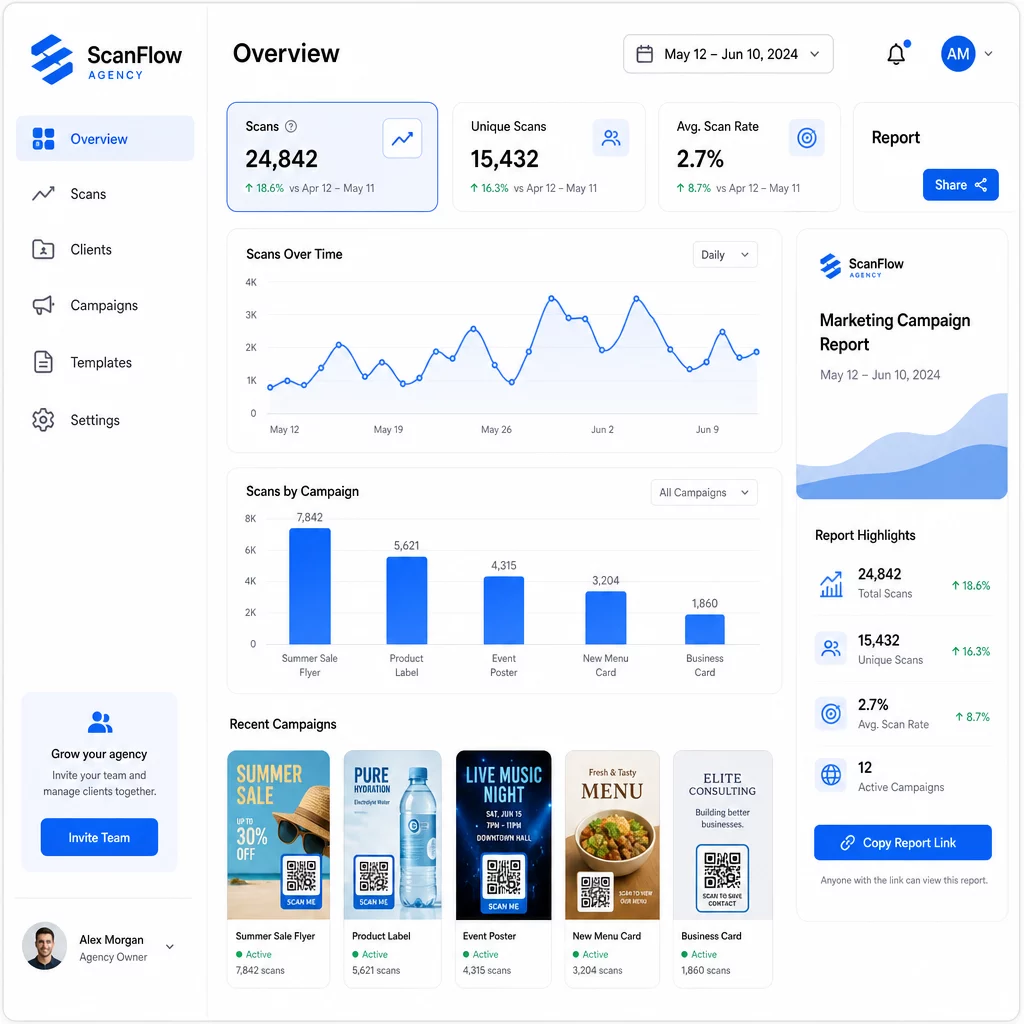
Mitä voit seurata
Se QR-koodianalytiikan hallintapaneeli tallentaa:
- Skannausten kokonaismäärä ja yksilölliset skannaukset – Erottele yleinen sitoutuminen ja yksittäiset käyttäjät
- Skannausajankohdat – Tunnista sitoutumisen huippuajat ja viikonpäiväkohtaiset mallit
- Maantieteellinen sijainti – Näe, mitkä markkinat, alueet tai jopa tietyt paikat tuottavat eniten toimintaa
- Laitteen ja käyttöjärjestelmän erittely – Ymmärrä, onko yleisösi pääasiassa iOS- vai Android-käyttäjiä, pöytäkone- vai mobiilikäyttäjiä
Tämän datan avulla voit tunnistaa vilkkaimmat sijoittelut, siirtää budjettia toimivien ratkaisujen suuntaan ja antaa asiakkaille konkreettisia suosituksia siitä, mihin tulevat kampanjat kannattaa keskittää.
Jaa tulokset ilman kirjautumista
Yksi aikaa vievimmistä osista mainostoimiston asiakashallinnassa on suorituskykyraporttien valmistelu. Pagelootin jaettavat asiakasraportit tarjoavat asiakkaille reaaliaikaisen tilastosivun – brändättynä heidän omalla logollaan – jossa he voivat tarkistaa skannaustiedot reaaliaikaisesti ilman omaa tiliä. Tämä säästää tunteja raporttien valmistelua joka kuukausi pitäen samalla asiakkaat ajan tasalla ja luottavaisina kampanjan suorituskykyyn.
A/B-testaa sijoitteluja ja kohteita
Dynaamiset QR-koodit tekevät A/B-testaus huomattavasti helpompaa. Koska kohde-URL-osoitetta voidaan vaihtaa ilman uuden koodin luomista, voit käyttää samaa fyysistä sijoittelua eri laskeutumissivuja, toimintakehotuksia (CTA) tai tarjouksia vastaan ja verrata suoraan skannaus-konversio-suhteita.
Testaa yhtä muuttujaa kerrallaan – kohdesivua, tarjouksen kieltä tai koodin sijoittelua materiaalissa – ja käytä skannausanalytiikkaa määrittääksesi, mikä versio tuottaa parempia tuloksia ennen skaalausta.
Sijoita koodit paikkoihin, joissa ne todella skannataan
Analytiikasta on apua vain, jos ihmiset skannaavat. QR-koodin sijoitteluopas käsittelee tätä syvällisesti, mutta perussäännöt ovat:
- Sijoita koodit silmien tasolle (noin 107–168 cm lattiasta) fyysisissä ympäristöissä
- Sisällytä selkeä toimintakehotus jokaisen koodin lähelle – kerro, mitä käyttäjä saa skannatessaan
- Pidä koodit riittävän suurina odotettua katseluetäisyyttä varten (yleinen ohje: vähimmäisleveys senttimetreinä on skannausetäisyys senttimetreinä jaettuna kymmenellä)
- Testaa jokainen koodi useilla laitteilla ja valaistusolosuhteissa ennen materiaalien painamista
Tietosuoja- ja vaatimustenmukaisuusnäkökohdat
QR-koodit keräävät tietoja – laitteen tyyppi, käyttöjärjestelmä, selain, maantieteellinen sijainti ja käyttäytyminen skannauksen jälkeen. Useiden asiakkaiden ja markkinoiden kanssa työskenteleville toimistoille sääntely-ympäristön ymmärtäminen on tärkeää.
Jos jonkin asiakkaan yleisöön kuuluu EU:n asukkaita, kampanjan on otettava huomioon GDPR-vaatimukset: nimenomainen suostumus, selkeät tietosuojailmoitukset ja tietojen minimointi. Kaliforniassa sijaitsevat kampanjat koskettavat CCPA:ta, joka edellyttää läpinäkyvyyttä ja kieltäytymismekanismeja. Terveydenhuollon asiakkaat tuovat mukanaan HIPAA-vaatimukset, jotka ulottuvat kaikkiin potilastietoihin liittyviä tietoja käsitteleviin alustoihin.
Se QR-koodien tietosuoja-asetusten opas käsittelee tärkeimpiä viitekehyksiä yksityiskohtaisesti. Dynaamiset QR-koodit ovat erityisen hyödyllisiä vaatimustenmukaisuuden kannalta, koska voit päivittää tietosuojakäytäntöjä, ehtoja tai tiedonkeruun ilmoituksia ilman uuden koodin luomista tai materiaalien uudelleenpainamista.
Usein kysytyt kysymykset
Staattiset QR-koodit koodaavat kiinteän kohteen, eikä niitä voi muuttaa luomisen jälkeen – ne eivät myöskään tarjoa analytiikkaa. Dynaamiset QR-koodit osoittavat uudelleenohjaus-URL-osoitteeseen, jota voidaan päivittää milloin tahansa, ja ne kirjaavat skannaustietoja, mukaan lukien aikaleima, sijainti ja laitetyyppi. Aktiivisten asiakaskampanjoiden osalta dynaamiset QR-koodit ovat vakiovalinta, koska ne tarjoavat joustavuutta ja mitattavaa suorituskykyä.
Käytä QR-koodien hallinta-alustaa, joka tukee kansiopohjaista organisointia, reaaliaikaista analytiikkaa ja jaettavia asiakasraportteja. Määrittämällä jokaiselle asiakkaalle oman kansion ja soveltamalla johdonmukaisia UTM-parametreja kohde-URL-osoitteisiin voit hakea puhdasta, kohdennettavissa olevaa dataa jokaiselle tilille sekoittamatta kampanjamittareita.
Kyllä. Jokainen QR-koodin skannaus voi kerätä tietoja, kuten laitetietoja, sijainnin ja selauskäyttäytymisen. Yleisön maantieteellisestä sijainnista riippuen kampanjoiden on ehkä noudatettava GDPR:ää (EU), CCPA:ta (Kalifornia) tai HIPAA:ta (terveydenhuolto). Dynaamisten QR-koodien käyttö auttaa, koska kohdesivuja ja tietosuojailmoituksia voidaan päivittää ilman materiaalien uudelleenpainamista. Tutustu kunkin asiakkaan markkinoiden asiaankuuluviin säännöksiin ennen julkaisua.