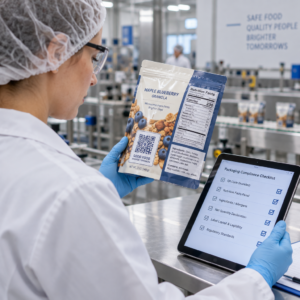
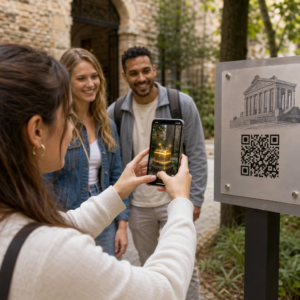
QR kodu kampaņu pārvaldīšana vairākiem klientiem ir grūtāka, nekā šķiet – īpaši, ja nepieciešama konsekventa izsekošana, skaidra atskaite un elastība materiālu atjaunināšanai bez atkārtotas drukāšanas. Šajā rokasgrāmatā aprakstīts, kā mārketinga aģentūras var izveidot, pārvaldīt un novērtēt QR kodu kampaņas, kas nodrošina izmērāmus rezultātus katram klienta kontam.
Kāpēc QR kodi ir svarīgi mārketinga aģentūrām
QR kodi ir krietni pārsnieguši jaunuma statusu. 2025. gadā 89 miljoni amerikāņu skenēja QR kodu, un prognozēts, ka 2026. gadā šis skaitlis pārsniegs 100 miljonus. Aģentūrām šis pieņemšanas līmenis nozīmē, ka QR kodi tagad ir dzīvotspējīgs – un sagaidāms – kanāls gandrīz katrā klienta nozarē.
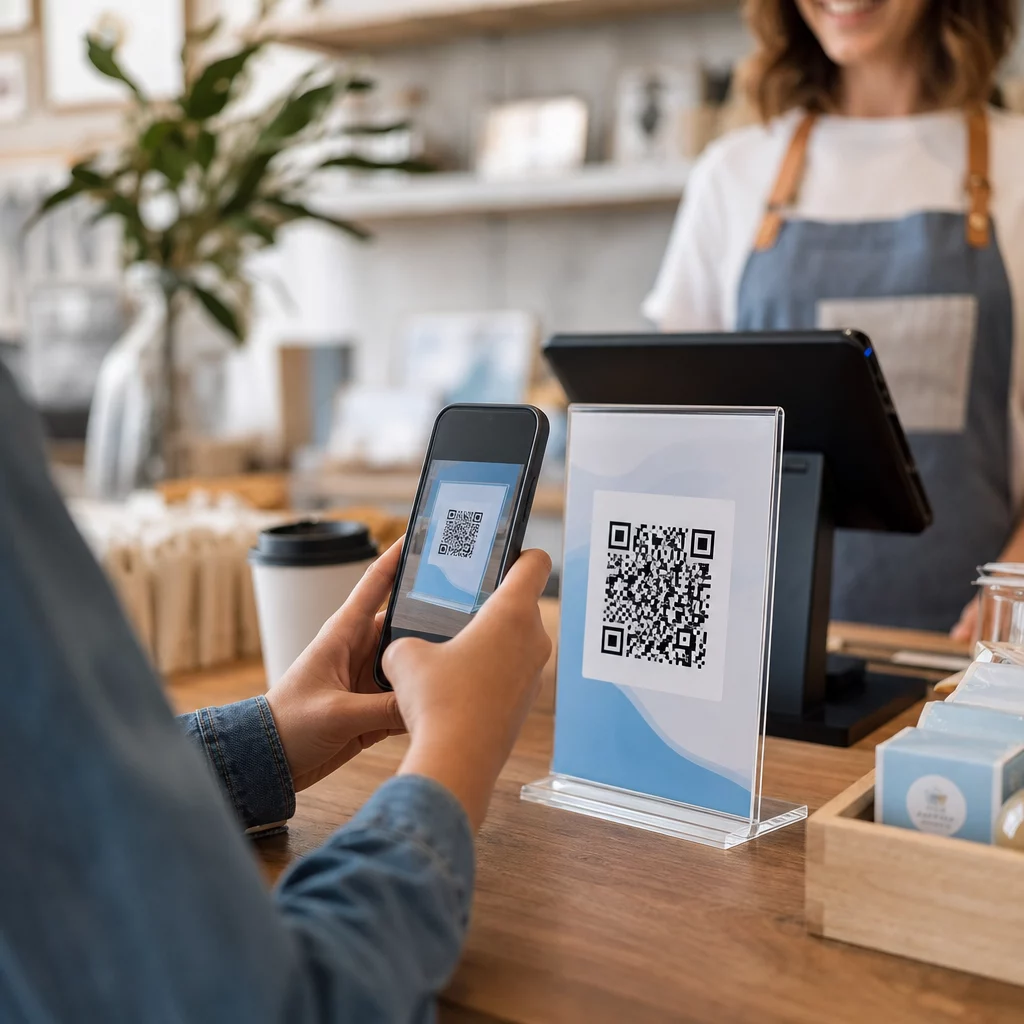
Kas tos padara īpaši vērtīgus aģentūras līmenī, ir to dubultā loma: tie savieno drukātus un fiziskus materiālus ar izsekojamām digitālām pieredzēm. Plakāts, vizītkarte vai produkta etiķete kļūst par izmērāmu saskares punktu brīdī, kad tajā ir dinamiskais QR kods.
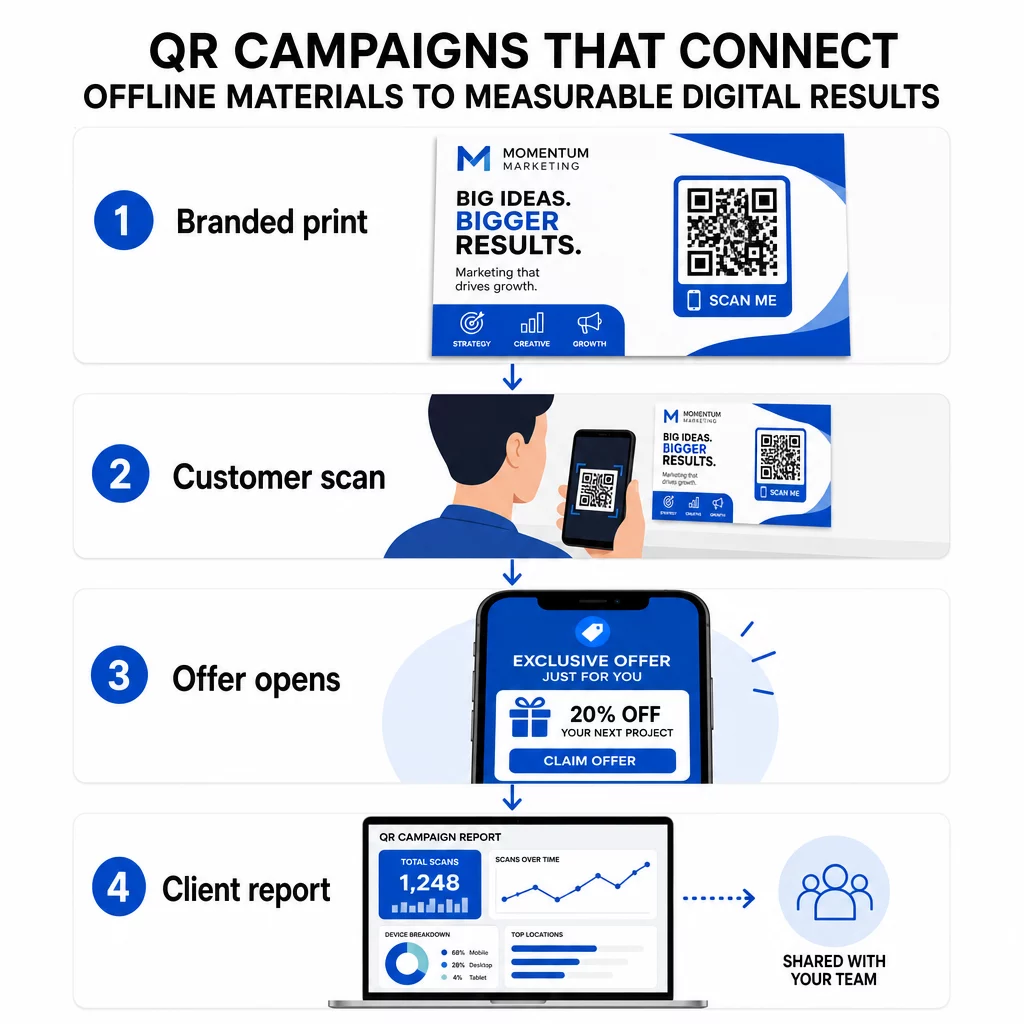
Galvenie iemesli, kāpēc aģentūrām vajadzētu iekļaut QR kodus savā standarta rīku komplektā:
- Izmērāma bezsaistes veiktspēja – Izsekojiet, kuri fiziskie izvietojumi nodrošina vislielāko iesaisti pēc skenēšanas apjoma, atrašanās vietas un diennakts laika
- Elastīga kampaņu pārvaldība – Atjauniniet galamērķa URL bez atkārtotas drukāšanas, lai viens kods varētu kalpot visam kampaņas dzīves ciklam
- Klientiem gatavas atskaites – Kopīgojiet tiešraides skenēšanas datus tieši ar klientiem, izmantojot koplietojamas atskaites, neprasot viņiem pieteikties
- Zīmola konsekvence – Pielāgotas krāsas, logotipi un dizaina veidnes nodrošina katra koda saskaņošanu ar katra klienta vizuālo identitāti
Pārvaldiet katru klienta kampaņu vienuviet Portāls Pageloot aģentūras platforma nodrošina mārketinga komandām koplietojamas klientu atskaites, baltās etiķetes informācijas paneļus, iebūvētus UTM parametrus un uz lomām balstītu piekļuves kontroli – lai jūs varētu mērogot QR kodu pārvaldību jebkuram kontu skaitam.
QR kodu veidi, ko aģentūras izmanto visbiežāk
Dažādi kampaņas mērķi prasa dažādus QR kodu formātus. Šeit ir veidi, kas parasti sniedz vislielāko vērtību aģentūras darbā:
Saites QR kodi – Novirziet datplūsmu uz jebkuru URL
Saites QR kods nosūta lietotājus tieši uz jebkuru tīmekļa lapu – galveno lapu, produktu lapu, reģistrācijas veidlapu vai sociālo profilu. Tie ir visdaudzpusīgākais veids kampaņu izmantošanai.
Biežākās pielietojuma jomas:
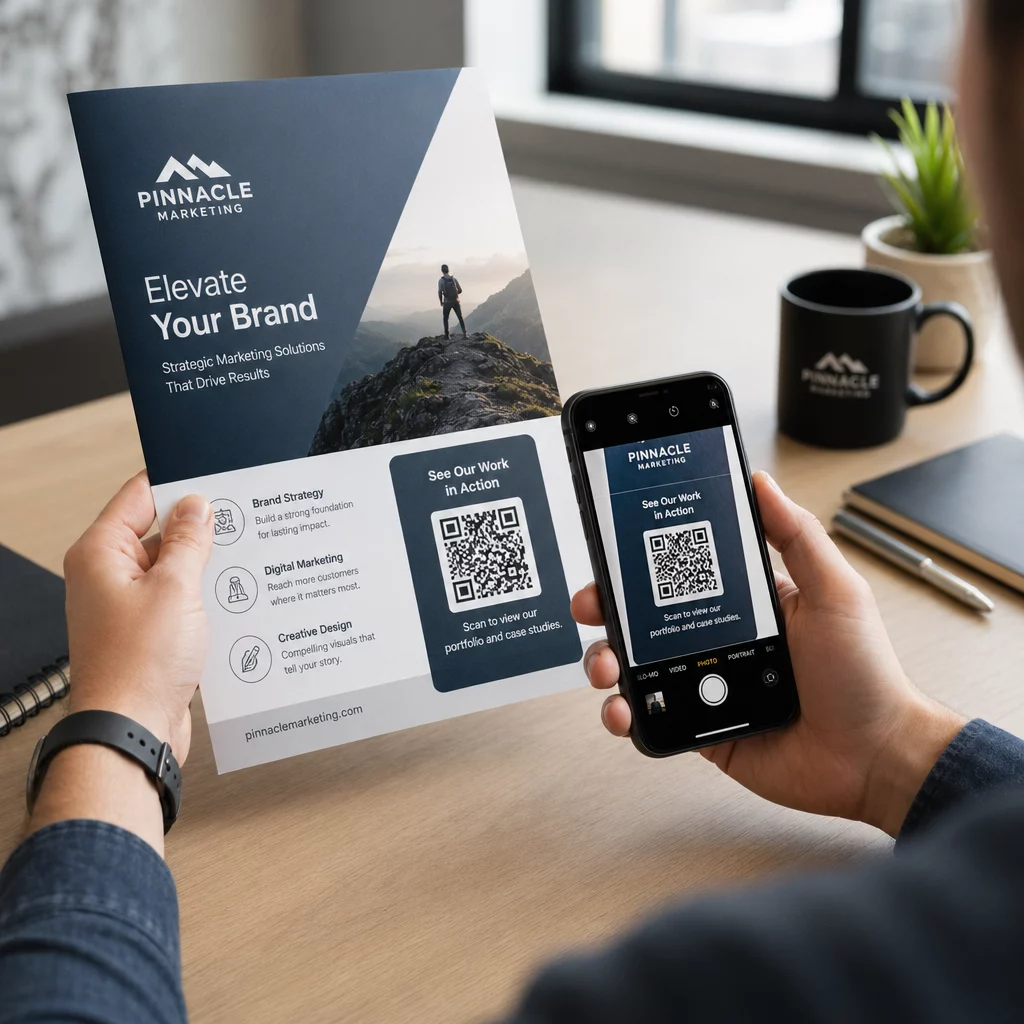
- Drukātas skrejlapas un tiešais pasts, kas ved uz reklāmas piedāvājumiem
- Pasākumu ielūgumi, kas savienojas ar RSVP lapām
- Ārpusmājas izvietojumi, kas novirza auditoriju uz sociālajiem kanāliem vai kampaņu mikrovietnēm
PDF QR kodi – Kopīgojiet dokumentus, tos neizdrukājot
Kad klienta kampaņa ietver satura bagātus materiālus – gadījumu izpētes, produktu brošūras, baltās grāmatas – PDF QR kods ļauj tos tīri izplatīt.
- Pievienojiet detalizētu informāciju par produktu veikala izkārtnēm, neizdrukājot katru lapu
- Izsekojiet, cik bieži dokuments tiek piekļūts un cik ilgi
- Atjauniniet failu aiz koda ikreiz, kad saturs mainās, neizsniedzot jaunu kodu
vCard QR kodi – Vienkāršojiet tīklošanu un potenciālo klientu piesaisti
Pārdošanas komandas un vadītāji izstādēs un pasākumos gūst labumu no digitālajām vizītkartēm. vCard QR kods nekavējoties kopīgo kontaktinformāciju pēc skenēšanas, un to var iegult drukātās vizītkartēs, e-pasta parakstos un pasākumu nozīmītēs.
Aģentūras var tos integrēt ar CRM darbplūsmām, lai katra potenciālā klienta skenēšana kļūtu par automātisku ierakstu, samazinot manuālu datu ievadi un sekojošās darbības kavēšanos.
Attēlu QR kodi – Vizuāls saturs bez saites
Attēlu QR kodi piegādā vizuālo saturu tieši – noderīgi portfelim, produktu galerijām vai infografikām, kurām nav nepieciešama pilna galvenās lapas pieredze.
E-pasta QR kodi – Samaziniet biļetena abonēšanas berzi
E-pasta QR koda novietošana uz fiziskiem materiāliem – iepakojuma, plakātiem, pasākumu izdales materiāliem – aktivizē iepriekš sagatavotu e-pastu vai biļetena reģistrācijas uzvedni, kad tas tiek skenēts. Tas novērš manuālas e-pasta adreses ievadīšanas šķērsli un īpaši labi darbojas tiešraides pasākumos.
Lietotņu QR kodi – Palieliniet lejupielādes ātrumu
Klientiem, kas reklamē mobilo lietotni, viedais lietotnes QR kods nosaka lietotāja ierīci un novirza viņu uz pareizo lietotņu veikalu – App Store iOS ierīcēm, Google Play Android ierīcēm. Šis viens kods aizstāj divas atsevišķas saites un samazina neskaidrības gala lietotājiem.
QR kodu kampaņu iestatīšana klientiem
Tas, kā jūs strukturējat un pārvaldāt QR kodus, ir tikpat svarīgi kā tas, kāda veida kodu izmantojat. Aģentūrām, kas strādā ar vairākiem klientiem, ir nepieciešama sistēma, kas uztur kampaņas organizētas, pārbaudāmas un viegli atskaitāmas.
Izmantojiet dinamiskos QR kodus katrai aktīvajai kampaņai
Dinamiskie QR kodi kodē īsu novirzīšanas URL, nevis galīgo galamērķi. Tas nozīmē, ka jūs varat mainīt, uz kurieni kods norāda jebkurā laikā – pat pēc tam, kad materiāli ir izdrukāti un izplatīti.
Aģentūrām tas novērš vienu no dārgākajām problēmām drukas mārketingā: nepieciešamību pārdrukāt visu, ja mainās URL, beidzas kampaņa vai klients maina ziņojumu kampaņas vidū.
Dinamiskie kodi arī atbloķē analītiku. Katra skenēšana tiek reģistrēta ar laika zīmogu, atrašanās vietu, ierīces veidu un operētājsistēmu – dati, kas būtu neredzami ar statisku kodu. Vairāk par to, ko var izsekot, varat uzzināt QR kodu izsekošanas ceļvedī.
Organizējiet kodus pēc klienta un kampaņas
Izmantojiet mapes, lai katra klienta QR kodi būtu atsevišķi un skaidri marķēti. Pageloot mapju sistēma ļauj grupēt kodus pēc projekta, salīdzināt veiktspēju dažādās kampaņās un nekavējoties identificēt vislabāk veiktspējīgās izvietojuma vietas. Komandas dalībniekiem var piešķirt piekļuvi konkrētām mapēm, un uz lomām balstītas atļaujas novērš neatļautas rediģēšanas vai dzēšanas.
Konsekventi lietojiet UTM parametrus
UTM parametri ir savienojošais elements starp QR skenēšanas datiem un jūsu plašāku analītikas sistēmu. Atzīmējot katru galamērķa URL ar standartizētām UTM vērtībām, jūs varat tieši attiecināt datplūsmu no jebkuras QR koda izvietošanas uz pareizo kampaņu, kanālu un radošo materiālu pakalpojumā Google Analytics vai jūsu klienta CRM.
Ievērojiet šīs formatēšanas konvencijas, lai saglabātu datu tīrību visos kontos:
- Izmantojiet tikai mazos burtus (piemēram, `utm_source=pageloot`, nevis `Pageloot`)
- Izvairieties no atstarpēm – daudzvārdu vērtībām izmantojiet defises vai apakšsvītras
- Uzturiet konsekventas definīcijas: `source` = platforma vai partneris, `medium` = kanāla veids (piemēram, `print`, `email`), `campaign` = konkrētā iniciatīva
- Nekad nepiemērojiet UTM iekšējām saitēm, jo tas pārraksta sākotnējo iegūšanas avotu un sabojā atribūciju
Pageloot aģentūras platforma ietver iebūvētas UTM iespējas, lai parametrus varētu pievienot automātiski koda izveides laikā, nevis manuāli katrai saitei.
Pielāgojiet kodus katra klienta zīmolam
Vispārīgi melnbalti QR kodi saplūst ar jebkura dizaina fonu. A QR kods ar logotipu un zīmola krāsas izceļas, signalizē uzticamību un palielina skenēšanas ātrumu.
Izstrādājot zīmolotus kodus, ņemiet vērā šīs tehniskās prasības:
- Uzturiet kluso zonu vismaz četru moduļu platumā visās pusēs – šajā malā nav logotipu, teksta vai rakstu
- Izmantojiet augstu kontrastu: tumšs raksts uz gaiša fona ir visuzticamākā kombinācija skenēšanai
- Saglabājiet logotipus pietiekami mazus, lai tie neaizsegtu pašu rakstu
- Eksportējiet vektoru formātos (SVG, EPS vai PDF) drukāšanai, lai izvairītos no pikseļu veidošanās
Izveidojiet zīmolotus QR kodus katram klientam Izmantojiet QR koda ģenerators ar logotipu lai izveidotu pilnībā pielāgotus kodus, kas atbilst jebkura zīmola krāsām, fontiem un vizuālajai identitātei – pēc tam lejupielādēt drukāšanai gatavos formātos.
Kampaņas veiktspējas izsekošana un ziņošana
Analītikas slānis ir vieta, kur QR kodi iegūst savu vietu profesionālā aģentūras darba plūsmā. Tā vietā, lai lēstu, vai drukas kampaņa deva rezultātus, jūs iegūstat konkrētus datus.
Ko varat izsekot
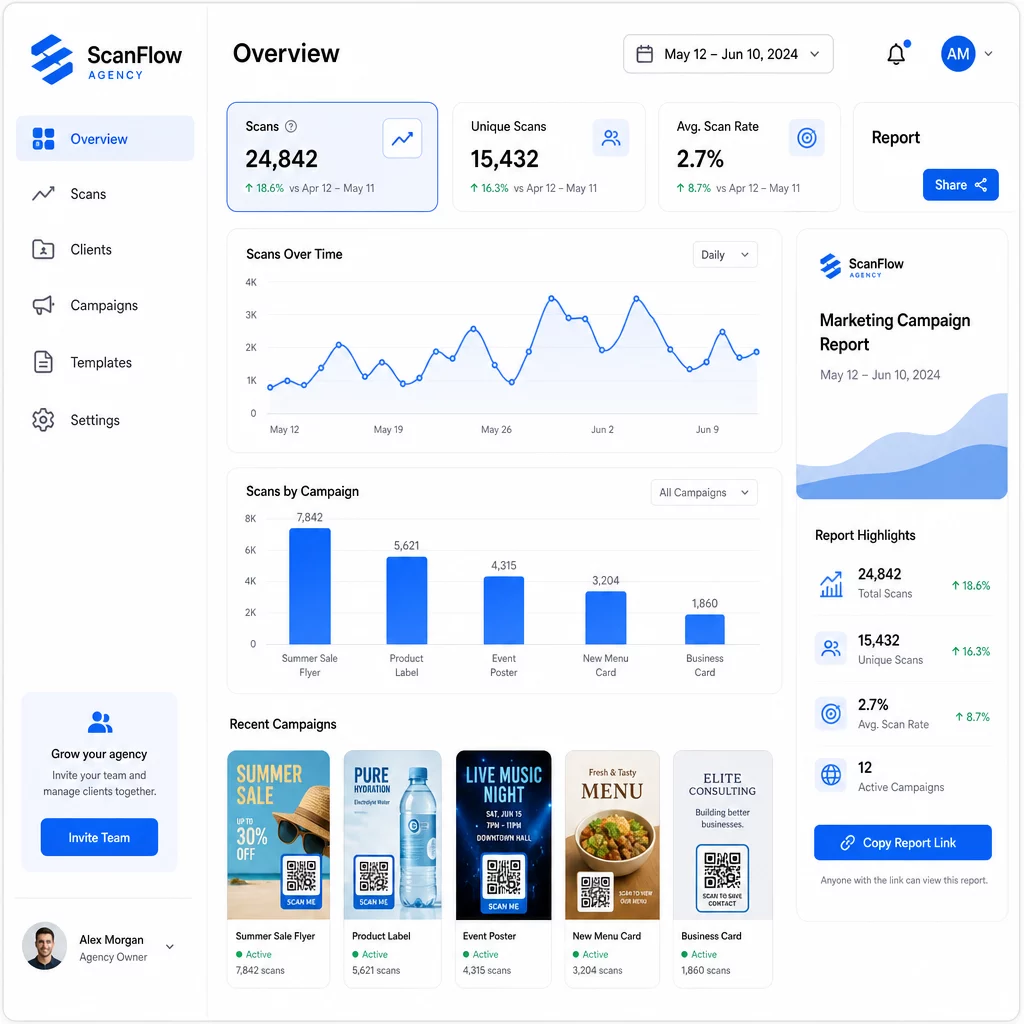
Portāls QR kodu analītikas panelis tver:
- Kopējais skenējumu skaits un unikālie skenējumi – Atšķirt starp kopējo iesaisti un individuālajiem lietotājiem
- Skenēšanas laika zīmogi – Identificēt maksimālās iesaistes laikus un nedēļas dienu modeļus
- Ģeogrāfiskā atrašanās vieta – Redzēt, kuri tirgi, reģioni vai pat konkrētas vietas rada vislielāko aktivitāti
- Ierīču un OS sadalījums – Izprast, vai jūsu auditorija galvenokārt izmanto iOS vai Android, galddatorus vai mobilos tālruņus
Šie dati ļauj jums identificēt augstas plūsmas izvietojumus, pārvirzīt budžetu uz to, kas darbojas, un sniegt klientiem konkrētus ieteikumus par to, kur koncentrēt nākotnes kampaņas.
Kopīgot rezultātus, neprasot pieteikšanos
Viena no laikietilpīgākajām aģentūras klientu pārvaldības daļām ir veiktspējas pārskatu sagatavošana. Pageloot koplietojamie klientu pārskati sniedz klientiem tiešraides statistikas lapu – ar viņu pašu logotipu – kur viņi var pārbaudīt skenēšanas datus reāllaikā bez nepieciešamības pēc sava konta. Tas ietaupa stundas pārskatu sagatavošanai katru mēnesi, vienlaikus saglabājot klientus informētus un pārliecinātus par kampaņas veiktspēju.
A/B testēšanas izvietojumi un galamērķi
Dinamiskie QR kodi padara A/B testēšana ievērojami vieglāk. Tā kā mērķa URL var nomainīt, neizdodot jaunu kodu, varat izmantot vienu un to pašu fizisko izvietojumu ar dažādām galvenajām lapām, aicinājumiem uz darbību (CTA) vai piedāvājumiem un tieši salīdzināt skenēšanas-konversijas rādītājus.
Vienlaikus testējiet vienu mainīgo – mērķa lapu, piedāvājuma valodu vai koda izvietojumu uz materiāla – un izmantojiet skenēšanas analītiku, lai noteiktu, kura versija nodrošina labākus rezultātus pirms mērogošanas.
Izvietojiet kodus tur, kur tie patiešām tiks skenēti
Analītika palīdz tikai tad, ja cilvēki skenē. QR koda izvietošanas ceļvedis to padziļināti aplūko, taču galvenie noteikumi ir šādi:
- Izvietojiet kodus acu līmenī (aptuveni 1,07 līdz 1,68 metri no grīdas) fiziskā vidē
- Iekļaujiet skaidru aicinājumu uz darbību pie katra koda – norādiet, ko lietotājs iegūs, skenējot
- Saglabājiet kodus pietiekami lielus paredzētajam skatīšanās attālumam (vispārīga vadlīnija: minimālais platums centimetros ir vienāds ar skenēšanas attālumu centimetros, dalītu ar 10)
- Pārbaudiet katru kodu dažādās ierīcēs un apgaismojuma apstākļos, pirms materiāli tiek nodoti drukāšanai
Privātuma un atbilstības apsvērumi
QR kodi vāc datus – ierīces veidu, OS, pārlūkprogrammu, ģeogrāfisko atrašanās vietu un uzvedību pēc skenēšanas. Aģentūrām, kas strādā ar vairākiem klientiem un tirgiem, ir svarīgi izprast regulatīvo kontekstu.
Ja kāda klienta auditorijā ir ES iedzīvotāji, kampaņai jāņem vērā GDPR prasības: nepārprotama piekrišana, skaidri paziņojumi par privātumu un datu minimizēšana. Kalifornijā bāzētās kampaņas skar CCPA, kas prasa pārredzamību un atteikšanās mehānismus. Veselības aprūpes klienti ievieš HIPAA prasības, kas attiecas uz jebkuru platformu, kas apstrādā ar pacientiem saistītus datus.
Portāls QR kodu privātuma regulu ceļvedis detalizēti aplūko galvenos regulējumus. Dinamiskie QR kodi ir īpaši noderīgi atbilstības nodrošināšanai, jo varat atjaunināt privātuma politikas, noteikumus vai datu vākšanas paziņojumus, neizdodot jaunu kodu vai nepārprintējot materiālus.
Biežāk uzdotie jautājumi
Statiski QR kodi kodē fiksētu galamērķi un tos nevar mainīt pēc izveides – tie arī nenodrošina analītiku. Dinamiskie QR kodi norāda uz pāradresācijas URL, ko var atjaunināt jebkurā laikā, un tie reģistrē skenēšanas datus, tostarp laika zīmogu, atrašanās vietu un ierīces veidu. Aktīvām klientu kampaņām dinamiskie QR kodi ir standarta izvēle, jo tie piedāvā elastību un izmērāmu veiktspēju.
Izmantojiet QR kodu pārvaldības platformu, kas atbalsta mapēs balstītu organizāciju, reāllaika analīzi un koplietojamus klientu pārskatus. Piešķirot katram klientam savu mapi un piemērojot konsekventus UTM parametrus galamērķa URL adresēm, jūs varat iegūt tīrus, attiecināmus datus katram kontam, nesajaucot kampaņu rādītājus.
Jā. Katra QR koda skenēšana var vākt datus, piemēram, ierīces informāciju, atrašanās vietu un pārlūkošanas uzvedību. Atkarībā no auditorijas ģeogrāfijas, kampaņām var būt jāatbilst GDPR (ES), CCPA (Kalifornija) vai HIPAA (veselības aprūpe). Dinamisku QR kodu izmantošana palīdz, jo mērķa lapas un paziņojumus par privātumu var atjaunināt, nepārprintējot materiālus. Pirms palaišanas konsultējieties ar attiecīgajiem noteikumiem katra klienta tirgū.