Adakah anda letih mencetak kod QR yang berasingan untuk pengguna iPhone dan Android pada bahan pemasaran anda? Memaparkan pelbagai kod mengelirukan pelanggan berpotensi dan membazir ruang berharga pada pembungkusan fizikal, sepanduk, dan risalah. Mencipta satu kod QR dinamik secara automatik menghalakan setiap pengimbas ke kedai aplikasi yang betul untuk peranti khusus mereka.
Bagaimana Kod QR Berbilang Kedai Menghalakan Pengimbas Secara Automatik
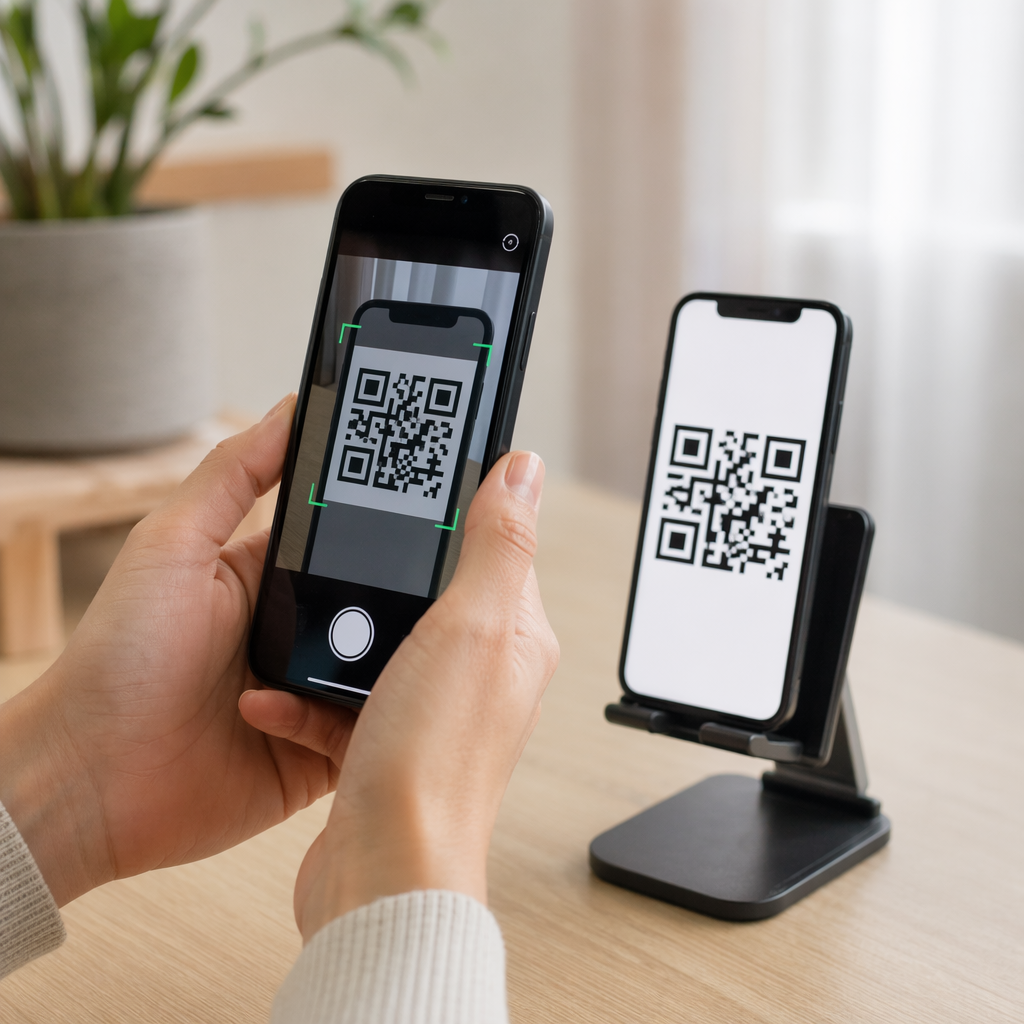
Apabila kamera telefon pintar mengimbas kod QR, sistem pengendalian menyahkod corak tersebut menjadi URL dan membukanya dalam pelayar mudah alih. Kod QR berbilang kedai bergantung pada pautan penghalaan dinamik dan bukannya menyambung terus ke alamat web kedai tetap.
Setelah menerima permintaan imbasan, pelayan penghalaan memeriksa isyarat pelayar dan pengepala sistem pengendalian untuk mengenal pasti peranti pengimbas:
- Penghalaan iOS: Menghalakan pengguna Apple ke penyenaraian aplikasi anda di App Store menggunakan pengecam angka unik aplikasi anda.
- Penghalaan Android: Menghalakan pengguna Android ke halaman Google Play Store anda menggunakan nama pakej manifes aplikasi anda.
- Penghalaan sandaran: Menghantar pengimbas bukan mudah alih atau desktop ke halaman pendaratan web universal atau laman promosi.
Menggunakan pengesanan peranti dalam satu pautan dinamik menghilangkan geseran teknikal untuk pelanggan, melindungi susun atur fizikal anda daripada kekusutan visual, dan memastikan kadar penukaran yang tinggi merentasi setiap saluran.
Cipta Kod QR Aplikasi Rentas Platform Anda Perkemas aliran pendaftaran anda dengan menghalakan pengguna iOS dan Android ke kedai yang betul dengan satu imbasan. Lancarkan Penjana Kod QR App Store untuk membina dan menjenamakan kod dinamik anda hari ini.
Cara Menyiapkan Kod QR Muat Turun Aplikasi
Menjana kod muat turun bersatu memerlukan pengumpulan URL platform rasmi anda dan mengkonfigurasi tetapan pautan pintar anda. Ikuti langkah-langkah ini untuk menjana kod sedia cetak:
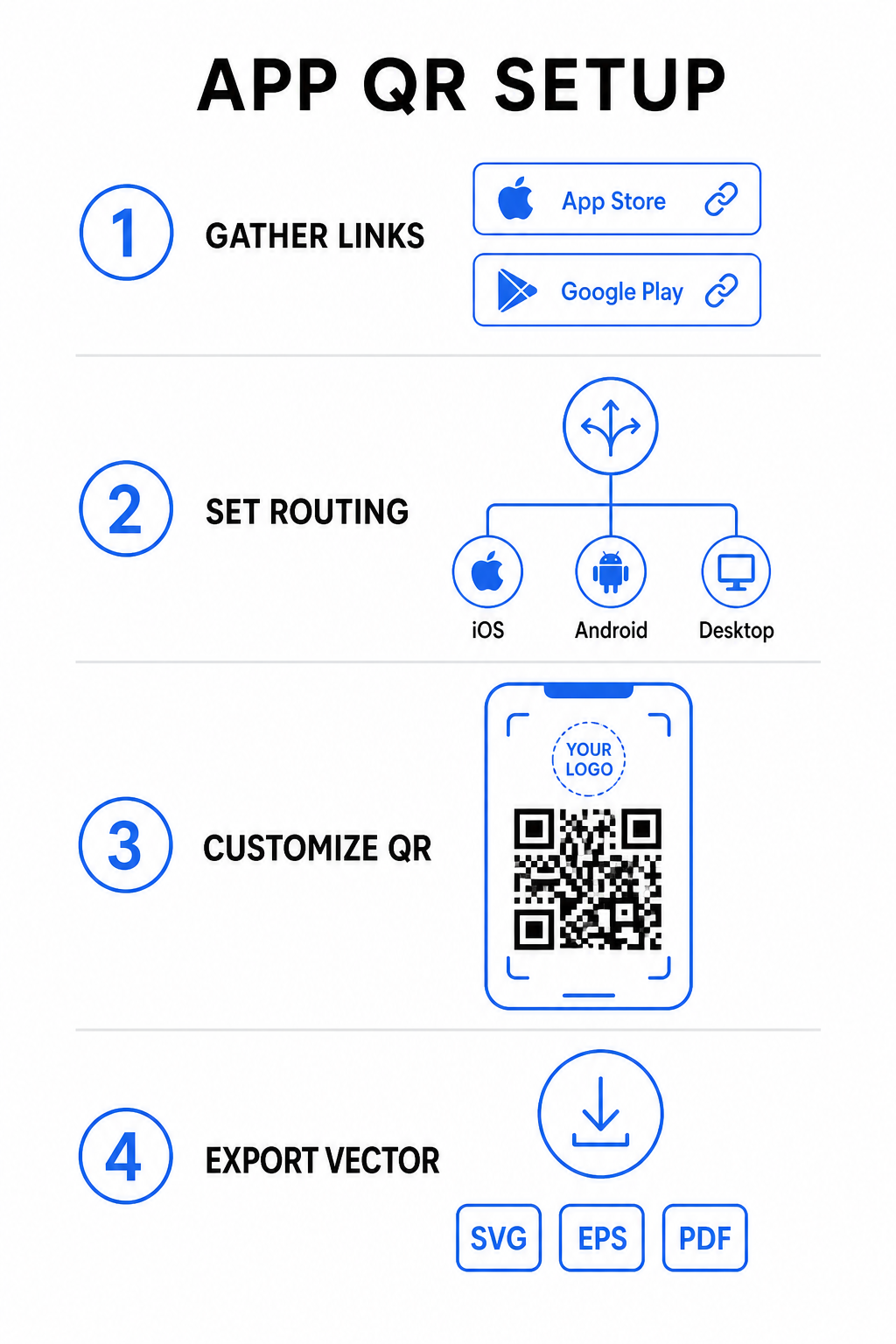
- Kumpul URL kedai rasmi: Cari laluan Apple App Store anda yang mengandungi ID angka aplikasi anda dan URL Google Play anda yang mengandungi pengecam nama pakej anda.
- Masukkan pautan kedai ke dalam penjana: Masukkan pautan iOS anda ke dalam medan App Store dan pautan Android anda ke dalam medan Google Play dalam editor penciptaan.
- Tetapkan destinasi sandaran universal: Masukkan URL halaman pendaratan laman web standard untuk mengalihkan pengguna desktop atau sistem pengendalian yang tidak disokong.
- Sesuaikan penampilan kod anda: Sesuaikan warna modul, bayangan latar belakang, gaya bingkai, dan gesaan seruan bertindak, kemudian benamkan logo jenama anda di tengah.
- Eksport fail vektor sedia cetak: Muat turun reka bentuk siap anda dalam format vektor resolusi tinggi seperti SVG, EPS, atau PDF untuk cetakan yang jelas.
Jika URL kedai anda berubah pada masa hadapan, menggunakan Penjana dynamic QR code membolehkan anda mengemas kini pautan destinasi terus dari papan pemuka anda tanpa perlu mencetak semula bahan fizikal.
Spesifikasi Teknikal untuk Kebolehimbasan Optimum
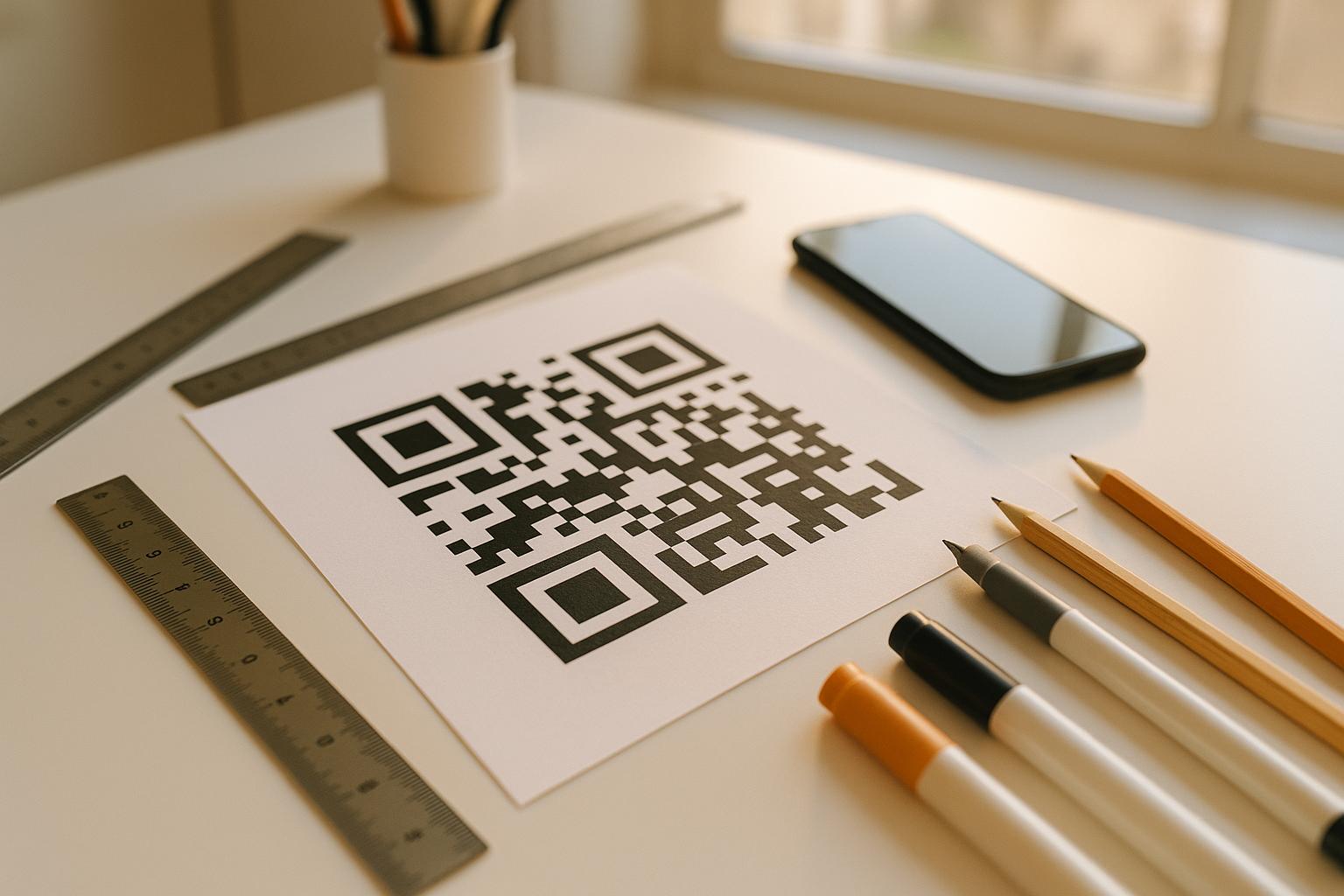
Mematuhi spesifikasi kod bar ISO/IEC 18004 memastikan kod QR bercetak anda diimbas dengan mudah merentasi peranti mudah alih, keadaan pencahayaan, dan sudut yang berbeza.
| Elemen Reka Bentuk | Piawaian Teknikal | Tujuan Praktikal |
|---|---|---|
| Zon Tenang | Minimum 4 modul lebar | Mengekalkan margin tanpa cetak di sekeliling keempat-empat sisi supaya penderia kamera mengasingkan matriks kod daripada grafik latar belakang. |
| Nisbah Saiz | 1:10 (Saiz kepada Jarak) | Mengekalkan kebolehbacaan yang boleh dipercayai; kod 1 inci (2.5 cm) menyokong jarak imbasan kira-kira 10 inci (25 cm). |
| Kontras Warna | Kontras tinggi (Gelap pada Cerah) | Menggunakan modul gelap pada latar belakang terang untuk memaksimumkan kontras penyerapan cahaya untuk penderia imej. |
| Pembetulan Ralat | Tahap Q (25%) atau Tahap H (30%) | Memulihkan blok data yang hilang atau tersembunyi, membolehkan kod berfungsi walaupun logo tersuai meliputi bahagian tengah. |
Ukur Prestasi Kempen Anda Ingin melihat saluran pemasaran mana yang menjana pemasangan aplikasi terbanyak? Gunakan platform kami untuk menjejaki kod QR untuk menganalisis metrik imbasan masa nyata, lokasi, dan sistem pengendalian.
Amalan Jaminan Kualiti Sebelum Percetakan
Sebelum melakukan cetakan besar-besaran untuk pembungkusan, poster, atau papan tanda runcit, nilai prestasi kod anda dengan teliti dalam senario dunia sebenar.
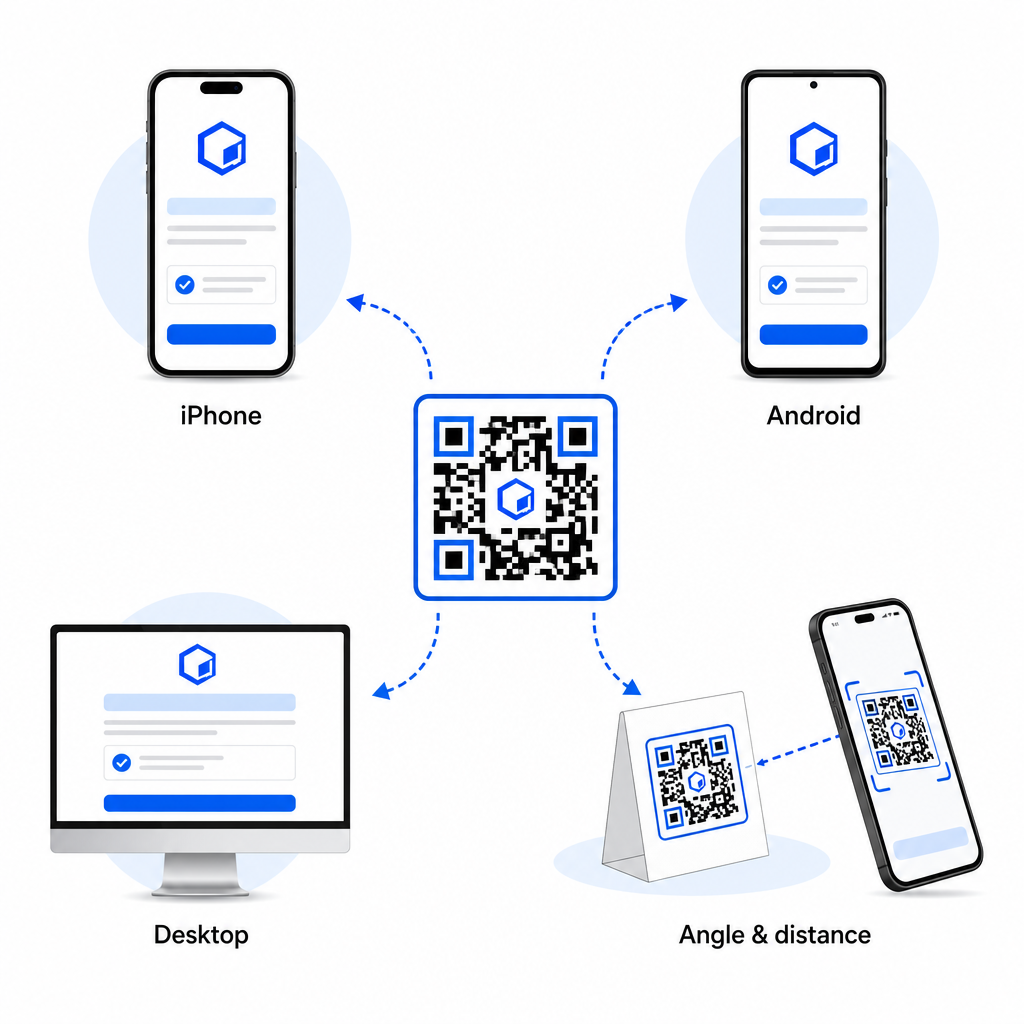
- Sahkan penghalaan platform asli: Imbas kod dengan aplikasi kamera lalai pada peranti iOS dan Android fizikal untuk memastikan pengalihan semula kedai yang betul.
- Sahkan tingkah laku sandaran desktop: Klik atau imbas pautan dari pelayar web desktop untuk menyemak bahawa trafik bukan mudah alih mendarat di halaman web sandaran yang ditetapkan anda.
- Lakukan protokol pemeriksaan tiga jarak: Uji pengimbasan pada jarak tontonan yang dimaksudkan, ulangi pada 50% lebih jauh, dan uji pada sudut 30 hingga 45 darjah.
- Nilaikan kelajuan muatan rangkaian: Pastikan pengalihan dinamik memproses dengan pantas merentasi pelbagai data mudah alih dan rangkaian Wi-Fi.
Untuk butiran tambahan tentang cara telefon pintar memproses permintaan kod, semak panduan kami tentang cara pengguna mengimbas kod QR dengan telefon pintar dan cara pengguna memuat turun aplikasi dengan kod QR.
Soalan lazim
Tidak. Kod QR kedai aplikasi dinamik mengesan sistem pengendalian mudah alih pengguna apabila diimbas dan secara automatik menghalakan pengguna iOS ke Apple App Store dan pengguna Android ke Google Play.
Enjin penghalaan dinamik mengenal pasti peranti bukan mudah alih dan menghantar pelawat ke URL sandaran yang ditetapkan anda, seperti laman web utama anda atau halaman pendaratan promosi.
Ya. Kod QR dinamik membolehkan anda mengubah suai pautan destinasi Apple, Android, atau sandaran anda pada bila-bila masa di papan pemuka pengurusan anda tanpa mencetak semula bahan seni.
Menggabungkan pautan muat turun aplikasi iOS dan Android anda ke dalam satu kod QR dinamik tunggal menghilangkan geseran muat turun, menjimatkan ruang susun atur pada media cetak, dan menyediakan pengalaman mudah alih yang seragam. Mengaplikasikan kontras tinggi, pembetulan ralat yang teguh, dan bingkai yang menarik perhatian menukarkan pembungkusan fizikal dan paparan pemasaran kepada pemasangan aplikasi secara langsung.
Kawal sepenuhnya promosi merentas platform anda dengan menggunakan penjana kod QR pautan untuk membina pautan muat turun yang dinamik dan boleh dijejak untuk kempen pemasaran anda.