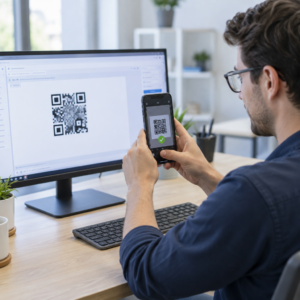
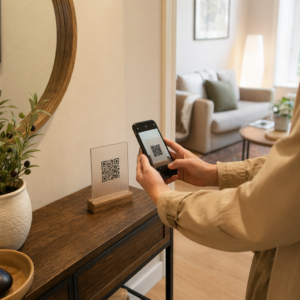
Oletko kyllästynyt tulostamaan erillisiä QR-koodeja iPhonen ja Androidin käyttäjille markkinointimateriaaleihisi? Useiden koodien näyttäminen hämmentää potentiaalisia asiakkaita ja tuhlaa arvokasta tilaa fyysisissä pakkauksissa, bannereissa ja flyereissä. Yhden dynaamisen QR-koodin luominen ohjaa jokaisen skannerin automaattisesti oikeaan sovelluskauppaan heidän laitteensa mukaan.
Miten usean kaupan QR-koodit ohjaavat skannereita automaattisesti
Kun älypuhelimen kamera skannaa QR-koodin, käyttöjärjestelmä dekoodaa kuvion URL-osoitteeksi ja avaa sen mobiiliselaimessa. Usean kaupan QR-koodi perustuu dynaamiseen reitityslinkkiin sen sijaan, että se yhdistäisi suoraan kiinteään kaupan verkko-osoitteeseen.
Skannauspyynnön vastaanotettuaan reitityspalvelin tarkistaa selaimen signaalit ja käyttöjärjestelmän otsakkeet tunnistaakseen skannaavan laitteen:
- iOS-reititys: Ohjaa Applen käyttäjät sovelluksesi listaukseen App Storessa käyttäen sovelluksesi yksilöllistä numerotunnistetta.
- Android-reititys: Ohjaa Android-käyttäjät Google Play Kaupan sivullesi käyttäen sovelluksesi manifestipaketin nimeä.
- Varareititys: Lähettää ei-mobiili- tai pöytätietokoneiden skannerit yleiselle verkkosivulle tai promootiosivustolle.
Laitetunnistuksen käyttäminen yhden dynaamisen linkin sisällä poistaa teknistä kitkaa asiakkailta, suojaa fyysistä asettelua visuaaliselta sotkulta ja varmistaa korkeat konversioluvut kaikilla kanavilla.
Luo alustarajat ylittävä sovelluksesi QR-koodi Tehosta käyttöönottoasi ohjaamalla iOS- ja Android-käyttäjät oikeaan kauppaan yhdellä skannauksella. Käynnistä App Store QR-koodigeneraattori rakentaaksesi ja brändätäksesi dynaamisen koodisi tänään.
Miten sovelluksen lataus QR-koodi perustetaan
Yhdistetyn latauskoodin luominen vaatii virallisten alusta-URL-osoitteiden keräämisen ja älykkään linkin asetusten määrittämisen. Noudata näitä vaiheita luodaksesi tulostusvalmiin koodin:
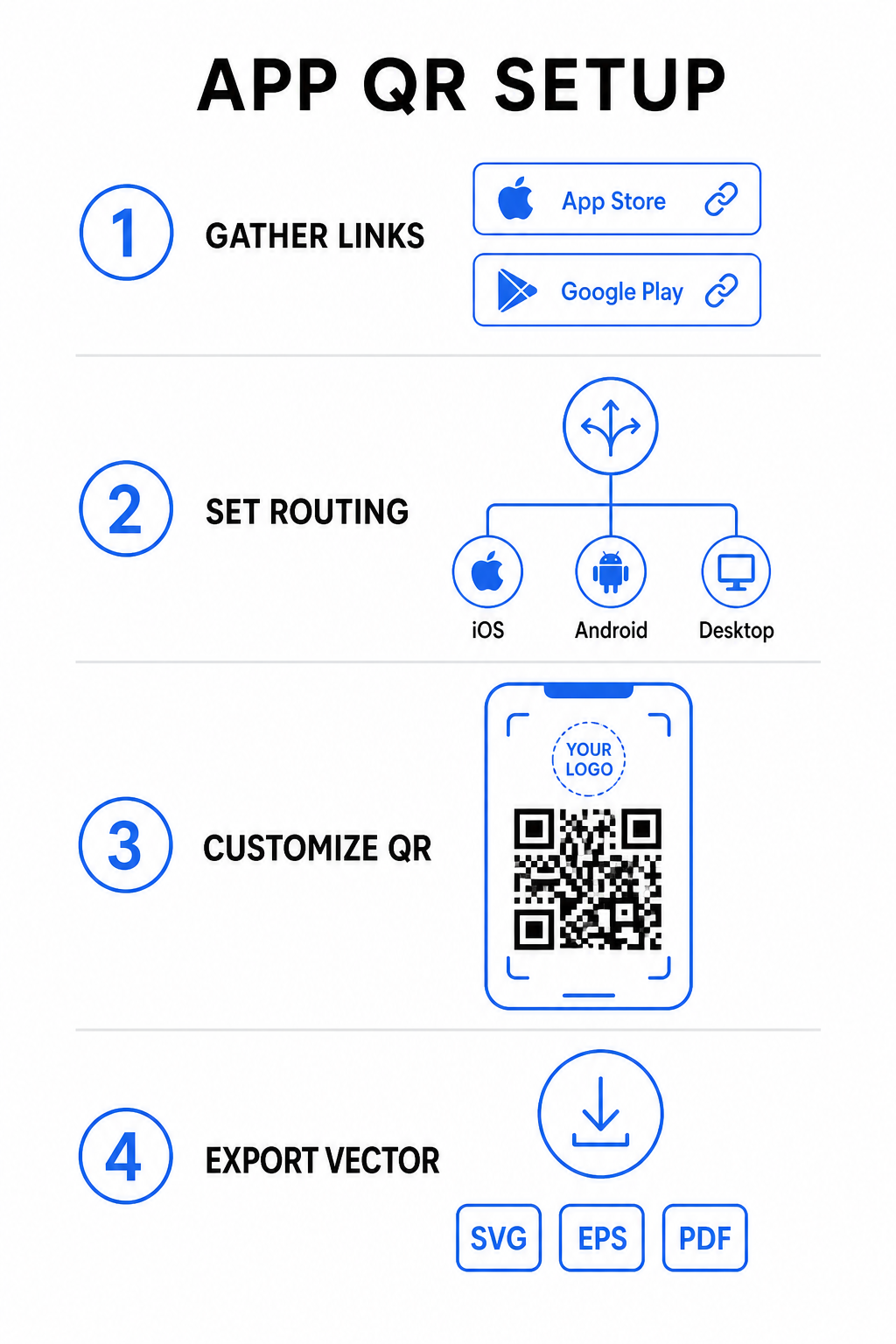
- Kerää viralliset kaupan URL-osoitteet: Etsi Apple App Storen polku, joka sisältää sovelluksesi numeerisen tunnuksen, ja Google Playn URL-osoite, joka sisältää paketin nimen tunnisteen.
- Syötä kauppalinkit generaattoriin: Syötä iOS-linkkisi App Store -kenttään ja Android-linkkisi Google Play -kenttään luontieditorissa.
- Aseta yleinen varakohde: Syötä verkkosivuston aloitussivun URL-osoite ohjataksesi työpöytäkäyttäjät tai tukemattomat käyttöjärjestelmät.
- Mukauta koodin ulkoasua: Säädä moduulien värejä, taustavarjostusta, kehystyylejä ja toimintakehotteita ja upota sitten brändilogosi keskelle.
- Vie tulostusvalmiita vektoritiedostoja: Lataa valmis suunnittelusi korkearesoluutioisissa vektorimuodoissa, kuten SVG, EPS tai PDF, terävää tulostusta varten.
Jos kauppasi URL-osoitteet muuttuvat tulevaisuudessa, käyttämällä Dynaaminen QR-koodi generaattori voit päivittää kohdelinkit suoraan hallintapaneelista tulostamatta fyysisiä materiaaleja uudelleen.
Tekniset tiedot optimaalista skannattavuutta varten
ISO/IEC 18004 -viivakoodimääritysten noudattaminen varmistaa, että tulostettu QR-koodisi skannautuu helposti eri mobiililaitteilla, valaistusolosuhteissa ja kulmissa.
| Suunnitteluelementti | Tekninen standardi | Käytännön tarkoitus |
|---|---|---|
| Hiljainen alue | Vähintään 4 moduulia leveä | Säilyttää tulostamattoman marginaalin kaikilla neljällä sivulla, jotta kameran anturit eristävät koodimatriisin taustagrafiikoista. |
| Koon suhde | 1:10 (Koko etäisyyteen) | Ylläpitää luotettavaa luettavuutta; yhden tuuman (2,5 cm) koodi tukee noin 10 tuuman (25 cm) skannausetäisyyttä. |
| Värikontrasti | Suuri kontrasti (tumma vaalealla) | Käyttää tummia moduuleja vaalealla taustalla maksimoidakseen valon absorption kontrastin kuvantunnistimille. |
| Virheenkorjaus | Taso Q (25%) tai taso H (30%) | Palauttaa puuttuvat tai peittyneet datalohkot, jolloin koodi toimii, vaikka mukautettu logo peittäisi keskustan. |
Mittaa kampanjasi suorituskykyä Haluatko nähdä, mitkä markkinointikanavat tuottavat eniten sovellusasennuksia? Käytä alustaamme QR-koodien seuranta analysoidaksesi reaaliaikaisia skannausmittareita, sijainteja ja käyttöjärjestelmiä.
Laadunvarmistuskäytännöt ennen tulostusta
Ennen kuin sitoudut suureen tulostuserään pakkauksia, julisteita tai vähittäismyyntikylttejä varten, arvioi perusteellisesti koodisi suorituskykyä todellisissa tilanteissa.
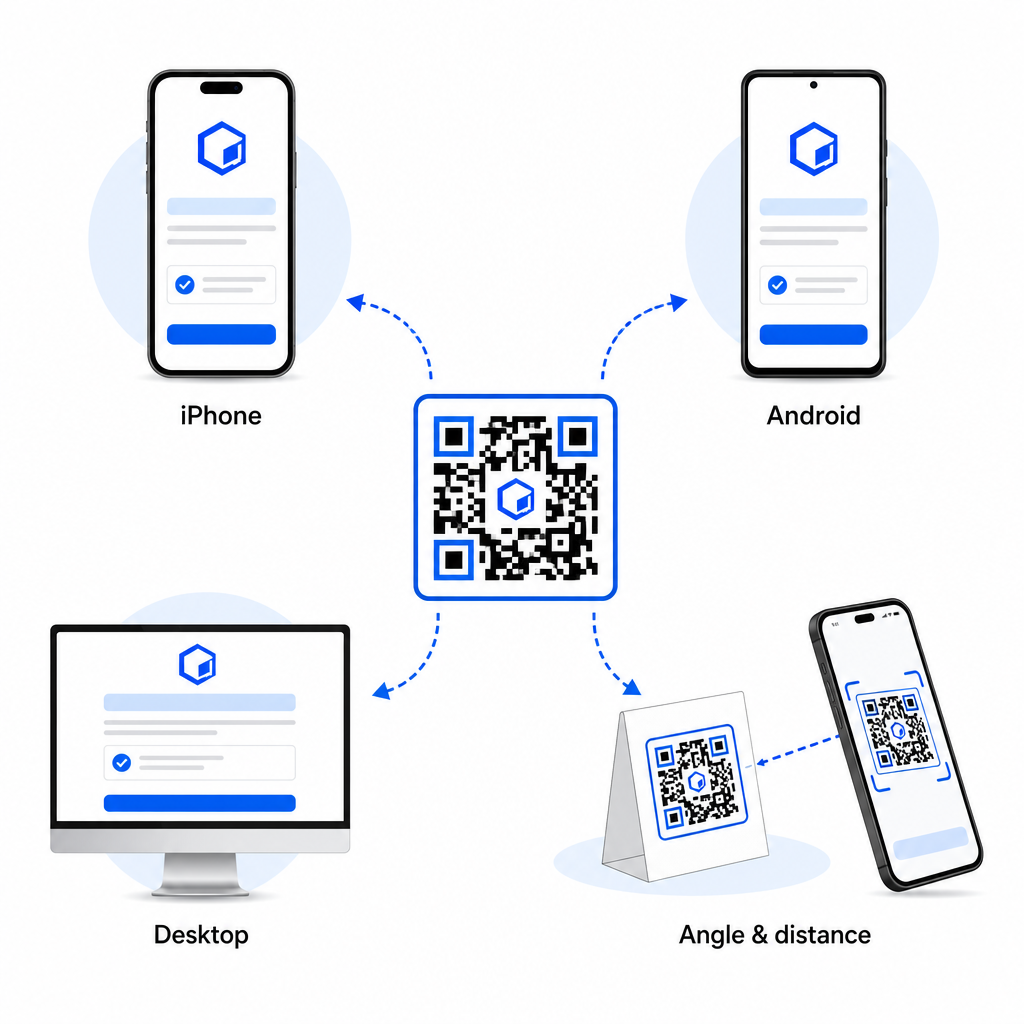
- Tarkista natiivialustan reititys: Skannaa koodi oletuskamerasovelluksilla fyysisillä iOS- ja Android-laitteilla varmistaaksesi oikean kauppaan ohjauksen.
- Vahvista työpöydän varatoiminto: Napsauta tai skannaa linkkiä työpöytäselaimella varmistaaksesi, että ei-mobiili liikenne ohjautuu määritetylle varasivullesi.
- Suorita kolmen etäisyyden tarkastusprotokolla: Testaa skannausta aiotulla katseluetäisyydellä, toista 50 % kauempana ja testaa 30–45 asteen kulmassa.
- Arvioi verkon latausnopeus: Varmista, että dynaaminen uudelleenohjaus toimii nopeasti eri mobiilidata- ja Wi-Fi-verkoissa.
Lisätietoja siitä, miten älypuhelimet käsittelevät koodipyyntöjä, löydät oppaistamme, jotka käsittelevät sitä, miten käyttäjät skannata QR-koodeja älypuhelimilla ja miten kuluttajat lataavat sovelluksen QR-koodilla.
Usein kysytyt kysymykset
Ei. Dynaaminen sovelluskaupan QR-koodi tunnistaa käyttäjän’ mobiilikäyttöjärjestelmän skannauksen yhteydessä ja ohjaa iOS-käyttäjät automaattisesti Apple App Storeen ja Android-käyttäjät Google Playhin.
Dynaaminen reititysmoottori tunnistaa muut kuin mobiililaitteet ja ohjaa kävijän määritettyyn varasivun URL-osoitteeseesi, kuten pääverkkosivustollesi tai kampanjakohtaiselle laskeutumissivullesi.
Kyllä. Dynaamiset QR-koodit mahdollistavat Apple-, Android- tai varakohteen linkkiesi muokkaamisen milloin tahansa hallintapaneelissasi, uudelleentulostamatta painatusta.
Yhdistämällä iOS- ja Android-sovellusten latauslinkit yhteen dynaamiseen QR-koodiin poistat lataushankaluudet, säästät tilaa painomediassa ja tarjoat yhtenäisen mobiilikokemuksen. Korkean kontrastin, vankan virheenkorjauksen ja huomiota herättävien kehysten käyttö muuntaa fyysiset pakkaukset ja markkinointinäytöt suoriksi sovellusasennuksiksi.
Ota täysi hallinta alustarajat ylittävistä kampanjoistasi käyttämällä linkin QR-koodigeneraattori rakentaaksesi dynaamisia, jäljitettäviä latauslinkkejä markkinointikampanjoihisi.