บ้าน > คำแนะนำ > How to Create a Single QR Code for App Downloads
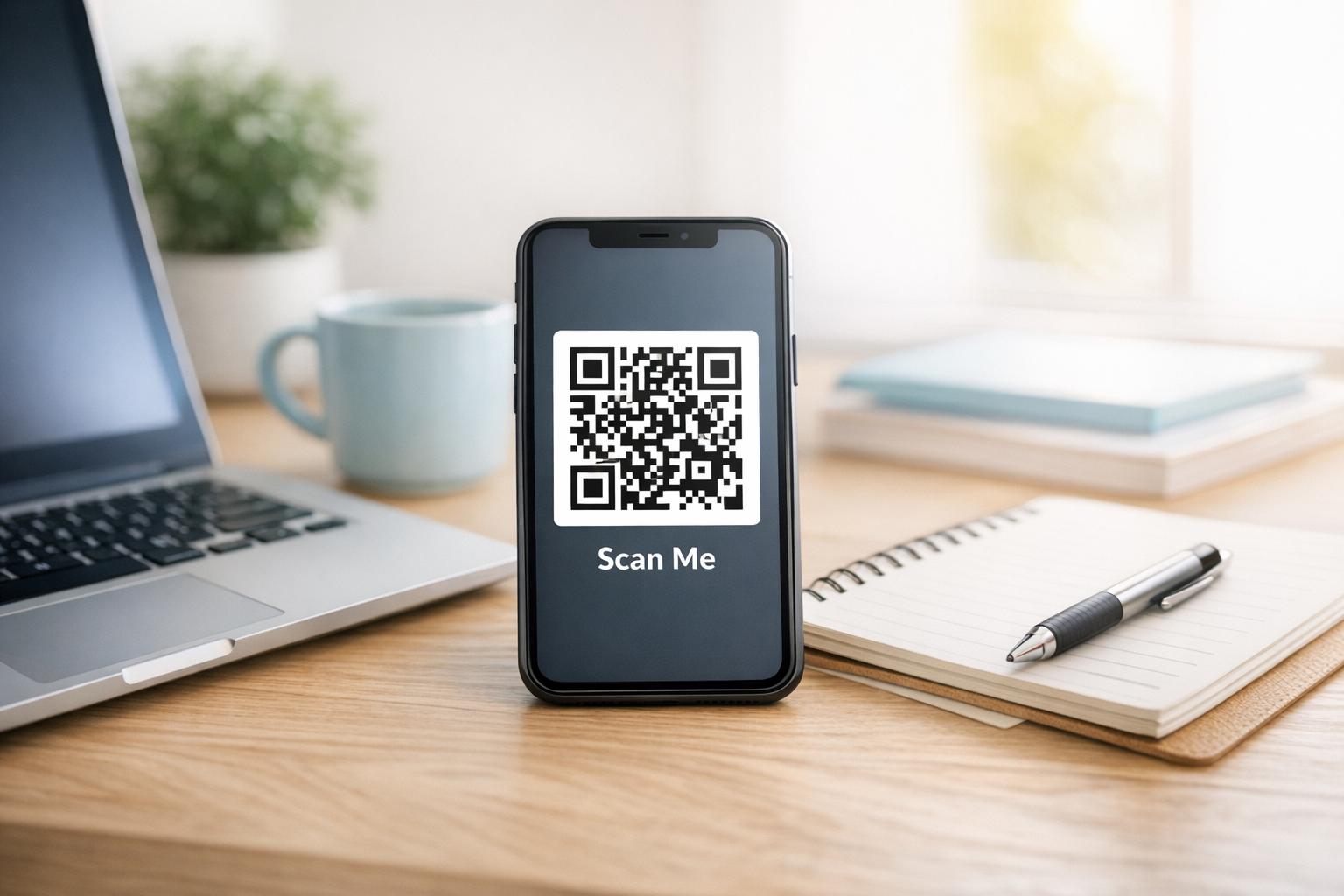
Scanning app download code

How to Create a Single QR Code for App Downloads

Learn how to create a single dynamic QR code for app store downloads. Automatically route iOS and Android users to the correct store with one scan.
Updated on สิงหาคม 29, 2026
สารบัญ

Are you tired of printing separate QR codes for iPhone and Android users on your marketing materials? Displaying multiple codes confuses potential customers and wastes valuable space on physical packaging, banners, and flyers. Creating a single dynamic QR code automatically routes each scanner to the correct app store for their specific device.

How Multi-Store QR Codes Route Scanners Automatically

When a smartphone camera scans a QR code, the operating system decodes the pattern into a URL and opens it in the mobile browser. A multi-store QR code relies on a dynamic routing link rather than connecting directly to a fixed store web address.

Upon receiving the scan request, the routing server inspects browser signals and operating system headers to identify the scanning device:

  • iOS routing: Directs Apple users to your app listing on the App Store using your app’s unique numeric identifier.
  • Android routing: Directs Android users to your Google Play Store page using your app manifest package name.
  • Fallback routing: Sends non-mobile or desktop scanners to a universal web landing page or promotional site.

Using device detection inside a single dynamic link removes technical friction for customers, protects your physical layout from visual clutter, and ensures high conversion rates across every channel.

Create Your Cross-Platform App QR Code Streamline your onboarding flow by directing iOS and Android users to the correct store with a single scan. Launch the เครื่องสร้างรหัส QR ของ App Store to build and brand your dynamic code today.

How to Set Up an App Download QR Code

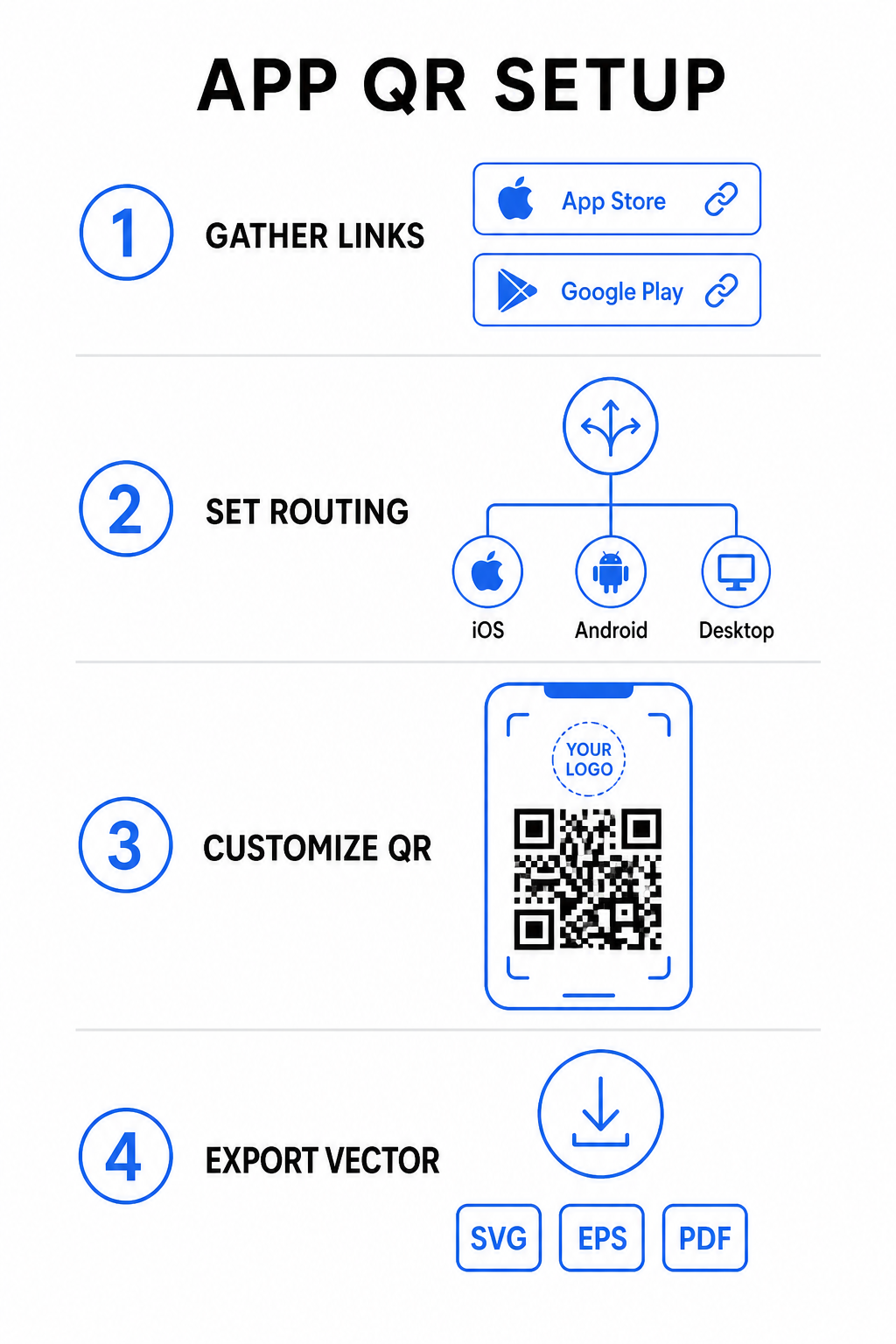
Generating a unified download code requires gathering your official platform URLs and configuring your smart link settings. Follow these steps to generate a print-ready code:

App QR setup steps
  • Gather official store URLs: Locate your Apple App Store path containing your app’s numeric ID and your Google Play URL containing your package name identifier.
  • Input store links into the generator: Enter your iOS link into the App Store field and your Android link into the Google Play field within the creation editor.
  • Set a universal fallback destination: Enter a standard website landing page URL to redirect desktop users or unsupported operating systems.
  • Customize your code appearance: Adjust module colors, background shading, frame styles, and call-to-action prompts, then embed your brand logo in the center.
  • Export print-ready vector files: Download your finished design in high-resolution vector formats such as SVG, EPS, or PDF for crisp printing.

If your store URLs change in the future, using a เครื่องสร้างรหัส QR แบบไดนามิก lets you update destination links directly from your dashboard without reprinting physical materials.

Technical Specifications for Optimal Scannability

Adhering to ISO/IEC 18004 barcode specifications ensures your printed QR code scans easily across different mobile devices, lighting conditions, and angles.

Design Element Technical Standard Practical Purpose
โซนที่เงียบสงบ Minimum 4 modules wide Preserves an unprinted margin around all four sides so camera sensors isolate the code matrix from background graphics.
Sizing Ratio 1:10 (ขนาดต่อระยะทาง) Maintains reliable readability; a 1-inch (2.5 cm) code supports a scanning distance of roughly 10 inches (25 cm).
คอนทราสต์สี High contrast (Dark on Light) Uses dark modules on a light background to maximize light absorption contrast for image sensors.
การแก้ไขข้อผิดพลาด Level Q (25%) or Level H (30%) Restores missing or obscured data blocks, allowing the code to function even when a custom logo covers the center.

Measure Your Campaign Performance Want to see which marketing channels generate the most app installs? Use our platform for ติดตามรหัส QR to analyze real-time scan metrics, locations, and operating systems.

Quality Assurance Practices Before Printing

Before committing to a large print run for packaging, posters, or retail signs, thoroughly evaluate your code’s performance in real-world scenarios.

Testing QR code routing
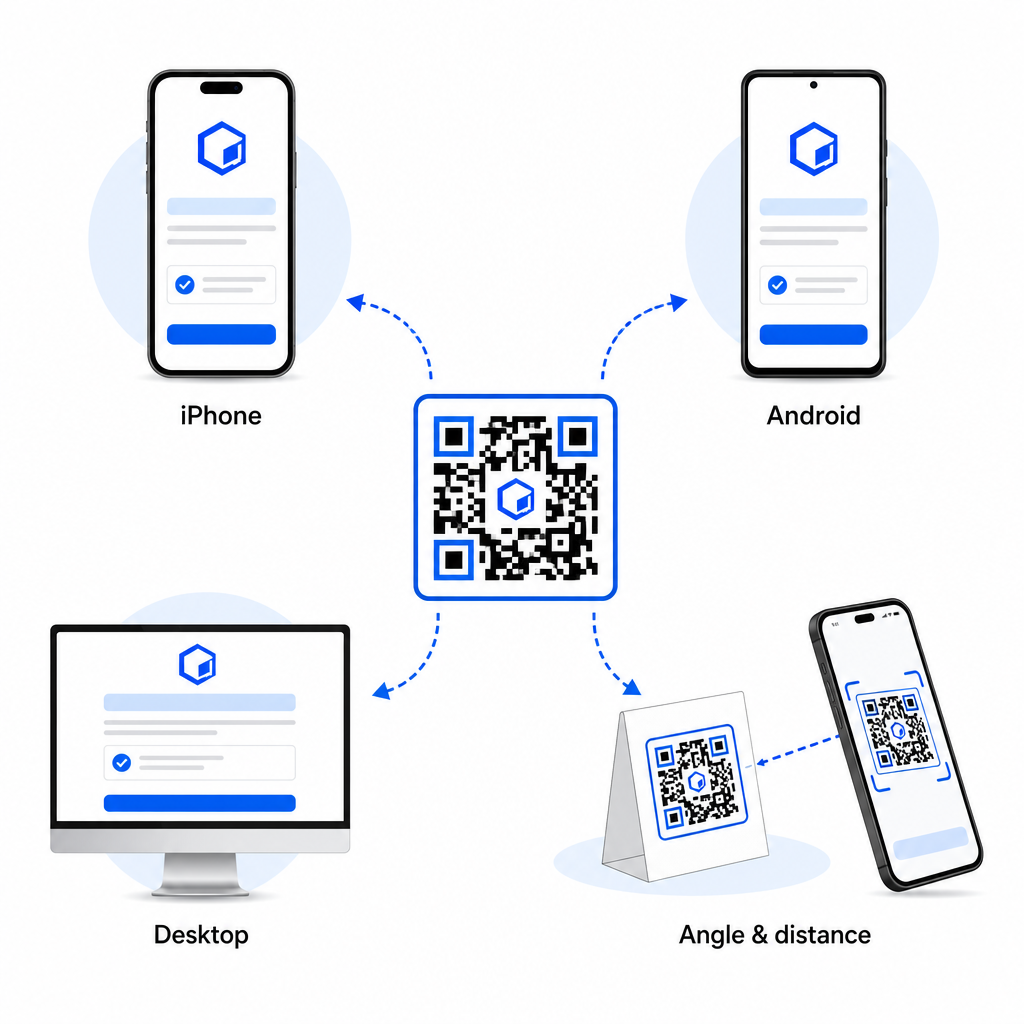
  • Verify native platform routing: Scan the code with default camera applications on physical iOS and Android devices to ensure proper store redirection.
  • Confirm desktop fallback behavior: Click or scan the link from a desktop web browser to check that non-mobile traffic lands on your designated fallback web page.
  • Perform the three-distance inspection protocol: Test scanning at the intended viewing distance, repeat at 50% farther away, and test at a 30 to 45-degree angle.
  • Evaluate network load speed: Ensure the dynamic redirect processes rapidly across various mobile data and Wi-Fi networks.

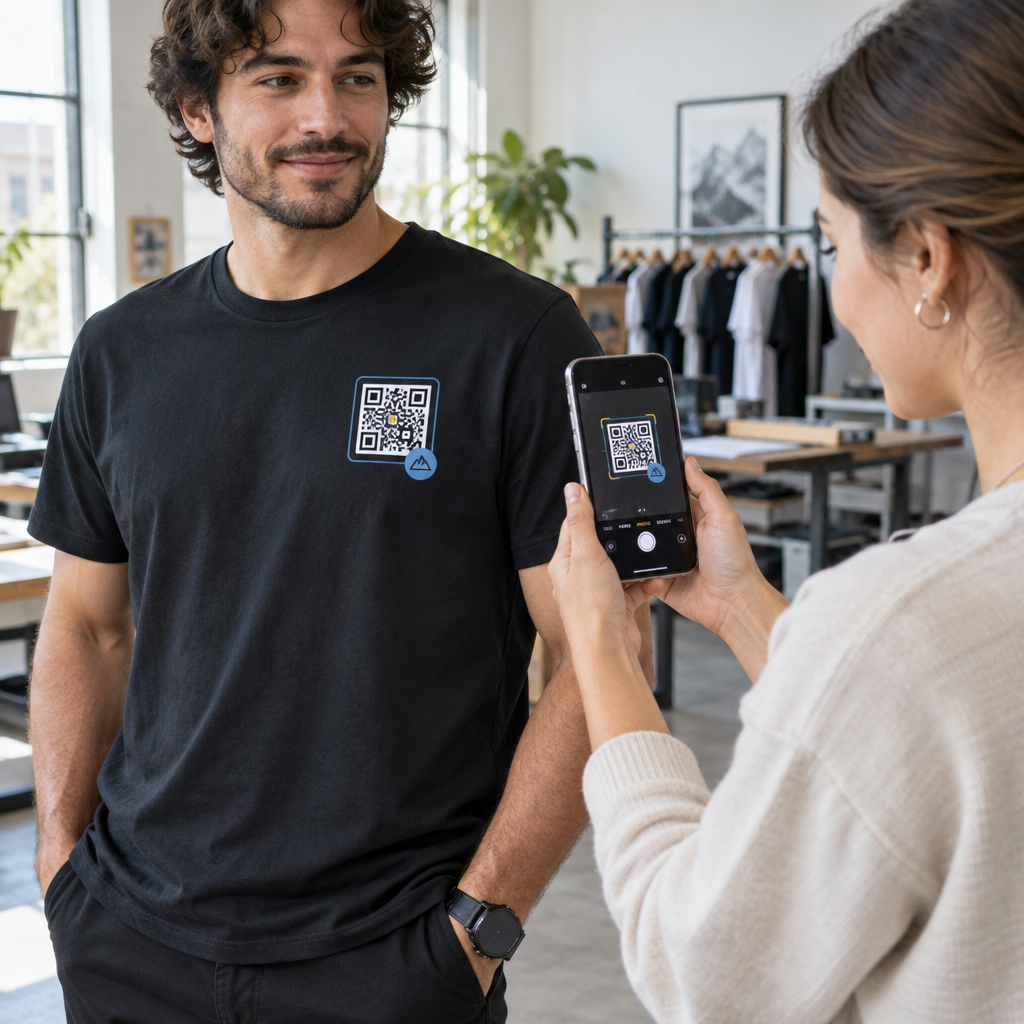
For additional details on how smartphones process code requests, review our guides on how users สแกนรหัส QR ด้วยสมาร์ทโฟน and how consumers download an app with a QR code.

คำถามที่พบบ่อย

Do I need separate QR codes for iPhone and Android users?

No. A dynamic app store QR code detects the user’s mobile operating system upon scanning and automatically routes iOS users to the Apple App Store and Android users to Google Play.

What happens if someone scans an app QR code from a desktop computer?

The dynamic routing engine identifies non-mobile devices and sends the visitor to your designated fallback URL, such as your main website or promotional landing page.

Can I edit my app store links after printing the QR code?

Yes. Dynamic QR codes allow you to modify your Apple, Android, or fallback destination links anytime in your management dashboard without reprinting artwork.

Combining your iOS and Android app download links into a single dynamic QR code eliminates download friction, saves layout space on print media, and provides a unified mobile experience. Applying high contrast, robust error correction, and eye-catching frames converts physical packaging and marketing displays into direct app installations.

Take full control of your cross-platform promotions by using the เครื่องสร้างรหัส QR สำหรับลิงก์ to build dynamic, trackable download links for your marketing campaigns.

เกี่ยวกับผู้เขียน

Siim Kostabi เป็นหัวหน้าฝ่ายเนื้อหาของ Pageloot เขาเขียนบทความเกี่ยวกับบริการสร้างรหัส QR ที่ล้ำสมัยของเรา ด้วยความเชี่ยวชาญอย่างลึกซึ้งในด้านรหัส QR มากว่าห้าปี Siim จึงเป็นผู้เชี่ยวชาญในสาขานี้ เขาได้สร้างความก้าวหน้าอย่างมากในการใช้เทคโนโลยี QR เพื่อทำให้การโต้ตอบทางดิจิทัลง่ายขึ้นและมีประสิทธิภาพมากขึ้น.

หมวดหมู่
ดูข้อมูลเพิ่มเติมเกี่ยวกับ
การสแกนรหัส QR ของคริสตจักร
รหัส QR สำหรับ คริสตจักร

หากคุณต้องการสร้างรหัส QR ออนไลน์คุณสามารถทำได้ สร้างรหัส QR ที่นี่ฟรี!
Pageloot คือไฟล์ โซลูชัน Go-To #1 เพื่อสร้างและสแกนรหัส QR

BL-0358

บล็อกเจน

ได้รับความไว้วางใจจากแบรนด์ต่างๆ มากกว่า 20,000 แบรนด์เพื่อเพิ่มยอดขาย รีวิว และจำนวนผู้ติดตาม

โลโก้ของลูกค้า
ได้รับความไว้วางใจจากแบรนด์ชั้นนำ
ให้คะแนน 4.8 จาก 5

คะแนน 4.86 / 5 ดาว

Hugo Laurent
Hugo Laurent
เจ้าของร้านอาหาร
เครื่องสร้างรหัส QR ที่ง่ายและน่าเชื่อถือที่สุดเท่าที่เคยมีมา ไฟล์ PDF สามารถอัพโหลดได้ทันที เมนูร้านอาหารของเราเป็นแบบดิจิทัล
ลูคัส แจนเซ่น
ลูคัส แจนเซ่น
ผู้พัฒนาอสังหาฯ
นี่เป็นเครื่องมือที่ยอดเยี่ยมและรหัส QR จะพาคุณไปยังที่ที่คุณต้องการ เราใช้รหัส QR ของตำแหน่งเท่านั้น แต่มีคุณสมบัติที่มีประโยชน์มากมาย
Emma Moretti
Emma Moretti
สินค้าขายปลีก
ใช้งานง่ายและรวดเร็ว มันใช้งานได้ดีและสร้างภาพที่สมบูรณ์แบบ ดังนั้นพนักงานสามารถดาวน์โหลด vCard ของฉันได้
Hugo Laurent
Hugo Laurent
เจ้าของร้านอาหาร
เครื่องสร้างรหัส QR ที่ง่ายและน่าเชื่อถือที่สุดเท่าที่เคยมีมา ไฟล์ PDF สามารถอัพโหลดได้ทันที เมนูร้านอาหารของเราเป็นแบบดิจิทัล
ลูคัส แจนเซ่น
ลูคัส แจนเซ่น
ผู้พัฒนาอสังหาฯ
นี่เป็นเครื่องมือที่ยอดเยี่ยมและรหัส QR จะพาคุณไปยังที่ที่คุณต้องการ เราใช้รหัส QR ของตำแหน่งเท่านั้น แต่มีคุณสมบัติที่มีประโยชน์มากมาย
Emma Moretti
Emma Moretti
สินค้าขายปลีก
ใช้งานง่ายและรวดเร็ว มันใช้งานได้ดีและสร้างภาพที่สมบูรณ์แบบ ดังนั้นพนักงานสามารถดาวน์โหลด vCard ของฉันได้
ดูรหัส QR เพิ่มเติม
การสแกน QR ด้วย iPhone
สแกนรหัส QR ด้วย iPhone
เปลี่ยนทุกสิ่งให้กลายเป็นประสบการณ์ดิจิทัล ในเวลาไม่ถึง 3 นาที

ทดลองใช้งานฟรี 14 วัน

ไม่ต้องใช้บัตรเครดิต

รับส่วนลด 30% จากการซื้อครั้งแรกของคุณ

ใช้โค้ด:

แชร์ไฟล์ MP3 ของคุณ

ลงทะเบียนเพื่อสร้างรหัส PDF QR

อัปโหลดและแสดงทุกสิ่งที่คุณต้องการ:

  • ไฟล์เสียง
  • พอดคาสต์
  • ดนตรี

ทดลองใช้ฟรี 14 วันเมื่อลงทะเบียน.
รหัส QR จะหมดอายุหลังจากการทดลองใช้.

ลงทะเบียนเพื่อสร้างรหัส QR เสียง mp3

รับการสแกนเพิ่มขึ้นด้วยกรอบ

ลงทะเบียนเพื่อเพิ่มเฟรมให้กับโค้ด QR ของคุณ

กรอบคำกระตุ้นการตัดสินใจช่วยให้ลูกค้าโต้ตอบกับ QR Code ได้อย่างง่ายดาย ลองพวกเขา!

ทดลองใช้ฟรี 14 วันเมื่อลงทะเบียน.
รหัส QR จะหมดอายุหลังจากการทดลองใช้.

ลงทะเบียนเพื่อเพิ่มเฟรมให้กับโค้ด QR ของคุณ

เพิ่มสไตล์ด้วยรูปทรง

ลงทะเบียนเพื่อสร้างรูปร่างเพิ่มเติม

รหัส QR ไม่จำเป็นต้องเป็นรูปสี่เหลี่ยมจัตุรัส ลองเปลี่ยนให้เหมาะกับภาพลักษณ์ของแบรนด์คุณ

ทดลองใช้ฟรี 14 วันเมื่อลงทะเบียน.
รหัส QR จะหมดอายุหลังจากการทดลองใช้.

ลงทะเบียนเพื่อสร้างรูปร่างเพิ่มเติม

เพิ่มโลโก้ลงในรหัส QR ของคุณ

ลงทะเบียนเพื่อเพิ่มโลโก้ของคุณลงในรหัส QR

ทำให้รหัส QR ของคุณโดดเด่นด้วยการเพิ่มโลโก้และแบรนด์ของคุณลงไป

ทดลองใช้ฟรี 14 วันเมื่อลงทะเบียน.
รหัส QR จะหมดอายุหลังจากการทดลองใช้.

ลงทะเบียนเพื่อเพิ่มโลโก้ของคุณลงในรหัส QR

การเปลี่ยนเส้นทางไปยัง App Store อัจฉริยะ

ลงทะเบียนเพื่อสร้างรหัส QR ของ App Store

เพิ่มลิงค์แอพของคุณไปยัง QR Code ของ App Store อันชาญฉลาดของเรา ผู้ใช้จะถูกเปลี่ยนเส้นทางตามอุปกรณ์ของพวกเขา

ทดลองใช้ฟรี 14 วันเมื่อลงทะเบียน.
รหัส QR จะหมดอายุหลังจากการทดลองใช้.

ลงทะเบียนเพื่อสร้างรหัส QR ของ App Store

อัปโหลดรูปภาพไปยังรหัส QR

ลงทะเบียนเพื่อสร้างรหัส QR รูปภาพ

แบ่งปันภาพของคุณได้อย่างง่ายดาย เปลี่ยนภาพแบบไดนามิกภายในไม่กี่วินาที

ทดลองใช้ฟรี 14 วันเมื่อลงทะเบียน.
รหัส QR จะหมดอายุหลังจากการทดลองใช้.

ลงทะเบียนเพื่อสร้างรหัส QR รูปภาพ

แชร์ไฟล์ PDF ของคุณ

ลงทะเบียนเพื่อสร้างรหัส PDF QR

อัปโหลดและแสดงทุกสิ่งที่คุณต้องการ:

  • รายการเมนูและราคา
  • คำแนะนำ
  • เอกสารใด ๆ

ทดลองใช้ฟรี 14 วันเมื่อลงทะเบียน.
รหัส QR จะหมดอายุหลังจากการทดลองใช้.

ลงทะเบียนเพื่อสร้างรหัส PDF QR

แก้ไขภายหลังโดยไม่ต้องพิมพ์

ลงทะเบียนเพื่อแก้ไขรหัส QR ของคุณโดยไม่ต้องพิมพ์อีกครั้ง

รหัส QR แบบไดนามิกช่วยให้คุณเปลี่ยนเนื้อหาของรหัส QR ของคุณโดยไม่ต้องพิมพ์ใหม่

ทดลองใช้ฟรี 14 วันเมื่อลงทะเบียน.
รหัส QR จะหมดอายุหลังจากการทดลองใช้.

ลงทะเบียนเพื่อแก้ไขรหัส QR ของคุณโดยไม่ต้องพิมพ์อีกครั้ง

เมื่อไหร่? ที่ไหน? ติดตามการสแกนรหัส QR ของคุณ

ลงทะเบียนเพื่อติดตามรหัส QR ของคุณ

ค้นพบว่ารหัส QR ใดของคุณได้รับการสแกนมากที่สุดและอะไรที่ทำให้ลูกค้าของคุณตื่นเต้นมากที่สุด

ทดลองใช้ฟรี 14 วันเมื่อลงทะเบียน.
รหัส QR จะหมดอายุหลังจากการทดลองใช้.

ลงทะเบียนเพื่อติดตามรหัส QR ของคุณ

มีไฟล์พร้อมพิมพ์

ลงทะเบียนเพื่อสร้างโค้ด QR เวกเตอร์ เช่น PDF และ SVG

.EPS, .PDF, .SVG

ต้องการดาวน์โหลดรหัส QR ของคุณในความละเอียดระดับ HD หรือไม่? รับรูปแบบเวกเตอร์หรือพิกเซลที่พร้อมพิมพ์

ทดลองใช้ฟรี 14 วันเมื่อลงทะเบียน.
รหัส QR จะหมดอายุหลังจากการทดลองใช้.

ลงทะเบียนเพื่อสร้างโค้ด QR เวกเตอร์ เช่น PDF และ SVG

โปรดรอ. รหัส QR ของคุณคือ กำลังโหลด... กำลังโหลด...

สร้างสรรค์ในแบบของคุณเอง

ลงทะเบียนเพื่อบันทึกรหัส QR ของคุณไว้ใช้ในภายหลัง

รับการสแกนมากขึ้นด้วยการสร้างรหัส QR ที่ยอดเยี่ยมด้วยสี โลโก้ และกรอบคำกระตุ้นการตัดสินใจที่แตกต่างกัน

ทดลองใช้ฟรี 14 วันเมื่อลงทะเบียน.
รหัส QR จะหมดอายุหลังจากการทดลองใช้.

ลงทะเบียนเพื่อบันทึกรหัส QR ของคุณไว้ใช้ในภายหลัง