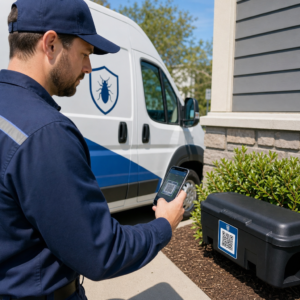
Kas olete väsinud printimast eraldi QR-koode iPhone'i ja Androidi kasutajatele oma turundusmaterjalidele? Mitu koodi kuvamine ajab potentsiaalsed kliendid segadusse ja raiskab väärtuslikku ruumi füüsilisel pakendil, bänneritel ja flaiertidel. Ühe dünaamilise QR-koodi loomine suunab iga skanneri automaatselt õigesse rakenduste poodi tema konkreetse seadme jaoks.
Kuidas mitme poe QR-koodid skannereid automaatselt suunavad
Kui nutitelefoni kaamera skannib QR-koodi, dekodeerib operatsioonisüsteem mustri URL-iks ja avab selle mobiilibrauseris. Mitme poe QR-kood tugineb dünaamilisele suunamislingile, mitte ei ühendu otse fikseeritud poe veebiaadressiga.
Skannimistaotluse saamisel kontrollib suunamisserver brauseri signaale ja operatsioonisüsteemi päiseid skanniva seadme tuvastamiseks:
- iOS-i suunamine: Suunab Apple'i kasutajad teie rakenduse kirjele App Store'is, kasutades teie rakenduse unikaalset numbrilist identifikaatorit.
- Androidi suunamine: Suunab Androidi kasutajad teie Google Play poe lehele, kasutades teie rakenduse manifesti paketi nime.
- Varu-suunamine: Saadab mittemobiilsed või lauaarvuti skannerid universaalsele veebi sihtlehele või reklaamisaidile.
Seadme tuvastuse kasutamine ühesainsas dünaamilises lingis eemaldab klientide jaoks tehnilised takistused, kaitseb teie füüsilist paigutust visuaalsest segadusest ja tagab kõrge konversioonimäära igas kanalis.
Loo oma platvormiülene rakenduse QR-kood Lihtsustage oma liitumisvoogu, suunates iOS-i ja Androidi kasutajad õigesse poodi ühe skannimisega. Käivitage App Store QR-koodi generaator , et luua ja brändida oma dünaamiline kood täna.
Kuidas seadistada rakenduse allalaadimise QR-koodi
Ühtse allalaadimiskoodi genereerimine nõuab teie ametlike platvormi URL-ide kogumist ja nutika lingi seadete konfigureerimist. Järgige neid samme prindivalmis koodi genereerimiseks:
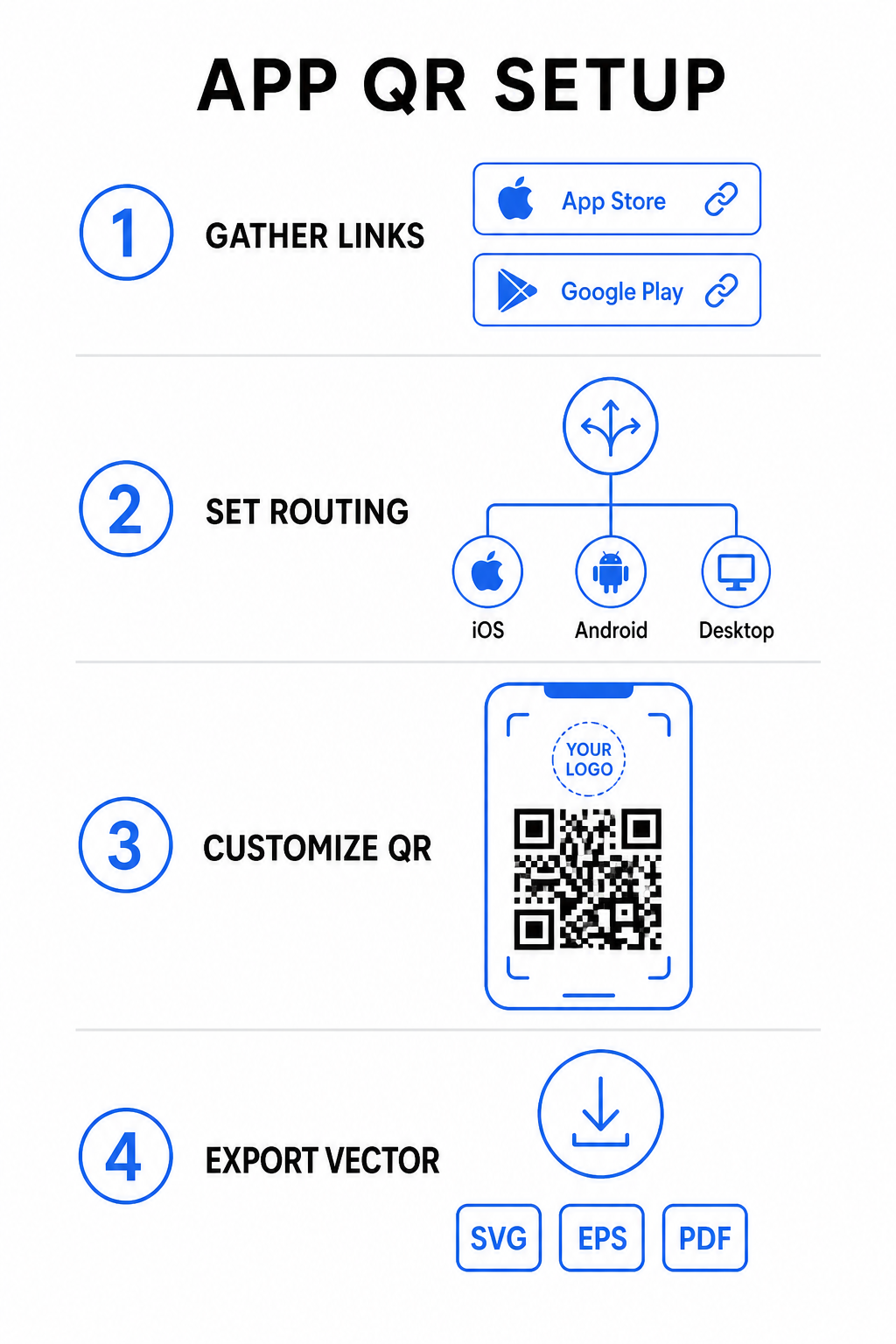
- Koguge ametlikud poe URL-id: Leidke oma Apple App Store'i tee, mis sisaldab teie rakenduse numbrilist ID-d, ja teie Google Play URL, mis sisaldab teie paketinime identifikaatorit.
- Sisestage poe lingid generaatorisse: Sisestage oma iOS-i link App Store'i väljale ja Androidi link Google Play väljale loomise redaktoris.
- Määrake universaalne varukoopia sihtkoht: Sisestage standardne veebisaidi sihtlehe URL, et suunata lauaarvutite kasutajad või toetamata operatsioonisüsteemid ümber.
- Kohandage oma koodi välimust: Reguleerige mooduli värve, taustavarjundit, raami stiile ja kutse tegevusele viipeid, seejärel manustage oma brändi logo keskele.
- Eksportige printimisvalmis vektorfaile: Laadige oma valmis disain alla kõrge eraldusvõimega vektormaatidesse nagu SVG, EPS või PDF terava printimise jaoks.
Kui teie poe URL-id tulevikus muutuvad, siis kasutades Dünaamilise QR koodi generaator saate sihtkohta linke otse oma juhtpaneelilt värskendada, ilma et peaksite füüsilisi materjale uuesti printima.
Tehnilised spetsifikatsioonid optimaalseks skannitavuseks
ISO/IEC 18004 vöötkoodi spetsifikatsioonide järgimine tagab, et teie prinditud QR-kood skannib hõlpsalt erinevates mobiilseadmetes, valgustingimustes ja nurkade all.
| Kujunduselement | Tehniline standard | Praktiline eesmärk |
|---|---|---|
| Vaikne tsoon | Minimaalselt 4 moodulit lai | Säilitab trükkimata marginaali kõigi nelja külje ümber, et kaamera sensorid saaksid koodimaatriksi taustagraafikast eraldada. |
| Suuruse suhe | 1:10 (Suurus kauguse suhtes) | Säilitab usaldusväärse loetavuse; 1-tolline (2,5 cm) kood toetab skannimiskaugust umbes 10 tolli (25 cm). |
| Värvikontrast | Kõrge kontrast (tume heledal) | Kasutab tumedaid mooduleid heledal taustal, et maksimeerida valguse neeldumise kontrasti pildisensorite jaoks. |
| Veaparandus | Tase Q (25%) või Tase H (30%) | Taastab puuduvad või varjatud andmeplokid, võimaldades koodil funktsioneerida isegi siis, kui kohandatud logo katab keskosa. |
Mõõtke oma kampaania tulemuslikkust Kas soovite näha, millised turunduskanalid genereerivad kõige rohkem rakenduse installimisi? Kasutage meie platvormi QR-koodide jälgimine et analüüsida reaalajas skannimismõõdikuid, asukohti ja operatsioonisüsteeme.
Kvaliteedi tagamise tavad enne printimist
Enne suure trükikoguse tellimist pakendite, plakatite või jaemüügiviitade jaoks hinnake põhjalikult oma koodi toimivust reaalsetes stsenaariumides.
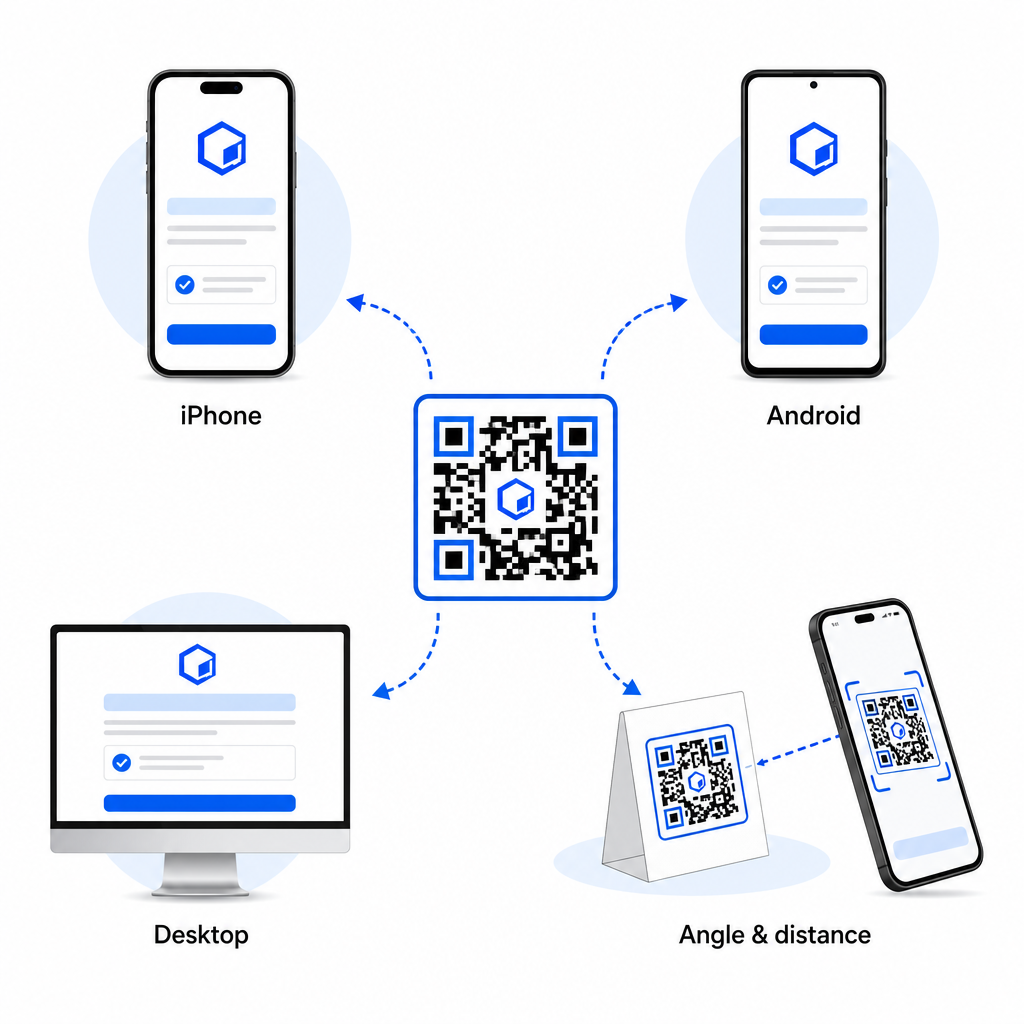
- Kontrollige natiivse platvormi marsruutimist: Skannige koodi vaikimisi kaamerarakendustega füüsilistel iOS-i ja Androidi seadmetel, et tagada õige poe ümbersuunamine.
- Kinnita töölaua varukäitumine: Klõpsa või skanni linki töölaua veebibrauserist, et kontrollida, kas mittemobiilne liiklus suunatakse sinu määratud varuveebilehele.
- Teosta kolme kauguse kontrollimise protokoll: Testi skannimist kavandatud vaatamiskauguselt, korda 50% kaugemalt ja testi 30 kuni 45-kraadise nurga all.
- Hinda võrgu laadimise kiirust: Veendu, et dünaamiline ümbersuunamine töötaks kiiresti erinevates mobiilse andmeside ja Wi-Fi võrkudes.
Lisateabe saamiseks selle kohta, kuidas nutitelefonid koodipäringuid töötlevad, vaata meie juhendeid selle kohta, kuidas kasutajad skaneerida QR-koode nutitelefonidega ja kuidas tarbijad laadivad rakenduse alla QR-koodiga.
Korduma kippuvad küsimused
Ei. Dünaamiline rakendusepoe QR-kood tuvastab skannimisel kasutaja mobiilse operatsioonisüsteemi ja suunab iOS-i kasutajad automaatselt Apple App Store'i ning Androidi kasutajad Google Play'sse.
Dünaamiline marsruutimis mootor tuvastab mittemobiilsed seadmed ja suunab külastaja teie määratud varu-URL-ile, näiteks teie peamisele veebisaidile või reklaami sihtlehele.
Jah. Dünaamilised QR-koodid võimaldavad teil oma Apple'i, Androidi või varu sihtkoha linke igal ajal oma halduspaneelil muuta, ilma et peaksite kunstiteost uuesti printima.
Sinu iOS-i ja Androidi rakenduse allalaadimislinkide ühendamine ühte dünaamilisse QR-koodi eemaldab allalaadimisega seotud hõõrdumise, säästab paigutusruumi trükimeedias ja pakub ühtset mobiilikogemust. Suure kontrasti, tugeva veaparanduse ja pilkupüüdvate raamide rakendamine muudab füüsilised pakendid ja turunduskuvarid otse rakenduse installatsioonideks.
Võta oma platvormiüleste kampaaniate üle täielik kontroll, kasutades lingi QR-koodi generaator dünaamiliste, jälgitavate allalaadimislinkide loomiseks oma turunduskampaaniate jaoks.