บ้าน > คำแนะนำ > How to Create a QR Code for a Phone Number
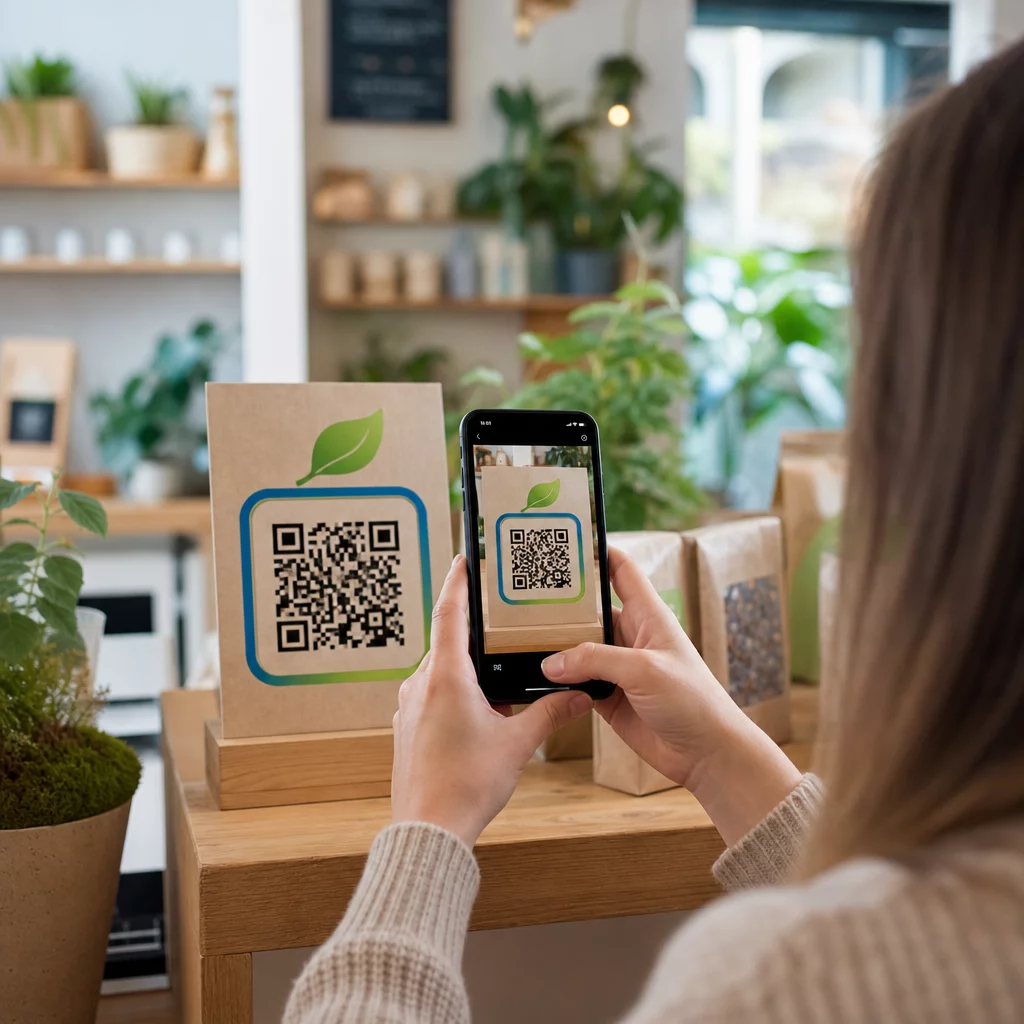
Scanning phone call QR

How to Create a QR Code for a Phone Number

Learn how to create a phone number QR code step-by-step. Discover proper E.164 formatting, static vs. dynamic options, and best practices for printing.
Updated on กรกฎาคม 27, 2026
สารบัญ

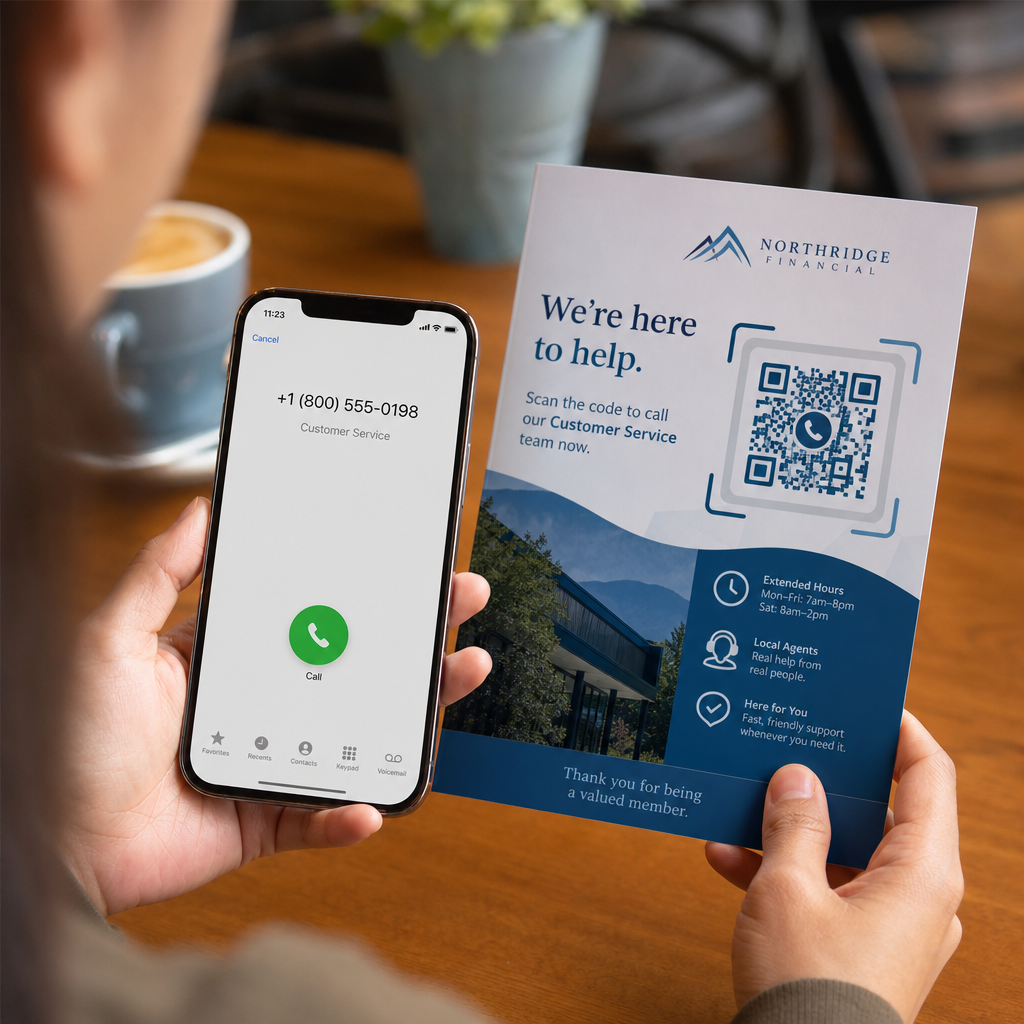
Are your prospective customers abandoning calls because typing a long phone number from print media is frustrating? Manual dialing errors directly reduce inbound sales leads and support inquiries. Creating a phone number QR code lets prospects instantly populate their mobile dialer with your number in a single scan.

How Phone Call QR Codes Work

When a smartphone camera scans a phone call QR code, it reads a standardized communication protocol known as a `tel:` Uniform Resource Identifier (URI). Defined by the IETF RFC 3966 standard, this string encodes the telephone number into a structure that mobile operating systems immediately recognize as a phone call request.

To ensure your code works seamlessly across all mobile carriers and international networks, always format your number using the E.164 international standard. This format starts with a plus sign (`+`), followed by the country code, area code, and subscriber number with no spaces, hyphens, or parentheses (for example, `+12025550123`).

Security and Operating System Behavior

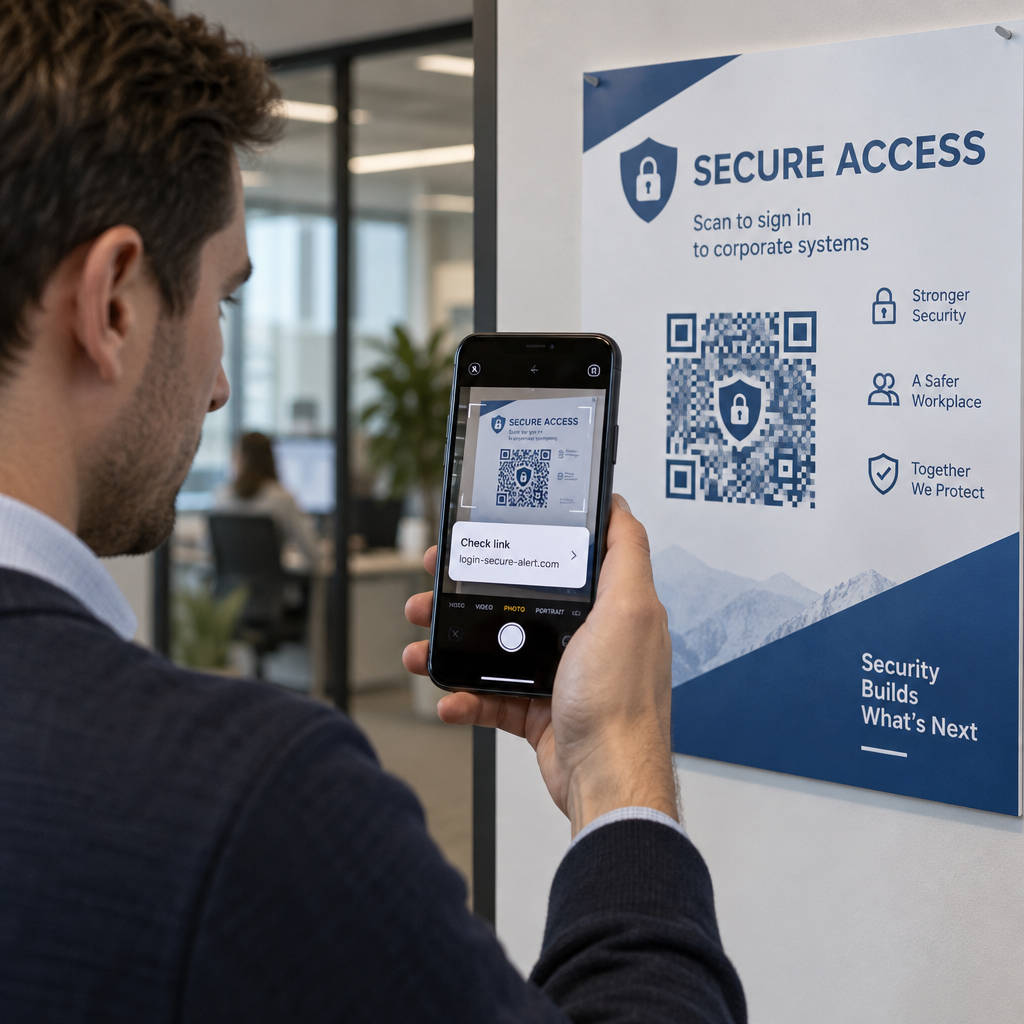
Mobile operating systems deliberately prevent QR codes from placing calls automatically without direct user interaction. This built-in security layer protects users from accidental dialing or malicious toll charges:

  • iOS (iPhone): Scanning the code displays an on-screen prompt showing the phone number and asking for explicit confirmation before dialing.
  • Android: Scanning the code opens the device’s native Phone app with the number pre-filled in the dialer, requiring the user to tap the call button.

Both platforms require a final manual tap from the user, ensuring full control over the call process.

Step-by-Step Guide to Generating a Call QR Code

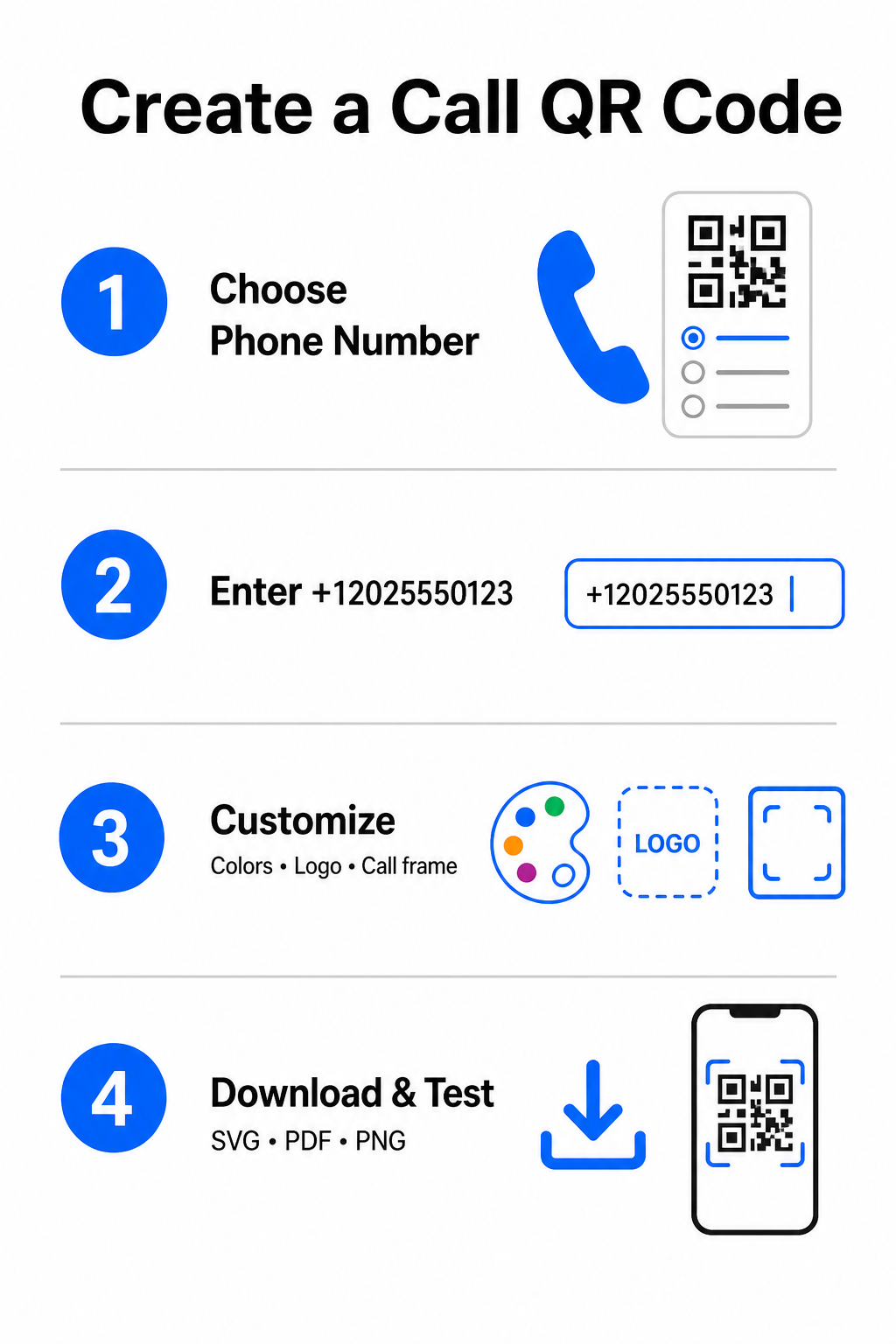
Generating a high-resolution phone QR code requires no technical expertise. Follow these straightforward steps to build your code:

Call QR creation steps
  • Open the generator: Go to the online Pageloot เครื่องสร้างรหัส QR.
  • Select the phone option: เลือก Phone Number หรือ โทร option from the available code types.
  • Input the phone number: Enter your full contact number in E.164 format, including your country code (such as `+1` for North America).
  • Customize the visual design: Select custom brand colors, upload a company logo, or add a protective frame with a clear call-to-action phrase.
  • Download the finished file: Download your code in vector formats like .SVG หรือ .ไฟล์ PDF for commercial printing, or .PNG for digital displays.

If you need to share a broader set of professional details – including your full name, email address, physical address, and job title – use a dedicated เครื่องกำเนิดไฟฟ้ารหัส QR vCard instead. You can also explore our guide on how to share contact info using QR codes to decide which format fits your promotional campaign.

Static vs. Dynamic Phone QR Codes

Selecting the right underlying structure for your QR code depends on whether you need to update your phone number or track engagement over time.

คุณสมบัติ Static Phone QR Code Dynamic Phone QR Code
การจัดเก็บข้อมูล Number encoded directly into code pattern Short intermediate URL hosted on a server
Post-Print Editing Permanent (Cannot be changed after creation) Update destination phone number anytime
การวิเคราะห์การสแกน ไม่รองรับ Track total scans, locations, and time patterns
Recommended Use Permanent contact lines (Main office, toll-free desks) Marketing campaigns, seasonal call centers

Start Driving Instant Phone Calls Want to track how many scans convert into actual customer calls? Use the Pageloot เครื่องสร้างรหัส QR to create customizable, trackable call codes today.

แนวทางปฏิบัติที่ดีที่สุดสำหรับการพิมพ์และการสแกน

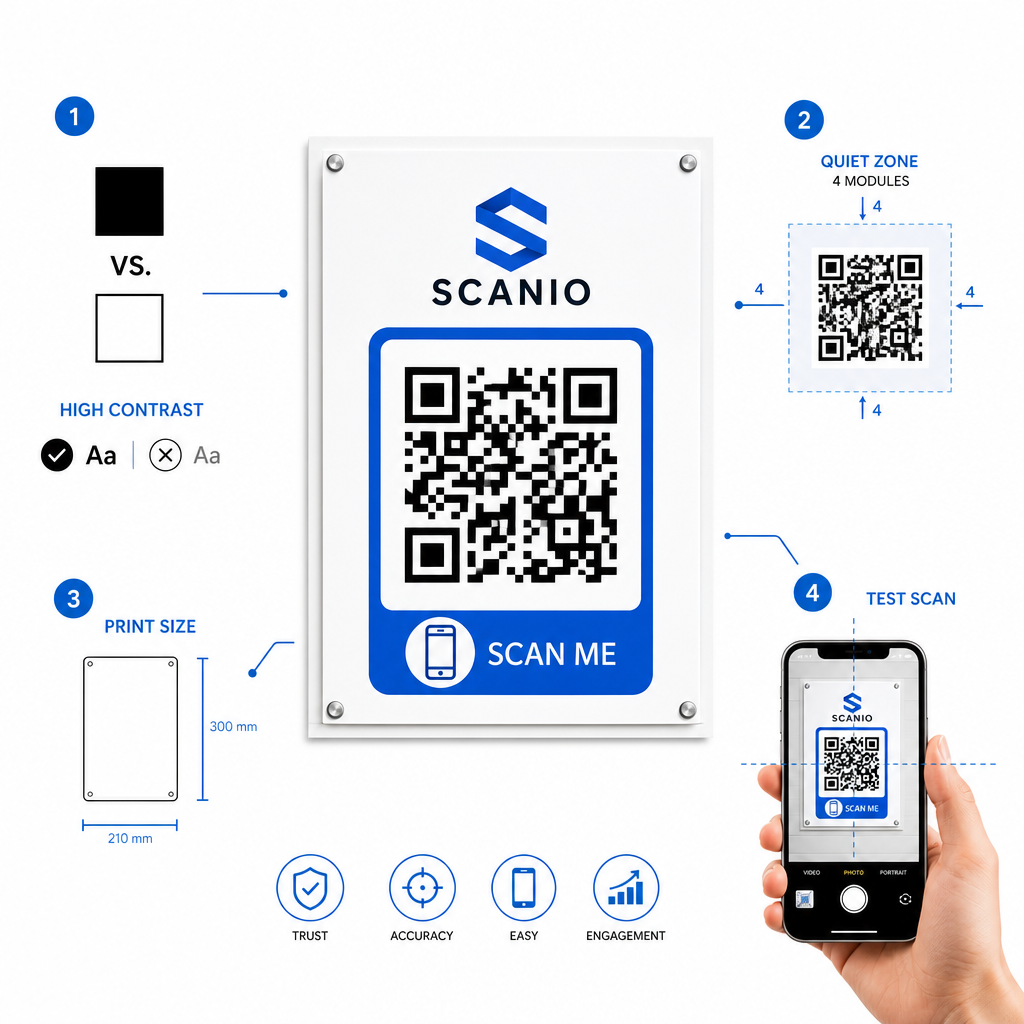
A phone QR code only generates inquiries if smartphone cameras can scan it reliably under realistic conditions. Adhere to these core print standards before sending your designs to production:

แนวทางปฏิบัติที่ดีที่สุดในการพิมพ์ QR
  • Maintain high color contrast: Choose dark modules on a light background, such as black on white. Scanners struggle to read inverted colors or low-contrast combinations like light gray on white.
  • Maintain the quiet zone: Keep a clear margin equal to at least 4 modules (the individual squares in the code pattern) completely free of text, borders, or graphics on all four sides.
  • Scale for viewing distance: Print close-range materials (like business cards or table tents) at a minimum size of 0.8 × 0.8 นิ้ว (2 × 2 ซม.). For distant signage, apply the 10:1 distance rule, meaning a code scanned from 10 feet away should measure at least 1 foot wide.
  • Perform real-world testing: Print a physical test proof on the target substrate and attempt to scan the QR code with smartphones on both iOS and Android platforms under different lighting conditions.

Connecting Offline Audiences to Your Phone Lines

By eliminating manual typing errors, phone number QR codes remove friction from offline marketing channels and connect interested prospects directly to your team. Whether you deploy a static code on permanent office signage or rely on dynamic tracking for seasonal advertising campaigns, keeping your design scannable ensures a smooth path from physical touchpoint to phone conversation.

Ready to simplify customer outreach? Visit the Pageloot เครื่องสร้างรหัส QR today to create, customize, and deploy your custom call QR code.

คำถามที่พบบ่อย

Will scanning a QR code place a call automatically?

No. Operating systems like iOS and Android require user confirmation to prevent accidental or unauthorized calls. Scanning pre-fills the native phone dialer or displays a confirmation prompt, but the user must tap the call button.

What format should I use when entering my phone number?

Use the E.164 international standard, which starts with a plus sign (+), followed by the country code, area code, and subscriber number without dashes, spaces, or parentheses (for example, +12025550123).

Can I update the phone number after printing the QR code?

Yes, if you create a dynamic QR code. Dynamic codes route traffic through a short link, allowing you to edit the destination phone number at any time without reprinting physical materials.

เกี่ยวกับผู้เขียน

Siim Kostabi เป็นหัวหน้าฝ่ายเนื้อหาของ Pageloot เขาเขียนบทความเกี่ยวกับบริการสร้างรหัส QR ที่ล้ำสมัยของเรา ด้วยความเชี่ยวชาญอย่างลึกซึ้งในด้านรหัส QR มากว่าห้าปี Siim จึงเป็นผู้เชี่ยวชาญในสาขานี้ เขาได้สร้างความก้าวหน้าอย่างมากในการใช้เทคโนโลยี QR เพื่อทำให้การโต้ตอบทางดิจิทัลง่ายขึ้นและมีประสิทธิภาพมากขึ้น.

หมวดหมู่
ดูข้อมูลเพิ่มเติมเกี่ยวกับ

หากคุณต้องการสร้างรหัส QR ออนไลน์คุณสามารถทำได้ สร้างรหัส QR ที่นี่ฟรี!
Pageloot คือไฟล์ โซลูชัน Go-To #1 เพื่อสร้างและสแกนรหัส QR

BL-0332

บล็อกเจน

ได้รับความไว้วางใจจากแบรนด์ต่างๆ มากกว่า 20,000 แบรนด์เพื่อเพิ่มยอดขาย รีวิว และจำนวนผู้ติดตาม

โลโก้ของลูกค้า
ได้รับความไว้วางใจจากแบรนด์ชั้นนำ
ให้คะแนน 4.8 จาก 5

คะแนน 4.86 / 5 ดาว

Hugo Laurent
Hugo Laurent
เจ้าของร้านอาหาร
เครื่องสร้างรหัส QR ที่ง่ายและน่าเชื่อถือที่สุดเท่าที่เคยมีมา ไฟล์ PDF สามารถอัพโหลดได้ทันที เมนูร้านอาหารของเราเป็นแบบดิจิทัล
ลูคัส แจนเซ่น
ลูคัส แจนเซ่น
ผู้พัฒนาอสังหาฯ
นี่เป็นเครื่องมือที่ยอดเยี่ยมและรหัส QR จะพาคุณไปยังที่ที่คุณต้องการ เราใช้รหัส QR ของตำแหน่งเท่านั้น แต่มีคุณสมบัติที่มีประโยชน์มากมาย
Emma Moretti
Emma Moretti
สินค้าขายปลีก
ใช้งานง่ายและรวดเร็ว มันใช้งานได้ดีและสร้างภาพที่สมบูรณ์แบบ ดังนั้นพนักงานสามารถดาวน์โหลด vCard ของฉันได้
Hugo Laurent
Hugo Laurent
เจ้าของร้านอาหาร
เครื่องสร้างรหัส QR ที่ง่ายและน่าเชื่อถือที่สุดเท่าที่เคยมีมา ไฟล์ PDF สามารถอัพโหลดได้ทันที เมนูร้านอาหารของเราเป็นแบบดิจิทัล
ลูคัส แจนเซ่น
ลูคัส แจนเซ่น
ผู้พัฒนาอสังหาฯ
นี่เป็นเครื่องมือที่ยอดเยี่ยมและรหัส QR จะพาคุณไปยังที่ที่คุณต้องการ เราใช้รหัส QR ของตำแหน่งเท่านั้น แต่มีคุณสมบัติที่มีประโยชน์มากมาย
Emma Moretti
Emma Moretti
สินค้าขายปลีก
ใช้งานง่ายและรวดเร็ว มันใช้งานได้ดีและสร้างภาพที่สมบูรณ์แบบ ดังนั้นพนักงานสามารถดาวน์โหลด vCard ของฉันได้
ดูรหัส QR เพิ่มเติม
Scanning fashion hangtag
รหัส QR สำหรับ แบรนด์แฟชั่น
เปลี่ยนทุกสิ่งให้กลายเป็นประสบการณ์ดิจิทัล ในเวลาไม่ถึง 3 นาที

ทดลองใช้งานฟรี 14 วัน

ไม่ต้องใช้บัตรเครดิต

รับส่วนลด 30% จากการซื้อครั้งแรกของคุณ

ใช้โค้ด:

แชร์ไฟล์ MP3 ของคุณ

ลงทะเบียนเพื่อสร้างรหัส PDF QR

อัปโหลดและแสดงทุกสิ่งที่คุณต้องการ:

  • ไฟล์เสียง
  • พอดคาสต์
  • ดนตรี

ทดลองใช้ฟรี 14 วันเมื่อลงทะเบียน.
รหัส QR จะหมดอายุหลังจากการทดลองใช้.

ลงทะเบียนเพื่อสร้างรหัส QR เสียง mp3

รับการสแกนเพิ่มขึ้นด้วยกรอบ

ลงทะเบียนเพื่อเพิ่มเฟรมให้กับโค้ด QR ของคุณ

กรอบคำกระตุ้นการตัดสินใจช่วยให้ลูกค้าโต้ตอบกับ QR Code ได้อย่างง่ายดาย ลองพวกเขา!

ทดลองใช้ฟรี 14 วันเมื่อลงทะเบียน.
รหัส QR จะหมดอายุหลังจากการทดลองใช้.

ลงทะเบียนเพื่อเพิ่มเฟรมให้กับโค้ด QR ของคุณ

เพิ่มสไตล์ด้วยรูปทรง

ลงทะเบียนเพื่อสร้างรูปร่างเพิ่มเติม

รหัส QR ไม่จำเป็นต้องเป็นรูปสี่เหลี่ยมจัตุรัส ลองเปลี่ยนให้เหมาะกับภาพลักษณ์ของแบรนด์คุณ

ทดลองใช้ฟรี 14 วันเมื่อลงทะเบียน.
รหัส QR จะหมดอายุหลังจากการทดลองใช้.

ลงทะเบียนเพื่อสร้างรูปร่างเพิ่มเติม

เพิ่มโลโก้ลงในรหัส QR ของคุณ

ลงทะเบียนเพื่อเพิ่มโลโก้ของคุณลงในรหัส QR

ทำให้รหัส QR ของคุณโดดเด่นด้วยการเพิ่มโลโก้และแบรนด์ของคุณลงไป

ทดลองใช้ฟรี 14 วันเมื่อลงทะเบียน.
รหัส QR จะหมดอายุหลังจากการทดลองใช้.

ลงทะเบียนเพื่อเพิ่มโลโก้ของคุณลงในรหัส QR

การเปลี่ยนเส้นทางไปยัง App Store อัจฉริยะ

ลงทะเบียนเพื่อสร้างรหัส QR ของ App Store

เพิ่มลิงค์แอพของคุณไปยัง QR Code ของ App Store อันชาญฉลาดของเรา ผู้ใช้จะถูกเปลี่ยนเส้นทางตามอุปกรณ์ของพวกเขา

ทดลองใช้ฟรี 14 วันเมื่อลงทะเบียน.
รหัส QR จะหมดอายุหลังจากการทดลองใช้.

ลงทะเบียนเพื่อสร้างรหัส QR ของ App Store

อัปโหลดรูปภาพไปยังรหัส QR

ลงทะเบียนเพื่อสร้างรหัส QR รูปภาพ

แบ่งปันภาพของคุณได้อย่างง่ายดาย เปลี่ยนภาพแบบไดนามิกภายในไม่กี่วินาที

ทดลองใช้ฟรี 14 วันเมื่อลงทะเบียน.
รหัส QR จะหมดอายุหลังจากการทดลองใช้.

ลงทะเบียนเพื่อสร้างรหัส QR รูปภาพ

แชร์ไฟล์ PDF ของคุณ

ลงทะเบียนเพื่อสร้างรหัส PDF QR

อัปโหลดและแสดงทุกสิ่งที่คุณต้องการ:

  • รายการเมนูและราคา
  • คำแนะนำ
  • เอกสารใด ๆ

ทดลองใช้ฟรี 14 วันเมื่อลงทะเบียน.
รหัส QR จะหมดอายุหลังจากการทดลองใช้.

ลงทะเบียนเพื่อสร้างรหัส PDF QR

แก้ไขภายหลังโดยไม่ต้องพิมพ์

ลงทะเบียนเพื่อแก้ไขรหัส QR ของคุณโดยไม่ต้องพิมพ์อีกครั้ง

รหัส QR แบบไดนามิกช่วยให้คุณเปลี่ยนเนื้อหาของรหัส QR ของคุณโดยไม่ต้องพิมพ์ใหม่

ทดลองใช้ฟรี 14 วันเมื่อลงทะเบียน.
รหัส QR จะหมดอายุหลังจากการทดลองใช้.

ลงทะเบียนเพื่อแก้ไขรหัส QR ของคุณโดยไม่ต้องพิมพ์อีกครั้ง

เมื่อไหร่? ที่ไหน? ติดตามการสแกนรหัส QR ของคุณ

ลงทะเบียนเพื่อติดตามรหัส QR ของคุณ

ค้นพบว่ารหัส QR ใดของคุณได้รับการสแกนมากที่สุดและอะไรที่ทำให้ลูกค้าของคุณตื่นเต้นมากที่สุด

ทดลองใช้ฟรี 14 วันเมื่อลงทะเบียน.
รหัส QR จะหมดอายุหลังจากการทดลองใช้.

ลงทะเบียนเพื่อติดตามรหัส QR ของคุณ

มีไฟล์พร้อมพิมพ์

ลงทะเบียนเพื่อสร้างโค้ด QR เวกเตอร์ เช่น PDF และ SVG

.EPS, .PDF, .SVG

ต้องการดาวน์โหลดรหัส QR ของคุณในความละเอียดระดับ HD หรือไม่? รับรูปแบบเวกเตอร์หรือพิกเซลที่พร้อมพิมพ์

ทดลองใช้ฟรี 14 วันเมื่อลงทะเบียน.
รหัส QR จะหมดอายุหลังจากการทดลองใช้.

ลงทะเบียนเพื่อสร้างโค้ด QR เวกเตอร์ เช่น PDF และ SVG

โปรดรอ. รหัส QR ของคุณคือ กำลังโหลด... กำลังโหลด...

สร้างสรรค์ในแบบของคุณเอง

ลงทะเบียนเพื่อบันทึกรหัส QR ของคุณไว้ใช้ในภายหลัง

รับการสแกนมากขึ้นด้วยการสร้างรหัส QR ที่ยอดเยี่ยมด้วยสี โลโก้ และกรอบคำกระตุ้นการตัดสินใจที่แตกต่างกัน

ทดลองใช้ฟรี 14 วันเมื่อลงทะเบียน.
รหัส QR จะหมดอายุหลังจากการทดลองใช้.

ลงทะเบียนเพื่อบันทึกรหัส QR ของคุณไว้ใช้ในภายหลัง