> 가이드 > How to Create a QR Code for a Phone Number
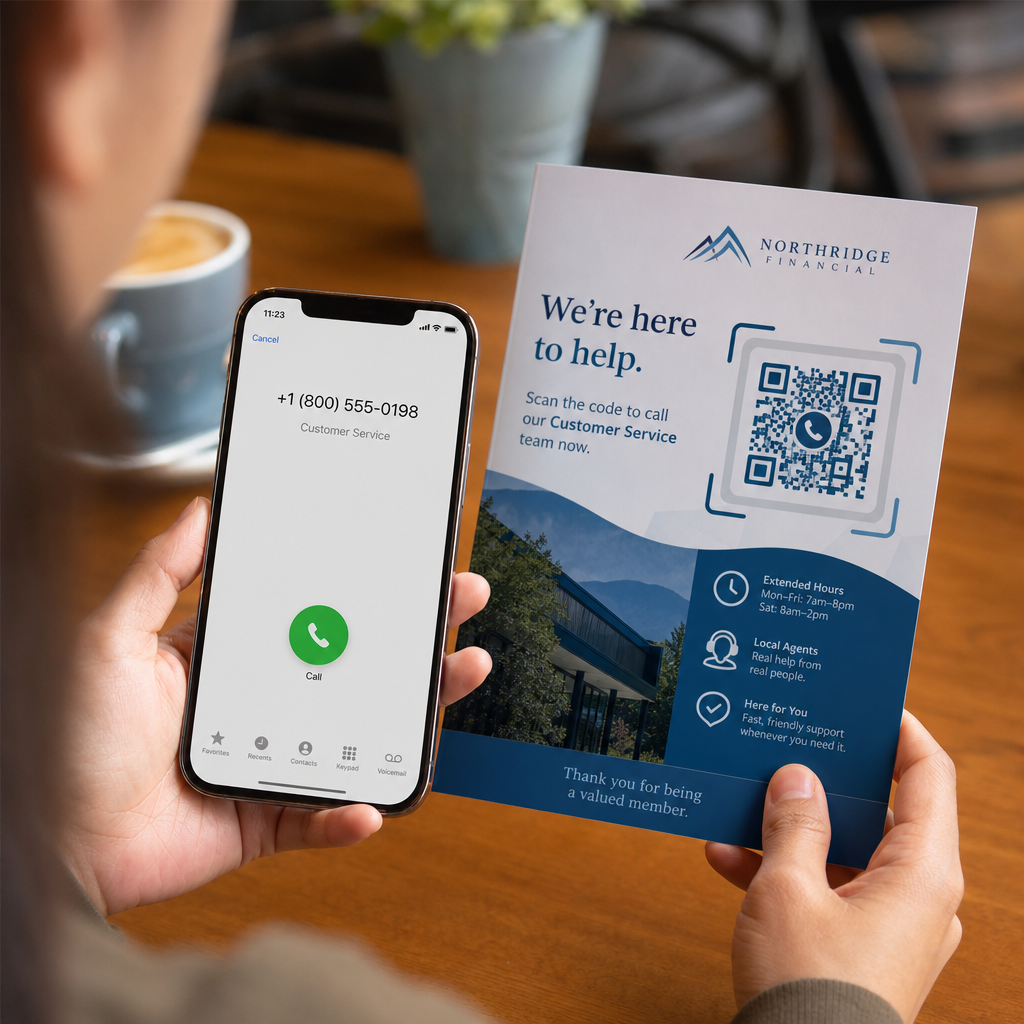
Scanning phone call QR

How to Create a QR Code for a Phone Number

Learn how to create a phone number QR code step-by-step. Discover proper E.164 formatting, static vs. dynamic options, and best practices for printing.
Updated on 7월 27, 2026
목차

Are your prospective customers abandoning calls because typing a long phone number from print media is frustrating? Manual dialing errors directly reduce inbound sales leads and support inquiries. Creating a phone number QR code lets prospects instantly populate their mobile dialer with your number in a single scan.

How Phone Call QR Codes Work

When a smartphone camera scans a phone call QR code, it reads a standardized communication protocol known as a `tel:` Uniform Resource Identifier (URI). Defined by the IETF RFC 3966 standard, this string encodes the telephone number into a structure that mobile operating systems immediately recognize as a phone call request.

To ensure your code works seamlessly across all mobile carriers and international networks, always format your number using the E.164 international standard. This format starts with a plus sign (`+`), followed by the country code, area code, and subscriber number with no spaces, hyphens, or parentheses (for example, `+12025550123`).

Security and Operating System Behavior

Mobile operating systems deliberately prevent QR codes from placing calls automatically without direct user interaction. This built-in security layer protects users from accidental dialing or malicious toll charges:

  • iOS (iPhone): Scanning the code displays an on-screen prompt showing the phone number and asking for explicit confirmation before dialing.
  • Android: Scanning the code opens the device’s native Phone app with the number pre-filled in the dialer, requiring the user to tap the call button.

Both platforms require a final manual tap from the user, ensuring full control over the call process.

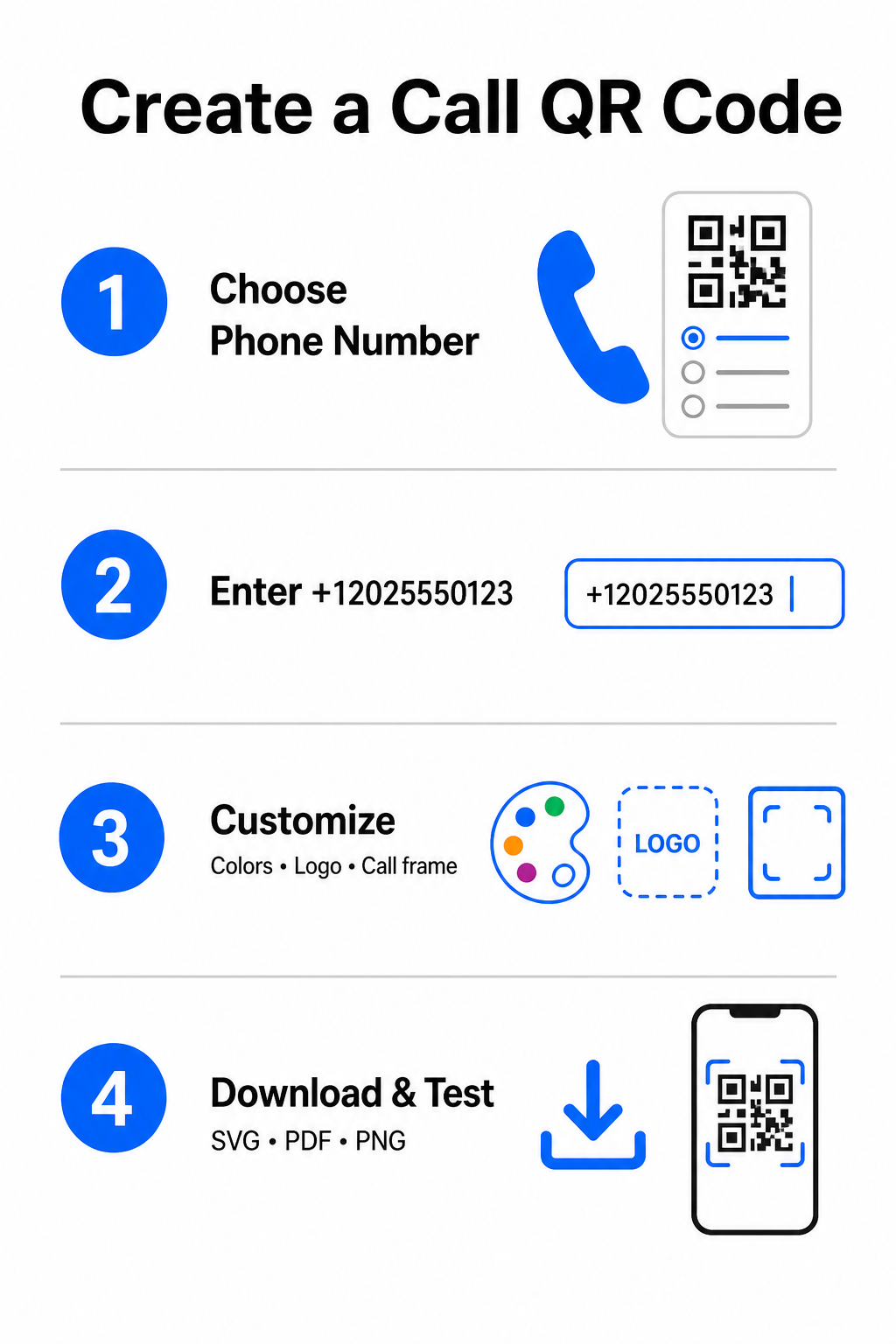
Step-by-Step Guide to Generating a Call QR Code

Generating a high-resolution phone QR code requires no technical expertise. Follow these straightforward steps to build your code:

Call QR creation steps
  • Open the generator: Go to the online Pageloot QR 코드 생성기.
  • Select the phone option: 선택하세요 Phone Number 또는 요구 option from the available code types.
  • Input the phone number: Enter your full contact number in E.164 format, including your country code (such as `+1` for North America).
  • Customize the visual design: Select custom brand colors, upload a company logo, or add a protective frame with a clear call-to-action phrase.
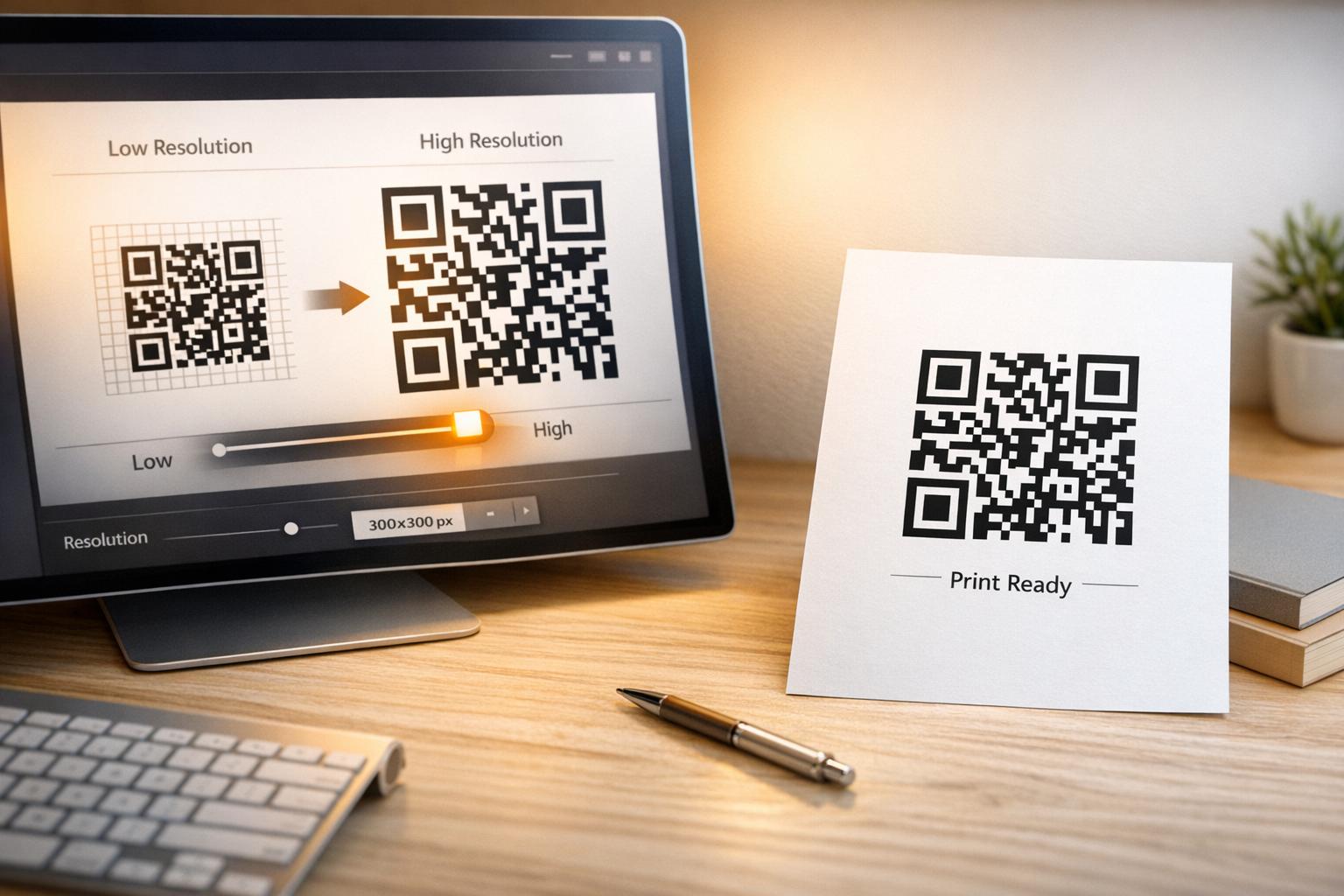
  • Download the finished file: Download your code in vector formats like .SVG 또는 .PDF for commercial printing, or .PNG for digital displays.

If you need to share a broader set of professional details – including your full name, email address, physical address, and job title – use a dedicated vCard QR 코드 생성기 instead. You can also explore our guide on how to share contact info using QR codes to decide which format fits your promotional campaign.

Static vs. Dynamic Phone QR Codes

Selecting the right underlying structure for your QR code depends on whether you need to update your phone number or track engagement over time.

기능 Static Phone QR Code Dynamic Phone QR Code
데이터 저장 Number encoded directly into code pattern Short intermediate URL hosted on a server
Post-Print Editing Permanent (Cannot be changed after creation) Update destination phone number anytime
스캔 분석 지원되지 않음 Track total scans, locations, and time patterns
Recommended Use Permanent contact lines (Main office, toll-free desks) Marketing campaigns, seasonal call centers

Start Driving Instant Phone Calls Want to track how many scans convert into actual customer calls? Use the Pageloot QR 코드 생성기 to create customizable, trackable call codes today.

인쇄 및 스캔 가능성을 위한 모범 사례

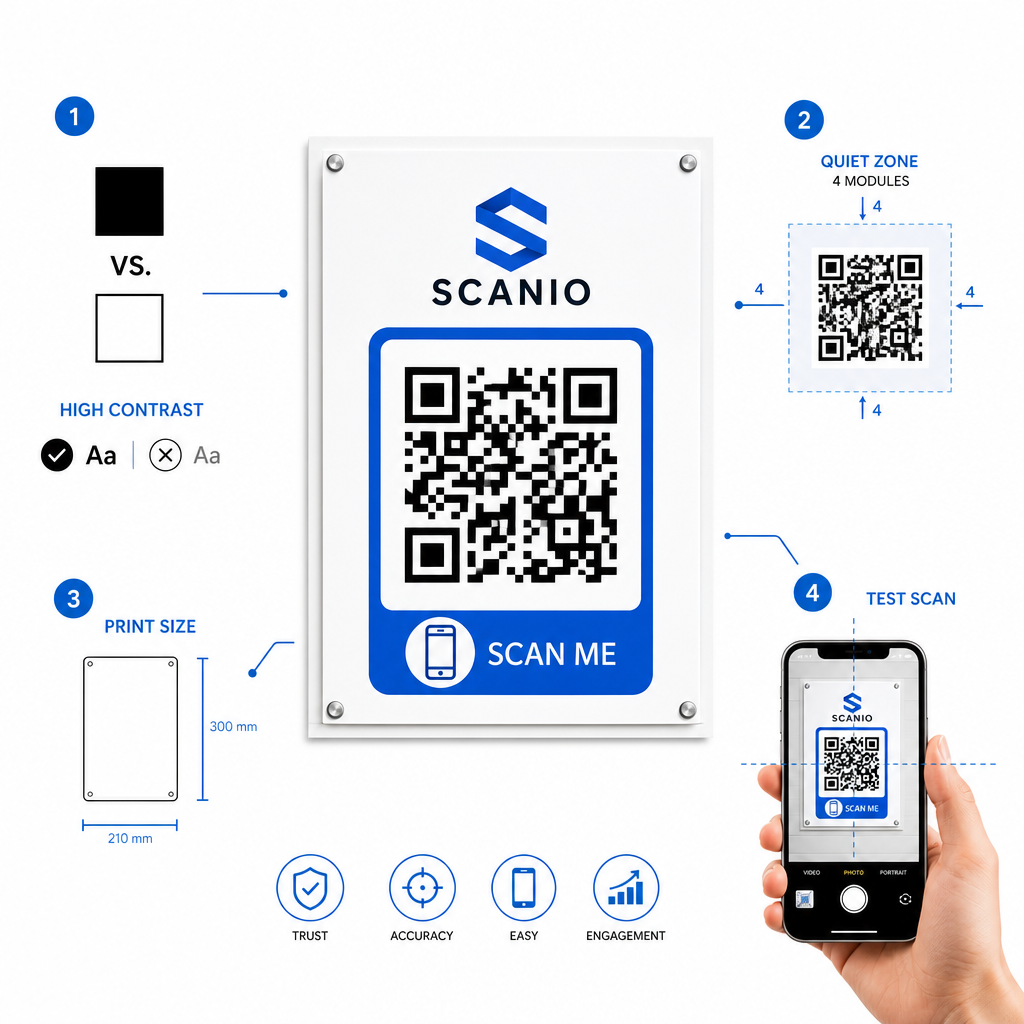
A phone QR code only generates inquiries if smartphone cameras can scan it reliably under realistic conditions. Adhere to these core print standards before sending your designs to production:

QR 인쇄 모범 사례
  • Maintain high color contrast: Choose dark modules on a light background, such as black on white. Scanners struggle to read inverted colors or low-contrast combinations like light gray on white.
  • Maintain the quiet zone: Keep a clear margin equal to at least 4 modules (the individual squares in the code pattern) completely free of text, borders, or graphics on all four sides.
  • Scale for viewing distance: Print close-range materials (like business cards or table tents) at a minimum size of 0.8 × 0.8인치 (2 × 2 cm). For distant signage, apply the 10:1 distance rule, meaning a code scanned from 10 feet away should measure at least 1 foot wide.
  • Perform real-world testing: Print a physical test proof on the target substrate and attempt to scan the QR code with smartphones on both iOS and Android platforms under different lighting conditions.

Connecting Offline Audiences to Your Phone Lines

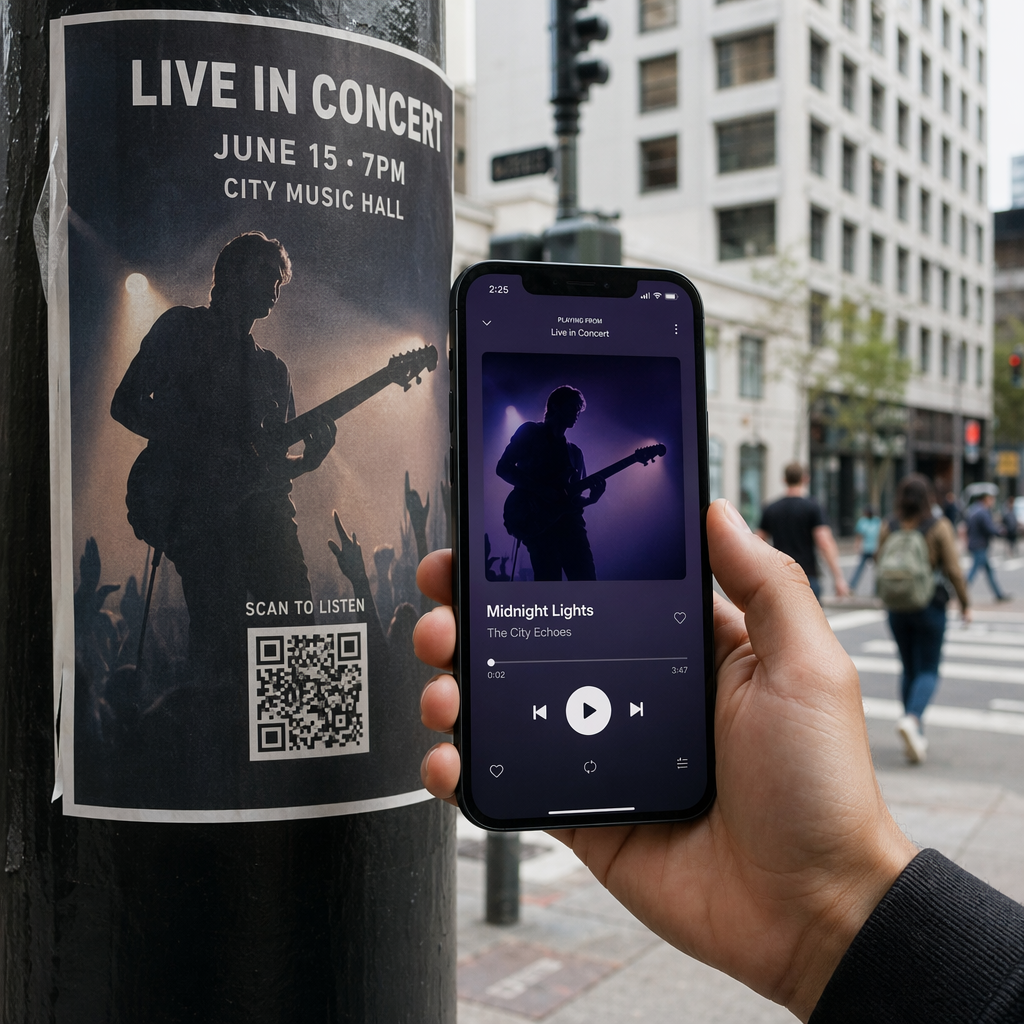
By eliminating manual typing errors, phone number QR codes remove friction from offline marketing channels and connect interested prospects directly to your team. Whether you deploy a static code on permanent office signage or rely on dynamic tracking for seasonal advertising campaigns, keeping your design scannable ensures a smooth path from physical touchpoint to phone conversation.

Ready to simplify customer outreach? Visit the Pageloot QR 코드 생성기 today to create, customize, and deploy your custom call QR code.

자주 묻는 질문

Will scanning a QR code place a call automatically?

No. Operating systems like iOS and Android require user confirmation to prevent accidental or unauthorized calls. Scanning pre-fills the native phone dialer or displays a confirmation prompt, but the user must tap the call button.

What format should I use when entering my phone number?

Use the E.164 international standard, which starts with a plus sign (+), followed by the country code, area code, and subscriber number without dashes, spaces, or parentheses (for example, +12025550123).

Can I update the phone number after printing the QR code?

Yes, if you create a dynamic QR code. Dynamic codes route traffic through a short link, allowing you to edit the destination phone number at any time without reprinting physical materials.

작성자 정보

시임 코스타비는 페이지루트의 콘텐츠 책임자입니다. 그는 페이지루트의 혁신적인 QR 코드 생성 서비스에 대한 글을 쓰고 있습니다. 5년 이상 QR 코드 분야에서 쌓아온 깊이 있는 전문 지식을 바탕으로, 시임은 이 분야의 전문가로 인정받고 있습니다. 그는 QR 기술을 활용하여 디지털 상호작용을 간소화하고 향상시키는 데 크게 기여하고 있습니다.

범주
에 대해 자세히 알아보기

온라인으로 QR 코드를 생성해야하는 경우 QR 코드 만들기 무료로 여기!
Pageloot는 #1 Go-To 솔루션 QR 코드를 만들고 스캔합니다.

BL-0332

블로그 세대

20,000개 이상의 브랜드로부터 신뢰를 받아 더 많은 매출, 리뷰, 팔로워를 확보했습니다.

클라이언트 로고
최고 브랜드의 신뢰
5 중 4.8 평가

4.86 / 5 별점

휴고 로랑
휴고 로랑
레스토랑 주인
가장 쉽고 안정적인 QR 코드 생성기. PDF 파일을 즉시 업로드할 수 있습니다. 이제 레스토랑 메뉴가 디지털화되었습니다.
루카스 얀센
루카스 얀센
부동산 개발사
이것은 훌륭한 도구이며 QR 코드를 사용하면 원하는 곳으로 이동할 수 있습니다. 우리는 위치 QR 코드만 사용하지만 유용한 기능이 너무 많습니다.

엠마 모레티
엠마 모레티
소매 제품
사용하기 쉽고 빠릅니다. 그것은 훌륭하게 작동하고 완벽한 이미지를 생성하므로 직원들이 내 vCard를 다운로드할 수 있습니다.

휴고 로랑
휴고 로랑
레스토랑 주인
가장 쉽고 안정적인 QR 코드 생성기. PDF 파일을 즉시 업로드할 수 있습니다. 이제 레스토랑 메뉴가 디지털화되었습니다.
루카스 얀센
루카스 얀센
부동산 개발사
이것은 훌륭한 도구이며 QR 코드를 사용하면 원하는 곳으로 이동할 수 있습니다. 우리는 위치 QR 코드만 사용하지만 유용한 기능이 너무 많습니다.
엠마 모레티
엠마 모레티
소매 제품
사용하기 쉽고 빠릅니다. 그것은 훌륭하게 작동하고 완벽한 이미지를 생성하므로 직원들이 내 vCard를 다운로드할 수 있습니다.
더 많은 QR 코드보기
무엇이든 디지털 경험으로 전환하세요 3분 이내에.

14일 무료 체험.

신용카드는 필요 없습니다.

첫 구매 시 30% 할인

코드를 사용하세요:

MP3 파일 공유

PDF QR 코드를 생성하려면 가입하세요

필요한 모든 것을 업로드하고 표시합니다.

  • 오디오 파일
  • 팟캐스트
  • 음악

가입 시 14일 무료 체험.
체험 기간 후 QR 코드 만료.

오디오 mp3 QR 코드를 생성하려면 가입하세요

프레임으로 더 많은 스캔 확보

QR 코드에 더 많은 프레임을 추가하려면 가입하세요

클릭 유도 문안 프레임은 고객이 QR 코드와 쉽게 상호 작용할 수 있도록 도와줍니다. 사용해 보세요!

가입 시 14일 무료 체험.
체험 기간 후 QR 코드 만료.

QR 코드에 더 많은 프레임을 추가하려면 가입하세요

도형으로 더 많은 스타일 추가

더 많은 도형을 만들려면 가입하세요

QR 코드는 정사각형일 필요가 없습니다. 브랜드 이미지에 맞게 전환해 보세요.

가입 시 14일 무료 체험.
체험 기간 후 QR 코드 만료.

더 많은 도형을 만들려면 가입하세요

QR 코드에 로고 추가

QR 코드에 로고를 추가하려면 가입하세요

로고와 브랜드를 추가하여 QR 코드를 돋보이게 만드세요.

가입 시 14일 무료 체험.
체험 기간 후 QR 코드 만료.

QR 코드에 로고를 추가하려면 가입하세요

스마트 앱 스토어 리디렉션

앱 스토어 QR 코드를 생성하려면 가입하세요

스마트 앱 스토어 QR 코드에 앱 링크를 추가하세요. 사용자는 장치에 따라 리디렉션됩니다.

가입 시 14일 무료 체험.
체험 기간 후 QR 코드 만료.

앱 스토어 QR 코드를 생성하려면 가입하세요

QR 코드에 이미지 업로드

이미지 QR 코드를 생성하려면 가입하세요

이미지를 쉽게 공유하세요. 몇 초 안에 동적으로 이미지를 변경하십시오.

가입 시 14일 무료 체험.
체험 기간 후 QR 코드 만료.

이미지 QR 코드를 생성하려면 가입하세요

PDF 파일 공유

PDF QR 코드를 생성하려면 가입하세요

필요한 모든 것을 업로드하고 표시합니다.

  • 메뉴 및 가격표
  • 명령
  • 모든 문서

가입 시 14일 무료 체험.
체험 기간 후 QR 코드 만료.

PDF QR 코드를 생성하려면 가입하세요

인쇄 없이 나중에 편집

다시 인쇄하지 않고 QR 코드를 편집하려면 가입하세요

동적 QR 코드를 사용하면 새 QR 코드를 인쇄하지 않고도 QR 코드의 내용을 변경할 수 있습니다.

가입 시 14일 무료 체험.
체험 기간 후 QR 코드 만료.

다시 인쇄하지 않고 QR 코드를 편집하려면 가입하세요

언제? 어디서? QR 코드 스캔 추적

QR 코드를 추적하려면 가입하세요

어떤 QR 코드가 가장 많이 스캔되고 무엇이 고객을 가장 흥분시키는지 알아보십시오.

가입 시 14일 무료 체험.
체험 기간 후 QR 코드 만료.

QR 코드를 추적하려면 가입하세요

인쇄 준비 파일 제공

PDF 및 SVG와 같은 벡터 QR 코드를 생성하려면 가입하세요.

.EPS, .PDF, .SVG

HD 해상도로 QR 코드를 다운로드하고 싶으신가요? 인쇄할 준비가 된 벡터 또는 픽셀 형식을 가져옵니다.

가입 시 14일 무료 체험.
체험 기간 후 QR 코드 만료.

PDF 및 SVG와 같은 벡터 QR 코드를 생성하려면 가입하세요.

기다리세요. 귀하의 QR 코드는 로드 중... 로드 중...

나만의 것으로 만들기

나중을 위해 QR 코드를 저장하려면 가입하세요.

다양한 색상, 로고 및 클릭 유도문안 프레임으로 멋진 QR 코드를 만들어 더 많은 스캔을 받으세요.

가입 시 14일 무료 체험.
체험 기간 후 QR 코드 만료.

나중을 위해 QR 코드를 저장하려면 가입하세요.