בית > מדריכים > How to Create a QR Code for a Phone Number
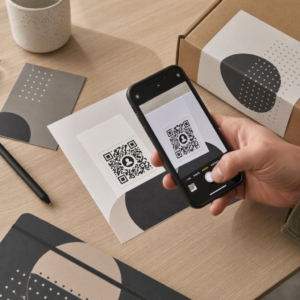
Scanning phone call QR

How to Create a QR Code for a Phone Number

Learn how to create a phone number QR code step-by-step. Discover proper E.164 formatting, static vs. dynamic options, and best practices for printing.
Updated on יולי 27, 2026
תוכן העניינים

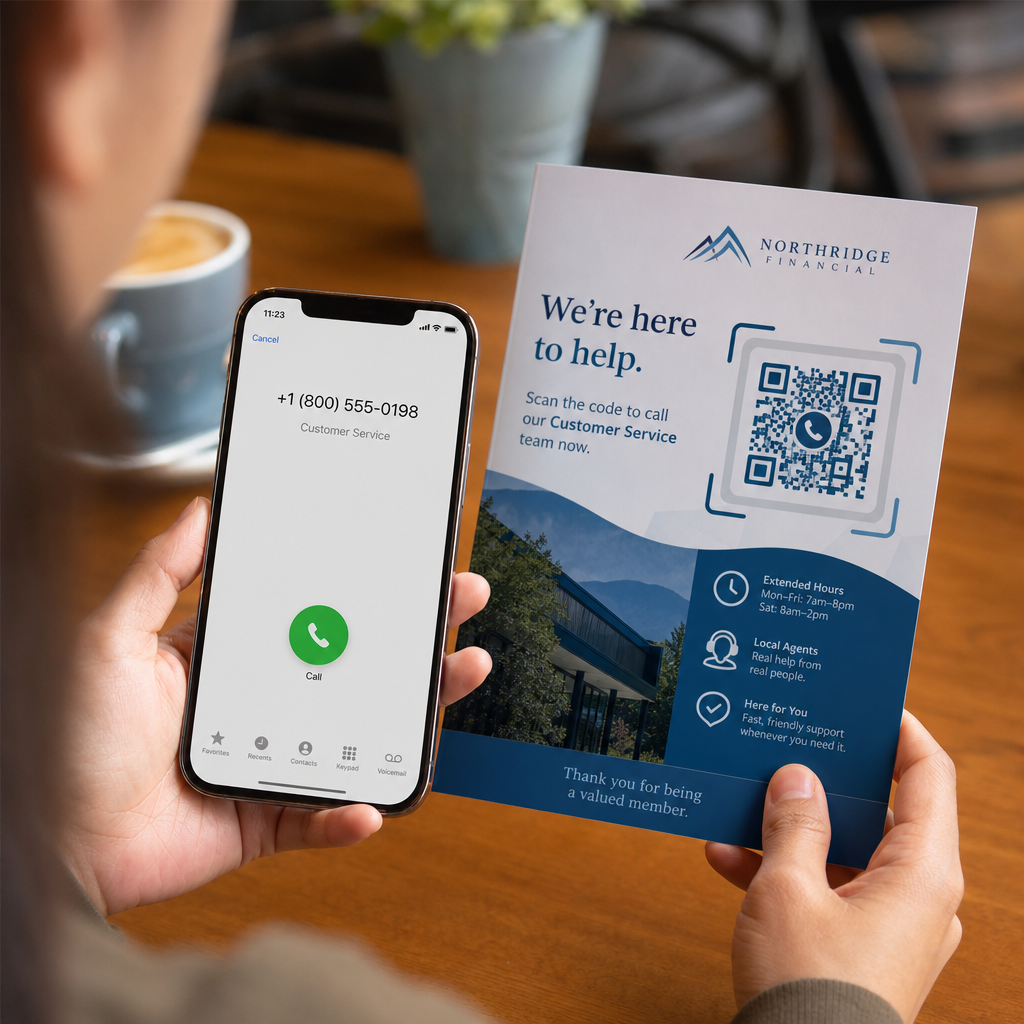
Are your prospective customers abandoning calls because typing a long phone number from print media is frustrating? Manual dialing errors directly reduce inbound sales leads and support inquiries. Creating a phone number QR code lets prospects instantly populate their mobile dialer with your number in a single scan.

How Phone Call QR Codes Work

When a smartphone camera scans a phone call QR code, it reads a standardized communication protocol known as a `tel:` Uniform Resource Identifier (URI). Defined by the IETF RFC 3966 standard, this string encodes the telephone number into a structure that mobile operating systems immediately recognize as a phone call request.

To ensure your code works seamlessly across all mobile carriers and international networks, always format your number using the E.164 international standard. This format starts with a plus sign (`+`), followed by the country code, area code, and subscriber number with no spaces, hyphens, or parentheses (for example, `+12025550123`).

Security and Operating System Behavior

Mobile operating systems deliberately prevent QR codes from placing calls automatically without direct user interaction. This built-in security layer protects users from accidental dialing or malicious toll charges:

  • iOS (iPhone): Scanning the code displays an on-screen prompt showing the phone number and asking for explicit confirmation before dialing.
  • Android: Scanning the code opens the device’s native Phone app with the number pre-filled in the dialer, requiring the user to tap the call button.

Both platforms require a final manual tap from the user, ensuring full control over the call process.

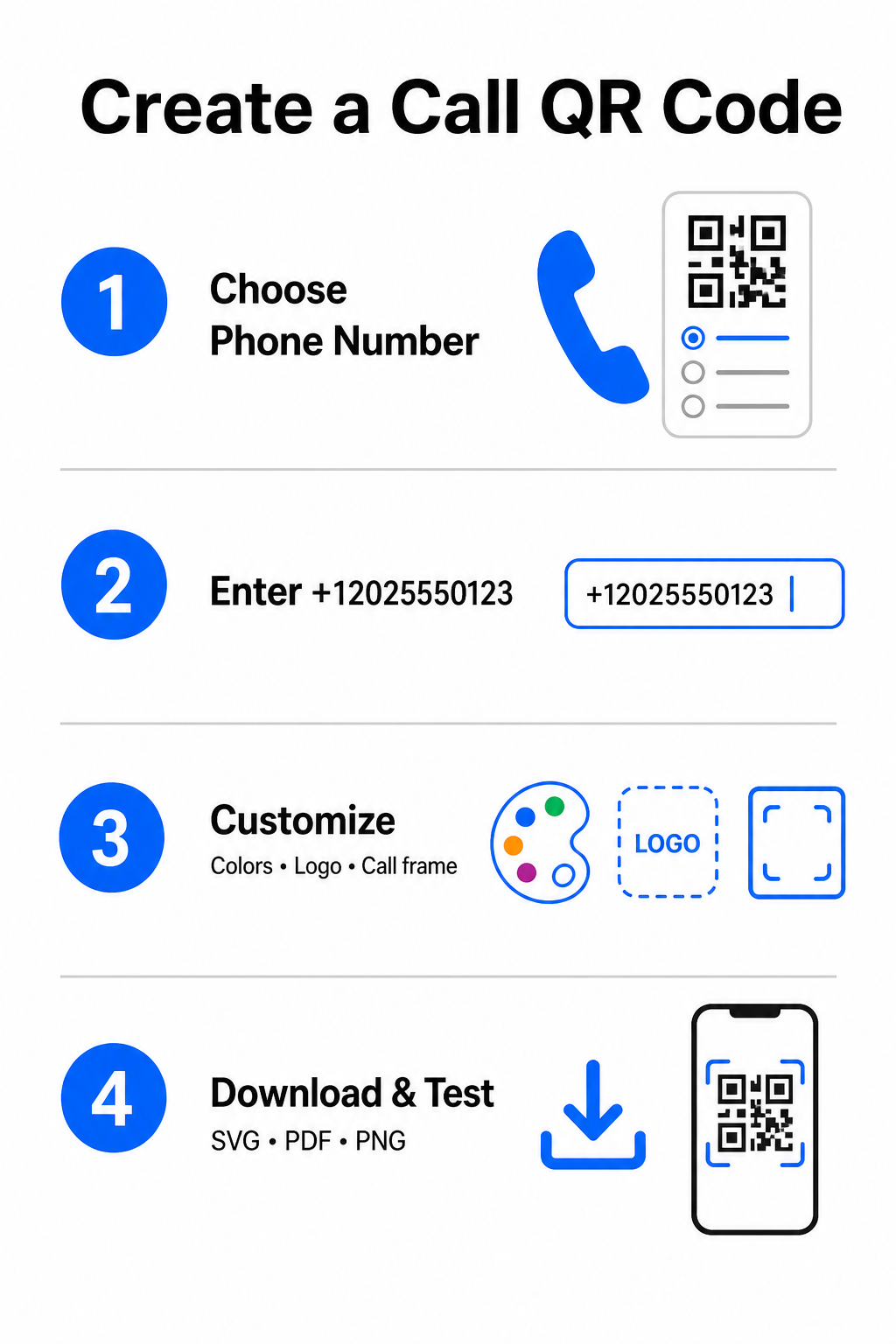
Step-by-Step Guide to Generating a Call QR Code

Generating a high-resolution phone QR code requires no technical expertise. Follow these straightforward steps to build your code:

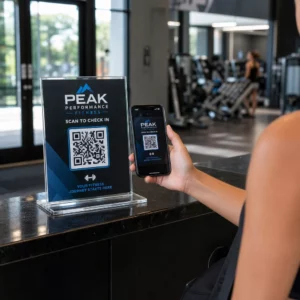
Call QR creation steps
  • Open the generator: Go to the online מחולל קוד QR של Pageloot.
  • Select the phone option: בחר את Phone Number אוֹ שִׂיחָה option from the available code types.
  • Input the phone number: Enter your full contact number in E.164 format, including your country code (such as `+1` for North America).
  • Customize the visual design: Select custom brand colors, upload a company logo, or add a protective frame with a clear call-to-action phrase.
  • Download the finished file: Download your code in vector formats like .SVG אוֹ .PDF for commercial printing, or .PNG for digital displays.

If you need to share a broader set of professional details – including your full name, email address, physical address, and job title – use a dedicated מחולל קוד QR vCard instead. You can also explore our guide on how to share contact info using QR codes to decide which format fits your promotional campaign.

Static vs. Dynamic Phone QR Codes

Selecting the right underlying structure for your QR code depends on whether you need to update your phone number or track engagement over time.

תכונה Static Phone QR Code Dynamic Phone QR Code
אחסון נתונים Number encoded directly into code pattern Short intermediate URL hosted on a server
Post-Print Editing Permanent (Cannot be changed after creation) Update destination phone number anytime
ניתוח סריקות לא נתמך Track total scans, locations, and time patterns
Recommended Use Permanent contact lines (Main office, toll-free desks) Marketing campaigns, seasonal call centers

Start Driving Instant Phone Calls Want to track how many scans convert into actual customer calls? Use the מחולל קוד QR של Pageloot to create customizable, trackable call codes today.

שיטות עבודה מומלצות להדפסה וסריקה

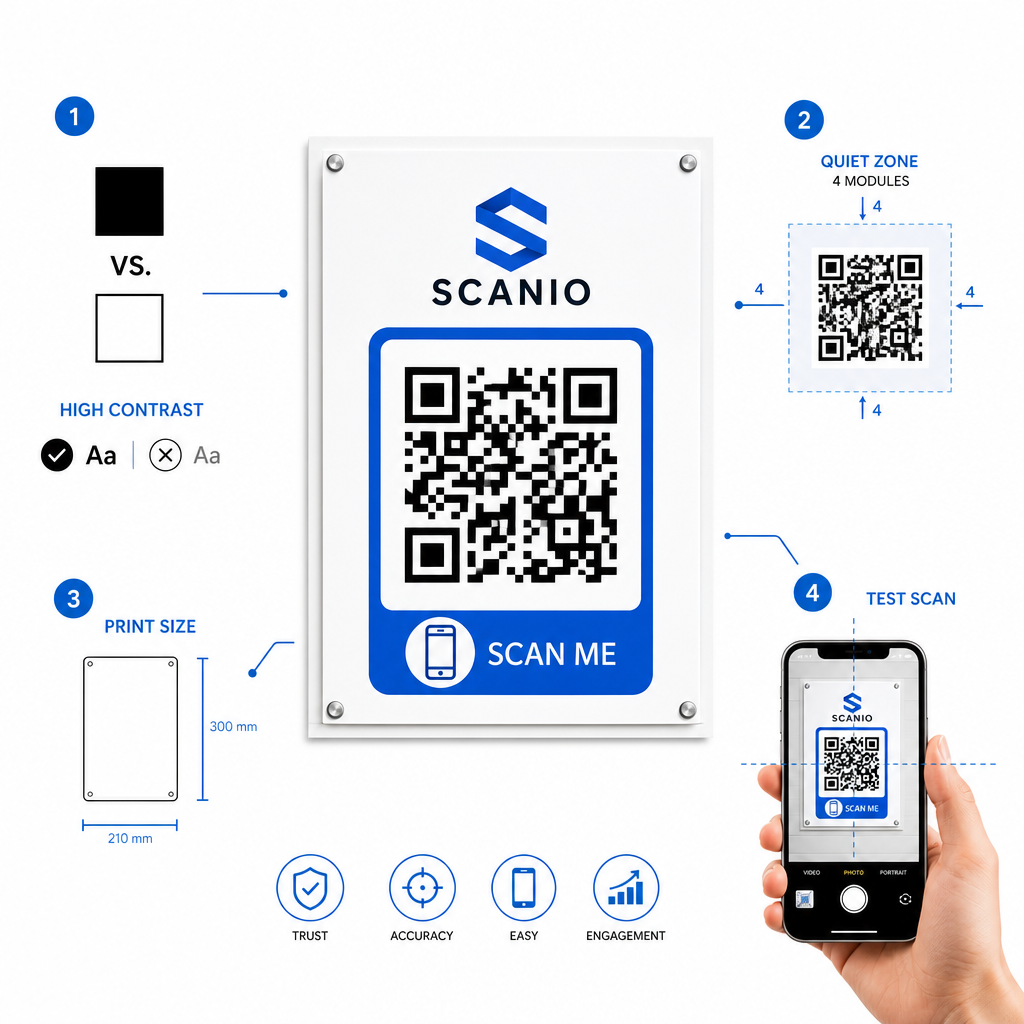
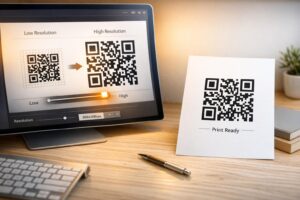
A phone QR code only generates inquiries if smartphone cameras can scan it reliably under realistic conditions. Adhere to these core print standards before sending your designs to production:

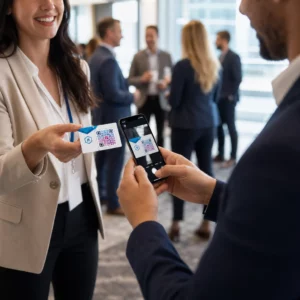
שיטות עבודה מומלצות להדפסת QR
  • Maintain high color contrast: Choose dark modules on a light background, such as black on white. Scanners struggle to read inverted colors or low-contrast combinations like light gray on white.
  • Maintain the quiet zone: Keep a clear margin equal to at least 4 modules (the individual squares in the code pattern) completely free of text, borders, or graphics on all four sides.
  • Scale for viewing distance: Print close-range materials (like business cards or table tents) at a minimum size of 0.8 × 0.8 אינץ' (2 × 2 ס"מ). For distant signage, apply the 10:1 distance rule, meaning a code scanned from 10 feet away should measure at least 1 foot wide.
  • Perform real-world testing: Print a physical test proof on the target substrate and attempt to scan the QR code with smartphones on both iOS and Android platforms under different lighting conditions.

Connecting Offline Audiences to Your Phone Lines

By eliminating manual typing errors, phone number QR codes remove friction from offline marketing channels and connect interested prospects directly to your team. Whether you deploy a static code on permanent office signage or rely on dynamic tracking for seasonal advertising campaigns, keeping your design scannable ensures a smooth path from physical touchpoint to phone conversation.

Ready to simplify customer outreach? Visit the מחולל קוד QR של Pageloot today to create, customize, and deploy your custom call QR code.

שאלות נפוצות

Will scanning a QR code place a call automatically?

No. Operating systems like iOS and Android require user confirmation to prevent accidental or unauthorized calls. Scanning pre-fills the native phone dialer or displays a confirmation prompt, but the user must tap the call button.

What format should I use when entering my phone number?

Use the E.164 international standard, which starts with a plus sign (+), followed by the country code, area code, and subscriber number without dashes, spaces, or parentheses (for example, +12025550123).

Can I update the phone number after printing the QR code?

Yes, if you create a dynamic QR code. Dynamic codes route traffic through a short link, allowing you to edit the destination phone number at any time without reprinting physical materials.

על הסופר

סים קוסטבי הוא ראש התוכן ב-Pageloot. הוא כותב על שירותי יצירת קודי QR החדשניים שלנו. עם מומחיות מעמיקה המשתרעת על פני יותר מחצי עשור בקודי QR, סים הוא מומחה בתחום. הוא עושה צעדים משמעותיים במינוף טכנולוגיית QR כדי לפשט ולשפר אינטראקציות דיגיטליות.

קטגוריה
למידע נוסף על
סריקת קוד QR של הגלריה
קודי QR עבור גלריית תמונות
Trusted QR code
לאף אחד לא אכפת אודות קודי ה- QR שלך
✅ הפתרון #1 עבור קודי QR

אם אתה צריך ליצור קודי QR באופן מקוון, אתה יכול הכינו קוד QR ממש כאן בחינם!
Pageloot הוא פתרון Go-To #1 ליצור ולסרוק קודי QR.

BL-0332

בלוג-מחולל

מהימנים על ידי למעלה מ-20,000 מותגים כדי להשיג יותר מכירות, ביקורות ועוקבים.

לוגו של לקוחות
מהימנים על ידי המותגים המובילים
דורג 4.8 מתוך 5

דירוג 4.86 / 5 כוכבים

הוגו לורן
הוגו לורן
בעל מסעדה
מחולל קוד QR הקל והאמין ביותר אי פעם. ניתן להעלות קבצי PDF באופן מיידי. תפריטי המסעדה שלנו עכשיו דיגיטליים.
לוקאס יאנסן
לוקאס יאנסן
יזם נדל"ן
זהו כלי מצוין וקודי ה-QR לוקחים אותך בדיוק לאן שאתה רוצה. אנחנו משתמשים רק בקוד QR של המיקום אבל יש כל כך הרבה תכונות שימושיות.
אמה מורטי
אמה מורטי
מוצרים קמעונאיים
קל לשימוש ומהיר. זה עובד נהדר ויוצר תמונה מושלמת, כך שהעובדים יכולים להוריד את ה-vCard שלי.
הוגו לורן
הוגו לורן
בעל מסעדה
מחולל קוד QR הקל והאמין ביותר אי פעם. ניתן להעלות קבצי PDF באופן מיידי. תפריטי המסעדה שלנו עכשיו דיגיטליים.
לוקאס יאנסן
לוקאס יאנסן
יזם נדל"ן
זהו כלי מצוין וקודי ה-QR לוקחים אותך בדיוק לאן שאתה רוצה. אנחנו משתמשים רק בקוד QR של המיקום אבל יש כל כך הרבה תכונות שימושיות.
אמה מורטי
אמה מורטי
מוצרים קמעונאיים
קל לשימוש ומהיר. זה עובד נהדר ויוצר תמונה מושלמת, כך שהעובדים יכולים להוריד את ה-vCard שלי.
ראה קודי QR נוספים
סריקת קוד QR של אפליקציה
איך ל הורד אפליקציות
להפוך כל דבר לחוויה דיגיטלית בפחות מ-3 דקות.

ניסיון חינם למשך 14 יום.

אין צורך בכרטיס אשראי.

קבל 30% הנחה על הרכישה הראשונה שלך

השתמש בקוד:

שתף את קבצי ה-MP3 שלך

הירשם ליצירת קודי QR של PDF

העלה והצג את כל מה שאתה צריך:

  • קבצי שמע
  • פודקאסטים
  • מוּסִיקָה

ניסיון חינם למשך 14 יום עם הרשמה.
קודי QR יפוגו לאחר תקופת הניסיון.

הירשם כדי ליצור קוד אודיו mp3 QR

קבל יותר סריקות עם מסגרות

הירשם כדי להוסיף עוד מסגרות לקודי ה-QR שלך

מסגרות קריאה לפעולה עוזרות ללקוחות שלך ליצור אינטראקציה עם קוד ה-QR בקלות. נסה אותם!

ניסיון חינם למשך 14 יום עם הרשמה.
קודי QR יפוגו לאחר תקופת הניסיון.

הירשם כדי להוסיף עוד מסגרות לקודי ה-QR שלך

הוסף עוד סגנון עם צורות

הירשם כדי ליצור צורות נוספות

קודי QR לא חייבים להיות מרובעים. נסה לשנות אותו כך שיתאים לתדמית המותג שלך.

ניסיון חינם למשך 14 יום עם הרשמה.
קודי QR יפוגו לאחר תקופת הניסיון.

הירשם כדי ליצור צורות נוספות

הוסף לוגו לקוד ה-QR שלך

הירשם כדי להוסיף את הלוגו שלך לקודי QR

הפוך את קוד ה-QR שלך לבלוט על ידי הוספת הלוגו והמותג שלך אליו.

ניסיון חינם למשך 14 יום עם הרשמה.
קודי QR יפוגו לאחר תקופת הניסיון.

הירשם כדי להוסיף את הלוגו שלך לקודי QR

הפניות חכמות לחנויות אפליקציות

הירשם כדי ליצור קוד QR של חנות אפליקציות

הוסף את קישורי האפליקציה שלך לקוד QR החכם של App Store. המשתמשים מופנים מחדש על סמך המכשיר שלהם.

ניסיון חינם למשך 14 יום עם הרשמה.
קודי QR יפוגו לאחר תקופת הניסיון.

הירשם כדי ליצור קוד QR של חנות אפליקציות

העלה תמונה לקוד QR

הירשם כדי ליצור קודי QR לתמונה

שתף את התמונות שלך בקלות. שנה כל תמונה באופן דינמי תוך שניות.

ניסיון חינם למשך 14 יום עם הרשמה.
קודי QR יפוגו לאחר תקופת הניסיון.

הירשם כדי ליצור קודי QR לתמונה

שתף את קבצי ה-PDF שלך

הירשם ליצירת קודי QR של PDF

העלה והצג את כל מה שאתה צריך:

  • תפריטים ומחירונים
  • הוראות
  • כל המסמכים

ניסיון חינם למשך 14 יום עם הרשמה.
קודי QR יפוגו לאחר תקופת הניסיון.

הירשם ליצירת קודי QR של PDF

ערוך מאוחר יותר ללא הדפסה

הירשם כדי לערוך את קודי ה-QR שלך מבלי להדפיס שוב

קודי QR דינמיים מאפשרים לך לשנות את התוכן של קוד ה-QR שלך מבלי להדפיס חדשים.

ניסיון חינם למשך 14 יום עם הרשמה.
קודי QR יפוגו לאחר תקופת הניסיון.

הירשם כדי לערוך את קודי ה-QR שלך מבלי להדפיס שוב

מתי? איפה? עקוב אחר סריקות קוד ה-QR שלך

הירשם כדי לעקוב אחר קודי ה-QR שלך

גלה אילו מקודי ה-QR שלך מקבלים הכי הרבה סריקות ומה הכי מרגש את הלקוחות שלך.

ניסיון חינם למשך 14 יום עם הרשמה.
קודי QR יפוגו לאחר תקופת הניסיון.

הירשם כדי לעקוב אחר קודי ה-QR שלך

קבצים מוכנים להדפסה זמינים

הירשם כדי ליצור קודי QR וקטורים כמו PDF ו-SVG

.EPS, .PDF, .SVG

רוצה להוריד את קודי ה-QR שלך ברזולוציית HD? קבל פורמטים וקטוריים או פיקסלים שמוכנים להדפסה.

ניסיון חינם למשך 14 יום עם הרשמה.
קודי QR יפוגו לאחר תקופת הניסיון.

הירשם כדי ליצור קודי QR וקטורים כמו PDF ו-SVG

המתן בבקשה. קוד ה-QR שלך הוא טוען... טוען...

הפוך אותו לשלך

הירשם כדי לשמור את קוד ה-QR שלך למועד מאוחר יותר

קבל סריקות נוספות על ידי יצירת קודי QR מדהימים עם צבעים שונים, לוגואים ומסגרות קריאה לפעולה.

ניסיון חינם למשך 14 יום עם הרשמה.
קודי QR יפוגו לאחר תקופת הניסיון.

הירשם כדי לשמור את קוד ה-QR שלך למועד מאוחר יותר