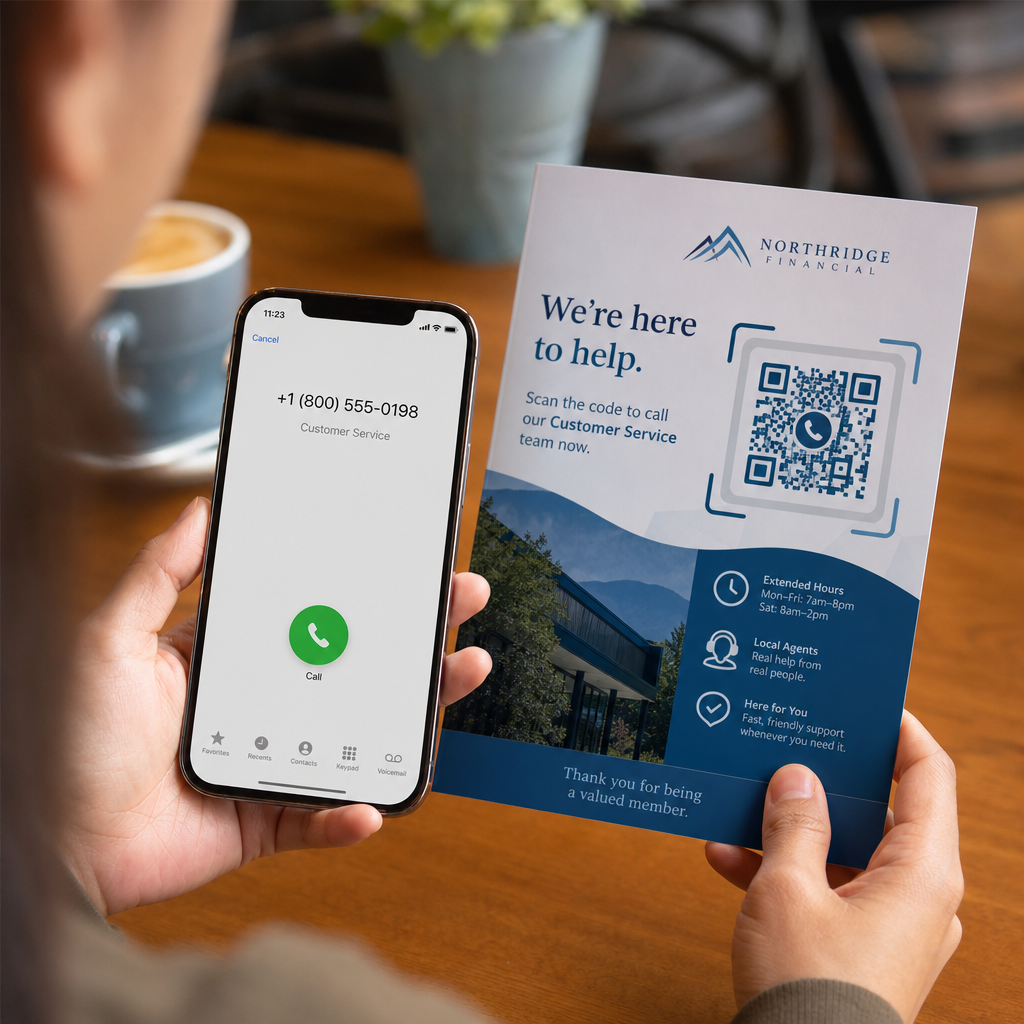
Apakah calon pelanggan Anda membatalkan panggilan karena mengetik nomor telepon yang panjang dari media cetak itu membuat frustrasi? Kesalahan panggilan manual secara langsung mengurangi prospek penjualan masuk dan pertanyaan dukungan. Membuat kode QR nomor telepon memungkinkan calon pelanggan mengisi dialer ponsel mereka secara instan dengan nomor Anda dalam satu kali pindai.
Bagaimana Kode QR Panggilan Telepon Bekerja
Ketika kamera ponsel memindai kode QR panggilan telepon, ia membaca protokol komunikasi terstandardisasi yang dikenal sebagai Uniform Resource Identifier (URI) `tel:`. Didefinisikan oleh standar IETF RFC 3966, string ini mengkodekan nomor telepon ke dalam struktur yang segera dikenali oleh sistem operasi seluler sebagai permintaan panggilan telepon.
Untuk memastikan kode Anda bekerja dengan lancar di semua operator seluler dan jaringan internasional, selalu format nomor Anda menggunakan standar internasional E.164. Format ini dimulai dengan tanda plus (`+`), diikuti oleh kode negara, kode area, dan nomor pelanggan tanpa spasi, tanda hubung, atau tanda kurung (misalnya, `+12025550123`).
Keamanan dan Perilaku Sistem Operasi
Sistem operasi seluler sengaja mencegah kode QR melakukan panggilan secara otomatis tanpa interaksi langsung pengguna. Lapisan keamanan bawaan ini melindungi pengguna dari panggilan tidak sengaja atau biaya tol yang berbahaya:
- iOS (iPhone): Memindai kode menampilkan perintah di layar yang menunjukkan nomor telepon dan meminta konfirmasi eksplisit sebelum memanggil.
- Android: Memindai kode akan membuka aplikasi Telepon bawaan perangkat dengan nomor yang sudah terisi di dialer, mengharuskan pengguna mengetuk tombol panggilan.
Kedua platform memerlukan ketukan manual terakhir dari pengguna, memastikan kontrol penuh atas proses panggilan.
Panduan Langkah demi Langkah untuk Membuat Kode QR Panggilan
Membuat kode QR telepon beresolusi tinggi tidak memerlukan keahlian teknis. Ikuti langkah-langkah mudah ini untuk membangun kode Anda:
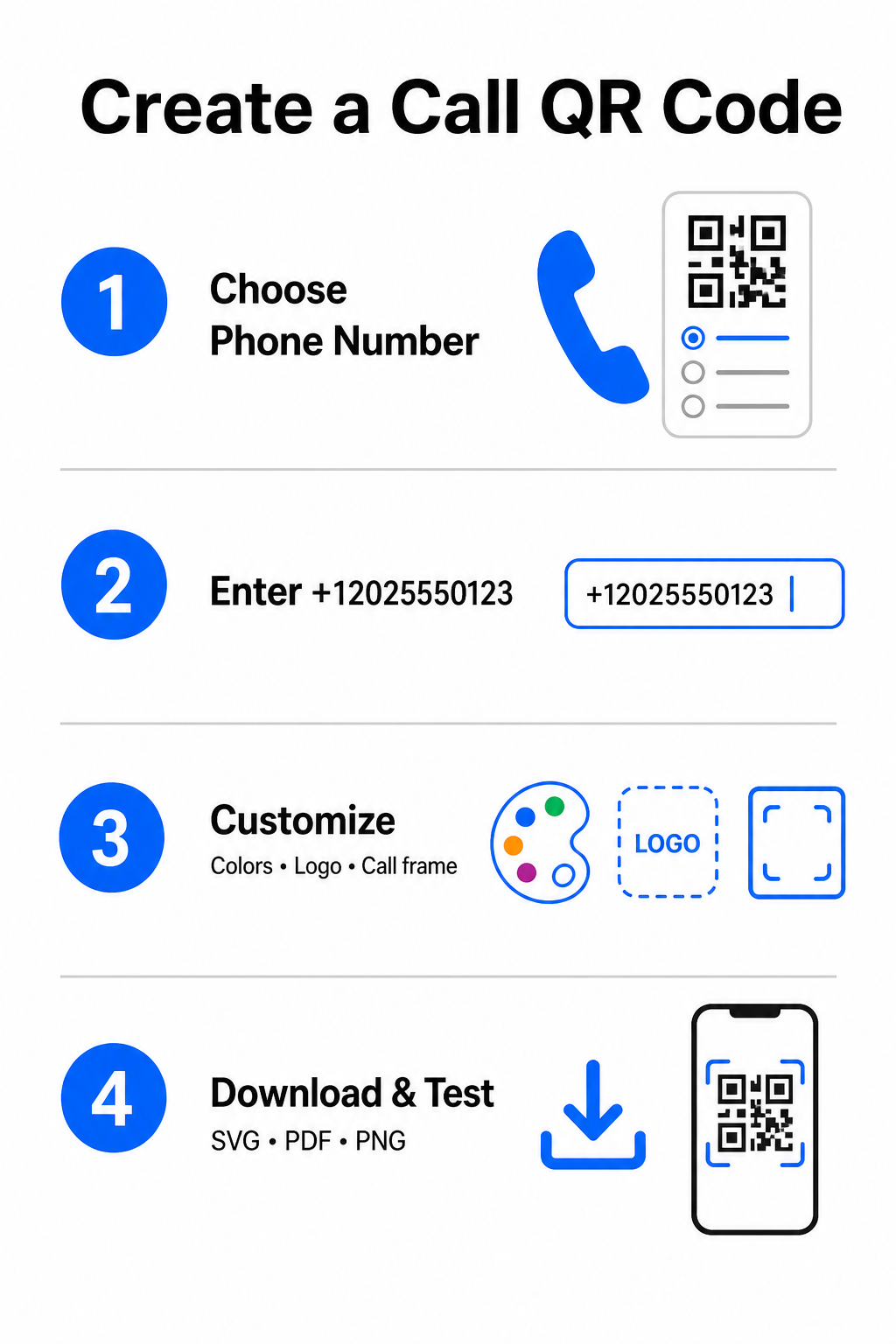
- Buka generator: Buka Pembuat Kode QR Pageloot.
- Pilih opsi telepon: Pilihlah Nomor Telepon atau Panggilan opsi dari jenis kode yang tersedia.
- Masukkan nomor telepon: Masukkan nomor kontak lengkap Anda dalam format E.164, termasuk kode negara Anda (seperti `+1` untuk Amerika Utara).
- Sesuaikan desain visual: Pilih warna merek kustom, unggah logo perusahaan, atau tambahkan bingkai pelindung dengan frasa ajakan bertindak yang jelas.
- Unduh file yang sudah jadi: Unduh kode Anda dalam format vektor seperti .SVG atau .PDF untuk pencetakan komersial, atau .PNG untuk tampilan digital.
Jika Anda perlu membagikan serangkaian detail profesional yang lebih luas – termasuk nama lengkap, alamat email, alamat fisik, dan jabatan – gunakan Generator kode QR vCard sebagai gantinya. Anda juga dapat menjelajahi panduan kami tentang cara berbagi informasi kontak menggunakan kode QR untuk memutuskan format mana yang sesuai dengan kampanye promosi Anda.
Kode QR Telepon Statis vs. Dinamis
Memilih struktur dasar yang tepat untuk kode QR Anda bergantung pada apakah Anda perlu memperbarui nomor telepon Anda atau melacak keterlibatan dari waktu ke waktu.
| FITUR | Kode QR Telepon Statis | Kode QR Telepon Dinamis |
|---|---|---|
| Penyimpanan Data | Nomor dikodekan langsung ke pola kode | URL perantara pendek di-hosting di server |
| Pengeditan Pasca-Cetak | Permanen (Tidak dapat diubah setelah pembuatan) | Perbarui nomor telepon tujuan kapan saja |
| Analitik Pindai | Tidak didukung | Lacak total pemindaian, lokasi, dan pola waktu |
| Penggunaan yang Direkomendasikan | Saluran kontak permanen (Kantor pusat, layanan bebas pulsa) | Kampanye pemasaran, pusat panggilan musiman |
Mulai Mendorong Panggilan Telepon Instan Ingin melacak berapa banyak pemindaian yang berubah menjadi panggilan pelanggan sebenarnya? Gunakan Pembuat Kode QR Pageloot untuk membuat kode panggilan yang dapat disesuaikan dan dilacak hari ini.
Praktik Terbaik untuk Cetak dan Kemampuan Pindai
Kode QR telepon hanya menghasilkan pertanyaan jika kamera ponsel cerdas dapat memindainya dengan andal dalam kondisi realistis. Patuhi standar cetak inti ini sebelum mengirim desain Anda ke produksi:
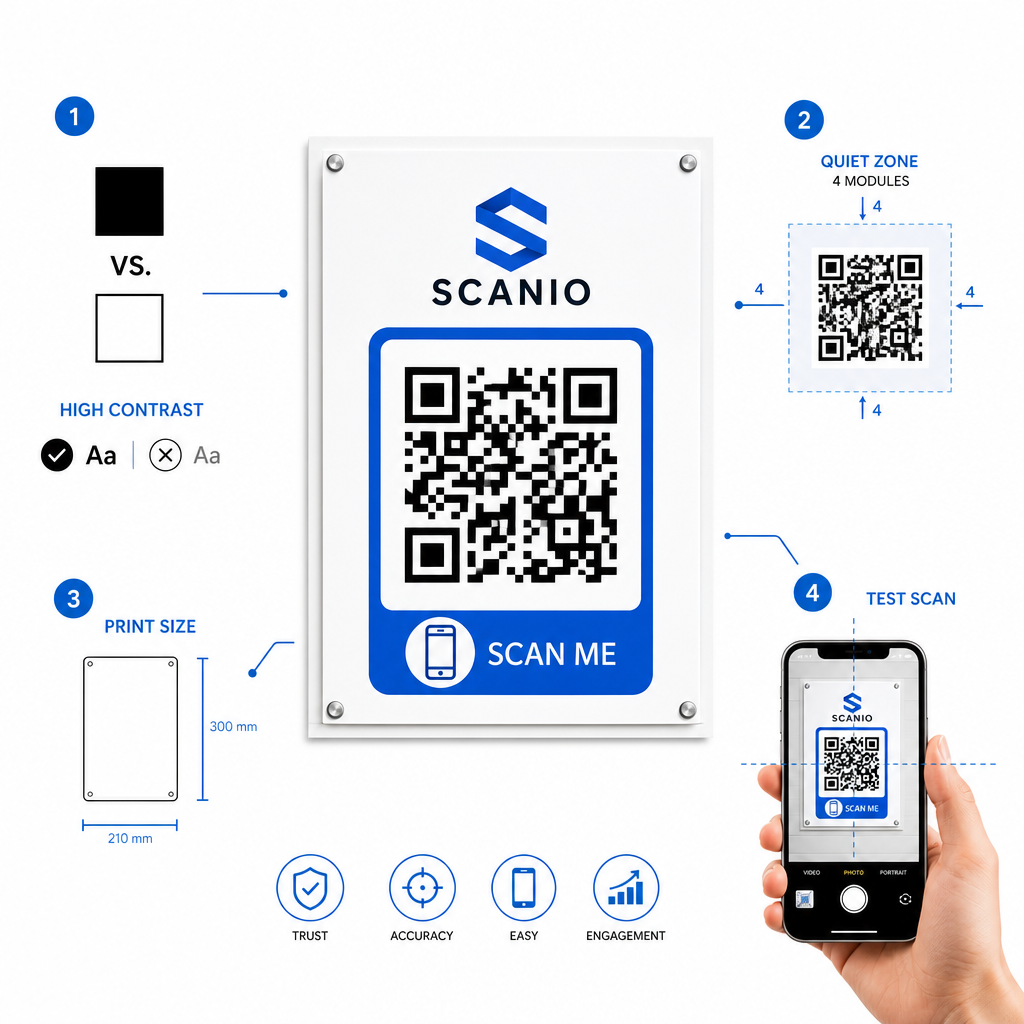
- Pertahankan kontras warna yang tinggi: Pilih modul gelap dengan latar belakang terang, seperti hitam di atas putih. Pemindai kesulitan membaca warna terbalik atau kombinasi kontras rendah seperti abu-abu terang di atas putih.
- Pertahankan zona tenang: Pertahankan margin yang jelas setidaknya 4 modul (kotak individual dalam pola kode) benar-benar bebas dari teks, batas, atau grafik di keempat sisinya.
- Skala untuk jarak pandang: Cetak materi jarak dekat (seperti kartu nama atau tenda meja) dengan ukuran minimum 0,8 × 0,8 inci (2 × 2 cm). Untuk signage jarak jauh, terapkan aturan jarak 10:1, artinya kode yang dipindai dari jarak 10 kaki harus berukuran minimal 1 kaki lebar.
- Lakukan pengujian di dunia nyata: Cetak bukti uji fisik pada substrat target dan coba pindai kode QR dengan ponsel cerdas pada platform iOS dan Android dalam kondisi pencahayaan berbeda.
Menghubungkan Audiens Offline ke Saluran Telepon Anda
Dengan menghilangkan kesalahan pengetikan manual, kode QR nomor telepon menghilangkan hambatan dari saluran pemasaran offline dan menghubungkan prospek yang tertarik langsung ke tim Anda. Baik Anda menyebarkan kode statis pada papan nama kantor permanen atau mengandalkan pelacakan dinamis untuk kampanye iklan musiman, menjaga desain Anda tetap dapat dipindai memastikan jalur yang mulus dari titik sentuh fisik ke percakapan telepon.
Siap menyederhanakan jangkauan pelanggan? Kunjungi Pembuat Kode QR Pageloot hari ini untuk membuat, menyesuaikan, dan menyebarkan kode QR panggilan kustom Anda.
Pertanyaan yang sering diajukan
Tidak. Sistem operasi seperti iOS dan Android memerlukan konfirmasi pengguna untuk mencegah panggilan tidak sengaja atau tidak sah. Memindai akan mengisi otomatis dialer telepon bawaan atau menampilkan permintaan konfirmasi, namun pengguna harus mengetuk tombol panggil.
Gunakan standar internasional E.164, yang dimulai dengan tanda plus (+), diikuti kode negara, kode area, dan nomor pelanggan tanpa tanda hubung, spasi, atau tanda kurung (misalnya, +12025550123).
Ya, jika Anda membuat kode QR dinamis. Kode dinamis mengarahkan lalu lintas melalui tautan pendek, memungkinkan Anda untuk mengedit nomor telepon tujuan kapan saja tanpa mencetak ulang materi fisik.