ホーム > ガイド > How to Create a QR Code for a Phone Number
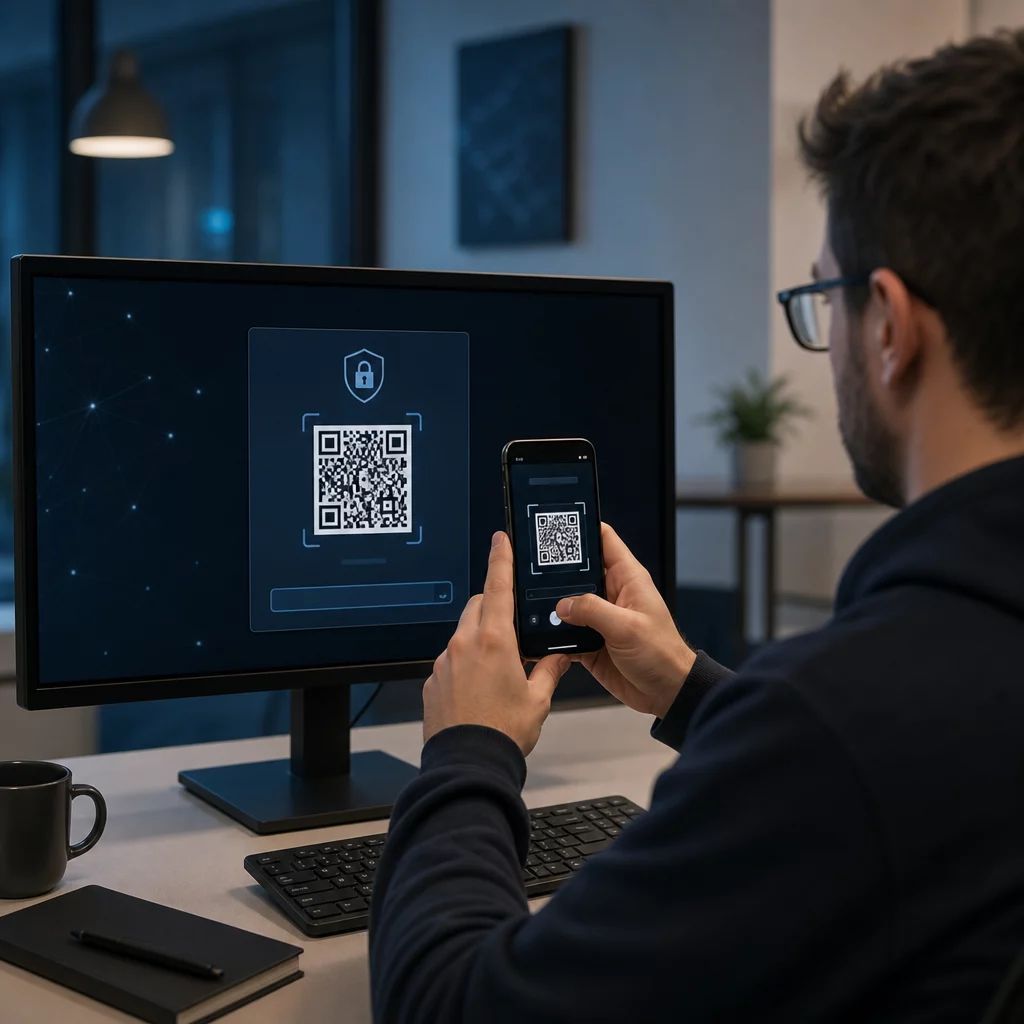
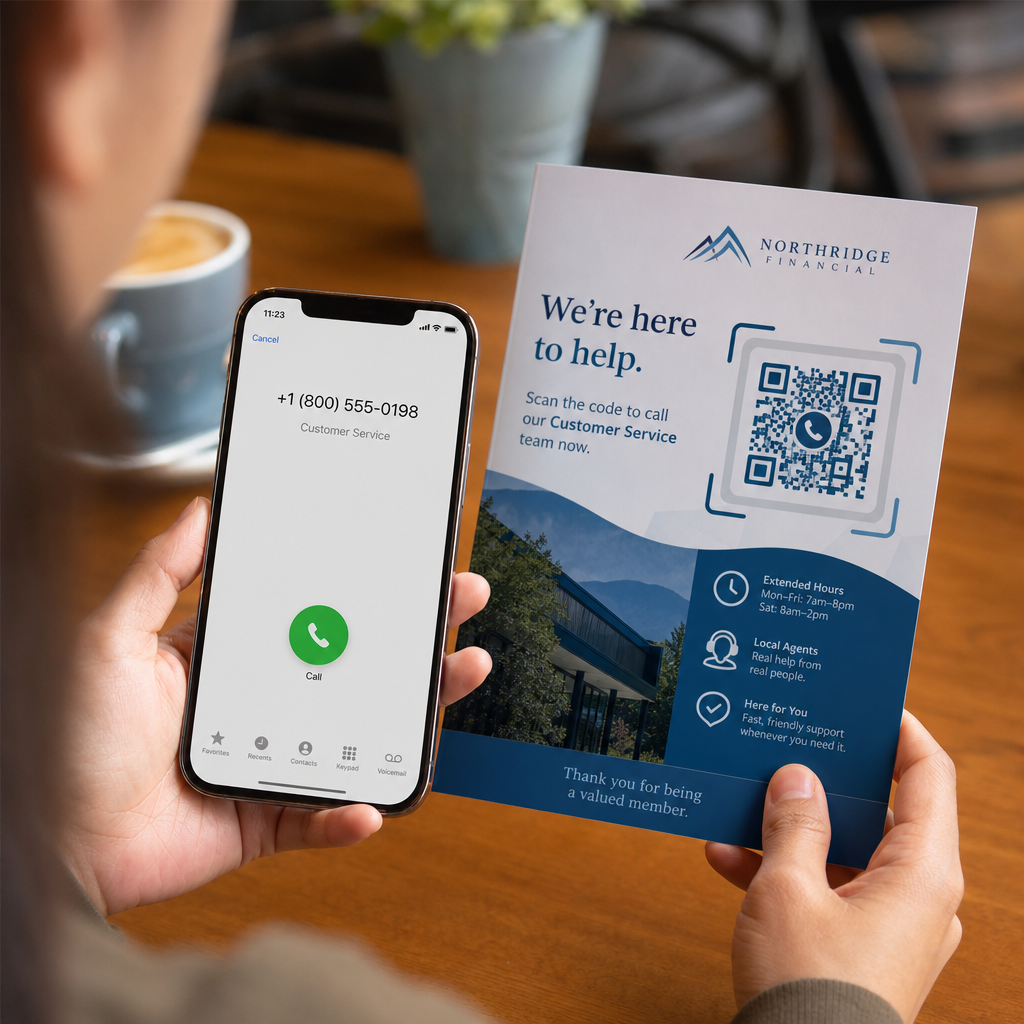
Scanning phone call QR

How to Create a QR Code for a Phone Number

Learn how to create a phone number QR code step-by-step. Discover proper E.164 formatting, static vs. dynamic options, and best practices for printing.
Updated on 7月 27, 2026
目次

Are your prospective customers abandoning calls because typing a long phone number from print media is frustrating? Manual dialing errors directly reduce inbound sales leads and support inquiries. Creating a phone number QR code lets prospects instantly populate their mobile dialer with your number in a single scan.

How Phone Call QR Codes Work

When a smartphone camera scans a phone call QR code, it reads a standardized communication protocol known as a `tel:` Uniform Resource Identifier (URI). Defined by the IETF RFC 3966 standard, this string encodes the telephone number into a structure that mobile operating systems immediately recognize as a phone call request.

To ensure your code works seamlessly across all mobile carriers and international networks, always format your number using the E.164 international standard. This format starts with a plus sign (`+`), followed by the country code, area code, and subscriber number with no spaces, hyphens, or parentheses (for example, `+12025550123`).

Security and Operating System Behavior

Mobile operating systems deliberately prevent QR codes from placing calls automatically without direct user interaction. This built-in security layer protects users from accidental dialing or malicious toll charges:

  • iOS (iPhone): Scanning the code displays an on-screen prompt showing the phone number and asking for explicit confirmation before dialing.
  • Android: Scanning the code opens the device’s native Phone app with the number pre-filled in the dialer, requiring the user to tap the call button.

Both platforms require a final manual tap from the user, ensuring full control over the call process.

Step-by-Step Guide to Generating a Call QR Code

Generating a high-resolution phone QR code requires no technical expertise. Follow these straightforward steps to build your code:

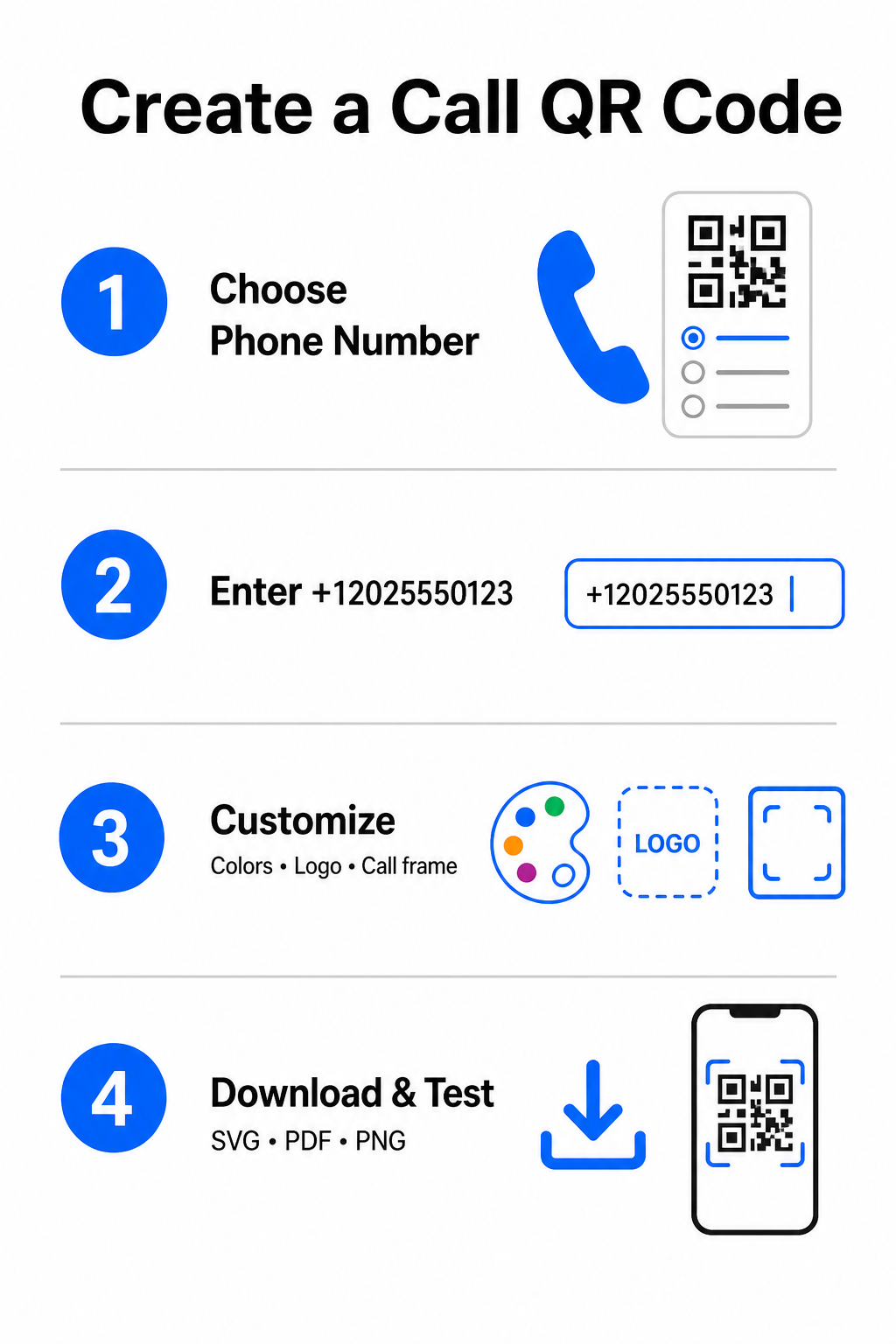
Call QR creation steps
  • Open the generator: Go to the online Pageloot QRコードジェネレータ.
  • Select the phone option: 選択してください Phone Number 或いは 呼び出し option from the available code types.
  • Input the phone number: Enter your full contact number in E.164 format, including your country code (such as `+1` for North America).
  • Customize the visual design: Select custom brand colors, upload a company logo, or add a protective frame with a clear call-to-action phrase.
  • Download the finished file: Download your code in vector formats like シーブイジー 或いは ピーディーエフ for commercial printing, or .PNG for digital displays.

If you need to share a broader set of professional details – including your full name, email address, physical address, and job title – use a dedicated vCard QRコードジェネレータ instead. You can also explore our guide on how to share contact info using QR codes to decide which format fits your promotional campaign.

Static vs. Dynamic Phone QR Codes

Selecting the right underlying structure for your QR code depends on whether you need to update your phone number or track engagement over time.

機能 Static Phone QR Code Dynamic Phone QR Code
データ保存 Number encoded directly into code pattern Short intermediate URL hosted on a server
Post-Print Editing Permanent (Cannot be changed after creation) Update destination phone number anytime
スキャン分析 非対応 Track total scans, locations, and time patterns
Recommended Use Permanent contact lines (Main office, toll-free desks) Marketing campaigns, seasonal call centers

Start Driving Instant Phone Calls Want to track how many scans convert into actual customer calls? Use the Pageloot QRコードジェネレータ to create customizable, trackable call codes today.

印刷とスキャン可能性のためのベストプラクティス

A phone QR code only generates inquiries if smartphone cameras can scan it reliably under realistic conditions. Adhere to these core print standards before sending your designs to production:

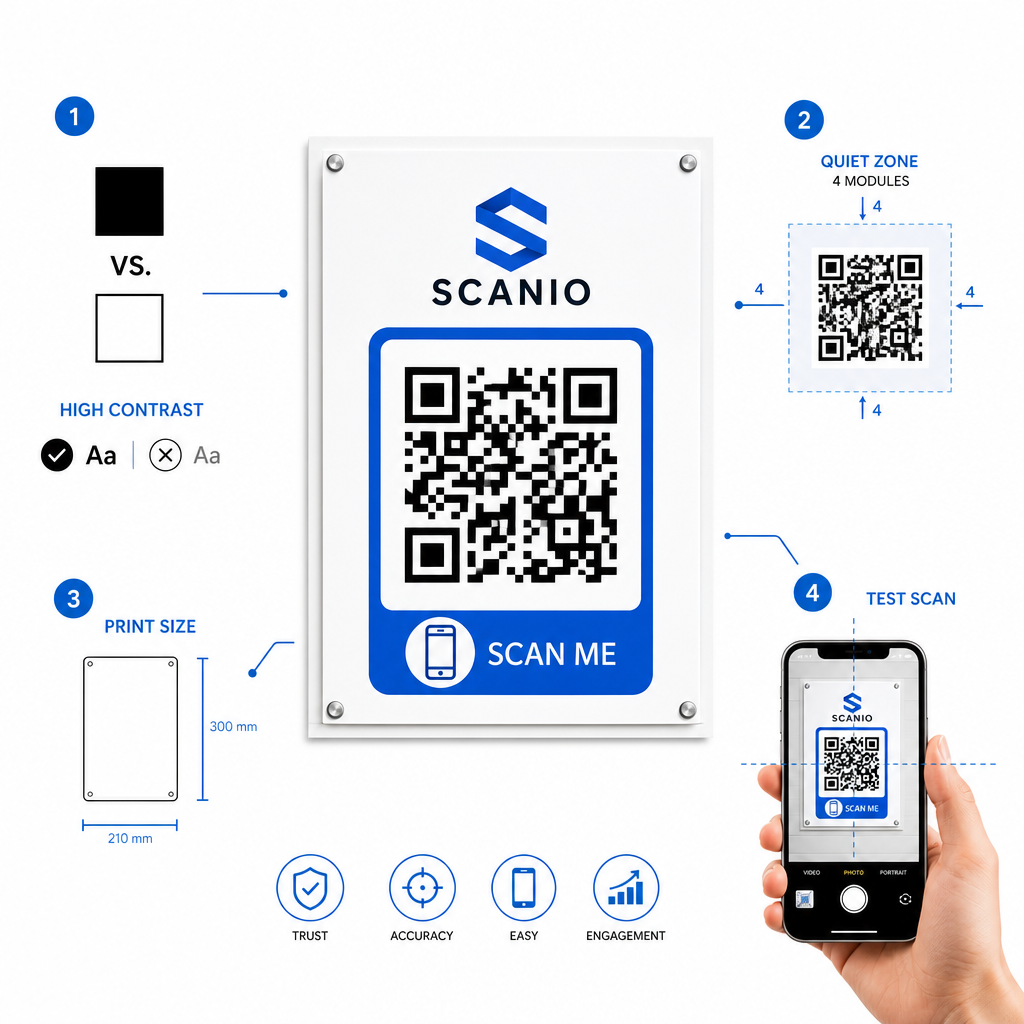
QR印刷のベストプラクティス
  • Maintain high color contrast: Choose dark modules on a light background, such as black on white. Scanners struggle to read inverted colors or low-contrast combinations like light gray on white.
  • Maintain the quiet zone: Keep a clear margin equal to at least 4 modules (the individual squares in the code pattern) completely free of text, borders, or graphics on all four sides.
  • Scale for viewing distance: Print close-range materials (like business cards or table tents) at a minimum size of 0.8 × 0.8インチ (2 × 2 cm). For distant signage, apply the 10:1 distance rule, meaning a code scanned from 10 feet away should measure at least 1 foot wide.
  • Perform real-world testing: Print a physical test proof on the target substrate and attempt to scan the QR code with smartphones on both iOS and Android platforms under different lighting conditions.

Connecting Offline Audiences to Your Phone Lines

By eliminating manual typing errors, phone number QR codes remove friction from offline marketing channels and connect interested prospects directly to your team. Whether you deploy a static code on permanent office signage or rely on dynamic tracking for seasonal advertising campaigns, keeping your design scannable ensures a smooth path from physical touchpoint to phone conversation.

Ready to simplify customer outreach? Visit the Pageloot QRコードジェネレータ today to create, customize, and deploy your custom call QR code.

よくある質問

Will scanning a QR code place a call automatically?

No. Operating systems like iOS and Android require user confirmation to prevent accidental or unauthorized calls. Scanning pre-fills the native phone dialer or displays a confirmation prompt, but the user must tap the call button.

What format should I use when entering my phone number?

Use the E.164 international standard, which starts with a plus sign (+), followed by the country code, area code, and subscriber number without dashes, spaces, or parentheses (for example, +12025550123).

Can I update the phone number after printing the QR code?

Yes, if you create a dynamic QR code. Dynamic codes route traffic through a short link, allowing you to edit the destination phone number at any time without reprinting physical materials.

著者について

Siim KostabiはPagelootのコンテンツリードです。Pagelootの革新的なQRコード生成サービスについて執筆しています。5年以上にわたるQRコードに関する深い専門知識を持つSiimは、この分野の専門家です。QRテクノロジーを活用してデジタルインタラクションを簡素化・拡張する上で、大きな進歩を遂げています。.

カテゴリー
について詳しくはこちら
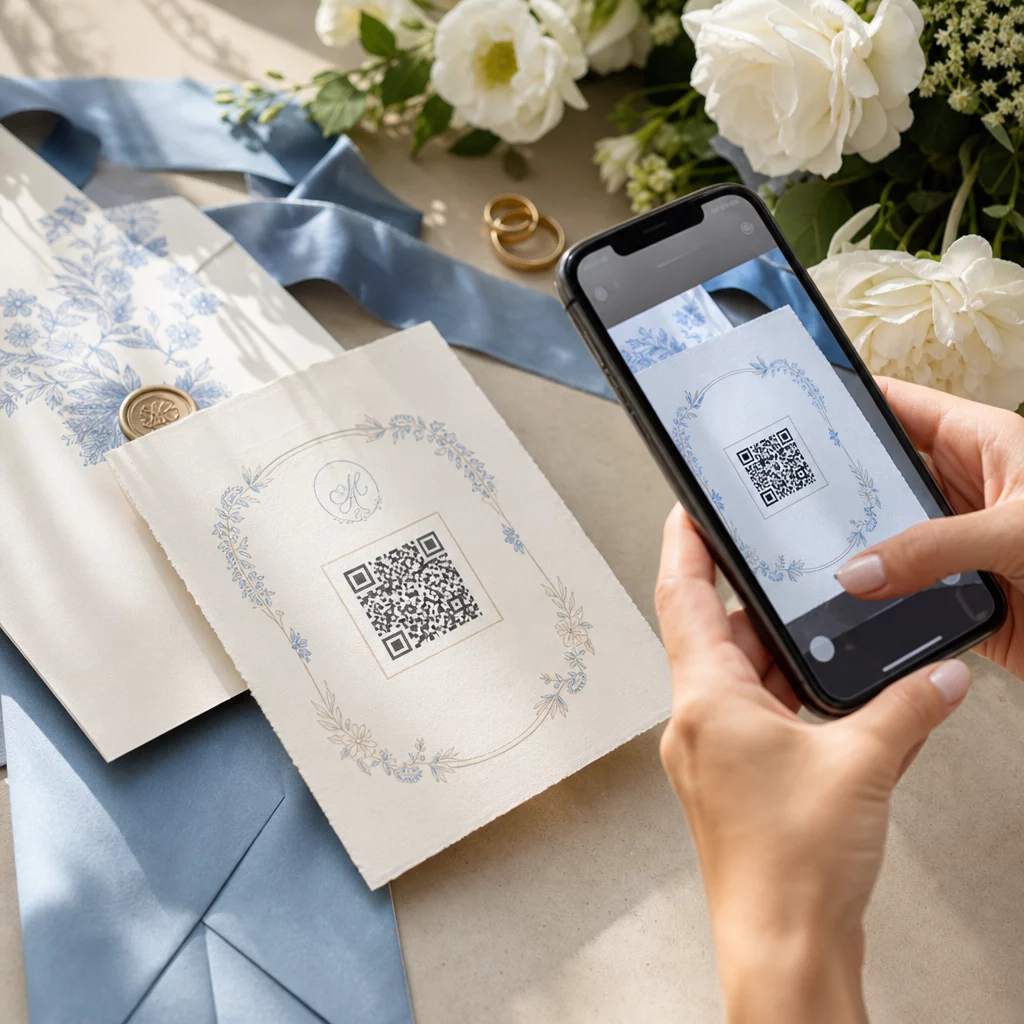
Creating branded QR codes
究極のガイド QRコードを作る
✅ QRコードの#1ソリューション

オンラインでQRコードを作成する必要がある場合は QRコードを作る ここで無料で
ページルートは #1のGo-Toソリューション でQRコードを作成してスキャンすることができます。

BL-0332

ブログジェネ

売上、レビュー、フォロワーを増やすために 20,000 を超えるブランドから信頼されています。

クライアントのロゴ
トップブランドから信頼される
5 のうち 4.8 と評価しました

4.86 / 5つ星評価

ユーゴ・ローラン
ユーゴ・ローラン
レストランオーナー
最も簡単で信頼性の高いQRコードジェネレータです。PDFファイルを即座にアップロードできます。レストランのメニューがデジタル化されました。
ルーカス・ジャンセン
ルーカス・ジャンセン
不動産開発業者
これは優れたツールで、QRコードでちょうど欲しいところに連れて行ってくれます。私たちは位置情報のQRコードしか使っていませんが、とても便利な機能がたくさんあります。
エマ・モレッティ
エマ・モレッティ
小売製品
使いやすいし、早い。素晴らしい機能で、完璧な画像を作成してくれるので、社員は私のvCardをダウンロードすることができます。
ユーゴ・ローラン
ユーゴ・ローラン
レストランオーナー
最も簡単で信頼性の高いQRコードジェネレータです。PDFファイルを即座にアップロードできます。レストランのメニューがデジタル化されました。
ルーカス・ジャンセン
ルーカス・ジャンセン
不動産開発業者
これは優れたツールで、QRコードでちょうど欲しいところに連れて行ってくれます。私たちは位置情報のQRコードしか使っていませんが、とても便利な機能がたくさんあります。
エマ・モレッティ
エマ・モレッティ
小売製品
使いやすいし、早い。素晴らしい機能で、完璧な画像を作成してくれるので、社員は私のvCardをダウンロードすることができます。
QRコードをもっと見る
テーブルのQRをスキャンするゲスト
のQRコードを作る 注文システム
あらゆるものをデジタル体験に変えよう 3分以内に。

14日間の無料トライアル。

クレジットカードは必要ありません。

初回購入で30%オフ

次のコードを使用してください:

MP3ファイルを共有

PDF QRコードを作成するにはサインアップしてください

必要なものをすべてアップロードして表示する。

  • オーディオファイル
  • ポッドキャスト
  • 音楽

サインアップで14日間無料トライアル。.
トライアル終了後、QRコードは期限切れになります。.

オーディオmp3 QRコードを作成するにはサインアップしてください

フレームでより多くのスキャンを獲得

QRコードにフレームを追加するにはサインアップしてください

コールトゥアクションフレームは、お客様が簡単にQRコードと対話できるようにします。ぜひお試しください。

サインアップで14日間無料トライアル。.
トライアル終了後、QRコードは期限切れになります。.

QRコードにフレームを追加するにはサインアップしてください

シェイプでスタイルを追加

より多くの図形を作成するにはサインアップしてください

QRコードは四角いものである必要はありません。あなたのブランドのイメージに合わせて変えてみてください。

サインアップで14日間無料トライアル。.
トライアル終了後、QRコードは期限切れになります。.

より多くの図形を作成するにはサインアップしてください

QRコードにロゴを追加

QRコードにロゴを追加するにはサインアップしてください

QRコードにロゴやブランドを入れることで、目立たせることができます。

サインアップで14日間無料トライアル。.
トライアル終了後、QRコードは期限切れになります。.

QRコードにロゴを追加するにはサインアップしてください

スマートなApp Storeリダイレクト

アプリストアのQRコードを作成するにはサインアップしてください

スマートなApp StoreのQRコードに、あなたのアプリのリンクを追加します。ユーザーは、デバイスに応じてリダイレクトされます。

サインアップで14日間無料トライアル。.
トライアル終了後、QRコードは期限切れになります。.

アプリストアのQRコードを作成するにはサインアップしてください

QRコードに画像をアップロード

画像QRコードを作成するにはサインアップしてください

画像を簡単に共有できます。どんな画像も、数秒でダイナミックに変化します。

サインアップで14日間無料トライアル。.
トライアル終了後、QRコードは期限切れになります。.

画像QRコードを作成するにはサインアップしてください

PDFファイルを共有

PDF QRコードを作成するにはサインアップしてください

必要なものをすべてアップロードして表示する。

  • メニュー&プライスリスト
  • 指示
  • 任意の書類

サインアップで14日間無料トライアル。.
トライアル終了後、QRコードは期限切れになります。.

PDF QRコードを作成するにはサインアップしてください

印刷せずに後で編集

再度印刷せずにQRコードを編集するにはサインアップしてください

ダイナミックQRコードは、新たにQRコードを印刷することなく、QRコードの内容を変更することができます。

サインアップで14日間無料トライアル。.
トライアル終了後、QRコードは期限切れになります。.

再度印刷せずにQRコードを編集するにはサインアップしてください

いつ?どこで?QRコードのスキャンを追跡

QRコードを追跡するにはサインアップしてください

どのQRコードが最も多くスキャンされ、何が最も顧客を喜ばせているのかを知ることができます。

サインアップで14日間無料トライアル。.
トライアル終了後、QRコードは期限切れになります。.

QRコードを追跡するにはサインアップしてください

印刷可能なファイルが利用可能

PDFやSVGのようなベクターQRコードを作成するにはサインアップしてください

.eps、.pdf、.svg

QRコードをHD解像度でダウンロードしたいですか?すぐに印刷できるベクターまたはピクセル形式を入手しましょう。

サインアップで14日間無料トライアル。.
トライアル終了後、QRコードは期限切れになります。.

PDFやSVGのようなベクターQRコードを作成するにはサインアップしてください

しばらくお待ちください。あなたのQRコードは ロード... ロード...

あなただけのものに

サインアップしてQRコードを後で保存してください

異なる色、ロゴ、コールトゥアクションフレームで素晴らしいQRコードを作成することで、より多くのスキャンを得ることができます。

サインアップで14日間無料トライアル。.
トライアル終了後、QRコードは期限切れになります。.

サインアップしてQRコードを後で保存してください