Správa stoviek alebo tisícov QR kódov po jednom nie je pracovný postup – je to prekážka. Keď kampane zahŕňajú produktové rady, lokality alebo celé distribučné siete, manuálne vytváranie prináša chyby, oneskorenia a náklady na opätovnú tlač, ktoré potichu vyčerpávajú zdroje. Táto príručka vysvetľuje, ako používať nástroje na hromadné dynamické QR kódy na efektívne generovanie, správu a sledovanie veľkých objemov kódov v rámci vášho podniku.
Prečo sú dynamické QR kódy správnym základom
Predtým, ako sa ponoríte do hromadného generovania, stojí za to pochopiť, prečo dynamické QR kódy sú obzvlášť dôležité v podnikovom meradle.
A statický QR kód kóduje pevnú destináciu priamo do svojho vzoru. Po vytlačení sa táto destinácia nedá zmeniť. Ak sa zmení URL adresa, presunie sa stránka produktu alebo sa skončí kampaň, každý vytlačený kód sa stane zastaraným – a opätovná tlač tisícov štítkov alebo materiálov je drahá.
Dynamické QR kódy fungujú inak. Odkazujú na krátky presmerovací odkaz, ktorý ovládate. Keď niekto naskenuje kód, je presmerovaný cez tento odkaz na akúkoľvek destináciu, ktorú ste aktuálne nastavili. Môžete kedykoľvek aktualizovať cieľ – dokonca aj po vytlačení a distribúcii kódov – bez generovania nového kódu alebo dotyku jediného kusu tlačeného materiálu. Podporujú tiež sledovanie skenov a analýzy, čo statické kódy nemôžu poskytnúť.
Pre podniky spravujúce rozsiahle kampane, produktové rady alebo fyzické aktíva dynamické kódy eliminujú cyklus opätovnej tlače a poskytujú vám nepretržitý prehľad o tom, ako každý kód funguje.
Začnite vytvárať dynamické QR kódy vo veľkom meradle Ste pripravení generovať upraviteľné, sledovateľné QR kódy pre vaše podnikové kampane? Vyskúšajte Dynamický QR kód generátor zadarmo na 14 dní – nie je potrebná kreditná karta.
Ako funguje hromadné generovanie QR kódov
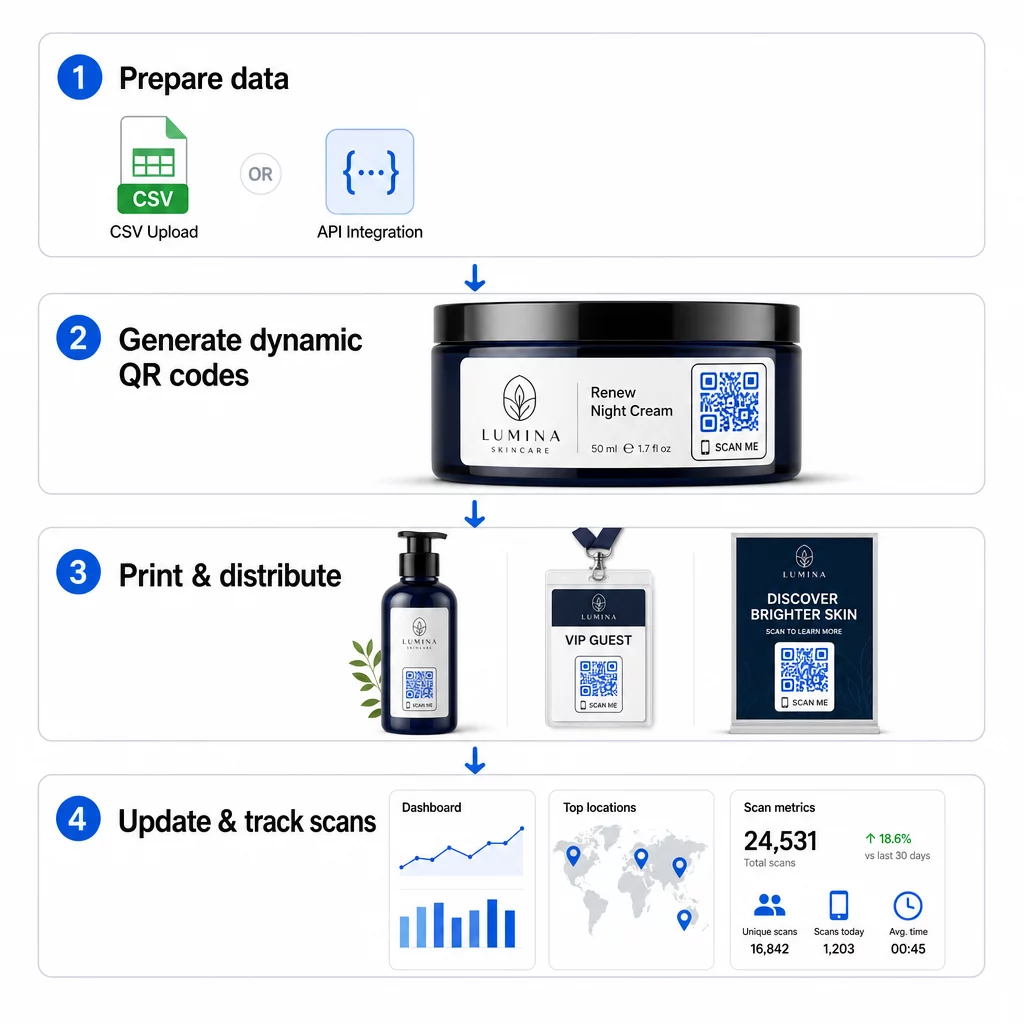
Generovanie tisícov jedinečných QR kódov nemusí znamenať tisíce manuálnych krokov. Podnikové QR platformy podporujú dve hlavné metódy hromadného vytvárania: nahrávanie súborov CSV a integráciu API.
Nahrávanie CSV
Nahrávanie CSV je najdostupnejšia metóda hromadného generovania. Pripravíte tabuľku, kde každý riadok obsahuje údaje pre jeden QR kód – zvyčajne cieľovú URL adresu, štítok alebo identifikátor a akékoľvek premenné informácie, ako je SKU produktu, číslo šarže alebo značka kampane. Potom tento súbor nahráte na platformu a systém vygeneruje zodpovedajúci QR kód pre každý riadok.
Pri príprave súboru CSV majte na pamäti tieto postupy:
- Uložte súbor vo formáte CSV UTF-8, aby ste predišli chybám kódovania
- Stĺpec s identifikátorom alebo priečinkom umiestnite ako prvý
- Používajte konzistentné formátovanie dátumu (rrrr-mm-dd) pre všetky dátumové polia
- Jasne definujte požadované stĺpce a overte hlavičky pred nahraním
Platformy ako Pageloot umožňujú používateľom generovať stovky kódov z jedného nahrania CSV súboru, čo je praktické pre katalógy produktov, predaj vstupeniek na podujatia alebo kampane špecifické pre danú lokalitu, kde každý kód potrebuje jedinečné údaje.
Integrácia API
Pre tímy, ktoré potrebujú generovanie QR kódov priamo integrované do ich existujúcich pracovných postupov, integrácia API je silnejší prístup. Namiesto manuálneho exportovania CSV súboru vaše systémy odovzdávajú parametre priamo platforme QR – spúšťajú generovanie kódov automaticky, keď sú pridané nové produkty, zadané objednávky alebo spustené kampane.
Generovanie založené na API tiež podporuje dynamické hromadné aktualizácie. Pomocou požiadaviek PATCH alebo PUT môžete aktualizovať cieľové URL adresy pre tisíce kódov súčasne – bez akéhokoľvek manuálneho zásahu. To je obzvlášť užitočné, keď sa zmení URL adresa kampane, preštruktúruje sa stránka produktu alebo je potrebné vymeniť sezónny obsah v rámci celej produktovej rady.
Integrácia API spája generovanie QR kódov s nástrojmi, ktoré už používate: systémami riadenia zásob, CRM platformami, e-commerce backendmi a nástrojmi marketingovej automatizácie. Výsledkom je bezproblémový dátový tok, kde sú QR kódy vytvárané, aktualizované a vyraďované v súlade s vašimi širšími operáciami.
Kľúčové funkcie na posúdenie v podnikovej platforme
Nie všetky QR platformy sú stavané pre podnikové zaťaženie. Pri hodnotení možností uprednostnite tieto schopnosti:
Kapacita hromadného generovania – Platforma by mala zvládnuť váš objem bez zníženia výkonu. Hľadajte podporu pre neobmedzené alebo vysokokapacitné dávkové vytváranie, nielen malé dávky.
Dynamické úpravy – Každý kód vo vašej knižnici by mal byť po vytvorení editovateľný. To eliminuje náklady na opätovnú tlač pri zmene cieľov a umožňuje vám opätovne použiť fyzické materiály vo viacerých kampaniach.
Centralizovaná správa – Jediný ovládací panel na organizovanie, vyhľadávanie a aktualizáciu celého vášho portfólia QR kódov. Pre podniky, ktoré prevádzkujú desiatky súbežných kampaní, je organizácia rovnako dôležitá ako rýchlosť generovania.
Značkovanie a prispôsobenie – Podnikové kódy by mali odrážať vašu značku. Hľadajte integráciu loga, vlastné farebné schémy a dizajnové šablóny, ktoré možno konzistentne aplikovať na veľké dávky. Podpora premenlivých dát vám umožňuje vložiť jedinečné identifikátory – ako sú SKU produktov alebo propagačné kódy – do dizajnu alebo cieľa každého kódu.
Analytika a reportovanie - Sledovanie QR kódu transformuje každé skenovanie na dátový bod. Ovládacie panely v reálnom čase by mali zobrazovať počty skenov, geografické polohy, typy zariadení a časové pečiatky. Reportovanie na úrovni kampane by malo zobrazovať miery konverzie a trendy zapojenia, aby ste mohli optimalizovať priebeh.
Bezpečnosť a súlad – Podnikové nasadenia vyžadujú riadenie prístupu na základe rolí, aby iba oprávnení používatelia mohli vytvárať, upravovať alebo mazať kódy. Šifrovanie dát chráni informácie počas prenosu a v pokoji. Súlad s GDPR, HIPAA alebo SOX závisí od vášho odvetvia a typu dát, ktoré vaše QR kódy spracúvajú.
Exportné formáty – Vektorové formáty s vysokým rozlíšením (SVG, EPS, PDF) zaisťujú čistú reprodukciu kódov v akejkoľvek veľkosti, od štítkov produktov po bannery na veľtrhoch.
Podnikové prípady použitia pre hromadné dynamické QR kódy
Kombinácia hromadného generovania a dynamickej editovateľnosti otvára širokú škálu prevádzkových aplikácií:
Označovanie a balenie produktov – Generujte jedinečné kódy pre každú SKU alebo dávku, odkazujúce na digitálne manuály, stránky registrácie záruky alebo overenie pravosti. Ak sa cieľová URL zmení, aktualizujte ju centrálne namiesto opätovnej tlače štítkov.
Vstupenky na podujatia a registrácie – Vytvorte jeden kód pre každého účastníka obsahujúci povolenia na prístup k relácii a registračné údaje. Dynamické kódy vám umožňujú aktualizovať informácie o mieste konania alebo rozvrhy relácií po distribúcii vstupeniek.
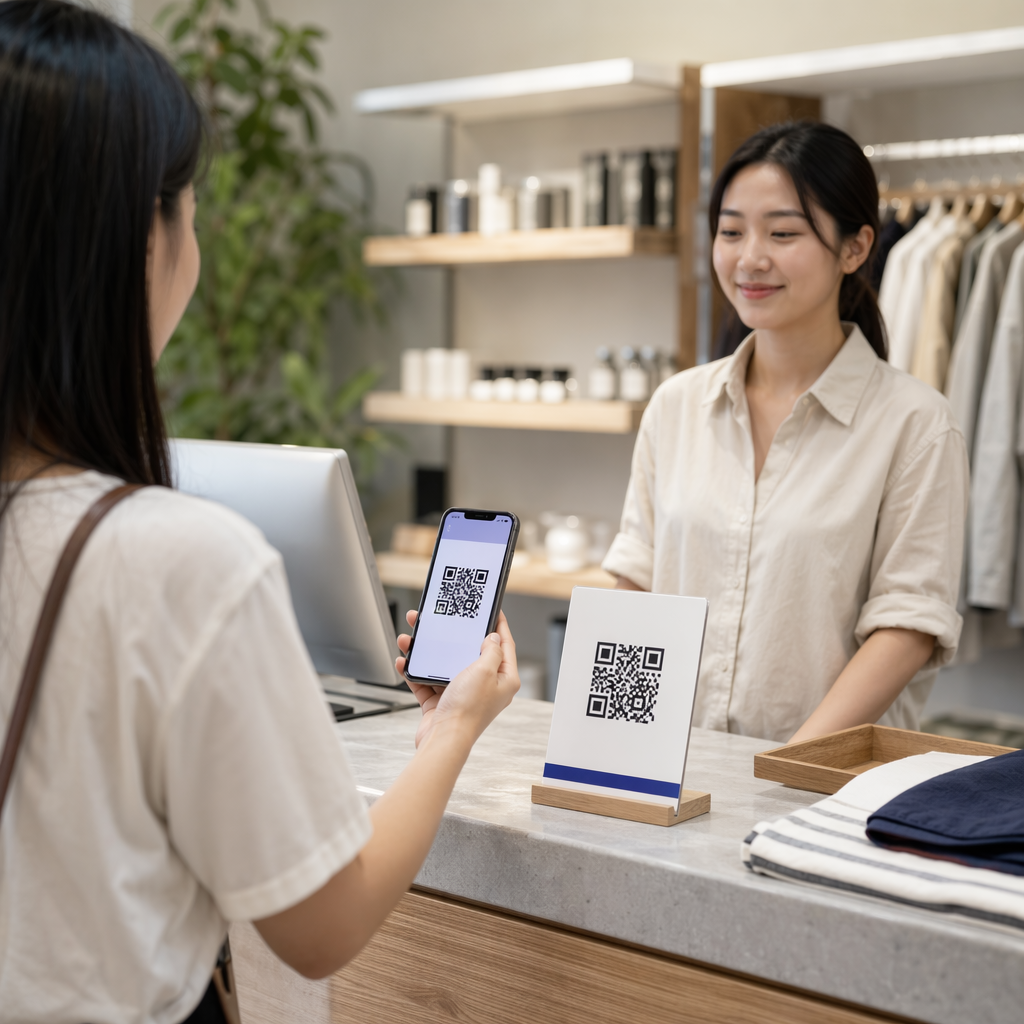
Bezdotykové platby a digitálne menu – Priraďte jedinečné kódy každému stolu, kiosku alebo miestu. Aktualizujte obsah menu alebo ceny centrálne bez výmeny fyzických materiálov.
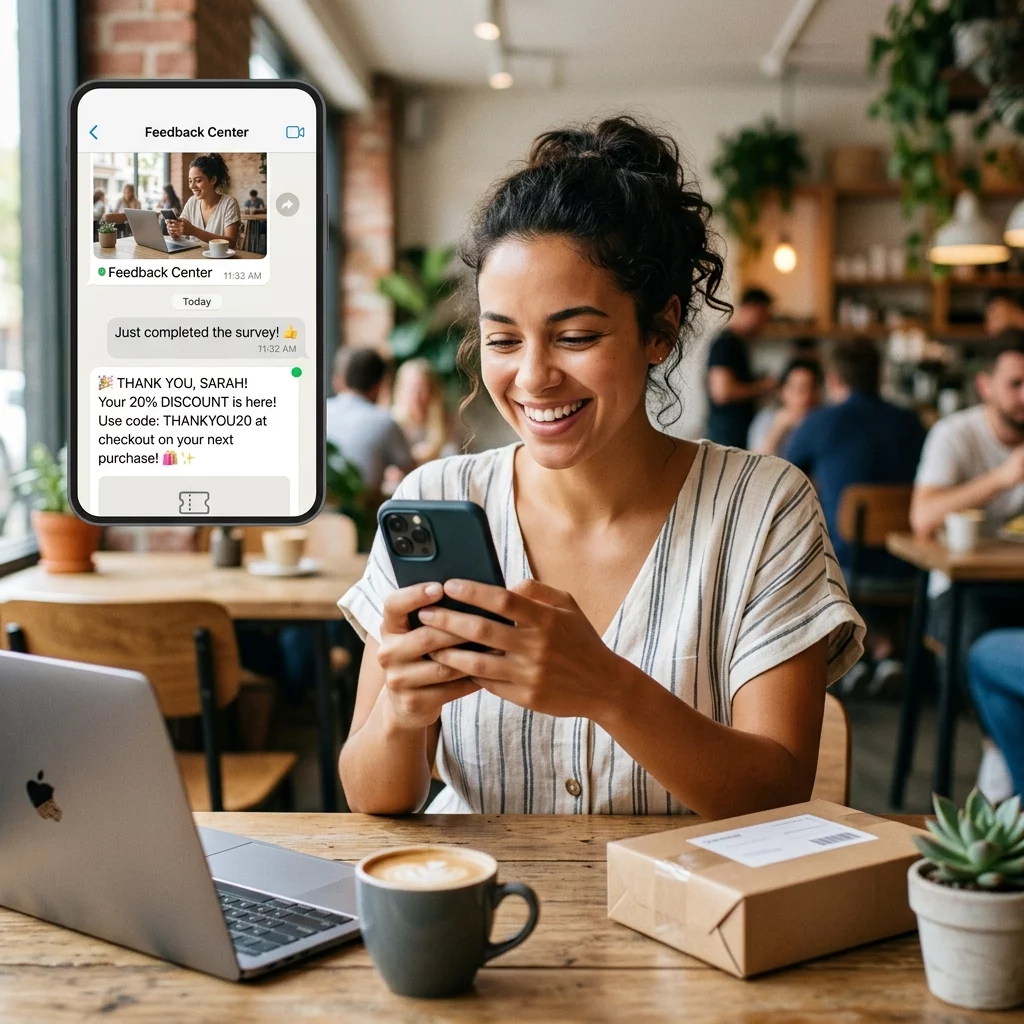
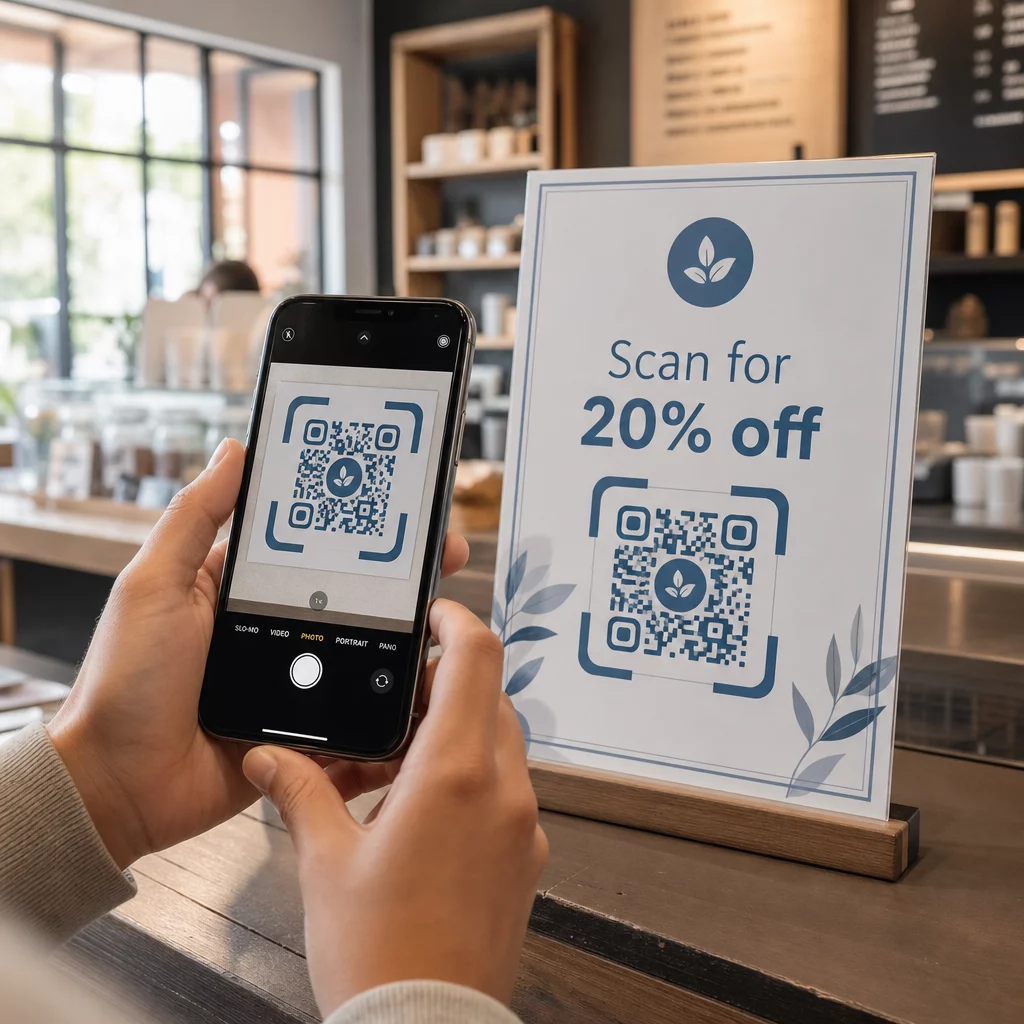
Personalizované marketingové kampane – Prepojte každý kód s cieľovou stránkou prispôsobenou konkrétnemu segmentu publika, regiónu alebo histórii nákupov. Sledujte, ktoré verzie dosahujú najvyššiu angažovanosť, a podľa toho upravujte kampane.
Nasadenie softvéru a aplikácií – Distribuujte jedinečné kódy, ktoré spúšťajú inštalácie alebo konfigurácie aplikácií špecifické pre oddelenia, čím sa znižujú náklady na IT podporu počas rozsiahlych nasadení.
Sledovanie dodávateľského reťazca a majetku – Vložte čísla šarží, dátumy výroby a záznamy o kontrolách do kódov pripojených k fyzickým aktívam. Údaje zo skenov poskytujú auditnú stopu v reálnom čase naprieč vašou distribučnou sieťou.
Analytika a automatizácia vo veľkom rozsahu
Hromadná generácia je len polovicou rovnice. Na odôvodnenie investície a zlepšenie budúcich kampaní potrebujete spoľahlivé údaje o výkonnosti.
A Systém správy QR kódov zhromažďuje metriky vrátane celkového počtu skenov, jedinečných skenov, časových pečiatok skenov, geografickej polohy a typu zariadenia. Panely v reálnom čase robia tieto údaje použiteľnými – môžete identifikovať, ktoré kódy majú počas kampane nízky výkon, a aktualizovať ich destinácie, aby ste otestovali rôzny obsah alebo ponuky.
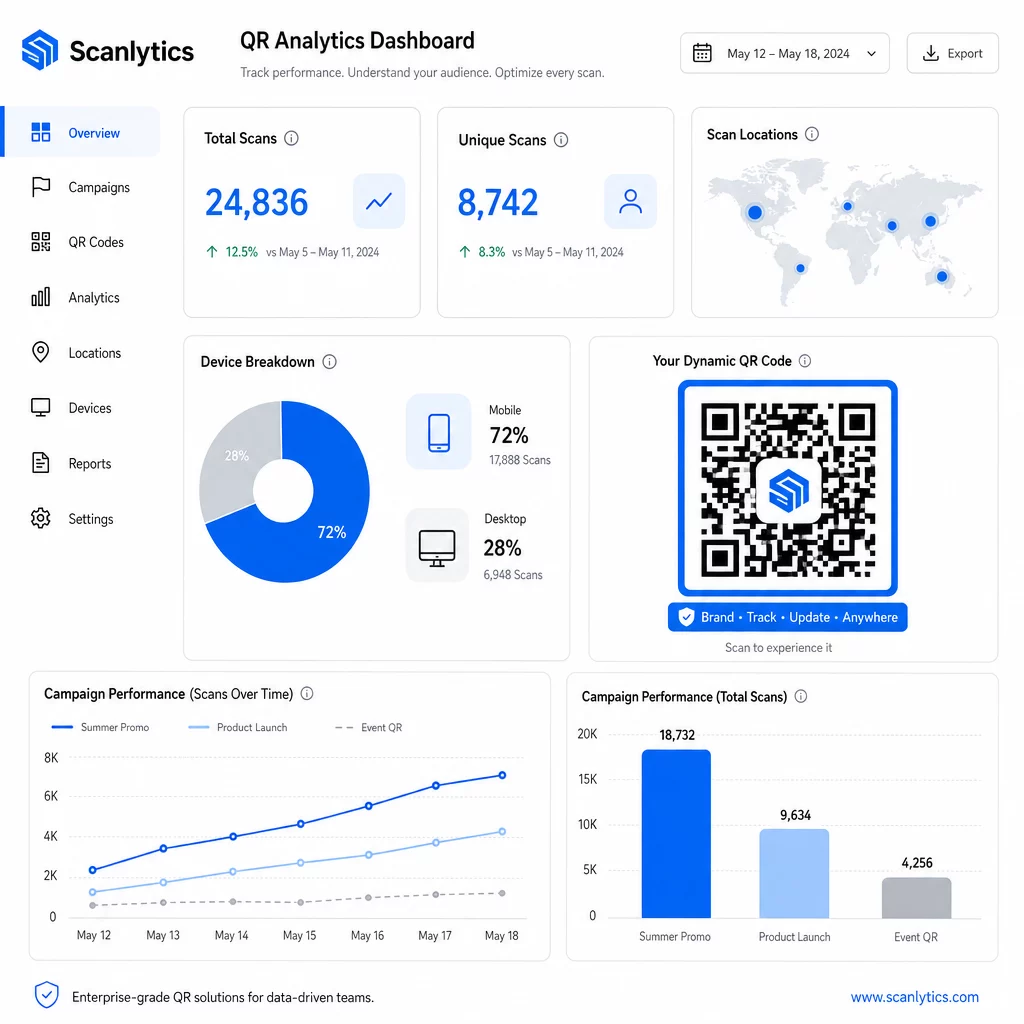
V spojení s nástrojmi marketingovej automatizácie môžu udalosti skenovania automaticky spúšťať následné sekvencie. Zákazník, ktorý naskenuje kód produktu, môže vstúpiť do retargetingového publika, prijať SMS alebo byť pridaný do CRM pracovného postupu – bez akéhokoľvek manuálneho prenosu údajov.
Plánované nasadenia pridávajú ďalšiu vrstvu efektivity. Kódy môžu byť nakonfigurované tak, aby sa automaticky aktivovali pri spustení kampane a deaktivovali na konci propagácie, čím sa zabezpečí, že obsah bude vždy aktuálny bez potreby manuálneho monitorovania.
Sledujte každý sken naprieč vašimi kampaňami Ten Platforma QR kódov Pageloot poskytuje podnikovým tímom centralizovaný panel pre analýzu v reálnom čase, dynamické úpravy a hromadnú správu – všetko na jednom mieste.
Porovnanie podnikových platforiem QR kódov
Pri hodnotení platforiem sú kľúčovými rozlišovacími znakmi kapacita pre hromadné operácie, dynamické úpravy, hĺbka analýz, bezpečnostné štandardy a flexibilita integrácie.
| Platforma | Hromadná generácia | Dynamické úpravy | ANALYTIKA | Integrácie | Bezpečnosť |
|---|---|---|---|---|---|
| Pageloot | Neobmedzené vytváranie dávok cez CSV alebo API | Úpravy v reálnom čase bez opätovnej tlače | Počet skenov, lokalita, zariadenie, panel v reálnom čase | CRM, prístup k API | V súlade s GDPR, šifrované dáta |
| Uniqode | Až do 2 000 kódov na dávku | Dynamické aktualizácie obsahu | Sledovanie lokality, času, zariadenia | HubSpot, Salesforce, Zapier (5 000+ nástrojov) | SOC 2 Type II, SSO, prístup založený na rolách |
| QR Batch | Vysokoobjemové dávky zo vstupu dát | Aktualizácie URL v reálnom čase | Monitorovanie času prístupu | Obmedzené | Štandardný |
| Hovercode | Centralizovaný panel pre veľké objemy | Dynamické aktualizácie | Miesto skenovania, zariadenie, časové pečiatky | API, webhooks, CRM | Viacužívateľské povolenia |
| Generátor QR kódov v reálnom čase | Tisíce kódov cez API alebo Google Sheets | Podpora dynamických QR | Geografická analýza | CRM, inventárne systémy | Štandardný |
Podpora Pageloot pre viac ako 25 typov QR kódov a neobmedzené hromadné vytváranie ho robí obzvlášť všestranným pre podniky spravujúce rôzne typy kampaní súčasne. Pre tímy, ktoré potrebujú hlboké integrácie tretích strán, platformy ako Uniqode ponúkajú širšie knižnice konektorov. Správna voľba závisí od vášho objemu, existujúceho technologického balíka a požiadaviek na súlad.
Pre agentúry spravujúce QR kampane v mene viacerých klientov, Nástroje pre agentúry od Pagelootu pridávajú zdieľateľné klientske reporty, možnosti bielej značky a povolenia založené na rolách, ktoré udržujú klientske dáta oddelené a profesionálne prezentované.
Začíname s hromadnými dynamickými QR kódmi
Najefektívnejšia cesta k správe QR kódov v podnikovom meradle sleduje konzistentný vzor:
- Auditujte svoje súčasné prípady použitia QR kódov a identifikujte, kde by hromadná generácia ušetrila najviac času
- Zmapujte dátové polia, ktoré každý typ kódu potrebuje – cieľové URL, premenné identifikátory, značky kampaní
- Vyberte si platformu, ktorá podporuje nahrávanie CSV aj integráciu API, aby ste mohli škálovať ktorýkoľvek prístup podľa potreby
- Vytvorte štruktúru pomenovania a priečinkov pred prvým hromadným nahraním, aby ste udržali veľké portfóliá organizované
- Otestujte malú dávku pred úplným nasadením, overte, či sa každý kód správne skenuje a smeruje na správne miesto určenia
- Nastavte sledovanie analytiky od prvého dňa, aby ste mali základné údaje o výkonnosti pre každú kampaň
Hromadné dynamické QR kódy fungujú najlepšie, keď sa generovanie, správa a analýza spracovávajú na jednej platforme. Rozdelenie týchto funkcií medzi viaceré nástroje vytvára medzery v dátach a manuálnu prácu na zosúladení, čo podkopáva zisky efektivity, ktoré sa snažíte dosiahnuť.
Ten Generátor dynamických QR kódov Pageloot pokrýva všetky tri funkcie – vytváranie kódov hromadne, úpravu cieľov bez opätovnej tlače a monitorovanie výkonu v reálnom čase – z jedného centralizovaného ovládacieho panela. Začnite bezplatnú 14-dňovú skúšobnú verziu, aby ste vygenerovali svoju prvú dávku a zistili, ako sa platforma škáluje s potrebami vašej kampane.
Často kladené otázky
Statické QR kódy kódujú pevnú destináciu, ktorú nemožno po vygenerovaní zmeniť. Ak sa zmení URL adresa alebo obsah, musíte pretlačiť každý kód. Dynamické QR kódy používajú krátky presmerovací odkaz, ktorý ovládate, čo vám umožňuje aktualizovať destináciu kedykoľvek bez pretlačenia. Pre podniky spravujúce veľké objemy kódov v rámci dlhodobých kampaní alebo fyzických materiálov, dynamické kódy eliminujú náklady na pretlač a umožňujú nepretržité sledovanie skenov.
Pripravíte tabuľku, kde každý riadok obsahuje údaje pre jeden QR kód – typicky cieľovú URL adresu, jedinečný identifikátor a akékoľvek premenné polia ako SKU produktov alebo značky kampaní. Súbor uložíte vo formáte CSV UTF-8 a nahráte ho na platformu. Systém vygeneruje jedinečný QR kód pre každý riadok a zabalí ich na stiahnutie, často ako súbor ZIP. Tento prístup funguje dobre pre katalógy produktov, predaj vstupeniek na podujatia a kampane špecifické pre danú lokalitu, kde každý kód potrebuje odlišné údaje.
Podnikové QR platformy sledujú metriky vrátane celkového počtu skenov, jedinečných skenov, časových pečiatok skenov, geografickej polohy každého skenu a typu zariadenia (vrátane operačného systému). Dashboardy v reálnom čase sprístupňujú tieto údaje hneď, ako dôjde k skenovaniu, aby tímy mohli identifikovať nedostatočne výkonné kódy a aktualizovať ich ciele uprostred kampane. Pokročilejšie platformy tiež podporujú sledovanie konverzií a integráciu s nástrojmi CRM alebo marketingovej automatizácie, aby udalosti skenovania mohli automaticky spúšťať následné pracovné postupy.