At håndtere hundredvis eller tusindvis af QR-koder én ad gangen er ikke en arbejdsgang – det er en flaskehals. Når kampagner strækker sig over produktlinjer, lokationer eller hele distributionsnetværk, medfører manuel oprettelse fejl, forsinkelser og genudskrivningsomkostninger, der stille og roligt dræner ressourcer. Denne guide forklarer, hvordan man bruger værktøjer til dynamiske QR-koder i bulk til effektivt at generere, administrere og spore store mængder koder på tværs af din virksomhed.
Hvorfor dynamiske QR-koder er det rette fundament
Før du dykker ned i bulkgenerering, er det værd at forstå hvorfor dynamiske QR-koder specifikt betyder noget på virksomhedsniveau.
EN statisk QR-kode koder en fast destination direkte ind i sit mønster. Når den er udskrevet, kan destinationen ikke ændres. Hvis en URL ændres, en produktside flyttes, eller en kampagne slutter, bliver hver udskrevet kode forældet – og det er dyrt at genudskrive tusindvis af etiketter eller materialer.
Dynamiske QR-koder fungerer anderledes. De peger på et kort omdirigeringslink, som du styrer. Når nogen scanner koden, bliver de dirigeret via denne omdirigering til den destination, du aktuelt har indstillet. Du kan opdatere destinationen når som helst – selv efter koderne er udskrevet og distribueret – uden at generere en ny kode eller røre et eneste stykke trykt materiale. De understøtter også scanningstracking og analyser, hvilket statiske koder ikke kan levere.
For virksomheder, der administrerer store kampagner, produktlinjer eller fysiske aktiver, eliminerer dynamiske koder genudskrivningscyklussen og giver dig løbende indsigt i, hvordan hver kode præsterer.
Begynd at oprette dynamiske QR-koder i stor skala Klar til at generere redigerbare, sporbare QR-koder til dine virksomhedskampagner? Prøv Dynamisk QR-kode generator gratis i 14 dage – intet kreditkort påkrævet.
Hvordan bulkgenerering af QR-koder fungerer
At generere tusindvis af unikke QR-koder behøver ikke at betyde tusindvis af manuelle trin. Virksomheds-QR-platforme understøtter to primære metoder til bulkoprettelse: CSV-uploads og API-integration.
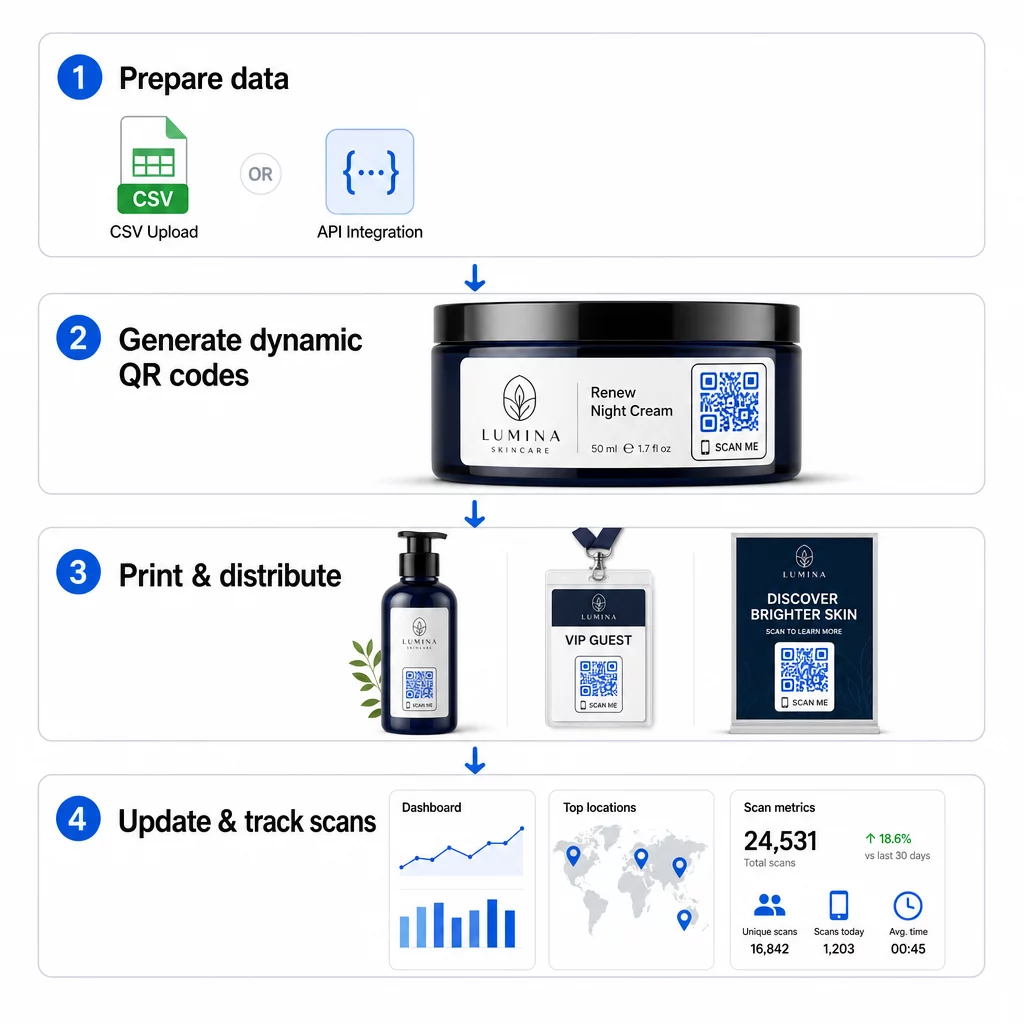
CSV-upload
CSV-upload er den mest tilgængelige metode til bulkgenerering. Du forbereder et regneark, hvor hver række indeholder data for én QR-kode – typisk en destinations-URL, en etiket eller identifikator og eventuelle variable oplysninger som et produkt-SKU, batchnummer eller kampagnetag. Du uploader derefter filen til platformen, og systemet genererer en tilsvarende QR-kode for hver række.
Når du forbereder din CSV-fil, skal du huske disse fremgangsmåder:
- Gem filen i CSV UTF-8-format for at undgå kodningsfejl
- Placer identifikator- eller mappekolonnen først
- Brug konsekvent datoformatering (åååå-mm-dd) for alle datofelter
- Definer påkrævede kolonner tydeligt, og valider overskrifter, før du uploader
Platforme som Pageloot giver brugere mulighed for at generere hundredvis af koder fra en enkelt CSV-upload, hvilket gør det praktisk til produktkataloger, eventbilletter eller lokationsspecifikke kampagner, hvor hver kode kræver unikke data.
API-integration
For teams, der har brug for QR-kodegenerering indlejret direkte i deres eksisterende arbejdsgange, API-integration er den mere kraftfulde tilgang. I stedet for manuelt at eksportere en CSV sender dine systemer parametre direkte til QR-platformen – hvilket udløser kodegenerering automatisk, når nye produkter tilføjes, ordrer afgives, eller kampagner lanceres.
API-baseret generering understøtter også dynamiske masseopdateringer. Ved hjælp af PATCH- eller PUT-anmodninger kan du opdatere destinations-URL'er på tværs af tusindvis af koder samtidigt – uden manuel indgriben. Dette er især nyttigt, når en kampagne-URL ændres, en produktside omstruktureres, eller sæsonbestemt indhold skal udskiftes på tværs af en hel produktlinje.
API-integration forbinder QR-kodegenerering med de værktøjer, du allerede bruger: lagerstyringssystemer, CRM-platforme, e-handelsbackends og marketingautomatiseringsværktøjer. Resultatet er en problemfri datapipeline, hvor QR-koder oprettes, opdateres og udfases i takt med dine bredere operationer.
Kernefunktioner at evaluere i en virksomhedsplatform
Ikke alle QR-platforme er bygget til virksomhedsbelastninger. Når du evaluerer muligheder, skal du prioritere disse funktioner:
Kapacitet til massegnerering – Platformen skal håndtere dit volumen uden at forringe ydeevnen. Se efter understøttelse af ubegrænset eller højvolumen batchoprettelse, ikke kun små batches.
Dynamisk redigering – Hver kode i dit bibliotek skal kunne redigeres efter oprettelse. Dette eliminerer genudskrivningsomkostninger, når destinationer ændres, og giver dig mulighed for at genbruge fysiske materialer på tværs af flere kampagner.
Centraliseret administration – Et enkelt dashboard til at organisere, søge og opdatere hele din QR-kodeportefølje. For virksomheder, der kører snesevis af samtidige kampagner, er organisation lige så vigtig som genereringshastighed.
Branding og tilpasning – Virksomhedskoder skal afspejle dit brand. Se efter logo-integration, brugerdefinerede farveskemaer og designskabeloner, der kan anvendes konsekvent på tværs af store partier. Understøttelse af variable data giver dig mulighed for at indlejre unikke identifikatorer – såsom produkt-SKU'er eller kampagnekoder – inden for hver kodes design eller destination.
Analyse og rapportering - QR-kodesporing omdanner hver scanning til et datapunkt. Dashboards i realtid skal vise antal scanninger, geografiske placeringer, enhedstyper og tidsstempler. Rapportering på kampagneniveau skal vise konverteringsrater og engagementstendenser, så du kan optimere løbende.
Sikkerhed og overholdelse – Virksomhedsinstallationer kræver rollebaserede adgangskontroller, så kun autoriserede brugere kan oprette, redigere eller slette koder. Datakryptering beskytter information under overførsel og i hvile. Overholdelse af GDPR, HIPAA eller SOX afhænger af din branche og den type data, dine QR-koder håndterer.
Eksportformater – Højopløselige vektorformater (SVG, EPS, PDF) sikrer, at koder gengives rent i enhver størrelse, fra produktetiketter til messebannere.
Virksomhedscases for dynamiske QR-koder i bulk
Kombinationen af bulkgenerering og dynamisk redigerbarhed åbner op for en bred vifte af operationelle applikationer:
Produktmærkning og emballage – Generer unikke koder for hver SKU eller batch, der linker til digitale manualer, garantiregistreringssider eller ægthedsverifikation. Hvis destinations-URL'en ændres, skal du opdatere den centralt i stedet for at genudskrive etiketter.
Eventbilletter og check-ins – Opret én kode pr. deltager, der indeholder adgangstilladelser til sessioner og registreringsdata. Dynamiske koder giver dig mulighed for at opdatere stedinformation eller sessionsplaner, efter at billetter er distribueret.
Kontaktløse betalinger og digitale menuer – Tildel unikke koder til hvert bord, kiosk eller sted. Opdater menuindhold eller priser centralt uden at udskifte fysiske materialer.
Personlige marketingkampagner – Knyt hver kode til en landingsside, der er skræddersyet til et specifikt publikumssegment, region eller købshistorik. Spor hvilke versioner der skaber størst engagement, og juster kampagnerne derefter.
Software- og app-udrulning – Distribuer unikke koder, der udløser afdelingsspecifikke app-installationer eller -konfigurationer, hvilket reducerer IT-supportomkostningerne under store udrulninger.
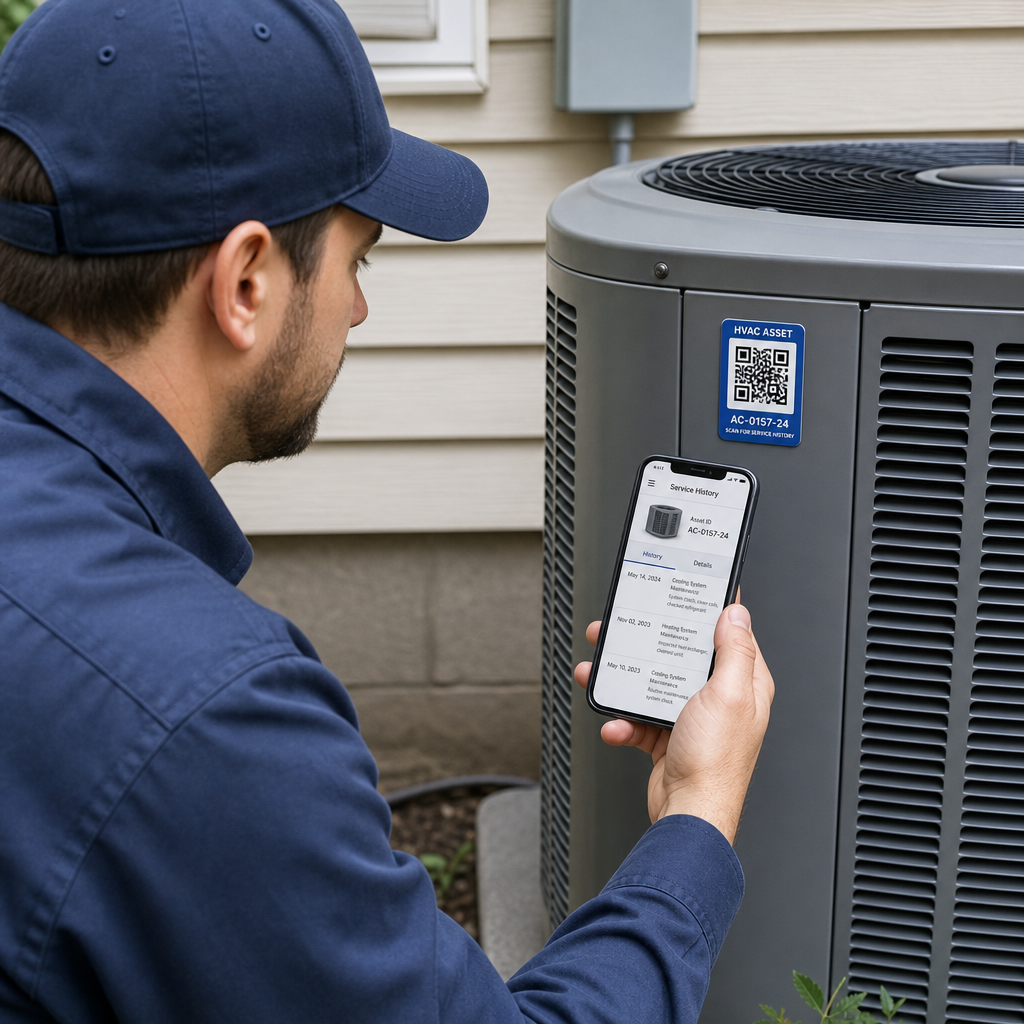
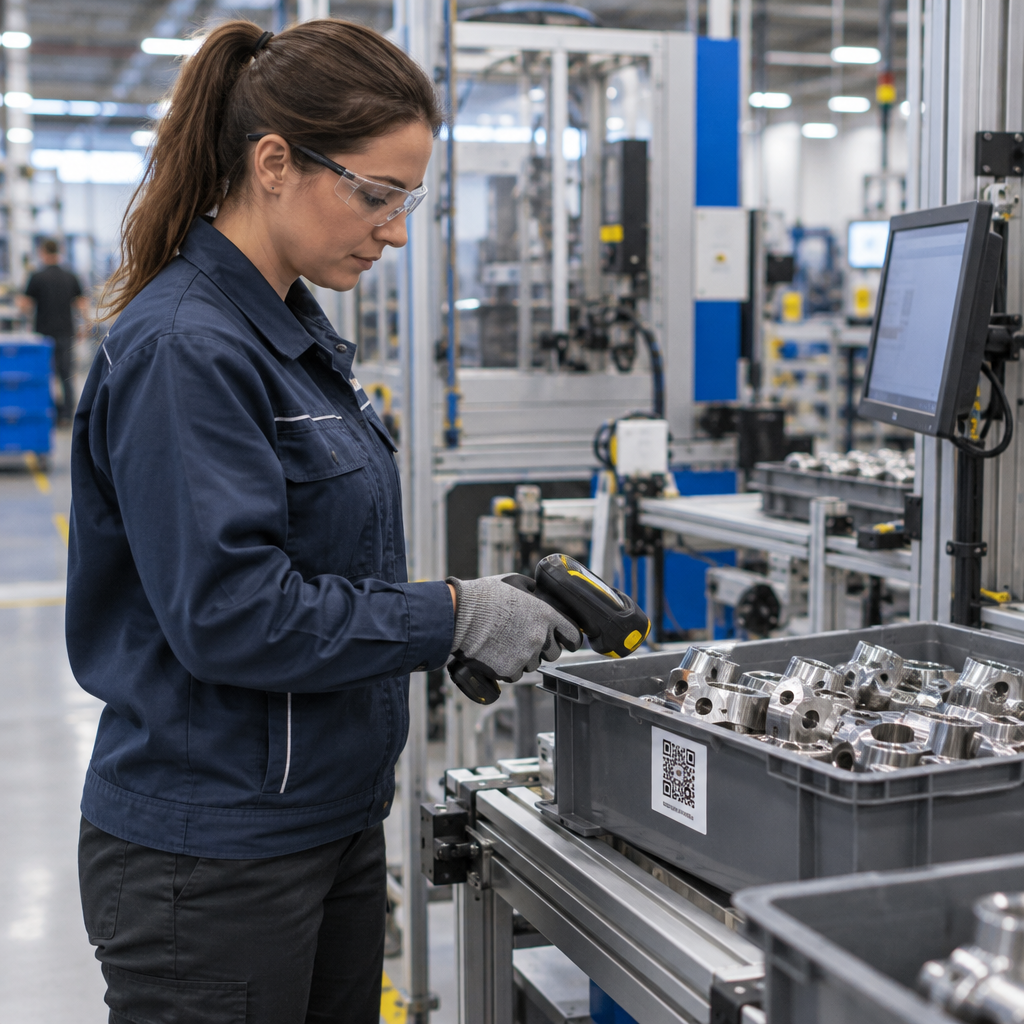
Forsyningskæde og aktivsporing – Indlejre batchnumre, produktionsdatoer og inspektionsoptegnelser i koder, der er knyttet til fysiske aktiver. Scannede data giver et realtidsrevisionsspor på tværs af dit distributionsnetværk.
Analyse og automatisering i stor skala
Massegenerering er kun halvdelen af ligningen. For at retfærdiggøre investeringen og forbedre fremtidige kampagner har du brug for pålidelige præstationsdata.
EN QR-kode administrationssystem indsamler målinger, herunder samlede scanninger, unikke scanninger, scanningstidspunkter, geografisk placering og enhedstype. Realtidsdashboards gør disse data handlingsorienterede – du kan identificere, hvilke koder der underpræsterer midt i kampagnen, og opdatere deres destinationer for at teste forskelligt indhold eller tilbud.
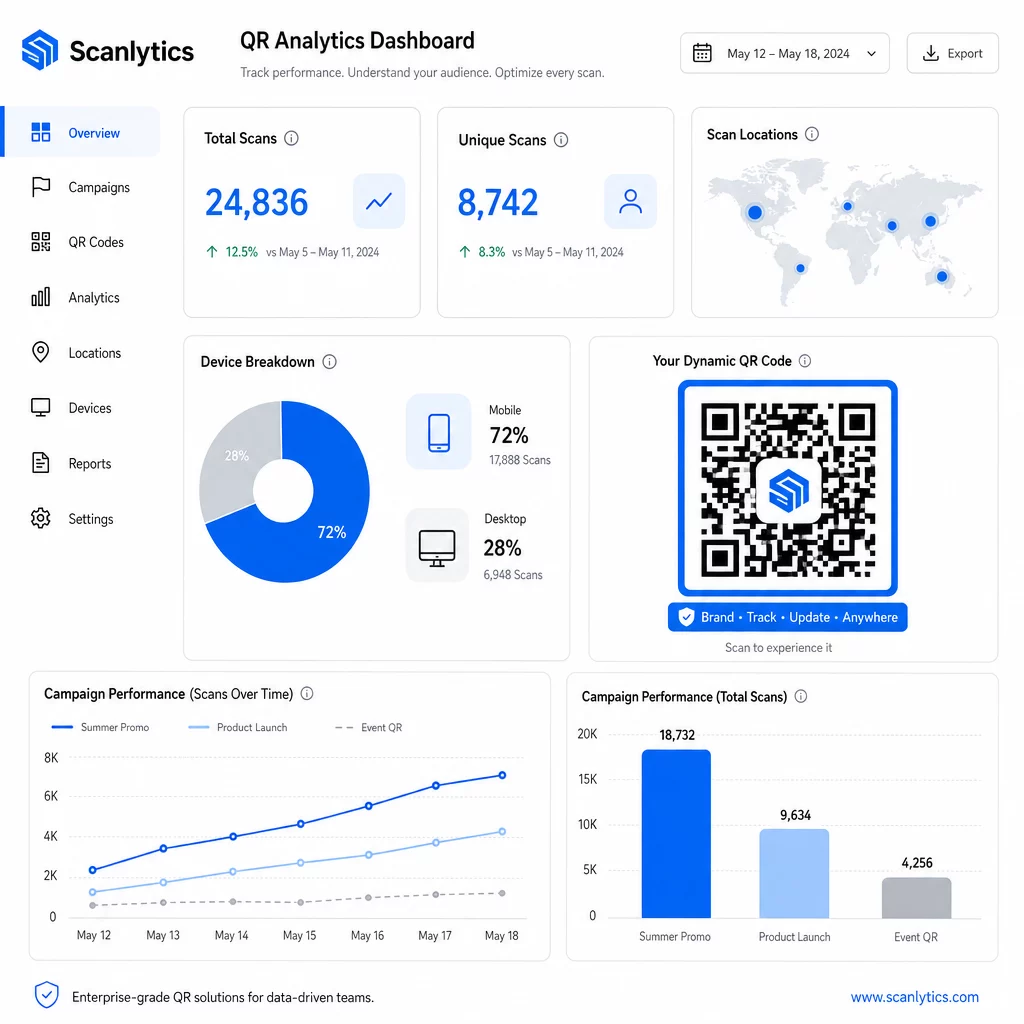
Når de parres med marketingautomatiseringsværktøjer, kan scanningshændelser automatisk udløse opfølgningssekvenser. En kunde, der scanner en produktkode, kan komme ind i en retargeting-målgruppe, modtage en SMS eller blive tilføjet til en CRM-arbejdsgang – uden manuel dataoverførsel.
Planlagte udrulninger tilføjer endnu et lag af effektivitet. Koder kan konfigureres til at aktivere automatisk ved kampagnestart og deaktivere ved afslutningen af en kampagne, hvilket sikrer, at indholdet altid er aktuelt uden at kræve manuel overvågning.
Spor hver scanning på tværs af dine kampagner Det Pageloot QR-kode platform giver virksomhedsteams et centraliseret dashboard til realtidsanalyse, dynamisk redigering og massehåndtering – alt samlet ét sted.
Sammenligning af QR-kodeplatforme til virksomheder
Ved evaluering af platforme er de vigtigste differentierende faktorer massekapacitet, dynamisk redigering, analysedybde, sikkerhedsstandarder og integrationsfleksibilitet.
| Platform | Massegenerering | Dynamisk redigering | STATISTIK | Integrationer | Sikkerhed |
|---|---|---|---|---|---|
| Pageloot | Ubegrænset batchoprettelse via CSV eller API | Realtidsredigering uden genudskrivning | Scanningsantal, placering, enhed, realtidsdashboard | CRM, API-adgang | GDPR-kompatibel, krypterede data |
| Uniqode | Op til 2.000 koder pr. batch | Dynamiske indholdsopdateringer | Placering, tid, enhedssporing | HubSpot, Salesforce, Zapier (5.000+ værktøjer) | SOC 2 Type II, SSO, rollebaseret adgang |
| QR Batch | Batch i stor volumen fra datainput | URL-opdateringer i realtid | Overvågning af adgangstid | Begrænset | Standard |
| Hovercode | Centraliseret dashboard til store volumener | Dynamiske opdateringer | Scanningssted, enhed, tidsstempler | API, webhooks, CRM | Flere brugerrettigheder |
| Live QR-kodegenerator | Tusindvis af koder via API eller Google Sheets | Understøttelse af dynamisk QR | Geografisk analyse | CRM, lagersystemer | Standard |
Pageloots support til over 25 QR-kodetyper og ubegrænset massegodkendelse gør den særligt alsidig for virksomheder, der administrerer forskellige kampagnetyper samtidigt. For teams, der har brug for dybe tredjepartsintegrationer, tilbyder platforme som Uniqode bredere forbindelsesbiblioteker. Det rigtige valg afhænger af dit volumen, din eksisterende teknologistak og dine overholdelseskrav.
For bureauer, der administrerer QR-kampagner på vegne af flere kunder, Pageloots bureauværktøjer tilføjer delbare klientrapporter, white-label-muligheder og rollebaserede tilladelser, der holder klientdata adskilt og professionelt præsenteret.
Kom godt i gang med dynamiske QR-koder i bulk
Den mest effektive vej til QR-kodeadministration i virksomhedsskala følger et konsekvent mønster:
- Gennemgå dine nuværende QR-kodeanvendelsestilfælde, og identificer, hvor massegodkendelse ville spare mest tid
- Kortlæg de datafelter, hver kodetype har brug for – destinations-URL'er, variable identifikatorer, kampagnetags
- Vælg en platform, der understøtter både CSV-uploads og API-integration, så du kan skalere begge tilgange efter behov
- Byg en navngivnings- og mappestruktur før din første masseupload for at holde store porteføljer organiseret
- Test en lille batch før fuld implementering, og verificer, at hver kode scanner korrekt og dirigerer til den rigtige destination
- Opsæt analyse-sporing fra dag ét, så du har baseline-præstationsdata for hver kampagne
Dynamiske QR-koder i bulk fungerer bedst, når generering, administration og analyse håndteres på en enkelt platform. Opdeling af disse funktioner på tværs af flere værktøjer skaber datamangler og manuel afstemningsarbejde, der underminerer de effektivitetsgevinster, du forsøger at opnå.
Det Pageloot dynamisk QR-kodegenerator dækker alle tre funktioner – opret koder i bulk, rediger destinationer uden genudskrivning, og overvåg ydeevne i realtid – fra ét centraliseret dashboard. Start en gratis 14-dages prøveperiode for at generere din første batch og se, hvordan platformen skalerer med dine kampagnebehov.
Ofte stillede spørgsmål
Statiske QR-koder koder en fast destination, der ikke kan ændres efter generering. Hvis URL'en eller indholdet ændres, skal du genprinte hver eneste kode. Dynamiske QR-koder bruger et kort omdirigeringslink, du kontrollerer, hvilket giver dig mulighed for at opdatere destinationen når som helst uden at genprinte. For virksomheder, der administrerer store mængder koder på tværs af langvarige kampagner eller fysiske materialer, eliminerer dynamiske koder genprintningsomkostninger og muliggør løbende scanningsovervågning.
Du forbereder et regneark, hvor hver række indeholder data for én QR-kode – typisk en destinations-URL, en unik identifikator og eventuelle variable felter som produkt-SKU'er eller kampagnetags. Du gemmer filen i CSV UTF-8-format og uploader den til platformen. Systemet genererer en unik QR-kode for hver række og pakker dem til download, ofte som en ZIP-fil. Denne tilgang fungerer godt til produktkataloger, eventbilletter og lokationsspecifikke kampagner, hvor hver kode kræver særskilte data.
Virksomheders QR-platforme sporer målinger, herunder samlet antal scanninger, unikke scanninger, scanningstidspunkter, geografisk placering af hver scanning og enhedstype (inklusive operativsystem). Realtids-dashboards gør disse data tilgængelige, efterhånden som scanninger sker, så teams kan identificere underpræsterende koder og opdatere deres destinationer midt i kampagnen. Mere avancerede platforme understøtter også konverteringssporing og integration med CRM- eller marketingautomatiseringsværktøjer, så scanningshændelser automatisk kan udløse opfølgningsarbejdsgange.