ホーム > ブログ > How to Generate Bulk Dynamic QR Codes for Enterprises
Enterprise QR code planning

How to Generate Bulk Dynamic QR Codes for Enterprises

Learn to generate bulk dynamic QR codes for enterprises using CSV uploads and APIs. Scale operations by managing, tracking, and updating codes efficiently.
Updated on 6月 10, 2026
目次

Managing hundreds or thousands of QR codes one at a time is not a workflow – it’s a bottleneck. When campaigns span product lines, locations, or entire distribution networks, manual creation introduces errors, delays, and reprinting costs that quietly drain resources. This guide explains how to use bulk dynamic QR code tools to generate, manage, and track large volumes of codes efficiently across your enterprise.

Why Dynamic QR Codes Are the Right Foundation

Before diving into bulk generation, it’s worth understanding why ダイナミックQRコード specifically matter at enterprise scale.

静的QRコード encodes a fixed destination directly into its pattern. Once printed, that destination cannot be changed. If a URL changes, a product page moves, or a campaign ends, every printed code becomes obsolete – and reprinting thousands of labels or materials is expensive.

Dynamic QR codes work differently. They point to a short redirect link that you control. When someone scans the code, they’re routed through that redirect to whatever destination you’ve currently set. You can いつでもリンク先を更新できる – even after the codes are printed and distributed – without generating a new code or touching a single piece of printed material. They also support scan tracking and analytics, which static codes cannot provide.

For enterprises managing large campaigns, product lines, or physical assets, dynamic codes eliminate the reprint cycle and give you ongoing visibility into how each code performs.

Start Creating Dynamic QR Codes at Scale Ready to generate editable, trackable QR codes for your enterprise campaigns? Try the ダイナミックQRコードジェネレーター free for 14 days – no credit card required.

How Bulk QR Code Generation Works

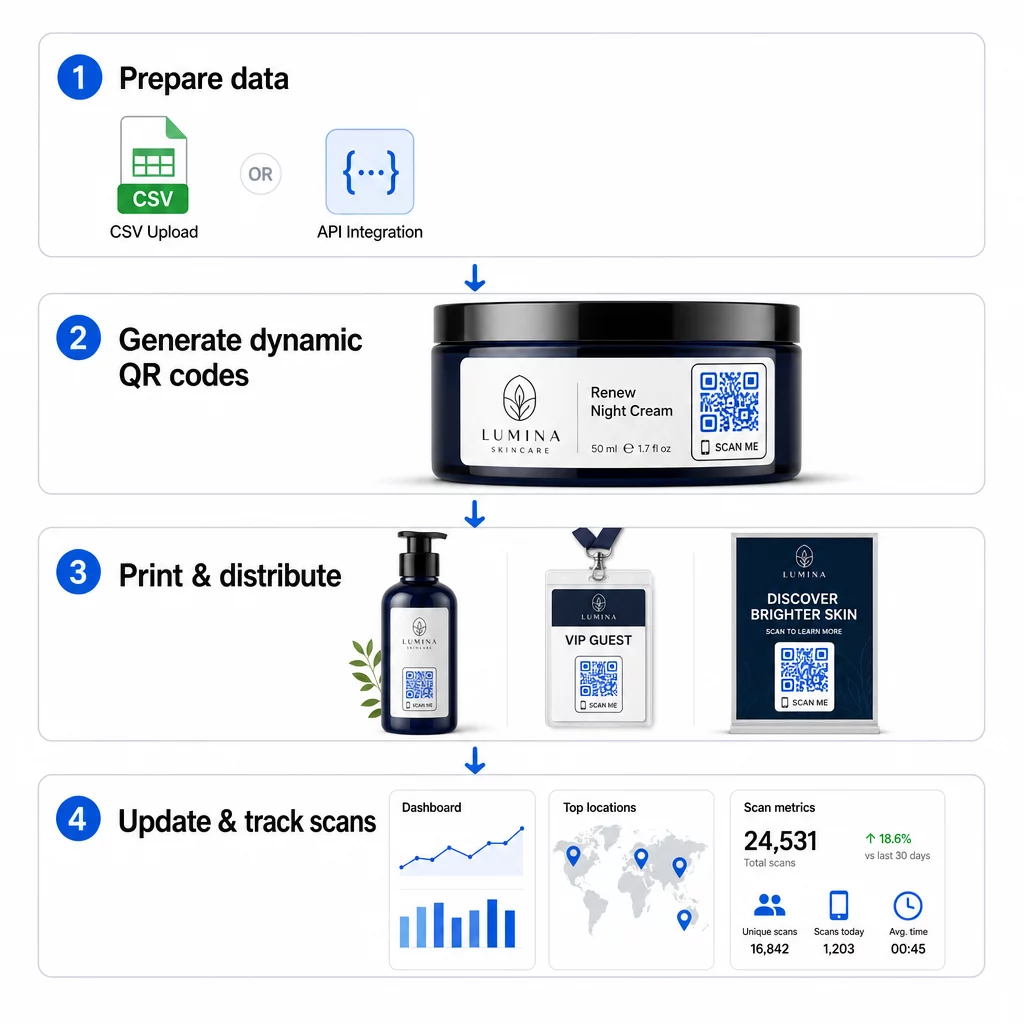
Generating thousands of unique QR codes doesn’t have to mean thousands of manual steps. Enterprise QR platforms support two primary methods for bulk creation: CSV uploads and API integration.

Bulk QR workflow

CSV Upload

CSV upload is the most accessible bulk generation method. You prepare a spreadsheet where each row contains the data for one QR code – typically a destination URL, a label or identifier, and any variable information like a product SKU, batch number, or campaign tag. You then upload that file to the platform, and the system generates a corresponding QR code for each row.

When preparing your CSV file, keep these practices in mind:

  • Save the file in CSV UTF-8 format to avoid encoding errors
  • Place the identifier or folder column first
  • Use consistent date formatting (yyyy-mm-dd) for any date fields
  • Define required columns clearly and validate headers before uploading

Platforms like Pageloot allow users to generate hundreds of codes from a single CSV upload, making it practical for product catalogs, event ticketing, or location-specific campaigns where each code needs unique data.

API Integration

For teams that need QR code generation embedded directly into their existing workflows, API integration is the more powerful approach. Instead of exporting a CSV manually, your systems pass parameters directly to the QR platform – triggering code generation automatically as new products are added, orders are placed, or campaigns are launched.

API-based generation also supports dynamic bulk updates. Using PATCH or PUT requests, you can update destination URLs across thousands of codes simultaneously – without any manual intervention. This is particularly useful when a campaign URL changes, a product page is restructured, or seasonal content needs to be swapped out across an entire product line.

API integration connects QR code generation to the tools you already use: inventory management systems, CRM platforms, e-commerce backends, and marketing automation tools. The result is a seamless data pipeline where QR codes are created, updated, and retired in sync with your broader operations.

Core Features to Evaluate in an Enterprise Platform

Not all QR platforms are built for enterprise workloads. When evaluating options, prioritize these capabilities:

Bulk generation capacity – The platform should handle your volume without degrading performance. Look for support for unlimited or high-volume batch creation, not just small batches.

Dynamic editing – Every code in your library should be editable after creation. This eliminates reprinting costs when destinations change and allows you to reuse physical materials across multiple campaigns.

Centralized management – A single dashboard to organize, search, and update your entire QR code portfolio. For enterprises running dozens of concurrent campaigns, organization is as important as generation speed.

ブランディングとカスタマイズ – Enterprise codes should reflect your brand. Look for logo integration, custom color schemes, and design templates that can be applied consistently across large batches. Variable data support lets you embed unique identifiers – such as product SKUs or promotional codes – within each code’s design or destination.

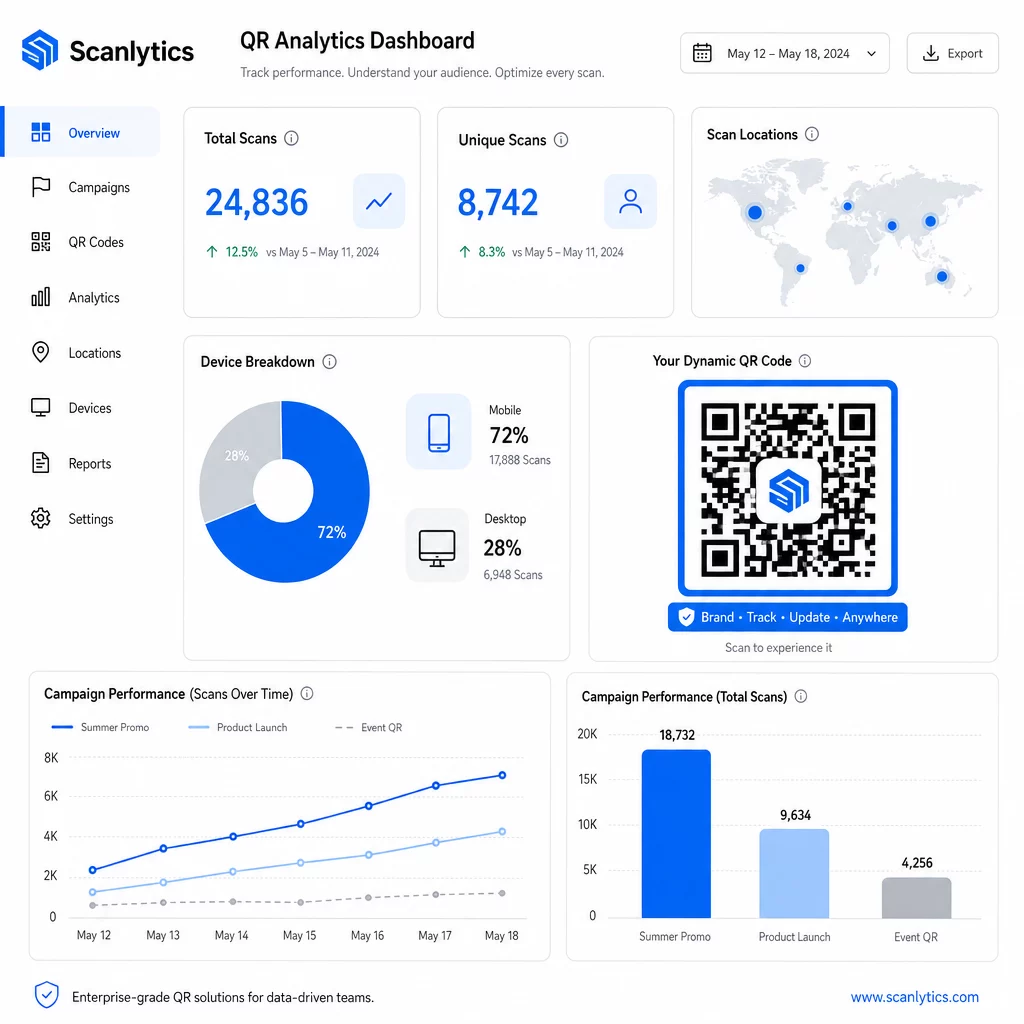
Analytics and reportingQRコードトラッキング transforms each scan into a data point. Real-time dashboards should surface scan counts, geographic locations, device types, and timestamps. Campaign-level reporting should show conversion rates and engagement trends so you can optimize in flight.

Security and compliance – Enterprise deployments require role-based access controls so only authorized users can create, edit, or delete codes. Data encryption protects information in transit and at rest. Compliance with GDPR, HIPAA, or SOX depends on your industry and the type of data your QR codes handle.

Export formats – High-resolution vector formats (SVG, EPS, PDF) ensure codes reproduce cleanly at any size, from product labels to trade show banners.

Enterprise Use Cases for Bulk Dynamic QR Codes

The combination of bulk generation and dynamic editability opens up a wide range of operational applications:

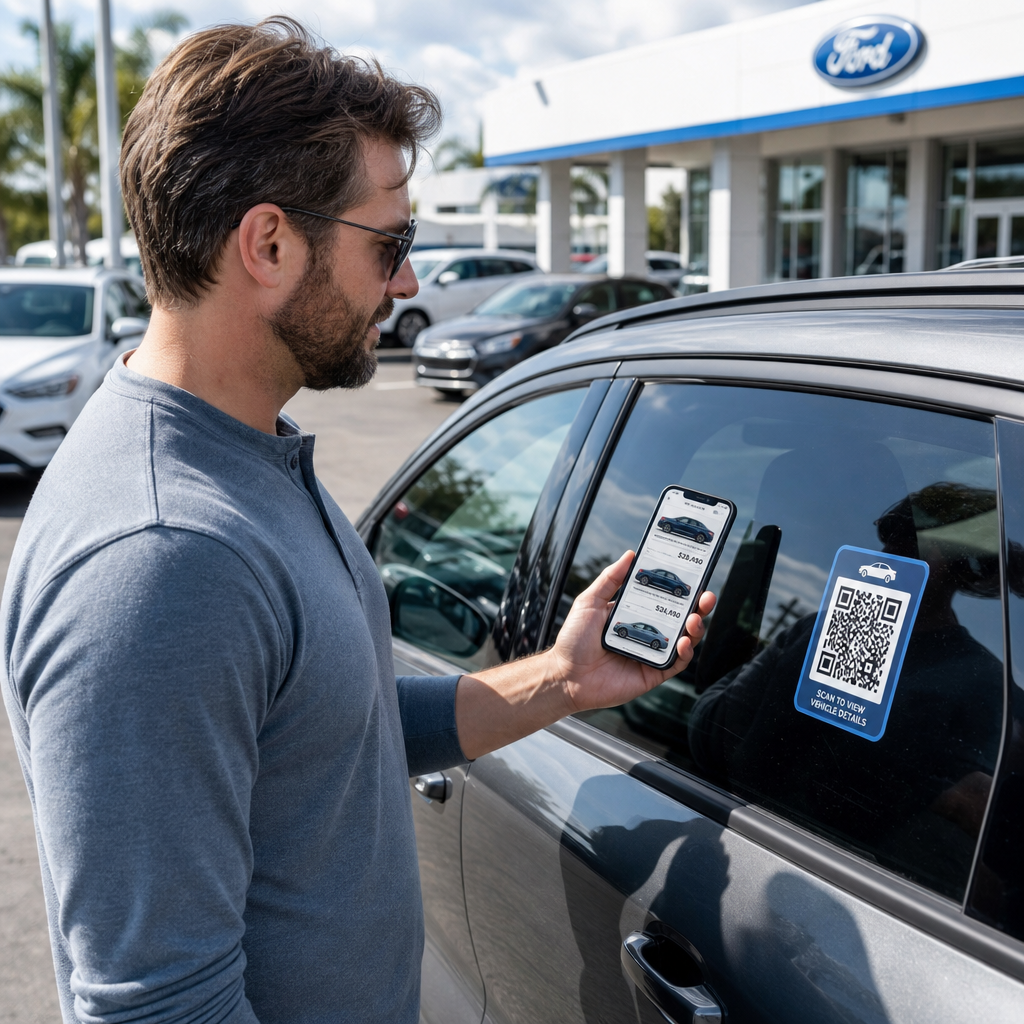
Product labeling and packaging – Generate unique codes for every SKU or batch, linking to digital manuals, warranty registration pages, or authenticity verification. If the destination URL changes, update it centrally rather than reprinting labels.

Event ticketing and check-ins – Create one code per attendee containing session access permissions and registration data. Dynamic codes let you update venue information or session schedules after tickets have been distributed.

Contactless payments and digital menus – Assign unique codes to each table, kiosk, or location. Update menu content or pricing centrally without replacing physical materials.

Personalized marketing campaigns – Link each code to a landing page tailored to a specific audience segment, region, or purchase history. Track which versions drive the highest engagement and adjust campaigns accordingly.

Software and app deployment – Distribute unique codes that trigger department-specific app installations or configurations, reducing IT support overhead during large rollouts.

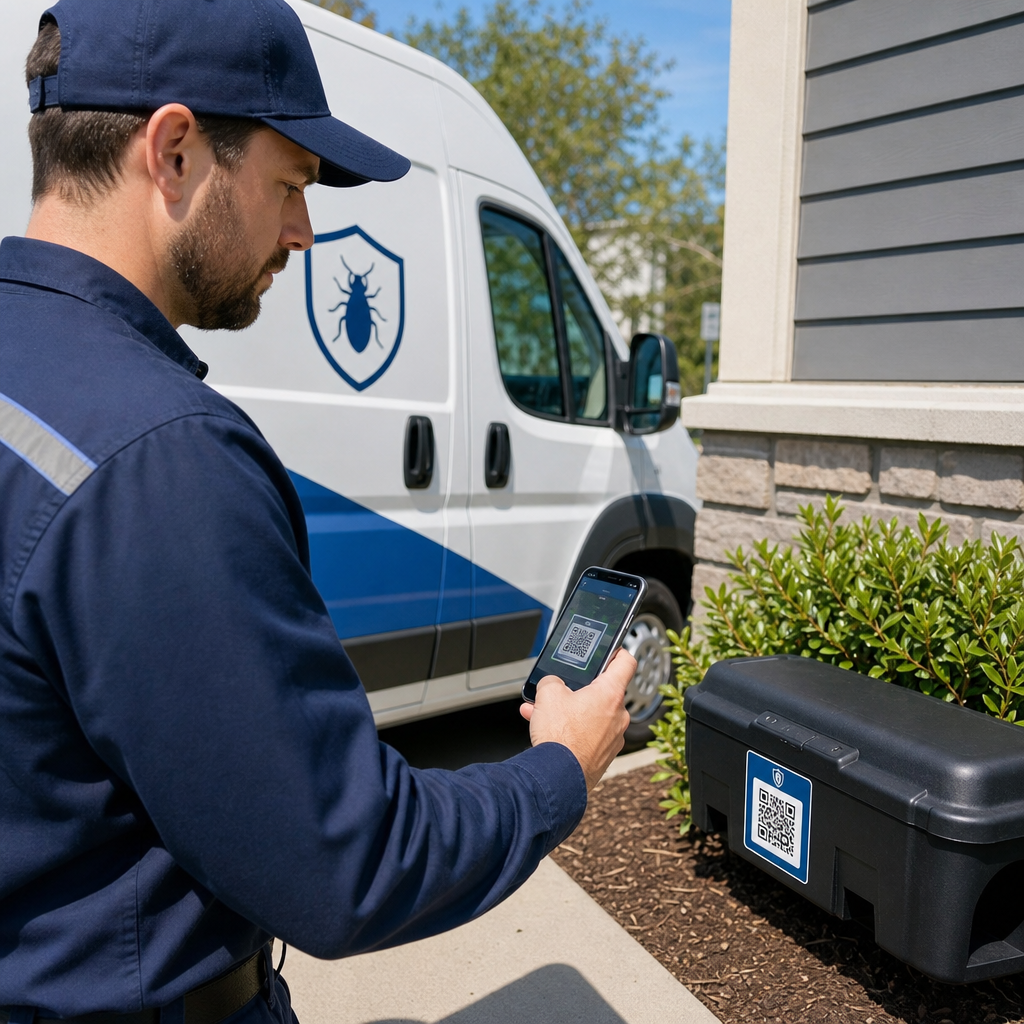
Supply chain and asset tracking – Embed batch numbers, manufacturing dates, and inspection records into codes attached to physical assets. Scan data provides a real-time audit trail across your distribution network.

Analytics and Automation at Scale

Bulk generation is only half the equation. To justify investment and improve future campaigns, you need reliable performance data.

QR code management system collects metrics including total scans, unique scans, scan timestamps, geographic location, and device type. Real-time dashboards make this data actionable – you can identify which codes are underperforming mid-campaign and update their destinations to test different content or offers.

QR分析ダッシュボード

When paired with marketing automation tools, scan events can trigger follow-up sequences automatically. A customer scanning a product code can enter a retargeting audience, receive an SMS, or be added to a CRM workflow – without any manual data transfer.

Scheduled deployments add another layer of efficiency. Codes can be configured to activate automatically at campaign launch and deactivate at the end of a promotion, ensuring content is always current without requiring manual monitoring.

Track Every Scan Across Your CampaignsPageloot QR code platform gives enterprise teams a centralized dashboard for real-time analytics, dynamic editing, and bulk management – all in one place.

Comparing Enterprise QR Code Platforms

When evaluating platforms, the key differentiators are bulk capacity, dynamic editing, analytics depth, security standards, and integration flexibility.

プラットフォーム Bulk Generation Dynamic Editing アナリティクス 連携機能 セキュリティ
ページルート Unlimited batch creation via CSV or API Real-time editing without reprinting Scan counts, location, device, real-time dashboard CRM, API access GDPR compliant, encrypted data
Uniqode Up to 2,000 codes per batch Dynamic content updates Location, time, device tracking HubSpot, Salesforce, Zapier (5,000+ tools) SOC 2 Type II, SSO, role-based access
QR Batch High-volume batch from data input Real-time URL updates Access time monitoring 限定 標準
Hovercode Centralized dashboard for large volumes Dynamic updates Scan location, device, timestamps API, webhooks, CRM Multi-user permissions
Live QR Code Generator Thousands of codes via API or Google Sheets Dynamic QR support Geographic analytics CRM, inventory systems 標準

Pageloot’s support for 25種類以上のQRコードタイプ and unlimited bulk creation makes it particularly versatile for enterprises managing diverse campaign types simultaneously. For teams that need deep third-party integrations, platforms like Uniqode offer broader connector libraries. The right choice depends on your volume, existing tech stack, and compliance requirements.

For agencies managing QR campaigns on behalf of multiple clients, Pageloot’s agency tools add shareable client reports, white-label options, and role-based permissions that keep client data separated and professionally presented.

Getting Started with Bulk Dynamic QR Codes

The most efficient path to enterprise-scale QR code management follows a consistent pattern:

  • Audit your current QR code use cases and identify where bulk generation would save the most time
  • Map out the data fields each code type needs – destination URLs, variable identifiers, campaign tags
  • Choose a platform that supports both CSV uploads and API integration so you can scale either approach as needed
  • Build a naming and folder structure before your first bulk upload to keep large portfolios organized
  • Test a small batch before full deployment, verifying that every code scans correctly and routes to the right destination
  • Set up analytics tracking from day one so you have baseline performance data for every campaign

Bulk dynamic QR codes work best when generation, management, and analytics are handled in a single platform. Splitting these functions across multiple tools creates data gaps and manual reconciliation work that undermines the efficiency gains you’re trying to achieve.

Pageloot dynamic QR code generator covers all three functions – create codes in bulk, edit destinations without reprinting, and monitor performance in real time – from one centralized dashboard. Start a free 14-day trial to generate your first batch and see how the platform scales with your campaign needs.

よくある質問

What is the difference between static and dynamic QR codes for enterprise use?

Static QR codes encode a fixed destination that cannot be changed after generation. If the URL or content changes, you must reprint every code. Dynamic QR codes use a short redirect link you control, allowing you to update the destination at any time without reprinting. For enterprises managing large volumes of codes across long-running campaigns or physical materials, dynamic codes eliminate reprinting costs and enable ongoing scan tracking.

How does CSV upload work for bulk QR code generation?

You prepare a spreadsheet where each row contains the data for one QR code – typically a destination URL, a unique identifier, and any variable fields like product SKUs or campaign tags. You save the file in CSV UTF-8 format and upload it to the platform. The system generates a unique QR code for each row and packages them for download, often as a ZIP file. This approach works well for product catalogs, event ticketing, and location-specific campaigns where each code needs distinct data.

What analytics can enterprises collect from bulk QR code campaigns?

Enterprise QR platforms track metrics including total scan counts, unique scans, scan timestamps, geographic location of each scan, and device type (including operating system). Real-time dashboards make this data available as scans happen, so teams can identify underperforming codes and update their destinations mid-campaign. More advanced platforms also support conversion tracking and integration with CRM or marketing automation tools so scan events can trigger follow-up workflows automatically.

著者について

Siim KostabiはPagelootのコンテンツリードです。Pagelootの革新的なQRコード生成サービスについて執筆しています。5年以上にわたるQRコードに関する深い専門知識を持つSiimは、この分野の専門家です。QRテクノロジーを活用してデジタルインタラクションを簡素化・拡張する上で、大きな進歩を遂げています。.

カテゴリー
について詳しくはこちら
Android QR code scanning
QRコードをスキャンして アンドロイド
音楽QRポスターのスキャン
のQRコード アップルミュージック
✅ QRコードの#1ソリューション

オンラインでQRコードを作成する必要がある場合は QRコードを作る ここで無料で
ページルートは #1のGo-Toソリューション でQRコードを作成してスキャンすることができます。

BL-0204

売上、レビュー、フォロワーを増やすために 20,000 を超えるブランドから信頼されています。

クライアントのロゴ
トップブランドから信頼される
5 のうち 4.8 と評価しました

4.86 / 5つ星評価

ユーゴ・ローラン
ユーゴ・ローラン
レストランオーナー
最も簡単で信頼性の高いQRコードジェネレータです。PDFファイルを即座にアップロードできます。レストランのメニューがデジタル化されました。
ルーカス・ジャンセン
ルーカス・ジャンセン
不動産開発業者
これは優れたツールで、QRコードでちょうど欲しいところに連れて行ってくれます。私たちは位置情報のQRコードしか使っていませんが、とても便利な機能がたくさんあります。
エマ・モレッティ
エマ・モレッティ
小売製品
使いやすいし、早い。素晴らしい機能で、完璧な画像を作成してくれるので、社員は私のvCardをダウンロードすることができます。
ユーゴ・ローラン
ユーゴ・ローラン
レストランオーナー
最も簡単で信頼性の高いQRコードジェネレータです。PDFファイルを即座にアップロードできます。レストランのメニューがデジタル化されました。
ルーカス・ジャンセン
ルーカス・ジャンセン
不動産開発業者
これは優れたツールで、QRコードでちょうど欲しいところに連れて行ってくれます。私たちは位置情報のQRコードしか使っていませんが、とても便利な機能がたくさんあります。
エマ・モレッティ
エマ・モレッティ
小売製品
使いやすいし、早い。素晴らしい機能で、完璧な画像を作成してくれるので、社員は私のvCardをダウンロードすることができます。
QRコードをもっと見る
スマートフォンでのQRコードスキャン
トップ12 QRコードスキャナのアプリ
あらゆるものをデジタル体験に変えよう 3分以内に。

14日間の無料トライアル。

クレジットカードは必要ありません。

初回購入で30%オフ

次のコードを使用してください:

MP3ファイルを共有

PDF QRコードを作成するにはサインアップしてください

必要なものをすべてアップロードして表示する。

  • オーディオファイル
  • ポッドキャスト
  • 音楽

サインアップで14日間無料トライアル。.
トライアル終了後、QRコードは期限切れになります。.

オーディオmp3 QRコードを作成するにはサインアップしてください

フレームでより多くのスキャンを獲得

QRコードにフレームを追加するにはサインアップしてください

コールトゥアクションフレームは、お客様が簡単にQRコードと対話できるようにします。ぜひお試しください。

サインアップで14日間無料トライアル。.
トライアル終了後、QRコードは期限切れになります。.

QRコードにフレームを追加するにはサインアップしてください

シェイプでスタイルを追加

より多くの図形を作成するにはサインアップしてください

QRコードは四角いものである必要はありません。あなたのブランドのイメージに合わせて変えてみてください。

サインアップで14日間無料トライアル。.
トライアル終了後、QRコードは期限切れになります。.

より多くの図形を作成するにはサインアップしてください

QRコードにロゴを追加

QRコードにロゴを追加するにはサインアップしてください

QRコードにロゴやブランドを入れることで、目立たせることができます。

サインアップで14日間無料トライアル。.
トライアル終了後、QRコードは期限切れになります。.

QRコードにロゴを追加するにはサインアップしてください

スマートなApp Storeリダイレクト

アプリストアのQRコードを作成するにはサインアップしてください

スマートなApp StoreのQRコードに、あなたのアプリのリンクを追加します。ユーザーは、デバイスに応じてリダイレクトされます。

サインアップで14日間無料トライアル。.
トライアル終了後、QRコードは期限切れになります。.

アプリストアのQRコードを作成するにはサインアップしてください

QRコードに画像をアップロード

画像QRコードを作成するにはサインアップしてください

画像を簡単に共有できます。どんな画像も、数秒でダイナミックに変化します。

サインアップで14日間無料トライアル。.
トライアル終了後、QRコードは期限切れになります。.

画像QRコードを作成するにはサインアップしてください

PDFファイルを共有

PDF QRコードを作成するにはサインアップしてください

必要なものをすべてアップロードして表示する。

  • メニュー&プライスリスト
  • 指示
  • 任意の書類

サインアップで14日間無料トライアル。.
トライアル終了後、QRコードは期限切れになります。.

PDF QRコードを作成するにはサインアップしてください

印刷せずに後で編集

再度印刷せずにQRコードを編集するにはサインアップしてください

ダイナミックQRコードは、新たにQRコードを印刷することなく、QRコードの内容を変更することができます。

サインアップで14日間無料トライアル。.
トライアル終了後、QRコードは期限切れになります。.

再度印刷せずにQRコードを編集するにはサインアップしてください

いつ?どこで?QRコードのスキャンを追跡

QRコードを追跡するにはサインアップしてください

どのQRコードが最も多くスキャンされ、何が最も顧客を喜ばせているのかを知ることができます。

サインアップで14日間無料トライアル。.
トライアル終了後、QRコードは期限切れになります。.

QRコードを追跡するにはサインアップしてください

印刷可能なファイルが利用可能

PDFやSVGのようなベクターQRコードを作成するにはサインアップしてください

.eps、.pdf、.svg

QRコードをHD解像度でダウンロードしたいですか?すぐに印刷できるベクターまたはピクセル形式を入手しましょう。

サインアップで14日間無料トライアル。.
トライアル終了後、QRコードは期限切れになります。.

PDFやSVGのようなベクターQRコードを作成するにはサインアップしてください

しばらくお待ちください。あなたのQRコードは ロード... ロード...

あなただけのものに

サインアップしてQRコードを後で保存してください

異なる色、ロゴ、コールトゥアクションフレームで素晴らしいQRコードを作成することで、より多くのスキャンを得ることができます。

サインアップで14日間無料トライアル。.
トライアル終了後、QRコードは期限切れになります。.

サインアップしてQRコードを後で保存してください