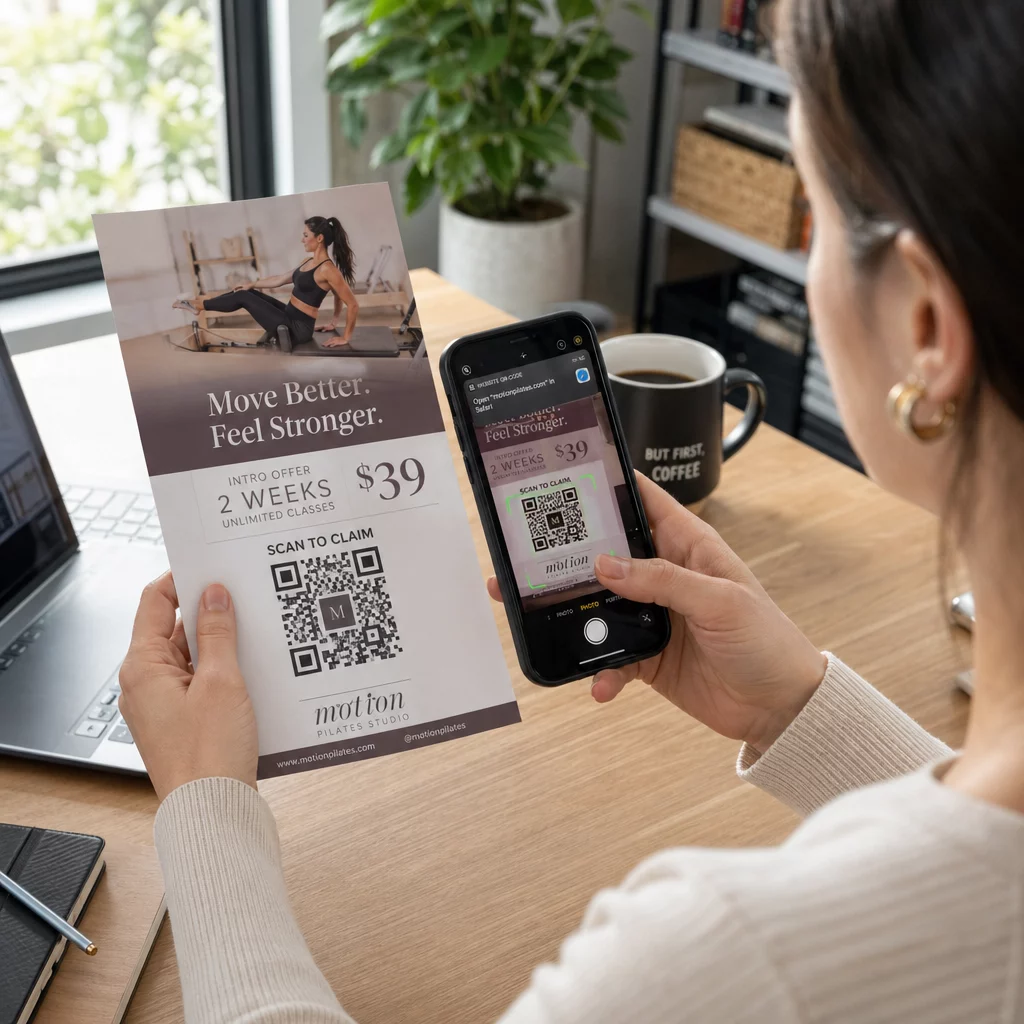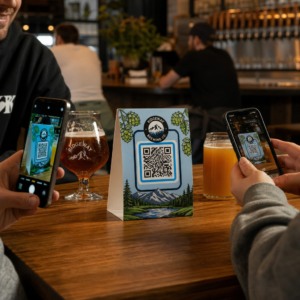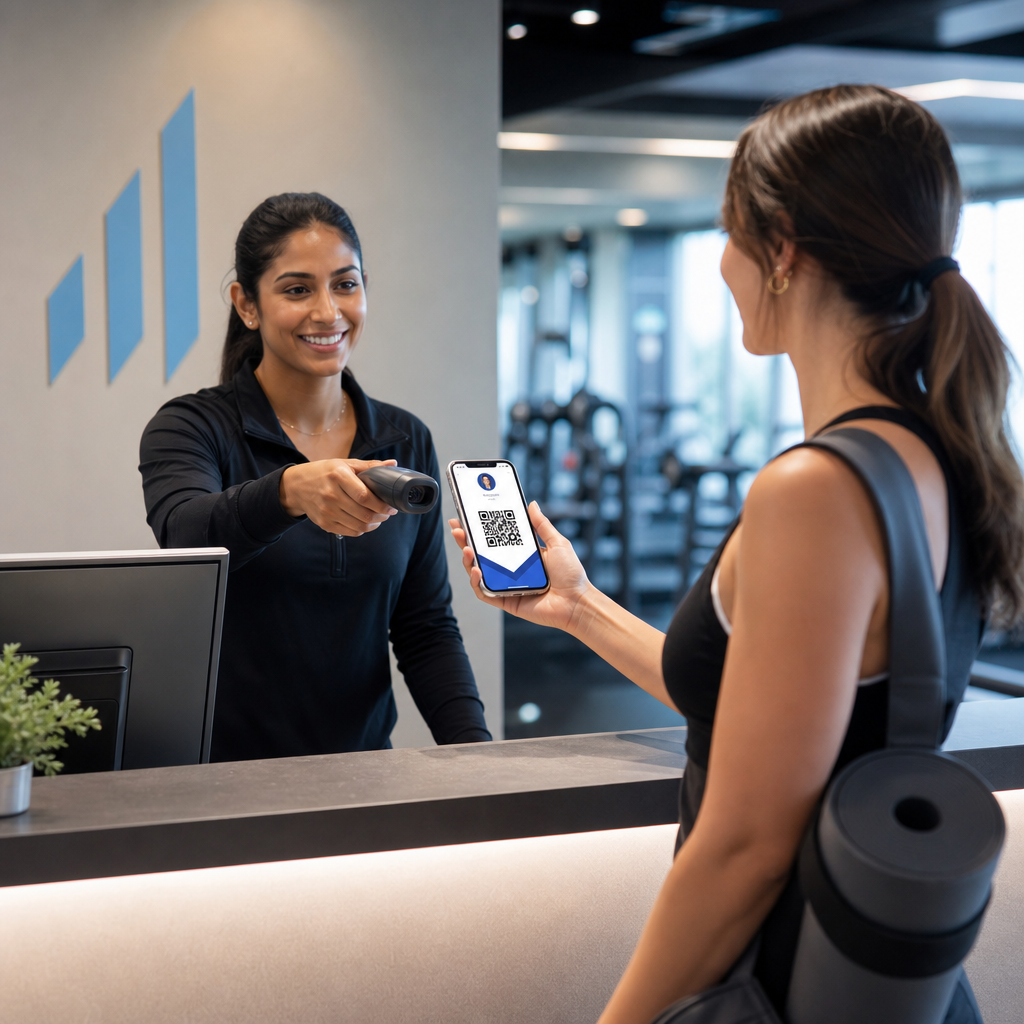
Het beheren van lididentificatie met papieren kaarten of handmatige inchecklijsten vertraagt u? Verloren kaarten, lange wachtrijen en geen mogelijkheid om de lidmaatschapsstatus in realtime te verifiëren creëren echte frictie voor zowel personeel als leden. Deze gids leidt u door de implementatie van digitale lidmaatschapskaarten met QR-codes – van het genereren van unieke codes tot het scannen ervan bij de deur en het beveiligen van lidgegevens.
Waarom QR-codes goed werken voor lidmaatschapskaarten
Traditionele plastic of papieren lidmaatschapskaarten delen een vast probleem: ze bevatten statische informatie, slijten, raken zoek en geven u geen enkel inzicht in hoe leden ze gebruiken. Een QR-code op een digitale lidmaatschapskaart lost dat allemaal op.
Wanneer een lid zijn kaart toont – op hun telefoon, in hun wallet-app, of zelfs afgedrukt op papier – scant het personeel eenvoudig de QR-code. De scanner leest een unieke identificatie die is gekoppeld aan het dossier van dat lid in uw systeem, bevestigt hun status en registreert de check-in. Het hele proces duurt seconden.
Ongeveer 99,5 miljoen smartphonegebruikers in de Verenigde Staten hebben in 2025 QR-codes gescand, een stijging van 19% vergeleken met 2022. Uw leden weten vrijwel zeker al hoe ze er een moeten gebruiken. Naast gemak bieden QR-gebaseerde lidmaatschapskaarten u iets wat fysieke kaarten nooit konden: gegevens. U kunt bijhouden wanneer leden inchecken, hoe vaak ze bezoeken en welke locaties of evenementen ze bijwonen – informatie die u helpt betere beslissingen te nemen over personeelsbezetting, programmering en ledenbetrokkenheid.
Hoe het verificatieproces werkt
Het begrijpen van de workflow helpt u een systeem te ontwerpen dat bij uw organisatie past. Dit is wat er gebeurt vanaf het moment dat een lid binnenkomt tot het moment dat ze toegang krijgen.
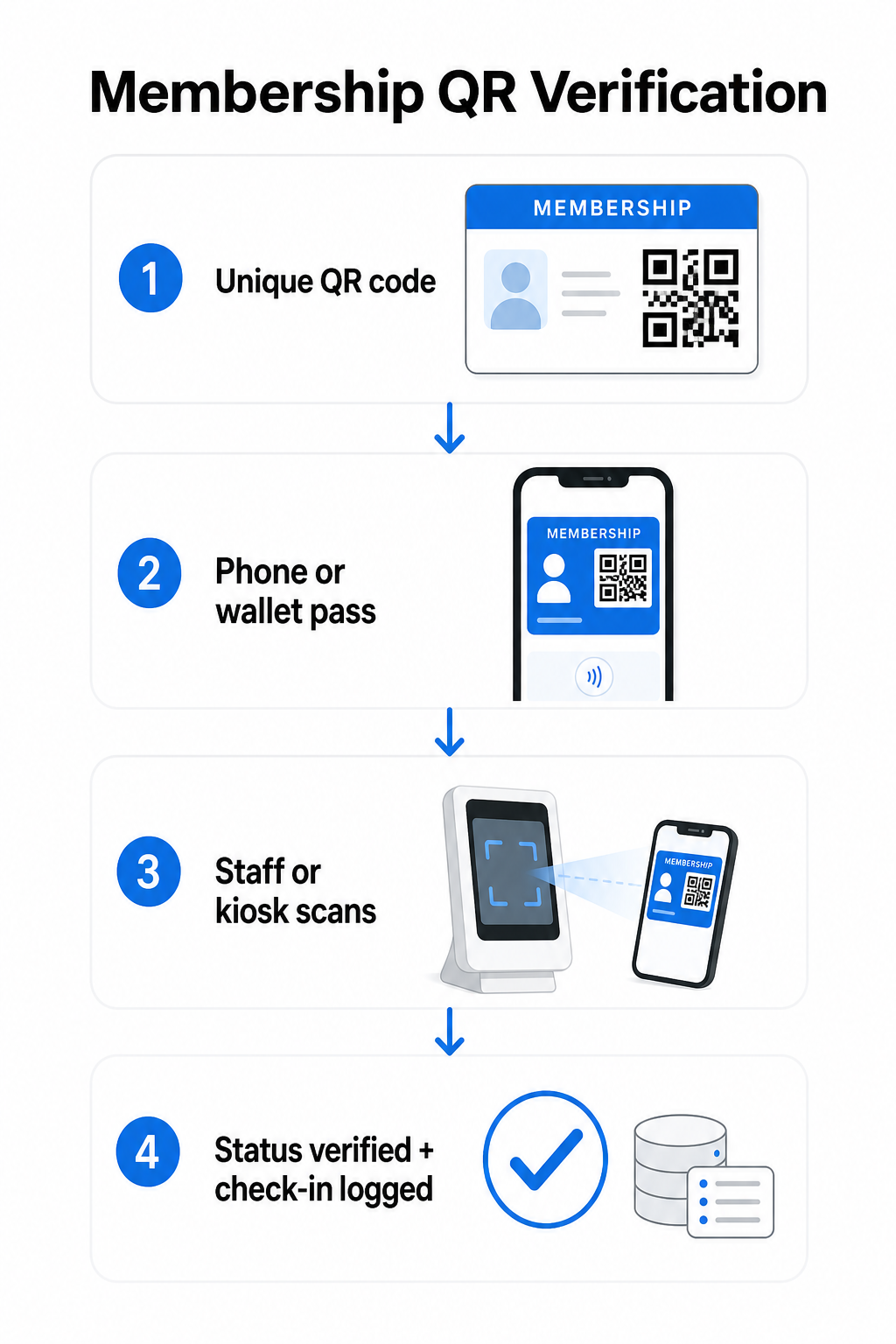
Een unieke QR-code wordt aan elk lid toegewezen tijdens de inschrijving of onboarding. Deze code versleutelt een veilige identificatie – niet de persoonlijke informatie van het lid direct, maar een referentie die uw systeem kan opzoeken. Het lid toont hun QR-code door hun digitale kaart op een telefoon te openen, een geprinte kaart te tonen, of een pas te tonen vanuit Apple Wallet of Google Wallet. Personeel of een kiosk scant vervolgens de code met behulp van een smartphonecamera, een speciale barcodescanner, of een tool zoals de Pageloot QR-code scanner.
Het systeem valideert de legitimatie – ter bevestiging van de lidmaatschapsstatus, toegangsniveau, vervaldatum, of andere door u geconfigureerde rechten – voordat toegang wordt verleend of gemarkeerd en de check-in wordt vastgelegd in uw ledenadministratie. U kunt ook tijdgebonden of gebiedsspecifieke regels toevoegen, bijvoorbeeld toegang alleen toestaan tijdens kantooruren of bepaalde lidmaatschapstiers beperken tot specifieke faciliteiten.
Dit proces werkt of u nu een sportschool, een beroepsvereniging, een club, of een andere organisatie runt die moet verifiëren wie er door de deur komt.
Begin met het genereren van lidmaatschaps-QR-codes Creëer unieke, traceerbare QR-codes voor elk lid met de Pageloot QR-codegenerator. Gratis proefperiode van 14 dagen, geen creditcard vereist.
Kiezen tussen statische en dynamische QR-codes
Niet alle QR-codes gedragen zich op dezelfde manier, en het onderscheid is belangrijk voor ledenbeheer.
Statische QR codes coderen informatie permanent op het moment van creatie. Eenmaal afgedrukt, kunnen de gegevens binnenin niet meer worden gewijzigd. Ze werken voor eenvoudige gebruiksscenario's, maar als de status van een lid verandert – bijvoorbeeld, hun lidmaatschap verloopt of ze upgraden naar een hogere tier – kunt u de code niet bijwerken. U zou een geheel nieuwe moeten uitgeven.
Dynamische QR codes slaan intern een korte omleiding op en verwijzen naar een bestemming die u op elk moment kunt bijwerken, zonder de code opnieuw af te drukken. Voor lidmaatschapskaarten betekent dit dat u kunt wijzigen wat een scan retourneert – bijgewerkte toegangsniveaus, een vernieuwde vervaldatum, of een herzien ledenprofiel – zonder een nieuwe kaart uit te geven. Dynamische QR-codes zijn ook traceerbaar en geven u scan-niveau analyses inclusief tijd-, locatie- en apparaatgegevens. Voor organisaties die tientallen of honderden leden beheren, is die zichtbaarheid echt nuttig.
| FUNCTIE | Statische QR Code | Dynamische QR-code |
|---|---|---|
| Bijwerkbaar na afdrukken | Geen | Ja |
| Scananalyse | Geen | Ja |
| Werkt als de lidstatus verandert | Vereist heruitgave | Bestemming bijwerken, zelfde code |
| Kosten | Gratis | Betaald abonnement vereist |
Voor de meeste lidmaatschapsprogramma's zijn dynamische QR-codes de juiste keuze. Statische codes zijn alleen acceptabel als uw lidmaatschapsgegevens nooit veranderen en u geen behoefte heeft aan tracking.
Hoe lidmaatschaps-QR-codes te maken met Pageloot
Hier is een praktische stap-voor-stap benadering voor het genereren en distribueren van QR-codes voor uw leden.
Stap 1: Kies uw QR-codetype. Log in bij Pageloot en selecteer het QR-codetype dat overeenkomt met wat u wilt dat leden toegang krijgen – een URL die linkt naar hun ledenprofiel, een vCard met contact- en lidmaatschapsgegevens, of een formulier voor incheckbevestiging. Pageloot ondersteunt meer dan 25 QR-codetypes, zodat u het formaat kunt afstemmen op uw bestaande workflow.
Stap 2: Voer lid-specifieke informatie in. Elk lid heeft een unieke code nodig. Als u linkt naar individuele lidprofielen of ID's, zorg er dan voor dat elke QR-code verwijst naar een unieke identificatie in plaats van naar generieke gedeelde inhoud.
Stap 3: Pas het ontwerp aan. Voeg het logo en de merkkleuren van uw organisatie toe. Een herkenbaar kaartontwerp bouwt lidvertrouwen op en vermindert de kans op fraude. Houd de QR-code zelf contrastrijk – donkere voorgrond op een lichte achtergrond – en zorg ervoor dat deze voldoet aan de minimale afdrukmaat van 0,8 × 0,8 inch voor scannen van dichtbij.
Stap 4: Downloaden en distribueren. Pageloot biedt printklare bestanden in .SVG-, .PDF- en .EPS-formaten. U kunt de QR-code insluiten in een digitaal kaartontwerp, deze rechtstreeks naar leden e-mailen, of hen deze laten toevoegen aan Apple Wallet of Google Wallet als een pas.
Stap 5: Organiseer uw codes. Gebruik Pageloot's QR code mappen om lidcodes te groeperen op lidmaatschapsniveau, locatie of verlengingscyclus. Dit houdt uw dashboard beheersbaar naarmate uw ledenlijst groeit.
Volg elke lid-check-in Monitor scan data van uw gehele lidmaatschap vanuit één dashboard. De Pageloot QR-codegenerator laat u dynamische, traceerbare codes maken en deze op elk moment bijwerken zonder opnieuw af te drukken.
Kaarten distribueren aan leden
Zodra u de codes heeft gegenereerd, heeft u verschillende opties om ze in handen van leden te krijgen.
- E-mailbezorging: Stuur elk lid een digitale kaartafbeelding of PDF met hun unieke QR-code. Dit werkt onmiddellijk en kost niets om te distribueren.
- Apple Wallet en Google Wallet: Leden kunnen een lidmaatschapspas rechtstreeks toevoegen aan de wallet-app van hun telefoon. Apple Wallet slaat passen op in het `.pkpass`-formaat, dat een QR-code en lidgegevens kan bevatten. Google Wallet ondersteunt vergelijkbare functionaliteit via zijn Passes API. Eenmaal toegevoegd, opent het lid de pas en presenteert de QR-code voor scanning bij de deur.
- Gedrukte kaarten: Voor leden die de voorkeur geven aan een fysieke kaart, of voor toegangspunten waar telefoons niet praktisch zijn, kunt u de QR-code op een standaardkaart afdrukken. Gebruik afdrukken van hoge kwaliteit om de scanbaarheid te behouden.
- In-app of portaalweergave: Als uw organisatie een lidportaal of app heeft, toon de QR-code dan direct daarin, zodat leden altijd toegang hebben zonder een apart bestand te downloaden.
Voor op aanwezigheid gerichte programma's – lessen, workshops of terugkerende evenementen – een speciale QR-code aanwezigheidssysteem laat leden zichzelf inchecken in plaats van te wachten tot personeel hun kaarten scant, wat de toegangstijd aanzienlijk kan verkorten.
QR-code ontwerpvereisten voor betrouwbaar scannen
Een lidmaatschapskaart QR-code die niet scant bij de deur creëert frictie en ondermijnt het lidvertrouwen. Volg deze technische vereisten om consistente prestaties te garanderen.
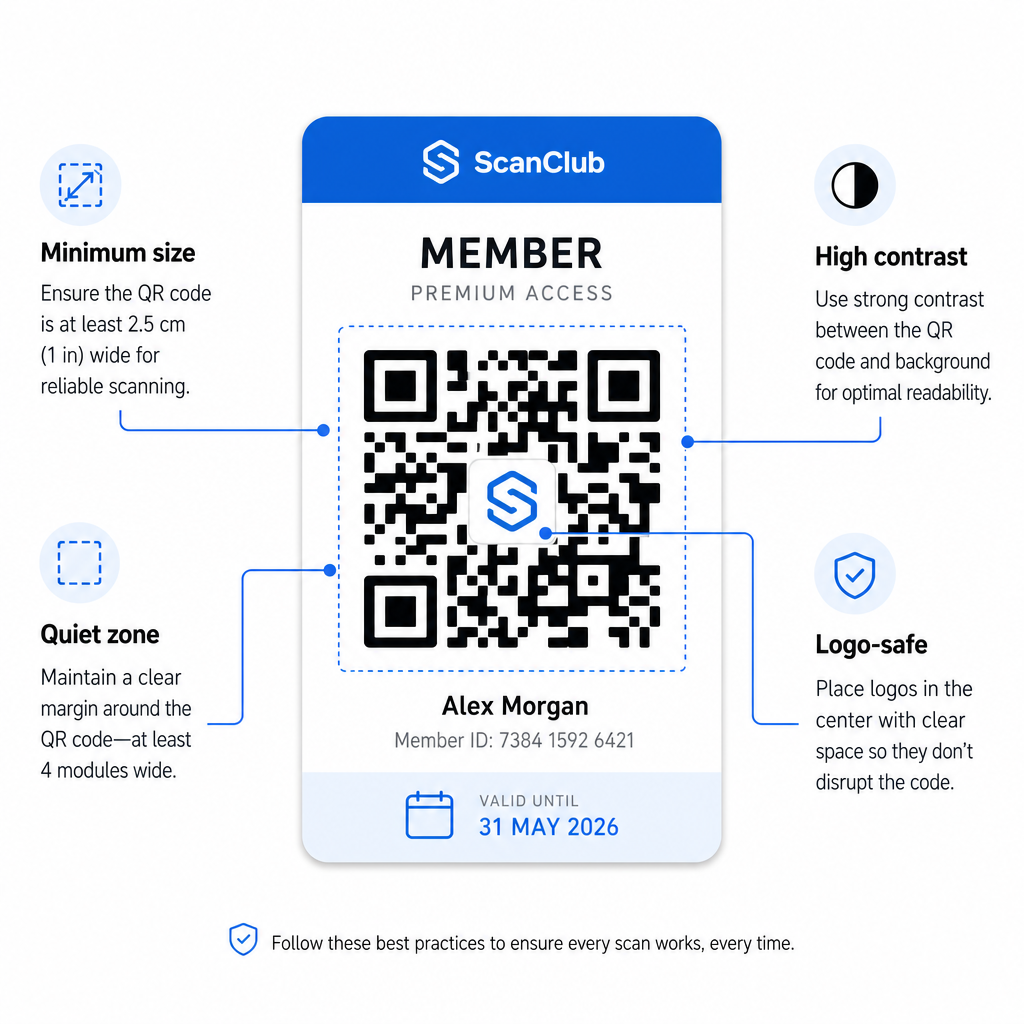
- Minimale grootte: Print QR-codes niet kleiner dan 0,8 × 0,8 inch (2 cm × 2 cm) voor scannen van dichtbij. Pas de 10:1 regel toe voor afstand – voor elke 10 inch tussen de scanner en de code, moet de code minstens 1 inch breed zijn.
- Stille zone: Houd minimaal 4 modules blanco ruimte aan alle zijden van de QR-code. Deze marge stelt scanners in staat om te detecteren waar de code begint en eindigt.
- Contrast: Gebruik een donkere voorgrond op een lichte achtergrond met een minimale contrastverhouding van 4:1. Vermijd het plaatsen van de QR-code over afbeeldingen of drukke patronen die de leesbaarheid verminderen.
- Foutcorrectie: Als u het logo van uw organisatie in de QR-code opneemt, gebruik dan foutcorrectieniveau H, dat tot 30% herstelcapaciteit biedt. Dit compenseert voor het deel van de code dat visueel wordt bedekt door het logo.
- Test voor distributie: Scan elke codesjabloon op meerdere apparaten en onder verschillende lichtomstandigheden voordat u deze aan leden uitrolt.
Deze zelfde principes gelden voor fysieke locaties. De QR-codes voor sportscholen en wellnessgids behandelt hoe fitnessfaciliteiten specifiek omgaan met scanomgevingen met een hoog volume.
Beveiligingsoverwegingen voor lid-QR-codes
Lidmaatschapskaarten verlenen vaak echte toegangsrechten – tot faciliteiten, evenementen of kortingen – dus beveiliging is niet optioneel. Een slecht ontworpen QR-systeem kan worden gekopieerd, gefotografeerd of gedeeld.
- Codeer een veilige identificatie, geen persoonlijke gegevens. De QR-code moet een ondoorzichtige referentie bevatten – zoals een cryptografisch gehashte lid-ID – in plaats van een naam, e-mailadres of andere persoonlijke informatie. Als iemand de QR-code fotografeert, mag deze geen directe toegang krijgen tot lidgegevens.
- Gebruik tijdgebonden of eenmalige codes voor scenario's met hoge beveiliging. Voor evenementen of eenmalige toegangssituaties, genereer codes die verlopen na een korte periode of ongeldig worden na een enkele scan. Dit voorkomt het kopiëren of doorsturen van codes.
- Gebruik dynamische QR-codes voor doorlopende lidmaatschappen. Omdat dynamische codes naar een server-side bestemming verwijzen, kunt u een verlopen of gecompromitteerd lidmaatschap direct ongeldig maken – geen nieuwe kaart vereist.
- Houd een audit trail bij. Log elke scan met een tijdstempel en locatie. Dit helpt u ongebruikelijke patronen te identificeren, zoals een enkele code die tegelijkertijd vanaf twee locaties wordt gescand.
- Voldoen aan de regelgeving voor gegevensbescherming. Als uw lidmaatschapskaarten of scanlogs persoonlijke informatie bevatten, zorg er dan voor dat uw systeem overeenkomt met de toepasselijke privacywetten. Werk samen met leveranciers die gegevensminimalisatie toepassen en duidelijke bewaarbeleidslijnen voor gegevens hebben.
Voor organisaties die gevoelige lidmaatschapsgegevens verwerken, is het beveiligingsadvies consistent: QR-codes die voor authenticatie worden gebruikt, mogen alleen ondoorzichtige identificatiegegevens bevatten, geen persoonlijke informatie, en codes moeten waar mogelijk tijdgebonden en dynamisch gegenereerd zijn.
QR-lidmaatschapskaarten koppelen aan loyaliteitsprogramma's
Lidmaatschapskaarten en loyaliteitsprogramma's overlappen vaak. Als uw organisatie ledenbetrokkenheid beloont – via punten, bezoekmijlpalen of gelaagde voordelen – kan een QR-gebaseerde kaart beide functies tegelijkertijd vervullen.
Wanneer een lid incheckt, kan die gebeurtenis een puntentegoed activeren, hun bezoekersaantal bijwerken of een nieuwe voordelenlaag ontgrendelen. Dit elimineert de noodzaak van een aparte loyaliteitskaart volledig. De gids over hoe QR-code loyaliteitsprogramma's op te zetten beschrijft hoe beloningen naast een lidmaatschapssysteem kunnen worden gestructureerd. Voor een zij-aan-zij vergelijking van digitale en fysieke benaderingen, de Uitsplitsing van QR-codes versus traditionele loyaliteitskaarten behandelt de praktische afwegingen in detail.
Als uw programma evenementen met tickets omvat, is dezelfde QR-infrastructuur ook daar van toepassing. De Gids voor QR-codes voor evenementtickets legt uit hoe u uw opstelling kunt uitbreiden om evenementspecifieke toegang en check-in te dekken.
Digitale lidmaatschapskaarten met QR-codes verminderen de administratieve overhead, bieden leden een gemakkelijkere ervaring en voorzien uw organisatie van echte gegevens over betrokkenheid en aanwezigheid. De belangrijkste beslissingen – statische versus dynamische codes, zelfscan versus personeelsscan, wallet-integratie versus e-maillevering – hangen af van uw ledenaantal en operationele opzet, maar de onderliggende tools zijn toegankelijk ongeacht de grootte van de organisatie. Begin met dynamische codes, ontwerp voor scanbaarheid en bouw uw distributiemethode op rond hoe uw leden zich daadwerkelijk gedragen.
Bouw uw lidmaatschapskaartsysteem Genereer, pas aan en beheer QR-codes voor elk lid vanuit één dashboard. Probeer de Pageloot QR-codegenerator gratis gedurende 14 dagen – geen creditcard vereist.
Veelgestelde vragen
Ja. Leden kunnen hun QR-code opslaan als een pas in Apple Wallet of Google Wallet, waarvoor geen app van derden nodig is. Als alternatief kunt u hen een digitale kaartafbeelding e-mailen die ze rechtstreeks openen vanuit de fotobibliotheek of e-mailclient van hun telefoon. Personeel scant de QR-code die op het scherm wordt weergegeven met behulp van een standaardcamera of de Pageloot QR Code Scanner.
Met dynamische QR-codes werkt u de bestemming of lidmaatschapsstatus in uw dashboard onmiddellijk bij. De fysieke of digitale kaart zelf verandert niet, maar de volgende keer dat deze wordt gescand, retourneert uw systeem de bijgewerkte status – verlopen, opgeschort of verlengd – zonder een nieuwe kaart aan het lid uit te geven.
Pageloot laat u QR codes in bulk aanmaken en beheren, georganiseerd in mappen op basis van lidmaatschapsniveau, locatie, of verlengingsperiode. Het gecentraliseerde dashboard biedt scananalyses en beheertools voor al uw codes op één plek. Bezoek de Pageloot QR Code Generator pagina voor details over planspecifieke limieten en functies.