การจัดการการระบุตัวตนสมาชิกด้วยบัตรกระดาษหรือรายการเช็คอินด้วยตนเองทำให้คุณช้าลงหรือไม่? บัตรหาย, คิวยาว, และไม่มีวิธีตรวจสอบสถานะสมาชิกแบบเรียลไทม์สร้างความยุ่งยากอย่างแท้จริงสำหรับทั้งพนักงานและสมาชิก คู่มือนี้จะแนะนำคุณเกี่ยวกับวิธีการนำบัตรสมาชิกดิจิทัลพร้อมคิวอาร์โค้ดมาใช้ – ตั้งแต่การสร้างโค้ดเฉพาะไปจนถึงการสแกนที่ประตูและการรักษาความปลอดภัยข้อมูลสมาชิก.
ทำไมคิวอาร์โค้ดจึงทำงานได้ดีสำหรับบัตรสมาชิก
บัตรสมาชิกพลาสติกหรือกระดาษแบบดั้งเดิมมีปัญหาที่แก้ไขไม่ได้ร่วมกัน: คือมีข้อมูลคงที่, เสื่อมสภาพ, สูญหาย, และไม่ให้ข้อมูลเชิงลึกว่าสมาชิกใช้งานอย่างไรเลย คิวอาร์โค้ดบนบัตรสมาชิกดิจิทัลสามารถแก้ปัญหาทั้งหมดนั้นได้.
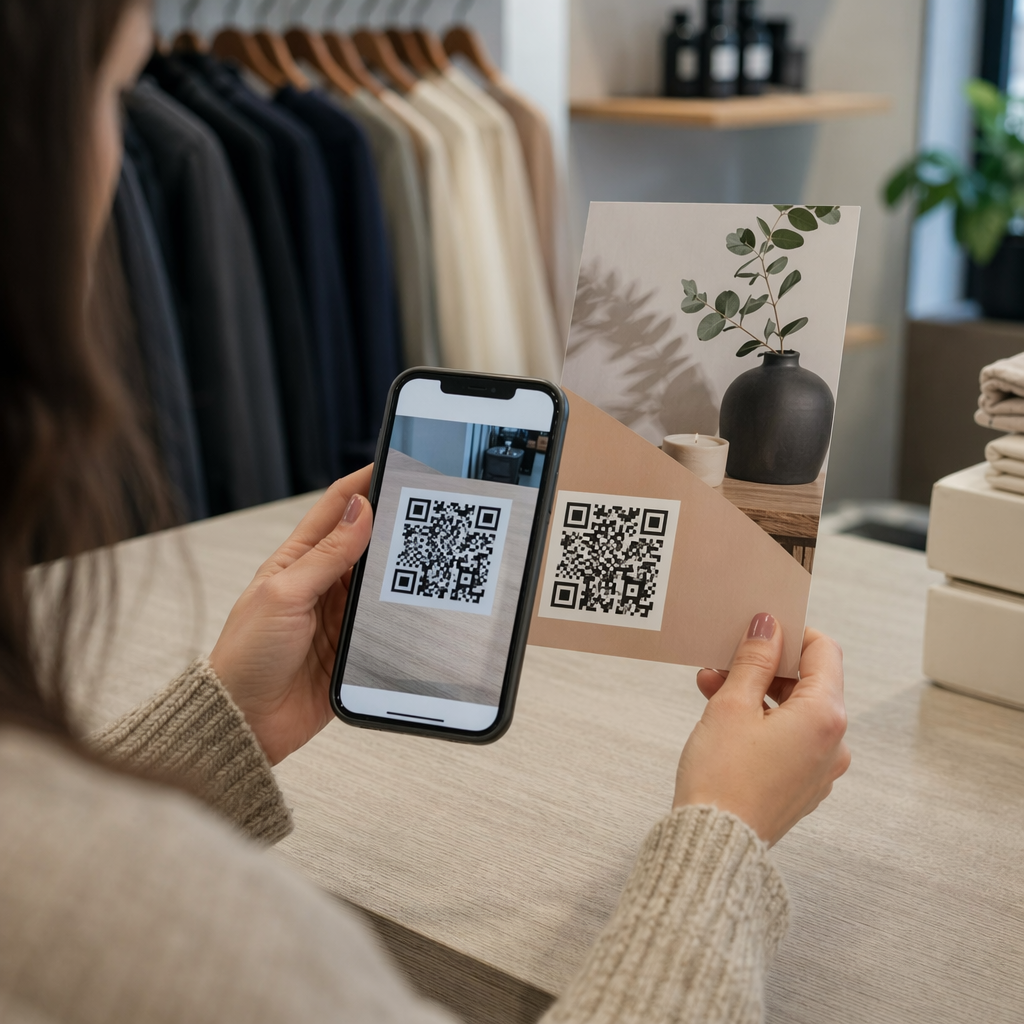
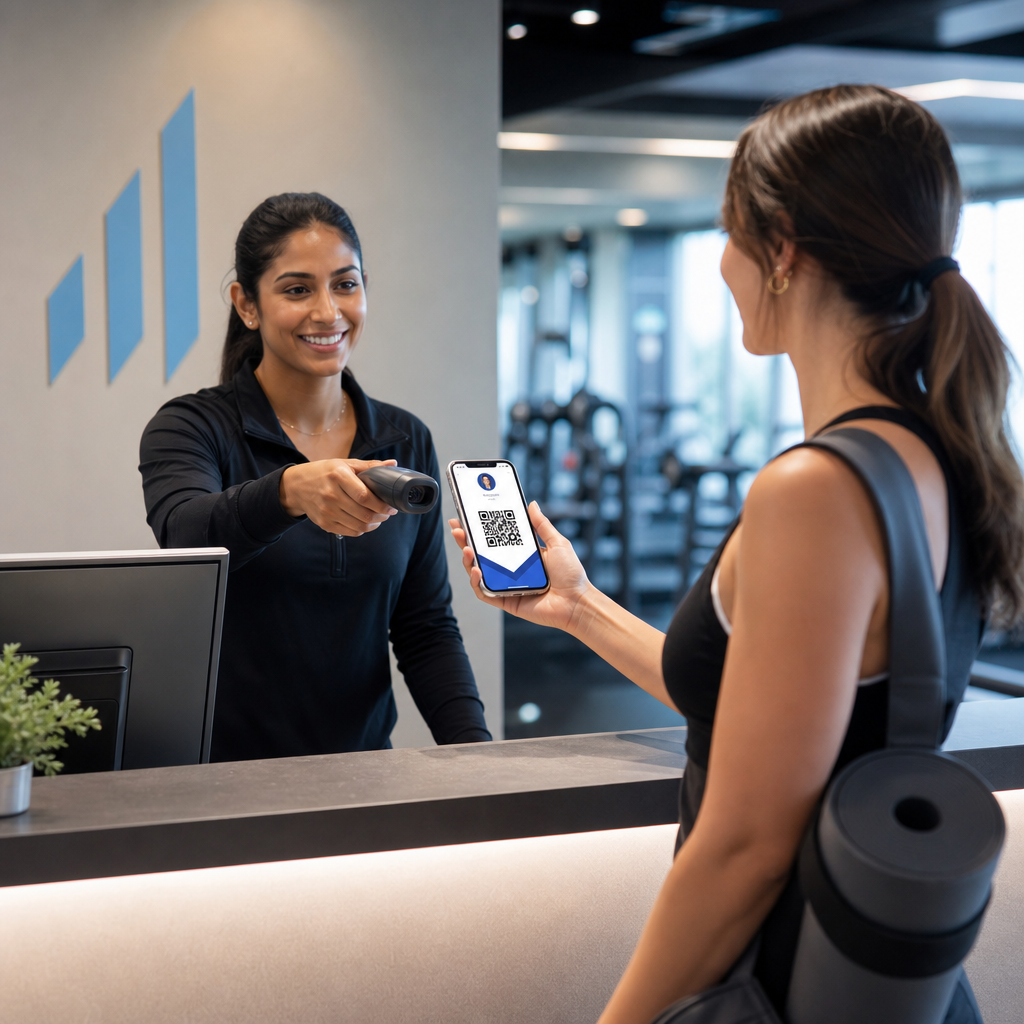
เมื่อสมาชิกแสดงบัตรของตน – บนโทรศัพท์, ในแอปกระเป๋าเงิน, หรือแม้แต่พิมพ์บนกระดาษ – พนักงานเพียงแค่สแกนคิวอาร์โค้ด เครื่องสแกนจะอ่านตัวระบุเฉพาะที่เชื่อมโยงกับบันทึกของสมาชิกนั้นในระบบของคุณ, ยืนยันสถานะของพวกเขา, และบันทึกการเช็คอิน กระบวนการทั้งหมดใช้เวลาเพียงไม่กี่วินาที.
ผู้ใช้สมาร์ทโฟนประมาณ 99.5 ล้านคนในสหรัฐอเมริกาสแกนคิวอาร์โค้ดในปี 2025 ซึ่งเพิ่มขึ้น 19% เมื่อเทียบกับปี 2022 สมาชิกของคุณเกือบจะแน่นอนว่ารู้วิธีใช้งานอยู่แล้ว นอกเหนือจากความสะดวกสบายแล้ว บัตรสมาชิกที่ใช้คิวอาร์โค้ดยังให้สิ่งหนึ่งที่บัตรจริงไม่เคยให้ได้: ข้อมูล คุณสามารถติดตามได้ว่าสมาชิกเช็คอินเมื่อใด, มาบ่อยแค่ไหน, และเข้าร่วมสถานที่หรือกิจกรรมใดบ้าง – ข้อมูลที่ช่วยให้คุณตัดสินใจได้ดีขึ้นเกี่ยวกับการจัดหาพนักงาน, การจัดโปรแกรม, และการมีส่วนร่วมของสมาชิก.
กระบวนการยืนยันทำงานอย่างไร
การทำความเข้าใจขั้นตอนจะช่วยให้คุณออกแบบระบบที่เหมาะสมกับองค์กรของคุณ นี่คือสิ่งที่เกิดขึ้นตั้งแต่สมาชิกเดินเข้ามาจนถึงเวลาที่พวกเขาได้รับอนุญาตให้เข้า.
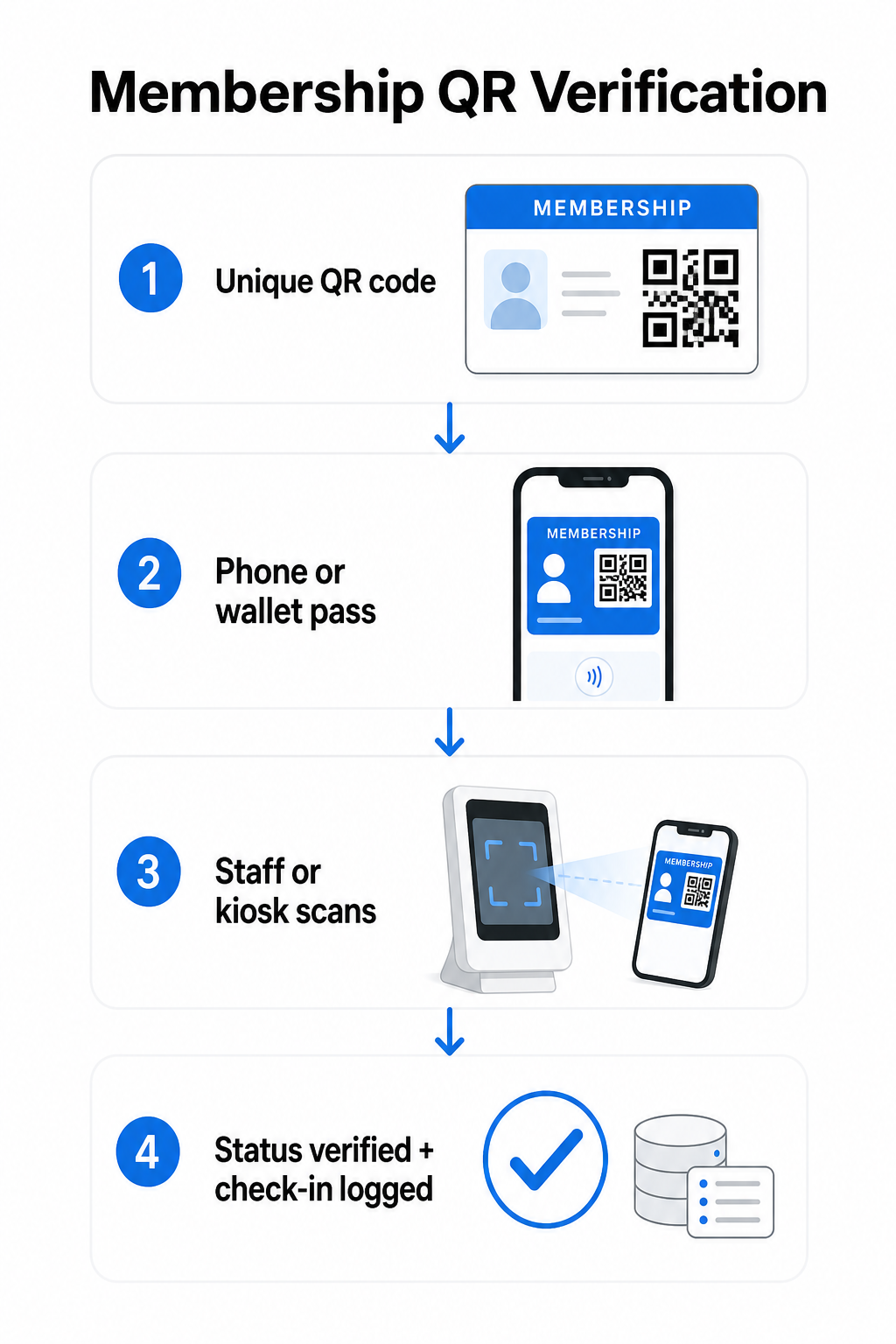
คิวอาร์โค้ดเฉพาะจะถูกกำหนดให้กับสมาชิกแต่ละคนในระหว่างการลงทะเบียนหรือการเริ่มต้นใช้งาน โค้ดนี้เข้ารหัสตัวระบุที่ปลอดภัย – ไม่ใช่ข้อมูลส่วนบุคคลของสมาชิกโดยตรง, แต่เป็นการอ้างอิงที่ระบบของคุณสามารถค้นหาได้ สมาชิกแสดงคิวอาร์โค้ดของตนโดยการเปิดบัตรดิจิทัลบนโทรศัพท์, แสดงบัตรที่พิมพ์ออกมา, หรือแสดงบัตรผ่านจาก Apple Wallet หรือ Google Wallet จากนั้นพนักงานหรือตู้คีออสก์จะสแกนโค้ดโดยใช้กล้องสมาร์ทโฟน, เครื่องสแกนบาร์โค้ดเฉพาะ, หรือเครื่องมือเช่น เครื่องสแกน QR Code ของ Pageloot.
ระบบจะตรวจสอบข้อมูลประจำตัว – ยืนยันสถานะสมาชิก, ระดับการเข้าถึง, วันหมดอายุ, หรือสิทธิ์อื่น ๆ ที่คุณได้กำหนดค่าไว้ – ก่อนที่จะอนุญาตหรือแจ้งเตือนการเข้าและบันทึกการเช็คอินในฐานข้อมูลสมาชิกของคุณ คุณยังสามารถเพิ่มกฎตามเวลาหรือตามพื้นที่ได้ เช่น อนุญาตให้เข้าถึงได้เฉพาะในช่วงเวลาทำการ หรือจำกัดระดับสมาชิกบางประเภทให้เข้าถึงได้เฉพาะสิ่งอำนวยความสะดวกบางอย่าง.
กระบวนการนี้ใช้ได้ผลไม่ว่าคุณจะบริหารยิม, สมาคมวิชาชีพ, สโมสร, หรือองค์กรใด ๆ ที่ต้องการตรวจสอบว่าใครกำลังเข้ามาในประตู.
เริ่มสร้างคิวอาร์โค้ดสำหรับสมาชิก สร้างคิวอาร์โค้ดที่ไม่ซ้ำกันและสามารถติดตามได้สำหรับสมาชิกทุกคนด้วย Pageloot เครื่องสร้างรหัส QR. ทดลองใช้ฟรี 14 วัน ไม่ต้องใช้บัตรเครดิต.
การเลือกระหว่างรหัส QR แบบคงที่และแบบไดนามิก
คิวอาร์โค้ดบางประเภททำงานไม่เหมือนกัน และความแตกต่างนี้มีความสำคัญต่อการจัดการสมาชิก.
รหัส QR แบบคงที่ เข้ารหัสข้อมูลอย่างถาวร ณ เวลาที่สร้าง เมื่อพิมพ์แล้ว ข้อมูลภายในจะไม่สามารถเปลี่ยนแปลงได้ เหมาะสำหรับกรณีการใช้งานที่เรียบง่าย แต่หากสถานะของสมาชิกเปลี่ยนแปลง – เช่น การเป็นสมาชิกหมดอายุ หรืออัปเกรดเป็นระดับที่สูงขึ้น – คุณจะไม่สามารถอัปเดตโค้ดได้ คุณจะต้องออกโค้ดใหม่ทั้งหมด.
รหัส QR แบบไดนามิก จัดเก็บการเปลี่ยนเส้นทางสั้นๆ ภายในและชี้ไปยังปลายทางที่คุณสามารถอัปเดตได้ตลอดเวลา โดยไม่ต้องพิมพ์โค้ดใหม่ สำหรับบัตรสมาชิก หมายความว่าคุณสามารถเปลี่ยนสิ่งที่การสแกนส่งกลับมาได้ – ระดับการเข้าถึงที่อัปเดต, วันหมดอายุที่ต่ออายุ, หรือโปรไฟล์สมาชิกที่แก้ไขแล้ว – โดยไม่ต้องออกบัตรใหม่ คิวอาร์โค้ดแบบไดนามิกยังสามารถติดตามได้ ให้ข้อมูลวิเคราะห์ระดับการสแกน รวมถึงเวลา, ตำแหน่ง, และข้อมูลอุปกรณ์ สำหรับองค์กรที่จัดการสมาชิกหลายสิบหรือหลายร้อยคน การมองเห็นนั้นมีประโยชน์อย่างแท้จริง.
| ฟีเจอร์ | รหัส QR แบบคงที่ | รหัส QR แบบไดนามิก |
|---|---|---|
| อัปเดตได้หลังพิมพ์ | เลขที่ | ใช่ |
| การวิเคราะห์การสแกน | เลขที่ | ใช่ |
| ใช้งานได้หากสถานะสมาชิกเปลี่ยนแปลง | ต้องออกใหม่ | อัปเดตปลายทาง, โค้ดเดิม |
| ค่าใช้จ่าย | ฟรี | ต้องสมัครสมาชิกแบบชำระเงิน |
สำหรับโปรแกรมสมาชิกส่วนใหญ่ คิวอาร์โค้ดแบบไดนามิกคือตัวเลือกที่เหมาะสม โค้ดแบบคงที่ยอมรับได้เฉพาะในกรณีที่รายละเอียดการเป็นสมาชิกของคุณไม่เคยเปลี่ยนแปลงและคุณไม่จำเป็นต้องติดตาม.
วิธีสร้างคิวอาร์โค้ดสำหรับสมาชิกด้วย Pageloot
นี่คือแนวทางปฏิบัติทีละขั้นตอนในการสร้างและแจกจ่ายคิวอาร์โค้ดสำหรับสมาชิกของคุณ.
ขั้นตอนที่ 1: เลือกประเภทคิวอาร์โค้ดของคุณ. เข้าสู่ระบบ Pageloot และเลือกประเภทคิวอาร์โค้ดที่ตรงกับสิ่งที่สมาชิกต้องการเข้าถึง – URL ที่เชื่อมโยงไปยังโปรไฟล์สมาชิก, vCard ที่มีรายละเอียดการติดต่อและการเป็นสมาชิก, หรือแบบฟอร์มสำหรับการยืนยันการเช็คอิน Pageloot รองรับ คิวอาร์โค้ดมากกว่า 25 ประเภท, เพื่อให้คุณสามารถจับคู่รูปแบบกับขั้นตอนการทำงานที่มีอยู่ของคุณ.
ขั้นตอนที่ 2: ป้อนข้อมูลเฉพาะของสมาชิก. สมาชิกแต่ละคนต้องการโค้ดที่ไม่ซ้ำกัน หากคุณกำลังเชื่อมโยงไปยังโปรไฟล์สมาชิกแต่ละคนหรือ ID ให้แน่ใจว่าโค้ด QR แต่ละโค้ดชี้ไปยังตัวระบุที่ไม่ซ้ำกัน แทนที่จะเป็นเนื้อหาที่ใช้ร่วมกันทั่วไป.
ขั้นตอนที่ 3: ปรับแต่งการออกแบบ. เพิ่มโลโก้ขององค์กรและสีของแบรนด์ การออกแบบบัตรที่จดจำได้จะสร้างความไว้วางใจให้กับสมาชิก และลดโอกาสในการฉ้อโกง รักษาโค้ด QR ให้มีความคมชัดสูง – พื้นหน้าสีเข้มบนพื้นหลังสีอ่อน – และตรวจสอบให้แน่ใจว่ามีขนาดการพิมพ์ขั้นต่ำ 0.8 × 0.8 นิ้ว สำหรับการสแกนระยะใกล้.
ขั้นตอนที่ 4: ดาวน์โหลดและแจกจ่าย. Pageloot มีไฟล์พร้อมพิมพ์ในรูปแบบ .SVG, .PDF และ .EPS คุณสามารถฝังโค้ด QR ลงในการออกแบบบัตรดิจิทัล ส่งอีเมลโดยตรงถึงสมาชิก หรือให้สมาชิกเพิ่มลงใน Apple Wallet หรือ Google Wallet เป็นบัตรผ่าน.
ขั้นตอนที่ 5: จัดระเบียบโค้ดของคุณ. ใช้ของ Pageloot โฟลเดอร์ QR Code เพื่อจัดกลุ่มโค้ดสมาชิกตามระดับการเป็นสมาชิก, สถานที่, หรือรอบการต่ออายุ สิ่งนี้จะช่วยให้แดชบอร์ดของคุณจัดการได้ง่ายขึ้นเมื่อรายชื่อสมาชิกของคุณเพิ่มขึ้น.
ติดตามการเช็คอินของสมาชิกทุกครั้ง ตรวจสอบข้อมูลการสแกนทั่วทั้งการเป็นสมาชิกของคุณจากแดชบอร์ดเดียว Pageloot เครื่องสร้างรหัส QR ช่วยให้คุณสร้างโค้ดแบบไดนามิกที่ติดตามได้ และอัปเดตได้ตลอดเวลาโดยไม่ต้องพิมพ์ซ้ำ.
การแจกจ่ายบัตรให้สมาชิก
เมื่อคุณสร้างโค้ดแล้ว คุณมีหลายทางเลือกในการส่งโค้ดเหล่านั้นไปยังมือของสมาชิก.
- การจัดส่งทางอีเมล: ส่งรูปภาพบัตรดิจิทัลหรือ PDF ที่มีโค้ด QR เฉพาะของสมาชิกแต่ละคน สิ่งนี้ใช้งานได้ทันทีและไม่มีค่าใช้จ่ายในการแจกจ่าย.
- Apple Wallet และ Google Wallet: สมาชิกสามารถเพิ่มบัตรผ่านการเป็นสมาชิกโดยตรงไปยังแอปกระเป๋าเงินในโทรศัพท์ของตนได้ Apple Wallet จัดเก็บบัตรผ่านในรูปแบบ `.pkpass` ซึ่งสามารถรวมโค้ด QR และรายละเอียดสมาชิกได้ Google Wallet รองรับฟังก์ชันการทำงานที่คล้ายกันผ่าน Passes API เมื่อเพิ่มแล้ว สมาชิกจะเปิดบัตรผ่านและแสดงโค้ด QR เพื่อสแกนที่ประตู.
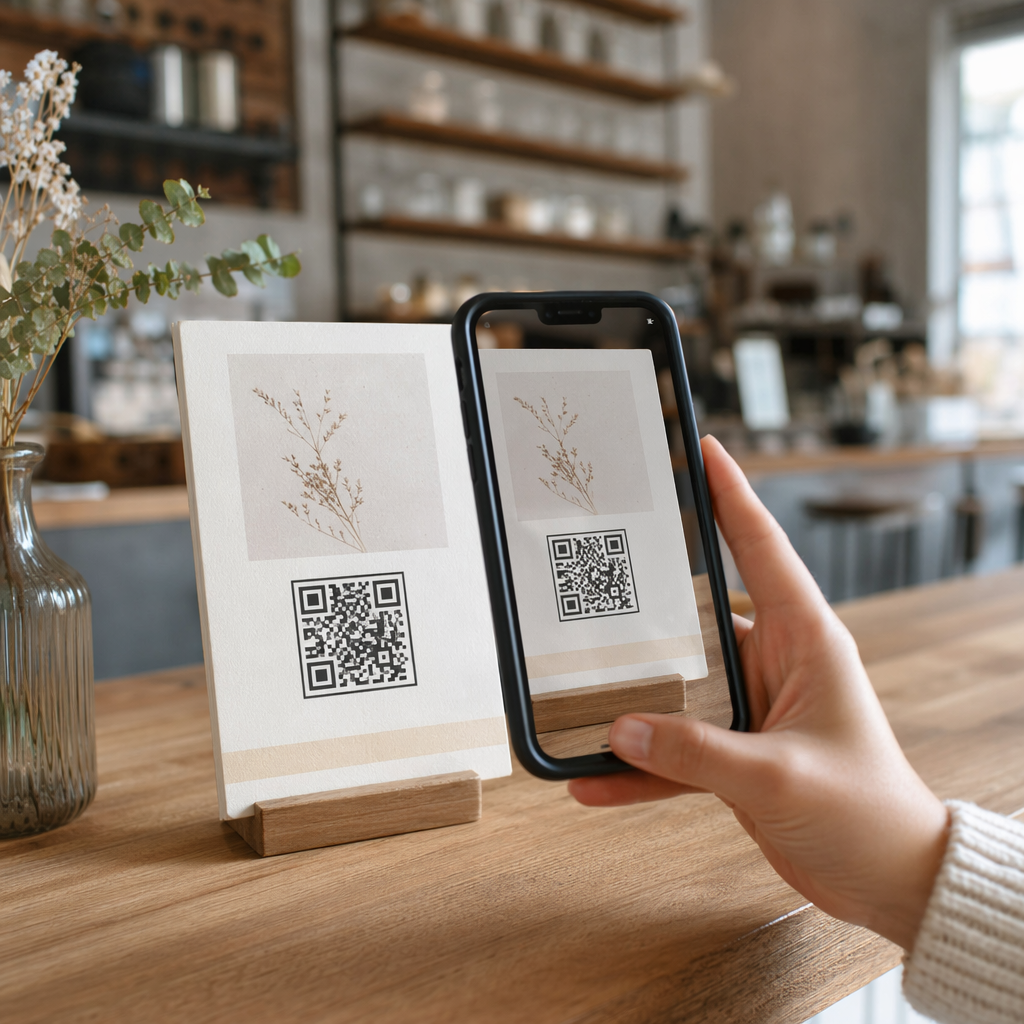
- บัตรพิมพ์: สำหรับสมาชิกที่ต้องการบัตรจริง หรือสำหรับจุดเข้าที่การใช้โทรศัพท์ไม่สะดวก คุณสามารถพิมพ์โค้ด QR ลงบนบัตรมาตรฐานได้ ใช้การพิมพ์คุณภาพสูงเพื่อรักษาความสามารถในการสแกน.
- การแสดงผลในแอปหรือพอร์ทัล: หากองค์กรของคุณมีพอร์ทัลสมาชิกหรือแอป ให้แสดงโค้ด QR โดยตรงภายในนั้น เพื่อให้สมาชิกสามารถเข้าถึงได้ตลอดเวลาโดยไม่ต้องดาวน์โหลดไฟล์แยกต่างหาก.
สำหรับโปรแกรมที่เน้นการเข้าร่วม – ชั้นเรียน, เวิร์กช็อป, หรือกิจกรรมที่เกิดขึ้นซ้ำ – เฉพาะ ระบบการเข้าร่วมด้วยรหัส QR ช่วยให้สมาชิกสามารถสแกนตัวเองเข้าได้ แทนที่จะรอให้เจ้าหน้าที่สแกนบัตร ซึ่งสามารถลดเวลาการเข้าได้อย่างมาก.
ข้อกำหนดการออกแบบโค้ด QR สำหรับการสแกนที่เชื่อถือได้
โค้ด QR บัตรสมาชิกที่ไม่สามารถสแกนได้ที่ประตูจะสร้างความติดขัดและบั่นทอนความมั่นใจของสมาชิก ปฏิบัติตามข้อกำหนดทางเทคนิคเหล่านี้เพื่อให้มั่นใจถึงประสิทธิภาพที่สอดคล้องกัน.
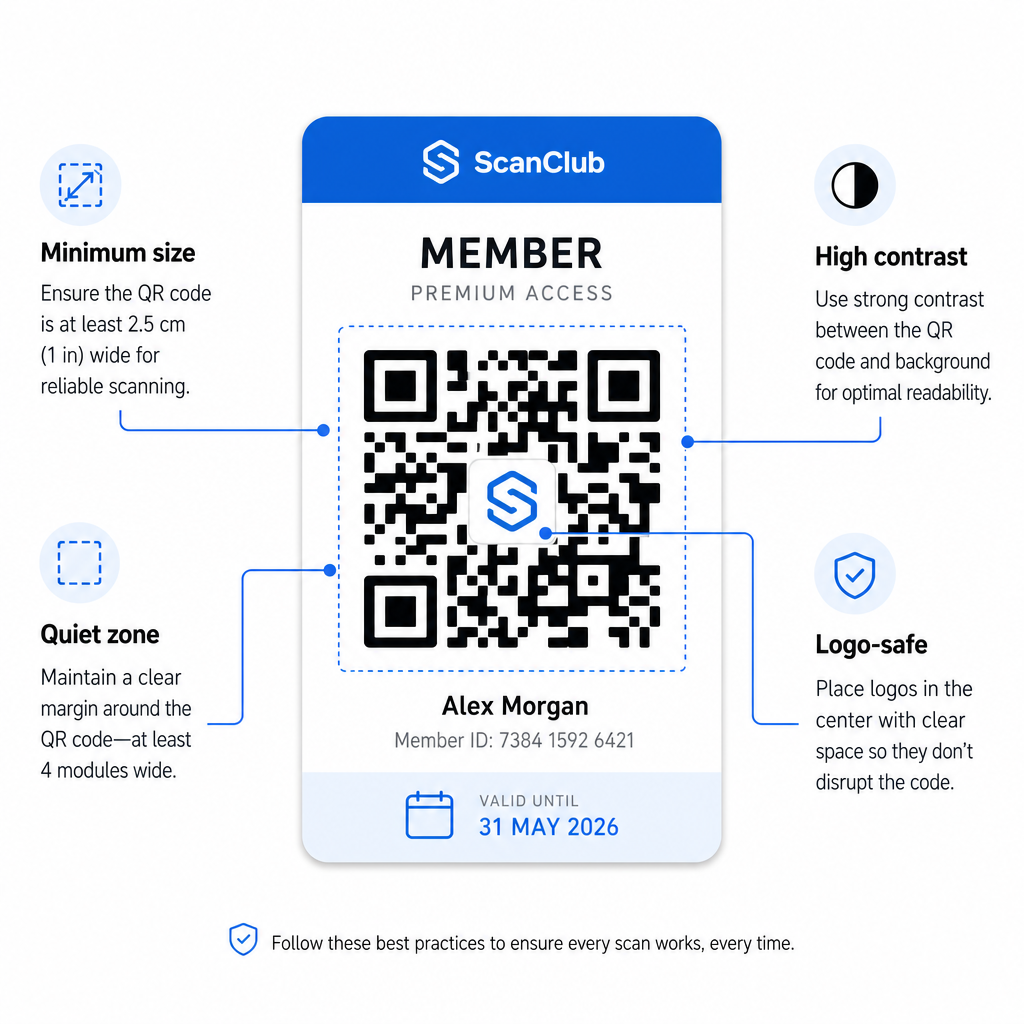
- ขนาดขั้นต่ำ: พิมพ์โค้ด QR ที่มีขนาดไม่เล็กกว่า 0.8 × 0.8 นิ้ว (2 ซม. × 2 ซม.) สำหรับการสแกนระยะใกล้ ใช้กฎ 10:1 สำหรับระยะห่าง – สำหรับทุกๆ 10 นิ้วระหว่างเครื่องสแกนกับโค้ด โค้ดควรมีความกว้างอย่างน้อย 1 นิ้ว.
- พื้นที่ว่าง: รักษาระยะห่างว่างเปล่าอย่างน้อย 4 โมดูลในทุกด้านของโค้ด QR ระยะขอบนี้ช่วยให้เครื่องสแกนตรวจจับได้ว่าโค้ดเริ่มต้นและสิ้นสุดที่ใด.
- ตัดกัน: ใช้พื้นหน้าสีเข้มบนพื้นหลังสีอ่อน โดยมีอัตราส่วนคอนทราสต์ขั้นต่ำ 4:1 หลีกเลี่ยงการวางโค้ด QR ทับรูปภาพหรือลวดลายที่ยุ่งเหยิงซึ่งลดความสามารถในการอ่าน.
- การแก้ไขข้อผิดพลาด: หากคุณรวมโลโก้ขององค์กรไว้ในโค้ด QR ให้ใช้การแก้ไขข้อผิดพลาดระดับ H ซึ่งให้ความสามารถในการกู้คืนได้ถึง 30% สิ่งนี้จะชดเชยส่วนของโค้ดที่ถูกโลโก้บดบัง.
- ทดสอบก่อนแจกจ่าย: สแกนเทมเพลตโค้ดทุกอันบนอุปกรณ์หลายเครื่องและภายใต้สภาพแสงที่แตกต่างกัน ก่อนที่จะนำไปใช้กับสมาชิก.
หลักการเดียวกันนี้ใช้ได้กับสถานที่จริงทั้งหมด คู่มือโค้ด QR สำหรับยิมและสุขภาพ ครอบคลุมว่าสถานออกกำลังกายจัดการสภาพแวดล้อมการสแกนที่มีปริมาณมากโดยเฉพาะอย่างไร.
ข้อควรพิจารณาด้านความปลอดภัยสำหรับโค้ด QR ของสมาชิก
บัตรสมาชิกมักจะให้สิทธิ์การเข้าถึงจริง – ไปยังสถานที่, กิจกรรม, หรือส่วนลด – ดังนั้นความปลอดภัยจึงไม่ใช่ทางเลือก ระบบ QR ที่ออกแบบไม่ดีสามารถถูกคัดลอก, ถ่ายภาพ, หรือแชร์ได้.
- เข้ารหัสตัวระบุที่ปลอดภัย ไม่ใช่ข้อมูลส่วนบุคคล. โค้ด QR ควรมมีการอ้างอิงที่ไม่โปร่งใส – เช่น ID สมาชิกที่เข้ารหัสแบบแฮช – แทนที่จะเป็นชื่อ, ที่อยู่อีเมล, หรือข้อมูลส่วนบุคคลอื่นๆ หากมีคนถ่ายภาพโค้ด QR พวกเขาไม่ควรเข้าถึงข้อมูลสมาชิกได้โดยตรง.
- ใช้โค้ดแบบจำกัดเวลาหรือใช้ครั้งเดียวสำหรับสถานการณ์ที่มีความปลอดภัยสูง. สำหรับกิจกรรมหรือสถานการณ์การเข้าถึงครั้งเดียว ให้สร้างโค้ดที่หมดอายุหลังจากช่วงเวลาสั้นๆ หรือไม่ถูกต้องหลังจากสแกนเพียงครั้งเดียว สิ่งนี้จะป้องกันการคัดลอกหรือส่งต่อโค้ด.
- ใช้รหัส QR แบบไดนามิกสำหรับการเป็นสมาชิกต่อเนื่อง. เนื่องจากรหัสแบบไดนามิกชี้ไปยังปลายทางฝั่งเซิร์ฟเวอร์ คุณจึงสามารถทำให้การเป็นสมาชิกที่หมดอายุหรือถูกบุกรุกเป็นโมฆะได้ทันที โดยไม่ต้องใช้บัตรใหม่.
- รักษาบันทึกการตรวจสอบ. บันทึกการสแกนทุกครั้งพร้อมการประทับเวลาและตำแหน่ง สิ่งนี้ช่วยให้คุณระบุรูปแบบที่ผิดปกติได้ เช่น รหัสเดียวถูกสแกนจากสองตำแหน่งพร้อมกัน.
- ปฏิบัติตามกฎระเบียบการคุ้มครองข้อมูล. หากบัตรสมาชิกหรือบันทึกการสแกนของคุณมีข้อมูลส่วนบุคคล ตรวจสอบให้แน่ใจว่าระบบของคุณสอดคล้องกับกฎหมายความเป็นส่วนตัวที่เกี่ยวข้อง ทำงานร่วมกับผู้จำหน่ายที่ปฏิบัติตามการลดปริมาณข้อมูลและมีนโยบายการเก็บรักษาข้อมูลที่ชัดเจน.
สำหรับองค์กรที่จัดการข้อมูลสมาชิกที่ละเอียดอ่อน คำแนะนำด้านความปลอดภัยมีความสอดคล้องกัน: รหัส QR ที่ใช้สำหรับการยืนยันตัวตนควรมมีเพียงตัวระบุที่ไม่เปิดเผยข้อมูล ไม่ใช่ข้อมูลส่วนบุคคล และรหัสควรมีการจำกัดเวลาและสร้างขึ้นแบบไดนามิกทุกที่ที่เป็นไปได้.
การเชื่อมต่อบัตรสมาชิก QR กับโปรแกรมสะสมคะแนน
บัตรสมาชิกและโปรแกรมสะสมคะแนนมักจะทับซ้อนกัน หากองค์กรของคุณให้รางวัลการมีส่วนร่วมของสมาชิก – ผ่านคะแนน การเยี่ยมชมตามเป้าหมาย หรือสิทธิประโยชน์แบบแบ่งระดับ – บัตรที่ใช้ QR สามารถทำหน้าที่ทั้งสองอย่างได้พร้อมกัน.
เมื่อสมาชิกสแกนเข้า เหตุการณ์นั้นสามารถกระตุ้นการให้คะแนน อัปเดตจำนวนการเยี่ยมชม หรือปลดล็อกสิทธิประโยชน์ระดับใหม่ สิ่งนี้ช่วยขจัดความจำเป็นในการใช้บัตรสะสมคะแนนแยกต่างหากโดยสิ้นเชิง คู่มือเกี่ยวกับ วิธีตั้งค่าโปรแกรมความภักดีด้วย QR โค้ด อธิบายถึงวิธีการจัดโครงสร้างรางวัลควบคู่ไปกับระบบสมาชิก สำหรับการเปรียบเทียบแนวทางดิจิทัลและกายภาพแบบเคียงข้างกัน การวิเคราะห์รหัส QR เทียบกับบัตรสะสมคะแนนแบบดั้งเดิม ครอบคลุมข้อดีข้อเสียในทางปฏิบัติโดยละเอียด.
หากโปรแกรมของคุณรวมถึงกิจกรรมที่มีตั๋ว โครงสร้างพื้นฐาน QR เดียวกันก็ใช้ได้ที่นั่นด้วย คู่มือรหัส QR สำหรับตั๋วกิจกรรม อธิบายวิธีขยายการตั้งค่าของคุณเพื่อครอบคลุมการเข้าถึงและการเช็คอินเฉพาะกิจกรรม.
บัตรสมาชิกดิจิทัลพร้อมรหัส QR ช่วยลดค่าใช้จ่ายในการบริหารจัดการ มอบประสบการณ์ที่สะดวกสบายยิ่งขึ้นแก่สมาชิก และให้ข้อมูลจริงแก่องค์กรของคุณเกี่ยวกับการมีส่วนร่วมและการเข้าร่วม การตัดสินใจที่สำคัญ – รหัสแบบคงที่เทียบกับแบบไดนามิก การสแกนด้วยตนเองเทียบกับการสแกนโดยเจ้าหน้าที่ การรวมเข้ากับกระเป๋าเงินเทียบกับการส่งทางอีเมล – ขึ้นอยู่กับปริมาณสมาชิกและการตั้งค่าการดำเนินงานของคุณ แต่เครื่องมือพื้นฐานสามารถเข้าถึงได้โดยไม่คำนึงถึงขนาดองค์กร เริ่มต้นด้วยรหัสแบบไดนามิก ออกแบบเพื่อความสามารถในการสแกน และสร้างวิธีการจัดจำหน่ายของคุณโดยอิงจากพฤติกรรมจริงของสมาชิก.
สร้างระบบบัตรสมาชิกของคุณ สร้าง ปรับแต่ง และจัดการรหัส QR สำหรับสมาชิกทุกคนได้จากแดชบอร์ดเดียว ลองใช้ Pageloot เครื่องสร้างรหัส QR ฟรี 14 วัน – ไม่ต้องใช้บัตรเครดิต.
คำถามที่พบบ่อย
ใช่ สมาชิกสามารถจัดเก็บรหัส QR ของตนเป็นบัตรผ่านใน Apple Wallet หรือ Google Wallet ซึ่งไม่จำเป็นต้องใช้แอปของบุคคลที่สาม อีกทางเลือกหนึ่ง คุณสามารถส่งอีเมลรูปภาพบัตรดิจิทัลให้พวกเขา ซึ่งพวกเขาสามารถเปิดได้โดยตรงจากคลังรูปภาพในโทรศัพท์หรือไคลเอนต์อีเมล เจ้าหน้าที่สแกนรหัส QR ที่แสดงบนหน้าจอโดยใช้กล้องมาตรฐานใดก็ได้ หรือเครื่องสแกนรหัส QR ของ Pageloot.
ด้วยคิวอาร์โค้ดแบบไดนามิก คุณอัปเดตปลายทางหรือสถานะสมาชิกในแดชบอร์ดของคุณได้ทันที ตัวบัตรจริงหรือบัตรดิจิทัลเองไม่เปลี่ยนแปลง แต่ครั้งต่อไปที่ถูกสแกน ระบบของคุณจะส่งคืนสถานะที่อัปเดตแล้ว ไม่ว่าจะเป็น หมดอายุ, ถูกระงับ หรือต่ออายุ โดยไม่ต้องออกบัตรใหม่ให้กับสมาชิก.
Pageloot ให้คุณสร้างและจัดการคิวอาร์โค้ดจำนวนมาก จัดระเบียบเป็นโฟลเดอร์ตามระดับสมาชิก, สถานที่, หรือช่วงเวลาการต่ออายุ แดชบอร์ดส่วนกลางให้การวิเคราะห์การสแกนและเครื่องมือการจัดการสำหรับโค้ดทั้งหมดของคุณในที่เดียว เยี่ยมชมหน้า Pageloot QR Code Generator สำหรับรายละเอียดเกี่ยวกับข้อจำกัดเฉพาะแผนและคุณสมบัติ.